

Microsoft’s latest moves leave Windows 10 loyalists squeezed between nostalgia and necessity, and the company’s directional nudges — from shuttering Insider Beta pathways to full‑screen upgrade prompts and a paid one‑year safety net — make staying put an increasingly costly and risky option.
Microsoft has publicly ended the long, slow lifecycle of Windows 10 and is actively steering users toward Windows 11 and a new generation of AI‑oriented PCs. The technical end‑of‑support milestone that defined this shift is concrete and immovable: Windows 10 reached its official end of support on October 14, 2025. That date changes the baseline expectations for security patches, feature updates, and Microsoft’s product roadmap, and it is the frame through which every recent change should be read.
In advance of that date Microsoft undertook several noteworthy moves that have altered the user experience and the upgrade calculus:
Choosing ESU buys time and a defined safety window, but it is explicit that ESU does not provide feature updates or technical support. For many users, ESU is an acceptable stopgap; for others, especially enterprises with compliance requirements, it’s an operational liability.
For those who prize privacy, control, or simply the economics of keeping older hardware, the decision is harder: staying on Windows 10 after end of support is possible, but it increases operational and security risk and will require careful hardening, backups, and possibly paid ESU enrollment.
The most useful posture for any user today is to (a) be fully informed about your device’s upgrade eligibility, (b) secure and back up data now, (c) enroll in ESU if you need time, and (d) plan a practical migration or replacement timetable that fits your budget and security needs.
Change is never painless, and platform transitions are always a balance of progress and preservation. Microsoft has chosen a path that speeds innovation but raises real questions about fairness and user choice. The safest and least stressful route is to treat end‑of‑support as a firm deadline and to plan accordingly — whether that means upgrading, replacing hardware, or intentionally electing for a temporary ESU bridge while you map out a longer term strategy.
Source: The Mirror US https://www.themirror.com/tech/microsoft-windows-10-changes-pause-1566084/
 Background
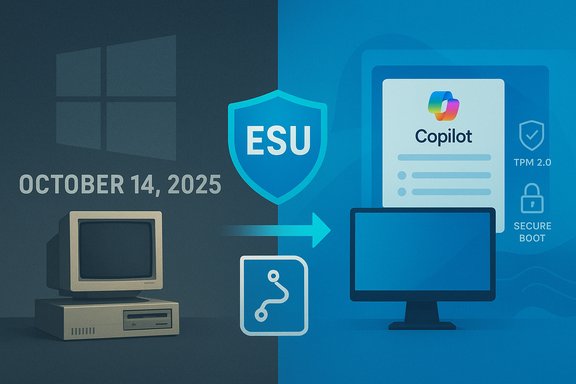
Microsoft has publicly ended the long, slow lifecycle of Windows 10 and is actively steering users toward Windows 11 and a new generation of AI‑oriented PCs. The technical end‑of‑support milestone that defined this shift is concrete and immovable: Windows 10 reached its official end of support on October 14, 2025. That date changes the baseline expectations for security patches, feature updates, and Microsoft’s product roadmap, and it is the frame through which every recent change should be read.In advance of that date Microsoft undertook several noteworthy moves that have altered the user experience and the upgrade calculus:
- Closing the Windows 10 Beta Channel and funneling Insiders to the Release Preview Channel, effectively ending active feature experimentation on Windows 10.
- Rolling out persistent, sometimes full‑screen upgrade prompts and promotional messaging that encourage users to migrate to Windows 11 or buy new “Copilot+” hardware.
- Announcing consumer access to Extended Security Updates (ESU) as a temporary bridge, with enrollment options that include a one‑time paid path or tying your device to a Microsoft account for free extended updates.
- Declaring that Microsoft 365/Office apps will not be supported on Windows 10 after end of support, and that long‑term functionality is not guaranteed as the broader ecosystem moves on.
Why Microsoft is doing this: strategy and stated rationale
Microsoft’s public rationale is straightforward: modern threats, AI integrations, and platform reliability demand better hardware and more modern OS foundations. The shift is framed around three pillars:- Security baseline — Windows 11’s minimum requirements (including TPM 2.0, UEFI Secure Boot and an approved list of 64‑bit processors) are positioned as necessary to enable hardware‑based defenses and modern virtualization features that reduce attack surface and strengthen credentials protection.
- Feature velocity — Microsoft wants to accelerate development of AI features, Copilot integrations, and cloud‑first services that tie closely to Windows 11, making it simpler to ship new experiences without being constrained by legacy compatibility.
- Market refresh — Encouraging device turnover (and partnering with OEMs) drives sales of new hardware designed to host Copilot+ capabilities and other AI‑accelerated workloads.
What changed, in practical terms
The Beta Channel closure and feature freeze on Windows 10
Microsoft’s Insider program previously allowed Windows 10 participants to test and preview new features. Closing the Beta Channel for Windows 10 means there will be no further feature previews for the platform; from now on Windows 10 will receive maintenance and security updates only. For power users and testers, the message is unambiguous: Windows 10 is now a maintenance‑mode platform, not a place for ongoing innovation.Aggressive upgrade prompts and UI nudges
Users have reported and experienced an uptick in full‑screen banners, multi‑panel pop‑ups, and persistent Start/Settings banners promoting Windows 11 and Copilot+ PCs. Those prompts often present the upgrade call‑to‑action prominently while masking the “stay on Windows 10” option behind smaller text or less obvious UI elements. In some cases, the promotional dialog has been flaky enough to freeze or crash on users’ desktops — an embarrassing side effect when the message asks people to “start planning” for migration.Office and Microsoft 365 support changes
Microsoft has aligned Microsoft 365 app support with the Windows 10 end‑of‑support timetable. The upshot: Microsoft 365 apps will not be supported on Windows 10 after the end‑of‑support date. While existing installations may continue to run, Microsoft warns of potential performance or reliability degradation as the apps evolve on newer platforms.The Extended Security Updates (ESU) consumer program
To ease the transition for users who cannot or will not upgrade immediately, Microsoft made ESU available to consumers with two enrollment options:- A free path tied to signing in and syncing certain PC settings to a Microsoft account, and
- A paid one‑time enrollment option (the consumer ESU price is modest by replacement‑PC standards).
What this means for Windows 10 loyalists
Security and risk considerations
After an operating system reaches end of support, the primary risk is that newly discovered vulnerabilities will go unpatched, and third‑party software vendors will gradually de‑prioritize testing and compatibility. Over time that gap widens, with the most severe consequences for systems that handle sensitive data or are exposed to hostile networks.Choosing ESU buys time and a defined safety window, but it is explicit that ESU does not provide feature updates or technical support. For many users, ESU is an acceptable stopgap; for others, especially enterprises with compliance requirements, it’s an operational liability.
Cost and control
Microsoft’s approach increases the potential cost of maintaining older devices. Options include paying for ESU, buying a new PC compatible with Windows 11, or living with rising security and compatibility risk. There’s also a practical loss of user control: enrollment options and in‑OS nudges increasingly assume users will sign in with a Microsoft account and adopt cloud backup flows.Compatibility and the hardware barrier
Windows 11 imposes hardware requirements that exclude many older but still serviceable PCs. TPM 2.0, UEFI Secure Boot, and a list of approved 64‑bit processors are non‑trivial blockers for machines built before roughly 2018. While unsupported workarounds exist, they come with tradeoffs: lack of official update guarantees, potential stability problems, and future incompatibilities.Strengths of Microsoft’s approach
- Better security model: Requiring modern hardware for the platform baseline lets Microsoft innovate on hardware‑assisted security, which can materially reduce certain classes of attacks.
- Faster evolution of new features: Focusing resources on one modern OS reduces engineering cost and enables faster delivery of cloud and AI features.
- Cleaner product roadmap: A clear end‑of‑support date simplifies lifecycle planning for Microsoft and enterprise IT teams.
Risks and downsides
- Erosion of user agency: Aggressive prompts, hidden choices, and account‑linked enrollment paths shift control away from users who prefer local accounts or minimal telemetry.
- Monetization by friction: Pushing hardware refreshes and paid ESU as the primary escape routes can feel like planned obsolescence to affected users.
- Fragmentation and technical debt: A large installed base on a now‑legacy OS creates lasting fragmentation that both third‑party developers and IT managers must manage.
- Security false confidence: Users who think “my apps still run” may underestimate the incremental risk window created by the lack of ongoing fixes for newly discovered platform vulnerabilities.
- Migration friction for businesses: Large organizations face complicated and expensive refresh projects to move hundreds or thousands of endpoints to newer hardware and to retrain or revalidate legacy applications.
Practical guidance: options and recommended steps
If you’re on Windows 10 and trying to choose the best path forward, here’s a practical, prioritized checklist.1. Assess immediately (1–3 days)
- Run the PC Health Check tool to see if your device is officially eligible to upgrade to Windows 11.
- Confirm the exact Windows 10 version (you should be on 22H2 to be eligible for consumer ESU).
- Inventory critical applications and peripherals; record drivers and vendor support status.
2. Short‑term safety (days–weeks)
- Enroll in ESU if you need time to plan migration — choose the free sign‑in/sync option if privacy tradeoffs are acceptable, or purchase the one‑time ESU enrollment if you must avoid linking to a Microsoft account.
- Back up everything: create a full system image and export user data to an external drive or cloud location you control.
- Harden the device: enable multi‑factor authentication for online accounts; keep non‑OS software updated; consider network segmentation for high‑risk machines.
3. Medium‑term migration planning (weeks–months)
- If eligible and willing, plan an in‑place upgrade to Windows 11 after testing on a representative machine.
- Where hardware is incompatible, decide whether to replace devices, run dual platforms, or migrate users to alternative solutions.
- For enterprises, create an application compatibility plan and pilot migrations with early adopters.
4. Alternatives to consider
- Move key workflows to web‑based apps (many Microsoft 365 functions are available via browser and can mitigate OS risk).
- Evaluate Linux desktop distributions for secondary machines and developers; gaming on Linux has improved considerably but is still a tradeoff for certain titles and DRM‑protected apps.
- For users who require Windows‑only apps, consider virtualization (cloud or local) running on supported host OS/hardware.
5. Stop the nagging UI (practical tweaks)
- You can mute or reduce upgrade prompts in Settings → System → Notifications, and by disabling the specific “suggestions” that surface promotional content. This is a temporary comfort; Microsoft’s messaging cadence may change as the EoS timeframe recedes.
Security and privacy checklist for the cautious user
- Keep backups offline and offsite.
- Separate accounts: avoid running daily tasks in an administrative account.
- Use a modern, regularly updated browser and apply extensions that block trackers if privacy is a concern.
- Patch firmware and drivers where vendors still support your hardware.
- If you enroll in free ESU by signing into a Microsoft account, understand the telemetry and sync implications and selectively review sync options.
The big picture: who wins and who loses
- Winners: users and organizations that can adopt modern hardware and embrace the integrated AI/cloud experience will see a smoother path to new features and stronger hardware‑level security.
- Losers (or strained): users with older but perfectly serviceable devices, privacy‑first individuals who resist cloud sign‑ins, and small organizations that lack the budget for mass hardware refreshes will face an uncomfortable set of tradeoffs.
Exactly when the shortest day of 2025 arrives (a seasonal note)
Astronomical winter begins with the December solstice, which is the shortest day and longest night of the year in the Northern Hemisphere. For 2025 the solstice falls on Sunday, December 21, 2025.- The solstice moment is at 10:03 a.m. Eastern Standard Time (EST) on December 21, 2025; that corresponds to 15:03 UTC.
- For U.S. time zones the equivalent times are roughly:
- Pacific Standard Time (PST): 7:03 a.m. on Dec 21, 2025
- Mountain Standard Time (MST): 8:03 a.m.
- Central Standard Time (CST): 9:03 a.m.
- Eastern Standard Time (EST): 10:03 a.m.
Clear facts, verified claims, and what remains uncertain
Verified, concrete points readers should rely on:- Windows 10’s official end-of-support date is October 14, 2025.
- Microsoft has closed the Windows 10 Beta Channel and shifted active Insider preview work toward Windows 11 channels.
- Consumer Extended Security Updates (ESU) for Windows 10 exist as a one‑year enrollment option with both free (account‑linked) and paid purchase paths.
- Windows 11 imposes minimum hardware requirements (TPM 2.0, UEFI/Secure Boot, approved 64‑bit CPUs, minimum RAM and storage) that exclude many older systems.
- The December solstice (shortest day) in 2025 is December 21, at 10:03 a.m. EST (15:03 UTC).
- Whether Microsoft will re‑introduce more aggressive ad/prompting tactics as the practical consequences of end‑of‑support become clearer; that is a policy and PR decision that could change.
- Exact future pricing or availability of multi‑year ESU options for consumers beyond the year already announced — Microsoft’s enterprise licensing policies have historically differed from consumer offers.
- How third‑party software vendors will schedule compatibility updates for Windows 10 after end of support; many will prioritize Windows 11 but schedules may vary by vendor.
Final analysis and verdict
Microsoft’s platform pivot is a rational engineering and security argument wound up inside a business model that benefits from hardware refresh cycles and cloud subscriptions. For the average reader who values security and ongoing feature updates, the pragmatic route is to plan a migration path to Windows 11 (or to modern hardware) and to use ESU only as a deliberate, time‑limited bridge.For those who prize privacy, control, or simply the economics of keeping older hardware, the decision is harder: staying on Windows 10 after end of support is possible, but it increases operational and security risk and will require careful hardening, backups, and possibly paid ESU enrollment.
The most useful posture for any user today is to (a) be fully informed about your device’s upgrade eligibility, (b) secure and back up data now, (c) enroll in ESU if you need time, and (d) plan a practical migration or replacement timetable that fits your budget and security needs.
Change is never painless, and platform transitions are always a balance of progress and preservation. Microsoft has chosen a path that speeds innovation but raises real questions about fairness and user choice. The safest and least stressful route is to treat end‑of‑support as a firm deadline and to plan accordingly — whether that means upgrading, replacing hardware, or intentionally electing for a temporary ESU bridge while you map out a longer term strategy.
Source: The Mirror US https://www.themirror.com/tech/microsoft-windows-10-changes-pause-1566084/
