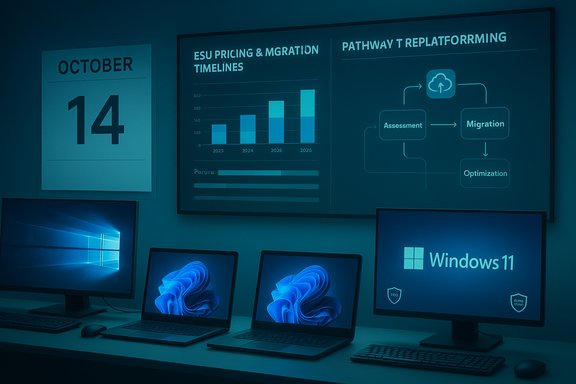
Microsoft’s calendar cut‑off for Windows 10 arrived on October 14, 2025, and with it a stark choice for every organisation still running the decade‑old OS: buy time with paid Extended Security Updates, execute a fast — and often expensive — device refresh, or accept growing security, compliance and operational risk.
Windows 10’s end of mainstream support is a hard lifecycle boundary: after October 14, 2025 Microsoft stopped shipping routine security patches, feature updates and standard technical assistance for the mainstream editions of Windows 10. That change does not instantly disable devices, but it does materially change their risk profile — and forces organisations to choose between a short‑term bridge or a long‑term modernisation program. Industry telemetry in 2025 showed the migration to Windows 11 was well underway but far from complete. Multiple trackers recorded a wide installed base of Windows 10 devices in the months leading up to the deadline, making migration a large‑scale programme for many enterprise IT teams. The variability of market numbers — different methodologies, regional sampling differences and detection quirks — means any single percentage is directional rather than definitive; nonetheless, the consensus from public trackers and reporting placed Windows 10 usage in the ballpark of many tens of percent of Windows devices as the deadline approached. Use of that installed base underpins both the urgency and the opportunity that follow.
Delay without a plan is the worst option: it multiplies risk, increases eventual cost and forfeits the chance to convert an operational headache into a repeatable lifecycle capability. The path forward is well trodden: measure, prioritise, pilot, procure, deploy and govern. For most organisations, the window for postponing decisive action has closed.
The end of Windows 10 is less an apocalypse than a forcing function: a scheduled lifecycle milestone that, if acted on rationally, becomes the launch pad for a modern endpoint estate — secure, manageable and poised to take advantage of the next wave of on‑device AI. The pragmatic playbook is straightforward; execution is the real work. The organisations that win are those that start with clean data, a prioritized plan, and partners who can deliver procurement, deployment and governance at scale.
Source: IT News Africa Turning Windows 10 End-of-Support Risks into an Opportunity for End-User Computing Modernisation - IT News Africa | Business Technology, Telecoms and Startup News
 Background / Overview
Windows 10’s end of mainstream support is a hard lifecycle boundary: after October 14, 2025 Microsoft stopped shipping routine security patches, feature updates and standard technical assistance for the mainstream editions of Windows 10. That change does not instantly disable devices, but it does materially change their risk profile — and forces organisations to choose between a short‑term bridge or a long‑term modernisation program. Industry telemetry in 2025 showed the migration to Windows 11 was well underway but far from complete. Multiple trackers recorded a wide installed base of Windows 10 devices in the months leading up to the deadline, making migration a large‑scale programme for many enterprise IT teams. The variability of market numbers — different methodologies, regional sampling differences and detection quirks — means any single percentage is directional rather than definitive; nonetheless, the consensus from public trackers and reporting placed Windows 10 usage in the ballpark of many tens of percent of Windows devices as the deadline approached. Use of that installed base underpins both the urgency and the opportunity that follow. What ended, and what the options actually are
The practical consequences of end of support
- No more OS security updates for standard Windows 10 installations after October 14, 2025 (unless enrolled in ESU).
- No routine vendor technical support for Windows‑10‑specific issues from Microsoft.
- No further feature or quality updates; only time‑boxed, security‑only bridges are available through ESU programmes.
The formal routes forward
Organisations and individuals effectively have three practical options:- Upgrade eligible PCs in place to Windows 11 where hardware and firmware allow.
- Enrol qualifying devices in Extended Security Updates (ESU) as a temporary bridge.
- Replace or replatform devices and workloads (refurbished/supported Windows 11 hardware, Cloud PC/VDI, or alternative OS for select use cases).
The economics: ESU vs. device refresh vs. cloud replatforming
ESU pricing and the math of scale
Microsoft’s commercial ESU pricing for enterprise customers was published as a per‑device fee (roughly US$61 per device for Year One, and doubling each successive year), creating a clear financial signal: ESU is a short‑term, time‑boxed cost intended to buy breathing room while migrations are executed. For consumer devices Microsoft offered a one‑year ESU path with cheaper consumer enrolment routes in many regions. At enterprise scale, however, per‑device ESU costs multiply quickly and often exceed the multi‑year total cost of an accelerated refresh or cloud migration. Key economic tradeoffs:- ESU: Low short‑term spend per device, high total cost at scale and no new features; operational complexity in licensing and patching.
- Device refresh: Up‑front capital outlay, but a return in lower support overhead, better security posture, and improved performance on modern silicon.
- Cloud replatforming (Windows 365 / AVD): Shift from CapEx to OpEx, centralised patching and potential lifecycle simplification — but introduces network, licensing and latency tradeoffs.
Hardware compatibility and the hidden migration blockers
Why many devices can’t simply be upgraded in place
Windows 11’s security baseline depends on firmware and silicon features that many older devices lack: TPM 2.0 attestation, UEFI with Secure Boot, and CPUs from supported families. These requirements improve platform security, but they also create a practical gate: machines that are functionally sound can be ineligible for in‑place upgrades. Embedded and specialised devices — POS terminals, industrial PCs, medical devices and kiosk hardware — frequently run locked firmware or vendor‑specific images that preclude in‑place upgrades. For those, bespoke strategies such as segmentation, cloud hosting of workloads, or vendor‑negotiated extended servicing are required.The AI‑ready hardware wave: Copilot+ and NPUs
At the same time, a parallel technology shift has emerged: Copilot+ / AI PCs are shipping with Neural Processing Units (NPUs) capable of local inference (40+ TOPS in Microsoft’s Copilot+ spec) that enable on‑device AI features such as offline Copilot experiences, improved local search and low‑latency generative tasks. These new devices are more energy efficient for AI workloads and enable capabilities that older hardware cannot match, but they are higher‑end and currently represent a subset of the overall device market. Adopting Copilot+ hardware can be an accelerant for digital‑workplace modernisation — when the business case for on‑device AI exists — but it is not a prerequisite for achieving a secure, manageable endpoint estate.Turning the deadline into a modernisation program: a practical blueprint
Treating the Windows 10 deadline as a one‑off compliance tickbox guarantees cost and disruption; treating it as a strategic modernisation program delivers measurable long‑term benefits. The following programme outline compresses the most actionable steps used by mature IT organisations.1. Inventory and authoritative triage (Days 0–30)
- Build a single source of truth for every endpoint: model, CPU generation, TPM/UEFI state, OS build, firmware, disk encryption, assigned user and role.
- Categorise devices: upgradeable in place, requires replacement, or specialised/embedded.
- Tag and isolate high‑risk devices (internet‑facing, payment processing, PII‑handling).
2. Prioritise by risk and criticality (Days 30–60)
- Sequence upgrades by risk: finance, executive, regulated functions first.
- Run targeted compatibility pilots for line‑of‑business (LOB) apps. Document vendor support commitments.
3. Choose remediation levers (60–180 days)
- In‑place upgrades using Autopilot + Intune where possible.
- For ineligible hardware, consider refurbished Windows 11 devices or Device as a Service (DaaS) contracts to smooth CapEx spikes.
- Where replacement is impractical (embedded systems), implement segmentation, compensating controls and, if unavoidable, ESU for only the smallest necessary window.
4. Automate provisioning and modern management
- Adopt cloud‑first device management (Microsoft Intune, Autopatch) and zero‑trust identity controls to reduce long‑term operational overhead.
- Use automation to make refresh cycles repeatable, reducing human error and long‑term TCO.
5. Governance for AI features and telemetry
- If enabling Copilot or Copilot+ features, define explicit governance: telemetry, data residency, model access rules and escalation paths.
- Treat AI features as a platform requiring policy and audit controls, not a user toggle.
Strengths and measurable benefits of acting now
- Immediate security improvement: Vendor patching resumes for supported devices and hardware‑backed protections such as TPM and virtualization‑based security reduce certain attack classes.
- Lower long‑term operational cost: Modern management reduces break‑fix incidents, decreases helpdesk friction and enables automated lifecycle management.
- Access to new productivity tooling: Windows 11 and Copilot features (where appropriate) can reduce context switching and accelerate repetitive tasks.
- Energy and sustainability gains: Newer silicon often delivers improved energy efficiency — a tangible ESG win when paired with trade‑in/refurbishment programmes.
Risks, trade‑offs and policy considerations
Rising cost and the lure of delay
ESU can feel cheap at per‑device consumer scale, but becomes expensive at enterprise scale. Organisations that lean on ESU as a tactical stopgap without a clear migration runway risk paying a premium to delay the inevitable. Microsoft’s commercial pricing structure deliberately escalates costs over the ESU window.Digital equity and planned obsolescence concerns
Large‑scale replacement has environmental and social consequences. Millions of usable machines may be retired early, and low‑income users and smaller organisations face the highest friction to migration. Policy responses — vendor trade‑in, certified refurbishment, and community reuse programmes — should be part of responsible procurement bundles. Estimates of the raw number of incompatible devices vary considerably and should be treated as scenario data rather than precise counts. When reporting headline figures (for example, “400 million PCs”), treat them as high‑level estimates unless backed by audited inventories.Privacy and governance of on‑device AI
Copilot+ features such as local Recall and on‑device model inference introduce new data governance demands: what is stored locally, what telemetry leaves the device, and how model outputs are used must be defined and auditable. Implementing AI features without governance risks privacy breaches, IP leakage or regulatory exposure.Specialised devices and supply‑chain complexity
Embedded, industrial, and vendor‑locked devices present complex migrations. For these, ESU may be the lesser evil for a limited time, but long‑term strategies should include vendor replacement schedules, API replatforming, or migrating specific workloads to cloud‑hosted endpoints.Partners, procurement and the role of distributors
Channel partners and value‑added distributors play a crucial role in large refresh programmes. Distributors with broad OEM portfolios and services — logistics, financing, device configuration, local support and e‑waste handling — reduce procurement complexity and speed deployments. In regions such as Africa, established distributors such as Axiz have been active in framing the Windows 11 refresh as both a procurement and a services engagement, bundling OEM devices (Dell, HP, Lenovo) with readiness assessments and lifecycle services. For enterprises, insist on measurable SLAs, integrated lifecycle reporting and transparent training and support terms when choosing partners.Realities IT leaders should face down now
- Inventory accuracy is everything. Poor data means overspend and missed deadlines.
- Use ESU only as a deliberate bridge with a fixed sunset in your programme plan.
- Treat Copilot and on‑device AI as a governed platform; validate the legal and privacy implications before broad enablement.
- Build sustainability into procurement: trade‑in, refurbishment and certified recycling reduce environmental and reputational risk.
What to expect in the months after end‑of‑support
- Increased attack attempts targeting unpatched Windows 10 machines have historically followed major EoS events. Organisations that remain on Windows 10 without compensating controls are at elevated risk.
- Independent telemetry and web‑tracking will continue to show month‑to‑month variance in Windows version splits; use internal inventory for programme decisions rather than global trackers alone. Public trackers are useful for market context but not as a substitute for authoritative asset data.
- Expect continued vendor activity in the channel: packaged refresh offers, financing, DaaS and Cloud PC pilots will be widely available. Scrutinise the fine print on trade‑in valuation, warranty windows and migration support.
Verdict: urgent, but not panic‑driven
The October 14, 2025 deadline is immovable; the choice is not binary but programmatic. Organisations that treat it as an opportunity to modernise their endpoint estate — by executing a disciplined inventory‑first programme, prioritising risk‑critical systems, and leveraging a mix of in‑place upgrades, targeted ESU and device refresh or cloud replatforming — will end the cycle with stronger security, lower long‑term costs and a platform ready for AI‑driven productivity.Delay without a plan is the worst option: it multiplies risk, increases eventual cost and forfeits the chance to convert an operational headache into a repeatable lifecycle capability. The path forward is well trodden: measure, prioritise, pilot, procure, deploy and govern. For most organisations, the window for postponing decisive action has closed.
Quick action checklist (30/60/90 day cadence)
- Day 0–30: Run authoritative hardware/software inventory; flag critical endpoints.
- Day 30–60: Pilot upgrades, verify LOB app compatibility, start procurement for replacement hardware where needed.
- Day 60–90: Begin staged deployment; use Intune/Autopilot and automation; retire replaced devices through certified trade‑in/refurbishment channels.
The end of Windows 10 is less an apocalypse than a forcing function: a scheduled lifecycle milestone that, if acted on rationally, becomes the launch pad for a modern endpoint estate — secure, manageable and poised to take advantage of the next wave of on‑device AI. The pragmatic playbook is straightforward; execution is the real work. The organisations that win are those that start with clean data, a prioritized plan, and partners who can deliver procurement, deployment and governance at scale.
Source: IT News Africa Turning Windows 10 End-of-Support Risks into an Opportunity for End-User Computing Modernisation - IT News Africa | Business Technology, Telecoms and Startup News