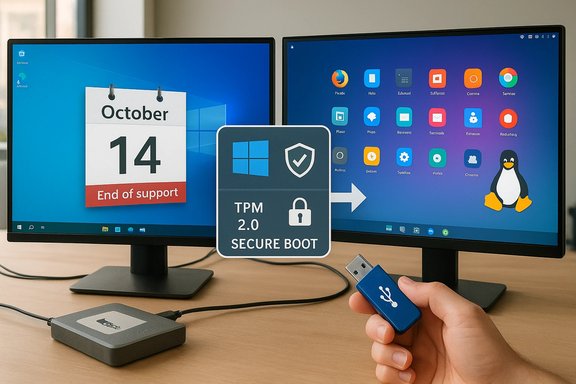
October 14, 2025 marked a hard line: Microsoft officially ended mainstream support for Windows 10, and the consequences—security, compatibility, and a renewed conversation about ownership of the personal computer—are already reshaping user choices and vendor behavior.
Microsoft’s lifecycle calendar is explicit: Windows 10 mainstream support ended on October 14, 2025, meaning retail Home and Pro systems no longer receive routine security patches, feature updates, or technical support unless enrolled in an explicit bridge program. This is confirmed on Microsoft’s support and lifecycle pages and has been the single most consequential date shaping desktop strategy for consumers and small organizations since it was announced. That cut-off forced a practical triage for millions of machines: upgrade eligible PCs to Windows 11, enroll in the one‑year Consumer Extended Security Updates (ESU) program to buy time, or migrate the device to an alternative OS such as a modern Linux distribution or ChromeOS Flex. Microsoft’s documentation and public statements make this trade-off explicit and provide the procedural paths for each option. In the weeks and months that followed, several signals converged that matter to anyone who cares about desktops:
On telemetry: Microsoft documented two tiers of diagnostic data—Required (previously Basic) and Optional (Full)—and explains that while users can opt out of optional data, required diagnostic data is collected by default for update, reliability, and security purposes. The company provides tools to view and manage diagnostic data, but the existence of a minimum collection level that cannot be fully disabled is a documented fact. That operational detail is central to privacy critiques: the claim that telemetry cannot be entirely turned off is grounded in Microsoft’s documentation. That said, the degree to which telemetry is “surveillance” or “necessary product telemetry” is contested. Microsoft argues the data is needed for security, reliability, and feature improvement. Privacy advocates point to identifiers and cross‑product aggregation as a problematic axis. Both positions have technical and ethical leverage—users should read the diagnostic documentation and privacy controls with attention and make choices accordingly.
At the same time some OEMs and refurbishers expanded Linux preloads or offered devices with ChromeOS Flex and other non‑Windows alternatives—an important market signal: the option to buy a machine without Windows is increasingly mainstream.
Linux distributions are no longer only for tinkerers. For a large set of users—those who primarily browse, use cloud productivity suites, and play Steam games—the technical obstacles that kept them anchored to Windows have eroded significantly. The result is a market dynamic that looks less like a monolithic Windows monopoly and more like a competitive ecosystem where choice, privacy, and reduced hardware churn matter.
That said, serious migration work remains for enterprises and power users tied to Windows‑only software. The path forward is pragmatic: test, pilot, and verify. For households and small offices who want to avoid unnecessary hardware replacement, Linux is now a credible, supported, and often superior choice for extending the life and control of an existing PC—if the user is willing to be thoughtful about app compatibility and adopt a learning posture.
In short: Windows 10 as a supported product is over, but the personal computer—and the right to own and control it—has options. The moment after October 14, 2025 has simply accelerated a long‑building shift: users who want agency and longevity now have practical, lower‑cost alternatives that are finally ready for mainstream use.
Source: Dignited Windows 10 is Dead - But Linux is Finally Ready - Dignited
 Background / Overview
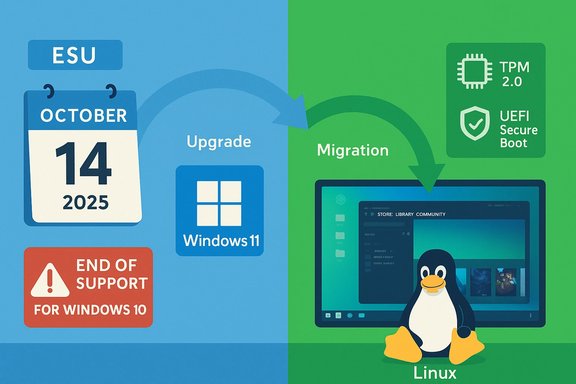
Microsoft’s lifecycle calendar is explicit: Windows 10 mainstream support ended on October 14, 2025, meaning retail Home and Pro systems no longer receive routine security patches, feature updates, or technical support unless enrolled in an explicit bridge program. This is confirmed on Microsoft’s support and lifecycle pages and has been the single most consequential date shaping desktop strategy for consumers and small organizations since it was announced. That cut-off forced a practical triage for millions of machines: upgrade eligible PCs to Windows 11, enroll in the one‑year Consumer Extended Security Updates (ESU) program to buy time, or migrate the device to an alternative OS such as a modern Linux distribution or ChromeOS Flex. Microsoft’s documentation and public statements make this trade-off explicit and provide the procedural paths for each option. In the weeks and months that followed, several signals converged that matter to anyone who cares about desktops:- Windows 11 maintains stricter hardware requirements—TPM 2.0, UEFI Secure Boot, and a supported set of CPUs—which block in-place vendor-supported upgrades on many otherwise usable PCs. Microsoft’s Windows 11 system requirements and compatibility guidance reiterate these mandatory elements.
- Microsoft offered a short consumer ESU window; reporting and vendor documentation describe consumer ESU enrollment options (including a $30 paid path or certain free enrollment routes tied to Microsoft account actions), while noting that ESU is a temporary bridge, not a permanent support model. Independent coverage fleshes out the enrollment mechanics and limitations.
- Interest in Linux distributions aimed at Windows switchers surged—Zorin OS 18’s public uptake became the most visible data point, with the Zorin team and multiple outlets reporting large download volumes in the weeks after October 14, 2025. These download figures are useful early indicators of intent and curiosity, though they do not directly equate to long-term migrations.
Why Windows 10’s End Mattered
The calendar as a catalyst
An OS support deadline is not neutral. For connected devices, end of vendor-supplied security updates is a binary risk shift: unpatched systems become higher-value targets for attackers. Microsoft’s lifecycle pages and follow-up advisories emphasize that risk and point users toward upgrade or ESU options. For consumers and small businesses without the budget or desire to buy new hardware, that’s a stark choice—one that often favors software alternatives that keep the hardware useful.Hardware gates: TPM 2.0 and supported CPUs
Windows 11’s hardware baseline is not just a list of suggested speeds; TPM 2.0, UEFI Secure Boot, and an approved CPU list are explicit requirements for a supported upgrade. Microsoft frames these as security prerequisites—enable virtualization‑based security, BitLocker, Windows Hello, and modern platform protections—but the practical effect is that many machines manufactured before roughly 2018 cannot take the supported upgrade path. Independent reporting and technical documentation confirm Microsoft’s non‑negotiable position on TPM 2.0 and the curated CPU lists. This is the crux of the “your PC is suddenly obsolete” argument that spread after October 14: the hardware is often physically fine, but Microsoft’s support policy and Windows 11’s requirements create a support discontinuity.The ESU safety net is temporary and partial
Microsoft’s consumer ESU program provides a limited runway—a one‑year, security‑only bridge for consumer devices—but it comes with enrollment mechanics (including the need to be on Windows 10 version 22H2 and, for many users, to link a Microsoft account) and is explicitly time‑boxed. Coverage details and independent reporting show consumer ESU as a patch, not a strategy. Reporting also documented that consumer ESU could be obtained for a modest fee in some markets, while other enrollment paths were offered in limited cases.The Linux Renaissance: Why This Moment Feels Different
Real improvements to the Linux desktop
The long-standing story that “Linux is hard” is weaker today. Several technical and ecosystem changes have closed the gap:- Polished desktop experiences: Distros like Linux Mint, KDE Neon, Fedora Workstation, and newcomer-focused projects ship refined GUI installers, graphical settings, and curated software stores that remove many historical friction points.
- Better application and compatibility story: Valve’s Proton, community build systems, and Wine improvements make a large portion of Steam’s library practically usable on Linux. The Steam Deck’s "Deck Verified" program and Proton’s continued improvements have pushed gaming compatibility to levels that would have been implausible a few years earlier. Valve’s efforts—combined with community tooling—have materially reduced the “cannot play my games” objection for many users.
- Hardware support and kernels: Mainstream distros benefit from Linux kernel and driver advances. Most Wi‑Fi adapters, Bluetooth devices, and even many printers now “just work,” and hardware enablement kernels shipped with Ubuntu‑based distros improve compatibility further. That’s not universal—edge cases remain—but the baseline is very different from the early 2010s.
The Zorin moment
Zorin OS 18’s release and the subsequent download surge became the clearest single indicator that a serious cohort of Windows users were willing to test Linux as a replacement. Zorin publicly reported strong download numbers in its post‑EOL launch window, and multiple independent outlets reproduced and analyzed those numbers. While downloads are not installs and installs are not sustained migrations, the volume and the timing—coinciding with Windows 10’s EOL—are meaningful market signals. Caveat: download counts are imperfect proxies. They capture curiosity and intent, not final adoption. Some downloads are for live‑USB trials, others are repeated mirror pulls, and still others may be vanity or research grabs. Any interpretation that equates downloads with switched users must be cautious and should look for corroborating retention or usage data. Multiple outlets and community analysts explicitly warn about this distinction.Windows Today: Bloat, Telemetry, and the “Enshittification” Argument
The critique that modern Windows versions have become more commercialized—more upsell, more preinstalled apps, and more persistent promotion of cloud services—is part opinion, part verifiable observation. Concrete examples that feed user frustration include bundled apps, recommended app listings, and in‑OS promotional prompts for Microsoft services.On telemetry: Microsoft documented two tiers of diagnostic data—Required (previously Basic) and Optional (Full)—and explains that while users can opt out of optional data, required diagnostic data is collected by default for update, reliability, and security purposes. The company provides tools to view and manage diagnostic data, but the existence of a minimum collection level that cannot be fully disabled is a documented fact. That operational detail is central to privacy critiques: the claim that telemetry cannot be entirely turned off is grounded in Microsoft’s documentation. That said, the degree to which telemetry is “surveillance” or “necessary product telemetry” is contested. Microsoft argues the data is needed for security, reliability, and feature improvement. Privacy advocates point to identifiers and cross‑product aggregation as a problematic axis. Both positions have technical and ethical leverage—users should read the diagnostic documentation and privacy controls with attention and make choices accordingly.
Strengths and Practical Benefits of Migrating to Linux Now
- Cost and e‑waste: For many households, Linux lets perfectly functional machines have multi‑year additional life without the cost and environmental impact of forced hardware churn.
- Privacy default: Consumer Linux distros do not ship with mandatory, non‑opt‑out system diagnostic pipelines roaming back to a single corporate server. Local control is the default model.
- Customization and bloat control: Distros let you choose exactly what runs on your machine—no mandatory store apps, no in‑OS upsell (unless a distro vendor chooses otherwise).
- Gaming improvements: Valve’s Proton, Deck Verified program, and improved GPU driver support make a large catalog of modern games playable on Linux without significant tweaking for many users.
- Active support cycles: Major distros provide long-term support releases (e.g., Ubuntu LTS lineages) and regular security updates that are independent of Microsoft’s product cycle—valuable for maintaining patched endpoints.
Risks, Gaps, and Real-World Friction
- Application compatibility: Vertical, Windows-only apps—industry-specific tools, certain drivers, licensed enterprise software, and some GPU anti‑cheat systems—remain the highest barrier to wholesale migration. For users relying on such software, Linux may require virtualization, Cloud PCs, or continued Windows usage.
- Peripheral edge cases: Some hardware—particularly very new Wi‑Fi chipsets, certain sleep/resume behaviors on ultra‑thin laptops, and closed‑source firmware devices—can have inconsistent Linux support. Testing before migration is essential.
- Community culture and onboarding: Parts of the Linux community still default to terminal-first advice and can be dismissive of newcomers. This gatekeeping slows adoption and can make first experiences unpleasant. The success of migration efforts will depend as much on community support and local help as on technical maturity.
- Perception vs reality of privacy: Linux distributions vary—some collect opt‑in telemetry, some offer sponsored repos, and some commercial vendors integrate cloud services. “Linux is private” is a useful generalization but must be verified per distro and per vendor. Users must check policies for distros that bundle cloud services or telemetry.
The Social Response: “End of 10”, Install Parties, and OEM Shifts
Grassroots campaigns—install parties, local meetups, and “End of 10” style movements—played a key role in converting curiosity into action, offering hands‑on help and demystifying the process for non‑technical users. These community efforts, sometimes coordinated with local tech shops and Linux user groups, reduce the perceived complexity of migrating and provide real‑time troubleshooting for drivers and app transitions. The result is a practical, person‑to‑person support layer that complements online docs.At the same time some OEMs and refurbishers expanded Linux preloads or offered devices with ChromeOS Flex and other non‑Windows alternatives—an important market signal: the option to buy a machine without Windows is increasingly mainstream.
A Practical Migration Playbook (For Windows 10 Holdouts)
- Backup first. Create full disk and file backups, test restore media.
- Test via Live USB. Most distros let you boot a Live image without touching the disk.
- Confirm hardware compatibility: Wi‑Fi, audio, sleep, and GPU basics.
- Map your apps: identify Windows-only apps and evaluate options—native Linux equivalents, web apps, Wine/Proton, or a Windows VM for legacy tasks.
- Start small: dual‑boot or keep a Windows image you can boot into for transitional tasks.
- Join local or online install parties for hand‑holding and community support.
- Plan for ongoing maintenance: pick a distro with a maintenance cadence and a community or commercial support path that fits your risk tolerance.
Verification of Key Technical Claims
- Windows 10 end of support date and Microsoft’s guidance are documented on the official Microsoft support and lifecycle pages. These pages explicitly list October 14, 2025 as the end date.
- Windows 11 system requirements—including the TPM 2.0 and Secure Boot requirements, and the need for processors from supported generations—are maintained on Microsoft’s Windows 11 specifications and compatible processor lists.
- The consumer Extended Security Updates program and its consumer enrollment mechanics (including the commonly reported $30 enrollment path and the need for a Microsoft account for certain options) were documented in Microsoft’s communications and reported by independent outlets. ESU is explicitly framed as a short bridge, not a replacement for migration.
- Zorin OS 18’s download milestone and the reported Windows-origin fraction were widely reported across independent outlets and community trackers in the weeks after the Windows 10 EOL date; Zorin’s own messaging to press and social channels underpinned the numbers. These figures are useful indicators but should be interpreted cautiously as download volume does not directly equate to permanent migration.
- Microsoft’s diagnostic‑data model (Required vs Optional) and the claim that a minimal set of diagnostic data is collected by default are detailed in Microsoft’s privacy and diagnostic documentation. The documentation describes controls and traces available to users and administrators, but it also makes clear that some telemetry is required for the OS to function and receive updates.
Conclusion: A New Desktop Equilibrium Is Possible
The end of Windows 10’s mainstream support was not merely a product milestone; it was a market event that forced decisions. The combination of strict Windows 11 hardware requirements, a temporary ESU safety net, and visible interest in polished, migration‑focused Linux desktops created a rare opening for alternative operating systems to prove they can serve mainstream needs.Linux distributions are no longer only for tinkerers. For a large set of users—those who primarily browse, use cloud productivity suites, and play Steam games—the technical obstacles that kept them anchored to Windows have eroded significantly. The result is a market dynamic that looks less like a monolithic Windows monopoly and more like a competitive ecosystem where choice, privacy, and reduced hardware churn matter.
That said, serious migration work remains for enterprises and power users tied to Windows‑only software. The path forward is pragmatic: test, pilot, and verify. For households and small offices who want to avoid unnecessary hardware replacement, Linux is now a credible, supported, and often superior choice for extending the life and control of an existing PC—if the user is willing to be thoughtful about app compatibility and adopt a learning posture.
In short: Windows 10 as a supported product is over, but the personal computer—and the right to own and control it—has options. The moment after October 14, 2025 has simply accelerated a long‑building shift: users who want agency and longevity now have practical, lower‑cost alternatives that are finally ready for mainstream use.
Source: Dignited Windows 10 is Dead - But Linux is Finally Ready - Dignited