

Microsoft’s formal withdrawal of routine security updates for Windows 10 on 14 October 2025 has turned a long‑announced lifecycle milestone into an urgent risk-management problem for businesses, public services and individual users still running the OS — and local IT suppliers are warning that the window to act is now.
Microsoft announced that Windows 10 support ended on 14 October 2025, which means the vendor no longer issues regular security updates, feature releases or standard technical support for mainstream Windows 10 editions. Devices will continue to boot and run, but the absence of OS‑level patching materially changes each device’s security posture. Microsoft has published official guidance that the recommended path is to upgrade eligible machines to Windows 11, while a time‑limited Extended Security Updates (ESU) program offers a temporary bridge for eligible Windows 10 systems. This end‑of‑support milestone matters because many organisations and millions of consumers still run Windows 10. Independent telemetry trackers showed Windows 10 holding a substantial share of Windows desktop installs through 2025, meaning the practical scope of exposure is large. StatCounter data from mid‑2025, for example, put Windows 10 usage near the 40–53% band depending on date and methodology, and several outlets reported that roughly 40–45% of Windows desktops were still on Windows 10 in the run up to the cutoff. Those figures underline why migration and mitigation planning are now a pressing operational task.
Action beats alarm: firms that start now — inventorying devices, prioritising high‑risk endpoints, piloting upgrades and using ESU only as a controlled contingency — will avoid the fractured, rushed upgrades that create outages and blow budgets. Delay magnifies both the security and the financial cost. The responsible path is deliberate and pragmatic: treat the October 2025 milestone as a scheduled security event and act accordingly.
(If you are managing a fleet and have not completed an inventory, begin immediately: produce an OS–firmware–app compatibility matrix and schedule a pilot upgrade cohort within two weeks. The migration window closes slowly but inexorably; the sooner you convert planning into execution, the smaller the eventual cost and operational disruption.
Source: newsfromwales.co.uk Business Issued With Urgent Reminder on Windows 10 End of Support
 Background / Overview
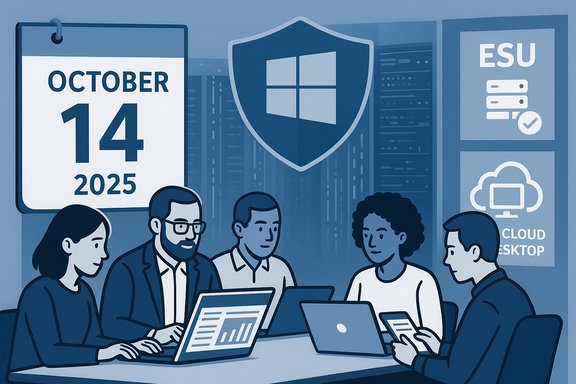
Microsoft announced that Windows 10 support ended on 14 October 2025, which means the vendor no longer issues regular security updates, feature releases or standard technical support for mainstream Windows 10 editions. Devices will continue to boot and run, but the absence of OS‑level patching materially changes each device’s security posture. Microsoft has published official guidance that the recommended path is to upgrade eligible machines to Windows 11, while a time‑limited Extended Security Updates (ESU) program offers a temporary bridge for eligible Windows 10 systems. This end‑of‑support milestone matters because many organisations and millions of consumers still run Windows 10. Independent telemetry trackers showed Windows 10 holding a substantial share of Windows desktop installs through 2025, meaning the practical scope of exposure is large. StatCounter data from mid‑2025, for example, put Windows 10 usage near the 40–53% band depending on date and methodology, and several outlets reported that roughly 40–45% of Windows desktops were still on Windows 10 in the run up to the cutoff. Those figures underline why migration and mitigation planning are now a pressing operational task. What Microsoft has actually provided — the hard facts
- End of support date: Windows 10 mainstream support ended on 14 October 2025. After that date Microsoft stopped shipping free security and quality updates for most Windows 10 SKUs.
- Extended Security Updates (ESU): Microsoft established a consumer ESU programme that provides security‑only updates for eligible Windows 10 devices until 13 October 2026; commercial ESU options are available for enterprises on a paid, staged basis. Consumer ESU enrollment requires meeting prerequisites and, in some regions, a Microsoft account to enroll. Pricing options included a $30 one‑time purchase (or redeeming Microsoft Rewards points) for the consumer ESU in markets where the paid route applies. ESU is explicitly a temporary safety net — not a long‑term substitute for migration.
- Microsoft 365 apps servicing: Microsoft committed to limited continued servicing for some Microsoft 365 Apps on Windows 10 beyond the OS cutoff to smooth transitions, but application‑level updates do not eliminate the need for OS‑level patches.
Why businesses should care right now
Unsupported operating systems are attractive targets for attackers because every new discovery becomes a persistent, unpatched hole. In practical terms:- Automated scanning tools and commodity exploit kits scan large address spaces for known, unpatched OS versions; unsupported endpoints are high‑value, predictable attack surfaces.
- Ransomware and supply‑chain risk increase because a single compromised desktop can provide lateral access to servers, cloud credentials and back‑end applications. The cost of reclaiming and restoring a compromised corporate estate typically far exceeds the planned cost of a staged migration.
- Compliance exposure: running unsupported software can breach contractual or regulatory obligations in finance, healthcare, government and retail, potentially triggering fines or insurance issues. Security audits and third‑party assessments routinely flag EOL software as a control failure.
Assessing the size of the problem: market share and device counts
Public tracking services and news reporting in 2025 put Windows 10’s global desktop share in the 40–53% range during the year, with Windows 11 adoption climbing rapidly as Microsoft intensified its upgrade messaging. That means tens or hundreds of millions of devices were still Windows 10 in mid‑2025 — commonly quoted figures (for example, “around 400 million devices”) appear in media and vendor commentary, but those device‑count numbers vary by methodology and are not always directly comparable. Treat any single global device count as an estimate; the more useful metric for IT teams is the share of devices inside their own estate that will be ineligible for an in‑place Windows 11 upgrade. Cautionary note: authoritative global device counts change depending on the source and the date. When planning, use your own asset inventory rather than public headline numbers.The practical choices organisations face
Businesses generally have four practical options for each Windows 10 device in their estate:- Upgrade the device in‑place to Windows 11 (if the hardware and firmware meet Microsoft’s requirements).
- Replace the device with a new Windows 11‑capable PC (or procure devices with Windows 11 preinstalled).
- Enrol eligible devices in Extended Security Updates (ESU) as a short, paid breathing space while migration is executed.
- Replace the endpoint workload with a different platform (Linux or a cloud desktop such as Windows 365 Cloud PC) where suitable.
Technical constraints and why some devices cannot be upgraded
Windows 11 enforces a higher platform security baseline than Windows 10. The most common hardware/firmware blockers are:- TPM 2.0 (Trusted Platform Module) requirement and Secure Boot in UEFI mode.
- 64‑bit only CPU requirement, and a list of supported processors depending on vendor/model.
- Minimum RAM and storage thresholds (e.g., 4 GB RAM and 64 GB storage as the floor for many configurations), plus firmware compatibility.
Recommended migration roadmap — priority actions (practical, sequential)
Below is a concise, field‑proven sequence IT teams should follow to reduce risk, manage cost and avoid last‑minute chaos:- Inventory now: run an authenticated asset scan to list every Windows device, OS build, firmware version, TPM presence and third‑party agent inventory. Treat internet‑facing endpoints and domain controllers as migration priorities.
- Categorise by upgrade path: for each device mark it as (A) eligible for in‑place Windows 11 upgrade, (B) upgradeable with BIOS/firmware changes, (C) requires hardware replacement, or (D) used for specialised appliances/embedded systems.
- Run vendor and ISV compatibility checks against mission‑critical applications and drivers; engage application owners early for testing windows.
- Pilot and phase: pilot upgrades in a controlled cohort (line‑of‑business pilots, high‑risk pilot), then schedule staged rollout with rollback plans and extended helpdesk coverage.
- Use ESU only as a contingency: if ESU is needed, model the cost and timeline conservatively — treat it as one‑ to two‑year breathing room and not a permanent fix.
- Compensating controls where Windows 10 must remain: network isolation, micro‑segmentation, strict application allowlists, up‑to‑date EDR/antivirus, MFA for accounts, and reduced privilege policies. These controls reduce but do not eliminate the risk of an unpatched kernel vulnerability being exploited.
Hardening and “last‑resort” mitigations for devices that remain on Windows 10
If migration cannot be immediate, apply layered mitigations:- Enrol the device in an endpoint detection and response (EDR) solution with active telemetry and automated containment.
- Disable or firewall off any unnecessary inbound services; remove admin privileges for daily accounts and force local privilege reduction.
- Use network segmentation to keep legacy devices out of high‑value zones (identity providers, payments, core databases).
- Increase monitoring and logging (SIEM rules to detect anomalous lateral movement).
- Ensure rigorous, tested backups and incident response playbooks are in place.
Costs, procurement and staffing — realistic expectations
Planned migrations are almost always cheaper than emergency replacements. Industry experience shows:- Emergency, compressed upgrades (weeks not months) typically cost 25–40% more than planned projects.
- Procurement lead times for refurbished or new PCs vary by region and model; plan procurement windows in tandem with pilot results.
- Helpdesk and user‑support load spikes during and after rollout; budget for extended support windows and possible temporary staffing.
What the consumer ESU program means — and its limits
Microsoft’s consumer ESU program was created to smooth the transition for individual users and small organisations that cannot upgrade immediately. Key practical points:- ESU for consumers covers security‑only updates for eligible devices through 13 October 2026; it does not include feature updates or technical support.
- Enrollment mechanics may require a Microsoft account and certain device prerequisites. Reports and outlets flagged that, for consumer ESU enrollment, Microsoft moved to require linking devices to a Microsoft account in some cases — a change that frustrated privacy‑focused users. Where ESU is used, it should be modelled as a bridging expense, not a long‑term option.
Common migration pitfalls and how to avoid them
- Under‑inventoried estates: missing devices and IoT/embedded endpoints (kiosks, lab equipment) cause late surprises. Run a zero‑day inventory early.
- Ignoring firmware: TPM or Secure Boot issues often trace to old BIOS or OEM firmware. Validate firmware update paths before scheduling upgrades.
- Application compatibility surprises: test mission‑critical LOB applications on Windows 11 images early; vendor driver support is often the bottleneck.
- Relying on ESU without segmentation: ESU provides patches but if legacy devices stay full network participants they still represent lateral‑movement risk. Use network isolation.
Regional and regulatory considerations
Geography can matter. Microsoft and local regulators handled the ESU rollout and consumer carve‑outs differently in some regions (for example, EEA/UK arrangements and special enrolment windows in parts of Europe). Organisations that handle regulated data (GDPR, HIPAA, PCI‑DSS, or industry‑specific controls) should treat unsupported endpoints as audit‑exposure and seek legal/compliance advice about remediation plans.What Connectus and local MSPs are telling customers
Local managed service providers and resellers — quoted in regional press and direct advisories — are making three consistent recommendations: inventory now, prioritise internet‑facing and high‑value endpoints, and engage a structured migration partner if internal capacity is constrained. The advice from Connectus Business Solutions’ CEO highlighted the same risk calculus: unsupported endpoints are attractive targets and businesses that delay risk costly incidents. That industry messaging aligns with the operational guidance issued by practitioners and Microsoft itself.A balanced risk view — strengths of Microsoft’s approach and real concerns
Strengths:- Microsoft has provided a clear calendar and published options: upgrade paths, consumer ESU and enterprise ESU, plus cloud alternatives like Windows 365. Those choices let organisations plan predictable transitions.
- Windows 11’s elevated hardware baseline (TPM 2.0, Secure Boot) measurably improves platform security and enables modern defenses.
- Hardware eligibility restrictions force replacements in many fleets, producing budget and e‑waste consequences.
- ESU is short and not a substitute for migration; using ESU at scale can become expensive.
- Consumer enrollment mechanics (Microsoft account linking in some markets) may be unpopular with privacy‑minded users and complicate mass ESU enrollment for small organisations.
Quick checklist for IT leaders (one page action list)
- Run a complete device inventory (OS version, build, TPM, Secure Boot, firmware).
- Identify internet‑facing and high‑value endpoints and schedule them first.
- Run app compatibility tests and vendor driver checks for mission‑critical software.
- Pilot Windows 11 upgrades with representative users and applications.
- If you must delay, procure ESU licenses for the smallest necessary cohort and enable compensating controls (network isolation, EDR).
- Communicate to users: expected timelines, helpdesk process, and data‑backup steps.
Conclusion
The end of free support for Windows 10 on 14 October 2025 is not a future rhetorical talking point — it has already reshaped IT priorities across public sector, enterprise and small business. Microsoft’s published options (Windows 11 upgrades, consumer/ commercial ESU and cloud desktops) give organisations a route out of exposure, but the practical challenge is project execution: inventory, compatibility testing, staged rollouts and compensating controls for systems that temporarily remain on Windows 10.Action beats alarm: firms that start now — inventorying devices, prioritising high‑risk endpoints, piloting upgrades and using ESU only as a controlled contingency — will avoid the fractured, rushed upgrades that create outages and blow budgets. Delay magnifies both the security and the financial cost. The responsible path is deliberate and pragmatic: treat the October 2025 milestone as a scheduled security event and act accordingly.
(If you are managing a fleet and have not completed an inventory, begin immediately: produce an OS–firmware–app compatibility matrix and schedule a pilot upgrade cohort within two weeks. The migration window closes slowly but inexorably; the sooner you convert planning into execution, the smaller the eventual cost and operational disruption.
Source: newsfromwales.co.uk Business Issued With Urgent Reminder on Windows 10 End of Support
