

Microsoft’s formal exit from Windows 10 on October 14, 2025 did more than close a decade-long chapter—it accelerated a strategic rewrite of the PC market around on‑device AI, hardware‑level security, and a new device tier Microsoft calls Copilot+ PCs. The result is a hard migration moment for organisations that still run Windows 10, and a marketing‑plus‑engineering push that ties the most advanced Windows experiences to newer silicon, NPUs, and Windows 11 Pro configurations.
Windows 10 was released in 2015 and has been the dominant desktop OS for many organisations and consumers. Microsoft designated October 14, 2025 as the end of mainstream support for most Windows 10 SKUs, meaning routine security updates, quality fixes and standard technical support ceased on that date. Microsoft provides a short, paid bridge called the Consumer Extended Security Updates (ESU) program, which extends critical updates through October 13, 2026, but it does not restore feature updates or full support. At the same time, Microsoft used its October 2025 update window to deepen Copilot integration in Windows 11—adding a wake‑word voice interface (“Hey, Copilot”), expanded Copilot Vision for screen‑aware assistance, and experimental agent‑style Copilot Actions. Those software moves are tightly coupled with a new hardware classification, Copilot+ PCs, which Microsoft and OEM partners position as the devices that can deliver the fastest, lowest‑latency AI experiences thanks to integrated Neural Processing Units (NPUs). This nexus—end of life for Windows 10, expanded Copilot features, and Copilot+ PC certification—creates a practical choice for IT teams: upgrade existing, compatible hardware to Windows 11; purchase new Windows 11 or Copilot+ devices; or purchase ESU as a short stopgap. For many enterprises the decision will be shaped as much by security, compliance and total cost of ownership as by feature lists.
Conclusion
Windows 10’s support sunset closed a chapter and opened a practical migration window. Windows 11 Pro, with hardware‑backed security plus Microsoft’s Copilot integrations, offers powerful new tools—and Copilot+ PCs offer tangible local‑AI acceleration. Yet the transition is not automatic: security, privacy, compatibility and procurement tradeoffs demand methodical planning. Organisations that inventory, pilot and enforce governance will unlock meaningful gains; those that rush or ignore the operational complexity risk exposure, unnecessary cost, and wasted refresh cycles. The new era of AI‑assisted computing has arrived—now it must be implemented with discipline.
Source: Khaleej Times Windows 10’s End Marks the Dawn of AI-Powered PCs
 Background / Overview
Windows 10 was released in 2015 and has been the dominant desktop OS for many organisations and consumers. Microsoft designated October 14, 2025 as the end of mainstream support for most Windows 10 SKUs, meaning routine security updates, quality fixes and standard technical support ceased on that date. Microsoft provides a short, paid bridge called the Consumer Extended Security Updates (ESU) program, which extends critical updates through October 13, 2026, but it does not restore feature updates or full support. At the same time, Microsoft used its October 2025 update window to deepen Copilot integration in Windows 11—adding a wake‑word voice interface (“Hey, Copilot”), expanded Copilot Vision for screen‑aware assistance, and experimental agent‑style Copilot Actions. Those software moves are tightly coupled with a new hardware classification, Copilot+ PCs, which Microsoft and OEM partners position as the devices that can deliver the fastest, lowest‑latency AI experiences thanks to integrated Neural Processing Units (NPUs). This nexus—end of life for Windows 10, expanded Copilot features, and Copilot+ PC certification—creates a practical choice for IT teams: upgrade existing, compatible hardware to Windows 11; purchase new Windows 11 or Copilot+ devices; or purchase ESU as a short stopgap. For many enterprises the decision will be shaped as much by security, compliance and total cost of ownership as by feature lists.What Microsoft and OEMs are saying: the marketing case for Copilot+ PCs
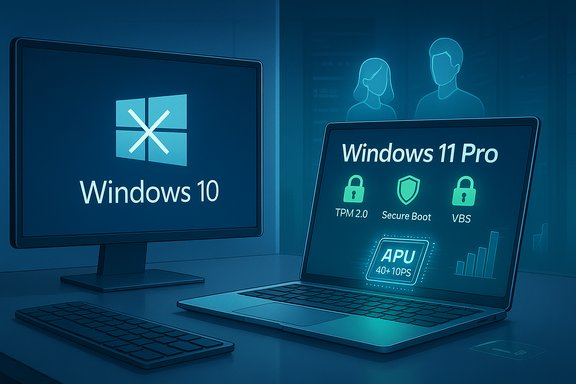
Microsoft and hardware partners frame the Copilot+ story around three claims:- Hardware‑backed security: Windows 11 Pro coupled with TPM 2.0, Secure Boot and Virtualization‑based Security (VBS) provides stronger protections than legacy setups, a key reason for enterprise migration.
- Near‑universal app compatibility: Microsoft’s App Assure program reports a >99.7% compatibility rate for enterprise applications when moving to the Windows 11 platform, which reduces migration risk for most mainstream business apps.
- Local AI acceleration: Copilot+ PCs incorporate dedicated NPUs—Microsoft describes a 40+ TOPS threshold (trillions of operations per second)—to enable fast, energy‑efficient local inference for select Copilot experiences. OEMs such as ASUS highlight thin, light Copilot+ models like the Zenbook A14 and point to multi‑day battery life and NPUs advertised up to 45 TOPS in Qualcomm/AMD implementations.
Windows 11 Pro: security architecture and what it actually enforces
The hardware baseline: TPM 2.0, Secure Boot, UEFI and VBS
Windows 11’s minimum requirements are baked into Microsoft’s official specs: a 64‑bit, dual‑core 1 GHz+ CPU, 4 GB RAM, 64 GB storage, UEFI firmware capable of Secure Boot, and TPM 2.0. These are the gating items many administrators encounter when assessing large fleets. Microsoft’s system pages and upgrade guidance are explicit about these prerequisites. Beyond those entry checks, Windows 11 Pro (and the Secured‑core PC program) leans heavily on Virtualization‑based Security (VBS) and Hypervisor‑Protected Code Integrity (HVCI) to isolate critical OS subsystems and credentials. VBS creates a protected memory enclave that keeps secrets and certain processes outside the reach of typical userland and kernel threats; Credential Guard is one such VBS‑based feature that isolates credentials and mitigates lateral‑movement attacks. These features materially raise the bar against modern threats—but they require compatible firmware and drivers, and they are not a panacea.Why enterprises should care
- Reduced attack surface: Hardware‑anchored keys (TPM), Secure Boot and VBS reduce certain classes of firmware and kernel attacks.
- Compliance alignment: For regulated sectors, the hardware‑backed approach helps demonstrate controls for data at rest and identity protection.
- Operational costs: Enabling VBS/HVCI can increase support overhead—driver incompatibilities or firmware issues still surface on some older models.
Copilot+ PCs and NPUs: what “40+ TOPS” means in practice
The specification, as Microsoft markets it
Microsoft defines Copilot+ PCs as Windows 11 machines with a turbocharged Neural Processing Unit (NPU)—a dedicated accelerator optimized for AI inference—and uses a marketing threshold of 40+ TOPS (trillions of operations per second) to indicate class membership. Microsoft’s Copilot+ pages explicitly describe the 40+ TOPS figure and list initial Wave 1 and Wave 2 experiences tied to these devices.Independent verification and OEM claims
Independent outlets and OEM press releases corroborate the NPU‑first messaging. Wired, TechRadar and hands‑on reviews document that early Copilot+ devices (Qualcomm Snapdragon X series, AMD Ryzen AI, Intel Core Ultra with on‑package NPUs) are positioned around TOPS metrics; ASUS, for example, announced Zenbook models with Snapdragon X NPUs advertising up to 45 TOPS and sub‑1 kg chassis designs. These announcements confirm the marketing reality: NPUs are being used as a hardware differentiator for premium Windows devices.Why TOPS alone is not a full performance story
- TOPS is a single metric that measures raw integer operations per second; it does not directly translate to real‑world AI latency, model size, memory bandwidth, or power efficiency.
- Software stacks matter: Local model performance depends on model architecture, quantization, runtime support, drivers and thermal headroom.
- Feature gating: Microsoft is explicitly gating some Copilot+ experiences so that the “best” local AI experiences require both the hardware NPU and the corresponding Copilot licensing/entitlements.
The new Copilot features: voice, vision and limited agents
Microsoft’s October updates moved Copilot deeper into the OS with three headline capabilities:- Copilot Voice — an opt‑in wake‑word “Hey, Copilot” that uses on‑device wake‑word detection but escalates full requests to cloud models for heavy inference in many cases. The local spotter reduces always‑on bandwidth and latency for detection, but most complex conversational processing still calls cloud models.
- Copilot Vision — permissioned, session‑bound screen analysis that can extract text (OCR), identify UI elements and provide contextual guidance when the user explicitly grants access. Microsoft emphasizes user consent and limited session storage, but the feature requires careful governance in regulated environments.
- Copilot Actions — experimental, agentic workflows that can perform multi‑step tasks with user‑granted, narrow permissions (for example, filling forms, orchestrating file actions). Actions are staged as experimental and include visible step logs and permission prompts.
Compatibility and migration: the 99.7% claim explained
Microsoft’s App Assure program reports a very high compatibility rate—more than 99.7%—for business applications when upgrading to Windows 11. That program is real and available to qualifying customers; it’s Microsoft’s commercial assurance that common enterprise apps will run and that Microsoft will remediate many problems. For the typical mix of mainstream productivity and line‑of‑business apps, App Assure materially reduces risk. But two important caveats:- The remaining ~0.3% of applications that may fail are often the most critical—custom, homegrown LOB apps or legacy 16‑bit/very old components. Those exceptions can cause disproportionate operational friction.
- Microsoft’s remediation path (App Assure, Test Base for Microsoft 365) is helpful, but remediation timelines, third‑party vendor cooperation and custom code changes can still create delays and cost.
- Inventory applications and dependencies.
- Prioritise the critical 20% that deliver 80% of business value.
- Use Test Base / App Assure early in pilots.
- Stage rollouts by risk tier.
The real costs of sitting tight: security, compliance and operational risk
Microsoft’s support cutoff is not just symbolic—unsupported systems become prime targets. After October 14, 2025 Microsoft stopped issuing routine security patches for most Windows 10 editions. ESU extends those patches for consumers through October 13, 2026 (and offers options for businesses), but ESU is explicitly marketed as a short window to buy time—not a long‑term strategy. Key risks of inaction:- Increased vulnerability surface: Unpatched systems are easier to breach, exposing data, operations and regulatory compliance to risk.
- Rising maintenance costs: Older OS versions demand more hands‑on support and bespoke compensating controls that erode IT efficiency.
- Lost productivity: Newer apps and Copilot features will be Windows 11‑centric; remaining on Windows 10 means missing productivity improvements and, over time, losing compatibility with new Microsoft 365 features.
Privacy, governance and the limits of “on‑device” privacy
One of the explicit selling points of Copilot+ PCs is the ability to run AI models locally, thereby reducing the need to send sensitive content to cloud servers. That is technically true for some workloads, particularly smaller, quantized models and local inference for wake‑word detection or simple transforms. Microsoft and OEM documentation confirm local inference scenarios and emphasize opt‑in privacy controls. That said, two critical cautions apply:- Not all Copilot experiences run fully local: Some high‑capacity or generative tasks still rely on cloud models for quality and scale; local processing does not automatically mean zero cloud interaction. The wake‑word spotter is local; the conversational model typically runs in the cloud unless Microsoft, the OEM or the customer explicitly installs and configures a capable on‑device model.
- Privacy guarantees are implementation‑specific: Whether data stays on device depends on settings, enterprise connector configurations, telemetry choices and licensing. Organisations must treat vendor privacy claims as contractual commitments that can and should be audited. Microsoft’s “Recall” feature (screen snapshots for later search) is explicitly gated to Copilot+ hardware and has undergone security and Responsible AI assessments—yet it still requires policy controls in enterprise deployments.
Procurement, lifecycle and sustainability considerations
The Copilot+ narrative implicitly encourages device refresh. For many organisations this is a fiscal and environmental decision:- Procurement tradeoffs: Copilot+ PCs are premium; TOPS figures and battery claims should be validated with independent benchmarks and real workloads before organization‑wide procurement. OEM press and reviews (e.g., ASUS Zenbook A14) show that ultra‑light Copilot+ laptops exist, but configurations and price points vary widely.
- Lifecycle management: Moving a fleet to Copilot+ hardware may require rethinking depreciation schedules and repurposing or recycling older devices to limit e‑waste.
- Sustainability: A one‑year ESU purchase may seem cheaper short term, but repeated ESU extensions and delayed refreshes can produce heavier long‑term energy and support costs; conversely, premature mass replacement has environmental consequences.
- Pilot a narrow set of Copilot+ devices for representative users.
- Require independent performance, battery life and privacy audits.
- Build a phased refresh plan that ties hardware retirement to sustainability goals.
A pragmatic migration playbook for IT teams
If your organisation still has Windows 10 endpoints, a defensible, paced migration avoids both security exposure and rushed procurement mistakes. A recommended checklist:- Inventory every device (OS build, TPM status, BIOS/UEFI, CPU model).
- Classify applications by business‑critical impact and test them under Windows 11 using Test Base / App Assure.
- Pilot Copilot features in a small, governed environment to measure real productivity gains, privacy surface area and support overhead.
- Decide device classes:
- Upgrade in place (for devices that meet Windows 11 minimums and business needs).
- Purchase Windows 11 non‑Copilot devices (for basic productivity).
- Buy Copilot+ devices selectively (for knowledge workers, content creators and users who gain measurable value from low‑latency local AI).
- If you cannot migrate fast enough, enroll critical systems in Consumer or Enterprise ESU as an interim control and plan a hard sunset date.
- Update procurement and disposal policies to account for sustainability and compliance.
What to watch for next: verification points and red flags
- Independent benchmarking of NPU performance on real workloads. Don’t purchase on TOPS claims alone. Demand validated, reproducible tests.
- Privacy and data flow audits for Copilot features—especially Vision and Actions—before large rollouts in regulated sectors.
- Compatibility exceptions that affect mission‑critical apps. The 0.3% that fails can stop operations; test early.
- Licensing and entitlements: some Copilot experiences will require Microsoft 365/Copilot subscriptions; include software entitlements in total cost models.
- Supply chain friction and firmware readiness for VBS/HVCI in mixed OEM fleets.
Final assessment: opportunity balanced with operational realism
Microsoft’s end of free support for Windows 10 was an inevitable lifecycle move—but the timing coinciding with a major Copilot / Copilot+ device push was strategic. Windows 11 Pro delivers a stronger security baseline for modern hybrid work and establishes the operating system as an AI delivery platform. Copilot+ PCs introduce a new hardware axis—NPUs and TOPS—that can dramatically improve latency, battery life and some privacy profiles for AI tasks, but those advantages are conditional on software, drivers, workloads and policy. For organisations the responsible path is pragmatic:- Treat Windows 10 end of support as a hard security deadline and either upgrade, enrol in ESU for a defined bridge, or replace devices.
- Pilot Copilot features in controlled groups, insist on independent validation of hardware claims, and require auditable privacy guarantees.
- Update procurement, lifecycle and sustainability policies to avoid either rushed wholesale replacements or indefinite dependence on ESU.
Conclusion
Windows 10’s support sunset closed a chapter and opened a practical migration window. Windows 11 Pro, with hardware‑backed security plus Microsoft’s Copilot integrations, offers powerful new tools—and Copilot+ PCs offer tangible local‑AI acceleration. Yet the transition is not automatic: security, privacy, compatibility and procurement tradeoffs demand methodical planning. Organisations that inventory, pilot and enforce governance will unlock meaningful gains; those that rush or ignore the operational complexity risk exposure, unnecessary cost, and wasted refresh cycles. The new era of AI‑assisted computing has arrived—now it must be implemented with discipline.
Source: Khaleej Times Windows 10’s End Marks the Dawn of AI-Powered PCs
