

Microsoft’s decision to end mainstream support for Windows 10 has rippled far beyond product lifecycles — it presents a genuine risk of a significant uptick in electronic waste (e‑waste) and leaves a large population of users exposed to mounting cybersecurity danger unless they choose one of several imperfect mitigation paths.
Microsoft set a firm, non‑negotiable lifecycle milestone for Windows 10: routine security and quality updates for consumer editions ended on October 14, 2025, and Microsoft made available a short, consumer Extended Security Updates (ESU) bridge that runs through October 13, 2026 for eligible devices under specific enrollment conditions. These are the company’s publicly stated facts and the practical pivot points shaping user choices today.
Two linked realities make this more consequential than most OS sunsets. First, Windows 10 remained a major slice of the installed Windows base into 2025 — market trackers showed it holding tens of percent of desktop Windows usage, meaning hundreds of millions of active devices were still on Windows 10 as the deadline arrived. Second, Windows 11 enforces a higher hardware baseline — principally TPM 2.0 (or firmware equivalent), UEFI with Secure Boot, and a narrowly defined set of supported 64‑bit CPU families — that excludes a very large number of otherwise functional PCs from an official in‑place upgrade. Those two facts together are the source of the environmental and security alarm.
This article summarizes the core claims, verifies the technical facts where they are checkable, critically analyzes the environmental and security implications, and provides practical guidance and policy recommendations for reducing both risk and waste.
Advocacy modelling and market analyst extrapolations produced large, eye‑catching numbers: some analysts estimated on the order of 240 million at‑risk devices in certain scenarios, while consumer advocacy groups modelled the potential for up to ~400 million incompatible machines and translated those figures into weight‑based e‑waste projections (for example, a widely quoted modeling output put the potential additional e‑waste from the transition at about 1.6 billion pounds under particular behavioral assumptions). These estimates are useful to frame the policy risk, but they depend heavily on assumptions about replacement rates, secondary‑market flows and recycling capture rates. Treat them as scenario outputs, not device‑by‑device counts.
Practical recommendations:
Source: futurity.org End of Windows 10 support could mean huge e-waste increase
 Background / Overview
Microsoft set a firm, non‑negotiable lifecycle milestone for Windows 10: routine security and quality updates for consumer editions ended on October 14, 2025, and Microsoft made available a short, consumer Extended Security Updates (ESU) bridge that runs through October 13, 2026 for eligible devices under specific enrollment conditions. These are the company’s publicly stated facts and the practical pivot points shaping user choices today.Two linked realities make this more consequential than most OS sunsets. First, Windows 10 remained a major slice of the installed Windows base into 2025 — market trackers showed it holding tens of percent of desktop Windows usage, meaning hundreds of millions of active devices were still on Windows 10 as the deadline arrived. Second, Windows 11 enforces a higher hardware baseline — principally TPM 2.0 (or firmware equivalent), UEFI with Secure Boot, and a narrowly defined set of supported 64‑bit CPU families — that excludes a very large number of otherwise functional PCs from an official in‑place upgrade. Those two facts together are the source of the environmental and security alarm.
This article summarizes the core claims, verifies the technical facts where they are checkable, critically analyzes the environmental and security implications, and provides practical guidance and policy recommendations for reducing both risk and waste.
Why experts worry about e‑waste
The scale problem: hundreds of millions of affected devices
Public interest groups, industry analysts and independent asset scans all point to the same direction: a large share of the Windows 10 install base cannot take the supported Windows 11 upgrade path without hardware changes. Independent fleet scans (for example, Lansweeper’s inventories) found that roughly 40–43% of scanned corporate PCs failed one or more Windows 11 readiness checks (CPU, TPM, RAM) — a sample that researchers and campaigners used to justify headline estimates that tens or hundreds of millions of machines could be “left behind” by Windows 11’s hardware floor. These device‑count figures are model‑driven and should be read as scale indicators rather than audited enumerations.Advocacy modelling and market analyst extrapolations produced large, eye‑catching numbers: some analysts estimated on the order of 240 million at‑risk devices in certain scenarios, while consumer advocacy groups modelled the potential for up to ~400 million incompatible machines and translated those figures into weight‑based e‑waste projections (for example, a widely quoted modeling output put the potential additional e‑waste from the transition at about 1.6 billion pounds under particular behavioral assumptions). These estimates are useful to frame the policy risk, but they depend heavily on assumptions about replacement rates, secondary‑market flows and recycling capture rates. Treat them as scenario outputs, not device‑by‑device counts.
What happens when millions of devices are retired
When otherwise serviceable PCs are retired en masse, environmental costs accumulate at several stages:- Mining and refining of raw materials (cobalt, lithium, rare earths) for replacement devices consumes energy and causes ecological harm.
- Manufacturing and transportation of new units generate greenhouse gas emissions.
- Discarded devices that are not properly recycled often enter informal recycling streams or landfills, releasing toxic substances and losing recoverable material value.
- Lithium‑ion batteries and improperly handled components raise the risk of fires and hazardous exposures during collection and disposal.
Why “forced obsolescence” is a politically charged concept here
Critics label the outcome “forced obsolescence” because vendor product‑support policies plus stricter hardware requirements act together to make otherwise functioning machines unattractive or risky to continue using. Scholars of human‑computer interaction and repair point to patterns of planned obsolescence and designs that shorten device lifecycles — and they argue that software policy choices have real, material impacts on sustainability when they lock proprietary updates behind a hardware gate. This framing is part technical critique and part policy argument about corporate responsibility and product lifecycles.Cybersecurity risks that drive disposal behavior
Unsupported OS = rising attack surface
When a vendor ceases security updates, any vulnerability discovered after that point will not receive vendor patches for the unsupported edition. For Windows 10 users who do not enroll in ESU or migrate, that means an accumulating set of unpatched holes that attackers can exploit; the economics of cybercrime favors large, homogeneous pools of vulnerable endpoints. Security researchers have warned that a large population of unpatched Windows 10 systems would be an attractive target for ransomware, credential theft, and automated exploitation. Organizations handling sensitive data or regulated information typically treat vendor support as a baseline compliance control, so unsupported endpoints are often considered unacceptable risk.Behavioral driver: replace, rather than patch
For many households and small organizations the simplest way to resolve a growing insecurity concern is to replace the device or buy a new machine already running the vendor‑supported OS. That behavioral response — driven by security risk perception, convenience, and the cost/time tradeoff of alternative mitigations — is the proximate mechanism linking end‑of‑support to increased device turnover and potential e‑waste. Microsoft’s Consumer ESU program is explicitly designed as a time‑limited bridge (not a permanent remedy), which reduces the attractiveness of long‑term dependence on ESU and nudges migration behavior.Who can and can’t upgrade — the technical reality
Windows 11 hardware gates (what they are)
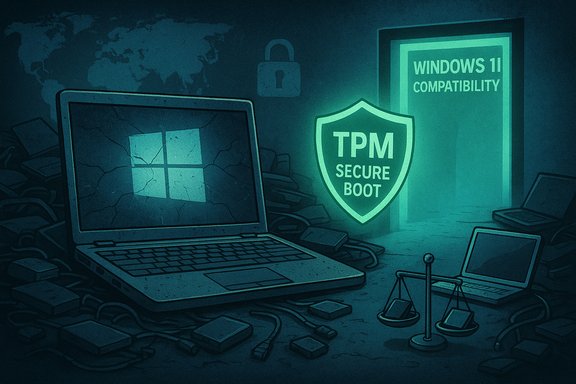
Windows 11’s compatibility checks emphasize modern platform protections. The principal gates are:- TPM 2.0 (Trusted Platform Module) or a firmware‑equivalent such as fTPM/Intel PTT.
- UEFI firmware with Secure Boot enabled (legacy BIOS/MBR systems often fail this check).
- A supported 64‑bit CPU family and model list maintained by Microsoft.
- Baseline RAM and storage (Microsoft’s official minimums are stricter than early Windows 10 minimums).
Practical fixes that sometimes work
A subset of devices that ostensibly “fail” Windows 11 readiness can be made capable of a supported upgrade without replacing the entire machine. Common interventions include:- Enabling a firmware TPM (fTPM) or Intel PTT in BIOS/UEFI when the hardware supports it.
- Switching from legacy BIOS/MBR to UEFI/GPT (requires data backup and careful conversion).
- Updating firmware (BIOS/UEFI) to enable modern features.
- Minor hardware swaps — for example, replacing an older hard drive with an SSD or adding RAM — only help if the CPU and TPM/UEFI requirements are already met.
Alternatives and mitigations for users and institutions
Short‑term bridges
- Consumer ESU: Enroll eligible devices to continue receiving security‑only patches through October 13, 2026. Enrollment options differ by market and include a free route linked to a Microsoft account, a Microsoft Rewards redemption option, or a modest one‑time fee for some users. ESU is a bridge, not a permanent fix.
- Third‑party compensating controls: Network segmentation, enhanced endpoint protections (EPP/EPP+EDR), strict policy hardening, firewalls and micro‑patching services can reduce risk for certain deployments. These are add‑ons that mitigate but do not replace vendor kernel‑level patches.
Reuse and repair routes
- Refurbish and re‑deploy: Many refurbishment shops take retired PCs, repair or upgrade critical components, and resell them into secondary markets where older OS versions or alternative OSes are acceptable. This route preserves device value and reduces landfill pressure.
- Repurpose offline or isolated appliances: Devices that perform isolated, non‑internet tasks (legacy lab instruments, offline office printers, local kiosks) can sometimes be kept in service with compensating operational controls that reduce exposure.
Alternative operating systems
- Linux distributions (example: Linux Mint): Open‑source desktop Linux distributions are viable alternatives that can breathe new life into older hardware. Linux Mint, specifically, targets Windows users transitioning to Linux and requires relatively modest resources (commonly cited minimums include ~2GB RAM, ~20GB storage, and 1024×768 display resolution, depending on the edition). For many older machines that are incompatible with Windows 11, a modern Linux desktop provides a secure, supported environment without costly hardware replacement. That said, driver compatibility (Wi‑Fi, GPU, specialized peripherals) and user familiarity remain practical barriers for some users.
Cloud options
- Cloud‑hosted Windows / Desktop as a Service (DaaS): Organizations with many incompatible endpoints can consider centrally managed cloud Windows instances (e.g., Windows 365 / Azure Virtual Desktop) and thin clients. This avoids immediate hardware churn for some use cases but shifts costs to cloud subscriptions and network dependency.
Practical checklist: what to do next (for home users and IT teams)
- Inventory every PC and record OS version, CPU model, RAM, storage, TPM presence, and firmware type (UEFI vs. BIOS). This provides the data to make rational choices.
- Run Microsoft’s compatibility tooling (or inspect TPM via tpm.msc and BIOS/UEFI settings) to see if in‑place upgrades are possible. If you lack confidence, get a trusted technician to inspect firmware settings before assuming the device is locked out.
- Prioritize critical endpoints (those handling personal finance, medical data, schoolwork, or business files) for migration or ESU enrollment.
- Consider enabling fTPM/Intel PTT in firmware if present and vendor firmware supports it; convert MBR→GPT only after backups and careful attention to driver/boot issues. These technical actions can enable upgrades on a nontrivial share of machines but are not universally applicable.
- Evaluate Linux Mint or other lightweight Linux distributions for older machines that cannot be upgraded to Windows 11 — test hardware compatibility with a live USB before committing to installation.
- Use trade‑in, refurbishment and donation channels where replacement is unavoidable. Proper recycling and refurbishment recover value and reduce environmental harm.
Policy, market and industry considerations
Right to repair and longer software lifecycles
Researchers and repair advocates argue that software support commitments, repairability standards and extended warranties at the point of sale can materially lengthen device lifecycles. Legislation that requires minimum software and security update windows or stronger trade‑in/refurbish incentives would change the economics for vendors and consumers. Campaigns urging multi‑year supported security update commitments for devices sold in certain jurisdictions reflect this approach; they gained traction in the public debates leading up to Windows 10’s end of support. These are structural policy levers that could reduce the environmental impact of future transitions.Producer responsibility and circular economy incentives
Expanded producer responsibility — where OEMs and platform vendors take stronger responsibility for device end‑of‑life — could increase formal refurbishment volumes and reduce informal, toxic recycling. Incentives for modular, repairable design and publicly funded refurbishment programs for schools and community organizations would blunt the worst e‑waste scenarios.Corporate conduct and reputational risk
Vendors that publish short upgrade windows while promoting sustainability narratives face reputational challenges when product‑support decisions appear to force hardware churn. This dynamic has already led to public campaigns and media scrutiny; it adds non‑technical costs to lifecycle planning that companies must now weigh.Critical assessment — strengths of the policy, and the risks
Microsoft’s security argument: valid technical tradeoffs
There is a defensible technical argument that modern platform protections — hardware‑backed keys, measured boot, virtualization‑based isolation — materially improve baseline security and are difficult to retrofit to older silicon. Maintaining long tails of legacy firmware, drivers and hardware combinations is costly and introduces ongoing security and reliability burdens for both vendors and customers. From a pure security engineering perspective, raising the platform security floor is justified.The flaw: timing, scale and social externalities
Where the policy is weakest is in accounting for scale, timing and social externalities. A hard calendar cutoff combined with hardware requirements that exclude a large share of active devices creates pressure to replace hardware rather than repair, reuse, or repurpose it. The result: environmental externalities (e‑waste, increased mining/manufacturing) and social inequities (poorer households and underfunded public institutions face the hardest choices). The limited, one‑year consumer ESU was framed as a bridge, not a solution — that design choice shifts the policy burden onto consumers and communities rather than systems-level remediation.Numbers and modeling caveats
Advocacy estimates (hundreds of millions of impacted devices; 1.6 billion pounds of potential e‑waste) are credible model outputs that serve as policy warnings — but they rely on assumptions about replacement behavior, regional recycling capacity, secondary markets, and average device mass. These assumptions produce a wide scenario range; the most responsible reading is to treat the figures as upper‑order policy indicators that justify urgent mitigation efforts, not precise landfill tallies. The empirical uncertainties here should motivate better inventory practices and coordinated public policy, not paralyzing alarmism.Conclusion and recommendations
Microsoft’s Windows 10 end‑of‑support is a clean technical milestone with complicated social consequences. The company’s desire to move the ecosystem onto a more secure hardware baseline is understandable; the downstream risks — a potential surge in e‑waste and an expanded pool of vulnerable machines — are likewise real and should be treated with urgency by public officials, corporate buyers, community organizations, and consumers.Practical recommendations:
- For individuals: inventory devices, prioritize ESU or migration for critical machines, explore enabling firmware TPM and other compatibility fixes where possible, and test Linux Mint or other lightweight Linux distributions as a lower‑cost reuse path for older hardware.
- For small organizations: treat ESU as a time‑limited bridge only; invest in compensating controls, consider cloud desktop options for legacy hardware, and prioritize replacement for internet‑exposed endpoints.
- For policymakers: pursue stronger right‑to‑repair protections, require or incentivize longer mandated security update windows for devices, and fund refurbishment programs to keep usable machines in productive circulation rather than landfills.
- For the industry: expand transparent trade‑in and refurbishment programs, improve firmware update tooling that extends device compatibility, and coordinate with public recycling systems to scale responsible recovery of retired devices.
Source: futurity.org End of Windows 10 support could mean huge e-waste increase
