

Windows 10 did not fall silent when Microsoft pulled the plug on free mainstream support; instead it remained a large, stubborn presence on desktops worldwide, forcing enterprises and consumers into a pragmatic — and sometimes uncomfortable — set of choices about security, upgrades and migration paths. While Microsoft has made Windows 11 its strategic focus, the real-world landscape after October 14, 2025 shows a slow, messy migration: Windows 10 continues to power tens — and likely hundreds — of millions of machines, Extended Security Updates (ESU) are being used as a short-term bridge, and the pace of adoption is being shaped as much by hardware refresh cycles, cost pressures and policy constraints as by Microsoft’s product roadmap.
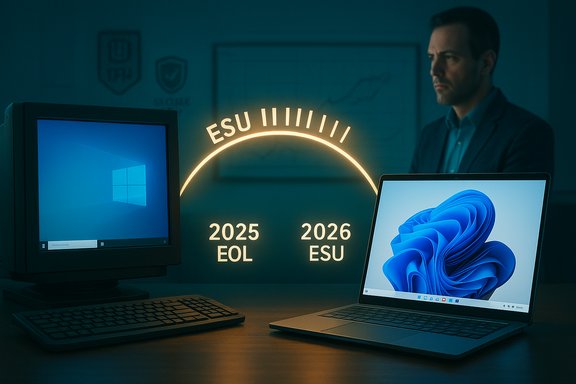
Microsoft set a firm lifecycle date: routine servicing for mainstream Windows 10 editions ended on October 14, 2025. That timetable means free, general-purpose monthly security updates, non-security quality fixes, and standard technical support for Windows 10 Home, Pro and many enterprise SKUs stopped unless a device is enrolled in an Extended Security Updates (ESU) program. Microsoft framed ESU as a bridge — a time‑boxed way to keep critical security patches flowing for devices that cannot migrate immediately — but not as a replacement for moving to a supported operating system.
Microsoft’s lifecycle policy and the mechanisms around ESU were well signposted ahead of the cutoff. The consumer ESU program offered a one‑year window of security‑only updates for eligible devices (through October 13, 2026), while enterprise channels retained multi‑year and volume-licensing options with different pricing and requirements. In practice, ESU enrollment paths varied by region and account state, and some enrollment methods require a linked Microsoft account or other identity steps.
Why this matters: when a vendor stops producing OS‑level security fixes, any newly discovered kernel, driver or platform vulnerability becomes a permanent attack surface on unpatched machines — antivirus and app updates help but cannot substitute for OS-level patches. The result is a widening security gap proportional to how long an organization or household delays migration.
There are two important caveats to interpreting market trackers. First, web‑analytics datasets measure pageviews or visits — not device inventories — so differences in user behaviour, geographic coverage and site mix can skew the picture. Second, security-vendor telemetry (endpoint data) and hardware OEM shipment reports paint different aspects of the story: enterprise fleets tend to lag consumer adoption and can dominate security-sample datasets, while pageview metrics reflect active use across a broad mix of sites. Taken together, the data consistently shows a substantial Windows 10 footprint as the end‑of‑support date arrived.
A quick comparison with a prior end‑of‑support milestone is instructive. When Windows 7 reached its end of support in January 2020, tracking services showed the OS still running on a significant fraction of desktops — NetMarketShare and some contemporaneous trackers put Windows 7 at around a quarter of desktop share in those final months, while StatCounter and others reported lower figures depending on methodology. The migration away from Windows 7 was measurable but not instantaneous, and that pattern has repeated for Windows 10: vendor deadlines do not convert usage overnight.
Microsoft is intentionally pushing those AI services into Windows 11 and associated cloud services, making Windows 11 the natural home for the next wave of productivity features that rely on local-and-cloud inference, secure runtimes for agents, and tight integration with Microsoft 365 entitlements. The company’s messaging indicates it does not plan to repeat the Windows 11 hardware-compatibility “stunt” as a hard enforcement — but the move to push compelling AI capabilities into Windows 11 is a clear incentive for future migration. Whether that incentive will be strong enough to accelerate adoption beyond the current gradual pace depends on how truly useful and privacy‑safe the agentic experiences become.
Security posture for agentic AI has been a central theme of Microsoft’s public blog posts: Windows will provide agent accounts, limited privileges, signing requirements, and revocation mechanisms to constrain what agents can do. These technical controls matter — agentic features that can click, type and scroll on local files require a robust permission model to avoid creating new attack surfaces. Microsoft’s own guidance emphasises opt‑in behaviour, explicit permissions and isolated agent workspaces.
That bet is not risk‑free. Agentic AI raises fresh governance, privacy and attack‑surface questions: agents need robust identity, signing and permission models, and enterprises will demand strict audit and revocation capabilities before enabling autonomous features on work devices. Microsoft has signalled such controls are fundamental to the design, but real-world deployments will test the guarantees. If agents deliver measurable operational value while preserving security and privacy, they could accelerate Windows 11 adoption over time. If they do not, migration may continue at the current measured pace.
For IT managers and informed consumers the path is clear: treat ESU as a short-term bridge, inventory and prioritise endpoints, adopt compensating security controls, and plan migration in line with hardware refresh cycles and application compatibility. For Microsoft, the next phase is to make Windows 11’s AI capabilities meaningfully compelling and secure enough to overcome the practical frictions that have kept so many devices on Windows 10. Achieving that balance — between innovation and inclusivity, between compelling features and manageable migration costs — will determine how quickly the Windows ecosystem moves on.
Source: The Register Windows 10 still clinging on after Microsoft pulls support
 Background
Microsoft set a firm lifecycle date: routine servicing for mainstream Windows 10 editions ended on October 14, 2025. That timetable means free, general-purpose monthly security updates, non-security quality fixes, and standard technical support for Windows 10 Home, Pro and many enterprise SKUs stopped unless a device is enrolled in an Extended Security Updates (ESU) program. Microsoft framed ESU as a bridge — a time‑boxed way to keep critical security patches flowing for devices that cannot migrate immediately — but not as a replacement for moving to a supported operating system.Microsoft’s lifecycle policy and the mechanisms around ESU were well signposted ahead of the cutoff. The consumer ESU program offered a one‑year window of security‑only updates for eligible devices (through October 13, 2026), while enterprise channels retained multi‑year and volume-licensing options with different pricing and requirements. In practice, ESU enrollment paths varied by region and account state, and some enrollment methods require a linked Microsoft account or other identity steps.
Why this matters: when a vendor stops producing OS‑level security fixes, any newly discovered kernel, driver or platform vulnerability becomes a permanent attack surface on unpatched machines — antivirus and app updates help but cannot substitute for OS-level patches. The result is a widening security gap proportional to how long an organization or household delays migration.
Market snapshot: Windows 10 refuses to vanish
The simple headline is: adoption is shifting, but not rapidly. StatCounter’s publicly available tracking showed Windows 11 overtaking Windows 10 in mid‑2025 and continuing a gradual ascent, yet Windows 10 remained a sizeable slice of Windows activity at the time support ended. StatCounter’s monthly views across its global tracking network placed Windows 10 in the low‑to‑mid 40 percent range in the months around the October 2025 deadline, while Windows 11 clustered above 50 percent on several metrics. These figures vary depending on the StatCounter chart selected (desktop-only vs. all-device views), but they consistently point to a slow migration rather than an abrupt exodus.There are two important caveats to interpreting market trackers. First, web‑analytics datasets measure pageviews or visits — not device inventories — so differences in user behaviour, geographic coverage and site mix can skew the picture. Second, security-vendor telemetry (endpoint data) and hardware OEM shipment reports paint different aspects of the story: enterprise fleets tend to lag consumer adoption and can dominate security-sample datasets, while pageview metrics reflect active use across a broad mix of sites. Taken together, the data consistently shows a substantial Windows 10 footprint as the end‑of‑support date arrived.
A quick comparison with a prior end‑of‑support milestone is instructive. When Windows 7 reached its end of support in January 2020, tracking services showed the OS still running on a significant fraction of desktops — NetMarketShare and some contemporaneous trackers put Windows 7 at around a quarter of desktop share in those final months, while StatCounter and others reported lower figures depending on methodology. The migration away from Windows 7 was measurable but not instantaneous, and that pattern has repeated for Windows 10: vendor deadlines do not convert usage overnight.
Why migration is slow: technical, economic and policy frictions
The migration bottleneck is not a single issue but a set of overlapping constraints:- Hardware eligibility for Windows 11. Microsoft’s Windows 11 minimum baseline — TPM 2.0, UEFI Secure Boot and a supported CPU list — excluded many older yet still serviceable PCs. That hardware gating is a structural cause of slower migration: millions of devices are functionally capable but ineligible for a supported upgrade path without hardware modification or replacement.
- Procurement and replacement cycles. Enterprises operate replacement cycles measured in years. IT departments budget hardware refreshes, test application compatibility, and stage rollouts; they rarely replace fleets to meet an arbitrary calendar date. The availability of ESU for enterprises — and a consumer ESU option — means organizations can buy time to migrate responsibly.
- Cost and macroeconomic pressures. Inflation, tighter IT budgets and geopolitical factors such as tariffs on hardware have lengthened replacement cycles. When budgets tighten, procurement managers prioritise stability and compatibility over immediate OS upgrades. That economic context reduces the urgency to swap out working devices just to meet a lifecycle cutoff.
- Privacy and account requirements. Some ESU enrollment flows require a Microsoft account or other tied identity steps, which frustrated privacy-conscious users and those who maintain local accounts. Requiring account linkage — or tying free ESU routes to account-based backups or rewards redemptions — made the ESU bridge less attractive for some households. Independent reporting flagged the account requirement as a contentious change for users who prefer to avoid cloud identity.
- Regulatory and environmental concerns. Advocacy groups warned against forced obsolescence and pointed to the environmental cost of premature hardware disposal. Regulators and consumer groups in several jurisdictions examined whether Microsoft’s approach to migration fair‑balanced security with sustainability and consumer rights.
The ESU bridge: mechanics, limits and practical trade-offs
Extended Security Updates were presented as a pragmatic, time‑boxed way to keep critical patches flowing while migration plans complete. The mechanics and practicalities differ for consumer and enterprise buyers:- Consumer ESU: a one‑year window of security-only updates for eligible Windows 10 devices (through October 13, 2026). Enrollment options included a free route for some users who link a Microsoft account and sync device settings, redemption of Microsoft Rewards points, or a paid one‑time activation for local-account scenarios. ESU does not restore feature updates or Microsoft technical support.
- Enterprise ESU: multi‑year options under volume licensing at tiered per‑device pricing, intended for organizations that require longer transition windows. Enterprise ESU is more flexible but also more expensive.
- What ESU is not: ESU does not equal modern platform security. It supplies critical and important security patches, but it cannot retrofit hardware-backed protections (like Secure Boot and TPM) that Windows 11 leverages to reduce attack surface. ESU is a defensive stopgap, not a path to feature parity or long-term resilience.
Microsoft’s pivot: Windows 11, AI agents and the product roadmap
Microsoft’s long-term strategy for Windows is not only about hardware and security baselines; it’s also an AI-first vision. The company has been actively integrating Copilot and agentic AI into Windows 11, positioning AI assistants and constrained agents as a major new value proposition for the platform. Recent updates expanded Copilot Vision, added voice wake-word support (“Hey, Copilot”), and introduced Copilot Actions — experimental agentic features that can carry out multi-step tasks on behalf of users in constrained, permissioned environments. These agentic capabilities are being rolled out as opt‑in, gated features with security and permissioning guardrails.Microsoft is intentionally pushing those AI services into Windows 11 and associated cloud services, making Windows 11 the natural home for the next wave of productivity features that rely on local-and-cloud inference, secure runtimes for agents, and tight integration with Microsoft 365 entitlements. The company’s messaging indicates it does not plan to repeat the Windows 11 hardware-compatibility “stunt” as a hard enforcement — but the move to push compelling AI capabilities into Windows 11 is a clear incentive for future migration. Whether that incentive will be strong enough to accelerate adoption beyond the current gradual pace depends on how truly useful and privacy‑safe the agentic experiences become.
Security posture for agentic AI has been a central theme of Microsoft’s public blog posts: Windows will provide agent accounts, limited privileges, signing requirements, and revocation mechanisms to constrain what agents can do. These technical controls matter — agentic features that can click, type and scroll on local files require a robust permission model to avoid creating new attack surfaces. Microsoft’s own guidance emphasises opt‑in behaviour, explicit permissions and isolated agent workspaces.
What the data actually says — cross-checking the big claims
Key claims about adoption and relative market share deserve explicit verification.- Claim: Windows 10 accounted for roughly 41–42% of Windows usage in October 2025, while Windows 11 was above 50%. This is supported by StatCounter’s publicly displayed charts for the relevant months, which show Windows 11 ahead of Windows 10 on several aggregate metrics and Windows 10 lingering in the low‑to‑mid 40s on others. StatCounter’s methodological notes remind readers that the service measures pageviews across a large sample of sites; the numbers are directional rather than a precise census.
- Claim: Migration post‑deadline would not be immediate and Windows 10 would still be common in enterprise fleets. That claim is consistent with endpoint telemetry from security vendors and contemporary reporting: corporate fleets historically lag consumer adoption, and many organizations took ESU or deferred upgrades for compatibility and budgetary reasons. Reports and IT advisories from multiple outlets in the run‑up to the deadline emphasised inventory, testing and ESU enrollment as prudent measures.
- Claim: Windows 7’s final month saw the OS at roughly a quarter of desktop share. Contemporary trackers from the Windows 7 end-of-support period in January 2020 reported a range of figures: NetMarketShare and some analytics placed Windows 7 near 25%, while StatCounter and other datasets reported lower numbers depending on methodology. The important point is methodological divergence: different trackers answer different questions (pageviews vs. installed base), so direct numeric comparisons must be made with method parity.
Risks, trade-offs and recommended actions for IT managers
The end of mainstream support for a large OS is a risk‑management event rather than a technical switch. The immediate operational and security recommendations are:- Inventory and prioritise. Identify devices that cannot upgrade to Windows 11 due to hardware constraints, classify endpoints by risk (remote access, payment processing, regulated data), and prioritise high‑value targets for immediate remediation.
- Use ESU strategically. Enrol only those devices that require time for compatibility testing, and treat ESU as a one‑year breathing room — not a long‑term plan. Ensure enrollment mechanics (including account linkage or licensing purchase) are documented and compliant with procurement policies.
- Harden compensating controls. Apply network segmentation, enforce least privilege, deploy modern endpoint detection and response (EDR) solutions, and ensure robust backup and recovery practices are in place for legacy endpoints. These mitigations reduce exposure while migration proceeds.
- Plan hardware refreshes sensibly. Align procurement cycles with migration targets, seek trade‑in or refurbishment programs where sustainability considerations matter, and prioritise upgrades for devices that will run agentic AI or other Windows 11‑specific capabilities.
- Validate vendor support. Confirm that critical third‑party applications and drivers will be supported on Windows 11, or secure vendor‑approved compatibility plans where migration must be deferred. Some vendors have extended driver and app support beyond Microsoft’s OS lifecycle, but those commitments vary by vendor and timeline.
The broader picture: platform strategy, AI and the future of Windows
Microsoft’s product strategy now clearly combines a security-first hardware baseline with a push toward AI-integrated user experiences. Windows 11’s hardware requirements were designed to raise the baseline for platform security, enabling features such as virtualization-based security (VBS) and hardware root-of-trust protections that are harder to implement on older silicon. At the same time, Microsoft is betting that useful AI features — Copilot Vision, Copilot Actions, and constrained agentic workflows — will help justify migration for users and businesses that can leverage them. These agentic features are positioned as productivity multipliers: autonomous, permissioned agents that can complete multi-step tasks under user control.That bet is not risk‑free. Agentic AI raises fresh governance, privacy and attack‑surface questions: agents need robust identity, signing and permission models, and enterprises will demand strict audit and revocation capabilities before enabling autonomous features on work devices. Microsoft has signalled such controls are fundamental to the design, but real-world deployments will test the guarantees. If agents deliver measurable operational value while preserving security and privacy, they could accelerate Windows 11 adoption over time. If they do not, migration may continue at the current measured pace.
Conclusion
The end of free mainstream support for Windows 10 on October 14, 2025 did not mark an abrupt exodus to Windows 11. Instead it exposed the predictable reality of platform transitions: engineering calendars collide with procurement cycles, hardware eligibility rules leave a significant installed base ineligible for the vendor’s recommended upgrade, and economic and policy factors slow the pace of replace‑and-upgrade decisions. Market trackers and telemetry show Windows 10 remaining a major platform presence even as Windows 11 grows its share — the migration is a slow, market‑driven process rather than a single, vendor‑imposed event.For IT managers and informed consumers the path is clear: treat ESU as a short-term bridge, inventory and prioritise endpoints, adopt compensating security controls, and plan migration in line with hardware refresh cycles and application compatibility. For Microsoft, the next phase is to make Windows 11’s AI capabilities meaningfully compelling and secure enough to overcome the practical frictions that have kept so many devices on Windows 10. Achieving that balance — between innovation and inclusivity, between compelling features and manageable migration costs — will determine how quickly the Windows ecosystem moves on.
Source: The Register Windows 10 still clinging on after Microsoft pulls support


