• Thread Author
Microsoft’s latest update warnings have morphed from a routine nudge into a full‑blown security alarm: with Windows 10 now officially retired and millions — potentially up to a billion — devices still running it or otherwise exposed, consumers and IT teams face a narrow, high‑stakes window to act before risk vectors multiply and patch coverage narrows.

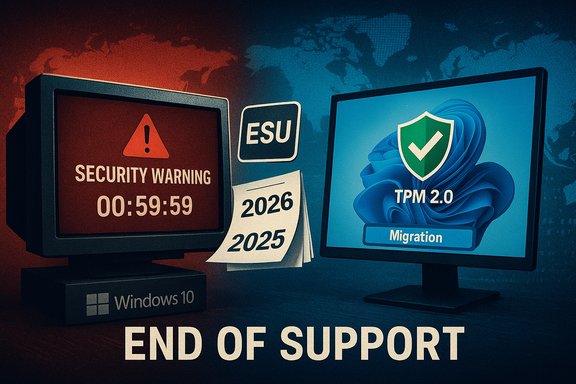
End of support for Windows 10; TPM 2.0 migration required.Background / Overview​

Microsoft set the end of mainstream support for Windows 10 as October 14, 2025, and immediately followed with a one‑year consumer Extended Security Updates (ESU) program intended as a bridge for devices that cannot move to Windows 11 or for users who delay upgrading. Microsoft’s official guidance and the ESU enrollment mechanics are published on the Windows blog and product pages. Industry telemetry shows the migration to Windows 11 has been far from universal. Independent market trackers and vendor comments indicate that large swathes of the install base remain on Windows 10 — a dynamic that makes Microsoft’s repeated “upgrade now” messaging more urgent and more fraught. StatCounter and related market analyses reported Windows 11 overtaking Windows 10 in global share during 2025 in some datasets, but those numbers vary regionally and by measurement method. Complicating the picture, Dell’s executive remarks in a recent earnings call suggested the installed Windows base is significantly larger than many public estimates, and that hundreds of millions of PCs either haven’t upgraded or are too old to run Windows 11 — a claim that would widen the population affected by Windows 10’s retirement. That statement has been picked up across the tech press and amplifies the urgency.

What Microsoft actually did: ESU, nags and the Oct. 2026 cliff​

Extended Security Updates (ESU): what it covers and what it doesn’t​

Microsoft’s consumer ESU provides a one‑year window (Oct. 15, 2025–Oct. 13, 2026) for eligible Windows 10, version 22H2 PCs to continue receiving critical and important security updates. Enrollment options include syncing settings to a Microsoft Account for free enrollment, redeeming Microsoft Rewards points, or paying a consumer fee (the $30 option widely reported). For commercial customers, ESU remains available via volume licensing with per‑device pricing and possible multi‑year renewal options. Important limitations:
  • ESU delivers security updates only — no new features, no non‑security patches, and limited troubleshooting help.
  • Enrollment prerequisites include being on Windows 10 version 22H2 and having the latest cumulative updates in place.
  • Microsoft’s consumer ESU rollout includes account and device configuration steps that some users found confusing or restrictive (for example, enrollment flows that favor Microsoft Account sign‑in).
These guardrails make ESU a temporary lifeline rather than a long‑term substitute for migrating to a maintained OS.

The practical cliff: October 2026 and why it matters​

Microsoft’s ESU for consumers is explicitly a 12‑month bridge. If you do not upgrade to Windows 11, enroll in ESU, or migrate to a supported cloud/virtual environment by October 13, 2026, you should expect that mainstream security updates for Windows 10 consumer installs will cease — leaving systems exposed to future zero‑days and newly discovered escalation paths. Enterprise ESU options extend longer in some channels, but they’re priced and structured differently.

How bad is the exposure: numbers, market share and the Dell correction​

The scale of the problem is the story: tens or hundreds of millions of PCs running an out‑of‑support OS are a juicy target set for attackers. Public trackers and vendor comments place the numbers in different bands:
  • StatCounter and similar web‑telemetry firms tracked Windows 10 share dropping through 2024–2025 as Windows 11 adoption rose, but Windows 10 still held a substantial portion of the global desktop base into mid‑2025. These samples show regional variance; some countries lag dramatically.
  • Dell’s COO Jeffrey Clarke told analysts the installed Windows base is “roughly 1.5 billion units,” and he estimated about 500 million of those are capable of running Windows 11 but haven’t upgraded, while another 500 million are roughly four years old and ineligible for Windows 11. If taken at face value, that means roughly 1.0 billion PCs that are either on Windows 10 and unupgraded or too old to accept a modern OS — a materially larger tail than some market samples suggest. Vendor estimates like these are grounded in supply‑chain and OEM telemetry, but they are also internal figures and should be treated with caution until independently corroborated.
Why this matters: a larger base of ineligible or unupgraded PCs translates directly into more targets for exploit campaigns that focus on unpatched Windows 10 code paths, especially legacy components like MSHTML and other Internet Explorer legacy engines that attackers continue to leverage. Forums and community reporting have already recorded surges of user concern and anecdotal exploitation patterns following the EOL timeline.

The security argument for Windows 11 — and why the numbers aren’t simple​

Microsoft’s security messaging for Windows 11 leans heavily on hardware‑backed protections and telemetry: the Windows 11 marketing pages and Microsoft‑commissioned research cite a “reported 62% drop in security incidents” when comparing Windows 11 devices against Windows 10. That figure originates from a Techaisle survey commissioned by Microsoft and is quoted on multiple Microsoft pages and partner materials. The methodology is a commissioned survey comparing managed Windows 11 deployments to Windows 10 devices and therefore may reflect selection bias (larger enterprise rollouts, newer hardware, modern management practices). Treat the claim as meaningful but context‑sensitive rather than an absolute, universal guarantee. What Windows 11 brings in practice:
  • TPM 2.0 and Secure Boot as baseline for many devices, raising the bar for firmware and credential attacks.
  • Virtualization‑based security (VBS), Credential Guard and other isolation technologies enabled by default on many OEM configurations.
  • Modern cryptographic defaults and hardware attestation (Pluton on supported devices).
Why uptake doesn’t equal universal protection: many of the most meaningful reductions in incident rates are likely driven by the combination of newer hardware, enterprise configuration controls, and the operational discipline of managed devices — not simply the OS version pivot alone. That’s why Microsoft’s commissioned number should be balanced with independent telemetry and peer analysis.

Attack surface reality: recent patterns and why EOL amplifies risk​

Legacy components in Windows have been repeatedly targeted. Over the last 18 months security vendors and government agencies documented chained exploitation techniques that reuse MSHTML and other legacy rendering code to create remote code execution and spoofing attacks — vectors that disproportionately impact older and unpatched devices. CISA and security vendors issued urgent mitigations as these routes were actively exploited. With Windows 10 out of mainstream support, every new disclosure becomes more dangerous for machines that won’t receive future fixes without ESU.
Significant implications:
  • Zero‑day availability becomes more attractive to attackers when a large installed base lacks patch channels.
  • Phishing and baiting campaigns that target older components (document previews, internet shortcuts, legacy file handlers) will scale up if defenders can’t push mitigations widely.
  • Enterprise compliance and regulatory risk increase for organizations that don’t migrate or enroll in ESU when required by contractual or legal obligations.

What users and IT teams must do now — practical, prioritized steps​

The headline action is simple: minimize exposure and plan migration. The execution path depends on your role (consumer, SMB, IT manager), hardware, and tolerance for risk. Below is a prioritized playbook that reflects technical reality, cost, and operational constraints.
  • Verify your system status now
  • Check Settings → System → About for Windows version/build and confirm Windows 10 version 22H2 eligibility.
  • Confirm whether your hardware meets Windows 11 requirements (TPM 2.0, Secure Boot, CPU compatibility), or whether you’re in the “eligible but not upgraded” cohort. OEM support pages and Microsoft’s PC Health Check app can help.
  • Enroll in ESU if you cannot upgrade immediately
  • If you’re on consumer hardware and upgrading or replacing the PC is not feasible, enroll in Microsoft’s ESU program while you plan migration. Use the consumer enrollment wizard in Settings (where available), redeem Microsoft Rewards points if eligible, or pay the one‑time fee to cover the interim. Remember: ESU is a stopgap — plan to migrate within the ESU window.
  • Patch today and automate updates
  • Install all available cumulative updates before you decide to delay upgrading. Patching is still the best immediate defense against known exploits. Set Windows Update to automatic and use defender signatures/EDR tools on business devices.
  • For IT teams: inventory, segment, migrate
  • Inventory devices and categorize by upgrade eligibility, business criticality and compatibility.
  • Segment unpatchable or fragile devices and isolate them using network segmentation and limited privileges.
  • Prioritize upgrades for devices in regulated environments and high‑risk roles (finance, HR, executive).
  • Consider Windows 365 or VDI as temporary migration strategies for workloads that cannot be moved to Windows 11 immediately.
  • Consider hardware refresh or validated workarounds carefully
  • OEMs and vendors will accelerate PC refresh programs, and Dell explicitly framed many ineligible devices as upgrade opportunities — but budget and sustainability considerations matter. For some users, controlled use of vetted workarounds to install Windows 11 on older hardware is possible, but unsupported installations may forfeit update delivery or violate warranty/organizational policy. Treat such options as last‑resort, temporary measures.
Action checklist (quick):
  • Back up data before any OS migration or major update.
  • Confirm ESU enrollment details (if enrolling).
  • Install the latest cumulative security patches now.
  • Deploy EDR/AV updates and tighten endpoint detection rules.
  • Schedule migration waves for eligible PCs, prioritizing highest‑risk groups.

Strengths and benefits of Microsoft’s approach — and the tradeoffs​

What Microsoft is doing right:
  • The ESU program for consumers is an acknowledgement that not every device can be upgraded overnight; it’s a pragmatic, risk‑mitigation step that buys time for users and enterprises.
  • Windows 11’s hardware‑backed features (TPM, VBS, Credential Guard) and the OEM ecosystem standardizing those capabilities do reduce attack surface for modern, updated devices. Microsoft‑commissioned surveys and partner analyses point to meaningful reductions in incident rates where those features are enabled.
  • OEM vendors can monetize refresh cycles, enabling a cascade of new security capabilities and vendor‑managed update experiences.
Key tradeoffs and risks:
  • ESU is temporary and limited; it risks creating a complacent middle ground if users assume “paid updates forever” is an option.
  • The reliance on Microsoft Account sign‑in or cloud‑backed enrollment flows for ESU and other features rubs against privacy and offline‑first user expectations. Some users and organizations resist such account requirements.
  • Hardware compatibility rules for Windows 11 (TPM 2.0, CPU lists) leave a large swath of otherwise functional devices ineligible — and OEM/vendor estimates of how many are affected vary widely. Public telemetry and vendor supply chain numbers diverge, which complicates policy and procurement planning.

Critical analysis: where the narrative breaks down and what to watch​

  • Numbers are noisy and opaque. Vendor estimates (like Dell’s 1.5 billion installed base and the 500m/500m split) come from internal telemetry and sales/backlog modeling; they are useful but not a substitute for independent measurements. Independent trackers (StatCounter, Steam, telemetry proxies) show significant regional differences — the “one billion at risk” headline is plausible but not a settled fact. Treat large head‑count assertions as informed estimates.
  • Commissioned research needs context. The widely‑quoted “62% drop in security incidents” is from a Microsoft‑commissioned Techaisle study and should be interpreted with caveats: commissioned studies often reflect controlled samples or enterprise windows where modern hardware and management practice are already in place. It’s real evidence of benefit — but not proof all Windows 11 installs will be universally safer in every scenario.
  • ESU convenience versus security debt. The existence of a low‑cost consumer ESU option risks slowing migration for price‑sensitive users while leaving them with an unsupported OS after the ESU ends — a classic “patch now, plan later” trap. Organizations should not substitute ESU for a concrete migration timeline.
  • Attackers move fast. Once Windows 10 is out of mainstream support, vulnerabilities will be weaponized faster, and exploit kits can pivot to mass‑targeting unpatched systems. Automated scanning and exploit marketplaces reward scale — precisely what a large unpatched base provides.

Final verdict and conclusion​

The headline warnings are justified: the scale of Windows 10’s retirements, the uneven conversion to Windows 11, and the real policy pivot embodied in ESU create a genuine operational and security challenge. Microsoft’s approach — promote Windows 11 for its hardware‑backed security, offer ESU as a bridge, and nudge users via prompts — is understandable from an engineering and business perspective. The gap between marketing claims and operational reality, however, leaves room for confusion and risk.
What users and IT leaders must internalize now:
  • Assume that any device left on unsupported Windows 10 without ESU is at elevated risk.
  • Prioritize inventory, patching and migration planning immediately; the ESU window is a time‑boxed respite, not a new state of support.
  • Treat Microsoft’s security density claims (the 62% figure) as directional evidence of improvement contingent on newer hardware and management, not as a universal guarantee.
This is a migration and risk‑management story more than a single update. The next 12 months are decisive: organizations that move decisively will reduce attack surfaces and compliance risk; those that delay will pay a price in vulnerability exposure and potential incident response costs. For consumers, the choice is more pragmatic — upgrade where possible, enroll in ESU where needed, and treat this as an inflection point for device hygiene and lifecycle planning.

Source: Forbes Microsoft Update Warning—1 Billion Windows Users Must Now Act
 

Microsoft’s Windows migration story quietly fractured into two markets this autumn: roughly 500 million PCs that can run Windows 11 but haven’t upgraded, and another ~500 million machines that are too old to meet Microsoft’s hardware gate, leaving a staggeringly large installed base still on Windows 10 and reshaping the upgrade conversation for consumers, enterprises and OEMs alike.

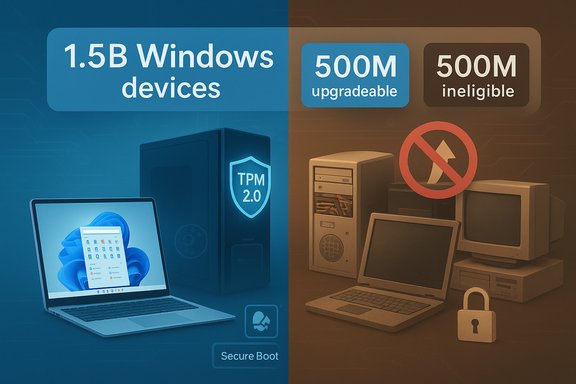
Split infographic: 1.5B Windows devices; 500M upgradeable, 500M ineligible.Background / Overview​

Windows 11 launched with a firm technical intent: raise the baseline for consumer security and platform capabilities by requiring modern firmware, Secure Boot, a Trusted Platform Module (TPM) 2.0, and a whitelist of supported processors. That stricter bar was deliberate, but it produced a compatibility cliff that excluded a large number of otherwise functional PCs. Microsoft’s official hardware and processor lists remain the authoritative reference for those requirements. Microsoft formally ended mainstream support for Windows 10 on October 14, 2025. For consumers who need more time, Microsoft opened a one‑year Extended Security Updates (ESU) window that delivers security-only patches through October 13, 2026, with enrollment options that include a free route tied to Microsoft Account syncing or a one‑time paid option. ESU is explicitly temporary and limited to security fixes — no new features or broad troubleshooting assistance. The immediate fallout is a bifurcated market: one segment of PCs can upgrade but won’t, and a similarly large segment can’t upgrade without hardware replacement. Dell’s numbers — spoken on an investor earnings call — crystallized that divide and triggered widespread coverage, debate and some hand-wringing across the industry.

What Dell Actually Said — and Why It Matters​

The headline numbers, unpacked​

  • Dell’s COO Jeffrey Clarke told investors the installed Windows base is roughly 1.5 billion PCs, of which:
  • ~500 million are capable of running Windows 11 but have not upgraded.
  • ~500 million are roughly four years old or older and cannot meet Windows 11’s hardware requirements without replacement.
Those remarks matter because they come from an OEM with broad visibility into retail and enterprise procurement, and because they convert migration friction into a tangible market opportunity for new devices — especially the AI‑targeted machines OEMs are building. But the same numbers also highlight a strategic tension: Microsoft wants a modern, secure base for future features (including on-device AI), while OEMs have to sell new hardware into a market that’s reluctant to refresh.

Why industry coverage echoed the point​

Reporting picked up Dell’s comments because they gave a vendor-level read on what public trackers were also indicating: Windows 11 adoption rose through 2024–2025 but did so unevenly, and many Windows 10 instances remained in place as the end-of-support deadline approached. The narrative grew quickly: Microsoft’s marketing spoke of “nearly a billion people” in relation to Windows 11 usage, a phrase industry writers noted was ambiguous in meaning (monthly active devices? signed-in users? license seats?. That ambiguity collided with Dell’s blunt installed-base math and the public policy moment of Windows 10’s EOL.

Verifying the Technical Claims​

Windows 10 end-of-support and ESU details​

Microsoft’s support pages confirm the October 14, 2025 end-of-support date for Windows 10 and outline the consumer ESU program that extends security-only updates through October 13, 2026, with enrollment choices (free via settings sync or paid) and prerequisites such as running Windows 10 version 22H2. ESU is a bridge — not a permanent extension.

Hardware gate: TPM 2.0, Secure Boot, UEFI and supported CPUs​

Microsoft documents and hardware‑design guidance specify the modern platform elements Windows 11 expects: UEFI, Secure Boot, TPM 2.0 and a processor compatibility list that has evolved across releases. Independent reporting and hardware guides reiterate that the CPU-generation checks and instruction‑set requirements (SSE4.2/POPCNT/etc. for some builds) create the practical barrier that locks many four‑year‑and‑older PCs out of a supported Windows 11 upgrade. There are documented workarounds and unofficial bypasses, but those are not officially supported and may limit update access.

Adoption numbers and market trackers​

Market trackers such as StatCounter showed Windows 11 finally tipping ahead of Windows 10 globally in mid‑2025, but that milestone masks regional variance and the large absolute counts of Windows 10 devices that persisted into the EOL window. Multiple outlets and trackers corroborate the “Windows 11 overtakes Windows 10” milestone while also noting the uneven distribution and the sizable holdout population. That mixed picture is why Dell’s binary “can / can’t” framing got attention: it translates proportional shares into absolute device counts.

Why Half a Billion Machines Won’t — or Don’t — Upgrade​

The reasons people and organizations don’t move are practical, not ideological:
  • Hardware eligibility: TPM, Secure Boot, and CPU checks exclude millions of machines that otherwise feel modern to users. Upgrading the motherboard or CPU can approach the cost of a new PC.
  • Perceived value: For many consumers Windows 11’s UI and features were incremental improvements rather than transformational incentives to replace hardware.
  • Enterprise risk and compatibility: Organizations must validate line-of-business apps, drivers, printing and management tools. Staggered pilot programs and certification cycles slow migrations by months (or years).
  • Upgrade friction and bugs: Real-world upgrade problems — from driver regressions to update errors — have tempered enthusiasm and given IT teams more reasons to wait.
  • Economic cycle and longer refresh cadence: Post‑pandemic replacement cycles lengthened, and fiscal conservatism delayed refreshes — particularly for mid-market and education segments.

The Security and Operational Risk of Staying on Windows 10​

Remaining on an unsupported OS increases exposure to risks that matter:
  • No free security updates after Oct 14, 2025 (unless enrolled in ESU), which means new vulnerabilities discovered after that date can be weaponized against unpatched machines. Microsoft’s ESU provides a short‑term patch lifeline, but only for known critical and important issues as defined by the MSRC.
  • Incomplete protection: ESU delivers security-only fixes; it does not include functionality or bug‑fix updates. Organizations relying on ESU must still plan long-term migrations.
  • Operational cost of mixed fleets: Running both Windows 10 (on ESU or unsupported) and Windows 11 complicates endpoint management, security policy calibration and compliance reporting.
  • Privacy considerations: Microsoft’s consumer ESU free enrollment path requires device sync to a Microsoft Account; local-account users who refuse cloud sign‑in must pay for the ESU option, creating a privacy and cost trade‑off. Critics have flagged this as a user-experience and trust friction point.

OEMs, Microsoft and the AI-PC Play​

Dell and other OEMs see both a problem and an opportunity. The stagnation in immediate replacements squeezes short-term unit growth, but it also creates a multi-year runway for targeted refresh cycles — particularly for AI‑ready PCs with NPUs, upgraded memory and storage, and designs optimized for on-device inference and Copilot experiences. Dell explicitly positioned its messaging to investors around that bifurcation: slow replacement overall, but premium opportunity in high-end, AI-capable systems. That is strategic positioning, not a technical imperative — it turns the migration gap into a commercial narrative. Microsoft’s response has been to emphasize scale — statements that Windows 11 now touches “nearly a billion people” — language that is effective as marketing but ambiguous in measurement. Industry commentators correctly flagged that such statements need clarifying: do they mean devices preloaded at OEMs, signed-in monthly active users, or some blended metric? Ambiguity in public numbers fuels confusion when vendor-level telemetry (like Dell’s) uses absolute installed-device math.

Practical Choices: What Consumers and Businesses Can Do Now​

If your device still runs Windows 10, you have three principal options — each with tradeoffs.
  • Buy a new PC
  • Best option for long-term security, access to new features and AI acceleration.
  • Consider total cost of ownership and check the OEM’s Windows 11 compatibility claims.
  • Enroll in Extended Security Updates (ESU)
  • Short-term, security-only updates through Oct 13, 2026 for consumers who meet ESU prerequisites.
  • Enrollment routes include free options (Microsoft Account sync) or a one‑time paid purchase; ESU covers limited update types and excludes general support.
  • Continue on unsupported Windows 10 (not recommended)
  • Short-term risk savings, long-term security and compliance exposure.
  • If chosen, isolate the device, harden the network perimeter, and consider virtualization for higher-risk workflows.

A short checklist to decide (for consumers and small IT teams)​

  • Run the Microsoft PC Health Check tool to confirm upgrade eligibility.
  • Inventory critical peripherals and apps; verify vendor compatibility for Windows 11.
  • If eligible but unwilling to upgrade immediately, enroll in ESU or schedule a controlled upgrade window.
  • If ineligible, estimate cost of motherboard/CPU replacement versus buying new — also factor warranty, battery life and power efficiency.
  • For privacy‑conscious users concerned about the Microsoft Account requirement for free ESU: evaluate the paid ESU option or plan hardware replacement.

Enterprise Migration Economics: A Hard Cost/Benefit Problem​

Large organizations face an arithmetic problem: upgrade costs (hardware, testing, staff time) versus security and compliance costs. Key considerations:
  • Application compatibility and certification: Legacy LOB apps, drivers and printing solutions can require weeks or months of remediation.
  • Phased migration reduces organizational risk: Pilots, canary groups and staged rollouts lower the chance of catastrophic disruption but lengthen timelines.
  • ESU is an option — not a replacement: Enterprises can buy longer‑term ESU via volume licensing, but it’s priced and structured to encourage migration, not indefinite delay.
For CIOs, the decision is seldom binary. Many will accept a 12‑ to 24‑month transition plan that blends ESU coverage, staged hardware refreshes and application modernization — a pragmatic approach that keeps systems secure while controlling cash outlays.

Critical Analysis: Strengths, Risks and What Microsoft/OEMs Should Watch​

Strengths of Microsoft’s approach​

  • Higher security baseline: Requiring TPM, Secure Boot and modern firmware improves the default security posture for the platform long-term.
  • Modern platform for new features: A consistent hardware baseline enables on-device AI, better virtualization and improved performance optimizations.
  • Clear lifecycle management: A published EOL date forces organizations to plan and reduces indefinite support vagueness.

Real risks and unintended consequences​

  • Fragmentation and a dual‑OS world: Hundreds of millions of machines in ESU or unsupported status create a long tail of vulnerable devices that demand special handling and increase attacker surface area.
  • Customer goodwill and perception: The Microsoft Account condition for free ESU, ambiguous marketing metrics and hardware eligibility friction have eroded some trust and pushed users to look at alternatives — including Linux distributions tailored to older hardware.
  • Environmental and e‑waste concerns: Encouraging hardware replacement rather than enabling upgrades or longer support on existing devices risks accelerating electronic waste, a criticism that has already produced legal and advocacy pushback in some quarters.
  • Market timing for OEMs: OEMs advertising AI PCs face the reality that premium refresh demand is not the same as broad refresh demand; forecast softness in mainstream PC sales may persist despite high-end growth.

What Microsoft and OEMs could do better​

  • Clarify measurement language: Define exactly what “nearly a billion” means when talking about users or devices.
  • Improve upgrade pathways: Continue to invest in official, safe upgrade paths for narrowly excluded hardware, or provide low-cost remediation programs for devices that are functionally modern but fail a single checkbox.
  • Transparent ESU options: Balance privacy and enrollment friction so consumers don’t perceive ESU as a coerced exchange of data for security.
  • Sustainability programs: Scale trade-in, recycling and low-cost refresh options to reduce e‑waste while enabling safer platform transitions.

Short-Term Forecast and What to Expect in 2026​

  • Flat mainstream PC unit growth is the consensus near-term expectation for many OEMs, with pockets of strength in AI servers and premium AI PCs. Dell’s investor guidance signaled a cautious market into 2026 even as premium segments expand.
  • Enterprise migrations will continue at a measured pace, with many organizations using ESU as a tactical bridge while executing staged rollouts.
  • Security pressures will intensify: As attackers scan for unpatched Windows 10 instances, organizations and consumers delaying migration will face increasingly urgent risk management choices.

Conclusion​

The latest installed‑base accounting makes one thing clear: the Windows transition is not a single event but a multi-year, multi-strategy migration. Dell’s blunt breakdown — half a billion PCs can upgrade and haven’t, and another half a billion can’t — should be read as both a challenge and a market map. It highlights the practical frictions of hardware compatibility, upgrade economics and user choice, even as Microsoft pushes Windows 11 as the secure, modern platform for AI-enabled experiences. For individuals and IT leaders the path forward is pragmatic: inventory, prioritize, and choose the mix of device replacement, ESU enrollment, and staged migration that matches real business risk and budget realities. For platform vendors and OEMs, the task is to make the upgrade story clearer, less coercive, and more sustainable — otherwise the migration will remain an awkward wedge between security goals and real-world constraints.

Source: Digital Trends Did you upgrade to Windows 11? If not then its just not you
 

Microsoft and PC vendors are racing to reconcile two stubbornly different truths: Microsoft says Windows 11 is a mainstream platform with nearly a billion people “relying on” it, while Dell’s leadership says roughly 500 million PCs that are capable of upgrading to Windows 11 haven’t — and another 500 million can’t at all.

Windows 11 features: TPM 2.0, Secure Boot, AI, firmware updates, and upgrade options.Background​

Windows 11 shipped in October 2021 with a renewed focus on security, modern UI and, more recently, deeper AI integration. From the start Microsoft elevated the minimum hardware baseline — requiring Secure Boot, UEFI firmware, a Trusted Platform Module version 2.0 (TPM 2.0), and a supported 64‑bit processor — to raise the platform security baseline and enable new features. Microsoft’s official system requirements remain the canonical checklist for upgrade eligibility. In late 2025 the signals diverged publicly. At Microsoft Ignite the company’s Windows lead used the phrase “nearly a billion people rely on Windows 11,” a broad headline that Microsoft did not immediately quantify in precise monthly active device terms. Days later, Dell COO Jeff Clarke told investors on a quarterly earnings call that about 500 million PCs are “capable of running Windows 11 that haven’t been upgraded,” and that a further 500 million machines — he characterized them as roughly four years old — are effectively excluded by the hardware rules. Clarke framed the situation as both a market opportunity for upgrades and a continuing drag on short‑term refresh cycles. This gap — between Microsoft’s ecosystem framing and OEM observations — is what’s driving renewed scrutiny of Windows 11 adoption, hardware requirements, enterprise migration behavior, and the practical risks of staying on Windows 10 after Microsoft’s published end‑of‑support date.

Why the numbers don’t line up neatly​

Different definitions, different datasets​

Very often two parties will report seemingly incompatible figures because they are measuring different things. Microsoft’s “nearly a billion” language was presented as a broad statement tied to Ignite marketing and platform reach; it does not equate cleanly to “active installs” or to the number of devices that have been upgraded. OEMs like Dell, answering financial markets, tend to measure installed base and upgradeable units in ways informed by their sales data, channel inventories, and market telemetry. That mismatch — marketing versus installed‑base accounting — explains much of the noise.

Public telemetry shows nuance, not contradiction​

Independent market trackers show Windows 11 overtaking Windows 10 in aggregate web‑tracked share in 2025, but the split varies by audience. Web analytics services (StatCounter) reported Windows 11 passing Windows 10 in mid‑2025 on some global slices, while the Steam Hardware Survey — a gamer‑centric dataset — showed even higher Windows 11 adoption. In other words, Windows 11 has become dominant in many active‑use segments, yet a large number of devices (consumer and business) remain on Windows 10 for reasons ranging from hardware limits to inertia.

The technical hard line: TPM 2.0, Secure Boot and CPU whitelists​

Microsoft tightened Windows 11’s system requirements to establish a stronger security baseline. The principal gating items are:
  • TPM 2.0: Windows 11 requires a TPM 2.0 security module to enable BitLocker, Windows Hello protections and other platform security features. Microsoft and OEM guidance make TPM 2.0 “required” for a supported configuration.
  • UEFI + Secure Boot: Legacy BIOS systems without UEFI support are effectively excluded. Secure Boot must be available (and generally enabled) for a supported Windows 11 install.
  • Processor generation lists: Microsoft maintains lists of supported Intel, AMD and Qualcomm processors; many chips older than roughly the 8th‑gen Intel or Ryzen 2000 family were not included in the compatibility lists, making whole cohorts of machines ineligible without replacement. Independent reports noted that Microsoft’s CPU compatibility lines left out chips that still meet TPM 2.0 but were omitted for platform reliability and security reasons.
Ars Technica and other technical outlets have emphasized that TPM 2.0 in particular is non‑negotiable for a supported Windows 11 install, even while pointing out that many motherboards and OEM systems actually include TPM functionality that is disabled by default. That means a meaningful fraction of “ineligible” systems can become eligible when TPM is enabled or firmware updated — but only up to the limits of the CPU compatibility policy.

Dell’s claim: parsing an OEM’s view of the installed base​

Dell’s Q3 earnings transcript — and Jeff Clarke’s comments — are explicit: Dell estimates an installed base of roughly 1.5 billion PCs in the world, of which about 500 million are capable of running Windows 11 but haven’t upgraded; another 500 million are too old to support Windows 11. He framed the residual as an upgrade opportunity for OEMs, especially as PC purchases increasingly tie to AI readiness. That is a blunt market snapshot from a major hardware vendor. Critical caveats when using that number:
  • Extrapolation vs direct telemetry: Dell’s statement is an OEM perspective, likely derived from sales and channel data and phrased for investors. It isn’t the same as Microsoft’s telemetry‑based “active device” counts.
  • Temporal context: The 500m/500m split is a point‑in‑time observation tied to market conditions in late 2025. The breakdown can shift quickly as enterprise migration programs, trade‑in offers, or large procurement deals close.
  • Geography and segmentation: Older machines are more concentrated in emerging markets, education fleets and certain verticals; upgradeability and willingness to trade up differ by region and sector.
Taken together, Dell’s numbers are credible as an OEM view — but they are not a direct contradiction of Microsoft telemetry, only a complementary industry snapshot.

Why users and businesses are choosing to stay on Windows 10​

Even where upgrade is technically possible, migration is not automatic. Several concrete reasons explain the “stickiness” of Windows 10:
  • Familiarity and stability: Organizations standardize on particular OS images and app stacks. If Windows 10 supports the business workflow and compliance posture, many IT departments choose a conservative migration calendar that prioritizes testing and risk mitigation.
  • Hardware upgrade costs: Even if a machine could be made compatible by enabling TPM, for many laptops and OEM desktops the full recommended Windows 11 experience (and vendor‑supported drivers) requires newer CPUs and firmware, driving replacement spend.
  • Extended Security Update options: Microsoft offered an Extended Security Updates (ESU) path and mechanisms to ease the transition, which reduces urgency for organizations that can enroll or buy ESU to continue receiving critical patches while they plan migrations. That softens the immediate pressure to switch.
  • Application and driver compatibility concerns: Some bespoke enterprise software or legacy peripherals behave differently on newer Windows releases, and full validation testing takes time and resources.
  • Perceived ROI: Consumers and SMBs evaluate the practical benefits of switching: if their current device runs everything they need, the cost of a new PC or reimaging might not be justifiable. The upgrade calculus is influenced by the perceived value of AI features and UI changes in Windows 11.
These reasons together create a multi‑year migration curve rather than the rapid wave Microsoft saw when users moved from Windows 7/8 to Windows 10.

Adoption metrics: what independent trackers show​

  • StatCounter and similar web analytics services have shown Windows 11 overtaking Windows 10 in global web‑measured share around mid‑2025; the margin varies by month and by dataset. That indicates Windows 11 is now the most common version in some tracked channels, but it does not mean every device has upgraded.
  • The Steam Hardware Survey — representing an active gaming user base — reported substantially higher Windows 11 adoption (often in the 60%+ range in mid‑2025), showing that specific user segments adopt faster than the general population.
These datasets demonstrate that Windows 11 is widely used and growing quickly among actively engaged device populations, while the long tail of older, lower‑velocity devices keeps Windows 10’s absolute numbers large. Both perspectives are true simultaneously.

Security and compliance risk for holdouts​

Microsoft’s official end‑of‑support date for Windows 10 was public: October 14, 2025. After that date Microsoft will not provide free security updates for standard Windows 10 configurations. That creates tangible risk vectors:
  • Unpatched vulnerabilities accumulate: Devices that remain on unsupported versions are more exposed to zero‑day and other exploit vectors over time.
  • Regulatory and compliance exposure: Organizations subject to standards (PCI‑DSS, HIPAA, GDPR‑related obligations around secure configurations) may face compliance implications if critical infrastructure runs end‑of‑support OS images.
  • Third‑party product support may change: Vendors often follow Microsoft’s lifecycle; anti‑malware, productivity suites and specialized enterprise apps may alter their support stances over time.
Microsoft mitigated some urgency by offering ESUs and by allowing certain migration grace mechanisms, but these are explicitly temporary and not a substitute for a planned upgrade or replacement strategy.

Workarounds, unsupported installs and the support trade‑off​

Technically savvy users have found ways to install Windows 11 on unsupported hardware by altering install media or registry flags. Independent outlets and community documentation have covered these workarounds. Microsoft and IT professionals warn that these configurations are unsupported: they may not receive updates reliably, they could be refused for official support, and they increase operational risk.
  • Installing on unsupported processors or without TPM may work in the short term but leaves devices in an unsupported state that Microsoft has explicitly discouraged.
Enterprises should treat unsupported installations as temporary stopgaps at best and plan formal remediation to remain supported.

OEM strategy and the market opportunity​

Dell publicly framed the 500m/500m split as both a risk and a revenue opportunity: a huge installed base that either needs replacement (if the device can’t be upgraded) or a nudge to update (if it can). OEMs can pursue several levers to accelerate migration:
  • Trade‑in and financing programs to lower the cost of replacement for consumers and SMBs.
  • Firmware and driver updates to enable TPM/secure boot where supported hardware shipped with those features disabled by default.
  • Commercial migration services for enterprises struggling with application compatibility and testing.
  • Marketing AI and productivity benefits in Windows 11 to raise perceived ROI for consumers and business decision‑makers.
Dell’s outlook also signals the limits of that opportunity: the PC market was forecast to be roughly flat in their planning horizon, meaning upgrades have to compete with broader macroeconomic and component cost pressures. Jeff Clarke’s remarks about the installed base and upgradeable units came in the context of strong server and AI demand — not as a simple prediction of a fast consumer OS swap.

Practical checklist: how to assess your PC and your organization​

  • Check upgrade eligibility: Open Windows Settings → Privacy & Security → Windows Update and use the compatibility checker or PC Health Check to see if your device meets Windows 11 requirements. If TPM is present but disabled, follow OEM guidance to enable it in UEFI/BIOS.
  • Confirm application compatibility: Inventory mission‑critical apps and vendor support commitments, then schedule pilot tests on Windows 11 images.
  • Evaluate ESU and transition windows: If an immediate upgrade is infeasible, enroll in Microsoft’s Extended Security Update program where appropriate while you plan migrations.
  • Consider replacement financing or trade‑in: For devices that are functionally obsolete or not eligible, calculate the total cost of ownership if you delay replacement versus a planned refresh with modern hardware that’s Windows 11 and AI‑ready.
  • Avoid unsupported workarounds for long‑term use: They can introduce unquantified security and compliance risks even if they look tempting for short‑term continuity.

Strategic implications for Microsoft, OEMs and enterprises​

For Microsoft​

  • Messaging needs precision: Broad claims about “rely on” the platform are useful for marketing but invite scrutiny when financial and OEM data paint a different upgrade cadence. Transparency in what “rely on” specifically measures (active devices, MAUs, daily users) would calm analysts and admins.
  • Support posture matters: Microsoft’s insistence on TPM 2.0 and newer processors has a defensible security rationale — but it also forces a difficult choices for customers who must either replace hardware or accept ESU arrangements.

For OEMs​

  • There is a clear productization opportunity for Windows 11‑ready and “AI‑capable” systems — but incentives and financing will be required to convert the price‑sensitive segments that currently resist replacement.
  • OEMs can materially help migration by documenting and delivering firmware updates and enabling TPM where possible.

For enterprises​

  • Migrations need project discipline: proper inventory, testing, app rationalization, and staged rollouts will minimize disruption.
  • Business continuity during the ESU window must be budgeted; ESU is a bridge, not a permanent solution.

Strengths and risks of the current situation​

Notable strengths
  • Windows 11 has demonstrably reached critical mass in active and engaged segments (gamers, early adopters), and independent trackers show continued growth in share. That makes future Windows development and ecosystem investments practical for many ISVs and hardware partners.
  • Higher security standards (TPM 2.0, Secure Boot) provide a stronger baseline for enterprise threat mitigation and modern hardware security features.
Primary risks
  • A large installed base of Windows 10 devices creates a long tail of vulnerability and support complexity for Microsoft, partners and customers. Any slow migration generates ongoing fragmentation and increases the operational burden for software vendors and security teams.
  • Communication gaps between platform vendors and OEMs about what counts as “reliance,” “active,” or “eligible” devices create confusion, which in turn undermines adoption messaging and makes forecasting harder for suppliers and enterprise buyers.
  • Unsupported installs and registry workarounds are a short‑term convenience but a long‑term liability from a security and compliance perspective.

Verdict and outlook​

Windows 11 is now a mainstream platform in many active segments, and Microsoft is building the narrative of broad adoption. At the same time, Dell’s OEM perspective exposes the stubborn reality of a billion‑device ecosystem where hardware limits, migration costs and organizational inertia slow a clean transition. Both narratives are accurate in their domains: Microsoft’s platform reach reflects usage growth, while Dell’s market view shows where upgrade friction still lives.
The practical outcome for most users and organizations is a multi‑year migration path: test, plan, and budget for replacement where necessary; enable TPM and firmware features where possible; and treat ESU as a controlled interim step rather than a long‑term strategy. For the industry, this phase is an opportunity: OEMs that make upgrades more affordable and IT teams that automate validation and deployment will capture disproportionate long‑term value as the installed base modernizes.
Windows 11’s future will be decided not by marketing taglines or a single OEM’s estimate, but by the combined momentum of secure hardware rollouts, enterprise migration programs, and whether the perceived benefits of the new OS — particularly its AI and security features — are compelling enough to justify replacement spend at scale.

Source: techcityng.com Microsoft Says 500 Million PCs Can Upgrade to Windows 11 But Users Aren’t Interested
 

Dell’s blunt investor math — roughly a billion PCs still running Windows 10, half of them effectively too old to run Windows 11 — has forced the industry to rethink what a modern Windows transition actually looks like and what it will cost in time, money, security and environmental impact.

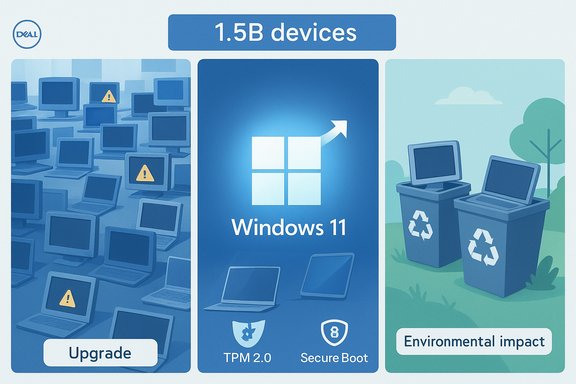
Infographic about upgrading 1.5B devices to Windows 11 with TPM 2.0, Secure Boot, and environmental impact.Background​

Windows 10 reached its formal end of mainstream support on October 14, 2025, and Microsoft offered a time‑boxed consumer Extended Security Updates (ESU) program to reduce immediate risk for users who cannot or will not move to Windows 11 right away. The company’s guidance and support pages lay out upgrade options and the ESU enrollment paths for consumers. The PC market reaction has been mixed. Public telemetry from pageview‑weighted trackers shows Windows 11 passing Windows 10 in share on the desktop in 2025, but vendor and OEM telemetry paints a different picture: a large installed base of Windows 10 systems, many of which either haven’t been upgraded even though they technically could be, or are precluded from an official upgrade because they fail Windows 11’s hardware baseline. StatCounter’s public snapshots for October 2025 put Windows 11 above 55% and Windows 10 in the low 40s on desktop pageviews, while OEM data and earnings commentary describe hundreds of millions of remaining Windows 10 endpoints. During Dell Technologies’ Q3 2025 earnings call, COO Jeffrey Clarke framed the situation as a three‑way split: an installed Windows base Dell estimates at roughly 1.5 billion devices, of which ~500 million are technically capable of running Windows 11 but remain on Windows 10, and another ~500 million are too old or incompatible under Microsoft’s hardware gate. Clarke used those rounded figures to explain softer near‑term PC demand and to justify OEM focus on trade‑ins, financing and the new “AI PC” upsell. Those remarks were widely reported and quickly became the narrative hook for coverage of the migration’s slow pace.

Overview: What the headline numbers actually say​

  • Dell’s installed‑base framing converts broad market momentum into three actionable cohorts:
  • Devices already running Windows 11.
  • Devices that can run Windows 11 but have chosen not to upgrade (~500M, per Dell’s estimate).
  • Devices that cannot run Windows 11 under Microsoft’s supported requirements (~500M, per Dell’s estimate).
  • Public telemetry (StatCounter) reports Windows 11 overtaking Windows 10 on desktop pageview share in 2025, with October 2025 figures showing about 55.17% for Windows 11 and 41.74% for Windows 10 on that measurement. That metric is pageview‑weighted and therefore reflects active web traffic patterns rather than a device‑by‑device audited inventory. Use it as a leading indicator of browser‑active devices, not an all‑devices census.
  • Microsoft’s operational calendar is firm: Windows 10’s mainstream support ended October 14, 2025, and Microsoft documented an ESU option for consumers to receive security updates through October 13, 2026 when enrolled. The company also details upgrade tooling and the recommended path to Windows 11 for eligible PCs.

Why the migration stalled: technical, economic and behavioral realities​

The technical barrier: Windows 11’s stricter baseline​

Windows 11 intentionally raised the platform floor to make certain security and platform capabilities broadly available. The minimum, supported checklist includes:
  • A compatible 64‑bit CPU (on Microsoft’s approved processor lists).
  • TPM 2.0 (discrete or firmware/ fTPM).
  • UEFI firmware with Secure Boot enabled.
  • Minimum 4 GB RAM and 64 GB storage (practical recommendations are higher).
  • DirectX 12 / WDDM 2.x graphics support.
That checklist — especially CPU compatibility lists and a firm TPM/UEFI requirement — created an effective compatibility cliff that excluded a nontrivial slice of devices that otherwise function perfectly well on Windows 10. Millions of office desktops, point‑of‑sale machines, embedded systems and older laptops fall into this category. While some systems can be remedied through firmware or driver updates, many cannot meet the official supported path without component or system replacement.

Economic friction and migration costs​

Upgrading a personal machine often means buying a new PC. For enterprises, migration is not simply a software push — it is a multi‑phase project that requires:
  • Inventory and compatibility testing.
  • Application and driver validation.
  • Staged deployment plans and rollback strategies.
  • Training, helpdesk capacity and desktop replacement budgets.
The result: even when an upgrade is technically feasible, business decision‑makers may rationally delay until a refresh cycle or budget window. Dell cited this practical conservatism as a core reason PC sales remained flat despite a sizeable upgradeable installed base.

Behavioral inertia and value perception​

For many users the everyday differences between Windows 10 and Windows 11 have not been sufficiently compelling to justify the disruption or expense. Feature lists, UI refinements and integrated Copilot‑style experiences will appeal to some, but they do not universally outweigh the perceived risk and cost of an enterprise migration or the cash outlay for a new consumer device.

The ESU safety valve​

Microsoft’s ESU consumer program provides a practical bridge: consumers can enroll to receive security‑only updates for an extra year (through October 13, 2026), either by syncing settings to OneDrive for a free route in some scenarios, redeeming 1,000 Microsoft Rewards points, or paying a one‑time $30 fee via the Microsoft Store. This reduces immediate pressure to refresh, but it is explicitly temporary and limited to security fixes — not a long‑term substitute for migration. The ESU enrollment mechanics were widely publicized and are available on Microsoft’s support pages.

What the numbers mean for stakeholders​

For OEMs (Dell, HP, Lenovo and the channel)​

  • Opportunity and responsibility: A large in‑field base that is either upgrade‑eligible but inert, or hardware‑blocked, represents a multiyear opportunity for trade‑ins, managed services, and financed refresh programs. Dell’s investor framing deliberately positions that runway as addressable demand for premium "AI PC" SKUs and lifecycle services.
  • Tactical moves that work: aggressive trade‑in incentives, extended warranties, device refurbishment offerings and targeted campaigns for value segments will move the needle more effectively than broad OS messaging alone.

For enterprises and IT teams​

  • Prioritization is everything. Devices handling sensitive workloads, subject to compliance rules or internet‑facing roles must be prioritized for faster migration or ESU enrollment. Less critical endpoints can be deferred into normal refresh windows.
  • Don’t treat ESU as a permanent fix. ESU buys time, not the long‑term security posture organizations need. Plan a one‑year roadmap that phases systems off ESU and into either Windows 11, virtualized environments, or rebuilt end‑user devices.

For individual users and households​

  • Inventory, backup, decide. Use the PC Health Check or Windows Update’s eligibility checks, back up to Windows Backup/OneDrive, and decide whether to upgrade, accept ESU for a year, or replace hardware.
  • Consider alternatives. Some users will evaluate Linux distributions (e.g., Zorin OS, Ubuntu) or reuse older hardware for secondary tasks; others will pursue supported upgrades where possible.

Security implications: what users risk by staying on Windows 10​

  • No new security updates after October 14, 2025 for mainstream Windows 10 unless enrolled in ESU. The lack of updates raises the risk surface for newly discovered vulnerabilities and supply‑chain exploits. Microsoft has explicitly warned that systems left unpatched are at greater risk.
  • Application and ecosystem effects. Some Microsoft services and third‑party apps may shift testing and support to Windows 11 cadence, leaving older platforms at higher risk of incompatibility or degraded security posture over time.
  • ESU is limited. ESU provides security fixes only and is temporary. It does not restore feature updates or normal support channels. Relying on ESU for extended periods is a strategic risk rather than a mitigation.

Environmental and ethical considerations​

A rapid, enforced hardware refresh at scale has real environmental costs. Millions of still‑functional devices becoming obsolete overnight creates e‑waste challenges unless OEMs and retailers pair upgrade programs with responsible recycling, refurbishment and parts‑recovery channels.
  • Responsible upgrade programs should include: trade‑in credit, certified refurbishment pipelines, donation networks and documented downstream device reuse.
  • Policy momentum matters. Public procurement and enterprise refresh programs can set standards to minimize waste—e.g., requiring OEMs to offer refurbishment credits or long‑term security paths.

Alternative migration paths: practical options for users of older hardware​

  • 1. Firmware remediation: check for BIOS/UEFI updates and enable Secure Boot / TPM if present but disabled. Some laptops just need a settings change.
  • 2. Component upgrades: some desktops can meet Windows 11 requirements with affordable CPU, motherboard or TPM purchases, though this may approach the cost of a new system.
  • 3. Unsupported installs: community hacks and workarounds exist to install Windows 11 on unsupported hardware, but these routes forfeit official support and can lead to update or stability problems; they’re not recommended for business or mission‑critical systems.
  • 4. Linux alternatives: modern Linux distributions can extend device usefulness and reduce exposure to Windows‑specific lifecycle pressures, though compatibility with Windows‑only software must be evaluated.
  • 5. Virtualization or cloud desktops: for legacy Windows‑only apps, consider hosting them on supported virtual desktops or using application virtualization to reduce endpoint risk.

Verification: what’s solid, what’s an estimate​

  • Dell’s “1.5 billion / 500M / 500M” breakdown was delivered in an earnings call and is an OEM estimate intended to communicate scale to investors; treat it as directional channel telemetry rather than an audited device census. Multiple outlets reproduced Clarke’s remarks. This framing is valuable market color but not a definitive device registry.
  • StatCounter’s October 2025 pageview‑weighted snapshot is authoritative for what it measures: web traffic generated by devices. It shows Windows 11 above 55% and Windows 10 around 41.7% on desktop pageviews. That is a live, public dataset and a meaningful leading indicator — but it is not the same as counting every powered‑on Windows PC worldwide. Use it in combination with vendor telemetry and enterprise inventories for planning.
  • Microsoft’s support pages confirm the end of mainstream support date (October 14, 2025) and lay out the consumer ESU enrollment paths and limitations. Those primary documents are the definitive source for official lifecycle and ESU mechanics.
  • Windows 11’s system requirements — including TPM 2.0, UEFI Secure Boot, and minimum RAM/storage thresholds — are explicitly documented on Microsoft’s Windows 11 system requirements pages and should be treated as the authoritative technical baseline for supported upgrades.
  • Caveat on ambiguous corporate phrasing: Microsoft’s marketing language (for example, “nearly a billion people rely on Windows 11”) and OEM investor math are not directly comparable unless the underlying metrics (monthly active devices, licensed seats, signed‑in users) are fully specified. Treat such phrases as shorthand until a specific definition is published.

Practical roadmap and recommendations​

For IT leaders (enterprise / education / public sector)​

  • Inventory urgently. Use MDM, SCCM, or other discovery tools to identify devices that:
  • Are ineligible for Windows 11.
  • Are eligible but not upgraded.
  • Require application compatibility testing.
  • Prioritize assets exposed to the internet, handling sensitive data, or involved in compliance to complete migration first or enroll in ESU.
  • Budget for a 12–24 month staged migration that leverages trade‑ins, refreshed procurement cycles and targeted user‑group rollouts.
  • Avoid over‑reliance on consumer ESU; commercial licensing channels and multi‑year ESU remain the professional route for large fleets.

For consumers and small businesses​

  • Check eligibility in Settings > Update & Security > Windows Update or with the PC Health Check tool.
  • Back up to Windows Backup and OneDrive before making any major changes.
  • If eligible and comfortable, upgrade when Windows Update offers the supported path.
  • If ineligible, weigh ESU enrollment for one year, or evaluate refurbished hardware and Linux alternatives for older devices.

For OEMs and retailers​

  • Design offers that reduce friction: low‑cost trade‑ins, bundled upgrade services, and buy‑back programs that combine a clear environmental promise with realistic pricing.

Risks and open questions​

  • Security debt still growing: Even with ESU, a year is a short window to migrate large fleets; failure to act will raise cumulative security risk.
  • Measurement mismatch: Different metrics (pageview telemetry vs. OEM shipment counts vs. signed‑in device telemetry) will continue to produce seemingly contradictory headlines unless vendors adopt clearer, auditable definitions.
  • E‑waste and policy pressure: Governments and large enterprises may face regulatory or reputational costs if large-scale desk‑downs create avoidable waste.
  • User trust and retention: Heavyhanded or confusing upgrade narratives risk eroding trust; vendors that provide clear choices and value‑led migration pathways will fare better.

Conclusion​

The public narrative that “Windows 11 has won and Windows 10 is dead” is incomplete. On web‑traffic‑weighted measures Windows 11 has indeed overtaken Windows 10, but that milestone coexists with a very large installed base that is either blocked from a supported upgrade or choosing not to upgrade right now. Dell’s earnings‑call math crystallized that tension into headline numbers — roughly a billion Windows 10 devices split between upgradeable holdouts and older, incompatible systems — and that framing matters because it reframes the problem from pure software migration into a multiyear hardware, service and policy challenge. Every stakeholder must now act with nuance: Microsoft must balance platform progress with pragmatic upgrade paths; OEMs must convert opportunity without provoking unnecessary churn; enterprises must inventory and prioritize risk; and users must make informed choices about backups, ESU, and eventual refresh. The migration is far from a single event — it is a phased modernization that will play out across budgets, supply chains and sustainability goals for years to come.

Source: TechSpot Nearly a billion PCs are still running Windows 10, and half are too old to upgrade
 

Back
Top