

Microsoft’s decision to end free, routine support for Windows 10 has moved from a calendar entry into an immediate, practical crisis for many users — and a separate but related privacy wrinkle in recent reporting shows some services offering opt-out language that may leave users still seeing targeted ads even after they exercise their rights.
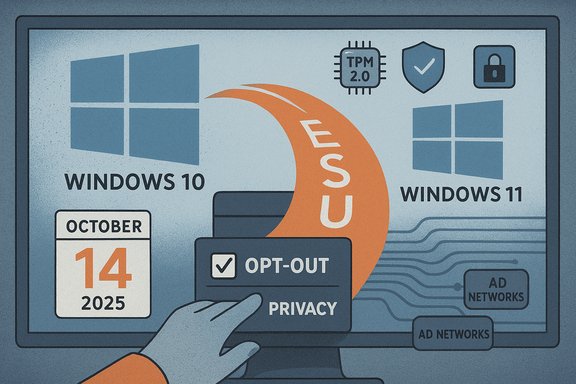
Windows 10’s formal support lifecycle reached its scheduled cutoff on October 14, 2025. On that date Microsoft stopped issuing routine security patches, quality fixes, and standard technical support for mainstream consumer editions of Windows 10, while also publishing a limited, time‑bound Extended Security Updates (ESU) program intended as a short bridge for devices that can’t migrate immediately.
That calendar milestone is straightforward; the consequences are not. Millions of devices worldwide remain on Windows 10, and while the OS continues to boot and run, the absence of vendor-supplied fixes for newly discovered vulnerabilities materially raises the risk profile of those machines. The market-share estimates and the operational impact of that increase in risk are described and debated across independent reports and community analyses.
Key practical points:
Operationally, that failure underlines a broader point: when vendor tooling intended to simplify migration regresses or malfunctions at scale, the “soft landings” envisioned in lifecycle documents can become abrupt and disorderly in real life.
Several practical realities are visible in recent reporting and legal notices:
At the same time, modern privacy notices and opt‑out mechanisms in advertising ecosystems are blunt instruments: they are necessary and useful, but they frequently hedge their promises in ways that leave residual personalized advertising or downstream disclosures possible. Users exercising opt‑outs should do so with informed expectations and follow up where notices suggest downstream disclosures may persist.
The immediate pragmatic advice for anyone affected is simple and actionable: inventory devices, prioritize upgrades for those that are eligible, enroll in ESU only as a defined interim move if needed, and harden or isolate any older machines that must remain operational. For privacy-conscious users, document opt‑out confirmations and be prepared for a short tail in ad personalization driven by historical disclosures.
This moment is not merely a technical transition; it is a test of how industry, regulators and communities manage security, affordability and privacy together. The decisions made now will shape both the security posture and the user experience of millions of PCs for years to come.
Source: Inbox.lv News feed at Inbox.lv -
 Background
Windows 10’s formal support lifecycle reached its scheduled cutoff on October 14, 2025. On that date Microsoft stopped issuing routine security patches, quality fixes, and standard technical support for mainstream consumer editions of Windows 10, while also publishing a limited, time‑bound Extended Security Updates (ESU) program intended as a short bridge for devices that can’t migrate immediately.That calendar milestone is straightforward; the consequences are not. Millions of devices worldwide remain on Windows 10, and while the OS continues to boot and run, the absence of vendor-supplied fixes for newly discovered vulnerabilities materially raises the risk profile of those machines. The market-share estimates and the operational impact of that increase in risk are described and debated across independent reports and community analyses.
What “stripped of support” actually means in practice
- No new security patches for non‑ESU devices. Newly discovered kernel, driver and platform vulnerabilities will not be patched for Windows 10 systems that are not enrolled in an ESU pathway. That increases the long‑term exposure of devices connected to the internet.
- No feature or quality updates. Beyond security fixes, Windows 10 will not receive new features or general quality improvements through the public servicing channels.
- Limited vendor support. Microsoft’s standard technical support posture shifts: help desks and official troubleshooting resources will direct users toward upgrade or ESU options rather than provide remedies for an unsupported configuration.
The consumer ESU: a one‑year breathing room with tradeoffs
Microsoft’s consumer-facing ESU offers a short runway of security-only updates — typically through October 13, 2026 for consumer devices — but it is explicitly limited in scope and time. Enrollment routes publicized for consumers include tying a device to a Microsoft Account and enabling settings sync, redeeming Microsoft Rewards points, or paying a one‑time fee for ESU coverage. The program supplies security patches only; it does not restore feature or quality servicing or full technical support.Key practical points:
- ESU is meant to be a bridge, not a permanent solution. Treat it as planning time, not a long‑term strategy.
- Enrollment mechanics (account linking, rewards redemption, or payment) carry privacy and convenience tradeoffs that vary by user preference and jurisdiction.
- Pricing and eligibility differ between consumer and enterprise programs; enterprises typically face higher per‑device costs and multi‑year fee structures.
Why many users feel “stripped” rather than supported
The optics and outcomes driving the sense of abandonment are a confluence of technical gates and real‑world constraints:- Windows 11 hardware requirements — TPM 2.0 (or firmware equivalent), UEFI with Secure Boot, and a supported CPU list — create hard compatibility barriers that block many otherwise functional PCs from the official upgrade path. Independent inventories and fleet scans repeatedly showed substantial portions of installed machines failing at least one readiness check.
- For users who cannot upgrade in place, the options are unattractive: enroll in ESU for a year, buy new hardware, or attempt community workarounds that introduce security and stability risks. The combination leaves many households, small businesses, schools and public services squeezed between cost, privacy concerns, and operational necessity.
- Advocacy groups and consumer organizations raised environmental and equity concerns, warning that forcing hardware refreshes for security reasons risks increasing e‑waste and disproportionately burdens low‑income users. Those policy and social implications have driven public pushback and petitions.
Unofficial workarounds, community projects and their risks
A strong undercurrent in the response to the end‑of‑support milestone has been community projects and bypass tools that let users install Windows 11 on unsupported hardware or deploy heavily trimmed Windows 11 images.- Compatibility bypass tools and registry tweaks can disable the installer’s hardware checks, allowing in‑place upgrades on machines that fail Microsoft’s official requirements. These methods are widely documented in community forums and utilities.
- Debloating/image‑builder projects such as community-driven “Tiny11” variants repackage official Windows ISOs, removing inbox apps and optional components to reduce footprint and make the OS feel lighter on aging hardware. The core project workflows are visible in public build scripts and community writeups.
- They can remove or disable security features (Windows Update, Defender, WinRE) or reduce serviceability, creating long‑term maintenance headaches.
- Community-built images and bypassed installers are inherently unsupported and will not receive official product guarantees; using them shifts risk to the end user.
- Third‑party utilities that relax hardware checks can also reduce the OS’s resilience to modern attacks if critical platform protections are bypassed.
Real-world failures that worsened the timing
The end‑of‑support week was complicated by reports of tooling regressions that affected migration flows: users reported the Windows 11 Media Creation Tool (MCT) closing unexpectedly on Windows 10 hosts, blocking one of the simplest upgrade routes for many consumers. Microsoft acknowledged the issue as a known problem and provided alternative guidance and workarounds while a fix was prepared. That regression compounded the difficulty for users trying to move off Windows 10 in the final days before the support cutoff.Operationally, that failure underlines a broader point: when vendor tooling intended to simplify migration regresses or malfunctions at scale, the “soft landings” envisioned in lifecycle documents can become abrupt and disorderly in real life.
Security and compliance consequences
- Unsupported devices are higher‑value targets. The removal of routine patching increases the likelihood of successful exploitation over time, especially for kernel and filesystem vulnerabilities that permit privilege escalation or remote code execution. Several high‑severity Windows vulnerabilities discovered in 2025 and earlier were actively exploited, demonstrating how quickly attackers can weaponize new disclosures.
- Organizations running unsupported endpoints face immediate compliance and insurance exposure. Regulatory frameworks and contractual standards typically require maintained, patched software; operating an unsupported OS can complicate audits and incident response.
- The consumer ESU program reduces immediate exposure only for enrolled devices and only for a fixed period; it is not a substitute for long‑term platform maintenance.
The privacy angle: opt‑outs, downstream sharing, and why “opting out” may not be absolute
The opt‑out language you included in your note — which asks users to confirm they do not wish their personal or sensitive information sold, shared with third parties, or used for targeted advertising — reflects a common calibration in modern privacy notices. It also, crucially, often contains caveats that limit the effectiveness of a simple opt‑out.Several practical realities are visible in recent reporting and legal notices:
- Opting out is frequently prospective, not retrospective. Notices often state that opting out will stop future sales or processing, but data already transferred or processed prior to the opt‑out may still be used to deliver interest‑based ads. That means a user can be opted out and still see targeted advertising that relies on previously transmitted data.
- Downstream disclosures are messy. The Digital Advertising ecosystem relies on a chain of participants — vendors publish lists of downstream partners (the IAB’s lists are an example of how this is tracked). A single disclosure to a downstream participant may lead to subsequent sharing beyond the original party’s control, and opt‑outs often emphasize that users may separately need to contact downstream parties to limit further disclosure.
- Contractual and technical limits exist. Even when a principal company commits to halt sales or sharing, enforcement, auditing, and the sheer velocity of programmatic advertising can leave transient copies of identifiers circulating in ad exchanges and SSP/DSP flows. That reality is the reason privacy notices often include the caution that users may continue to see interest‑based ads for a period after opting out.
Practical guidance: what Windows users should do now
- Inventory devices. Produce a realistic, prioritized list of endpoints with OS version, hardware readiness for Windows 11, and criticality. This inventory is the foundation of any migration or mitigation plan.
- Determine upgrade eligibility. Use vendor tools and independent checks to confirm which devices meet Windows 11 requirements (TPM, UEFI, CPU model, RAM, storage). For eligible machines, schedule upgrades and validate application and driver compatibility.
- Consider ESU if migration is not immediate. If devices cannot upgrade and cannot be replaced quickly, enroll eligible machines in the consumer ESU for the one‑year window. Use that time to plan financially and operationally for long‑term remediation. Remember that ESU is security‑only and has account and payment implications.
- Harden remaining Windows 10 systems. Where ESU is not available, implement compensating controls: strict network segmentation, modern endpoint detection and response tooling, application allow‑listing, and strict patching for third‑party applications. Treat unsupported endpoints as high‑risk and isolate them where feasible.
- Avoid informal bypasses on production devices. Community bypasses and debloated images may be useful for experimentation or short‑term use, but they remove vendor assurances and can degrade security. Test thoroughly and use them only with full understanding of consequences.
- Backup, test restores, and verify recovery tools. The Media Creation Tool regression and other update-side incidents highlight the need for tested recovery plans and external media for rebuilding systems. Validate WinRE, create up‑to‑date backups, and maintain verified recovery media.
- For privacy‑conscious users, document opt‑outs and follow downstream processes. When exercising opt‑outs for targeted advertising, keep records of confirmations, and consider contacting downstream participants if notices indicate further disclosure chains. Understand that ads driven by previously shared data may persist short term.
Policy, costs and systemic implications
The decision to end support for a decade‑old OS is normal lifecycle management, but the transition raises structural questions that deserve public scrutiny:- Affordability and fairness. Not all households or small organizations can absorb the cost of hardware replacement or ESU enrollment. Policy interventions or tiered support models could moderate the social impact.
- E‑waste consequences. A forced wave of replacements risks increasing electronic waste unless recycling and refurbishment pathways are scaled and incentivized. Advocacy groups have rightly called attention to the environmental angle.
- Security externalities. A large cohort of internet‑connected, unsupported systems increases overall ecosystem risk — an outcome that imposes costs well beyond individual households, including on ISPs, cloud providers, and public infrastructure.
Strengths and weaknesses of Microsoft’s approach
Strengths:- Microsoft provided a clear, calendared end‑of‑support date and a consumer ESU pathway designed to be pragmatic for many households. The company’s public guidance and ESU mechanics gave users documented options.
- The ESU design — security‑only and time‑boxed — prevents indefinite reliance on legacy code while buying planning time for users.
- The hardware gate to Windows 11 made many ineligible for in‑place upgrades, creating the impression of abandonment for otherwise functional PCs. That perception is amplified by the costs and privacy tradeoffs tied to the ESU enrollment mechanisms.
- Regressions in migration tooling (e.g., the MCT issue) exposed brittle tooling assumptions and worsened the migration window during a critical period.
- The consumer ESU’s limited duration and specific enrollment requirements leave a substantial at‑risk cohort once the bridge ends.
Claims that must be treated with caution
- Precise device counts for affected Windows 10 installs vary across telemetry sources and depend on measurement methodology; figures reported in public discussion (hundreds of millions, or specific national totals) are estimates and should be treated as directional rather than exact. Public trackers and vendor telemetry produce different baselines.
- Any single news item that asserts a universal failure mode or a global policy beyond Microsoft’s published lifecycle guidance should be verified against Microsoft’s official lifecycle documentation and multiple independent telemetry sources before accepting absolute statements.
- Opt‑out effectiveness for targeted advertising is variable. Claims that a single opt‑out will immediately halt all interest‑based advertising are often overstated because previously shared data and downstream disclosure chains can sustain ad targeting for a period. That operational fact explains opt‑out language that warns of continued personalization for ads based on prior disclosures.
Conclusion
The end of free, routine support for Windows 10 is a consequential vendor lifecycle event that transforms a decade‑old, widely installed OS into an increasingly risky platform if left unaddressed. Microsoft provided transitional mechanisms — notably the consumer ESU — but real constraints (hardware compatibility gates, enrollment mechanics, tooling regressions) left many users feeling caught between paying for protections, replacing hardware, or accepting the elevated risk of unsupported systems.At the same time, modern privacy notices and opt‑out mechanisms in advertising ecosystems are blunt instruments: they are necessary and useful, but they frequently hedge their promises in ways that leave residual personalized advertising or downstream disclosures possible. Users exercising opt‑outs should do so with informed expectations and follow up where notices suggest downstream disclosures may persist.
The immediate pragmatic advice for anyone affected is simple and actionable: inventory devices, prioritize upgrades for those that are eligible, enroll in ESU only as a defined interim move if needed, and harden or isolate any older machines that must remain operational. For privacy-conscious users, document opt‑out confirmations and be prepared for a short tail in ad personalization driven by historical disclosures.
This moment is not merely a technical transition; it is a test of how industry, regulators and communities manage security, affordability and privacy together. The decisions made now will shape both the security posture and the user experience of millions of PCs for years to come.
Source: Inbox.lv News feed at Inbox.lv -
