

If you’re still running Windows 10 after Microsoft’s formal end-of-support date, you’re facing a real security crossroads: install a paid Microsoft Extended Security Updates (ESU) license for a short-term bridge, migrate to Windows 11 or another OS, or adopt third‑party mitigations such as 0patch’s micropatching service. ZDNet’s recent hands‑on review of 0patch—combined with official Microsoft lifecycle guidance and 0patch’s own documentation—shows that 0patch is a pragmatic, cost‑effective stopgap for many users, but it is not a drop‑in replacement for vendor support and carries measurable operational and governance trade‑offs.
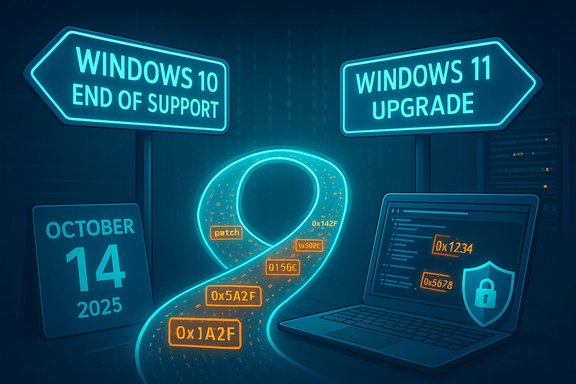
Microsoft ended mainstream support for Windows 10 on October 14, 2025. After that date, Home, Pro, Enterprise and Education editions stopped receiving routine security and feature updates from Microsoft; official guidance is to upgrade to Windows 11 where hardware permits, or enroll eligible systems in the Windows 10 Consumer Extended Security Updates (ESU) program to receive a limited stream of security fixes through October 13, 2026. 0patch is a Slovenia‑based vendor that delivers targeted “micropatches” — tiny, surgical fixes that are applied to running processes (typically in memory) to neutralize specific vulnerabilities without touching original on‑disk binaries. 0patch provides a free tier that covers certain zero‑day mitigations and a paid Pro plan (roughly €24.95/year per device) and an Enterprise plan (around €34.95/year) that deliver broader post‑End‑of‑Service coverage, central management, and priority support. 0patch has publicly committed to “security‑adopt” Windows 10 v22H2 in October 2025 and to provide post‑EOS micropatches for at least five more years, with the explicit possibility of extending that window if demand warrants. This feature assesses what those facts mean for typical Windows 10 users and small organisations: how 0patch works in practice, where it fits relative to Microsoft ESU, what problems to watch for, and how to make an operational decision you can defend to management or family members.
However, the service is not a silver bullet. It does not recreate vendor servicing, and it introduces third‑party dependencies and compatibility considerations that require careful testing, monitoring, and governance. Use 0patch as part of a layered strategy: patch baselines before enrollment, pilot widely, combine with network segmentation and robust endpoint protection, and continue planning migration to supported platforms. ZDNet’s review and 0patch’s own documentation both underline that cautious, staged adoption is the responsible approach. In short: for many Windows 10 holdouts, 0patch will be the best practical defense in the “end of support” era — provided it’s implemented deliberately, tested thoroughly, and paired with a roadmap to a fully supported environment.
Source: ZDNET Still on Windows 10? 0patch may be your best defense in the 'End of Support era'
 Background / Overview
Microsoft ended mainstream support for Windows 10 on October 14, 2025. After that date, Home, Pro, Enterprise and Education editions stopped receiving routine security and feature updates from Microsoft; official guidance is to upgrade to Windows 11 where hardware permits, or enroll eligible systems in the Windows 10 Consumer Extended Security Updates (ESU) program to receive a limited stream of security fixes through October 13, 2026. 0patch is a Slovenia‑based vendor that delivers targeted “micropatches” — tiny, surgical fixes that are applied to running processes (typically in memory) to neutralize specific vulnerabilities without touching original on‑disk binaries. 0patch provides a free tier that covers certain zero‑day mitigations and a paid Pro plan (roughly €24.95/year per device) and an Enterprise plan (around €34.95/year) that deliver broader post‑End‑of‑Service coverage, central management, and priority support. 0patch has publicly committed to “security‑adopt” Windows 10 v22H2 in October 2025 and to provide post‑EOS micropatches for at least five more years, with the explicit possibility of extending that window if demand warrants. This feature assesses what those facts mean for typical Windows 10 users and small organisations: how 0patch works in practice, where it fits relative to Microsoft ESU, what problems to watch for, and how to make an operational decision you can defend to management or family members.What 0patch actually does
Micropatches — surgical, in‑memory mitigations
0patch produces very small binary changes — sometimes just a handful of CPU instructions — that are applied to running code (process memory) when the patched module loads. Because the patches act on code as it runs, they often do not require a system reboot, minimizing downtime for workstations and servers. This in‑memory model also means uninstallation of the 0patch Agent removes the active micropatches (they are not persistent on disk). Key technical characteristics:- Patches are targeted to specific CVEs or exploit primitives.
- They are delivered by an agent that synchronizes with 0patch servers.
- Many patches are zero‑day mitigations (applied before vendor fixes exist); others are post‑EOS “legacy” fixes to cover the windows left after Microsoft stops shipping security updates.
- Because patches intercept and modify code paths at runtime, they avoid changing Microsoft binaries on disk — a design choice that reduces footprint but raises governance and compatibility questions.
What 0patch will and won’t patch
0patch focuses on vulnerabilities that meet strict prioritization criteria:- Publicly disclosed exploits or proof‑of‑concept code.
- Vulnerabilities actively exploited in the wild.
- Vulnerabilities that Microsoft does not plan to fix for a given legacy SKU.
- Vulnerabilities affecting widely used features or code paths.
Pricing, tiers and what they include
- Free tier: 0patch Free includes zero‑day patches and is intended for personal, nonprofit, or testing use. It does not include the full set of post‑EoS legacy patches necessary to comprehensively protect Windows 10 v22H2. That makes it useful as an emergency buffer for a short window, but insufficient as a lone long‑term strategy for everyday Windows 10 deployments.
- Pro tier: €24.95/year (approximately $30 USD) per device. Pro unlocks all Pro and Free patches, auto registration, standard support, and full Windows 10 22H2 post‑EOS coverage for each licensed device — the configuration most home power users and small businesses should consider if they plan to stay on Windows 10.
- Enterprise tier: €34.95/year per device adds central management, silent deployment, roles, and group policies — necessary for managed fleets and MSP/IT service operations. Volume discounts are available for larger deployments.
Strengths — why 0patch matters now
- Minimal disruption: Micropatches typically don’t require a reboot. For many users and administrators, that reduces the operational friction of keeping legacy endpoints secure.
- Fast zero‑day response: In cases where exploits are published or actively used before Microsoft issues a patch, 0patch’s historical record shows it can ship mitigations faster than the vendor for certain issues. The company cites several prior examples where its patches arrived well before vendor fixes.
- Cost‑effective bridge: At roughly €25/year per device, 0patch Pro can be materially cheaper than long multi‑year support options or mass hardware replacement in the short term. For organizations with legacy hardware, technical constraints, or bespoke software, that price point can make continued operation feasible while a migration plan is executed.
- Reversible: Micropatches can be rolled back quickly if they cause bad behavior. The agent architecture supports disabling individual patches and fully removing the agent (which removes runtime mitigations), allowing administrators to revert risky changes.
- Focus on practical gaps: 0patch can and does supply patches for “wontfix” scenarios (for example, certain NTLM coerced auth vectors) where Microsoft’s policy decisions leave real networks exposed. That pragmatic stance fills a known operational gap for many environments.
Risks, limitations and governance
- Not a full substitute for vendor support: Patching selected vulnerabilities does not replicate the comprehensive security, reliability, and compatibility benefits of being on a maintained OS. Kernel, driver and platform changes from Microsoft updates address classes of risk beyond single CVEs. Relying on micropatches increases long‑term residual risk.
- Trust and supply risk: Using 0patch requires trusting a third party to modify running code on your endpoints. That trust is legitimate, but it’s a commercial relationship—subject to vendor viability, contractual terms, and operational support windows. 0patch’s stated plan to support Windows 10 “for at least five years” is a commercial commitment, not a legal guarantee; it can be extended but it can also change. For regulated environments, such third‑party binary interventions may require formal approval.
- Compatibility and performance trouble: 0patch documents a range of compatibility issues and performance anomalies when the agent interacts with specific security products or drivers. The vendor’s Troubleshooting knowledge base lists documented cases (ESET NOD32, BitDefender, HitmanPro.Alert, Resilio Connect, and others) and describes mitigation steps. Community reports and some reviewers note occasional application crashes and transient slowdowns after installing patches; 0patch’s agent provides the ability to disable or rollback problematic micropatches. Test before broad deployment.
- Coverage gaps and prioritization: 0patch focuses on the highest‑risk, actively‑exploited issues. That means lower‑severity or obscure vulnerabilities may remain unpatched. Attackers chain multiple weaknesses; fixing only some of the chain may not be sufficient to stop sophisticated campaigns. Security architects should treat 0patch as a layer in defense‑in‑depth, not as a single control.
- Policy and compliance: Enterprise security policies, procurement rules, and some cyber‑insurance contracts may mandate vendor‑supplied OS patches or explicitly restrict third‑party runtime instrumentation. Engaging legal and compliance teams before broad rollouts is essential.
Practical deployment guidance (what to do right now)
- Inventory and classify. Record which Windows 10 devices you have, their roles, and whether hardware supports Windows 11 upgrades. Prioritize internet‑facing, high‑privilege, and PCI/HIPAA systems.
- Patch baseline. Apply all available Microsoft updates up to the final cumulative update for your Windows 10 build (for v22H2 that means the October 2025 cumulative update) before enabling 0patch. 0patch explicitly requires this baseline to build on a known state.
- Test a pilot. Install 0patch Agent on a small, representative set of devices that mirror your environment (AV stack, VPN clients, business apps). Exercise critical workflows and watch for crashes, performance regressions, and antivirus interactions. 0patch offers a 30‑day Pro trial for this purpose.
- Layer controls. Use 0patch as part of a layered posture:
- Keep Microsoft Defender or another reputable AV/EDR product updated.
- Employ application allow‑listing (WDAC/AppLocker) where practical.
- Segment legacy devices on a restricted VLAN and limit administrative use of unsupported endpoints.
- Maintain rigorous backups and an incident response plan.
- Start with Pro if you want real coverage. The Free tier provides valuable zero‑day mitigation but excludes the legacy, post‑EoS patches that will be needed across time; combine Free with Microsoft ESU if you purchase ESU for the short term, or simply use Pro for independent coverage.
- Monitor and rollback. Watch 0patch Central and agent logs for new patches and user reports. If a patch causes instability, disable that patch immediately and report the issue to 0patch support for analysis and remediation.
- Plan migration. Treat 0patch as a bridge; allocate budget and schedule to migrate critical workloads to supported platforms (Windows 11, Linux, Cloud PC, or refurbished newer hardware) within your desired timeframe. 0patch can extend the calendar but is not an indefinite substitute for platform modernization.
Real‑world signals and reviewer experience
ZDNet’s review highlighted the product’s strengths: ease of installation, a clear dashboard, and automatic, quiet micropatch delivery — with a caveat about occasional performance problems reported by some users that align with 0patch’s Troubleshooting entries. ZDNet’s test runs showed lightweight patches and negligible Geekbench 6 impact on the reviewer’s Windows 10 laptop, but community reports and vendor troubleshooting notes indicate real compatibility pitfalls with certain antivirus products and third‑party agents. The vendor’s own documentation instructs testing and staged rollouts precisely because those edge cases exist. 0patch’s official blog and help center clarify their roadmap: a planned security‑adoption of Windows 10 v22H2 in October 2025, an initial five‑year support horizon (i.e., through at least October 2030), and an explicit willingness to extend that window with market demand. That public commitment is valuable, but it remains a vendor pledge rather than an external guarantee — an important difference for procurement and risk teams.Decision matrix — which path makes sense for which user
- You should strongly consider 0patch Pro if:
- Your hardware cannot upgrade to Windows 11 and you must keep Windows 10 for legacy apps or specialized devices.
- You are a small business or power user who needs a low‑cost, managed mitigation option and is capable of testing before deployment.
- You understand the difference between targeted micropatches and full vendor servicing.
- ESU + 0patch Free could be acceptable if:
- You purchase Microsoft ESU for the single consumer year (through October 13, 2026) and use 0patch Free for emergency zero‑day coverage during that window.
- You need just one additional year while you complete a migration.
- Move to Windows 11 or a modern alternative if:
- Your hardware meets the requirements and you want the long‑term security, feature updates, and vendor SLA.
- You cannot accept the residual risk and compliance implications of third‑party runtime patching.
- Switch to Linux/ChromeOS Flex if:
- Your use case is primarily web/apps and the learning curve and compatibility tradeoffs are manageable. This is often the most future‑proof, low‑cost route for older hardware.
Final assessment: practical, not perfect
0patch is an effective, well‑engineered mitigation service that fills a defined and growing need created by Windows 10’s end of support. It offers a very attractive price‑to‑value ratio and a technically elegant micropatch model — rapid, reversible, and minimally disruptive. For users and small enterprises that cannot immediately upgrade to Windows 11, 0patch Pro provides a viable, defensible path to reduce exploit risk for the next several years.However, the service is not a silver bullet. It does not recreate vendor servicing, and it introduces third‑party dependencies and compatibility considerations that require careful testing, monitoring, and governance. Use 0patch as part of a layered strategy: patch baselines before enrollment, pilot widely, combine with network segmentation and robust endpoint protection, and continue planning migration to supported platforms. ZDNet’s review and 0patch’s own documentation both underline that cautious, staged adoption is the responsible approach. In short: for many Windows 10 holdouts, 0patch will be the best practical defense in the “end of support” era — provided it’s implemented deliberately, tested thoroughly, and paired with a roadmap to a fully supported environment.
Source: ZDNET Still on Windows 10? 0patch may be your best defense in the 'End of Support era'
