

Microsoft’s gamble with a hard end-of-support date for Windows 10 has collided with reality: hundreds of millions — perhaps roughly one billion — of PCs remain on the decade-old OS, creating a security, operational, and commercial headache that will shape the PC market through 2026.
Background
Windows 10 reached its formal end of support on October 14, 2025, meaning consumer editions no longer receive routine security updates, feature updates, or standard Microsoft support unless the device is enrolled in a special Extended Security Updates (ESU) program. Microsoft published clear guidance for consumers and enterprises explaining upgrade options, the ESU window, and migration tooling. At the same time, public telemetry and OEM commentary paint two overlapping pictures. On aggregate web-telemetry, Windows 11 overtook Windows 10 in global desktop share in 2025, driven by enterprise rollouts and OEM shipments. But OEMs — notably Dell during a recent earnings call — report a far larger installed base still tied to Windows 10, split between machines that are capable of upgrading but haven’t, and machines that are ineligible under Windows 11’s hardware baseline. Those vendor estimates fed the headline that “an estimated 1 billion PCs are still running Windows 10.” This tension — between pageview-weighted market share and device-level installed base — is the central fact readers must understand when evaluating both the risk and opportunity created by Windows 10’s retirement.What the numbers actually say
Two ways to measure “who’s on Windows 10”
- Web-telemetry metrics (pageviews, browser-based panels) put Windows 11 ahead in global desktop share in 2025 while still showing Windows 10 holding a large minority share. These datasets are useful for trend signals but do not provide a device-by-device census.
- OEM and supply-chain telemetry looks at shipped and active devices across channels. Dell’s COO Jeffrey Clarke told investors that Dell estimates roughly 1.5 billion PCs in the installed base, and that about 500 million of those devices are capable of running Windows 11 but remain un-upgraded, while another 500 million are roughly four years old and do not meet Windows 11’s hardware requirements. Treat those OEM numbers as directional — powerful commercial signals, but not an audited global inventory.
Key market datapoints (validated)
- Windows 10 end of support: October 14, 2025. Microsoft’s lifecycle pages and KB updates confirm the date and the post‑EoS guidance.
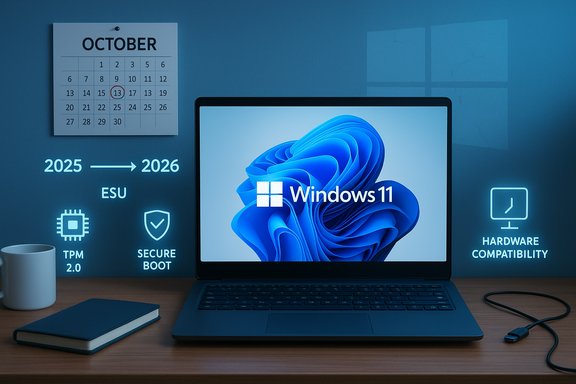
- ESU window for consumers: Microsoft’s consumer Extended Security Updates program extends critical security patching through October 13, 2026 for eligible Windows 10 (22H2) devices, with enrollment options and conditions described on Microsoft’s ESU pages.
- Market share snapshots: several independent outlets quoting StatCounter show Windows 11 in the low-to-mid 50% band and Windows 10 in the low 40s of desktop share in late 2025 — a confirmation that Windows 11’s share has surpassed Windows 10 in some measurement windows even as a large Windows 10 tail persists.
- Dell’s installed-base framing: Dell publicly stated the roughly 500M/500M split during an investor call, asserting the scale of both upgradeable holdouts and hardware-ineligible machines. Those remarks were reported and amplified across the tech press.
- PC shipments: market-research firms reported that PC shipments in the Americas (and specifically the U.S. showed only modest growth in recent quarters, with IDC and Canalys noting flat or only single-digit growth — evidence that the Windows 10 end-of-life did not instantly generate a large consumer PC buying surge.
- Steam gaming base: Valve’s Steam surveys indicate that a substantial portion of the gaming population remained on Windows 10 through late 2025 — figures of roughly 31% for Windows 10 within the Steam panel were reported in the fall, underscoring the OS’s staying power among gamers.
Why upgrades are stalling
1) Strict hardware gates on Windows 11
Windows 11 requires UEFI Secure Boot, TPM 2.0 (or similar hardware attestation), a supported 64-bit CPU family, and other baseline features. That intentional raising of the platform floor improved hardware-backed protections but excluded a large swath of otherwise functional Windows 10 PCs. For many users, the choice is not “upgrade to Windows 11” but rather “replace the PC” — a higher-cost, higher-friction prospect.2) Economic and behavioral inertia
Many consumers and small businesses are cost-sensitive, and macroeconomic uncertainty slowed discretionary refresh cycles in 2025. Enterprises move on a different cadence — testing, app compatibility, staged rollouts and procurement cycles — which delays broad upgrades even when devices are technically compatible. Market research firms reported only muted uplifts in PC demand tied to Windows 10’s end-of-life.3) Microsoft’s ESU safety valve reduced urgency
By offering a time-limited ESU bridge to October 13, 2026 — including pathways that are free under certain conditions (Microsoft account sign-in + Windows Backup to OneDrive, redeeming Microsoft Rewards points) or a paid $30 option — Microsoft reduced the immediate pressure for some households to buy new hardware. That practical reprieve has clearly lengthened the migration timeframe for price-constrained users. This option is explicitly temporary and security-only.4) Messaging and measurement gaps
Microsoft’s marketing focuses on Windows 11’s benefits (hardware-backed security, AI features) and sometimes cites commissioned numbers (for example, a Techaisle study reported a “62% drop in security incidents” among Windows 11-managed deployments). These figures are directionally useful but come with methodological caveats: commissioned studies can reflect selection bias (managed enterprise fleets, newer hardware, modern management practices). That nuance matters when executives or consumers read headlines but not methods.Practical security implications
Every machine that stops receiving security patches becomes a progressively easier target. The risk profile is straightforward:- Attackers prefer scale. A large, static, unpatched population is an efficient target set for mass exploitation, ransomware campaigns, credential stuffing, and supply-chain abuse.
- Unsupported Windows 10 installs will remain functionally useful, but they will increasingly lack defenses against newly discovered vectors — particularly those targeting legacy components and firmware-level routes.
- Enrollment in ESU reduces some near-term risk for consumer devices but does not restore full-feature support, non-security fixes, or help with long-term compliance obligations. ESU is a bridge, not a substitute for a managed migration plan.
What users and IT teams should do now
Quick checklist for consumers (actionable, prioritized)
- Inventory: Identify all devices running Windows 10 and note their model, age, and current Windows 10 version (22H2 is required for ESU eligibility).
- Check compatibility: Run Microsoft’s PC Health Check or vendor tools to confirm Windows 11 eligibility.
- Enroll or plan: If a device cannot be upgraded immediately, enroll in ESU (if the device is eligible) or plan for replacement. Microsoft’s consumer ESU options include account-based enrollment (free under the OneDrive/backup path), Microsoft Rewards redemption, or the $30 paid option.
- Isolate high-risk machines: If you must keep a Windows 10 PC without ESU, disconnect it from the internet and use it only for local tasks to reduce exposure. This is a harsh but pragmatic stopgap.
- Consider alternatives: Light-weight Linux distributions or Chrome OS Flex can revive older hardware with better security than an unpatched Windows 10 install; test compatibility for key applications first.
Operational plan for IT teams (3-month framework)
- Month 0–1: Inventory and risk scoring. Use endpoint management tools to create a prioritized list of devices by business criticality and compatibility.
- Month 2–3: Pilot upgrades for representative device pools; deploy imaging and app compatibility testing; use VDI or Windows 365 for legacy apps that can’t immediately move.
- Ongoing: Use ESU only for devices that cannot be replaced in-phase; create a strict sunset plan tied to the Oct 13, 2026 boundary. Consider refurbished Windows 11-certified devices and trade-in programs to manage budget impact.
Commercial and market consequences
For OEMs and channels
Dell’s framing of the installed base creates a multi-year commercial runway: a large group of upgrade-capable holdouts and a large group locked out by hardware requirements implies distinct product and service plays. OEMs can capture value through:- Trade-in and financing offers targeted at upgrade-capable holdouts.
- Certified refurbished Windows 11 devices for price-sensitive buyers.
- Migration services (imaging, testing, managed deployment) for SMBs and channel partners.
For retailers and the secondary market
Retailers that make trade-ins seamless, bundle migration assistance, and promote certified refurbished machines will likely capture budget-conscious buyers who need to leave Windows 10 without paying full OEM prices. Secondary markets will be a key vector for reducing e-waste if properly regulated and certified.For Microsoft
Microsoft’s strategy — raise the security baseline, push Windows 11 and Copilot+ PCs as a platform for on-device AI, and offer ESU as a controlled respite — is defensible from an engineering perspective. The risk is reputational and regulatory: enforced obsolescence, perceived privacy and compatibility issues, and fairness concerns in regions where the free ESU path is constrained by account/backup conditions could attract scrutiny. Microsoft adjusted the ESU flow for the European Economic Area to address some local expectations; regional policy nuances matter.Environmental and equity considerations
A forced or accelerated refresh cycle raises legitimate sustainability and equity questions. Premature hardware retirement increases e-waste; many users and institutions cannot afford rapid replacements. The industry response should include robust trade-in, refurbishment, certified recycling programs, and policies that make long-term support for lower-end hardware feasible. OEMs and large institutional buyers should consider coordinated refurbishment and donation programs to avoid cubic tons of usable devices entering the waste stream.Risks and caveats: what to watch for
- Treat Dell’s “one billion” figure as an informed OEM estimate, not an audited census. The number is directionally important but sensitive to how “capable” and “installed base” are defined.
- Microsoft’s “62% reduction in security incidents” is drawn from a Techaisle report Microsoft commissioned; the result is meaningful but context-dependent (managed deployments, hardware differences). Don’t treat that number as a universal guarantee that upgrading alone is sufficient; operational security, patching, and configuration matter.
- ESU is a limited bridge. Relying on it as a long-term strategy will increase technical debt, compliance risk, and eventual migration cost. Plan for the ESU cliff in October 2026 and budget accordingly.
- Public telemetry (StatCounter, Steam survey) and OEM estimates diverge by method; use both kinds of data to inform policy but favor device-level inventories for procurement and compliance decisions.
How to upgrade (concise steps for power users and admins)
- Back up everything: system image + file copy to an external drive or cloud.
- Confirm eligibility: Windows PC Health Check or vendor compatibility tools; ensure UEFI, Secure Boot, and TPM are enabled where present.
- Choose your upgrade path: Windows Update in Settings (preferred), vendor OEM tool (driver-aware), or a clean install with a bootable USB if migration and app compatibility testing has been performed.
- Use formal upgrade tools: follow Microsoft’s guidance for in-place upgrades to preserve activation and update entitlement; avoid unsupported registry hacks for production devices.
- Post-upgrade validation: driver checks, Windows Update, security baseline application, and backup verification.
Bottom line
Windows 10’s end of support is not a single-day event that magically converts the global install base; it is the opening act of a multi-year migration with real security consequences, fiscal trade-offs, and environmental implications. Microsoft provided a limited ESU bridge and signposted modern security advantages for Windows 11, but the pace of adoption will be governed by economics, device compatibility, enterprise process, and consumer choice. Vendors see commercial opportunity; security teams see a risk-riddled tail that must be managed now.For anyone still on Windows 10, the immediate priorities are the same: inventory devices, assess compatibility, enroll eligible devices in ESU only as a measured stopgap, and plan hardware refresh or migration paths with clear timelines. The October 13, 2026 ESU cliff is real — treat it as a hard milestone, not an approximate suggestion. The migration will be messy, uneven, and, for many users, expensive. But it also creates a clear opportunity for OEMs, refurbishers, and service providers to step in with affordable, sustainable, and secure upgrade pathways that keep the PC ecosystem functional and safer during the next phase of the Windows lifecycle.
Source: PCMag Upgrade Fail? An Estimated 1 Billion PCs Are Still Running Windows 10
