

Microsoft's decision to stop supporting Windows 10 on October 14, 2025 has coincided with an oddly specific hardware trend: a sudden rush for optical drives in Tokyo’s Akihabara that has left internal Blu‑ray burners scarce and DVD drives moving quickly off store shelves.
Microsoft formally ended mainstream support for Windows 10 on October 14, 2025. From that date onward, the company no longer issues feature updates, routine cumulative security patches, or standard technical assistance for consumer Windows 10 installations. Microsoft has pushed Windows 11 as the supported path forward and is positioning new Windows 11 hardware around AI-enabled experiences and Copilot integrations. For users who can’t or won’t move immediately, Microsoft offered limited consumer Extended Security Updates (ESU) and guidance on sticking with Windows 10 while understanding the security trade‑offs.
At the same time, multiple technology outlets and on‑the‑ground retailers in Tokyo’s famous Electric Town—Akihabara—reported a rapid increase in sales of optical PC drives, particularly internal Blu‑ray burners (BD‑R). Several computer parts shops noted that internal BD drives were selling out and that standard DVD drives were being bought in larger numbers than expected. Retailers say many buyers want internal drives for performance and reliability reasons, and some shoppers are explicitly linking the purchases to their Windows 11 upgrades—or to a desire to keep their physical media collections usable on new systems.
This convergence—Windows 10 end of support and a spike in demand for optical drives in a market that still values physical media—has sparked questions: is this a lasting revival of discs, a Japan‑specific cultural reaction, or a short‑term scramble driven by hardware compatibility and stock clearance?
At the same time, real supply constraints—stemming from major vendors exiting parts of the optical ecosystem and the shrinking market for internal BD burners in mainstream PC builds—mean temporary shortages are plausible when demand concentrates. But buyers should be pragmatic: for most users, an external USB Blu‑ray drive will deliver the functionality they need without the cost or hassle of internal installation. For those who value archival permanence, carefully selected archival media (M‑Disc, tested BD‑R media) and verified backup strategies are better long‑term bets than panic‑buying obsolete hardware.
This episode is a useful reminder that hardware transitions (like an OS end of support) ripple into unexpected corners of the ecosystem—sometimes reviving niche demand, sometimes exposing long‑term supply fragility. For users planning an upgrade, the sensible approach is to inventory the real needs (playback, burning, archiving), check compatibility, avoid knee‑jerk purchases driven by scarcity signals, and plan a legally compliant preservation strategy for any irreplaceable content.
Source: TechSpot While Microsoft retires Windows 10, optical drives are selling like hot cakes in Japan for some reason
 Background / Overview
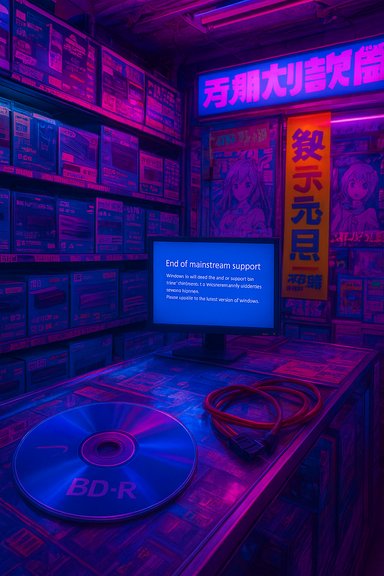
Microsoft formally ended mainstream support for Windows 10 on October 14, 2025. From that date onward, the company no longer issues feature updates, routine cumulative security patches, or standard technical assistance for consumer Windows 10 installations. Microsoft has pushed Windows 11 as the supported path forward and is positioning new Windows 11 hardware around AI-enabled experiences and Copilot integrations. For users who can’t or won’t move immediately, Microsoft offered limited consumer Extended Security Updates (ESU) and guidance on sticking with Windows 10 while understanding the security trade‑offs.At the same time, multiple technology outlets and on‑the‑ground retailers in Tokyo’s famous Electric Town—Akihabara—reported a rapid increase in sales of optical PC drives, particularly internal Blu‑ray burners (BD‑R). Several computer parts shops noted that internal BD drives were selling out and that standard DVD drives were being bought in larger numbers than expected. Retailers say many buyers want internal drives for performance and reliability reasons, and some shoppers are explicitly linking the purchases to their Windows 11 upgrades—or to a desire to keep their physical media collections usable on new systems.
This convergence—Windows 10 end of support and a spike in demand for optical drives in a market that still values physical media—has sparked questions: is this a lasting revival of discs, a Japan‑specific cultural reaction, or a short‑term scramble driven by hardware compatibility and stock clearance?
Why optical drives — now?
The stated motivations from buyers
- Preserve and access existing media: Many Japanese consumers retain large libraries of Blu‑ray and DVD media—movies, anime box sets, concert discs, and software—that they want to keep accessible when moving to new Windows 11 PCs.
- Backup and archiving: for some users optical media remains a trusted long‑term storage medium (e.g., BD‑R, M‑Disc), particularly for photographs, home videos, or collector editions.
- Cost and opportunity: hardware promotions, clearance models, and visible stock levels can trigger panic‑buying behavior—if a shop says BD burners are scarce, buyers act.
- Performance and reliability preference: a subset of buyers prefer internal drives (SATA) over external USB enclosures because of perceived higher sustained transfer rates and stability when writing discs.
The Japanese cultural context
Japan retains a stronger attachment to physical media than many Western markets. Collectible editions—anime Blu‑ray box sets, music CDs and Blu‑ray concert releases, and physical game editions—remain important for collectors and fandoms. Retailers and second‑hand shops across Akihabara and other Japanese cities still carry robust inventories of discs for longer than equivalent stores in the U.S. or Europe. That cultural inertia makes optical media purchases more common and less surprising in Japan than it might be elsewhere.The supply picture: why shortages are plausible
A few industry changes and supply‑side signals make the idea of scarcity plausible:- Major consumer electronics firms have reduced or ceased production of recordable optical media and/or players in recent years, shrinking the supply base for new drives and blank discs.
- Several well‑known brands have pulled back from producing new Blu‑ray players or blank BD‑R discs, leaving a smaller group of manufacturers and distributors servicing the remaining demand.
- Internal Blu‑ray burners (BD‑R) are a niche product in the PC aftermarket now; many modern PC case designs omit 5.25‑inch bays, reducing new PC builders’ inclination to include optical drives, so retail inventories can be shallow.
- When a local retailer or two in Akihabara publicly notes higher demand, it can create a feedback loop: shoppers rush to buy what little stock remains.
Technical realities: internal vs external drives, and playback caveats
Internal (SATA) drives vs external (USB) enclosures
- Internal drives typically connect via SATA and are integrated directly into the PC’s storage subsystem. This direct connection can mean lower latency and more consistent throughput for high‑speed writing tasks—an advantage when burning BD‑R discs at higher speeds.
- External drives generally connect over USB (USB‑A, USB‑C) and are convenient and portable. Modern USB3.x and Thunderbolt interfaces can approach or match SATA throughput for many use cases, but performance depends on the enclosure’s bridge chipset and the host’s USB implementation.
- In practical terms, for most consumers watching movies or making occasional backups, a USB external drive performs perfectly well. Enthusiasts who want the highest consistent burn rates or who do heavy disc mastering often prefer internal SATA drives.
Blu‑ray playback and DRM complications
- Playing commercial Blu‑ray content on Windows requires compatible playback software and support for DRM standards such as AACS. For regular Blu‑ray playback (1080p), popular commercial players exist, but playback of Ultra HD (4K) Blu‑ray on PCs has become more complicated over the past several years due to hardware DRM dependencies.
- Historically, some 4K UHD playback solutions relied on Intel Software Guard Extensions (SGX) for secure playback. As SGX support was deprecated on newer CPUs, official PC playback options for UHD discs have dwindled—making PC‑based 4K Blu‑ray playback effectively infeasible on many modern systems without special hardware or workarounds.
- In short, having a Blu‑ray burner does not automatically solve playback or 4K UHD compatibility problems. Consumers should verify software compatibility and whether 4K playback is required or desired.
Market implications: manufacturing, retailers, and media makers
- Long‑term decline in optical media manufacturing from some major vendors reduces long‑term availability of blank media and new drive models. That consolidation can produce periodic scarcities when demand spikes regionally.
- Retailers specializing in PC parts—especially those in Akihabara—serve both collectors and DIY builders; their inventories reflect the long tail of enthusiast demand. A surge in interest in drives can empty the limited inventory faster than supply chains replenish it.
- The anime, music, and collector markets in Japan still release high‑value physical editions on Blu‑ray/DVD—products that encourage buyers to retain disc playback capability. That steady slice of demand helps explain why optical drives remain relevant there longer than in regions where streaming dominates completely.
What this trend does and doesn’t mean
What it suggests
- There remains a meaningful, active market for optical media in Japan tied to cultural and collector behaviors—not a global revival of optical discs.
- Hardware decisions triggered by OS transitions (Windows 10 → Windows 11) can have ripple effects on accessory markets—if users buy new PCs that lack optical bays, they may also buy external or internal drives to maintain compatibility with discs.
- Scarcity reports are real but likely localized and short to medium term: specialist shops report fast turnover of internal BD drives and quick dwindling of DVD drives.
What it does not imply (and why to be cautious)
- This is not evidence that optical discs are returning to mass mainstream dominance worldwide. Streaming and digital distribution still lead most markets.
- Correlation is not causation: while many buyers cite Windows 10’s end of support as a reason, other factors—discounts, collectible releases, or stock clearance—could be the immediate drivers.
- The presence of drive shortages in Akihabara does not mean global supply shortages; other regions may see ample external drive stock if demand is lower.
Risks, caveats, and things to watch
- DRM and playback limitations: Owning a Blu‑ray burner does not guarantee the ability to play every disc, especially UHD titles. Newer PCs and CPUs may not support the hardware DRM required for some UHD playback.
- Legal and ethical boundaries: Backing up discs for personal preservation may be legally complex depending on your jurisdiction and the DRM on the disc. Avoid advice that suggests illegal circumvention of copy protection.
- Vendor and compatibility risk: Many modern PC cases lack 5.25‑inch bays. Buyers should confirm mechanical compatibility—internal bay availability, SATA ports, and power connectors—before choosing between an internal or external drive.
- Environmental and cost concerns: Upgrading hardware primarily to maintain optical access can be wasteful and expensive. Consider alternatives like external USB drives or using existing PCs as media servers if possible.
- Short‑term hype risk: Localized stockouts often trigger panic buying and price inflation; store announcements about low stock can accelerate purchases that may not have been urgent.
Practical guidance for WindowsForum readers
If you own optical media and are planning to move to Windows 11 or a new PC, here are pragmatic options ranked by convenience and cost:- External USB Blu‑ray drive — best for portability and minimal system modification. Plug‑and‑play on most modern PCs and laptops with a USB 3.x port. Ideal if you occasionally watch discs or need to read archives.
- Internal SATA Blu‑ray burner — preferred if you frequently burn discs, require the most stable writing speeds, or are building a desktop that already has a front bay and spare SATA/power connections.
- Repurpose an older PC as a media station — keep an older Windows 10 machine (that still receives ESU if needed) physically connected to your home AV setup for disc playback.
- Use a dedicated standalone Blu‑ray player for playback — if your main requirement is watching movies, a standalone player connected to your TV avoids PC DRM and playback headaches.
- Archive to modern long‑term digital media (SSD/NAS/M‑Disc) — for long‑term preservation, consider M‑Disc and verified archival methods rather than multiple physical discs and drives.
- Confirm your case has a 5.25‑inch bay (for internal drives) or plan for an external drive.
- Ensure you have a free SATA port and a spare SATA power connector if buying internal.
- Verify your playback software and operating system will support the discs you intend to play (especially UHD titles).
- Compare prices between internal and external drives: sometimes external enclosures include the same internal mechanism for less money and add portability.
What retailers and PC enthusiasts should consider
- Retailers should communicate actual stock levels clearly to avoid artificial panic and consider bundling optical drives with cases that support them or with simple SATA adapters.
- PC builders and system vendors may want to offer optional slim‑optical‑drive bays or external drive bundles for customers migrating from older systems with big disc libraries.
- Enthusiast communities and forums should advise members about DRM pitfalls for UHD playback and emphasize legal compliance when discussing disc backups.
Final analysis: localized behavior, not a format renaissance
The Akihabara optical drive rush appears to be a classic example of a localized, culturally informed response to a technology transition rather than the start of a global resurgence in discs. Japan’s collector culture, the persistence of high‑value physical releases (anime box sets, special music packages), and an existing infrastructure of specialist shops make such a spike more plausible there than in other markets.At the same time, real supply constraints—stemming from major vendors exiting parts of the optical ecosystem and the shrinking market for internal BD burners in mainstream PC builds—mean temporary shortages are plausible when demand concentrates. But buyers should be pragmatic: for most users, an external USB Blu‑ray drive will deliver the functionality they need without the cost or hassle of internal installation. For those who value archival permanence, carefully selected archival media (M‑Disc, tested BD‑R media) and verified backup strategies are better long‑term bets than panic‑buying obsolete hardware.
This episode is a useful reminder that hardware transitions (like an OS end of support) ripple into unexpected corners of the ecosystem—sometimes reviving niche demand, sometimes exposing long‑term supply fragility. For users planning an upgrade, the sensible approach is to inventory the real needs (playback, burning, archiving), check compatibility, avoid knee‑jerk purchases driven by scarcity signals, and plan a legally compliant preservation strategy for any irreplaceable content.
Source: TechSpot While Microsoft retires Windows 10, optical drives are selling like hot cakes in Japan for some reason
