

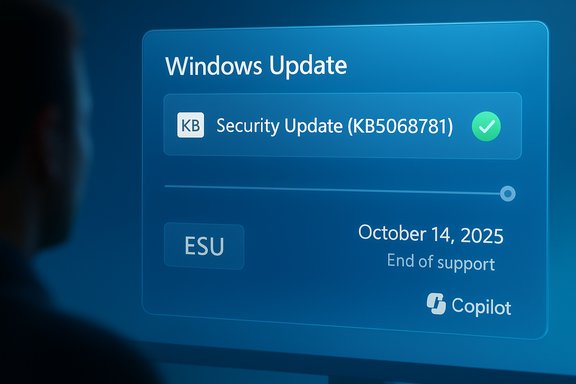
Microsoft’s latest servicing wave for Windows landed with an unusual double-act: a cosmetic change to how updates are presented that fans online are calling the “best rebrand of the decade,” and an equally meaningful behind‑the‑scenes patch roll that fixes a widely reported shutdown/restart glitch and clears the way for Extended Security Updates (ESU) after Windows 10 reached end‑of‑support.
Background
Microsoft declared Windows 10’s formal end of support on October 14, 2025, creating a defined migration point for millions of users and organizations worldwide. That milestone meant the last free mainstream security updates for most Windows 10 editions stopped on that date, and Microsoft activated its Extended Security Updates program as the primary safety valve for customers who need more time to migrate. Multiple technology outlets and vendor lifecycle pages reported the October 14 end‑of‑support date and the ESU options that followed. At the same time, Microsoft has been streamlining the Windows Update UI: update entries now show shorter, human‑readable labels that foreground the update classification and the canonical KB number instead of verbose catalog strings. The change aims to reduce confusion in Settings → Windows Update while keeping programmatic traceability through KB identifiers. Community reporting and forum threads captured early examples and reactions to this simplified naming scheme.What shipped: KB5068781 and the ESU rollout
The patch and its purpose
On the November patch cycle Microsoft released an update listed as KB5068781, which is the first Windows 10 Extended Security Update (ESU) delivery for devices enrolled in the consumer ESU program. The package carries security fixes and a set of servicing corrections aimed at smoothing the ESU enrollment and delivery experience for affected Windows 10 22H2 systems. Major tech outlets and community trackers reported that KB5068781 arrived for enrolled machines and raised the build to a new ESU servicing level. The KB also addresses a recent and highly annoying bug where choosing “Update and shut down” resulted in the system applying updates and then restarting instead of powering off—behavior that inverted user intent and generated strong user complaints. Microsoft released the emergency fix as part of the ESU cadence and also pushed out a separate out‑of‑band update (KB5071959) to correct signup failures for some users who experienced the ESU wizard error.Enrollment and availability: consumer and business paths
Microsoft’s ESU program offers different enrollment windows and entitlements depending on account type and geographic region:- Consumers (Home/Pro) can enroll in a consumer ESU path which in some markets is free if they sign in with a Microsoft account and enable sync of Windows settings; otherwise a paid enrolment tier applies.
- Businesses and enterprise customers have multi‑year ESU options (up to three years for qualifying commercial editions) through the regular volume servicing channels and partner agreements.
- Microsoft stated variation by region — in the European Economic Area and Switzerland certain consumer entitlements were temporarily more permissive — and several press reports documented regional rollout nuances.
Why the rebrand chatter blew up — and why it matters
What changed visually
A widely shared “how it started / how it’s going” meme showed a before/after of the Windows Update listing: in the new view the system displays a concise label like Security Update (KB5068781) rather than the older verbose phrasing that mixed date, OS SKU, architecture and build tokens. Users reacted positively to the cleaner layout and the new logo/labeling choices for Microsoft 365/Copilot integrations, with many calling the look a dramatic “glow up.” Community threads captured both the applause and the confusion that can come with sweeping brand changes rolled out at scale.Practical benefits beyond aesthetics
The UI simplification is not mere cosmetics. It has concrete usability benefits:- Faster triage for everyday users and first‑line support: visible classification (Security/Preview/Driver) and the KB number make it quicker to recognise whether an item is critical.
- Preserved traceability: the KB number remains visible for authoritative lookup, ensuring that administrators can still map items to CVEs and Microsoft's release notes.
- Lower cognitive load: the client UI becomes scannable during incident response, reducing time wasted deciphering long catalog strings.
The legal backdrop: accusation of misleading Microsoft 365 pricing
While Microsoft is managing a service transition and cosmetic overhaul, it is also facing regulatory scrutiny. The Australian Competition & Consumer Commission (ACCC) has commenced proceedings alleging Microsoft misled about Microsoft 365 subscription options after integrating Copilot, impacting some 2.7 million customers. The ACCC claims that customers were told they “had to accept” higher‑priced Copilot‑enabled plans to remain subscribed, while a lower‑priced “classic” plan remained available but was not properly disclosed until late in the cancellation flow. Reuters and the ACCC’s own notices reported the action and the scale of the allegation. Microsoft has responded by reviewing the claims. This regulatory action matters because the same messaging and product nomenclature shifts that accompany rebrands — for example, renaming “Office” to “Microsoft 365 Copilot” across surfaces — can compound consumer confusion and trigger compliance scrutiny if pricing or product options are not clearly presented. The ACCC case underscores the reputational and legal risk tied to product renames when they coincide with price increases and forced migration paths.What’s good about Microsoft’s approach — a measured assessment
1. Rapid response to a high‑impact bug
Microsoft pushed an emergency update quickly to fix the update/enrollment and shutdown/restart issues that were actively disrupting users. That agility matters: a fix released under an ESU banner and an out‑of‑band package for broken enrollments shows operational responsiveness during a high‑risk transition window. Reporting confirms the targeted fixes and the availability of KB5068781 (and KB5071959 for specific enrollment problems).2. Convenient, user‑focused Update UI
Making update entries more human readable reduces friction for non‑technical users and helps support staff triage more efficiently. The approach preserves KB traceability while reducing noise — a rare UX change that has direct operational utility. Community examples and press coverage show this is already landing on many devices.3. ESU as a pragmatic bridge
ESU supplies a predictable, commercially supported path for customers who cannot immediately upgrade to Windows 11. It gives enterprises and hesitant consumers breathing room for migration planning while still delivering critical fixes. In several regions Microsoft also introduced low‑friction consumer enrollment choices to reduce orphaned, unpatched fleets.Risks, tradeoffs and what to watch
Risk 1 — Migration inertia and security exposure
End of support means unsupported Windows 10 devices that are not enrolled in ESU will stop receiving fixes, increasing exposure to new CVEs and supply‑chain attacks. Even with ESU available, relying on it long term is a cost and complexity tradeoff. Security teams must treat ESU as a temporary mitigation, not a permanent alternative to migration. Multiple outlets and lifecycle advisories emphasised the “security cliff” that follows EOL without ESU.Risk 2 — Rollout inconsistency and regional barriers
Reports showed regional gating and stepwise enrolment behavior; some consumers encountered “Something went wrong” enrollment errors that required Microsoft’s out‑of‑band patch to correct. If enrollment flows are inconsistent across markets, organizations with global fleets face patching asymmetry and compliance headaches. TechRadar and other outlets documented the enrollment wizard failures and Microsoft’s subsequent out‑of‑band remedy.Risk 3 — Brand confusion crossing into legal challenge
Rebrands during periods of price change and migration are high‑risk. The ACCC case signals how rebrand + price increases + incomplete disclosures can trigger formal enforcement action and class‑scale reputational harm. If consumers perceive rebrands as opaque wrappers for higher fees or forced migrations, regulators will scrutinize communications and flows more tightly.Risk 4 — Operational friction for enterprises
Shorter UI labels are user friendly, but enterprises must ensure their tooling and automated pipelines that parse update titles are resilient to the change. Administrators should rely on KB numbers and build tokens (which remain present) rather than string parsing of client titles to avoid automation breakage. Forum documentation and IT guidance emphasised this migration point for management tooling.Practical guidance for users and IT teams
For consumers (Home/Pro)
- Check whether your device shows enrollment status under Settings → Windows Update; if enrolled, KB5068781 should appear as a Security Update with its KB number displayed.
- If you hit an enrollment error ("Something went wrong"), apply the out‑of‑band patch Microsoft released to fix the ESU enrollment wizard; news reporting identified KB5071959 as the fix for affected non‑enrolled devices that previously failed to register.
- If you prefer not to pay, verify whether the free Microsoft account + sync path is available in your region and evaluate redeeming Microsoft Rewards if you have points available; regional exceptions exist in EEA/Switzerland.
For IT administrators and procurement leads
- Treat ESU as a temporary bridge: create a clear migration timeline and budget for phasing large fleets to Windows 11 or alternative platforms within the ESU window.
- Use KB numbers and build/version tokens as canonical identifiers in scripts and tools instead of parsing client display strings. The new UI format preserves KBs but client titles should not be treated as automation input.
- Monitor legal/regulatory developments around subscription messaging and pricing — ensure your own upgrade/cancellation flows are transparent to end users if you resell or manage consumer subscriptions, since enforcement activity (for example actions alleging misleading Microsoft 365 pricing claims) can rapidly change liability assumptions.
How to verify and install the update (concise checklist)
- Open Settings → Windows Update → Check for updates. Look for an item labeled Security Update (KB5068781) or a related ESU entry if already enrolled.
- If enrollment did not complete and you see errors, search for the out‑of‑band enrollment fix (reported as KB5071959 in community reporting) and apply it — note that some fixes may be regionally staged.
- For manual installers, Microsoft’s catalogue and community download pages published MSU packages for KB5068781; enterprises should distribute via their usual WSUS/SCCM channels if they manage patching centrally. Community trackers list manual download tokens and build increments for reference.
Final analysis — why this episode matters
This sequence of events crystallizes several broader trends playing out across Windows and the wider platform ecosystem:- Microsoft is reasserting an AI‑first product identity (Copilot branding across Microsoft 365) at the same time it must steward a massive installed base through an end‑of‑support event. That combination invites design, communications, and regulatory challenges.
- The update labeling change is an instance where better UX meets operational reality — it primarily helps human users without sacrificing enterprise fidelity, and the community response shows small clarity improvements can be disproportionately appreciated.
- The ESU program and the quick emergency fixes demonstrate that Microsoft can and will move quickly when the stability of millions of endpoints is at stake — but rapid fixes do not eliminate the strategic choices companies and consumers face about upgrade timing and expenditure.
- Regulatory scrutiny over subscription messaging is a live commercial risk; product rebrands tied to pricing changes must be accompanied by crystal‑clear consumer disclosures to avoid enforcement action and reputational harm.
Microsoft’s KB5068781 and the associated ESU fixes closed an immediate operational loop — the shutdown/restart inversion and enrollment problems — and the tidy update naming provided an unexpected PR win among users. That doesn’t erase the larger work ahead: migrating fleets, managing the costs and optics of Copilot‑era product changes, and maintaining clarity for customers during a period when a single miscommunication can escalate into regulatory action. Those are choices organizations and individuals will have to navigate in the months ahead.
Source: UNILAD Tech Major Windows update labeled 'best rebrand of the decade' by users
