

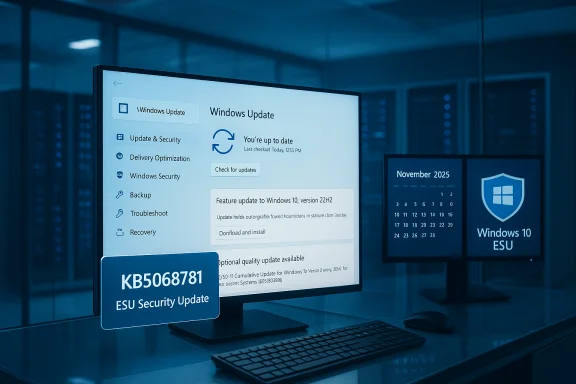
Microsoft’s U‑turn on Windows 10 support is official: the company has published the first Extended Security Update (ESU) patch for post‑mainstream Windows 10, delivering a security‑only rollup that fixes a specific enrollment and messaging problem while making plain that feature development for Windows 10 is effectively over. The package—KB5068781, published November 11, 2025—targets Windows 10 Enterprise LTSC 2021 and ESU‑enrolled 22H2/21H2 systems and is explicitly a quality/security hotfix rather than a new feature release.
Windows 10’s mainstream lifecycle closed in mid‑October 2025, and Microsoft moved the platform into a narrow, time‑boxed servicing posture intended to prioritize Windows 11 adoption while still offering a limited safety net for those who cannot upgrade immediately. The formal end of mainstream servicing was October 14, 2025; Microsoft then introduced consumer and enterprise Extended Security Updates (ESU) pathways so eligible devices can keep receiving security‑only updates for a limited time. The first ESU patch to appear after that transition is KB5068781 (OS builds 19044.6575 and 19045.6575), released November 11, 2025. Microsoft’s release notes describe this as a security‑and‑quality package that incorporates fixes from the prior October cumulative (KB5066791) and specifically corrects an erroneous “end of support” message displayed in Settings → Windows Update on some devices. The update also bundles a servicing‑stack update (SSU) to help ensure reliable future servicing for ESU‑entitled systems. Why the messaging fix matters: after the October 14, 2025 “final” cumulative, an internal diagnostic flag caused some ESU‑entitled and LTSC systems to display a false banner saying the device had “reached the end of support.” Microsoft called this a display/diagnostic bug and pushed a cloud configuration correction alongside the administrative Known Issue Rollback (KIR) artifacts for managed environments. KB5068781 is the first formal ESU cumulative that carries the corrected behavior into affected builds.
Microsoft’s release of KB5068781 is modest on its face: a focused security rollup that fixes a UI/enrollment problem and stabilizes the servicing chain for ESU‑entitled systems. But the package is symbolically significant: it crystallizes the post‑mainstream reality of Windows 10—security maintenance only, for a limited window, and with a clear nudge toward Windows 11. Organizations and users still on Windows 10 should accept the offer of time, not a new indefinite promise, and use the ESU window to execute a disciplined migration plan that aligns security, compliance, and business continuity requirements.
Source: Softonic Windows 10 was set to lose support in 2025, but Microsoft backtracked: today the first extended security patch arrives - Softonic
 Background / Overview
Windows 10’s mainstream lifecycle closed in mid‑October 2025, and Microsoft moved the platform into a narrow, time‑boxed servicing posture intended to prioritize Windows 11 adoption while still offering a limited safety net for those who cannot upgrade immediately. The formal end of mainstream servicing was October 14, 2025; Microsoft then introduced consumer and enterprise Extended Security Updates (ESU) pathways so eligible devices can keep receiving security‑only updates for a limited time. The first ESU patch to appear after that transition is KB5068781 (OS builds 19044.6575 and 19045.6575), released November 11, 2025. Microsoft’s release notes describe this as a security‑and‑quality package that incorporates fixes from the prior October cumulative (KB5066791) and specifically corrects an erroneous “end of support” message displayed in Settings → Windows Update on some devices. The update also bundles a servicing‑stack update (SSU) to help ensure reliable future servicing for ESU‑entitled systems. Why the messaging fix matters: after the October 14, 2025 “final” cumulative, an internal diagnostic flag caused some ESU‑entitled and LTSC systems to display a false banner saying the device had “reached the end of support.” Microsoft called this a display/diagnostic bug and pushed a cloud configuration correction alongside the administrative Known Issue Rollback (KIR) artifacts for managed environments. KB5068781 is the first formal ESU cumulative that carries the corrected behavior into affected builds. What KB5068781 actually is — the technical nutshell
- Applies to: Windows 10 Enterprise LTSC 2021, and Windows 10 ESU‑entitled 21H2 and 22H2 builds (OS Builds 19044.6575 and 19045.6575).
- Release date: November 11, 2025.
- Purpose: Security and quality only — no new features or functionality; the release corrects the erroneous Settings → Windows Update banner and improves servicing stack reliability.
- Relationship to earlier updates: the package carries fixes that reference the October 14, 2025 cumulative (KB5066791) and bundles the necessary SSU components to avoid installation issues in future ESU cycles.
Timeline and policy confirmation
- October 14, 2025 — Microsoft published the last broadly distributed cumulative update for consumer Windows 10 branches (commonly tracked as KB5066791), and formally ended mainstream servicing for most Windows 10 SKUs.
- October 14, 2025 → October 13, 2026 — Microsoft’s consumer ESU bridge window (time‑boxed one‑year extension) is the practical grace period for home users who cannot immediately move to Windows 11. Enterprise ESU options extend on different terms for commercial customers.
- November 11, 2025 — KB5068781 ships as the first coded ESU cumulative update to address a specific enrollment/UI bug and to ensure ESU patch delivery continues reliably for entitled devices.
The enrollment and messaging mess — what went wrong and how Microsoft fixed it
The problem that triggered urgency was mostly administrative, but its downstream effects were disruptive.- The symptom: after the October cumulative, some systems that were still entitled to security updates (ESU‑enrolled devices and LTSC/IOT Enterprise SKUs) began showing a red banner in Settings → Windows Update stating that the device had reached end of support. That message incorrectly suggested entitlement had been revoked when, in many cases, it had not.
- The impact: false positive lifecycle indicators sowed alarm. Administrators and compliance tools that consume the Settings lifecycle flag could generate spurious tickets and remediation workflows. In tightly controlled environments—air‑gapped networks or WSUS‑only configurations—devices might not receive the cloud correction automatically, leaving an erroneous lifecycle state recorded in audits and security dashboards.
- Microsoft’s fix path:
- Immediate cloud‑delivered configuration update to clear the incorrect banner where devices accept dynamic updates.
- Known Issue Rollback (KIR) Group Policy / administrative package for locked‑down environments where server‑side flags are blocked.
- Formal ESU cumulative (KB5068781) that embeds the corrected state and SSU updates for long‑term reliability.
What this means for users and IT teams
The KB5068781 release confirms several policy and operational realities that should shape immediate plans:- Security‑only updates: Windows 10 ESU updates will be security and reliability focused only. Expect bug fixes and mitigations for actively exploited vulnerabilities, not feature additions. This simplifies planning but also means Windows 10 will gradually lag behind Windows 11 in capabilities and performance optimizations.
- Pressure to migrate: Microsoft’s posture—consolidating innovation and full servicing on Windows 11—creates practical pressure for organizations to upgrade. Hardware‑constrained or deeply validated systems may rely on ESU as a bridge, but that’s a temporary, planned window, not a permanent safe harbor.
- Compliance and tooling implications: because the Settings UI and internal telemetry feed many compliance and asset management tools, administrators must verify that device entitlement flags are read from authoritative sources (for example, WSUS/Intune enrollment state or ESU product keys) and not only from local Settings banners which could be transiently wrong. The KIR and cloud fix reduce risk, but auditing steps are recommended.
- Patch prioritization: the October 2025 family of updates was unusually large and urgent—organisations still running Windows 10 need to prioritize critical October/November fixes (including the SSU and the ESU cumulative) because several high‑severity vulnerabilities were addressed in that cycle. If you are enrolled in ESU, ensure SSUs are applied before later LCUs to avoid installation failures.
Who gets KB5068781 and how to install it
- Eligible editions:
- Windows 10 Enterprise LTSC 2021.
- Windows 10, versions 22H2 and 21H2, when enrolled in ESU (consumer or enterprise) and configured correctly.
- How the update is delivered:
- Windows Update (automatic) for systems that accept dynamic cloud configuration changes.
- Microsoft Update Catalog / WSUS for offline or managed deployments—ensure required prerequisite SSUs are installed when staging the package. Microsoft explicitly enumerates SSU prerequisites and provides guidance for offline image servicing.
- Practical steps (recommended sequence):
- Verify your edition and build: confirm you’re on 21H2 or 22H2 and note the current OS build number.
- Ensure ESU entitlement: check ESU product key / enrollment state in Settings or via your management console. For consumer ESU, sign into the Microsoft account used for enrollment and verify the wizard completed.
- Apply the latest servicing stack update (SSU) first if it’s not already present; Microsoft bundles the SSU with the LCU but offline scenarios need explicit ordering.
- Install KB5068781 via Windows Update or download the standalone from Microsoft Update Catalog for WSUS/offline installs.
- Reboot and verify Settings → Windows Update no longer shows the end‑of‑support banner. If you manage locked‑down systems and the banner remains, deploy the KIR package as instructed by Microsoft.
Risk assessment — strengths, limits, and blind spots
Strengths- Microsoft preserved a narrow, pragmatic safety net for Windows 10 by offering ESU and by shipping a corrective ESU cumulative quickly after the UI regression surfaced. This reduces immediate exploitation risk for environments that need more time to migrate.
- By combining SSUs with LCUs and explicitly documenting prerequisites, Microsoft reduces the likelihood of update‑install failures—especially critical for enterprises running offline or WSUS‑managed fleets.
- Time‑boxed support: consumer ESU is a one‑year bridge in most markets. That means ESU is an emergency runway, not a long‑term strategy. Organizations that rely on ESU beyond a planning horizon risk cost and security drift.
- Visibility and tooling fragility: the Settings UI bug demonstrated how a single diagnostic/flagging regression can cascade into compliance noise. Tooling that depends on local UI indicators rather than authoritative inventory data can generate false positives. Administrators must verify entitlement via management platforms rather than Settings banners alone.
- Third‑party support: vendors and publishers will increasingly treat Windows 11 as the supported baseline for new apps and drivers. Even while Microsoft issues ESU patches, third‑party vendors may reduce Windows 10 support, leaving organizations to shoulder compatibility risk. Industry reporting already shows publishers aligning support timelines with Microsoft’s lifecycle cutoff.
- Any single published figure for “how many CVEs were patched” in October 2025 varies slightly depending on inclusion rules (Microsoft product surface, Edge, Azure, etc.. Industry trackers reported an unusually large Patch Tuesday in mid‑October, but exact tallies differ; treat single CVE counts as approximate unless verified from consolidated security advisories. Microsoft’s Security Update Guide is the canonical changing ledger.
Practical checklist for administrators (actionable, prioritized)
- Immediate (next 24–72 hours):
- Confirm ESU enrollment status for at‑risk devices; use management consoles or product key verification rather than a single Settings banner.
- Ensure connected devices have the necessary dynamic configuration settings enabled so the cloud fix can apply automatically.
- Download and stage KB5068781 via WSUS/Microsoft Update Catalog where central control is required; verify SSU prerequisites for offline images.
- Short term (this month):
- Audit compliance rules that use the “end of support” flag and update them to reference authoritative data (Intune/WSUS/asset inventory) rather than the Settings UI value.
- Communicate to stakeholders that ESU is a one‑year bridge and that migration planning should be funded and scheduled now.
- Strategic (next 3–12 months):
- Prioritize upgrades for devices that handle regulated data or internet‑facing services.
- Test Windows 11 upgrades in representative environments; verify drivers and custom application compatibility before broad rollout.
- For legacy hardware that cannot upgrade, evaluate replacement costs versus multi‑year enterprise ESU options or segmentation/mitigation strategies.
Why Microsoft’s approach matters for the Windows ecosystem
This transition is a structural decision: redirection of engineering resources toward Windows 11 and its roadmap, while providing a controlled safety valve for laggards. That has several systemic consequences:- Security posture consolidation: defenders will see most vulnerability work concentrated on Windows 11 and supported server products; defenders responsible for Windows 10 must adopt compensating controls (segmentation, application allow‑lists, network protections).
- Vendor support alignment: software and hardware vendors will increasingly align QA and driver testing with Windows 11 lifecycles, meaning the practical cost of staying on Windows 10 grows beyond Microsoft’s own support calendar.
- User perception and compliance noise: the erroneous banner episode shows how lifecycle messaging can trigger escalations and outages in administrative workflows. A disciplined communication and inventory strategy reduces these false alarms.
Bottom line: what to do now
- If your machine is Windows 11 capable and you want long‑term peace of mind: plan and execute an upgrade—preferably tested and staged via your standard change control process.
- If you must remain on Windows 10 for now: enroll eligible devices in ESU, apply KB5068781 (and the necessary SSU) promptly, and treat ESU as a bridge while you budget and schedule migration. Verify entitlement, and update compliance tooling to avoid being misled by transient UI banners.
- For IT leaders: use the ESU year as a firm project deadline—budget, test, and migrate. ESU reduces immediate operational risk but does not restore the long‑term security posture or vendor ecosystem support that comes with a fully supported OS.
Microsoft’s release of KB5068781 is modest on its face: a focused security rollup that fixes a UI/enrollment problem and stabilizes the servicing chain for ESU‑entitled systems. But the package is symbolically significant: it crystallizes the post‑mainstream reality of Windows 10—security maintenance only, for a limited window, and with a clear nudge toward Windows 11. Organizations and users still on Windows 10 should accept the offer of time, not a new indefinite promise, and use the ESU window to execute a disciplined migration plan that aligns security, compliance, and business continuity requirements.
Source: Softonic Windows 10 was set to lose support in 2025, but Microsoft backtracked: today the first extended security patch arrives - Softonic
