

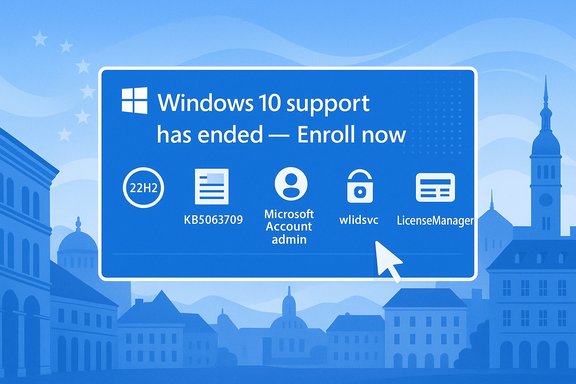
It’s been almost a month since Microsoft formally closed mainstream support for Windows 10, and the company’s short-term safety net — the consumer Extended Security Updates (ESU) enrollment flow — has not behaved smoothly for everyone. In multiple European countries many users report seeing a prominent “Windows 10 support has ended — Enroll now” banner in Settings → Update & Security → Windows Update only to hit a dead end: clicking the button shows “ESU enrollment coming soon” or immediately fails with a generic “Something went wrong” error that prevents completion. This piece explains what’s happening, why it matters, what Microsoft and the community have found so far, and practical, tested steps you can take to resolve the most common enrollment failures.
Background / Overview
Microsoft’s consumer ESU program was published as a time‑boxed, security‑only bridge for personal Windows 10 installations that cannot or will not move to Windows 11 immediately. The official program offers three consumer enrollment routes: enable Windows Backup (settings sync to a Microsoft Account), redeem 1,000 Microsoft Rewards points, or make a one‑time purchase (approximately $30 USD or local equivalent). The consumer ESU entitlement covers security updates through October 13, 2026 for enrolled devices; the official end of mainstream Windows 10 support was October 14, 2025. Microsoft also made a market‑specific concession for the European Economic Area (EEA): under pressure from consumer groups and regional rules Microsoft announced that personal devices in the EEA could obtain ESU free of the earlier backup requirement, although a Microsoft Account and occasional re‑authentication remain required in practice. The company described the enrollment experience as a staged rollout that would begin in early October and expand across affected markets in waves. Despite that pledge, many European users reported the “temporarily unavailable” banner when attempting to enroll.What users are seeing — the problem in plain terms
- Many users see a Windows Update banner telling them support has ended and inviting them to “Enroll now.” Clicking it should open the ESU enrollment wizard. Instead:
- The wizard sometimes shows a message that “Enrollment for Windows 10 Extended Security Updates is temporarily unavailable in your region” or “ESU Enrollment coming soon.”
- In other cases the wizard opens and then immediately closes, or it fails during sign‑in with a non‑descriptive “Something went wrong” message.
- The problem is not limited to one country: community threads from the Netherlands, Sweden, Ireland, Greece and other EEA nations document users who either never saw the full enrollment flow or who saw it but could not complete it because of an error on the final screen. Independent reporting and community logs show the issue was widespread enough to generate official Microsoft Q&A threads and repeated troubleshooting recommendations.
Why it happens — technical root causes and rollout factors
There are two broad categories of causes that explain most observed failures:- Staged rollout and regional gating
- Microsoft intentionally rolled the consumer enrollment UX out in waves and applied region‑specific adjustments for the EEA. Because of that staged deployment, an eligible, fully updated PC may still not see the enrollment UI until Microsoft’s backend enables the feature for that device or market. Microsoft documented the staged rollout and the EEA exception in its consumer ESU guidance.
- Local prerequisites, policy flags, and client‑side bugs
- The enrollment experience depends on a precise device state (Windows 10 version 22H2, latest cumulative and servicing‑stack updates installed, and certain Windows services and account sign‑in components running). If the system lacks those prerequisites, the UI may not appear or may fail. Multiple community threads and Microsoft Q&A posts converge on the same checklist: upgrade to Windows 10, version 22H2, install the August 2025 cumulative (and following LCUs/SSUs), sign in on the device with a Microsoft Account (MSA) that has administrator rights, and ensure the device is not domain‑joined or MDM‑managed.
- Crucially, an August 2025 cumulative update — commonly referenced as KB5063709 — fixed a specific bug that caused the enrollment wizard to open and then immediately close on some systems. Many affected users needed that patch (and some later servicing fixes) for the wizard to be reliable. Microsoft and several independent outlets documented that the August update included an ESU enrollment stability fix.
- Other client‑side causes observed in the wild:
- The device is incorrectly treated as enterprise‑managed because of a prior work/school account association, leftover registry keys, or domain/Entra (Azure AD) join state — that causes the consumer wizard to fail because the device appears to require organization ESU licensing.
- Key Windows services for account sign‑in/credential and licensing (wlidsvc — Microsoft Account Sign‑in Assistant, VaultSvc — Credential Manager, LicenseManager) are stopped or misconfigured; community troubleshooting found enabling these services restored the enrollment flow for many users.
- Telemetry/diagnostic components or third‑party security suites blocking the enrollment process or interfering with the Settings app. Community-reported clean‑boot tests and temporary AV removal resolved specific cases.
Microsoft’s official position and timeline
Microsoft’s consumer ESU documentation and support channels contained three consistent messages:- ESU enrollment is available to eligible personal devices through a staged on‑device wizard under Settings → Update & Security → Windows Update; the company provided enrollment options and the program timeline on its support pages.
- The enrollment UX was being rolled out gradually and was influenced by local market factors (Microsoft explicitly noted EEA-specific handling and that eligibility would be enforced via device and account state). The company advised users to ensure they had the latest updates installed and to wait for the staged rollout to reach their machines.
- Microsoft published (and later distributed) an August 12, 2025 cumulative update (KB5063709) that fixed an enrollment wizard crash and included servicing stack and Secure Boot related changes; installers who were missing that cumulative update were told to apply it so the enrollment UX would behave correctly.
Community troubleshooting: practical steps that have helped users
The community and Microsoft support answers converge on a practical checklist that most users should try in order — these steps are low risk, reversible, and documented to have resolved many cases.- Verify eligibility and prerequisites
- Confirm Windows shows “Windows 10, version 22H2 (OS Build 19045.xxxx)” via winver. If not, install the 22H2 feature update.
- Install all pending updates and specifically KB5063709 (or later cumulative/SSU updates)
- Run Settings → Update & Security → Windows Update → Check for updates, install everything, and reboot. If Windows Update does not present KB5063709, download and install the package from the Microsoft Update Catalog. Independent coverage and Microsoft Q&A identify KB5063709 as the LCU that fixed enrollment-wizard crashes.
- Sign in with an Administrator Microsoft Account (MSA)
- The consumer ESU flow ties enrollment to an MSA. If you used a local account, temporarily add an MSA as an admin, switch or sign in with it, and retry the enrollment wizard. For EEA users, the free path was modified but Microsoft still requires periodic MSA re‑authentication to maintain the entitlement.
- Ensure required Windows services are enabled
- From an elevated PowerShell check: Get-Service wlidsvc, VaultSvc, LicenseManager. If stopped or disabled, start them and set appropriate StartupType (wlidsvc = Automatic; VaultSvc/LicenseManager = Manual but not disabled). Community threads documented repeated success after enabling these services and rebooting.
- Run Windows Update troubleshooter, SFC and DISM
- Use the built‑in Windows Update troubleshooter, run sfc /scannow and DISM /Online /Cleanup-Image /RestoreHealth to repair corrupt components. Clear the Windows Update cache if recommended by the troubleshooter. These are standard, low‑risk maintenance steps.
- Try a clean boot or temporarily disable third‑party AV
- Some third‑party security tools or system‑hardening utilities can block the enrollment flow. Do a clean boot (msconfig → Hide Microsoft services → Disable third‑party services) and retry. Community reports show this helped in a minority of cases.
- Last‑resort: in‑place repair upgrade using the Media Creation Tool
- If the enrollment window still fails or closes immediately, Microsoft’s community advisors and multiple user reports recommend performing an in‑place repair (upgrade this PC now) using the Windows 10 Media Creation Tool. This preserves apps and files while repairing OS components that the Settings UI depends on. It has resolved stubborn enrollment failures for many users. Note: back up critical data first (always).
- If your device shows as organizational or domain‑joined
- If Windows treats the PC as enterprise-managed, remove work/school account associations or undo Azure/Entra join where appropriate and safe to do so. In some reported cases leftover registry keys or policy artifacts (for example from privacy utilities) made consumer enrollment fail; reversing those changes restored the consumer flow. If you’re unsure, get help from a trusted technician because removing domain/MDM enrollment can have other consequences.
The EEA nuance — what changed and what remains
Microsoft’s concession for the European Economic Area means EEA users have a different path than users elsewhere, but the practical picture remains nuanced:- Microsoft announced EEA users could obtain ESU without the earlier conditional requirement to enable Windows Backup to OneDrive; this removed a data‑sharing objection raised by consumer groups. However, Microsoft still requires enrollment and periodic re‑authentication with a Microsoft Account for the free EEA path, and devices must meet the same core technical prerequisites (22H2 + updates). Independent reporting and Microsoft’s own EMEA communications describe the timeline and the MSA re‑authentication requirement.
- The staged rollout still affected EEA availability: despite the policy concession, the in‑OS enrollment signal rolled out in waves and many EEA users reported the “Enrollment coming soon / temporarily unavailable” message until Microsoft enabled the backend for their region or device. Community logs show variability not only by country but by individual device state, leftover local policies, or missing updates. That is consistent with Microsoft’s staged‑rollout messaging but left many consumers anxious as the end‑of‑support date approached.
What Microsoft fixed (and what it didn’t)
Notable Microsoft moves that addressed the immediate technical issues:- The August 12, 2025 cumulative update (KB5063709) explicitly fixed an enrollment wizard crash condition and included servicing stack updates to make the overall enrollment flow more reliable. Microsoft’s KB and community write‑ups confirm that installing that update corrected a class of enrollment failures.
- Microsoft communicated about a phased rollout and made a region‑specific policy change for the EEA — that changed the enrollment conditions for Europeans and publicly acknowledged local market factors influenced availability.
- The timing of the staged rollout exposed many edge cases — even fully-updated systems sometimes didn’t see the enrollment UX for days, and some users still encountered generic errors during sign‑in. Microsoft’s public messaging emphasized patience and prerequisites but did not provide a detailed per‑country schedule, which left users relying on community troubleshooting and Q&A threads. Where community troubleshooting fixed the issue it was usually one of the practical steps above, but Microsoft’s support footprint and the backend rollout timing still determined when a given device could successfully enroll.
Risks and trade‑offs: why this matters
- Security risk: failing to enroll in ESU or upgrade leaves a machine without monthly security patches. That elevates risk of widely‑exploited vulnerabilities, commodity ransomware, and automated scans targeting unpatched Windows devices. Consumer ESU was explicitly designed to reduce this risk for a one‑year period while users migrate.
- Privacy & account trade‑offs: the consumer enrollment routes involve a Microsoft Account as the licensing anchor. Outside the EEA some routes also asked users to enable Windows Backup (OneDrive) unless they paid or used Rewards points; critics argued that policy effectively tied essential security updates to cloud usage. Microsoft adjusted the EU policy, but the MSA requirement and periodic re‑authentication remain real trade‑offs for privacy‑conscious users.
- Operational complexity: managed or previously enterprise‑joined devices may not be eligible for the consumer flow. Users who repurpose an old corporate laptop at home or who had an earlier work/school association can be inadvertently blocked and must perform careful, and sometimes irreversible, remediation to qualify. That complexity can leave less technical consumers stuck without easy recourse.
Clear, prioritized recommendations
For end users who must remain on Windows 10 for the next year:- Back up now — full image and file backups before you change account or upgrade. Do not skip this.
- Confirm you are on Windows 10 version 22H2. If not, update to 22H2 first.
- Install all available Windows Updates, including KB5063709 and subsequent cumulative/SSU packages, then reboot. Verify Update History shows those updates installed.
- Sign in with a Microsoft Account that has administrative rights on the device. For EEA users, sign in periodically as required.
- Enable the key services (wlidsvc, VaultSvc, LicenseManager) if they are stopped/disabled and retry enrollment.
- If the enrollment wizard opens but fails or closes, try the in‑place upgrade (Media Creation Tool → “Upgrade this PC now” → Keep personal files/apps). That repair step has high success rates in community testing and Microsoft Q&A guidance. Back up first.
- If your device is domain‑joined, MDM‑managed, or you have a lingering work/school account, consult Microsoft Q&A or an IT professional before removing join state — these actions can have side‑effects and may be inappropriate for organizational devices.
Final analysis — strengths, shortcomings, and what to watch
Strengths- The consumer ESU program is a pragmatic, time‑boxed safety net that acknowledges many home users cannot immediately adopt Windows 11; Microsoft provided multiple enrollment options and an on‑device wizard to simplify access. The company also responded to European regulator and consumer pressure by adjusting the EEA enrollment rules, which reduced a clear privacy/conditioning concern.
- Microsoft’s shipping of KB5063709 addressed a concrete user‑facing bug that blocked enrollment in a significant number of cases. The update combined an enrollment-wizard fix with servicing stack improvements to make the broader update/install experience more reliable.
- The staged rollout approach without an explicit per‑country availability calendar and the relatively opaque error messages left many consumers scrambling and reliant on community troubleshooting. That created avoidable anxiety just as support ended for many devices. Community threads show users in the EEA trying repeatedly only to receive “Enrollment coming soon” and no clear timeline.
- The reliance on a Microsoft Account as the anchor for consumer ESU — while understandable from a licensing perspective — is a privacy tradeoff for users who prefer local accounts. Microsoft’s EEA concession mitigated the worst of the backup‑to‑cloud criticism, but the MSA requirement and periodic re‑authentication remain a practical constraint for some users.
- Finally, the need for last‑resort in‑place repair upgrades or manual registry fixes in a subset of cases implies some fragility in the enrollment logic that could have been smoothed by earlier and broader pre‑release testing of the wizard on varied consumer device states.
- Watch Microsoft’s support and lifecycle pages for any additional KBs or servicing notes addressing leftover enrollment edge cases, and monitor Microsoft Q&A threads for authoritative troubleshooting steps if the enrollment button remains unavailable after applying updates.
- For Europeans, monitor whether Microsoft further streamlines EEA enrollment messaging and whether periodic re‑authentication windows or other operational details change as Microsoft receives feedback from on‑the‑ground rollouts.
Conclusion
The consumer ESU program provided an essential, pragmatic one‑year safety valve for Windows 10 users who could not immediately move to Windows 11. The combination of staged rollout mechanics, a critical cumulative update (KB5063709) that fixed enrollment‑wizard crashes, and region‑specific adjustments for the EEA explains most reported enrollment problems. For affected users the path to success is methodical: confirm version 22H2, install all updates (especially KB5063709 and later cumulative/SSU fixes), sign in with an admin Microsoft Account, enable the necessary account/credential services, and—if needed—perform an in‑place repair upgrade using the Media Creation Tool. Those steps have resolved the majority of the failures documented in community and Microsoft Q&A threads. That said, Microsoft’s staged rollout and sparse per‑market visibility created unnecessary friction for consumers in several European markets. The company’s EEA policy adjustment was the right corrective step, but the operational experience highlighted how delicate an in‑OS licensing and enrollment flow can be when it depends on a precise combination of updates, account state, and backend feature flags. Users who must stay on Windows 10 should treat ESU as a controlled bridge — follow the checklist above, back up thoroughly, and enroll as soon as the wizard is available for your device.Source: Windows Report Windows 10 ESU Enrollment "Temporarily Unavailable" Message Frustrates Some Users
