Microsoft's short grace period for Windows 10 users has become an urgent, operational reality: unless you enroll your eligible PC in Microsoft's consumer Extended Security Updates (ESU) program or upgrade to Windows 11, your machine can enter an unpatched, higher‑risk state within days — and many of the enrollment wrinkles that caused confusion earlier this year have now been fixed, but the clock and the trade‑offs are real.
Microsoft formally ended mainstream support for Windows 10 on October 14, 2025. That end‑of‑support date stops the regular, free stream of monthly quality and security updates for consumer editions of Windows 10 unless a device is enrolled in a qualifying Extended Security Updates (ESU) program. For many households and small offices, Microsoft published a consumer ESU option that provides one additional year of security‑only updates through October 13, 2026 — but enrollment is conditional and has specific prerequisites. The recent headlines — including urgent advisories saying you have “48 hours to act” — reflect an operational reality: Microsoft’s Patch Tuesday schedule, phased rollout of the ESU enrollment wizard, and the staged availability of required cumulative updates mean that last‑minute or delayed action can leave some devices exposed for a short but meaningful window. The practical details matter: you must be on Windows 10, version 22H2, be up to date with the recent cumulative rollups (notably KB5063709), sign into Windows with a Microsoft Account that has administrator rights, and then use the Enroll flow in Settings → Update & Security → Windows Update to claim ESU. Microsoft’s support documentation spells out the eligibility, enrollment routes and timing.
Conclusion
Windows 10’s end of mainstream support is not a sudden power‑off, but it is a genuine, calendar‑driven security inflection point. Microsoft’s consumer ESU program is a narrow, operationally useful bridge for households and small users — provided they complete the prerequisites and accept the account/cloud trade‑offs. For those who can upgrade to Windows 11, that remains the most durable solution. For everyone else: back up now, install the required cumulative updates (notably KB5063709), sign in with your Microsoft Account, and enroll in ESU if you need the breathing room — then use that breathing room to migrate decisively before October 13, 2026.
Source: Forbes Microsoft’s Free Windows Update—You Have 48 Hours To Act
 Background / Overview
Microsoft formally ended mainstream support for Windows 10 on October 14, 2025. That end‑of‑support date stops the regular, free stream of monthly quality and security updates for consumer editions of Windows 10 unless a device is enrolled in a qualifying Extended Security Updates (ESU) program. For many households and small offices, Microsoft published a consumer ESU option that provides one additional year of security‑only updates through October 13, 2026 — but enrollment is conditional and has specific prerequisites. The recent headlines — including urgent advisories saying you have “48 hours to act” — reflect an operational reality: Microsoft’s Patch Tuesday schedule, phased rollout of the ESU enrollment wizard, and the staged availability of required cumulative updates mean that last‑minute or delayed action can leave some devices exposed for a short but meaningful window. The practical details matter: you must be on Windows 10, version 22H2, be up to date with the recent cumulative rollups (notably KB5063709), sign into Windows with a Microsoft Account that has administrator rights, and then use the Enroll flow in Settings → Update & Security → Windows Update to claim ESU. Microsoft’s support documentation spells out the eligibility, enrollment routes and timing. What Microsoft is offering — the consumer ESU explained
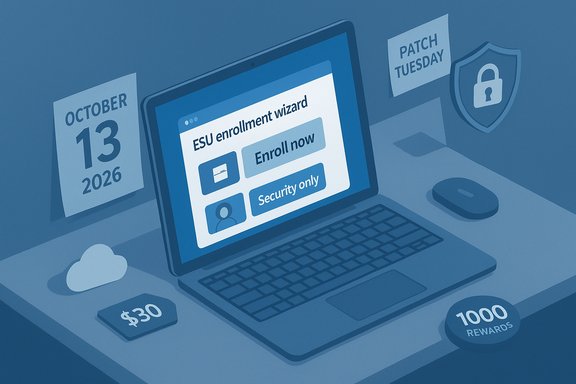
Microsoft’s consumer ESU program is a short, time‑boxed bridge designed for the wide base of Windows 10 machines that cannot or will not upgrade immediately. The program’s core facts are straightforward and documented by Microsoft:- Coverage window: Security‑only updates for enrolled consumer Windows 10 devices through October 13, 2026. These are Critical and Important security fixes; ESU does not deliver feature updates, most non‑security quality fixes, or broad technical support.
- Eligibility: Devices must be running Windows 10 version 22H2 (Home, Pro, Pro Education, Pro for Workstations) and have the latest cumulative updates installed. Domain‑joined, MDM‑managed or kiosk devices are excluded from the consumer path.
- Enrollment methods (consumer): three published routes
- Free: enable Windows Backup / sync PC settings to OneDrive (requires a Microsoft Account).
- Redeem 1,000 Microsoft Rewards points.
- Paid one‑time purchase: roughly $30 USD (or local equivalent) per license, applied to up to 10 devices tied to the same Microsoft Account.
Why the “48 hours” headlines are not just clickbait
Several outlets and community threads emphasized a tight window in the days surrounding Patch Tuesday and the final free update run. That urgency arises from three interacting facts:- Microsoft’s free, routine security updates for non‑ESU devices ended on October 14, 2025. After that date, new OS‑level fixes are only delivered to enrolled ESU machines (or through paid commercial ESU channels).
- The consumer ESU enrollment UI rolled out in stages. Early adopters reported a problem where the “Enroll now” wizard crashed or didn’t appear — a bug Microsoft addressed in the August cumulative update KB5063709. If you do not have that update installed, the enrollment flow may not work, or the Enroll option may not be visible yet. Installing required updates and waiting for the staged rollout are essential steps.
- Patch Tuesday often ships fixes for newly discovered critical vulnerabilities. If you have not enrolled in ESU before an important bulletin, you’ll miss that update until after enrollment and download. Depending on the vulnerability, even a few days’ delay can materially increase your exposure.
How to verify eligibility and enroll (step‑by‑step)
Follow these steps in order. Completing them reduces the chance of encountering the staged rollout or enrollment crashes that affected some users earlier in the year.- Confirm OS and build
- Open Settings → System → About and verify you’re on Windows 10, version 22H2. If you are not on 22H2, update to the latest supported build first.
- Install updates (especially KB5063709)
- Go to Settings → Update & Security → Windows Update and select Check for updates.
- Confirm that the August 2025 cumulative (KB5063709) or any later cumulative is installed; that update fixed known enrollment issues and elevated builds to 19045.6216 / 19044.6216. If Windows Update does not offer it, download the package manually from the Microsoft Update Catalog.
- Sign in with a Microsoft Account (admin)
- The ESU license is tied to a Microsoft Account and enrollment requires signing in as an administrator. Local accounts alone will not enroll. If you refuse to use a Microsoft Account, the free consumer path is not available outside certain regional concessions.
- Enable Windows Backup / sync settings (for the free route) or prepare payment/Rewards
- If you want the free ESU path, enable the Windows Backup (Settings → Windows Backup) to sync PC settings to OneDrive. Ensure you have sufficient OneDrive quota (the free tier is 5 GB).
- Alternatively, redeem 1,000 Microsoft Rewards points or prepare to make the one‑time purchase (~$30). A single one‑time purchase covers up to 10 devices linked to one Microsoft Account.
- Enroll
- After prerequisites are satisfied and the staged rollout reaches you, go to Settings → Update & Security → Windows Update and select Enroll now (the Enroll option will appear when available).
- Follow the on‑screen wizard to select the enrollment route and confirm registration. If the Enroll button is still missing, Microsoft recommends installing all updates and waiting for the staged rollout to reach your device.
- Confirm updates applied
- After enrollment, check Update History to confirm ESU security updates are being delivered to your device. Reboot and verify no pending updates remain.
The technical caveats, privacy trade‑offs and regional differences
Microsoft designed the consumer ESU path to be fast for households and small users, but it imposes explicit trade‑offs:- Cloud/account entanglement: The free route requires signing into a Microsoft Account and enabling Windows Backup/OneDrive. That’s a privacy trade‑off for people who prefer local accounts and local backups. Microsoft justified this as a simple verification mechanism for consumer entitlement rather than complex licensing checks. Non‑EEA users must accept that cloud tie‑ins or the paid option are the only practical routes; the EU/EEA received a modified concession that reduces forced OneDrive sync but still requires a Microsoft Account and periodic re‑authentication.
- Short scope: ESU delivers only security updates marked Critical or Important. Drivers, firmware, and feature improvements are not guaranteed. Over time the lack of feature and driver updates can lead to compatibility gaps (for example, newer peripherals or software expecting later platform behavior).
- One‑year bridge only: ESU ends October 13, 2026. Microsoft designed ESU as a migration runway, not as a long‑term indefinite support plan. Plan to migrate, upgrade, or replace unsupported machines during the ESU year.
- Enrollment edge cases: Domain‑joined devices, MDM‑managed endpoints, kiosk devices, and child accounts are excluded. For enterprises, paid multi‑year ESU products exist but follow conventional procurement channels.
Market context and scale — how many users are affected?
Market trackers showed a significant installed base on Windows 10 as 2025 progressed. StatCounter and multiple outlets reported that Windows 11 overtook Windows 10 in mid‑2025, but Windows 10 remained widely deployed across households and enterprises into the October cutoff. Published estimates varied across trackers and months — headlines quoting hundreds of millions of Windows 10 devices are reasonable as approximations, but they should be treated as telemetry estimates rather than precise device tallies. Observers flagged that roughly four in ten Windows PCs were still running Windows 10 in the months before end‑of‑support; that translates to many hundreds of millions of installations globally. This scale explains the urgency: when a widely deployed OS reaches end‑of‑support, it becomes an attractive target for opportunistic scanning and automated exploitation. The ESU bridge reduces that immediate surface only for enrolled devices. Caveat: the exact percentage of Windows 10 machines varies month‑to‑month and by measurement methodology. Rely on StatCounter or similar telemetry for a time‑stamped snapshot rather than a single offhand percentage. Headlines that say “560 million” or “400 million” should be read as order‑of‑magnitude estimates unless backed by vendor telemetry or audited inventories.Security analysis: what’s at risk if you delay
- Immediate exposure to new exploits: once a vulnerability is discovered and fixed in a November or December Patch Tuesday bulletin, non‑enrolled Windows 10 devices will not receive the fix — leaving them vulnerable to targeted and commodity attacks. A single exploited zero‑day can escalate quickly across unpatched devices.
- Ransomware and commodity malware: attackers automate scanning for unpatched protocols and OS versions. Unsupported machines are high‑value targets because many remain unpatched in bulk.
- Compliance and liability: regulated industries (healthcare, finance, education) may violate contractual or regulatory obligations by operating unsupported systems. Insurance and compliance frameworks often require vendor‑supported platforms.
- Compatibility drift: over time, software vendors will prioritize testing and support for Windows 11. Using ESU to delay migration past October 2026 will expose you to compatibility and reliability risks for new software releases.
Alternatives and longer‑term paths
If ESU is unsuitable, there are three principal alternatives:- Upgrade to Windows 11 (if hardware and drivers permit)
- Windows 11 continues to receive full servicing and feature updates. Microsoft’s PC Health Check can confirm eligibility and the free upgrade path remains available for qualifying devices. Upgrading is the most sustainable route.
- Migrate to another OS (ChromeOS Flex, mainstream Linux)
- For web‑centric devices and users who primarily use browser‑based apps, ChromeOS Flex or a mainstream Linux distribution can extend hardware life at low cost. This requires app and peripheral testing.
- Replace the device
- When hardware cannot meet Windows 11 minimums, buying a Windows 11–ready PC closes the lifecycle gap and restores full vendor servicing. Industry data suggest a notable uplift in PC shipments around EOL periods as businesses refresh older fleets.
Practical recommendations — prioritized checklist
- Immediately: back up every Windows 10 machine (full disk image and file‑level copy). Independent off‑device backups are a non‑negotiable safety measure.
- Within 24 hours: confirm version 22H2 and install KB5063709 or any later cumulative updates. Reboot and verify stability.
- Within 48 hours: sign into Windows with a Microsoft Account (administrator) and check Settings → Update & Security → Windows Update for the Enroll now option. If it appears, complete enrollment using the route you prefer (free sync, Rewards, or paid).
- If you prefer not to link a Microsoft Account and are in the EEA: follow Microsoft’s EEA guidance (the concession reduces the OneDrive requirement but still requires periodic Microsoft Account check‑ins). If outside the EEA and you refuse the cloud/account path, purchase ESU or plan migration.
- Use the ESU year as a migration runway: test Windows 11 compatibility for critical apps, schedule hardware refreshes, and complete migrations well before October 13, 2026.
The politics, privacy and reputational angle
Microsoft’s consumer ESU design choices — particularly the account and cloud tie‑ins for the free path — opened a predictable policy debate. Privacy advocates and some consumer groups criticized tying free security patches to a Microsoft Account and OneDrive backup. Microsoft’s partial concession for the EEA (which relaxes forced OneDrive sync while requiring re‑authentication) highlights how regional consumer protections and privacy laws shape vendor behavior. These trade‑offs are a legitimate part of the user decision: is short‑term free coverage worth the cloud/account trade‑off? For many, the answer is yes; for privacy‑conscious users, the paid route or a migration to an alternative OS may be preferable.What remains uncertain or unverifiable
- Exact device counts: public device totals (hundreds of millions) are telemetry estimates and vary by analytics platform and date. They are useful for scale but are not precise inventories. Treat those numbers as directional rather than absolute.
- Micro‑rollout timing: Microsoft staged the Enroll rollout and the pace can vary by region, device OEM, and telemetry signals; your device may or may not see the Enroll button at the same time as another similar machine. If you don’t see Enroll, verify prerequisites, install KB5063709, and wait or try manual update catalog installation.
- Vulnerability details: specific vulnerabilities that will be fixed in upcoming Patch Tuesday releases may be embargoed until the bulletin publishes. That means the precise security exposure window is dynamic; the safest posture is to enroll or upgrade before new critical patches are released.
Final assessment — what every Windows 10 user should internalize
- The calendar is fixed: Windows 10 mainstream support ended on October 14, 2025; consumer ESU can protect enrolled machines through October 13, 2026. Microsoft’s official documentation and the August cumulative fix (KB5063709) underpin the operational mechanics.
- The ESU is a bridge, not a destination: it buys time to migrate but does not restore full vendor servicing. Use the ESU year to test, plan and execute a move to Windows 11 or a suitable alternative.
- Act now if you haven’t already: back up, install KB5063709 or later patches, sign in with a Microsoft Account, and enroll when the Enroll option appears in Windows Update. A few easy actions close the short exposure window many headlines warned about.
- If you reject Microsoft Account tie‑ins for philosophical or privacy reasons, plan an exit strategy: either pay for ESU, migrate to another OS, or replace the device.
Conclusion
Windows 10’s end of mainstream support is not a sudden power‑off, but it is a genuine, calendar‑driven security inflection point. Microsoft’s consumer ESU program is a narrow, operationally useful bridge for households and small users — provided they complete the prerequisites and accept the account/cloud trade‑offs. For those who can upgrade to Windows 11, that remains the most durable solution. For everyone else: back up now, install the required cumulative updates (notably KB5063709), sign in with your Microsoft Account, and enroll in ESU if you need the breathing room — then use that breathing room to migrate decisively before October 13, 2026.
Source: Forbes Microsoft’s Free Windows Update—You Have 48 Hours To Act