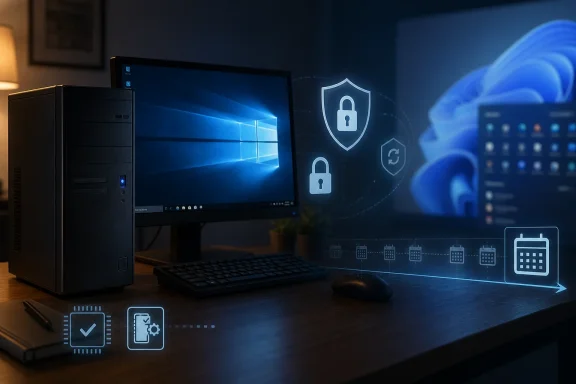
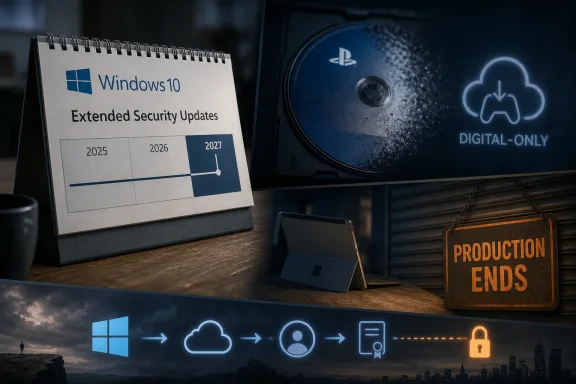
Microsoft extended free consumer security updates for Windows 10 through October 12, 2027, while Sony said new PlayStation game discs will stop in January 2028 and Microsoft’s low-cost Surface Go and Surface Laptop Go lines reportedly reached the end of production. The timing makes the week feel less like a series of unrelated product decisions than a coordinated industry confession. The companies that spent a decade telling users to trust the cloud, the store, the subscription, and the AI assistant are now discovering that people still care about exits, backups, and hardware they can afford. As Windows Central framed it, this was a week of doors closing and one very stubborn window staying open.
Microsoft’s quiet extension of Windows 10’s Extended Security Updates program is the most important item here because it is the least theatrical. There was no grand Windows event, no emotional farewell tour, no new “journey” blog post promising a better future. Instead, as Windows Central, Ars Technica, and others reported, Microsoft effectively gave consumers another year of security runway for a system it has been trying to usher offstage since Windows 11 arrived.
That matters because Windows 10 is not merely an old operating system. It is the last version of Windows that many users experienced as a stable default rather than a moving negotiation. Windows 11 brought a stricter hardware line, a redesigned shell, more Microsoft account pressure, more AI integration, and a marketing campaign that sometimes seemed to treat the installed base as a migration target rather than a constituency.
The original end-of-support date, October 14, 2025, was supposed to be the hard boundary. After that, ordinary consumers would need to upgrade, buy new hardware, or accept risk. The ESU program softened that edge, and the newly reported extension to October 12, 2027, softens it further.
Microsoft can describe this as a security decision, and it is. Leaving hundreds of millions of PCs without patches would be reckless for users and for the broader internet. But it is also an admission that the Windows 11 transition has not cleared the runway in the way Microsoft hoped.
The awkward part is that the extension validates the behavior Microsoft has spent years discouraging. Users who stayed on Windows 10 because their machines failed Windows 11’s requirements, because they disliked the interface, because they did not want Copilot woven into the operating system, or because their workstations simply functioned well enough, have now been told they were not entirely unreasonable. The platform owner blinked.
That distinction is why Windows 10’s extension is politically charged inside the Windows ecosystem. Microsoft is not just supporting old code for another year. It is acknowledging that an enormous amount of hardware still has practical life left in it, even if it does not belong in the Windows 11 marketing funnel.
The PC industry has spent years selling sustainability language while also nudging users toward replacement cycles. Windows 11’s hardware floor exposed the tension. A laptop that can browse, stream, edit documents, run development tools, and receive Windows 10 patches does not feel obsolete to its owner simply because it lacks a supported upgrade path.
Security is real, but trust is the substrate. When users believe requirements are primarily protective, they tolerate pain. When they suspect requirements are partly commercial, every nag screen becomes evidence.
The Windows 10 extension therefore buys Microsoft time, but it does not resolve the underlying credibility problem. The company still has to persuade users that the next version of Windows is better for them, not merely better for Microsoft’s AI strategy, store economics, and hardware partners.
The uncomfortable detail is not that Sony is following the market. It is that Sony is helping eliminate one of the few remaining consumer checks on platform power. A disc is not perfect ownership in the modern era; patches, server authentication, DLC, and live-service dependencies have already hollowed out much of the old cartridge-and-disc certainty. But a disc still carries practical rights that a storefront license does not.
It can be resold. It can be lent. It can be collected. It can survive a password reset, an account ban, a storefront redesign, or a licensing dispute. Even when the game on the disc is incomplete, the disc remains a token of leverage.
That is why the concurrent reports about Sony removing purchased StudioCanal movies from PlayStation libraries hit such a nerve. TechRadar and TechSpot reported that hundreds of titles are being removed from some users’ libraries after licensing arrangements changed. The legal reality may be buried in terms of service language, but the emotional reality is simpler: people clicked “buy,” paid real money, and later learned that “buy” did not mean what it means in ordinary English.
The games industry has been preparing users for this moment for years. Digital storefronts are convenient, sales are frequent, downloads are instant, and discs are cumbersome. Yet Sony’s move shows the end state with unusual clarity. When the platform becomes the only practical marketplace, ownership becomes a permission structure.
A disc-to-digital conversion program would not be a return to physical ownership. It would be a bridge away from it. The user hands over the disc’s role as proof of access and receives a digital entitlement in return. Done poorly, it becomes a laundering mechanism that turns durable media into revocable licenses. Done well, it could reduce friction for users whose living-room hardware no longer includes an optical drive.
The strategic opening for Xbox is obvious. Sony has just volunteered to be the face of disc abandonment. Microsoft can position itself as the company that understands libraries, backward compatibility, and continuity, even if the next Xbox hardware does not make a disc drive standard.
But the details would matter more than the slogan. Would conversion require mailing discs, scanning discs, visiting retail partners, or inserting them into existing Xbox hardware? Would the resulting license be permanent across future Xbox generations? Would used discs be eligible? Would publishers be able to opt out? Would delisted games count?
Microsoft’s opportunity is not simply to say, “We have a plan.” It is to define digital ownership in a way that feels less hostile than the industry norm. That would be good competitive positioning, but it would also be reputational repair after years of mixed signals from Xbox hardware, Game Pass economics, studio cuts, and uncertain console strategy.
Surface began as Microsoft’s argument that Windows hardware could be imaginative. The original Surface was flawed, but it had a point of view. Surface Pro established a category. Surface Book was strange and memorable. Surface Studio was expensive, impractical for most people, and still one of the most emotionally compelling Windows PCs Microsoft ever made.
The modern Surface line is tidier and less interesting. Surface Pro and Surface Laptop remain, now increasingly framed around premium materials, AI features, and high-end silicon. That may be a better business. It is not the same mission.
The Go devices were imperfect ambassadors for affordable Windows. Surface Laptop Go made compromises that enthusiasts rightly criticized, including low-resolution displays in a market where even budget devices were improving. Surface Go often felt underpowered, especially when Windows itself became heavier. But the lines served a real purpose: they gave Microsoft a first-party answer for students, frontline workers, light-duty business deployments, and buyers who wanted a small Windows device without crossing into premium pricing.
Their disappearance sends a message. Microsoft appears less interested in proving that Windows can be excellent at the low end and more interested in using Surface as a premium reference platform for Copilot-era PCs. That may be rational. It also leaves the entry-level Windows experience to OEMs whose incentives often produce bloatware, confusing configurations, and race-to-the-bottom hardware.
Microsoft’s retreat narrows the set of clean options. Schools, nonprofits, retail operations, healthcare environments, and small businesses often need fleets of inexpensive machines that run Windows apps and can be managed without drama. A premium Surface Laptop does not solve that problem. An AI-branded flagship does not solve that problem. A $1,500 reference design certainly does not solve that problem.
The answer from Redmond would likely be that partners cover the full market. Dell, HP, Lenovo, Acer, ASUS, and others sell Windows devices at every price point. That is true, but it sidesteps why Surface mattered in the first place. Microsoft built Surface because partner hardware was not telling the story Microsoft wanted told.
If Microsoft now believes the low end no longer needs a first-party standard-bearer, it is effectively conceding that the Windows experience below the premium tier is not central to its hardware identity. That may align with margins, but it clashes with Windows’ historical strength as the operating system for almost everyone.
There is also a timing problem. Microsoft is asking users to move to newer PCs for Windows 11 while reportedly withdrawing some of its most approachable Surface options. The company wants the installed base to modernize, but its own hardware lineup increasingly points upward.
Users are not opposed to useful automation. They are opposed to losing control. The anxiety around AI in Windows is not only about privacy or hallucinations, though both matter. It is about whether the operating system is becoming less of a tool and more of an agent acting on behalf of Microsoft’s priorities.
That is why Windows 10’s extended life and Copilot OS rumors belong in the same conversation. One represents continuity, predictability, and local familiarity. The other represents an operating system reorganized around a technology many users still experience as intrusive, inconsistent, or overmarketed.
Microsoft has a real engineering challenge here. AI features can be useful when they are contextual, optional, and transparent. They become corrosive when they are treated as the destination of the whole platform. A PC is still a personal computer, not merely a terminal for inference services.
The company seems to know this. If Copilot OS was never meant to ship to consumers, that restraint is notable. The future Microsoft wants may require a slower sell than the future Microsoft can prototype.
Seen together, they are about control moving upward in the stack. The local machine gives way to cloud accounts. The disc gives way to a license. The affordable reference PC gives way to premium AI hardware. The operating system gives way to an assistant layer that interprets user intent.
None of this is inherently evil. Digital distribution is convenient. Cloud sync prevents data loss. Security baselines matter. AI may eventually reduce toil in ways that feel mundane and indispensable. The problem is that every convenience arrives with a transfer of leverage.
Users notice when the bargain changes. They notice when a purchase becomes a license, when a supported PC becomes unsupported by policy, when the cheap first-party device disappears, and when the operating system starts nudging them toward services they did not ask for. The backlash is not always technically precise, but it is rational.
The companies that navigate the next decade well will not be the ones that deny this tension. They will be the ones that design credible escape hatches. Export tools, offline modes, transferable licenses, long support windows, repairable hardware, and honest language about ownership are not retro affectations. They are trust infrastructure.
 Windows 10 Refuses to Become Yesterday’s Problem
Microsoft’s quiet extension of Windows 10’s Extended Security Updates program is the most important item here because it is the least theatrical. There was no grand Windows event, no emotional farewell tour, no new “journey” blog post promising a better future. Instead, as Windows Central, Ars Technica, and others reported, Microsoft effectively gave consumers another year of security runway for a system it has been trying to usher offstage since Windows 11 arrived.That matters because Windows 10 is not merely an old operating system. It is the last version of Windows that many users experienced as a stable default rather than a moving negotiation. Windows 11 brought a stricter hardware line, a redesigned shell, more Microsoft account pressure, more AI integration, and a marketing campaign that sometimes seemed to treat the installed base as a migration target rather than a constituency.
The original end-of-support date, October 14, 2025, was supposed to be the hard boundary. After that, ordinary consumers would need to upgrade, buy new hardware, or accept risk. The ESU program softened that edge, and the newly reported extension to October 12, 2027, softens it further.
Microsoft can describe this as a security decision, and it is. Leaving hundreds of millions of PCs without patches would be reckless for users and for the broader internet. But it is also an admission that the Windows 11 transition has not cleared the runway in the way Microsoft hoped.
The awkward part is that the extension validates the behavior Microsoft has spent years discouraging. Users who stayed on Windows 10 because their machines failed Windows 11’s requirements, because they disliked the interface, because they did not want Copilot woven into the operating system, or because their workstations simply functioned well enough, have now been told they were not entirely unreasonable. The platform owner blinked.
The Upgrade Wall Was Built Out of Trust, Not Silicon
The official Windows 11 compatibility story has always been about security. TPM 2.0, newer CPUs, virtualization-based security, and a cleaner baseline made for a more defensible PC fleet. For enterprises, that argument has weight. For consumers with perfectly functional machines, it often landed as a sentence: your PC is too old because Microsoft says so.That distinction is why Windows 10’s extension is politically charged inside the Windows ecosystem. Microsoft is not just supporting old code for another year. It is acknowledging that an enormous amount of hardware still has practical life left in it, even if it does not belong in the Windows 11 marketing funnel.
The PC industry has spent years selling sustainability language while also nudging users toward replacement cycles. Windows 11’s hardware floor exposed the tension. A laptop that can browse, stream, edit documents, run development tools, and receive Windows 10 patches does not feel obsolete to its owner simply because it lacks a supported upgrade path.
Security is real, but trust is the substrate. When users believe requirements are primarily protective, they tolerate pain. When they suspect requirements are partly commercial, every nag screen becomes evidence.
The Windows 10 extension therefore buys Microsoft time, but it does not resolve the underlying credibility problem. The company still has to persuade users that the next version of Windows is better for them, not merely better for Microsoft’s AI strategy, store economics, and hardware partners.
Sony Just Made Microsoft’s Digital Pitch Harder
Sony’s PlayStation disc decision could hardly have arrived at a more revealing moment. According to reporting this week from outlets including TechCrunch, GamesRadar, and Tom’s Hardware, Sony plans to stop producing physical discs for new PlayStation games starting in January 2028. The company’s rationale is predictable: customers increasingly buy digitally, retail distribution is expensive, and the console market is already drifting toward download-first economics.The uncomfortable detail is not that Sony is following the market. It is that Sony is helping eliminate one of the few remaining consumer checks on platform power. A disc is not perfect ownership in the modern era; patches, server authentication, DLC, and live-service dependencies have already hollowed out much of the old cartridge-and-disc certainty. But a disc still carries practical rights that a storefront license does not.
It can be resold. It can be lent. It can be collected. It can survive a password reset, an account ban, a storefront redesign, or a licensing dispute. Even when the game on the disc is incomplete, the disc remains a token of leverage.
That is why the concurrent reports about Sony removing purchased StudioCanal movies from PlayStation libraries hit such a nerve. TechRadar and TechSpot reported that hundreds of titles are being removed from some users’ libraries after licensing arrangements changed. The legal reality may be buried in terms of service language, but the emotional reality is simpler: people clicked “buy,” paid real money, and later learned that “buy” did not mean what it means in ordinary English.
The games industry has been preparing users for this moment for years. Digital storefronts are convenient, sales are frequent, downloads are instant, and discs are cumbersome. Yet Sony’s move shows the end state with unusual clarity. When the platform becomes the only practical marketplace, ownership becomes a permission structure.
Xbox’s Disc-to-Digital Rumor Is Suddenly More Than Nostalgia
That is why Windows Central’s reporting about a possible Xbox disc-to-digital program lands differently now. Microsoft explored similar ideas during the Xbox One era, when its always-online ambitions met a consumer backlash so severe that the company reversed course before launch. In 2013, Microsoft was punished for saying the quiet part out loud too early. In 2026, the market may be ready for a more careful version of the same transition.A disc-to-digital conversion program would not be a return to physical ownership. It would be a bridge away from it. The user hands over the disc’s role as proof of access and receives a digital entitlement in return. Done poorly, it becomes a laundering mechanism that turns durable media into revocable licenses. Done well, it could reduce friction for users whose living-room hardware no longer includes an optical drive.
The strategic opening for Xbox is obvious. Sony has just volunteered to be the face of disc abandonment. Microsoft can position itself as the company that understands libraries, backward compatibility, and continuity, even if the next Xbox hardware does not make a disc drive standard.
But the details would matter more than the slogan. Would conversion require mailing discs, scanning discs, visiting retail partners, or inserting them into existing Xbox hardware? Would the resulting license be permanent across future Xbox generations? Would used discs be eligible? Would publishers be able to opt out? Would delisted games count?
Microsoft’s opportunity is not simply to say, “We have a plan.” It is to define digital ownership in a way that feels less hostile than the industry norm. That would be good competitive positioning, but it would also be reputational repair after years of mixed signals from Xbox hardware, Game Pass economics, studio cuts, and uncertain console strategy.
Surface Go’s Exit Leaves a Hole Microsoft Pretends OEMs Will Fill
The reported end of Surface Go and Surface Laptop Go is a quieter story, but it belongs in the same pattern. Windows Central’s Zac Bowden reported that Microsoft is no longer manufacturing Surface Go 4 and Surface Laptop Go 3 and has no current plan for direct successors. Tom’s Hardware and TechRadar picked up the same thread, noting that Microsoft’s Surface portfolio has been steadily pruned.Surface began as Microsoft’s argument that Windows hardware could be imaginative. The original Surface was flawed, but it had a point of view. Surface Pro established a category. Surface Book was strange and memorable. Surface Studio was expensive, impractical for most people, and still one of the most emotionally compelling Windows PCs Microsoft ever made.
The modern Surface line is tidier and less interesting. Surface Pro and Surface Laptop remain, now increasingly framed around premium materials, AI features, and high-end silicon. That may be a better business. It is not the same mission.
The Go devices were imperfect ambassadors for affordable Windows. Surface Laptop Go made compromises that enthusiasts rightly criticized, including low-resolution displays in a market where even budget devices were improving. Surface Go often felt underpowered, especially when Windows itself became heavier. But the lines served a real purpose: they gave Microsoft a first-party answer for students, frontline workers, light-duty business deployments, and buyers who wanted a small Windows device without crossing into premium pricing.
Their disappearance sends a message. Microsoft appears less interested in proving that Windows can be excellent at the low end and more interested in using Surface as a premium reference platform for Copilot-era PCs. That may be rational. It also leaves the entry-level Windows experience to OEMs whose incentives often produce bloatware, confusing configurations, and race-to-the-bottom hardware.
The Affordable PC Is Becoming Someone Else’s Problem
For IT departments, the end of Surface Go is not just about nostalgia. Small Windows tablets and inexpensive first-party laptops occupied a useful niche. They were easy to explain, easy to procure, and predictable in support contexts where “good enough” mattered more than benchmark leadership.Microsoft’s retreat narrows the set of clean options. Schools, nonprofits, retail operations, healthcare environments, and small businesses often need fleets of inexpensive machines that run Windows apps and can be managed without drama. A premium Surface Laptop does not solve that problem. An AI-branded flagship does not solve that problem. A $1,500 reference design certainly does not solve that problem.
The answer from Redmond would likely be that partners cover the full market. Dell, HP, Lenovo, Acer, ASUS, and others sell Windows devices at every price point. That is true, but it sidesteps why Surface mattered in the first place. Microsoft built Surface because partner hardware was not telling the story Microsoft wanted told.
If Microsoft now believes the low end no longer needs a first-party standard-bearer, it is effectively conceding that the Windows experience below the premium tier is not central to its hardware identity. That may align with margins, but it clashes with Windows’ historical strength as the operating system for almost everyone.
There is also a timing problem. Microsoft is asking users to move to newer PCs for Windows 11 while reportedly withdrawing some of its most approachable Surface options. The company wants the installed base to modernize, but its own hardware lineup increasingly points upward.
Copilot OS Shows the Future Microsoft Knows Not to Ship
The leaked glimpse of “Copilot OS” mentioned by Windows Central adds a surreal coda to the week. The idea of an AI-centered operating system is not surprising; Microsoft has spent the last few years turning Copilot from a sidebar into a strategy. What is telling is that such a concept can feel both inevitable and commercially radioactive.Users are not opposed to useful automation. They are opposed to losing control. The anxiety around AI in Windows is not only about privacy or hallucinations, though both matter. It is about whether the operating system is becoming less of a tool and more of an agent acting on behalf of Microsoft’s priorities.
That is why Windows 10’s extended life and Copilot OS rumors belong in the same conversation. One represents continuity, predictability, and local familiarity. The other represents an operating system reorganized around a technology many users still experience as intrusive, inconsistent, or overmarketed.
Microsoft has a real engineering challenge here. AI features can be useful when they are contextual, optional, and transparent. They become corrosive when they are treated as the destination of the whole platform. A PC is still a personal computer, not merely a terminal for inference services.
The company seems to know this. If Copilot OS was never meant to ship to consumers, that restraint is notable. The future Microsoft wants may require a slower sell than the future Microsoft can prototype.
The Week’s Real Story Is Control
Seen separately, these stories are easy to file into different bins. Windows 10 support is an OS lifecycle story. Sony’s disc decision is a gaming distribution story. Surface Go’s demise is a hardware portfolio story. Copilot OS is an AI strategy story.Seen together, they are about control moving upward in the stack. The local machine gives way to cloud accounts. The disc gives way to a license. The affordable reference PC gives way to premium AI hardware. The operating system gives way to an assistant layer that interprets user intent.
None of this is inherently evil. Digital distribution is convenient. Cloud sync prevents data loss. Security baselines matter. AI may eventually reduce toil in ways that feel mundane and indispensable. The problem is that every convenience arrives with a transfer of leverage.
Users notice when the bargain changes. They notice when a purchase becomes a license, when a supported PC becomes unsupported by policy, when the cheap first-party device disappears, and when the operating system starts nudging them toward services they did not ask for. The backlash is not always technically precise, but it is rational.
The companies that navigate the next decade well will not be the ones that deny this tension. They will be the ones that design credible escape hatches. Export tools, offline modes, transferable licenses, long support windows, repairable hardware, and honest language about ownership are not retro affectations. They are trust infrastructure.
The Practical Read for WindowsForum Readers
For Windows users and administrators, the lesson is not to panic or romanticize the past. Physical media had failures. Old PCs need patching. Cheap hardware can be miserable. But the direction of travel is clear enough that planning around it is now basic hygiene rather than hobbyist paranoia.- Windows 10 users now have a longer security runway, but October 12, 2027 should be treated as a planning deadline rather than a reason to ignore migration.
- Windows 11 holdouts should separate hardware compatibility from personal preference, because those are different problems with different solutions.
- Buyers who care about physical media should assume the console industry is moving faster toward digital-only distribution than its public messaging once implied.
- Xbox has a rare chance to make digital conversion feel user-friendly, but only if Microsoft gives users durable rights rather than another temporary entitlement.
- Surface buyers should recognize that Microsoft’s first-party hardware strategy is concentrating around premium Copilot-era devices, not inexpensive Windows reference machines.
- IT teams should audit where their workflows depend on consumer-grade licensing assumptions, because “purchased” increasingly means “available while the contract allows.”
References
- Primary source: Windows Central
Published: Sun, 05 Jul 2026 13:00:00 GMT
Windows 10 grasps for life as Playstation drops discs, Sony takes away movies, and Microsoft ends two Surface PCs | Windows Central
Sony announced plans to stop producing discs, Microsoft extended Windows 10 support, and Xbox weighed a disc‑to‑digital future in a week full of shutdowns and quiet exits.www.windowscentral.com - Related coverage: tomshardware.com
Sony officially kills the PlayStation disc, ending physical game production in 2028 — shutting down the PlayStation Store on the PlayStation 3 and PS Vita systems | Tom's Hardware
This announcement essentially sounds the death knell for physical media in cutting-edge gaming.www.tomshardware.com - Related coverage: gamesradar.com
PlayStation is ending physical disc production for new games in 2028 as Sony says "general preference for digital media significantly outpaces physical discs" | GamesRadar+
"This is a natural direction" for the companywww.gamesradar.com - Related coverage: techradar.com
'This should be illegal': Sony is deleting over 500 purchased movies from PlayStation Store accounts — and it's the ultimate warning to buy 4K Blu-rays instead | TechRadar
'Play has no limits,' Sony says, as it stops people playing TV shows and movies they paid to ownwww.techradar.com - Related coverage: pcworld.com
Microsoft offers extended security updates to more Windows versions | PCWorld
Microsoft is expanding its ESU program by adding extended support for additional Windows versions.www.pcworld.com - Related coverage: techcrunch.com
Sony to end physical PlayStation game disc production in 2028 | TechCrunch
Sony will stop producing physical discs for all new PlayStation games beginning in 2028, as the company embraces an all-digital future.techcrunch.com
- Related coverage: techspot.com
Windows 10's free security updates now extend to October 2027 | TechSpot
Microsoft's support page explaining how to continue receiving security updates on Windows 10 now states that the company will continue providing patches through October 12, 2027 –...www.techspot.com - Official source: microsoft.com
End of support for Windows 10, Windows 8.1, and Windows 7 | Microsoft Windows
Make a smooth transition to Windows 11 from your unsupported operating system with help from Microsoft. Enjoy the benefits of upgrading to a Windows 11 PC.www.microsoft.com - Related coverage: arstechnica.com
Microsoft adds another year to Windows 10 extended update program - Ars Technica
About a quarter of PCs are still running Microsoft's previous operating system.arstechnica.com - Related coverage: alternativeto.net
Microsoft quietly extended Windows 10 security updates for another year at no extra charge | AlternativeTo
Microsoft is extending Windows 10 security updates until October 2027 under the Extended Security Updates (ESU) program. Users can get updates for free by syncing with OneDrive or pay $30, giving them more time to plan their migration.alternativeto.net
- Related coverage: helpnetsecurity.com
Microsoft gives Windows 10 users an unexpected extra year of free security updates - Help Net Security
Microsoft extends its consumer Windows 10 ESU program, giving users free security updates until October 12, 2027.www.helpnetsecurity.com - Related coverage: lowyat.net
- Related coverage: dotesports.com
PlayStation physical discs ending for new games in January 2028
Sony will stop producing physical discs for new PlayStation games from January 2028, with future releases sold digitally through PlayStation Store and retailers.dotesports.com - Related coverage: elpais.com
Adiós a los discos de la PlayStation: Sony dejará de publicar ese formato de videojuegos | Tecnología | EL PAÍS
La compañía anuncia que a partir de enero 2028 todos los títulos nuevos serán solo en formato digitalelpais.com - Related coverage: los40.com
El fin de una era en PlayStation: Sony pone fecha a los videojuegos con disco físico | Actualidad | LOS40
La industria acelera su salto al formato digital y marca el principio del adiós definitivo a las cajaslos40.com - Related coverage: aha.org
</rdf:Alt> </dc:title> <dc:description> <rdf:Alt> <rdf:li xml:lang="x-default"/> </rdf:Alt> </dc:description> <dc:creator> <rdf:Seq> <rdf:li>Katheri
</rdf:Alt> </dc:description> <dc:creator> <rdf:Seq> <rdf:li>Katherine Higgins (SLALOM INC)www.aha.org
- Related coverage: techxplore.com
- Official source: support.microsoft.com
Surface Laptop Go update history | Microsoft Support
List of updates for the Surface Laptop Gosupport.microsoft.com - Related coverage: basic-tutorials.com
Surface Go & Surface Laptop Go: Microsoft Discontinues Its Most Affordable Surface Devices - Basic Tutorials
Microsoft is discontinuing the Surface Go 4 and Surface Laptop Go 3: Production has been halted, and there will be no successor. What this means for buyers and what alternatives remain.basic-tutorials.com - Related coverage: voiceofthe.net
Microsoft Discontinued The Budget Surface Go & Surface Laptop Go – Voice of the Net
Credit: Dell Microsoft announced the discontinuation of the Surface Go 4 tablet and Surface Laptop Go 3 laptop, ending its line of compact and affordable Windows devices. According to Windows Central, the company has no plans to release new models in these series, despite strong demand among ente voiceofthe.net
- Related coverage: windowsblogitalia.com
Microsoft interrompe la produzione dei Surface più economici
Microsoft avrebbe deciso di fermare la produzione dei suoi modelli della gamma Surface di fascia bassa che non avrebbero un successore. www.windowsblogitalia.com
- Official source: blogs.windows.com
Introducing the next Surface Pro and Surface Laptop, built for performance and flexibility
For more than 13 years, Surface has been shaped by the people who use it. Architects sketch buildings, developers train models, students build startups and field engineers solve problems that rarely make headlines. We didn't intend to design for onblogs.windows.com - Related coverage: tech.yahoo.com
Microsoft discontinues its affordable Surface Go and Surface Laptop Go devices
Surface Go 4 and Surface Laptop Go 3 are now out of stock in most places, and sources say there are no plans to restock them or replace them with a successor.tech.yahoo.com - Related coverage: astroawani.com
Microsoft hentikan pengeluaran Surface Go, Surface Laptop Go
Microsoft tidak lagi mengeluarkan Surface Go 4 dan Surface Laptop Go 3 serta tidak mempunyai rancangan semasa untuk memperkenalkan pengganti bagi kedua-dua model tersebut.www.astroawani.com