

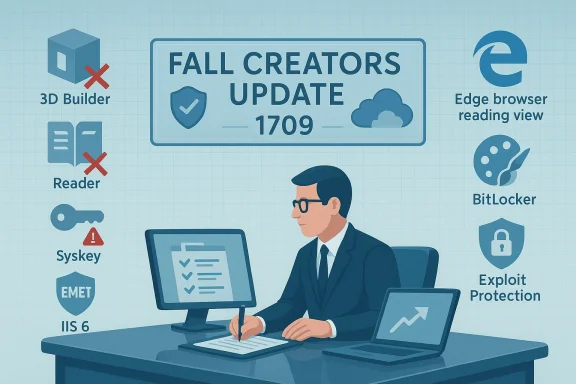
Microsoft’s Fall Creators Update for Windows 10 delivered a clear two‑sided message: a slate of consumer‑facing improvements and creative tools on one hand, and a deliberate cleanup of legacy code and low‑usage utilities on the other. The company published a formal list of features that would be removed or formally deprecated in the Fall Creators Update (Windows 10, version 1709), and the list is notable both for what it eliminates (Syskey, EMET, the Reader app and others) and for what it signals about Microsoft’s long‑term priorities for security, services, and platform consolidation.
Microsoft’s Fall Creators Update (version 1709) was released to the public in October 2017 as one in a rapid cadence of Windows 10 feature updates. That release bundled visible consumer features such as OneDrive Files On‑Demand, Mixed Reality support, and the creative‑first Paint 3D ecosystem while quietly adjusting the operating system’s attack surface and in‑box tooling by removing or deprecating certain components. The formal removal and deprecation announcements were intended to give administrators, developers, and power users time to plan migrations or accept replacements. Two technical threads run through the removals:
The tradeoffs are familiar: a safer, leaner, and more maintainable platform at the expense of compatibility with long‑in‑place legacy systems. The company provided replacements and migration guidance where possible, but practical migration in complex environments still required time, testing, and sometimes hardware changes. For anyone running Windows 10 in production in the wake of the Fall Creators Update, the pragmatic path is clear: inventory, test, migrate, and document — and where third‑party or hardware vendors are implicated, coordinate timelines early. Note: the lists and technical recommendations discussed here reflect Microsoft’s published “removed” and “deprecated” feature documentation for Windows 10 version 1709 and contemporaneous reporting at the time of the Fall Creators Update; administrators should consult Microsoft’s current deprecated‑features and removed‑features pages for any later changes to timelines or additional guidance.
Source: BetaNews All the features Microsoft is removing or deprecating in Windows 10 Fall Creators Update
 Background
Microsoft’s Fall Creators Update (version 1709) was released to the public in October 2017 as one in a rapid cadence of Windows 10 feature updates. That release bundled visible consumer features such as OneDrive Files On‑Demand, Mixed Reality support, and the creative‑first Paint 3D ecosystem while quietly adjusting the operating system’s attack surface and in‑box tooling by removing or deprecating certain components. The formal removal and deprecation announcements were intended to give administrators, developers, and power users time to plan migrations or accept replacements. Two technical threads run through the removals:- a security-driven pruning of insecure or unmaintained code, and
- a product rationalization that shifts functionality into newer apps (Edge, Paint 3D) or into cloud‑managed services.
What Microsoft removed in the Fall Creators Update
The Fall Creators Update removed or disabled several in‑box features and legacy components. Below are the items Microsoft explicitly removed from the installed product image (or blocked entirely), grouped by the likely impact for both home users and IT professionals.3D Builder app
- Status: No longer installed by default; still available from the Microsoft Store.
- Why: Microsoft consolidated 3D creation tools around Paint 3D and Print 3D, reducing duplication in the inbox app set. For users who rely on 3D Builder, a manual reinstall from the Store remains possible.
Enhanced Mitigation Experience Toolkit (EMET)
- Status: Blocked on systems running the Fall Creators Update.
- Why: EMET’s core mitigation functionality was being integrated into Windows Defender as Exploit Protection within Exploit Guard; keeping EMET would maintain two parallel mitigation code paths. Microsoft recommended moving to the built‑in exploit protection features instead of continuing to run EMET. This was an important security consolidation but required admins to reconfigure mitigations via Windows Defender policies.
Syskey.exe
- Status: Removed (unsupported and considered insecure).
- Why: Syskey offered an old form of system startup protection that relied on weak cryptography and had been abused in tech‑support scams and ransomware workflows. Microsoft recommended using BitLocker or modern disk‑encryption strategies instead. Administrators and support engineers were explicitly directed to stop relying on Syskey.
Reader app and Reading List
- Status: Removed; functionality folded into Microsoft Edge.
- Why: Edge became the primary host for reading experiences — PDFs, e‑books and saved pages — and the separate Reader and Reading List apps were redundant. End users had their reading workflows consolidated into the browser.
Outlook Express
- Status: Legacy code removed.
- Why: Outlook Express is a decades‑old mail client; the remaining code paths were non‑functional and not maintained. Microsoft removed these remnants to reduce legacy exposure.
TCP Offload Engine (TOE)
- Status: Legacy TOE code removed (migrated previously to the Stack TCP Engine).
- Why: Networking code was modernized; the older offload code was redundant in newer TCP/IP stack implementations. This is primarily of interest to network‑stack maintainers and drivers.
Tile Data Layer
- Status: Removed to be replaced by the Tile Store.
- Why: Microsoft moved Start/Tile provisioning into a new store architecture, centralizing tile management and provisioning. This was part of the broader effort to decouple UI components and make inbox experiences serviceable and updateable independently.
Key deprecated features to watch
Microsoft also flagged a set of features as deprecated — meaning they weren’t being actively developed and could be removed in a future release. Administrators should plan around these items even if they still function for now.- Microsoft Paint (classic) — placed on the deprecation list early on (Paint 3D was Microsoft’s forward path), although Microsoft later clarified availability via the Store for users who wanted it.
- IIS 6 Management Compatibility — legacy scripting and management tools were deprecated; administrators should migrate to modern IIS management or alternative scripting tools.
- IIS Digest Authentication — suggested to move to modern authentication methods.
- Windows PowerShell 2.0 — explicitly deprecated; Microsoft advised migrating scripts and automation to PowerShell 5.0+ or PowerShell Core/7.x. This was a long‑term security decision because PowerShell 2.0 lacks modern defensive hooks like AMSI and advanced logging.
Practical migration guidance and replacements
Microsoft didn’t simply cut features; it generally proposed replacements or mitigations. Below are the practical steps and replacements that match the most disruptive removals.- Migrate EMET policies to Windows Defender Exploit Guard — Exploit Protection. Review EMET policy exports and recreate mitigations in the new Exploit Protection UI or via Group Policy/MDM where necessary. Test application compatibility in a lab before applying firm policy at scale.
- Replace Syskey protection with BitLocker for whole‑disk encryption and use modern recovery and key‑management practices (TPM + PIN, recovery key escrow in AD or MDM). Syskey had no modern equivalents and was legally removed for security reasons.
- If businesses rely on IIS 6 management tooling, plan a migration to the IIS 8/10 management consoles, use newer APIs, or transition scripted workflows to PowerShell cmdlets and WMI replacements. Legacy Control Panel workflows and MMC snap‑ins should be re‑engineered into modern automation.
- For automation using PowerShell v2, inventory scripts and update them for compatibility with PowerShell 5.1 or PowerShell 7.x (pwsh). Avoid relying on legacy CLR hosting semantics — update modules, add test coverage, and remove implicit dependencies on v2 behaviors.
- For users of the Reader app and Reading List: adopt Microsoft Edge as the unified reading and content‑management experience; Edge supports PDFs and reading views natively and can surface saved pages and lists.
- If you used 3D Builder, re‑evaluate workflows around Paint 3D or consider third‑party 3D tools from the Store or Windows ecosystem; 3D Builder remains downloadable for niche use.
Security analysis: why Microsoft cut legacy code
Two security considerations were repeatedly cited as drivers for the removals:- Attack surface reduction: Legacy components such as Syskey, PowerShell 2.0, and SMB1/Computer Browser (a related removal conducted across feature updates) represent long‑tail security risk because their code is older, lacks integrations with modern defenses, or has been exploited historically. Removing or disabling them reduces the number of available exploitation vectors and simplifies threat modeling.
- Consolidation into modern, defensible tooling: Rather than maintain multiple mitigations or readers, Microsoft preferred to centralize functionality in actively developed components — for example, Exploit Protection inside Windows Defender replaces EMET’s mitigations, and Edge absorbs reading workflows. Centralized, actively maintained components are easier to secure and update.
Enterprise impact and operational checklist
For IT teams responsible for corporate fleets, the Fall Creators Update removals were a concrete call to action. The following checklist prioritizes inventory, testing, and staged migration.- Inventory and discovery:
- Scan for scripts that call legacy binaries (e.g., powershell.exe -Version 2, wordpad.exe, syskey.exe).
- Identify appliances and embedded devices that rely on SMB1, NTLMv1, WINS, or other legacy network services.
- Triage by business impact:
- Classify systems into mission‑critical, replaceable, and low‑impact buckets.
- Prioritize mission‑critical systems for compatibility testing and vendor coordination.
- Build migration timelines:
- For PowerShell v2 migrations, allow time for script conversion, module updates, and regression testing.
- For EMET to Exploit Protection transitions, map mitigations and test application behavior under the new protections.
- Communication and training:
- Notify help desks and users about removed inbox apps and any required replacements (for example, if WordPad is not available, provide alternative editors).
- Provide clear guidance and one‑page cheat sheets for impacted workflows.
- Maintain a rollback plan:
- When possible, stage changes through pilot rings and preserve image backups to allow rollback if a migration causes unforeseen breakage.
Consumer impact: what individual users lost and gained
For home users the list of removals was less dramatic, but still notable.- Losses: small built‑in tools like 3D Builder being removed from default installs and Reader being consolidated into Edge changed where users go to perform a few specific tasks. Enthusiasts who relied on classic Paint, Reader, or other legacy apps voiced dismay at perceived feature loss.
- Gains: the update focused on creative experiences (Photos remixing, OneDrive Files On‑Demand, Mixed Reality support) and security improvements integrated into the OS, which benefit the broad user base even if they are less visible than a small UI tweak.
Strengths, risks, and critical perspective
Strengths
- Security posture improvement — retiring insecure legacy code materially reduces potential attack vectors; removing Syskey and moving EMET mitigations into Defender were clear net gains.
- Platform coherence — consolidating functionality into Edge and modern apps simplifies user experience and reduces overlapping maintenance obligations.
- Predictability for IT — Microsoft documented removals and deprecations tied to specific releases, giving enterprises a runway to plan migrations.
Risks and costs
- Compatibility debt — brownfield environments with legacy appliances, industrial controllers, or embedded systems faced real migration costs; unsupported dependencies can force hardware replacement.
- Operational friction — script breakage, management tooling that relies on deprecated APIs, and undocumented dependencies are frequent sources of upgrade outages. Detailed inventory and testing are non‑trivial undertakings.
- Perception risk — users and small organizations may interpret removals of lightweight utilities as erosion of the OS’s “useful extras,” driving resentment even when technical rationale is sound. Microsoft’s challenge is to balance security and rationalization with user trust.
Conclusion
The Windows 10 Fall Creators Update embodied a broader Microsoft strategy that pairs consumer innovation with methodical legacy housekeeping. Removing insecure components like Syskey and consolidating mitigation tools (EMET → Exploit Protection) were clear security wins, while deprecations such as PowerShell 2.0 and IIS 6 management tools signaled a longer arc toward modern management and automation. For enterprises, the update was a reminder to inventory dependencies and to plan migrations; for consumers the changes were lighter but still meaningful where familiarity mattered.The tradeoffs are familiar: a safer, leaner, and more maintainable platform at the expense of compatibility with long‑in‑place legacy systems. The company provided replacements and migration guidance where possible, but practical migration in complex environments still required time, testing, and sometimes hardware changes. For anyone running Windows 10 in production in the wake of the Fall Creators Update, the pragmatic path is clear: inventory, test, migrate, and document — and where third‑party or hardware vendors are implicated, coordinate timelines early. Note: the lists and technical recommendations discussed here reflect Microsoft’s published “removed” and “deprecated” feature documentation for Windows 10 version 1709 and contemporaneous reporting at the time of the Fall Creators Update; administrators should consult Microsoft’s current deprecated‑features and removed‑features pages for any later changes to timelines or additional guidance.
Source: BetaNews All the features Microsoft is removing or deprecating in Windows 10 Fall Creators Update
