

Windows 10 has not stopped being a capable gaming operating system, but it has stopped being a fully supported one—and for roughly a quarter of surveyed Steam users, that turns every month on the old platform into a more deliberate risk calculation.
Valve’s June 2026 Steam Hardware & Software Survey places Windows 11 64-bit at 70.44% of the overall surveyed Steam population, while Windows 10 64-bit remains at 23.56%. That is a substantial installed base, not a handful of stubborn retro-PC owners. Millions of players are still launching Steam, Discord, Epic Games Store, Game Pass titles, multiplayer games, mods, and GPU-intensive releases from an operating system whose ordinary support ended on October 14, 2025.
Nothing catastrophic happens when Windows reaches end of support. The desktop does not lock up. Steam does not disappear. Existing games do not become unplayable overnight, and there is no technical switch that prevents a Windows 10 PC from booting.
That quiet transition is precisely why many gamers have stayed put.
But Windows 10 gaming is now on borrowed time in a practical sense. The operating system no longer receives normal free security fixes, platform support is increasingly centered on Windows 11, and NVIDIA’s remaining Windows 10 Game Ready Driver runway ends in October 2026. For players who own older GeForce hardware, that driver transition has already happened.
The sensible response is not panic. It is preparation: understand what is changing, secure the machine you have, use Extended Security Updates if available, and decide whether a Windows 11 upgrade, a targeted hardware refresh, or a carefully managed holdout strategy makes the most sense.
End of support does not mean end of functionality. A Windows 10 PC remains a Windows 10 PC after October 14, 2025. Installed applications continue to run, hardware continues to work, and games that work today can continue to work tomorrow.
What has changed is Microsoft’s servicing commitment.
For ordinary consumer installations of Windows 10, Microsoft no longer provides:
A typical gaming setup can include:
That gap compounds over time.
A browser, game launcher, or driver may be fully updated, yet the machine can still be exposed if malware reaches an unpatched weakness in Windows components, networking, drivers, authentication, or the kernel. The risk is especially relevant to players who download unofficial mods, pirated releases, cheat tools, game cracks, questionable “FPS boost” utilities, or fake beta clients.
Gamers are valuable targets because gaming accounts are valuable targets. Account libraries can represent years of purchases, multiplayer profiles can contain rare or tradable inventories, and a compromised PC can expose saved credentials, payment information, browser sessions, and cryptocurrency wallets.
The biggest Windows 10 problem is not that games stop running. It is that the PC keeps doing everything it did before while becoming harder to defend responsibly.
NVIDIA has stated that it will continue providing full Game Ready Driver and Studio Driver support for Windows 10 through October 2026. After that point, Windows 10 support shifts to quarterly security updates for critical issues through October 2029.
That creates an important distinction:
That makes October 2026 the real gaming transition date for many Windows 10 users.
Those updates can matter when a newly released game has:
Maxwell, Pascal, and Volta GeForce GPUs moved away from Game Ready Driver support after a final feature driver release in October 2025. That includes many still-popular cards, such as:
For a player with a GTX 1060, GTX 1070, GTX 1080, GTX 1660-class adjacent setup, or older Maxwell hardware, the issue is therefore not simply “Windows 10 versus Windows 11.” The graphics card itself may already be in a legacy-style driver phase.
Driver development follows the market, game testing priorities, operating system support policies, and hardware validation budgets. Windows 11 is the active consumer Windows platform, so it is reasonable to expect future driver testing and feature work to concentrate there.
The practical advice is simple: do not assume your current Windows 10 driver cadence will continue indefinitely just because a driver still installs today. Check the supported operating systems in every new driver release before updating, particularly after October 2026.
However, Windows 11 has become the platform where new Windows gaming work is most likely to land first.
That includes attention to:
DirectStorage is designed to improve how games move assets from fast NVMe storage to the graphics pipeline. But it is not a universal speed boost. It requires games that support the technology and hardware that meets its requirements, including an NVMe SSD and a DirectX 12-capable GPU with the relevant feature support.
Auto HDR can improve the visual presentation of compatible SDR games on a properly configured HDR display. It is not a substitute for native HDR, and results vary by game and display calibration. Still, it can be a worthwhile quality-of-life feature for players with a good HDR monitor or television.
Windows 11 also provides improved handling for many windowed and borderless games, potentially reducing latency and enabling modern display features in compatible scenarios.
None of this means a Windows 10 gamer must upgrade for better frame rates alone. It means the platform has a clearer future for players who want the broadest compatibility with upcoming PC gaming features.
Not every anti-cheat system requires Windows 11. Not every multiplayer game will drop Windows 10 support on the same schedule. And a game requiring Secure Boot does not automatically mean it requires a new PC.
Still, modern competitive games are increasingly sensitive to system integrity. Kernel-level anti-cheat systems, firmware security features, virtualization-based protections, TPM availability, Secure Boot status, and driver reputation all play larger roles in the PC gaming ecosystem than they did several years ago.
Windows 11’s hardware requirements align with that direction.
A Windows 10 PC with a compatible motherboard and processor may already support TPM 2.0 and Secure Boot, even if those settings are disabled in firmware. In that case, the machine may be more upgrade-ready than its owner realizes.
ESU does not turn Windows 10 back into a fully supported operating system. It is not a feature-update program, a driver-support guarantee, or a technical-support plan. It exists to deliver critical and important security updates for eligible Windows 10 PCs after end of support.
That makes it useful—but limited.
It can provide:
On an eligible PC, the enrollment path appears through:
Microsoft’s current support guidance indicates consumer ESU protection can extend through October 12, 2027, while some older program documentation and product pages still reference coverage ending in October 2026. That inconsistency is important. Gamers should treat the ESU enrollment screen on their own eligible PC and current Microsoft support terms as the practical authority before making a purchase or migration schedule.
The key point remains unchanged: ESU buys time for Windows security updates, not a permanent Windows 10 future.
Windows 11’s base requirements include:
Do not stop at a failed result, though.
A failure due to TPM or Secure Boot may be fixable by entering the motherboard’s UEFI setup and enabling features that already exist. Motherboard makers may label firmware TPM support differently:
This is where a gamer must make a strategic decision.
Installing Windows 11 on unsupported hardware using unofficial workarounds may work technically, but it comes with clear tradeoffs:
Do not confuse “Windows still boots” with “Windows is fully patched.” The first step is to establish the cleanest, most current Windows 10 baseline possible.
This is particularly valuable for players who need time to:
At minimum, protect:
A gaming PC upgrade goes much more smoothly when the critical drivers are ready locally, especially if the network adapter is not recognized immediately after installation.
A clean installation takes longer but can be preferable when the Windows 10 installation has years of accumulated utilities, abandoned drivers, registry modifications, old anti-cheat components, or unexplained stability problems.
For enthusiasts who have repeatedly changed GPUs, motherboards, storage devices, RGB ecosystems, and audio software, a clean Windows 11 installation can offer a genuinely fresh start.
The most effective gaming-PC security practices are straightforward:
On an unsupported operating system, recovery from that mistake can become much more painful.
But the platform is no longer moving forward.
For NVIDIA RTX owners, October 2026 is the date to watch because normal Windows 10 Game Ready Driver support ends then. For owners of Maxwell, Pascal, and Volta GeForce cards, the move away from feature-level driver support has already happened. For everyone else, the operating system security situation remains the central issue after Windows 10’s October 14, 2025 end of support.
The best path is to stop treating the decision as a vague future problem. Check Windows 11 compatibility, enable TPM 2.0 and Secure Boot if the hardware supports them, enroll in ESU if staying on Windows 10, protect game saves and account recovery methods, and plan the upgrade before a driver, anti-cheat update, or major new release makes the decision for you.
Windows 10 can still play games. It is simply no longer the platform on which PC gaming’s future is being built.
Valve’s June 2026 Steam Hardware & Software Survey places Windows 11 64-bit at 70.44% of the overall surveyed Steam population, while Windows 10 64-bit remains at 23.56%. That is a substantial installed base, not a handful of stubborn retro-PC owners. Millions of players are still launching Steam, Discord, Epic Games Store, Game Pass titles, multiplayer games, mods, and GPU-intensive releases from an operating system whose ordinary support ended on October 14, 2025.
Nothing catastrophic happens when Windows reaches end of support. The desktop does not lock up. Steam does not disappear. Existing games do not become unplayable overnight, and there is no technical switch that prevents a Windows 10 PC from booting.
That quiet transition is precisely why many gamers have stayed put.
But Windows 10 gaming is now on borrowed time in a practical sense. The operating system no longer receives normal free security fixes, platform support is increasingly centered on Windows 11, and NVIDIA’s remaining Windows 10 Game Ready Driver runway ends in October 2026. For players who own older GeForce hardware, that driver transition has already happened.
The sensible response is not panic. It is preparation: understand what is changing, secure the machine you have, use Extended Security Updates if available, and decide whether a Windows 11 upgrade, a targeted hardware refresh, or a carefully managed holdout strategy makes the most sense.
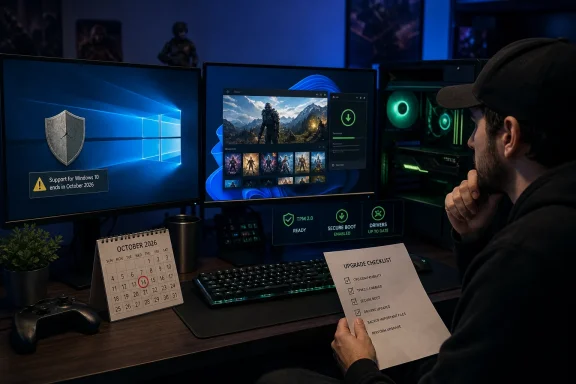 What Windows 10 End of Support Actually Means for Gamers
End of support does not mean end of functionality. A Windows 10 PC remains a Windows 10 PC after October 14, 2025. Installed applications continue to run, hardware continues to work, and games that work today can continue to work tomorrow.What has changed is Microsoft’s servicing commitment.
For ordinary consumer installations of Windows 10, Microsoft no longer provides:
- Free monthly security updates
- Feature updates
- Standard technical support
- Routine fixes for newly discovered operating system vulnerabilities
- Ongoing platform attention at the level expected from an actively supported Windows release
A typical gaming setup can include:
- Steam, Epic Games Store, GOG Galaxy, Battle.net, Ubisoft Connect, EA App, and Xbox services
- Discord, Teamspeak, Twitch, OBS, browser overlays, and voice-chat integrations
- Saved payment methods and subscription accounts
- Cloud synchronization for game saves
- Mods, mod managers, shader tools, launchers, trainers, and community patches
- Competitive multiplayer servers and anti-cheat services
- GPU drivers, controller software, RGB utilities, motherboard tools, and peripheral managers
The risk is gradual, not theatrical
The most realistic Windows 10 danger is not an immediate wave of compromised gaming PCs. It is a growing gap between the vulnerabilities attackers know how to exploit and the patches ordinary Windows 10 users no longer receive.That gap compounds over time.
A browser, game launcher, or driver may be fully updated, yet the machine can still be exposed if malware reaches an unpatched weakness in Windows components, networking, drivers, authentication, or the kernel. The risk is especially relevant to players who download unofficial mods, pirated releases, cheat tools, game cracks, questionable “FPS boost” utilities, or fake beta clients.
Gamers are valuable targets because gaming accounts are valuable targets. Account libraries can represent years of purchases, multiplayer profiles can contain rare or tradable inventories, and a compromised PC can expose saved credentials, payment information, browser sessions, and cryptocurrency wallets.
The biggest Windows 10 problem is not that games stop running. It is that the PC keeps doing everything it did before while becoming harder to defend responsibly.
The Driver Deadline Is More Urgent Than the OS Deadline
For many PC gamers, the more immediate concern is not Windows Update. It is graphics driver support.NVIDIA has stated that it will continue providing full Game Ready Driver and Studio Driver support for Windows 10 through October 2026. After that point, Windows 10 support shifts to quarterly security updates for critical issues through October 2029.
That creates an important distinction:
- Until October 2026: Supported RTX-era GeForce cards can still receive routine Game Ready drivers for Windows 10.
- From November 2026 onward: Windows 10 will no longer receive normal Game Ready driver releases or Studio Driver releases.
- Through October 2029: NVIDIA plans to provide quarterly critical security driver updates for Windows 10.
That makes October 2026 the real gaming transition date for many Windows 10 users.
Why Game Ready Driver support matters
A Game Ready Driver is not magic, and not every new driver produces a large frame-rate boost. But current GPU drivers often include targeted fixes and optimizations for major releases.Those updates can matter when a newly released game has:
- A crash on a certain GPU architecture
- Broken ray tracing behavior
- Stuttering related to shader compilation or scheduling
- Incorrect DLSS, Reflex, HDR, or frame-generation behavior
- Instability with overlays or recording applications
- Poor performance in a newly popular game engine
- Compatibility problems introduced by a game patch
Older NVIDIA cards are already in a different support tier
The driver situation is more restrictive for older NVIDIA architectures.Maxwell, Pascal, and Volta GeForce GPUs moved away from Game Ready Driver support after a final feature driver release in October 2025. That includes many still-popular cards, such as:
- GeForce GTX 900-series products based on Maxwell
- GeForce GTX 10-series products based on Pascal
- Titan V and related Volta-era hardware
For a player with a GTX 1060, GTX 1070, GTX 1080, GTX 1660-class adjacent setup, or older Maxwell hardware, the issue is therefore not simply “Windows 10 versus Windows 11.” The graphics card itself may already be in a legacy-style driver phase.
AMD and Intel users should watch the support matrix closely
AMD and Intel have not established the same highly public Windows 10 Game Ready deadline in the same way NVIDIA has. That does not mean Windows 10 should be considered a long-term safe haven for Radeon or Arc owners.Driver development follows the market, game testing priorities, operating system support policies, and hardware validation budgets. Windows 11 is the active consumer Windows platform, so it is reasonable to expect future driver testing and feature work to concentrate there.
The practical advice is simple: do not assume your current Windows 10 driver cadence will continue indefinitely just because a driver still installs today. Check the supported operating systems in every new driver release before updating, particularly after October 2026.
Why Windows 11 Is Becoming the Default Gaming Platform
Windows 11 is not automatically faster in every game, on every PC, in every configuration. Claims of universal frame-rate gains are exaggerated. A well-maintained Windows 10 installation can still deliver excellent performance in a large existing game library.However, Windows 11 has become the platform where new Windows gaming work is most likely to land first.
That includes attention to:
- New graphics drivers
- New GPU features
- Windowed-game optimizations
- Variable refresh rate behavior
- HDR improvements
- Modern security baselines
- Compatibility testing for new releases
- Kernel-level anti-cheat expectations
- Storage and asset-streaming technologies
DirectStorage and Auto HDR are real advantages—but conditional ones
Two Windows 11 gaming features are often cited as reasons to upgrade: DirectStorage and Auto HDR.DirectStorage is designed to improve how games move assets from fast NVMe storage to the graphics pipeline. But it is not a universal speed boost. It requires games that support the technology and hardware that meets its requirements, including an NVMe SSD and a DirectX 12-capable GPU with the relevant feature support.
Auto HDR can improve the visual presentation of compatible SDR games on a properly configured HDR display. It is not a substitute for native HDR, and results vary by game and display calibration. Still, it can be a worthwhile quality-of-life feature for players with a good HDR monitor or television.
Windows 11 also provides improved handling for many windowed and borderless games, potentially reducing latency and enabling modern display features in compatible scenarios.
None of this means a Windows 10 gamer must upgrade for better frame rates alone. It means the platform has a clearer future for players who want the broadest compatibility with upcoming PC gaming features.
Anti-cheat is another pressure point
The anti-cheat situation requires nuance.Not every anti-cheat system requires Windows 11. Not every multiplayer game will drop Windows 10 support on the same schedule. And a game requiring Secure Boot does not automatically mean it requires a new PC.
Still, modern competitive games are increasingly sensitive to system integrity. Kernel-level anti-cheat systems, firmware security features, virtualization-based protections, TPM availability, Secure Boot status, and driver reputation all play larger roles in the PC gaming ecosystem than they did several years ago.
Windows 11’s hardware requirements align with that direction.
A Windows 10 PC with a compatible motherboard and processor may already support TPM 2.0 and Secure Boot, even if those settings are disabled in firmware. In that case, the machine may be more upgrade-ready than its owner realizes.
Extended Security Updates: The Official Way to Buy Time
Gamers who cannot move immediately to Windows 11 do have an official bridge: the consumer Extended Security Updates program, commonly called ESU.ESU does not turn Windows 10 back into a fully supported operating system. It is not a feature-update program, a driver-support guarantee, or a technical-support plan. It exists to deliver critical and important security updates for eligible Windows 10 PCs after end of support.
That makes it useful—but limited.
What ESU can do
Extended Security Updates can help reduce the operating system security gap while a player plans an upgrade, waits for a hardware purchase, or keeps an older machine running for a defined period.It can provide:
- Critical Windows security updates
- Important Windows security updates
- A supported patching path beyond the ordinary end-of-support date
- More time to migrate without leaving the OS entirely unpatched
What ESU cannot do
ESU does not provide:- New Windows 10 features
- General technical support
- A promise that every future game will support Windows 10
- Continued Game Ready Driver releases after NVIDIA’s Windows 10 driver transition
- New anti-cheat compatibility
- Modern hardware support for an aging platform
Eligibility and enrollment basics
For consumer Windows 10 ESU enrollment, the PC must be running Windows 10 version 22H2. Check this by pressingWindows + R, entering winver, and confirming the installed version.On an eligible PC, the enrollment path appears through:
- Open Settings.
- Go to Update & Security.
- Select Windows Update.
- Look for the Enroll now option for Extended Security Updates.
- Follow the available enrollment method.
Microsoft’s current support guidance indicates consumer ESU protection can extend through October 12, 2027, while some older program documentation and product pages still reference coverage ending in October 2026. That inconsistency is important. Gamers should treat the ESU enrollment screen on their own eligible PC and current Microsoft support terms as the practical authority before making a purchase or migration schedule.
The key point remains unchanged: ESU buys time for Windows security updates, not a permanent Windows 10 future.
Check Whether Your PC Can Run Windows 11 Before Replacing Anything
A surprising number of Windows 10 gaming PCs can run Windows 11 with no component replacement. The usual obstacles are not always missing hardware. Sometimes they are disabled motherboard settings.Windows 11’s base requirements include:
- A supported 64-bit processor
- At least 4GB of RAM
- At least 64GB of storage
- UEFI firmware with Secure Boot capability
- TPM 2.0
- A DirectX 12-compatible graphics card
- A display larger than nine inches with at least 720p resolution
Start with PC Health Check
Microsoft’s PC Health Check application is the quickest initial test. It can identify whether the PC meets the Windows 11 baseline and flag common blockers.Do not stop at a failed result, though.
A failure due to TPM or Secure Boot may be fixable by entering the motherboard’s UEFI setup and enabling features that already exist. Motherboard makers may label firmware TPM support differently:
- Intel PTT on Intel systems
- AMD fTPM on AMD systems
- Security Device Support
- Trusted Computing
- TPM Device Selection
- Firmware TPM
CPU support is the harder barrier
A PC can have TPM 2.0, Secure Boot, plenty of RAM, an NVMe SSD, and a powerful GPU while still failing Windows 11’s supported CPU list.This is where a gamer must make a strategic decision.
Installing Windows 11 on unsupported hardware using unofficial workarounds may work technically, but it comes with clear tradeoffs:
- Updates are not guaranteed indefinitely.
- Future feature releases may introduce new compatibility obstacles.
- Troubleshooting becomes more difficult.
- Some security expectations may not be met.
- A clean, supported upgrade path is lost.
A Practical Migration Plan for Windows 10 Gamers
The right migration strategy depends on the PC, the games played, the GPU, and the budget. But every Windows 10 gamer can take a few low-risk actions now.1. Confirm your Windows version and update status
Runwinver and confirm Windows 10 version 22H2. Then open Windows Update and install every remaining applicable update.Do not confuse “Windows still boots” with “Windows is fully patched.” The first step is to establish the cleanest, most current Windows 10 baseline possible.
2. Enroll in ESU if remaining on Windows 10
If the PC cannot move immediately, use Extended Security Updates where available. It is the most defensible short-term route for staying on Windows 10.This is particularly valuable for players who need time to:
- Save for a new motherboard, CPU, and memory
- Wait for a planned GPU or system upgrade
- Finish a long-running game library
- Verify mod compatibility
- Move data from a legacy machine to a new build
3. Back up saves, libraries, and authenticator recovery codes
Before any operating system upgrade, make a real backup.At minimum, protect:
- Documents, screenshots, recordings, and desktop files
- Browser bookmarks and password-manager access
- Steam Cloud-independent saves
- Emulator saves and BIOS files where legally applicable
- Mod folders and configuration files
- Discord, email, Steam, Epic, and Microsoft account recovery codes
- Two-factor authentication backup methods
- Game launcher installation folders if re-downloading a large library would be difficult
4. Update firmware and drivers before an upgrade
If moving to Windows 11, update the motherboard BIOS or UEFI firmware only when necessary and according to the manufacturer’s instructions. Also download current chipset, LAN, Wi-Fi, audio, and GPU drivers in advance.A gaming PC upgrade goes much more smoothly when the critical drivers are ready locally, especially if the network adapter is not recognized immediately after installation.
5. Choose between in-place upgrade and clean install
An in-place upgrade is convenient. It can preserve installed applications, files, many settings, and game libraries. For a healthy, well-maintained gaming PC, it is often the least disruptive route.A clean installation takes longer but can be preferable when the Windows 10 installation has years of accumulated utilities, abandoned drivers, registry modifications, old anti-cheat components, or unexplained stability problems.
For enthusiasts who have repeatedly changed GPUs, motherboards, storage devices, RGB ecosystems, and audio software, a clean Windows 11 installation can offer a genuinely fresh start.
Security Habits Matter More While Windows 10 Remains Installed
No amount of careful behavior replaces operating system patches. But safe habits can reduce exposure while Windows 10 remains in use.The most effective gaming-PC security practices are straightforward:
- Use a unique password for every game store and service.
- Enable multi-factor authentication on Steam, Epic, Battle.net, Discord, Microsoft, EA, Ubisoft, and email accounts.
- Avoid pirated games, “free premium currency” tools, cheat loaders, cracked DLC, and suspicious performance utilities.
- Download mods from reputable sources and read recent user feedback.
- Keep browsers, launchers, game clients, drivers, and security software updated.
- Be skeptical of Discord direct messages offering beta keys, tournament invites, sponsorships, or “account verification.”
- Do not disable Windows security features simply to run a questionable program.
- Review installed browser extensions and startup applications periodically.
- Keep important files backed up separately from the gaming PC.
On an unsupported operating system, recovery from that mistake can become much more painful.
The Bottom Line: Treat Windows 10 as a Transition Platform
Windows 10 gaming is not dead. A supported graphics driver, a stable game library, an updated launcher, and Extended Security Updates can keep a capable PC useful for a while longer.But the platform is no longer moving forward.
For NVIDIA RTX owners, October 2026 is the date to watch because normal Windows 10 Game Ready Driver support ends then. For owners of Maxwell, Pascal, and Volta GeForce cards, the move away from feature-level driver support has already happened. For everyone else, the operating system security situation remains the central issue after Windows 10’s October 14, 2025 end of support.
The best path is to stop treating the decision as a vague future problem. Check Windows 11 compatibility, enable TPM 2.0 and Secure Boot if the hardware supports them, enroll in ESU if staying on Windows 10, protect game saves and account recovery methods, and plan the upgrade before a driver, anti-cheat update, or major new release makes the decision for you.
Windows 10 can still play games. It is simply no longer the platform on which PC gaming’s future is being built.
References
- Primary source: gamespace.com
Published: 2026-07-24T12:00:16+00:00
Windows 10 Is Out of Support: What PC Gamers Need to Do Before They Get Left Behind
Roughly one in four PC gamers is still gaming on borrowed time. Valve's Steam Hardware & Software Survey for June 2026 puts Windows 11 at 70.44% of surveyed systems, with Windows 10 down to 23.56%.gamespace.com - Official source: support.microsoft.com
Enable TPM 2.0 on your PC | Microsoft Support
Learn how to check if your PC is capable of running TPM 2.0 or how to enable TPM 2.0 to upgrade to Windows 11.support.microsoft.com - Official source: learn.microsoft.com
Windows 10 reaching end of support - Microsoft Lifecycle | Microsoft Learn
Announcing Windows 10 reaching end of support.learn.microsoft.com - Related coverage: techspot.com
Nvidia extends Game Ready driver support for Windows 10 users through 2026 | TechSpot
The company explained its plans regarding Windows 10 and older GPUs in the patch notes for the 580.88 graphics driver, released July 31. Those with RTX cards...www.techspot.com - Related coverage: pcgamer.com
Nvidia says it's game over come October for GTX 10, 9 and 7-series graphics cards driver support but RTX owners running Windows 10 are getting an extra year of grace | PC Gamer
It was a good run, but it's game over for Maxwell and Pascal.www.pcgamer.com - Related coverage: techradar.com
Nvidia throws Windows 10 gamers a lifeline with driver support - but time's up for the popular GTX 1060 GPU, as support runs out in October 2025 | TechRadar
Windows 10 support has been extended to October 2026, to mirror Microsoft's movewww.techradar.com