

Microsoft’s decision to stop treating Windows 10 S as a separate edition and repackage it as an optional “S Mode” across Windows 10 Home, Pro and Enterprise marks a deliberate shift in how Microsoft intends to deliver a locked-down, store-first Windows experience to a broader set of customers — and it raises real questions for consumers, IT pros, educators and developers about choice, security and long-term flexibility. ([blogs.windows.com]s.com/windowsexperience/2018/03/07/windows-10-s-mode-coming-soon-editions-windows-10/)
When Microsoft introduced Windows 10 S in 2017 it was pitched as a stripped-down, tightly controlled configuration of Windows designed to deliver predictable performance, reliability, and security by running only Microsoft-verified applications from the Microsoft Store. It was most visible on the Surface Laptop and targeted heavily at education and low‑maintenance deployments. That separate-edition strategy proved confusing to many customers and partners, and it also constrained how Microsoft could scale the “store-only” experience.
In early 2018 Microsoft announced that rather than shipping Windows 10 S as a distinct SKU it would fold the same restrictions into a configurable mode — S Mode — that can be enabled on Windows 10 Home, Pro and Enterprise devices. The company framed this as a simplification: customers who value the security and performance of the S configuration can buy devices that ship in S Mode, while others retain the option to switch out of the mode if they need broader application compatibility.
Note: early communication and third-party reports created temporary confusion around upgrade pricing (some reports referenced a $49 upgrade price in certain scenarios). Microsoft’s official stance when converting S into S Mode was to make switching out free, and the authoritative Microsoft documentation reflects the free, irreversible nature of the change. Where historical pricing reports differ, treat those as legacy claims from transitional periods.
Beyond simplification, the move served several strategic goals:
For OEMs, S Mode provided another SKU option to sell low-cost, low‑support devices into the education market. For Microsoft, it helped encourage migration of apps toward the Store and web app models. For Chrome OS and Google, S Mode represented a renewed competitive threat — but one that hinged on Microsoft’s ability to attract developers and convince institutions to adopt Windows devices at or near the price and manageability points Chrome OS targeted.
However, S Mode is not universally appropriate. The irreversibility of the switch, the smaller app catalog, and incompatibilities with many line‑of‑business and developer tool chains mean that power users and many businesses will continue to rely on unrestricted Windows. The success of S Mode ultimately depends on Microsoft’s ability to grow the Store ecosystem, encourage web/PWA alternatives, and ensure that the S Mode experience is clearly and honestly represented to consumers at the point of sale.
For customers and IT professionals considering S Mode today, the practical path is clear: evaluate application needs first, factor in device lifecycle and upgrade plans, and pilot the configuration on representative hardware before broad adoption. With careful planning, S Mode can reduce management overhead and increase security; without that planning, it risks creating frustrated users and blocked workflows.
Microsoft’s move transformed a confusing SKU strategy into a configurable tool in the Windows toolbox — one that can be powerful when applied to the right problems and perilous when used as a blunt instrument in the wrong context.
Source: Mashable Microsoft is converting Windows 10 S to an 'S Mode' for Windows 10
 Background
When Microsoft introduced Windows 10 S in 2017 it was pitched as a stripped-down, tightly controlled configuration of Windows designed to deliver predictable performance, reliability, and security by running only Microsoft-verified applications from the Microsoft Store. It was most visible on the Surface Laptop and targeted heavily at education and low‑maintenance deployments. That separate-edition strategy proved confusing to many customers and partners, and it also constrained how Microsoft could scale the “store-only” experience.In early 2018 Microsoft announced that rather than shipping Windows 10 S as a distinct SKU it would fold the same restrictions into a configurable mode — S Mode — that can be enabled on Windows 10 Home, Pro and Enterprise devices. The company framed this as a simplification: customers who value the security and performance of the S configuration can buy devices that ship in S Mode, while others retain the option to switch out of the mode if they need broader application compatibility.
What S Mode is — and what it is not
The core constraints
S Mode is not a new operating system; it’s a set of configuration restrictions applied to mainstream Windows editions. The most important technical rules of S Mode are:- Only apps obtained from the Microsoft Store can be installed. This restricts Win32 installations and enforces Microsoft’s app validation model.
- Microsoft Edge is the default browser and the platform that Microsoft expects to be used for web browsing in S Mode; historically the experience emphasized Edge as a more controllable browser surface.
- Common system‑level capabilities (like PowerShell and certain command-line tooling) are effectively locked down compared with full Windows editions; S Mode is intended to reduce avenues attackers could exploit.
Switching out: permanent but free
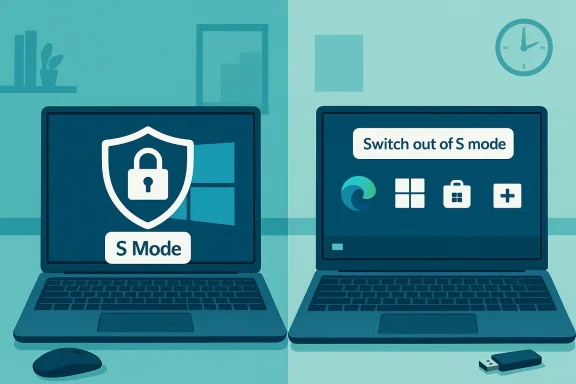
Microsoft’s guidance is clear: switching out of S Mode is a one-way, irreversible operation, but it is free. Once a device leaves S Mode, it cannot be returned to it. The process of switching is performed via the Microsoft Store’s “Switch out of S Mode” page, and it is intended to be straightforward for end users.Note: early communication and third-party reports created temporary confusion around upgrade pricing (some reports referenced a $49 upgrade price in certain scenarios). Microsoft’s official stance when converting S into S Mode was to make switching out free, and the authoritative Microsoft documentation reflects the free, irreversible nature of the change. Where historical pricing reports differ, treat those as legacy claims from transitional periods.
Why Microsoft made the change
Microsoft’s stated rationale was straightforward: customers and OEM partners found the number of Windows SKUs confusing. Folding the S experience into a mode simplifies marketing and device selection while still allowing Microsoft and OEMs to offer “store‑only” devices for education and managed environments. At the same time, making the conversion to full Windows free removed a friction point that could discourage customers from trying the S experience.Beyond simplification, the move served several strategic goals:
- Extend the reach of a more secure, store‑only configuration across a broader set of devices without fragmenting Windows editions.
- Encourage app developers and web apps to embrace the Microsoft Store and PWAs as distribution channels.
- Position Windows to better compete with Chrome OS in education and budget segments by offering similar low‑maintenance device options.
The benefits: security, simplicity and manageability
S Mode delivers several tangible benefits for specific audiences.- Stronger baseline security: Because only Store apps (which Microsoft vets) can be installed, and because many potentially risky system tools are disabled or restricted, S Mode reduces exposure to malware and unauthorized software. This is particularly valuable for schools, kiosks, and shared/public devices.
- Simplified administration: IT teams and school admins that prefer a minimal software footprint can deploy devices that behave predictably out of the box, reducing help‑desk load and simplifying imaging and provisioning strategies.
- Performance consistency: Microsoft’s messaging emphasized quicker startups and sustained performance over time because background software and Win32 baggage are minimized. For lightweight tasks — document editing, web browsing, media streaming — that can translate to a noticeably smoother experience on modest hardware.
- Lower support costs for OEMs and organizations: Devices that limit software vectors typically require less technical support, which can make low‑cost hardware more viable for institutions working with tight budgets.
The trade-offs and risks: where S Mode may break expectations
S Mode’s benefits come with real and sometimes severe limitations. Organizations and power users must weigh these carefully before choosing S Mode devices.App ecosystem constraints
- The Microsoft Store’s catalog has improved but remains far smaller than the unconstrained Win32 ecosystem. Many professional tools (industry‑specific software, developer toolchains, virtualization tools, older productivity suites) are not available in the Store.
- Even widely used desktop apps may lack Store packages or may provide reduced functionality in their Store‑distributed versions (or as PWAs).
- For users who rely on specialized peripheral software, drivers, or low‑level utilities, S Mode can be a show‑stopper. Microsoft’s accessory compatibility guidance warns that some peripherals may work only with limited functionality in S Mode.
Developer and ISV friction
- ISVs that historically shipped Win32 applications must either repackage their apps for the Microsoft Store, provide web/PWA alternatives, or accept that S Mode customers may be unable to run their software.
- Porting complex utilities and enterprise applications to the Store can be non‑trivial and introduce additional engineering and certification overhead for vendors.
One-way switch: irreversible user choice
- Although switching out of S Mode is free, it is permanent. Customers who buy an S Mode device and later realize they need software outside the Store will lose the protected S configuration when they switch. That trade‑off needs to be explicit and well‑communicated at point of sale.
Enterprise and upgrade implications
- Organizations expecting to upgrade managed Windows 10 S Mode devices to Windows 11 should note platform interoperability and edition differences: Windows 11’s S Mode is restricted in scope compared to Windows 10, and admins must plan carefully if they intend to keep S Mode devices aligned across OS upgrades. Microsoft’s support pages explain edition and upgrade constraints and recommend testing.
Practical guidance: who should choose S Mode, and when to avoid it
Ideal scenarios for S Mode
- Schools, classrooms and labs where administrators want to reduce malware risk, simplify device management, and keep total cost of ownership low.
- Kiosks, retail terminals and shared public devices where users require only browser access and simple apps available from the Microsoft Store.
- Non‑technical consumers who primarily use web services, media apps and a handful of Store apps for day‑to‑day tasks.
Situations to avoid S Mode
- Developers, IT pros or power users who need full access to command‑line tools, virtualization, container tooling, or arbitrary Win32 software.
- Small businesses that rely on niche applications for finance, CAD, engineering, printing workflows or legacy tools that are not Store‑distributed.
- Any environment where device peripherals require vendor drivers that are not explicitly supported in S Mode.
How to check whether a device is in S Mode — and how to switch out
- Open Settings (press Windows key + I).
- Go to System > About and look for the edition string: it will read “Windows 10 Home in S mode” or “Windows 10 Pro in S mode” when the device is in S Mode.
- Open Settings > Update & Security > Activation.
- Under “Switch to Windows 10 Home/Pro,” click the link that opens the Microsoft Store.
- On the Microsoft Store page labelled “Switch out of S mode” select Get. After you see confirmation, the restrictions are lifted and you can install non‑Store apps. No restart is required in most cases.
Deployment and enterprise considerations
Imaging and lifecycle
- S Mode is a configuration; organizations deploying large fleets should choose their base image carefully. If your users will need legacy Win32 apps, image devices in unrestricted mode. If instead you want a locked environment, provision devices in S Mode and manage Store app assignments via Microsoft Intune and other management tools that support Store app distribution.
Group policy and management differences
- Traditional group policy objects that control software installation and system behaviors still apply on full Windows, but S Mode further constrains install paths. Management strategies that depend on script‑based automation or background installers will need rethinking for S Mode. Where possible, adopt Store distribution or cloud‑delivered services.
Enterprise software and line‑of‑business apps
- Many line‑of‑business apps have no Microsoft Store equivalent. For these, S Mode devices are not suitable unless a vendor publishes a Store wrapper or a ready PWA. Assess critical applications early and work with vendors to determine a migration or compatibility plan.
Developer implications: store packaging, PWAs and the modern app push
Microsoft’s move was also a message to developers: if you want to reach S Mode customers you need to be in the Microsoft Store ecosystem. That can take several forms:- Publish a traditional Store package using MSIX or the Desktop Bridge to bring Win32 apps into the Store packaging framework.
- Deliver web‑based functionality as a Progressive Web App (PWA) that can be installed from Microsoft Edge / Microsoft Store and runs like a native app.
- Use cross‑platform frameworks that support Store packaging.
Market implications and competitive context
S Mode made explicit Microsoft’s intent to provide a Chrome OS‑like locked environment for low‑cost devices and education customers while keeping the full, flexible Windows experience available. Industry reporting at the time emphasized that Microsoft’s strategy sought to blunt Chrome OS’s dominance in classrooms by offering an easier, safer Windows configuration while preserving the pathway to full Windows when needed. That balancing act was central to Microsoft’s messaging.For OEMs, S Mode provided another SKU option to sell low-cost, low‑support devices into the education market. For Microsoft, it helped encourage migration of apps toward the Store and web app models. For Chrome OS and Google, S Mode represented a renewed competitive threat — but one that hinged on Microsoft’s ability to attract developers and convince institutions to adopt Windows devices at or near the price and manageability points Chrome OS targeted.
Critical analysis: strengths, weaknesses and the long view
Strengths
- S Mode reduces attack surface in meaningful ways for non‑technical users. In environments where software diversity is a liability, the store‑only model makes sense.
- Simplification of SKUs reduced consumer confusion and let OEMs and partners market a “safe Windows” option without fragmenting Windows into product SKUs.
- Free, one‑time switch removes a monetization friction point and reduces buyer reluctance to try a store‑first device.
Weaknesses and risks
- Limited app ecosystem is the single largest practical blocker. If critical apps aren’t available in the Store or as PWAs, S Mode devices force either heavy vendor investment or customer churn. This is not a theoretical problem for industries reliant on legacy software.
- User expectation mismatch: many consumers expect a Windows device to run arbitrary desktop software. S Mode must be clearly communicated at sale, or users will be frustrated after purchase.
- Irreversible switch policy complicates device resale and increases the need for clear documentation: a buyer who switches their personal device can’t restore S Mode later.
- Platform fragmentation risk: if Microsoft heavily promotes S Mode while also promoting non‑Store experiences (e.g., Windows Subsystem for Linux, advanced virtualization), Windows can feel like a platform split between constrained and unconstrained experiences. Managing that perception is an ongoing UX and developer relations challenge.
Unverifiable or shifting claims
- Early reportage around paid upgrades (the $49 figure) reflected transitional pricing practices and leaks. Microsoft’s final published guidance stated the switch would be free; therefore, historical paid‑upgrade claims should be treated cautiously, as pricing and promotional policies changed during the product’s transition. Always check the current Microsoft documentation for definitive upgrade and support terms.
Recommendations: buyers, IT managers and developers
- Buyers: If you primarily use web apps and Store apps, S Mode provides a safer, simpler Windows experience. If you rely on desktop apps, choose unrestricted Windows. Always verify “in S Mode” is clearly listed on the product listing before purchase.
- IT managers: Audit application portfolios. If S Mode is attractive for security reasons, negotiate with ISVs for Store packages or PWAs, and pilot the user switch process thoroughly before committing devices to large deployments.
- Developers and ISVs: Evaluate Store and PWA distribution strategies if you serve education or consumer segments. Packaging a flagship app for the Store extends reach into S Mode devices and reduces customer friction.
- OEMs and resellers: Ensure product pages, packaging and marketing materials explicitly state when a device ships in S Mode, and provide easy-to-follow information about the consequences of switching out.
Final verdict: S Mode is pragmatic — but not a universal solution
Microsoft’s repackaging of Windows 10 S into S Mode was a pragmatic response to real customer confusion and an effort to bring a locked‑down, store‑first experience to far more corners of the Windows ecosystem. For the right scenarios — education, kiosks, public devices and non‑technical consumers — S Mode delivers genuine value: reduced attack surface, easier management and predictable performance.However, S Mode is not universally appropriate. The irreversibility of the switch, the smaller app catalog, and incompatibilities with many line‑of‑business and developer tool chains mean that power users and many businesses will continue to rely on unrestricted Windows. The success of S Mode ultimately depends on Microsoft’s ability to grow the Store ecosystem, encourage web/PWA alternatives, and ensure that the S Mode experience is clearly and honestly represented to consumers at the point of sale.
For customers and IT professionals considering S Mode today, the practical path is clear: evaluate application needs first, factor in device lifecycle and upgrade plans, and pilot the configuration on representative hardware before broad adoption. With careful planning, S Mode can reduce management overhead and increase security; without that planning, it risks creating frustrated users and blocked workflows.
Microsoft’s move transformed a confusing SKU strategy into a configurable tool in the Windows toolbox — one that can be powerful when applied to the right problems and perilous when used as a blunt instrument in the wrong context.
Source: Mashable Microsoft is converting Windows 10 S to an 'S Mode' for Windows 10
