

Windows 10’s final act unfolded slowly but deliberately, and the few last months before its vendor-supported end felt less like a sudden blackout and more like a controlled powerdown: feature channels shuttered, Microsoft’s lifecycle clocks ticked to the deadline, consumer bridge options were announced, and billions of machines worldwide were left with a single, unavoidable choice—upgrade, pay for a short bridge, or assume growing risk. The net result is not a dramatic collapse but a long, pragmatic sunset that exposes policy tensions, upgrade friction, and real security and operational consequences for households, public services and enterprises alike.
Windows 10 launched in mid‑2015 and for a decade served as Microsoft’s central desktop operating system. The company published a firm end‑of‑servicing date: October 14, 2025. That date marked the cessation of routine OS‑level security updates, monthly cumulative quality rollups and standard technical support for mainstream Windows 10 editions unless a device was enrolled in an Extended Security Updates (ESU) program.
Microsoft offered a narrow, time‑boxed consumer ESU as a temporary bridge, clarified upgrade pathways to Windows 11 for eligible machines, and continued certain application‑layer servicing on different timetables. But the big picture is straightforward: vendor‑backed OS patching for consumer Windows 10 stopped at the October cutoff for non‑enrolled devices, and the migration burden shifted to customers, partners and IT teams.
The sensible course for organisations and individuals alike is pragmatic: inventory, risk‑classify, use ESU only as emergency breathing room, and prioritize migration paths that balance cost, security and operational continuity. Consider alternatives for devices that cannot or should not be upgraded. For the vendor side, the sunset highlights an ongoing challenge: how to retire legacy platforms while minimizing social, environmental and economic harm. For the broader ecosystem, the lesson is clear—plan upgrades earlier, treat device security as an ongoing program, and treat vendor lifecycle notices as actionable events rather than background noise.
The last Windows 10 notification screens may have faded, but the operational work they triggered will continue for years. The migration is not a single technical event; it is a multi‑year process of device renewal, application modernization and policy alignment. That is the practical reality of moving a global platform forward: incremental, expensive, politically charged—and necessary.
Source: Bennington Banner The (slow) end for Windows 10
 Background / Overview
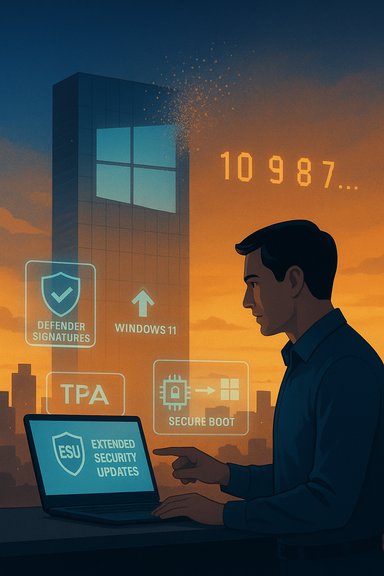
Windows 10 launched in mid‑2015 and for a decade served as Microsoft’s central desktop operating system. The company published a firm end‑of‑servicing date: October 14, 2025. That date marked the cessation of routine OS‑level security updates, monthly cumulative quality rollups and standard technical support for mainstream Windows 10 editions unless a device was enrolled in an Extended Security Updates (ESU) program.Microsoft offered a narrow, time‑boxed consumer ESU as a temporary bridge, clarified upgrade pathways to Windows 11 for eligible machines, and continued certain application‑layer servicing on different timetables. But the big picture is straightforward: vendor‑backed OS patching for consumer Windows 10 stopped at the October cutoff for non‑enrolled devices, and the migration burden shifted to customers, partners and IT teams.
Why this matters now
Windows remains the dominant desktop platform globally; at the time of final servicing there were hundreds of millions of PCs still running Windows 10. That scale turned the end of vendor support into a practical security and compliance problem rather than an abstract lifecycle notice.- Security exposure: Without OS‑level patches, newly discovered kernel/driver/platform vulnerabilities will not receive Microsoft fixes for un‑enrolled Windows 10 devices. That makes an unsupported fleet an increasingly attractive target for automated exploit tooling and ransomware.
- Operational risk: Unsupported OSes complicate incident response, third‑party support, and vendor testing—device drivers and commercial applications may degrade or be withdrawn.
- Compliance and liability: Regulated industries face audit and insurance exposure if they continue to operate unsupported systems.
- Environmental and cost implications: Hardware refresh cycles accelerate where devices cannot meet Windows 11 requirements, raising questions about e‑waste and capital expenditure.
What Microsoft closed and what remains
Beta channels and feature development
As part of the wind‑down, Microsoft reduced development and testing investments for Windows 10. Preview routes that once shipped early features—Beta and certain Insider channels—were consolidated or closed, signaling that new feature development for Windows 10 is effectively over. What remained through the last servicing weeks were quality and security fixes for eligible builds, not new functionality.The technical end: what stopped on October 14, 2025
- Routine cumulative security updates and monthly quality rollups for mainstream Windows 10 editions stopped for unenrolled consumer devices.
- Microsoft’s standard technical support for Windows 10 consumer SKUs ended.
- Windows 10 will continue to boot and run applications, but without OS patches newly discovered vulnerabilities remain unaddressed.
- Certain application services—such as Microsoft Defender signature updates and select Microsoft 365 app security servicing—follow separate timelines and may continue for a limited period, but they do not substitute for OS‑level kernel or driver fixes.
Extended Security Updates (ESU) — the short bridge
Microsoft provided a consumer ESU program as a one‑year bridge for eligible Windows 10 devices. The program is explicitly security‑only:- Coverage: limited and time‑boxed security updates (Critical and Important) for eligible Windows 10 builds for a defined window after the October 14, 2025 cutoff.
- Enrollment routes: consumers were offered a few enrollment methods (including a no‑cost route tied to a Microsoft Account + backup/sync configuration, a paid option, and a rewards‑points option), subject to prerequisites such as running the last commercial servicing build.
- Scope: ESU does not include feature updates, general technical support or long‑term guarantees. It is a tactical buy‑time mechanism, not a strategic replacement for migration.
Where adoption stood: the messy telemetry picture
By mid‑2025 the Windows desktop landscape showed a slow but steady shift toward Windows 11, yet Windows 10 retained a substantial installed base. Different telemetry services report different numbers—methodologies vary and regional patterns differ—but the consistent pattern was:- Windows 10 remained a large share of active Windows desktops through 2025, occupying a meaningful plurality in many datasets.
- Windows 11 adoption rose across the same period, with certain milestones (including parity or overtaking in some trackers later in 2025) but adoption was uneven and hardware‑limited by Windows 11’s tighter system requirements.
- The upshot: millions of PCs were either ready to upgrade or could be made to upgrade, but hundreds of millions of devices were either incompatible with Windows 11 or subject to policy/hardware limitations that made upgrade impractical or undesired.
Strengths of Microsoft’s approach
Microsoft’s retirement strategy showed several pragmatic strengths.- Predictable lifecycle: A firm end date gave enterprises and other large customers time to plan upgrades, asset replacement and budgeting. Ten years is a common corporate refresh horizon, and Microsoft consistently communicated the timeline.
- Bridge options: ESU programs (both consumer and enterprise) offered breathing room where immediate migration was impossible, preventing an abrupt, unmanageable security spike.
- Separation of concerns: By continuing certain application‑layer updates (e.g., Defender, Microsoft 365 servicing schedules), Microsoft reduced some immediate risks to commonly used productivity and anti‑malware elements even after OS EOL—helpful for staged migrations.
- Clear migration guidance: Microsoft provided tools and documented minimum Windows 11 hardware requirements, PC Health Check and compatibility paths; this clarity assisted many users in deciding whether to upgrade or replace.
Risks, trade‑offs and criticism
The sunset was not without controversy or downside.Security and attacker economics
Stopping OS patching on hundreds of millions of connected endpoints creates a persistent target. History shows attackers rapidly weaponize unpatched exposures; a legacy fleet that remains widely deployed increases the expected return on exploit development and mass scanning. ESU reduces immediate risk for enrolled systems, but unenrolled devices become persistent liabilities.Forced migration and equity concerns
Windows 11 imposes stricter hardware requirements (Secure Boot, TPM 2.0, 64‑bit requirements and certain CPU lists). Many older but otherwise working PCs do not meet those specs, forcing owners to choose between paying for a limited ESU extension, buying new hardware, or continuing on an increasingly risky platform. That raises environmental concerns (accelerated e‑waste) and consumer fairness questions—particularly for low‑income households, public libraries, schools and smaller institutions.Microsoft account and account‑linking friction
Consumer ESU options tied free enrollment to having a Microsoft Account plus specific backup/sync settings. That effectively nudged users into cloud account sign‑in and cloud backup, a pattern that triggered privacy and control objections among some user groups who prefer local accounts for offline or privacy‑sensitive reasons. The paid alternate was small in absolute dollars for many users, but the account linking requirement remains a policy friction point.Cost and complexity for enterprises
Enterprise ESU pricing and multi‑year renewals can be significant, especially at scale. Migration costs—hardware replacements, application re‑testing, staff time—often dwarf ESU payments. Organisations that delayed planning faced compressed timelines and higher total cost of ownership.Compatibility and software ecosystem drift
Third‑party vendors can and do prioritize support for current OS versions. Over time, drivers, utilities and commercial applications may cease testing or certification for an unsupported OS. That raises the long‑term prospect of performance degradation, feature incompatibility, and security gaps beyond what ESU addresses.Practical migration strategies and mitigation
Every environment is different, but the following is a pragmatic, prioritized approach that applies to both home users and IT organisations.Immediate steps (first 30 days)
- Inventory: produce an accurate hardware and software inventory. Identify devices, OS versions, installed applications, and critical driver dependencies.
- Risk classification: label devices as high (contains sensitive data, used for admin functions), medium (daily productivity), or low (media or offline use).
- Compatibility check: run vendor tools (PC Health Check or equivalent) to determine Windows 11 eligibility. Flag devices that can upgrade in‑place and those that cannot.
Short term (30–120 days)
- Enroll critical devices in ESU if migration cannot be completed before risk becomes unacceptable—use ESU only as breathing room.
- For eligible devices, test an in‑place Windows 11 upgrade on a representative sample: measure application compatibility, peripherals, and performance.
- Prioritize hardware refresh for high‑risk/high‑value assets; schedule standard‑lifecycle replacements where Windows 11 compatibility is a requirement.
Medium term (3–12 months)
- Stage migrations by business unit and/or geographic region; align migrations to existing refresh cycles to control costs.
- Consider alternatives where Windows 11 is infeasible: supported Linux distributions (Ubuntu, Mint), ChromeOS Flex for legacy laptops, or virtual desktop/cloud PC solutions that shift compute off local, unsupported hardware.
- Update procurement standards to require Windows 11‑certified hardware where appropriate, and include firmware/security baseline checks (TPM, Secure Boot enabled).
Longer term (12–36 months)
- Retire ESU devices as planned; ESU is explicitly temporary.
- Consolidate device fleets to reduce long‑term heterogeneity.
- Reevaluate policy for local accounts and cloud attestation; where privacy concerns remain, adopt compensating controls such as local MFA appliances and stricter network segmentation.
Alternatives to immediate Windows 11 migration
- Linux desktop distributions: For many single‑purpose or knowledge‑worker devices, modern Linux distros now provide strong hardware support and robust application ecosystems (including compatibility layers and web‑native workflows).
- ChromeOS Flex: A lightweight option for repurposing older laptops into web‑centric devices with managed policies.
- Cloud PC / Desktop as a Service (DaaS): Running a hosted Windows desktop off‑device lets older hardware act as terminals while the OS and patches run in a managed cloud VM.
- Virtualization: Local hypervisors or VDI can host a supported Windows instance on newer or certified hardware, with isolated legacy environments for critical legacy apps.
What consumers should know (plain guidance)
- If your PC is eligible for a free upgrade to Windows 11 and you want a supported OS, take the free path: check compatibility, back up data, and plan the upgrade.
- If the PC cannot meet Windows 11 requirements but you need continued security updates, use ESU only as a temporary bridge—expect to replace the hardware in the short‑to‑medium term.
- If you use your PC offline for local media and games only, the immediate security risk is lower but still real—avoid sensitive activities like online banking or storing credentials on an Internet‑connected, unsupported machine.
- Back everything up before change: regardless of path, a current, tested full backup is the single best mitigation against migration mishaps.
Enterprise considerations: governance, compliance, and procurement
Enterprises must approach the Windows 10 sunset as a program, not a project. That means:- Governance: allocate executive sponsorship, set timelines and budgets, and treat migration as a cross‑functional program (IT, security, procurement, legal).
- Compliance mapping: identify systems subject to regulatory controls (finance, healthcare, government) and prioritize migration or ESU enrolment accordingly.
- Application rationalization: accelerate app modernization to reduce legacy dependencies. In some cases, rewriting or containerizing legacy apps is cheaper than perpetually buying ESU.
- Procurement strategy: align hardware refresh cycles to long‑term OS roadmaps; require Windows 11 certification and firmware security baselines for new purchases.
- Testing and rollback plans: stage pilots, maintain rollback images, and test critical apps under Windows 11 before broad rollout.
The wider implications for Microsoft’s platform strategy
The end of Windows 10 is more than product lifecycle housekeeping; it underscores how Microsoft is shifting the ecosystem toward certain platform, security and monetization patterns:- A stronger push to tie user identities and device management to cloud accounts and services.
- Enforcing hardware security baselines as part of a zero‑trust orientation (TPM, Secure Boot, virtualization‑based security).
- Using lifecycle transitions to nudge customers toward newer, often cloud‑integrated features and monetized services.
Final analysis: balancing realism and options
The phaseout of Windows 10 was slow and deliberate, but not gentle—the company set the calendar, provided a narrow bridge, and gave clear guidance. That approach is defensible from a lifecycle management perspective: indefinite maintenance of legacy OS versions is costly and impedes platform evolution. At the same time, the reality that hundreds of millions of users and many organisations were running Windows 10 meant the transition created immediate and measurable risk.The sensible course for organisations and individuals alike is pragmatic: inventory, risk‑classify, use ESU only as emergency breathing room, and prioritize migration paths that balance cost, security and operational continuity. Consider alternatives for devices that cannot or should not be upgraded. For the vendor side, the sunset highlights an ongoing challenge: how to retire legacy platforms while minimizing social, environmental and economic harm. For the broader ecosystem, the lesson is clear—plan upgrades earlier, treat device security as an ongoing program, and treat vendor lifecycle notices as actionable events rather than background noise.
The last Windows 10 notification screens may have faded, but the operational work they triggered will continue for years. The migration is not a single technical event; it is a multi‑year process of device renewal, application modernization and policy alignment. That is the practical reality of moving a global platform forward: incremental, expensive, politically charged—and necessary.
Source: Bennington Banner The (slow) end for Windows 10
