
Windows 10 remains stubbornly entrenched among a large slice of PC gamers on Steam even after Microsoft’s official end‑of‑support deadline, leaving developers, anti‑cheat vendors and players to navigate a messy transition where security, compatibility, and hardware requirements collide.
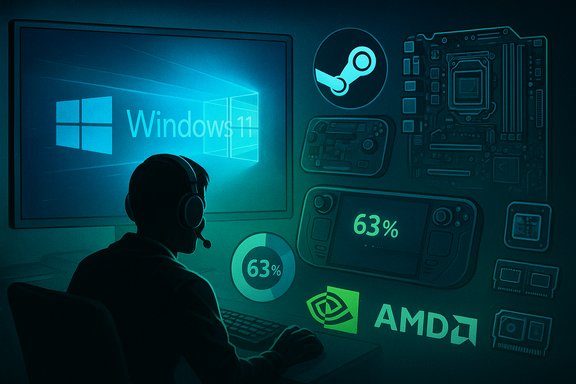
Microsoft set a hard cutoff for consumer Windows 10 support on October 14, 2025; after that date the operating system no longer receives routine security updates or feature servicing unless a device is enrolled in Microsoft’s Extended Security Updates (ESU) program. That deadline was expected to drive a sharp migration to Windows 11, but Valve’s monthly Steam Hardware & Software Survey shows the shift is incomplete: Windows 11 now accounts for roughly 63.6% of Steam users, while Windows 10 still sits at about 31.1% — a sizeable minority in a gaming population that matters to publishers and platform holders.
Steam’s snapshot also shows small but notable trends beyond OS shares: Linux climbed above 3% on Steam for the first time in the latest snapshot, a gain driven largely by handheld and portable Linux gaming platforms, while Windows 7 usage ticked up slightly in the Steam dataset. These shifts matter because Steam’s audience is an early‑adopter cohort for games, drivers, and anti‑cheat systems — and developer testing choices will follow where the majority of players are.
On the CPU side, AMD continues to make steady gains — the vendor picked up another ~0.78 percentage points of market share in the latest month, extending its multi‑quarter recovery versus Intel. While Intel still leads by a substantial margin on Steam, AMD’s trajectory suggests continued share gains if the trend persists.
For players, the sensible path is pragmatic: evaluate hardware compatibility, back up systems, and plan either an orderly upgrade to Windows 11 or use ESU as a short‑term bridge while preparing longer‑term options (hardware refresh, SteamOS, or Linux). For developers and platform operators, the message is equally clear: test for both OSes where your player base requires it, but prioritize Windows 11 for forward‑facing features and security assumptions. The transition will continue to produce noise, but the underlying direction is unambiguous — the Windows ecosystem is modernizing, and the gaming ecosystem will follow, whether quickly or in measured steps.
Source: PCMag Windows 10 Still Hanging On Among PC Gamers on Steam
 Background / Overview
Microsoft set a hard cutoff for consumer Windows 10 support on October 14, 2025; after that date the operating system no longer receives routine security updates or feature servicing unless a device is enrolled in Microsoft’s Extended Security Updates (ESU) program. That deadline was expected to drive a sharp migration to Windows 11, but Valve’s monthly Steam Hardware & Software Survey shows the shift is incomplete: Windows 11 now accounts for roughly 63.6% of Steam users, while Windows 10 still sits at about 31.1% — a sizeable minority in a gaming population that matters to publishers and platform holders.Steam’s snapshot also shows small but notable trends beyond OS shares: Linux climbed above 3% on Steam for the first time in the latest snapshot, a gain driven largely by handheld and portable Linux gaming platforms, while Windows 7 usage ticked up slightly in the Steam dataset. These shifts matter because Steam’s audience is an early‑adopter cohort for games, drivers, and anti‑cheat systems — and developer testing choices will follow where the majority of players are.
Why the migration isn’t a cliff — the forces that keep gamers on Windows 10
Familiarity and inertia
For many players, Windows 10 is a known, stable environment: drivers, overlays, capture tools and anti‑cheat middleware have been battle‑tested on the platform for years. The principle of “if it ain’t broke” is powerful, especially for single‑player and long‑running multiplayer titles where stability is prized above new UI flourishes. That behavioral inertia explains a large part of the persistence on Windows 10.Hardware gatekeeping: TPM, Secure Boot and CPU lists
Windows 11 enforces a stricter baseline: TPM 2.0, UEFI Secure Boot, and minimum CPU generation requirements. Many still‑useful gaming rigs either lack these modules or require firmware updates and nontrivial BIOS changes to enable them. For hobbyists and casual users, the cost (time, money or risk) of upgrading components or buying a new machine is often the deciding factor. That technical barrier is one of the clearest structural reasons the migration is slow.Enterprise and managed environments
Not all machines are single‑user home PCs. Managed systems — from gaming cafés to competitive teams and small studios — frequently delay operating system migrations until testing is complete. Those timelines ripple into the consumer space, increasing the visible Windows 10 footprint in gaming statistics.The ESU safety valve
Microsoft offered a consumer ESU path as a temporary bridge to protect users who cannot immediately upgrade. The consumer ESU options are intentionally varied: free enrollment via syncing settings to a Microsoft account, redeeming Microsoft Rewards points, or a one‑time paid path (around $30 USD in many markets) for one year of critical fixes. The company also introduced EEA‑specific accommodations to comply with local rules. ESU’s availability likely blunted an immediate migration wave and explains part of the lingering Windows 10 share.The Steam snapshot: numbers that matter to gaming ecosystems
- Windows 11 (64‑bit): ~63.57% of Steam users.
- Windows 10 (64‑bit): ~31.14% of Steam users.
- Linux: ~3.05%, buoyed by Steam Deck and SteamOS variants.
- Windows 7: rose marginally to ~0.09% in the Steam sampling.
GPU and CPU landscape (what gamers actually run)
The Steam survey continues to show mid‑range NVIDIA cards dominating the install base — the RTX 3060 reclaimed the top spot as the most common GPU on Steam, narrowly ahead of the RTX 4060 and RTX 4060 mobile variants. Mid‑tier cards from the RTX 30 and RTX 40 families remain the most common, while older GTX cards such as the GTX 1650 still hold over 3% of systems. Among the newest Ada Lovelace and Blackwell family GPUs, the RTX 5070 is the most commonly reported next‑gen card (~2% of systems), with other 50‑series parts around 1% each.On the CPU side, AMD continues to make steady gains — the vendor picked up another ~0.78 percentage points of market share in the latest month, extending its multi‑quarter recovery versus Intel. While Intel still leads by a substantial margin on Steam, AMD’s trajectory suggests continued share gains if the trend persists.
VRAM realities
A third of Steam users run GPUs with 8 GB of VRAM, and roughly another third run GPUs with less than 8 GB. That distribution explains the current industry conversations about VRAM minimums for modern game targets: widespread 8 GB installs mean developers still optimize for that baseline, but an increasing number of titles and assets favor cards with more VRAM.What this means for game developers, anti‑cheat vendors and platform holders
Testing and compatibility choices
- Studios building big multiplayer titles will continue to prioritize Windows 11 for modern driver stacks and feature parity, but the near‑one‑third Windows 10 base forces continued testing and fallback paths for at least the short term.
- Anti‑cheat systems and kernel‑mode components are sensitive to OS baseline and firmware settings (TPM/Secure Boot). Some multiplayer titles already enforce modern security features for integrity checks; that trend increases pressure on players with legacy hardware.
Driver and vendor support
GPU vendors have some latitude in how long they maintain Windows 10 drivers. Public vendor statements and driver lifecycle decisions can soften immediate pressure (for example, short‑term driver support extensions), but those are vendor choices — not long‑term fixes — and may differ by GPU family and OEM. The existence of vendor‑level extensions reduces short‑term risk for gamers who can't upgrade immediately, but it does not remove the underlying security and compatibility drift.Platform signals
Valve’s announced plan to stop shipping updates for 32‑bit Windows clients starting January 1, 2026 is another signal that the ecosystem is consolidating on modern stacks. While that change affects a vanishingly small portion of users, it’s the sort of incremental deprecation that, combined with OS EOLs and vendor driver policies, accelerates compatibility drift over time.Security and practical risks for players who remain on Windows 10
- Loss of routine security patches increases exposure to new vulnerabilities and targeted malware campaigns. Over time this raises the risk of account compromise, credential theft, and in‑game fraud that can originate from infected or unpatched systems.
- Anti‑cheat and authentication systems that rely on modern firmware security assumptions may refuse connections or require additional configuration on legacy hardware, degrading multiplayer access or forcing workarounds that introduce risk.
- The “scam economy” in gaming (phishing, fake trade sites and malware‑packed mods) disproportionately affects users who are both less security‑aware and running unpatched systems. As Windows 10 moves off routine Microsoft support, attackers will increasingly probe the exposed surface.
Practical migration options and a safety checklist for Steam gamers
For players still on Windows 10, there are three practical paths: upgrade to Windows 11, enroll in ESU for a limited bridge, or migrate away from Windows entirely (for example, to SteamOS/Steam Deck or other Linux distributions). Each path has trade‑offs.1) Upgrade to Windows 11 (preferred long‑term)
- Check hardware compatibility: TPM 2.0, Secure Boot, CPU compatibility and minimum RAM/storage.
- Update firmware (BIOS/UEFI) and enable TPM/Secure Boot if supported by your motherboard.
- Back up your system and make a recovery image before starting the upgrade.
- Update drivers (chipset, GPU) after upgrade and verify anti‑cheat/overlay compatibility.
- Confirm your favorite games and tools are functioning (capture/streaming/overlays).
2) Enroll in Extended Security Updates (short‑term bridge)
- If your system is ineligible or you need time to replace hardware, consider Microsoft’s consumer ESU options. Enrollment methods vary (free account‑linking, rewards‑based path, or a paid one‑time option). ESU is a temporary safety net, not a long‑term plan.
3) Migrate to Linux / SteamOS (alternative path)
- For many, the Steam Deck and SteamOS have proven that playable Linux gaming is practical. Proton compatibility continues to improve and distributions tailored to gaming are gaining traction. Linux paths require rethinking of some tools (e.g., capture/streaming) and may not be suitable for everyone, but they’re a valid alternative to forced hardware upgrades.
Quick security checklist for any path
- Enable full disk encryption and modern account protection (2FA on Steam and email).
- Keep drivers and firmware updated from vendor sites.
- Use reputable anti‑malware and a layered approach (browser hygiene, sandboxing).
- Avoid unofficial mods from untrusted sources and exercise caution with trading sites.
Critical analysis: Microsoft’s approach, industry incentives, and hidden costs
Strengths of Microsoft’s strategy
- Security modernization: By setting a clear end‑date and enforcing a hardware baseline, Microsoft pushed the platform toward stronger firmware‑backed security (TPM, Secure Boot), which benefits the ecosystem long‑term.
- Encourages modern driver and feature adoption: Consolidation on a single modern OS simplifies testing and enables fuller use of features like DirectStorage and tighter DirectX integration.
Risks and friction points
- Consumer cost and e‑waste: Stricter hardware requirements have the side effect of forcing hardware refreshes for some users, adding expense and potential e‑waste that advocacy groups have criticized. The ESU program mitigates the urgency but is only a temporary remedy.
- Fragmentation across vendor support: Third‑party vendors decide how long to support Windows 10 drivers. Inconsistent vendor lifecycles can produce confusing compatibility windows for gamers, who must track both Microsoft and vendor timelines.
- Security messaging vs. reality: Moving users off an unsupported OS requires clear communications and accessible upgrade pathways. Complex ESU enrollment mechanics and region‑specific rules risk leaving less technical users behind. The variation in ESU enrollment routes (free vs. paid vs. rewards) creates uncertainty about who is actually protected.
Where industry incentives may misalign
- Developers want to focus on the majority platform to reduce QA costs; anti‑cheat vendors want fewer OS permutations to ensure integrity. That creates an incentive to deprecate Windows 10 quickly. Conversely, consumers and environmental advocates want longer support cycles to avoid hardware churn. Those competing pressures are why the transition is messy rather than binary.
Looking ahead: timelines, what to watch, and unverifiable claims to treat cautiously
- Watch for driver lifecycle announcements from NVIDIA, AMD and major OEMs; they will influence how long Windows 10 machines can remain practical for new AAA releases. Vendor extensions can buy time, but they are not indefinite.
- Valve’s platform decisions (for example, deprecating 32‑bit Windows clients in 2026) are incremental nudges toward modern stacks; developers will notice and adjust test matrices accordingly.
- Be cautious about broad claims on exact ESU uptake, regional enrollment numbers, or the ultimate pace of Windows 10 attrition outside Steam. Public telemetry on those topics is fragmented; regional differences and private vendor telemetry mean precise global counts are often unverifiable from public sources. Any projection beyond the Steam sample should be presented as an estimate with caveats.
Conclusion
Valve’s latest Steam survey makes one truth plain: the migration to Windows 11 among PC gamers is well underway, but it is not complete. Roughly one in three Steam users still run Windows 10, and that lingering base has material implications for game testing, anti‑cheat design, security risk and vendor support strategies. Microsoft’s ESU program and vendor driver choices have softened immediate disruption, but they only delay an eventual full consolidation toward modern firmware‑backed security and a single‑platform testing baseline.For players, the sensible path is pragmatic: evaluate hardware compatibility, back up systems, and plan either an orderly upgrade to Windows 11 or use ESU as a short‑term bridge while preparing longer‑term options (hardware refresh, SteamOS, or Linux). For developers and platform operators, the message is equally clear: test for both OSes where your player base requires it, but prioritize Windows 11 for forward‑facing features and security assumptions. The transition will continue to produce noise, but the underlying direction is unambiguous — the Windows ecosystem is modernizing, and the gaming ecosystem will follow, whether quickly or in measured steps.
Source: PCMag Windows 10 Still Hanging On Among PC Gamers on Steam
