

From a clean install on the same hardware to throttle‑chasing in demanding games, the practical gap between Windows 10 and Windows 11 is smaller than the marketing spin suggests — but the differences that remain matter depending on your hardware, workflow and appetite for future‑proofing.
Microsoft’s push to move the world to Windows 11 has been steady: a redesigned UI, tighter security defaults, DirectStorage and other gaming features, plus growing AI integrations such as Copilot. Against that backdrop, independent testers set out to answer a simple question: on identical hardware, which OS feels and performs faster in everyday use, benchmarks and games? One recent practical side‑by‑side comparison used a Framework Laptop 13 equipped with an AMD Ryzen AI 9 370 HX, integrated Radeon 890M graphics, 32 GB DDR5 RAM and a 1 TB NVMe SSD to eliminate hardware as a variable. The headline finding from that test: Windows 10 is leaner at idle and uses fewer storage and memory resources, while Windows 11 tends to either match or slightly outperform Windows 10 in modern gaming scenarios and on the latest drivers. This real‑world experiment and its interpretation are explored below.
Put another way: choose Windows 10 for predictable, low‑overhead productivity on older machines; choose Windows 11 for a forward‑looking platform that will continue to receive driver attention, security updates and new features — and that is already proving beneficial in many real‑world gaming and modern app scenarios. This conclusion echoes multiple independent test reports and community benchmark analyses.
Conclusion
Performance alone is no longer the only decisive factor when choosing an operating system — support lifecycle, driver availability, security posture and which apps you run must all be part of the decision. For now, Windows 10 remains a strong, lean platform for existing machines; Windows 11 is the future direction Microsoft and most hardware vendors are designing toward, and that future already brings practical benefits in gaming and driver‑driven optimizations. If your hardware meets Windows 11’s practical needs and you value long‑term security and compatibility, the switch is worthwhile; if you value tight resource efficiency today, staying on Windows 10 (with a migration plan) remains a defensible choice.
Source: igor´sLAB Windows 10 or Windows 11 - which system is really faster? | igor´sLAB
 Background / Overview
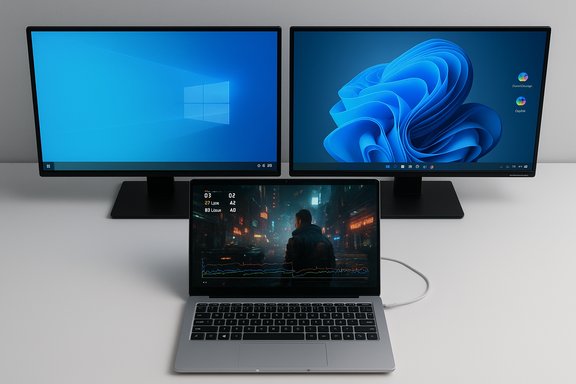
Microsoft’s push to move the world to Windows 11 has been steady: a redesigned UI, tighter security defaults, DirectStorage and other gaming features, plus growing AI integrations such as Copilot. Against that backdrop, independent testers set out to answer a simple question: on identical hardware, which OS feels and performs faster in everyday use, benchmarks and games? One recent practical side‑by‑side comparison used a Framework Laptop 13 equipped with an AMD Ryzen AI 9 370 HX, integrated Radeon 890M graphics, 32 GB DDR5 RAM and a 1 TB NVMe SSD to eliminate hardware as a variable. The headline finding from that test: Windows 10 is leaner at idle and uses fewer storage and memory resources, while Windows 11 tends to either match or slightly outperform Windows 10 in modern gaming scenarios and on the latest drivers. This real‑world experiment and its interpretation are explored below. Methodology: how these head‑to‑head tests were set up
The hardware baseline
Testing on the same physical machine is the only fair way to evaluate OS differences. The platform used in the comparison was a Framework Laptop 13 with:- AMD Ryzen AI 9 370 HX (Zen5/Zen5c hybrid core layout)
- Integrated Radeon 890M GPU (RDNA family)
- 32 GB DDR5 memory
- WD Black SN770 1 TB NVMe SSD
Fresh installs, controlled defaults
Both Windows 10 and Windows 11 were installed cleanly and kept at default post‑install settings when possible. Testers measured idle memory and process counts, storage consumption after installation, Safe Mode footprints, synthetic CPU/GPU benchmarks (Cinebench, Geekbench, Blender, 7‑Zip, 3DMark variants) and real gaming runs (Cyberpunk 2077, Shadow of the Tomb Raider, Counter‑Strike 2). Where Microsoft introduces OS features that affect performance (Virtualization‑Based Security, memory integrity, Copilot, cloud sync, preinstalled inbox apps), those defaults were noted because they reflect what a typical user would encounter. The comparison therefore reflects practical, out‑of‑the‑box behavior rather than a heavily tuned, sanitized lab environment.Idle and resource footprint: Windows 10 remains lighter
One of the simplest but most consequential comparisons is what the OS uses before you open any apps.- Windows 10 (fresh) reported an idle memory footprint in the neighborhood of ~3.5 GB with approximately 145 active services in the test record.
- Windows 11 (fresh) showed a larger idle footprint of around ~5.6 GB with roughly 165 running processes on the same hardware.
- Storage used after installation: Windows 10 ≈ 38.5 GB, Windows 11 ≈ 54 GB.
Safe Mode tells the same story
When both systems were booted into Safe Mode (where only essential kernel and system services run), the difference narrowed but did not disappear:- Windows 10 Safe Mode: ~1.9 GB RAM
- Windows 11 Safe Mode: ~3.1 GB RAM
Synthetic benchmarks: processor parity, GPU variance
Synthetic CPU benchmarks produced nearly identical results in tightly‑controlled runs:- Cinebench 2024: Windows 10 ≈ 980 points, Windows 11 ≈ 971 points — a difference within measurement noise for real‑world work. Geekbench, Blender and 7‑Zip showed similarly small CPU deltas. These results show that at the CPU scheduling and core utilization level, Microsoft’s kernel changes have not produced consistent, large throughput shifts for mid‑to‑high workloads.
- 3DMark Steel Nomad Light: Windows 10 ≈ 3,101 vs Windows 11 ≈ 2,743
- Blender OpenData (GPU): minor single‑digit advantage for Windows 10 in some reported tests.
Gaming: modern titles bend the story toward Windows 11 in some cases
Gaming is where practical differences become most visible to users, because frame rates, 1% lows and GPU utilization translate directly into perceived smoothness.- Cyberpunk 2077 (test runs): Windows 10 — 44 FPS (low) and 30 FPS (high); Windows 11 — 52 FPS (low) and 32 FPS (high) — a reported uplift near ~10% in the low detail scenario.
- Shadow of the Tomb Raider: small margins with Windows 11 slightly ahead in the test run (55 vs 53 fps).
- Counter‑Strike 2: mixed; one test showed Windows 10 marginally ahead but differences were small.
Why games sometimes run better on Windows 11
There are a few plausible technical causes that have been identified across multiple independent testing outlets:- Driver optimization focus: GPU and platform vendors increasingly prioritize Windows 11 as the primary development and optimization target. New driver builds often ship with Windows 11 as the main validation platform, meaning some driver improvements hit Windows 11 first.
- OS scheduler and branch predictor fixes: Recent Windows 11 updates (notably in 23H2/24H2 cycles and specific backports) included microarchitectural scheduling and code‑path tweaks that helped Zen‑family CPUs avoid performance regressions and improve frame timing in some titles. Major outlets reported measurable Ryzen‑specific up‑ticks after these updates.
- Gaming features: DirectStorage and Auto HDR are integrated into Windows 11 with more aggressive support, and while DirectStorage’s real benefits appear when a game is built for it, the platform support reduces friction for the fastest load paths.
Drivers, compatibility and the practical upgrade cost
Driver support and hardware partner priorities are a large part of the future‑proofing argument.- Vendors (AMD, Nvidia, Intel) increasingly validate and optimize drivers for Windows 11 as their primary platform. While Windows 10 remains supported, some newer hardware (and some vendor utilities) are being designed around Windows 11 performance profiles and security features. That manifests as driver drops, fewer Windows 10‑specific optimizations, and occasional compatibility gaps (for example, recent Wi‑Fi or peripheral driver availability differs between OSes). The original test required swapping the Framework laptop's MediaTek Wi‑Fi module for an Intel module because of driver availability issues on Windows 10 — a concrete example of practical compatibility drift.
- Microsoft’s product roadmap also tilts toward Windows 11 feature updates and OS‑level innovations (Copilot, improved hardware‑assisted security, automatic backups tied to Microsoft accounts). Meanwhile, Windows 10 is effectively feature frozen and will not receive new functionality; it will receive only security updates until end‑of‑support. That status affects long‑term viability in corporate and consumer contexts.
Security and support: the non‑performance case for switching
Performance is only part of the upgrade calculus. Microsoft set October 14, 2025 as the end of support for Windows 10; after that date, Windows 10 will no longer receive free security and reliability updates unless a user enrolls in the Extended Security Updates (ESU) program or moves to Windows 11. That decision changes the risk profile for staying on Windows 10 long term. If you depend on Microsoft‑supported apps and regular security patches, staying on Windows 10 becomes progressively more hazardous and expensive to maintain over time.Practical recommendations: which OS should you use and when
Here are actionable, prioritized guidelines based on hardware, use case and tolerance for change.- If you run older or low‑spec hardware (4–8 GB RAM, slower HDD/older NVMe, older CPU), and you need the most responsive, predictable system for productivity work, stick with Windows 10 for now — but plan your migration before the end‑of‑support date (or enroll in ESU temporarily). Windows 10’s lighter idle footprint and smaller storage demands make it the better choice on constrained hardware.
- If you have modern hardware (NVMe SSD, 8+ GB RAM — ideally 16 GB for comfortable multitasking, newer Zen/Intel cores) and you want the best long‑term compatibility with drivers, gaming features and AI integrations, move to Windows 11. You will likely benefit from ongoing driver optimization, modern security primitives and future features that will not be backported to Windows 10.
- If gaming is your priority:
- Test your key titles on the target OS before committing — install both if possible and compare frame rates, 1% lows and input latency with your regular drivers and settings.
- Consider disabling certain default Windows 11 security settings (like Memory Integrity / Core Isolation) if they measurably hurt performance and you accept the trade‑off; but understand this reduces some protections. Many performance differences are small and scene‑dependent — a 5–10% swing matters in competitive play, not casual gaming.
- For business and managed deployments:
- Prioritize stability and predictable update management. If you rely on niche drivers or enterprise software that is validated on Windows 10, weigh compatibility testing heavily before upgrading thousands of endpoints. If you have newer hardware or a long update horizon, favor Windows 11 for continued support and security features.
Strengths and risks: critical analysis
Strengths of Windows 10 (today)
- Lower idle resource usage — better for older machines and small SSDs.
- Mature and predictable — feature‑frozen status reduces surprise regressions.
- Familiar administration and driver ecosystems for legacy business apps.
Strengths of Windows 11 (today)
- Better alignment with modern drivers and hardware features, which can translate to lower latencies and higher FPS in some modern titles.
- Built‑in modern gaming stack (DirectStorage, Auto HDR) and ongoing feature investments including Copilot and on‑device AI.
- Stronger security posture going forward (platform controls, hardware attestation).
Risks and caveats
- Resource overhead: Windows 11’s larger baseline RAM/storage footprint can degrade responsiveness on low‑spec machines.
- Driver quirks: As vendors prioritize Windows 11, some older devices will see declining driver availability for Windows 10 — forcing hardware swaps or forgoing new peripherals.
- Variability across titles: Gaming gains on Windows 11 are not universal; they are often title, driver and CPU‑generation dependent. Large single‑digit percentages are common; big leaps are the exception and usually traceable to specific fixes (e.g., Ryzen branch predictor backports).
A short checklist for anyone deciding right now
- Check your hardware: TPM, Secure Boot, CPU generation and at least 8 GB RAM are minimum practical thresholds for a trouble‑free Windows 11 experience.
- Back up: use a full image or Windows Backup before performing OS conversion.
- Test critical apps and drivers on a secondary partition or external drive before migrating business fleets.
- If gaming: run a representative set of titles and record 1% lows as well as averages — the latter can hide stutter that matters in play.
- Consider ESU or migration schedules if you must stay on Windows 10 for software compatibility.
Final verdict
The headline answer is nuanced: Windows 10 is still faster in the narrow sense of using fewer resources at idle and consuming less storage; that makes it the preferable choice for older or resource‑constrained systems. Windows 11, however, is better positioned to leverage modern hardware, driver optimizations and gaming pipeline improvements, and will likely feel measurably faster in certain gaming and modern workloads on contemporary hardware. In other words, Windows 10 wins the economy class race; Windows 11 is the premium upgrade that pays off when paired with modern silicon and drivers.Put another way: choose Windows 10 for predictable, low‑overhead productivity on older machines; choose Windows 11 for a forward‑looking platform that will continue to receive driver attention, security updates and new features — and that is already proving beneficial in many real‑world gaming and modern app scenarios. This conclusion echoes multiple independent test reports and community benchmark analyses.
Conclusion
Performance alone is no longer the only decisive factor when choosing an operating system — support lifecycle, driver availability, security posture and which apps you run must all be part of the decision. For now, Windows 10 remains a strong, lean platform for existing machines; Windows 11 is the future direction Microsoft and most hardware vendors are designing toward, and that future already brings practical benefits in gaming and driver‑driven optimizations. If your hardware meets Windows 11’s practical needs and you value long‑term security and compatibility, the switch is worthwhile; if you value tight resource efficiency today, staying on Windows 10 (with a migration plan) remains a defensible choice.
Source: igor´sLAB Windows 10 or Windows 11 - which system is really faster? | igor´sLAB
