

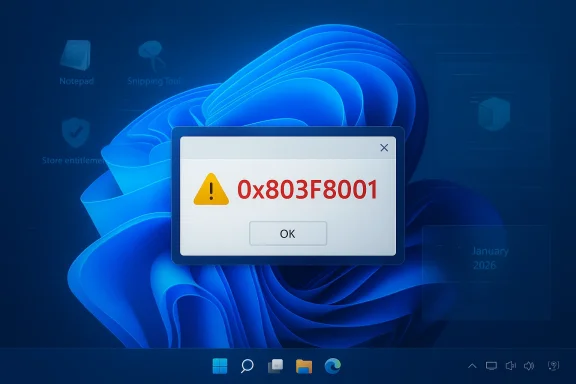
Windows 11 users worldwide began reporting a sudden and troubling problem: core utilities that used to open instantly — Notepad, Snipping Tool, and a range of other Store‑backed or OEM apps — started failing to launch with the error code 0x803F8001 (often paired with a File system error such as -2143322111), leaving users locked out of basic productivity workflows and administrators scrambling for triage steps and rollback options. This is not a cosmetic UI lapse; the failure points squarely at the Store entitlementent and package registration layers that increasingly underpin modern Windows apps, and the event exposes real operational and architectural risks as Microsoft shifts more inbox functionality into AppX/MSIX packages and cloud‑validated entitlements.
Short‑term, follow the prioritized triage steps, collect diagnostics if the problem persists, and check Microsoft’s update bulletins and service dashboards before broad remediation. Medium‑term, expect Microsoft to refine entitlement resilience and to publish targeted guidance or fixes; in parallel, IT teams should harden imaging and first‑logon registration steps so that a single entitlement hiccup does not cascade into a full productivity outage. Final operational note: if an app contains irreplaceable data and the packaged version fails, try launching legacy binaries (for example c:\windows\system32\notepad.exe) to extract content before taking destructive steps. When in doubt, document each remediation step and keep a tested rollback path — that discipline will minimize collateral damage during incidents like this.
Source: Neowin https://www.neowin.net/news/notepad-snipping-tool-other-apps-broken-by-new-bug-in-windows-11/
 Background
What the error code 0x803F8001 actually means
Error 0x803F8001 is most commonly a Microsoft Store licensing or package registration validation failure: the system reports it cannot confirm the app entitlement or cannot initialize the app package’s registration state, so the app refuses to start. That behavior maps exactly to the symptoms users are seeing when both Store‑installed apps and many inbox AppX/MSIX packages (for example updated Notepad and Snipping Tool builds) suddenly refuse to open. Community threads and Microsoft’s Q&A forums showing reports of this same failure mode across diverse devices and OEM utilities.Why inbox utilities like Notepad and Snipping Tool are affected
Over recent Windows releases Microsoft has moved several classic utilities from legacy Win32 delivery into the Store/AppX ecosystem. That change enables faster updates, sandboxing, and CI/CD of app features — but it also couples basic runtime availability to the Store’s entitlement, registration, and servicing layers. If the Store agent or local registration cache is corrupted, fail to validate, inbox apps packaged as AppX/MSIX can show the same licensing‑validation failure as a paid Store title. That design trade‑off is at the heart of why seemingly unrelated apps can fail at once.What users are reporting right now
- Many users see a modal or toast that says an app “is currently not available in your account” and then shows 0x803F8001.
- The error appears across a mix of apps: Notepad, Snipping Tool, OEM control apps (Alienware Command Center, NitroSense, Armoury Crate), and some game‑related launchers.
- Common companion logs include File system error (-2143322111) or store/entitlement related diagnostic events in Event Viewer.
- Some users reported that launching the legacy executable (for example c:\windows\system32\notepad.exe) still worked, while the modern packaged Notepad failed. That split underscores that this is a Store/packaging/entitlement problem rather than a complete binary corruption.
How widespread and how urgent is this?
Public community volume — Microsoft Q&A threads, Reddit, Windows forums and coverage by major outlets — indicates the problem is widespread and reproducible on many devices as of the initial outbreak. Microsoft’s Q&A entries show multiple reports filed in short order, and independent outlets have documented the same symptoms and early remediation attempts. While Microsoft had not initially posted a formal KB explicitly tying 0x803F8001 to a new known issue, the scale of reports and consistent failure pattern made this an operational outage for many end users and help desks.Immediate triage — safe first steps (what users should try first)
These are conservative, low‑risk steps that commonly resolve Store entitlement/registration mismatches. They should be attempted in order and are non‑destructive.- Restart Windows (full reboot). This clears transient service tokens and Store agent state.
- Open Microsoft Store → click your profile → sign out and then sign back in to refresh account tokens.
- Run the Store cache reset: press Win + R, type wsreset.exe and press Enter.
- Confirm system time, date, and region settings are correct (authentication calls fail with bad system time).
- Run the Windows Store Apps troubleshooter: Settings → System → Troubleshoot → Other troubleshooters → Windows Store Apps → Run.
- Test launching the app again; if it still fails, try the Repair option in Settings → Apps → Installed apps → [App] → Advanced options.
- If Repair fails, try Reset for the app (same Advanced options panel) or uninstall and reinstall from the Store.
Advanced diagnostics and remediation (for power users and IT)
If basic triage doesn’t restore functionality, escalate methodically:- Collect artifacts first: Event Viewer entries, Reliability Monitorcation process dump. These are crucial when submitting Feedback Hub tickets or engaging Microsoft Support.
- Test with a fresh local user account. If apps run there, the issue is likely per‑profile licensing cache corruption.
- Use PowerShell to re‑register AppX packages (administrator PowerShell):
- Open PowerShell as Administrator.
- Run: Get-AppxPackage -AllUsers | Foreach {Add-AppxPackage -DisableDevelopmentMode -Register "$($_.InstallLocation)\AppXManifest.xml"}
- If the app is OEM/third‑NitroSense), consider manually uninstalling via the vendor installer and reinstalling from the vendor site — some users found this restored functionality even when Store reset/repair did not.
- As a last resort for persistent, multi‑app failures, perform an in‑place Windows repair (Windows 11 installation media / “Repair your PC” option) — this preserves user files while repairing OS components.
What has Microsoft said or done so far?
Microsoft’s public Q&A threads acknowledge many users reporting Snipping Tool and other apps failing with the 0x803F8001 message; community moderators and independent advisors recommend the standard Store/account cache repairs. At the platform level, Microsoft also issued the January 13, 2026 cumulative update (KB5074109) which addressed a variety of issues — and some teams reporting the 0x803F8001 problem found relief after applying that update or after receiving follow‑up out‑of‑band fixes. However, KB5074109 was itself associated with separate regressions (notably Azure Virtual Desktop credential prompts) that required Known Issue Rollback and subsequent fixes, illustrating how complex and interdependent update fixes can be. Administrators should review Microsoft’s KB notes and update history for details and Microsoft’s recommended mitigations. Important: community reports that “installing KB5074109 fixed the issue” are observational and useful, but they do not constitute an authoritative universal cure. The KB addressed a range of components and every system’s configuration differs; treat those reports as possible avenues of relief and verify against dowscentral.Root‑cause analysis — architecture, tradeoffs, and systemic risk
Windows’ evolution e‑serviced model yields clear benefits (faster updates, modern packaging, safer sandboxes). But this incident highlights a systemic counterparty risk:- Single‑point dependency: When core UI utilities are packaged and validated through the Microsoft Store entitlement system, a failure in that entitlement or in local registration can take down multiple, otherwise unrelated apps simultaneously.
- First‑sign‑in provisioning sensitivity: Past regressions (notably provisioning timing regressions tied to cumulative updates) show that packaged XAML dependencies and package registration can race against shell initialization on first logon, particularly in non‑persistent VDI and image deployment scenarios. This increases the blast radius in enterprise and cloud desktop images.
- Operational tooling fragility: Administrator runbooks that perform destructive fixes (uninstall/reinstall packages wholesale, delete package folders) increase the risk of collateral damage and data loss if eagnosed as package corruption.
Risks for different user groups
- Home users: productivity loss (Notepad and Snipping Tool are commonly used for quick notes and screenshots). Most users will follow the simple repair steps and recover.
- Power users and content creators: loss of Snipping Tool functions (OCR, markup, screenshot workflows) can be disruptive, particularly where no robust alternative is in place.
- Enterprises, VDI, education, and imaging teams: the greatest risk. If provisioning or registration fails at first sign‑in across images, entire pools can boot into degraded states lacking essential shell UI elements or packaged utilities. This produces help‑desk ticket spikes and potential downtime for many users.
- Accessibility impact: Snipping Tool and other apps are used in accessibility workflows (for example with Narrator or other assistive tools); outages can degrade accessibility and compliance for dependent users.
Practical guidance for IT administrators (priorities and playbook)
- Prioritize non‑destructive fixes:t/sign‑in, wsreset, basic troubleshooter.
- If multiple users in a ring are affected, check Microsoft service health dashboards and the Windows Release Integrity pages before wide remediation — cloud‑side outage or global entitlement failure changes triage strategy.
- Avoid mass automated uninstall scripts until you have per‑device verification. If you must automate, include a safety gate that tests app launch success before and after the change and keeps a rollback snapshot.
- For image provisioning and VDI pools: validate package registration steps as part of your Golden Image build and add a synchronous re‑registration step at first logon; where possible, schedule major cumulative updates outside of critical deployment windows.
- Keep a documented fallback plan: ensure alternate capture workflows are available (Win+Shift+S overlay, third‑party screenshot tools vetted for security), and maintain clear communication channels with affected users about expected timelines.
What Microsoft should (and likely will) do
- Produce a clear, vendor‑level Known Issue Bulletin if the incident is confirmed to be caused by a server‑side entitlement problem or a specific cumulative update. That bulletin should include:
- exact builds/KBs impacted,
- safe rollback instructions,
- per‑user remediation commands,
- and guidance for managed environments (KIR Group Policy download and deployment steps if necessary).
- Reduce single‑signal gating for in‑box apps by building defensive UI behavior (for example, apps that detect entitlement check failure could display a clearer diagnostic and allow fallback to local, read‑only functionality where safe).
- Improve pre‑flight validation for staged rollouts so that entitlement and provisioning services are validated end‑to‑end before broad rollouts to consumer and enterprise rings.
A note on unverifiable attributions and data accuracy
Community posts and outlet articles have suggested different root causes — some tie the event to a specific KB or Store backend outage, others to local package cache corruption. While the consistency of the error code and the Store/registration‑related messages strongly indicate an entitlement/registration layer failure, final root‑cause attribution requires vendor telemetry and an official Microsoft statement. Treat third‑party remediation claims (for example “installing KB x fixed this for everyone”) as observational and verify them against Microsoft’s official guidance and your own device telemetry before applying broad changes.Checklist: Quick decision matrix for users and admins
- If you see 0x803F8001:
- Reboot and sign out/in to Microsoft Store. (Fast)
- Run wsreset.exe and the Windows Store Apps troubleshooter. (Fast)
- Repair, then Reset the affected app in Settings → Apps. (Moderate)
- Uninstall + reinstall from the Store or vendor site. (Moderate)
- If many users are affected, check Microsoft service status, then collect logs and escalate to Microsoft Support with dumps and WinVer output. (High)
- For VDI or imaging, add synchronized AppX re‑registration on first logon and validate images with the latest cumulative updates in a staging ring. (Admin)
Conclusion
The 0x803F8001 wave of failures that left Notepad, Snipping Tool, and other apps unusable serves as a timely reminder: modernizing Windows by packaging inbox apps and relying on Store entitleme benefits — but it also concentrates operational risk into a smaller set of platform services. For most users, the immediate impact can be mitigated with straightforward Store and app repairs; for administrators and organizations, this event underscores the importance of resilient provisioning scripts, non‑destructive runbooks, and verified rollback procedures when deploying cumulative updates.Short‑term, follow the prioritized triage steps, collect diagnostics if the problem persists, and check Microsoft’s update bulletins and service dashboards before broad remediation. Medium‑term, expect Microsoft to refine entitlement resilience and to publish targeted guidance or fixes; in parallel, IT teams should harden imaging and first‑logon registration steps so that a single entitlement hiccup does not cascade into a full productivity outage. Final operational note: if an app contains irreplaceable data and the packaged version fails, try launching legacy binaries (for example c:\windows\system32\notepad.exe) to extract content before taking destructive steps. When in doubt, document each remediation step and keep a tested rollback path — that discipline will minimize collateral damage during incidents like this.
Source: Neowin https://www.neowin.net/news/notepad-snipping-tool-other-apps-broken-by-new-bug-in-windows-11/
