
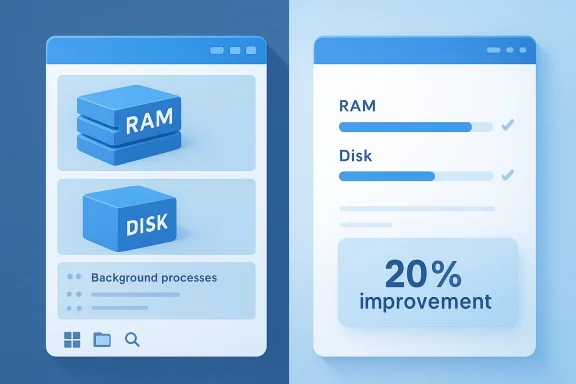
Microsoft may finally be doing something Windows users have begged for years: focusing on the basics. A former Windows leader, Mikhail Parakhin, recently said Microsoft once had an internal “20/20” project aimed at cutting Windows’ idle memory use and fresh-install disk footprint by 20%, and he framed it as the kind of work Windows 11 still needs today. That remark landed just as Microsoft has begun talking more openly about performance, consistency, and trimming unnecessary friction across the OS. The timing matters because users have spent years watching Windows 11 gain features while still feeling heavy, inconsistent, and at times distracted by AI and cloud ambitions.
Windows has always lived in a tension between ambition and restraint. Every major version adds new capabilities, but the platform’s reputation depends on whether those features arrive without making the operating system feel bloated, sluggish, or overly complicated. In the Windows 11 era, that balance has become harder to preserve because Microsoft has been trying to do several things at once: modernize the interface, deepen security, advance AI integration, and keep the platform relevant across consumer, enterprise, and hardware-partner priorities.
That is why Parakhin’s comment resonates. The idea of reducing idle memory consumption and fresh install size by 20% is not flashy, but it is exactly the sort of engineering discipline that tends to matter most in everyday use. Windows users notice when a machine boots faster, wakes quicker, runs cooler, and leaves more RAM available for real work. They also notice when a new OS image eats too much storage before they have installed a single app.
Microsoft has, at least publicly, signaled renewed attention to those fundamentals. In recent Windows 11 messaging, the company has talked about improving responsiveness, reducing resource usage, and making the baseline footprint lighter so applications have more headroom. It has also highlighted broader UX changes, including giving users more control over updates and reducing the number of places where Copilot and other AI features appear. That is a significant shift from the more aggressive “add more” phase of Windows 11’s life.
The tension is that users do not judge intent; they judge results. Microsoft can announce a push for performance improvements, but if those improvements are only incremental, or if they are offset by more background services and cloud hooks, the goodwill evaporates quickly. That makes the long-lost “20/20” project more than a nostalgic anecdote. It is a reminder that Windows has been here before, knows what needs fixing, and may simply have chosen other priorities for too long.
The phrase “focus on fundamentals” is doing a lot of work here. It suggests that Microsoft’s recent messaging may be turning back toward the unglamorous engineering that users can feel but rarely see in marketing decks. That includes startup behavior, UI responsiveness, service overhead, and storage hygiene. It also implies that some of Windows 11’s current pain points are not inevitable; they are the result of choices.
The same logic applies to disk footprint. Fresh-install size matters more than many enthusiasts admit because Windows is often installed on modest SSDs in budget laptops, mini PCs, and low-cost business machines. A leaner base image helps recovery, updates, and OEM preloads, while also giving users more actual usable space out of the box.
Now the company seems to be recalibrating. The message is not that Windows 11 will stop evolving; it is that evolution must be accompanied by cleaner behavior, lower overhead, and fewer irritants. That matters because user perception of Windows is shaped as much by day-to-day annoyance as by marquee features. A snappier File Explorer or lighter shell can do more for satisfaction than yet another Copilot prompt surface.
There is also a strategic angle here. Microsoft has spent years trying to justify Windows 11’s elevated hardware requirements by promising a more secure and more modern platform. The problem is that those benefits only go so far if the system still feels top-heavy. Leaner defaults help the company argue that its requirements are about quality, not artificial gatekeeping.
That is why a performance-first message can work only if it is visible. If Microsoft says it is simplifying Windows but continues to layer AI everywhere, users will see contradiction rather than balance. The company needs to prove that AI and efficiency can coexist without turning the OS into a noisy, service-heavy environment. That is a harder engineering problem than adding features, because it requires restraint.
That means Microsoft must communicate not just that it is optimizing Windows 11, but what it is optimizing for. Is the goal lower idle use? Faster boot times? Reduced background activity? Cleaner installs? Better battery life? Ideally all of the above, but the company needs to be precise or the audience will assume it is simply repackaging the same old overhead in a friendlier story.
Consumers, meanwhile, care about feel. They may not measure RAM usage, but they absolutely notice lag, battery drain, fan noise, and limited SSD space. For them, the value of a 20% improvement is emotional as much as technical. A system that starts faster and stays responsive builds confidence in the platform, while a bloated one makes every other promise feel smaller.
For business customers, a leaner OS can mean lower helpdesk volume and fewer complaints from users on older or cost-sensitive hardware. For home users, it can mean better value from the machine they already own. In both cases, the return on engineering work is unusually high because the change touches every session, not just a niche feature.
Another reason is that efficiency work is often invisible until it is missing. Users notice a new feature instantly, but they rarely celebrate the absence of a memory leak or a lighter installer unless the improvement is dramatic. That can make foundational engineering harder to defend internally, especially when product groups are under pressure to show external momentum. It is the classic hard work nobody sees problem.
That is where Parakhin’s nostalgia cuts deep. A project like 20/20 sounds almost old-fashioned in the best possible way: set a clear target, shave off waste, and make the product better in everyday use. The fact that such work was left unfinished says as much about Microsoft’s internal priorities as it does about the technical challenge.
Apple, for instance, has long benefited from tight hardware-software integration that lets macOS feel polished on relatively modest resources. ChromeOS has built its pitch around low overhead and quick startup. Even gaming-oriented Linux distributions have been making gains by stripping away unnecessary layers. Microsoft’s answer cannot be to mimic all of them, but it does need to avoid looking like the heaviest option in every category.
The competitive implication is simple: if Microsoft can make the base OS feel less demanding, it expands the range of hardware that can deliver a satisfying experience. That matters for budget devices, enterprise refresh cycles, and education deployments. It also gives Microsoft a better story when users compare Windows 11 to lighter alternatives.
For users, that can translate into more practical benefits than a simple spec-sheet upgrade. A machine with slightly less RAM can still feel competent if the OS leaves more headroom. A modest SSD can feel bigger if the system image is less bloated. These are small gains individually, but they matter in the market segments where Windows volume actually lives.
This is one of those areas where good platform engineering quietly improves the entire ecosystem. If Microsoft does the hard work at the OS layer, partners can spend more energy on design and differentiation instead of mitigation. That may sound abstract, but it has very real consequences for device quality.
That is why the current emphasis on performance could be more important than any single new feature. Users want an OS that feels coherent, calm, and quick. They want fewer moments where the machine appears to be working against them. A more efficient Windows 11 would not solve every criticism, but it would address the one that tends to matter most in daily use: Does the PC feel good to use?
For Windows 11, this is especially important because the system already has a controversial aesthetic and a mixed reputation for continuity. Polished fundamentals can soften those criticisms. Even skeptical users are more forgiving of a UI they dislike if the machine is fast, stable, and unobtrusive.
The most important thing to watch is whether Microsoft treats efficiency as a permanent design principle instead of a one-off cleanup effort. That means measuring wins in memory, disk footprint, responsiveness, and update friction—not just in demonstrations, but in stable mainstream builds. It also means resisting the urge to bury every improvement beneath a new layer of product messaging.
Source: Windows Central Ex-Windows chief reveals Microsoft could have already improved Windows 11
 Background
Windows has always lived in a tension between ambition and restraint. Every major version adds new capabilities, but the platform’s reputation depends on whether those features arrive without making the operating system feel bloated, sluggish, or overly complicated. In the Windows 11 era, that balance has become harder to preserve because Microsoft has been trying to do several things at once: modernize the interface, deepen security, advance AI integration, and keep the platform relevant across consumer, enterprise, and hardware-partner priorities.That is why Parakhin’s comment resonates. The idea of reducing idle memory consumption and fresh install size by 20% is not flashy, but it is exactly the sort of engineering discipline that tends to matter most in everyday use. Windows users notice when a machine boots faster, wakes quicker, runs cooler, and leaves more RAM available for real work. They also notice when a new OS image eats too much storage before they have installed a single app.
Microsoft has, at least publicly, signaled renewed attention to those fundamentals. In recent Windows 11 messaging, the company has talked about improving responsiveness, reducing resource usage, and making the baseline footprint lighter so applications have more headroom. It has also highlighted broader UX changes, including giving users more control over updates and reducing the number of places where Copilot and other AI features appear. That is a significant shift from the more aggressive “add more” phase of Windows 11’s life.
The tension is that users do not judge intent; they judge results. Microsoft can announce a push for performance improvements, but if those improvements are only incremental, or if they are offset by more background services and cloud hooks, the goodwill evaporates quickly. That makes the long-lost “20/20” project more than a nostalgic anecdote. It is a reminder that Windows has been here before, knows what needs fixing, and may simply have chosen other priorities for too long.
What Parakhin’s Comment Really Means
Parakhin’s post is interesting not because it exposes a secret project, but because it reveals how Microsoft veterans think about Windows quality. A 20% cut in idle memory and install size sounds modest, yet it would be meaningful across millions of PCs, especially entry-level and midrange systems where every gigabyte and every background process counts. In other words, this is not just about benchmark bragging rights; it is about the lived experience of a platform that should feel lighter than it often does.The phrase “focus on fundamentals” is doing a lot of work here. It suggests that Microsoft’s recent messaging may be turning back toward the unglamorous engineering that users can feel but rarely see in marketing decks. That includes startup behavior, UI responsiveness, service overhead, and storage hygiene. It also implies that some of Windows 11’s current pain points are not inevitable; they are the result of choices.
Why 20% Matters
A 20% reduction in idle memory use would not merely be a technical win. It would likely change how devices behave under load, especially on 8GB systems that are still common in the Windows market. Freed-up RAM can reduce paging pressure, smooth multitasking, and make the UI feel less strained when background services pile up.The same logic applies to disk footprint. Fresh-install size matters more than many enthusiasts admit because Windows is often installed on modest SSDs in budget laptops, mini PCs, and low-cost business machines. A leaner base image helps recovery, updates, and OEM preloads, while also giving users more actual usable space out of the box.
- Less idle memory use can improve multitasking.
- Smaller install size helps lower-capacity SSD systems.
- Leaner baseline builds reduce upgrade and recovery friction.
- Memory savings often compound with app-heavy workflows.
- Storage savings can matter even more on compact devices.
Microsoft’s Public Pivot Toward Fundamentals
Microsoft’s recent Windows 11 messaging has made “performance” a headline topic again. The company has talked about better resource efficiency, stronger responsiveness, and removing unnecessary clutter from the operating system. That is not a small rhetorical change. For years, many users felt Windows was drifting toward a feature-first mindset where interface changes and AI ambitions got more attention than baseline polish.Now the company seems to be recalibrating. The message is not that Windows 11 will stop evolving; it is that evolution must be accompanied by cleaner behavior, lower overhead, and fewer irritants. That matters because user perception of Windows is shaped as much by day-to-day annoyance as by marquee features. A snappier File Explorer or lighter shell can do more for satisfaction than yet another Copilot prompt surface.
A Better Fit for Hardware Reality
This shift also matches the hardware market. Memory and storage prices have been under pressure, and device makers continue to ship systems across a wide performance spectrum. A more efficient Windows 11 helps Microsoft look responsive to reality rather than detached from it. When base OS overhead shrinks, OEMs can spend less time compensating for the platform and more time differentiating on their own hardware.There is also a strategic angle here. Microsoft has spent years trying to justify Windows 11’s elevated hardware requirements by promising a more secure and more modern platform. The problem is that those benefits only go so far if the system still feels top-heavy. Leaner defaults help the company argue that its requirements are about quality, not artificial gatekeeping.
- Improved responsiveness helps both old and new PCs.
- Lower baseline usage can benefit thin-and-light laptops.
- Better storage efficiency matters for repair and recovery images.
- Cleaner defaults make Windows easier to recommend.
- A lighter OS supports Microsoft’s security story more credibly.
The Shadow of AI Bloat
One reason this discussion matters is that many users already suspect Microsoft is adding too much AI weight to Windows. Copilot, AI-assisted settings, contextual help, and new agent-style features all have strategic appeal, but they can also feel like surface area that competes with the operating system’s core utility. Even when those tools are useful, they create the impression that Windows is becoming more about Microsoft’s platform ambitions than the user’s workflow.That is why a performance-first message can work only if it is visible. If Microsoft says it is simplifying Windows but continues to layer AI everywhere, users will see contradiction rather than balance. The company needs to prove that AI and efficiency can coexist without turning the OS into a noisy, service-heavy environment. That is a harder engineering problem than adding features, because it requires restraint.
The User Trust Problem
Trust is the real currency here. Windows users have seen enough “improvements” over the years to know that some are cosmetic and some are structural. If the company trims a few megabytes in one place while adding more persistent services elsewhere, the result will not feel like progress. It will feel like accounting.That means Microsoft must communicate not just that it is optimizing Windows 11, but what it is optimizing for. Is the goal lower idle use? Faster boot times? Reduced background activity? Cleaner installs? Better battery life? Ideally all of the above, but the company needs to be precise or the audience will assume it is simply repackaging the same old overhead in a friendlier story.
- AI features can be useful, but they raise expectations for efficiency.
- Users notice when background services multiply.
- Perceived bloat can outweigh small performance wins.
- Transparent goals are more convincing than vague promises.
- Restraint itself has become a product feature.
Enterprise Versus Consumer Impact
The enterprise case for a lighter Windows 11 is straightforward. Corporate fleets care deeply about standardization, update reliability, memory headroom, and support burden. If Microsoft reduces baseline resource usage, IT teams get more predictable performance across mixed hardware, especially in environments where users keep too many applications open or rely on VDI-like patterns. Leaner Windows images can also reduce deployment friction and simplify maintenance windows.Consumers, meanwhile, care about feel. They may not measure RAM usage, but they absolutely notice lag, battery drain, fan noise, and limited SSD space. For them, the value of a 20% improvement is emotional as much as technical. A system that starts faster and stays responsive builds confidence in the platform, while a bloated one makes every other promise feel smaller.
Different Metrics, Same Outcome
The same optimization can serve both audiences, but the success criteria differ. Enterprises need reliability and manageability, while consumers need clarity and speed. That is why Microsoft’s challenge is not merely to improve Windows 11, but to make those improvements legible to two very different groups.For business customers, a leaner OS can mean lower helpdesk volume and fewer complaints from users on older or cost-sensitive hardware. For home users, it can mean better value from the machine they already own. In both cases, the return on engineering work is unusually high because the change touches every session, not just a niche feature.
- Enterprises value predictable behavior across fleets.
- Consumers value immediacy and perceived speed.
- Baseline efficiency helps older hardware stay viable.
- Better install size simplifies recovery and provisioning.
- Optimizations compound across long device lifecycles.
Why Microsoft Let It Slip
If Microsoft had such a project in the past, why did it not get finished? The simplest answer is organizational gravity. Windows is a massive product with competing goals, and engineering cycles get diverted toward shipping features, security fixes, compatibility work, and strategic initiatives. When leadership changes, priorities can shift quickly, and projects that do not have visible immediate impact may stall.Another reason is that efficiency work is often invisible until it is missing. Users notice a new feature instantly, but they rarely celebrate the absence of a memory leak or a lighter installer unless the improvement is dramatic. That can make foundational engineering harder to defend internally, especially when product groups are under pressure to show external momentum. It is the classic hard work nobody sees problem.
The Cost of Feature Gravity
Windows 11 has also carried the baggage of its own identity. Microsoft has wanted it to be a showcase for modern design, cloud services, and AI integration, which naturally pulls attention away from under-the-hood refinement. The risk is that the operating system becomes increasingly defined by additions rather than simplification. Over time, that makes each new layer harder to remove, even if it no longer delivers proportional value.That is where Parakhin’s nostalgia cuts deep. A project like 20/20 sounds almost old-fashioned in the best possible way: set a clear target, shave off waste, and make the product better in everyday use. The fact that such work was left unfinished says as much about Microsoft’s internal priorities as it does about the technical challenge.
- Big platforms tend to favor visible wins.
- Efficiency work is easy to defer.
- Legacy compatibility slows radical cleanup.
- Leadership changes can reset priorities.
- Unfinished fundamentals often linger for years.
The Competitive Landscape
Microsoft does not operate in a vacuum. Windows competes with macOS for premium users, ChromeOS for simplicity, Linux for enthusiasts and specific enterprise scenarios, and increasingly with mobile-like expectations around speed and battery life. In that context, Windows 11’s overhead is not just an internal issue; it is a competitive liability if rivals make lighter experiences feel more coherent.Apple, for instance, has long benefited from tight hardware-software integration that lets macOS feel polished on relatively modest resources. ChromeOS has built its pitch around low overhead and quick startup. Even gaming-oriented Linux distributions have been making gains by stripping away unnecessary layers. Microsoft’s answer cannot be to mimic all of them, but it does need to avoid looking like the heaviest option in every category.
Why “Lean” Is a Market Signal
A lighter Windows 11 also sends a message to OEMs and developers. It suggests Microsoft is serious about making the platform easier to live with on real hardware, not just reference systems or flagship devices. That can influence purchasing decisions, especially in segments where battery life and responsiveness are selling points. It also helps counter the narrative that Windows is only getting bigger and more complicated.The competitive implication is simple: if Microsoft can make the base OS feel less demanding, it expands the range of hardware that can deliver a satisfying experience. That matters for budget devices, enterprise refresh cycles, and education deployments. It also gives Microsoft a better story when users compare Windows 11 to lighter alternatives.
- Competitors win when Windows feels heavy.
- Efficiency improves Microsoft’s hardware flexibility.
- Better baseline performance helps low-cost devices.
- Cleaner UX improves product perception.
- A leaner OS strengthens Microsoft’s platform credibility.
What This Means for Hardware and Pricing
Parakhin’s note lands at an awkward but useful moment for Microsoft because hardware economics are not getting easier. Memory and storage are still cost-sensitive components, and consumers are increasingly aware of what they get for their money. If Windows itself consumes less, manufacturers can either ship leaner machines without compromising usability or redirect component budgets toward areas that matter more, like battery capacity or better displays.For users, that can translate into more practical benefits than a simple spec-sheet upgrade. A machine with slightly less RAM can still feel competent if the OS leaves more headroom. A modest SSD can feel bigger if the system image is less bloated. These are small gains individually, but they matter in the market segments where Windows volume actually lives.
OEMs Want Simpler Math
OEMs also benefit from lower baseline complexity because it reduces support variability. When a Windows image is lighter and more predictable, there is less need to compensate with aggressive tuning, cleanup apps, or preinstalled utilities that attempt to “fix” the OS. That, in turn, can improve customer satisfaction and cut down on the software clutter that makes new PCs feel worse than they should.This is one of those areas where good platform engineering quietly improves the entire ecosystem. If Microsoft does the hard work at the OS layer, partners can spend more energy on design and differentiation instead of mitigation. That may sound abstract, but it has very real consequences for device quality.
- Lower OS overhead helps component budgets stretch further.
- Leaner installs reduce the need for aggressive OEM tuning.
- Better baseline efficiency supports premium and budget tiers alike.
- Predictability reduces support headaches.
- Hardware partners gain room to differentiate.
The User Experience Stakes
Windows 11’s reputation has never been damaged by one giant failure alone. It has been eroded by many small ones: inconsistent interface decisions, features that feel unfinished, background behavior that seems excessive, and the perception that Microsoft is often one step behind what users actually want. Fixing that reputation requires sustained attention to the boring stuff.That is why the current emphasis on performance could be more important than any single new feature. Users want an OS that feels coherent, calm, and quick. They want fewer moments where the machine appears to be working against them. A more efficient Windows 11 would not solve every criticism, but it would address the one that tends to matter most in daily use: Does the PC feel good to use?
UX Is More Than Visual Design
Microsoft sometimes treats user experience as a matter of design language, but the real UX includes latency, memory pressure, update behavior, and recovery. If a machine spends less time loading background services, users feel the difference even if they cannot describe it technically. That is why efforts aimed at reducing footprint are so valuable—they improve perception without needing a new visual identity.For Windows 11, this is especially important because the system already has a controversial aesthetic and a mixed reputation for continuity. Polished fundamentals can soften those criticisms. Even skeptical users are more forgiving of a UI they dislike if the machine is fast, stable, and unobtrusive.
- UX includes performance, not just visuals.
- Fast recovery and wake behavior shape perception.
- Lower overhead makes the OS feel more controlled.
- Consistency matters more when the UI is controversial.
- Small quality wins can restore goodwill.
Strengths and Opportunities
Microsoft’s renewed attention to Windows 11 fundamentals creates a rare chance to win back users who care more about reliability than novelty. If the company executes well, the gains could be felt across consumer, enterprise, and partner ecosystems. The biggest opportunity is not a headline feature; it is restoring confidence that Windows can still be the best version of itself.- Reduced baseline memory use can make everyday multitasking smoother.
- Smaller install size helps devices with limited SSD capacity.
- Cleaner performance messaging could rebuild trust with enthusiasts.
- Better resource efficiency supports battery life and thermals.
- Enterprise fleets benefit from more predictable behavior.
- OEMs can ship lighter systems with less compensatory software.
- A fundamentals-first strategy fits the current market mood.
Risks and Concerns
The danger is that Microsoft overpromises and underdelivers, or worse, offsets gains with new background demands. Users are sophisticated enough to see when a company is optimizing around the edges instead of simplifying the core. If the performance story does not survive real-world scrutiny, it could deepen skepticism rather than reduce it.- Vague improvement claims can be dismissed as marketing.
- AI feature creep may cancel out efficiency gains.
- Compatibility constraints can limit how much Windows can slim down.
- Enterprise and consumer goals sometimes pull in different directions.
- Visible clutter can undermine confidence even after technical improvements.
- Incremental gains may feel insufficient if expectations are high.
- Leadership churn can derail long-term optimization work.
Looking Ahead
The next few Windows 11 releases will be crucial because they will show whether Microsoft’s new tone is matched by actual product changes. If users see lower resource usage, fewer intrusive surfaces, and a cleaner setup and update experience, the company will have a credible story. If not, the “focus on fundamentals” line will start to sound like another temporary campaign rather than a durable shift.The most important thing to watch is whether Microsoft treats efficiency as a permanent design principle instead of a one-off cleanup effort. That means measuring wins in memory, disk footprint, responsiveness, and update friction—not just in demonstrations, but in stable mainstream builds. It also means resisting the urge to bury every improvement beneath a new layer of product messaging.
- Idle memory usage should show measurable improvement.
- Fresh install size should come down in ways users can verify.
- Update control should become less disruptive.
- AI surfaces should become less noisy and more intentional.
- Performance gains should hold across real consumer hardware.
Source: Windows Central Ex-Windows chief reveals Microsoft could have already improved Windows 11
