

Microsoft has confirmed that recent Windows updates include stricter identity checks that can break NTLM and Kerberos authentication on systems that share duplicate machine Security Identifiers (SIDs), causing repeated credential prompts, failed logins, inaccessible SMB shares and broken RDP sessions on Windows 11 and Windows Server builds updated after August 29, 2025.
Microsoft’s official support note (KB5070568) explains that updates released on and after August 29, 2025 introduced added security protections that enforce checks on SIDs, and that these protections will cause authentication to fail when devices have duplicate SIDs. The advisory lists symptomatic behavior—repeated credential prompts, valid credentials being rejected, Event ID 6167 flagged by the Local Security Authority Server Service (lsasrv.dll), inaccessible SMB shares, and Remote Desktop failures—and explicitly names the affected platforms as Windows 11, version 24H2, Windows 11, version 25H2, and Windows Server 2025. Independent reporting and community diagnostics match Microsoft’s description and timeline: field reports tie the failures to preview and cumulative updates such as the August 29 preview (KB5064081) and the September 9 cumulative (KB5065426). These sources confirm that the new checks detect and block authentication handshakes between devices that were duplicated incorrectly (for example, cloned from a master image without running Sysprep), and that rebuilding or reimaging to ensure unique SIDs is the long-term fix.
Source: Forbes Microsoft Sounds Windows 11 And Server Update Failure Alarm
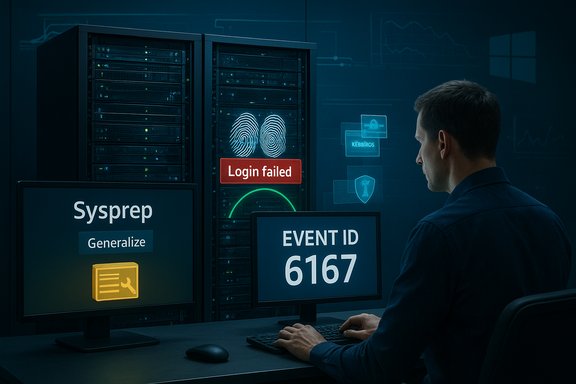 Background / Overview
Microsoft’s official support note (KB5070568) explains that updates released on and after August 29, 2025 introduced added security protections that enforce checks on SIDs, and that these protections will cause authentication to fail when devices have duplicate SIDs. The advisory lists symptomatic behavior—repeated credential prompts, valid credentials being rejected, Event ID 6167 flagged by the Local Security Authority Server Service (lsasrv.dll), inaccessible SMB shares, and Remote Desktop failures—and explicitly names the affected platforms as Windows 11, version 24H2, Windows 11, version 25H2, and Windows Server 2025. Independent reporting and community diagnostics match Microsoft’s description and timeline: field reports tie the failures to preview and cumulative updates such as the August 29 preview (KB5064081) and the September 9 cumulative (KB5065426). These sources confirm that the new checks detect and block authentication handshakes between devices that were duplicated incorrectly (for example, cloned from a master image without running Sysprep), and that rebuilding or reimaging to ensure unique SIDs is the long-term fix. What changed and why it matters
The technical change in plain language
Windows authentication depends on a reliable mapping between a machine’s identity, certificates, and authentication tokens. Microsoft tightened that mapping in the August–September 2025 servicing wave by enforcing SID checks and hardening aspects of Kerberos and NTLM handling (including certificate/altSecID verification and stricter SMB/NTLM-server behavior). The goal is to remove ambiguous or permissive fallback behaviors attackers have abused—a security-first change that reduces attack surface for token replay, NTLM relay and certificate-mapping impersonation. The operational consequence is straightforward: imaging and provisioning practices that left multiple machines with the same machine SID—an outcome of cloning disks or deploying VHDs without Sysprep/generalize—are now brittle. Under the prior, more tolerant behavior those duplicated SIDs often went unnoticed; after the hardening, authentication handshakes can be rejected because the runtime can no longer confidently bind identity or determine that a ticket came from the expected, unique machine.Why Microsoft did this
Ambiguous machine identity creates real security risk. Duplicate SIDs and permissive certificate mappings give attackers and misconfigured systems opportunities to impersonate or replay credentials across endpoints. Microsoft’s enforcement reduces that risk by refusing to accept authentication tokens whose bindings are ambiguous or inconsistent with the host identity. From a security posture, the changes are responsible and overdue; from an operations perspective, they expose unsafe imaging practices and legacy dependencies that must be fixed.Affected systems and observable symptoms
Platforms and updates implicated
- Windows 11, version 24H2 (all editions) — updates released on and after August 29, 2025 are implicated.
- Windows 11, version 25H2 (all editions) — cumulative releases in September/October 2025 included the enforcement.
- Windows Server 2025 — server SKUs that share the same servicing baseline are affected.
Typical symptoms administrators will see
- Repeated prompts for credentials even though the supplied credentials are correct.
- On-screen errors: “Login attempt failed,” “Login failed/your credentials didn't work,” or claims that the username/password are incorrect.
- SMB shares cannot be accessed by IP or hostname; printers and legacy NAS devices often fail first.
- Remote Desktop Protocol sessions fail to establish, including RDPs initiated through Privileged Access Management solutions or third-party tools.
- Failover clustering and database cluster traffic (AlwaysOn) may fail with “access denied” or SSPI/Kerberos handshake errors.
- Event log indicators: Security log entries such as SEC_E_NO_CREDENTIALS and System log LsaSrv Event ID 6167 with the message “There is a partial mismatch in the machine ID. This indicates that the ticket has either been manipulated or it belongs to a different boot session.” These events are high-signal diagnostics.
Root cause explained: duplicate machine SIDs and unsafe imaging
What is a machine SID?
A machine SID (Security Identifier) is the local identifier Windows assigns during installation; it underpins local account SIDs and local security descriptors. When administrators create an image of an OS volume and deploy it repeatedly without generalizing (Sysprep /generalize), multiple machines can end up with the same machine SID. Historically the ecosystem tolerated this to varying degrees; the 2025 hardenings remove that tolerance.How duplicate SIDs break authentication
Under the tightened checks, if two hosts share a machine SID the system may detect ambiguous identity bindings during authentication and treat the ticket as mismatched or manipulated. The authentication stack can then refuse the handshake instead of falling back to legacy acceptance behavior, causing NTLM or Kerberos network logons to fail between those hosts. This is especially visible when both sides of the transaction have been updated and both enforce the checks.Diagnostic checklist — gather evidence before you act
Use these steps to confirm whether SID duplication or related hardening is the root cause.- Check Event Viewer for high-signal entries:
- System: LsaSrv Event ID 6167 (“partial mismatch in the machine ID”).
- Security: SEC_E_NO_CREDENTIALS and Network logon failure Event ID 4625.
- Applications & Services → Microsoft → Windows → Kerberos: Event IDs 21/45 for certificate mapping failures.
- Detect duplicate machine SIDs:
- Use PsGetSid (Sysinternals) or PowerShell: Get-ADComputer -Properties objectSid (domain environments) or Get-ComputerInfo locally to compare SIDs. Example quick check: run PsGetSid \CompA and PsGetSid \CompB and compare the output.
- Capture SMB/Kerberos/NTLM operational logs:
- Enable/collect SMBServer/SMBClient logs and NTLM/Kerberos operational channels to capture the precise failure timestamps. These logs are used to correlate Event ID 6167 with authentication failures.
- Reproduce with test pairs:
- If possible, isolate two endpoints suspected to have identical SIDs and attempt an SMB or RDP connection while capturing logs on both ends to observe the handshake/decorrelation.
Remediation and mitigation — permanent and temporary options
Permanent fix (recommended)
- Rebuild or reimage affected devices using supported cloning/duplication methods that generate unique SIDs, i.e., run Sysprep /generalize as part of the image preparation process. After generalizing, join machines back to the domain and validate. Microsoft’s guidance is explicit: devices containing duplicate SIDs must be rebuilt using supported methods for cloning or duplicating Windows installations to ensure unique SIDs.
Temporary mitigations and stopgaps
- Microsoft offers a temporary Group Policy that can be installed and configured to address symptoms in the short term; however, this policy is not publicly downloadable—administrators must contact Microsoft Support for Business to obtain it. Treat this as a stopgap while performing a controlled rebuild plan.
- Short-term network workarounds used in emergencies (use sparingly and only in segmented/trusted networks):
- Force SMB over TCP (allow TCP port 445) to bypass NetBIOS/SMBv1 negotiation fallbacks that sometimes exacerbate the problem. This can help when NetBIOS/SMBv1 negotiation introduces additional problems, but it is not a SID-correction and is not universally effective.
- Create temporary local accounts for share access on one side to verify whether domain-authenticated flows are the failure point. This is a troubleshooting tactic, not a remediation strategy.
- Rollback caveat:
- Removing the Latest Cumulative Update (LCU) may improve symptoms in some cases, but be aware that some servicing changes are applied via the Servicing Stack Update (SSU) which is not easily reversible. Combined SSU+LCU packages complicate clean rollbacks; therefore full rollback is an operational risk and not guaranteed to restore pre-hardening behavior. Plan any rollback carefully and test in a lab.
Community tools and claims — treat with caution
- Community posts cite utilities that claim to regenerate SIDs on existing machines (for example, reports mentioning a tool named SIDCHG or similar). These tools are field-tested by some admins but are not supported by Microsoft for modern Windows versions and can have side effects (profile, licensing, domain-join issues). Use only after thorough testing and with full backups; when in doubt prefer Sysprep /generalize and rebuild as the supported path. Flag community-only tools as experimental and risky.
Practical remediation playbook for administrators (prioritized steps)
- Triage & inventory
- Identify affected systems by searching for Event ID 6167 and cross-referencing with your imaging/provisioning inventory (VDI pools, cloned templates, master VHDs). Use PsGetSid/Get-ADComputer to find duplicates.
- Pause broad deployments
- Halt automatic deployment of the suspect cumulatives to untested rings until you have a plan. Use pilot rings that include the diverse device types in your estate (VDI, physical desktops, printers, NAS).
- Obtain Microsoft temporary policy if needed
- If immediate business continuity requires it, contact Microsoft Support for Business to request the special Group Policy as an interim mitigation while you plan rebuilds. Document the time-limited nature of this measure.
- Reimaging and Sysprep workflow
- Build a canonical, Sysprep‑generalized golden image, test application compatibility and profile migration, and use that image to reprovision affected hosts. Validate SID uniqueness post-deployment and test authentication flows with representative workloads.
- Validate and monitor
- After remediation, validate SMB/Kerberos/NTLM flows across representative endpoints and monitor event logs for reappearance of Event ID 6167 or other authentication errors. Maintain a baseline of successful test connections and routine checks for a minimum stabilization window (for example, 72 hours).
- Communicate and document
- Inform users about the expected impact and schedule; schedule rebuilds when business impact is minimal; keep runbooks and rollback plans ready and version-controlled.
Operational risks and long-term recommendations
Risks caused by the hardening
- Scale of disruption: environments that used non-generalized imaging at scale (VDI pools, classroom images, test labs) can experience mass failures that directly affect business operations—file access, remote access, cluster operations and application services can all be impacted.
- Patch management complexity: combined SSU+LCU packages make rollbacks harder and increase the chance that a one-click rollback will not restore prior behavior. This raises the bar for testing and makes emergency remediation costlier.
- Legacy-device exposure: networks that rely on SMBv1, NetBIOS, or NTLMv1-derived flows will see the greatest compatibility pain; these systems are also security liabilities and should be prioritized for modernization or isolation.
Strategic recommendations
- Treat image generalization as a first-class operational requirement: incorporate Sysprep/generalize into image pipelines and ensure golden images are version-controlled and tested prior to broad deployment.
- Adopt a phased rollout and maintain a broad, representative pilot ring: test updates against VDI, physical desktops, server roles, clusters, and any legacy appliances that integrate with SMB or Windows authentication.
- Inventory legacy SMB/NTLM dependencies and modernize: replace SMBv1 devices or isolate them with strict ACLs and network segmentation; remove NTLMv1 dependencies where possible.
- Maintain good backups and immutable images for rapid replacement: rebuilding with an up-to-date, tested image is the proper fix when SIDs must be regenerated. Keep a secure offline copy of a validated image for emergency redeploys.
What to tell users and helpdesk staff
- Communicate that repeated credential prompts and network share or RDP failures after a recent Windows update may indicate a deeper identity binding issue (duplicate SIDs), not an individual password problem. Provide guidance to log exact error messages and collect Event Viewer snapshots.
- Prepare helpdesk scripts to collect: (a) the output of whoami /user, (b) system winver (or Get-HotFix/OS build), and (c) a screenshot of the Event Viewer around the failure time, especially System and Security logs. This speeds diagnosis and triage.
Final analysis — balancing security and operational risk
Microsoft’s enforcement of SID uniqueness and the related authentication hardenings address real and long-standing attack paths in Windows authentication. From a security perspective the change is necessary and correct: ambiguous machine identities and permissive fallback behaviors are exploitable. However, the change also exposed fragile operational practices—large estates that relied on un-generalized images now face disruptive remediation tasks that are non-trivial at scale. That tension—the rightness of hardening versus the practical cost of remediation—is the central lesson for IT teams responsible for Windows fleets. The practical response is twofold: first, treat the Microsoft advisory and Event ID 6167 as high-priority diagnostic signals and inventory affected systems quickly; second, adopt a disciplined imaging and patching practice that prevents similar disruptions in future. Short-term band-aids (temporary Group Policy from Microsoft Support, isolated SMB/TCP workarounds, or experimental SID-regeneration tools) can buy time, but the sustainable, supported solution is to rebuild using Sysprep‑generalized images and modernize legacy SMB/NTLM dependencies.Conclusion
The Windows 11 / Windows Server 2025 authentication regressions tied to duplicate machine SIDs illustrate a predictable but painful result of security hardening: systems and processes that depended on legacy tolerance suddenly fail when the platform enforces correctness. Microsoft’s guidance is explicit—unique SIDs are required going forward for supported duplication methods, and rebuilding with supported imaging practices is the permanent remedy. Administrators should prioritize detection (Event ID 6167, PsGetSid/Get-ADComputer checks), triage the most critical systems, seek Microsoft’s temporary policy only as a stopgap if necessary, and plan coordinated reimaging or Sysprep-based rebuilds to restore secure, reliable authentication at scale.Source: Forbes Microsoft Sounds Windows 11 And Server Update Failure Alarm
