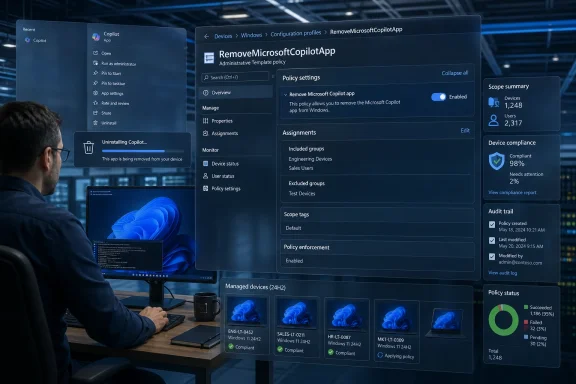
Microsoft now documents a Windows 11 policy called RemoveMicrosoftCopilotApp that lets administrators uninstall the Microsoft Copilot app on managed Windows 11 version 24H2 devices, a change surfaced in May 2026 as part of Microsoft’s broader retreat from putting Copilot everywhere in the operating system. The policy does not mean Microsoft is abandoning AI in Windows. It means Redmond has finally accepted that an assistant promoted as the future of computing cannot keep behaving like an app users and admins are not allowed to decline. For WindowsForum readers, the story is not that Copilot can be removed; it is that Microsoft has had to turn removal itself into an enterprise feature.
The new policy lands after two years of Copilot expansion that often felt less like product design and more like territorial marking. Copilot appeared on the taskbar, acquired a keyboard key on new PCs, surfaced through Edge, spread into Microsoft 365, and became a recurring presence in inboxes, app chrome, and Windows settings conversations. Microsoft’s message was clear: AI was no longer an optional destination; it was part of the road.
That strategy was always going to collide with the way Windows is actually used. Windows is not just a consumer gadget interface. It is a fleet operating system, a regulated-workplace endpoint, a lab machine, a classroom desktop, a point-of-sale terminal, a developer workstation, and a family PC inherited through years of local habits and grudges.
For those environments, the difference between “you can ignore it” and “you can remove it” is not semantic. Ignored software still creates support tickets, policy questions, privacy reviews, user confusion, update drift, and audit concerns. Uninstalled software, at least in theory, goes away.
Microsoft’s new Group Policy and Policy CSP route is therefore a concession to operational reality. A button in Settings is fine for one PC. A policy is what matters when someone has 5,000 PCs, a compliance deadline, and a security team asking why a consumer AI app is present on devices used for sensitive work.
But the complaint was never only that Copilot existed. The complaint was that it kept returning, changing shape, and appearing through multiple product channels. Windows users have long distinguished between software they install and software Microsoft reintroduces after feature updates, app updates, provisioning changes, or account-driven setup flows.
The documented RemoveMicrosoftCopilotApp policy formalizes a distinction Microsoft previously blurred. It tells administrators: this is not merely a shortcut, a taskbar icon, or a pane. It is a package whose lifecycle can be governed.
That matters because Copilot’s Windows identity has been confusing from the start. Microsoft has used “Copilot” to describe a consumer web assistant, a Windows feature, a Microsoft 365 work assistant, a sidebar in Edge, a key on keyboards, and branded AI affordances inside built-in apps. Even technically literate users have struggled to know whether disabling one Copilot experience disables another.
The new policy does not solve all of that naming chaos. It does, however, give administrators a clearer tool for the app layer. In a world where “Copilot” can mean five different things before lunch, even one clean boundary is useful.
That is classic Microsoft compromise language. The company is giving IT a supported path while avoiding a blunt mechanism that strips Copilot from every machine under every circumstance. If a user deliberately installed and used the app, Microsoft is less eager to have policy rip it away.
There is a defensible version of that argument. Enterprises do need to distinguish between removing unwanted default software and deleting user-intended tools. A policy that respects some evidence of user choice is not inherently unreasonable.
Still, the restrictions reveal the tension. Microsoft wants to say admins are in control, but it also wants to preserve Copilot’s route back onto the desktop where it can. Users can reportedly reinstall the app, and the policy appears designed around targeted removal rather than permanent eradication of every AI surface in Windows.
That is why this should be read as a recalibration, not a surrender. Microsoft is not retreating from Copilot. It is retreating from the idea that Copilot should be impossible to administer like everything else.
For sysadmins, this is the correct direction. If Windows is going to include screenshot analysis, generative tools, cloud-connected assistants, semantic search, and agent-like behaviors, those features need administrative surfaces as boring and explicit as BitLocker, Defender, AppLocker, and Windows Update for Business. AI cannot live permanently in the uncanny valley between consumer convenience and enterprise infrastructure.
Microsoft’s previous Copilot posture often treated AI as a marketing layer. The Windows experience was peppered with Copilot entry points, as though the operating system needed to keep reminding users that the AI era had arrived. That may help a product launch. It is a poor long-term management model.
The policy sprawl now forming around Windows AI is less flashy but more important. It says the real future of AI on Windows will be decided not by keynote demos but by defaults, administrative templates, CSP nodes, registry values, edition gates, and whether a help desk can explain what changed after Patch Tuesday.
That is not cynicism. That is how Windows becomes durable. Every major Windows feature that survives the hype cycle eventually has to become governable.
The company’s defenders will argue that this is normal iteration. Microsoft pushed aggressively, listened to feedback, and refined the experience. There is some truth there. Large software platforms routinely overbuild during strategic transitions and then sand down the rough edges.
But Windows users are justified in seeing something more pointed. Copilot’s rollout often felt like Microsoft was spending user trust as launch capital. When an AI icon appears where a user expected a clean utility, or a web-connected assistant shows up in a workplace image that went through review, the cost is not just annoyance. It is another small reminder that the PC owner and the platform owner do not always have the same priorities.
The clean-up therefore reads as damage control because it is damage control. Microsoft is trying to preserve the AI strategy while reducing the visible irritants that made users suspicious of the strategy in the first place. Removing Copilot branding from some places, exposing policies in others, and giving admins more knobs are all ways of saying: the assistant will remain, but perhaps it does not need to wave at you from every corner.
That is a healthier posture. It also should have been the launch posture.
That gap is not new, but AI makes it more visible. Microsoft tends to reserve the cleanest management controls for business editions, while consumers get Settings toggles when Microsoft chooses to expose them. For ordinary users who simply do not want AI assistants on the desktop, that can feel like a two-tier version of ownership.
The problem is not that every Home user needs a corporate policy console. The problem is that Windows increasingly ships features with enterprise-grade implications and consumer-grade controls. An assistant that can connect to cloud services, account identity, workplace documents, browser flows, and system surfaces should not require folklore to disable cleanly.
There is also a trust issue in the registry workaround culture. When a user has to create keys under WindowsAI or run AppxPackage commands copied from a forum, Microsoft has already lost the product-design argument. The user may succeed technically, but the operating system has taught them that control lives behind a hidden door.
If Microsoft is serious about “user choice” as more than a blog-post phrase, the consumer-facing controls need to become less coy. The average Windows user should not have to learn the difference between the Copilot app, Microsoft 365 Copilot, Copilot in Edge, Copilot branding in Notepad, and a deprecated Windows Copilot policy just to make the desktop feel like theirs.
The issue is uncontrolled variance. An enterprise cannot have consumer Copilot, work Copilot, Edge Copilot, Office Copilot, and Windows Copilot all appearing through different channels with different authentication paths and different administrative controls. That is how shadow IT becomes a first-party feature.
Microsoft’s own documentation distinguishes consumer and commercial Copilot experiences, including differences around Entra authentication and enterprise data protection. That distinction matters. A workplace may be comfortable with Microsoft 365 Copilot under tenant controls and retention policies while rejecting the consumer Copilot app on managed devices.
This is where the removal policy becomes more than cosmetic. It helps administrators separate an approved AI deployment from a default consumer assistant. In regulated sectors, that difference is not philosophical; it can affect risk assessments, user training, procurement language, and incident response.
The irony is that Microsoft understands this better than almost anyone. The company built its enterprise empire on manageability. Windows succeeded in business not because every default was beloved, but because administrators could eventually bend the platform to fit organizational rules. Copilot now has to pass through that same gate.
The original Windows Copilot was presented as an integrated feature. Then Microsoft shifted toward a more app-like Copilot experience. Policies built for the first model did not map neatly onto the second. Administrators who thought they had disabled Copilot could discover that a different Copilot had arrived through another mechanism.
This is precisely the kind of churn that makes IT departments wary of platform AI. It is not that admins fear new technology. They fear ambiguous scope, renamed features, overlapping controls, and settings that work until the product team changes the implementation.
The new RemoveMicrosoftCopilotApp policy is therefore also a repair job. It acknowledges that the old control plane was insufficient for the new packaging model. Microsoft is not just adding a feature; it is cleaning up after its own product evolution.
That clean-up needs to continue. If Windows AI keeps expanding into agents, Recall providers, semantic settings search, and app actions, the management model must be stable enough that policies do not become obsolete every time Microsoft rebrands an experience.
That history makes users less willing to give Microsoft the benefit of the doubt. An AI assistant that might otherwise be judged on utility is instead judged through the lens of platform coercion. Is this here because it helps me, or because Microsoft needs engagement? Will it stay disabled, or return after the next cumulative update? Is this a local feature, a cloud service, or another path into Microsoft’s subscription economy?
Those questions are not paranoid. They are the predictable result of repeated boundary testing. Microsoft has often treated Windows as both an operating system and a distribution channel, and users have learned to notice when the second role crowds out the first.
The Copilot removal policy is valuable because it addresses one concrete symptom of that mistrust. But it does not erase the underlying pattern. Microsoft will have to prove, over multiple releases, that user and administrator choices persist.
That proof cannot come from marketing language. It has to come from the boring experience of setting a policy, applying an update, rebooting six months later, and finding that Windows still did what it was told.
But the good version requires contracts. Users need to know what data is used, where processing happens, which account identity is involved, what is stored, what can be audited, and how to turn the feature off. Administrators need deployment controls, reporting, update predictability, and clean separation between consumer and enterprise experiences.
The bad version is what Microsoft seemed tempted by in the early Copilot push: brand saturation as adoption strategy. Put the icon everywhere, wire it into every app, dedicate a keyboard key to it, and assume familiarity will become dependence. That may work for short-term visibility, but it is brittle. Users do not develop trust in a tool by being chased around the desktop by its logo.
The current reversal suggests Microsoft has understood at least part of that. Removing unnecessary entry points and documenting removal policies is a shift from exposure to governance. It is less exciting than a demo where an AI agent books your travel and rewrites your spreadsheet, but it is far more important for Windows as a platform.
If Copilot is useful, people will bring it back. If it is not, forcing it to linger only turns it into another symbol of Windows bloat.
Microsoft has added policy support for configuring what the Copilot key opens, which is another sign that the company knows the default cannot be sacred. A key that launches an unwanted assistant is a daily irritation. A key that can be redirected is at least a programmable affordance.
For enterprises, that matters because hardware fleets outlive marketing campaigns. A laptop purchased in 2024 or 2025 may remain in service long after Microsoft has renamed, repackaged, or reprioritized parts of Copilot. The key cannot be unprinted from the keyboard. The software behavior can be managed.
That is the broader lesson of the Copilot app removal policy. Microsoft can promote AI as the next era of Windows, but physical buttons, default apps, and built-in experiences still need escape hatches. Otherwise, every ambitious feature becomes technical debt the moment user sentiment shifts.
The more Microsoft insists AI is foundational, the more important those escape hatches become. Foundational does not mean mandatory in every context. In Windows, foundational features are precisely the ones that need the strongest controls.
But it punctures the inevitability narrative. Microsoft has spent immense energy presenting Copilot as the natural next layer of computing. The new policy reminds us that platforms do not become inevitable by declaration. They become accepted when users decide the trade-offs are worth it.
For Windows enthusiasts, this is a familiar cycle. Microsoft pushes. Users object. Enterprises demand controls. Microsoft adds policy. The final product becomes less pure from a strategy standpoint but more usable in the real world.
The difference this time is that AI raises the stakes. A bundled media app or chat client can be annoying. An AI assistant connected to accounts, documents, cloud services, screenshots, and workplace workflows triggers a different level of scrutiny. Microsoft cannot treat Copilot like another promotional tile.
That is why the removal policy deserves attention out of proportion to its apparent size. It is not just a way to uninstall an app. It is a signal that Windows AI is entering the same governance negotiations that define the rest of the operating system.
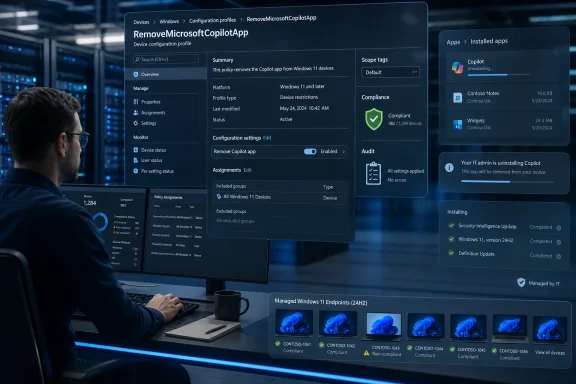 Microsoft Discovers That Consent Scales Better Than Persistence
The new policy lands after two years of Copilot expansion that often felt less like product design and more like territorial marking. Copilot appeared on the taskbar, acquired a keyboard key on new PCs, surfaced through Edge, spread into Microsoft 365, and became a recurring presence in inboxes, app chrome, and Windows settings conversations. Microsoft’s message was clear: AI was no longer an optional destination; it was part of the road.That strategy was always going to collide with the way Windows is actually used. Windows is not just a consumer gadget interface. It is a fleet operating system, a regulated-workplace endpoint, a lab machine, a classroom desktop, a point-of-sale terminal, a developer workstation, and a family PC inherited through years of local habits and grudges.
For those environments, the difference between “you can ignore it” and “you can remove it” is not semantic. Ignored software still creates support tickets, policy questions, privacy reviews, user confusion, update drift, and audit concerns. Uninstalled software, at least in theory, goes away.
Microsoft’s new Group Policy and Policy CSP route is therefore a concession to operational reality. A button in Settings is fine for one PC. A policy is what matters when someone has 5,000 PCs, a compliance deadline, and a security team asking why a consumer AI app is present on devices used for sensitive work.
The Copilot App Was Never Just Another App
On paper, the Copilot app has already been removable like ordinary Store-delivered Windows software. Users could uninstall it from the Start menu or from Installed Apps, and administrators could use familiar package-removal tools. That made the presence of a new dedicated policy look minor at first glance.But the complaint was never only that Copilot existed. The complaint was that it kept returning, changing shape, and appearing through multiple product channels. Windows users have long distinguished between software they install and software Microsoft reintroduces after feature updates, app updates, provisioning changes, or account-driven setup flows.
The documented RemoveMicrosoftCopilotApp policy formalizes a distinction Microsoft previously blurred. It tells administrators: this is not merely a shortcut, a taskbar icon, or a pane. It is a package whose lifecycle can be governed.
That matters because Copilot’s Windows identity has been confusing from the start. Microsoft has used “Copilot” to describe a consumer web assistant, a Windows feature, a Microsoft 365 work assistant, a sidebar in Edge, a key on keyboards, and branded AI affordances inside built-in apps. Even technically literate users have struggled to know whether disabling one Copilot experience disables another.
The new policy does not solve all of that naming chaos. It does, however, give administrators a clearer tool for the app layer. In a world where “Copilot” can mean five different things before lunch, even one clean boundary is useful.
The Fine Print Shows Microsoft Is Still Protecting the Funnel
The policy is not a universal kill switch. Microsoft’s documentation says it applies to Windows 11 version 24H2 and later, supports device and user scope, and is intended for Enterprise, Education, IoT Enterprise, and related managed editions. The same documentation describes conditions that narrow when the app is removed, including whether Microsoft Copilot and Microsoft 365 Copilot are installed, whether the user installed the Copilot app, and whether the app has been launched recently.That is classic Microsoft compromise language. The company is giving IT a supported path while avoiding a blunt mechanism that strips Copilot from every machine under every circumstance. If a user deliberately installed and used the app, Microsoft is less eager to have policy rip it away.
There is a defensible version of that argument. Enterprises do need to distinguish between removing unwanted default software and deleting user-intended tools. A policy that respects some evidence of user choice is not inherently unreasonable.
Still, the restrictions reveal the tension. Microsoft wants to say admins are in control, but it also wants to preserve Copilot’s route back onto the desktop where it can. Users can reportedly reinstall the app, and the policy appears designed around targeted removal rather than permanent eradication of every AI surface in Windows.
That is why this should be read as a recalibration, not a surrender. Microsoft is not retreating from Copilot. It is retreating from the idea that Copilot should be impossible to administer like everything else.
Windows AI Is Becoming a Policy Surface, Not a Feature Toggle
The larger significance is the emergence of “Windows AI” as a first-class policy category. Copilot removal now sits alongside policy controls for Recall, Click to Do, Paint AI features, Copilot hardware key behavior, and other AI-adjacent components. That is a quiet architectural admission: AI features are not decorative extras anymore. They are managed endpoint capabilities.For sysadmins, this is the correct direction. If Windows is going to include screenshot analysis, generative tools, cloud-connected assistants, semantic search, and agent-like behaviors, those features need administrative surfaces as boring and explicit as BitLocker, Defender, AppLocker, and Windows Update for Business. AI cannot live permanently in the uncanny valley between consumer convenience and enterprise infrastructure.
Microsoft’s previous Copilot posture often treated AI as a marketing layer. The Windows experience was peppered with Copilot entry points, as though the operating system needed to keep reminding users that the AI era had arrived. That may help a product launch. It is a poor long-term management model.
The policy sprawl now forming around Windows AI is less flashy but more important. It says the real future of AI on Windows will be decided not by keynote demos but by defaults, administrative templates, CSP nodes, registry values, edition gates, and whether a help desk can explain what changed after Patch Tuesday.
That is not cynicism. That is how Windows becomes durable. Every major Windows feature that survives the hype cycle eventually has to become governable.
The April 2026 Clean-Up Is Damage Control With a Roadmap
This Copilot removal option also fits into a broader 2026 Windows clean-up effort. Microsoft has been trimming unnecessary Copilot entry points in built-in apps and responding to long-running criticism that Windows 11 feels too cluttered, too promotional, and too quick to prioritize Microsoft’s business goals over the user’s task.The company’s defenders will argue that this is normal iteration. Microsoft pushed aggressively, listened to feedback, and refined the experience. There is some truth there. Large software platforms routinely overbuild during strategic transitions and then sand down the rough edges.
But Windows users are justified in seeing something more pointed. Copilot’s rollout often felt like Microsoft was spending user trust as launch capital. When an AI icon appears where a user expected a clean utility, or a web-connected assistant shows up in a workplace image that went through review, the cost is not just annoyance. It is another small reminder that the PC owner and the platform owner do not always have the same priorities.
The clean-up therefore reads as damage control because it is damage control. Microsoft is trying to preserve the AI strategy while reducing the visible irritants that made users suspicious of the strategy in the first place. Removing Copilot branding from some places, exposing policies in others, and giving admins more knobs are all ways of saying: the assistant will remain, but perhaps it does not need to wave at you from every corner.
That is a healthier posture. It also should have been the launch posture.
Home Users Still Get the Messier Version of Choice
The enterprise story is relatively clean: use Group Policy, MDM, Intune, or another management stack, and the Copilot app becomes part of endpoint configuration. The Home user story remains more improvisational. Windows Home does not include the full Group Policy Editor experience, so users chasing the same outcome usually end up in Registry Editor, PowerShell, winget, Store package commands, or third-party debloating scripts.That gap is not new, but AI makes it more visible. Microsoft tends to reserve the cleanest management controls for business editions, while consumers get Settings toggles when Microsoft chooses to expose them. For ordinary users who simply do not want AI assistants on the desktop, that can feel like a two-tier version of ownership.
The problem is not that every Home user needs a corporate policy console. The problem is that Windows increasingly ships features with enterprise-grade implications and consumer-grade controls. An assistant that can connect to cloud services, account identity, workplace documents, browser flows, and system surfaces should not require folklore to disable cleanly.
There is also a trust issue in the registry workaround culture. When a user has to create keys under WindowsAI or run AppxPackage commands copied from a forum, Microsoft has already lost the product-design argument. The user may succeed technically, but the operating system has taught them that control lives behind a hidden door.
If Microsoft is serious about “user choice” as more than a blog-post phrase, the consumer-facing controls need to become less coy. The average Windows user should not have to learn the difference between the Copilot app, Microsoft 365 Copilot, Copilot in Edge, Copilot branding in Notepad, and a deprecated Windows Copilot policy just to make the desktop feel like theirs.
IT Departments Asked for Governance, Not Vibes
For organizations, the central issue is not whether Copilot is useful. Some employees will benefit from AI-assisted summarization, drafting, search, and workflow automation. Some departments may standardize on Microsoft 365 Copilot because it fits their licensing, compliance, and data-governance model.The issue is uncontrolled variance. An enterprise cannot have consumer Copilot, work Copilot, Edge Copilot, Office Copilot, and Windows Copilot all appearing through different channels with different authentication paths and different administrative controls. That is how shadow IT becomes a first-party feature.
Microsoft’s own documentation distinguishes consumer and commercial Copilot experiences, including differences around Entra authentication and enterprise data protection. That distinction matters. A workplace may be comfortable with Microsoft 365 Copilot under tenant controls and retention policies while rejecting the consumer Copilot app on managed devices.
This is where the removal policy becomes more than cosmetic. It helps administrators separate an approved AI deployment from a default consumer assistant. In regulated sectors, that difference is not philosophical; it can affect risk assessments, user training, procurement language, and incident response.
The irony is that Microsoft understands this better than almost anyone. The company built its enterprise empire on manageability. Windows succeeded in business not because every default was beloved, but because administrators could eventually bend the platform to fit organizational rules. Copilot now has to pass through that same gate.
The Old Disable Policy Is a Warning From the Recent Past
One reason the new removal policy matters is that the older “Turn off Windows Copilot” policy has become a kind of historical artifact. Microsoft’s documentation now treats it as deprecated and warns that it does not apply cleanly to the newer Copilot app experience. That is a revealing footnote in the Windows AI rollout.The original Windows Copilot was presented as an integrated feature. Then Microsoft shifted toward a more app-like Copilot experience. Policies built for the first model did not map neatly onto the second. Administrators who thought they had disabled Copilot could discover that a different Copilot had arrived through another mechanism.
This is precisely the kind of churn that makes IT departments wary of platform AI. It is not that admins fear new technology. They fear ambiguous scope, renamed features, overlapping controls, and settings that work until the product team changes the implementation.
The new RemoveMicrosoftCopilotApp policy is therefore also a repair job. It acknowledges that the old control plane was insufficient for the new packaging model. Microsoft is not just adding a feature; it is cleaning up after its own product evolution.
That clean-up needs to continue. If Windows AI keeps expanding into agents, Recall providers, semantic settings search, and app actions, the management model must be stable enough that policies do not become obsolete every time Microsoft rebrands an experience.
Copilot’s Real Problem Is That Windows Users Know This Pattern
The backlash to Copilot is not happening in a vacuum. Windows users have lived through years of Start menu promotions, Edge nudges, OneDrive prompts, Teams auto-installs, Microsoft account pressure, recommended content, widgets, and shifting defaults. Copilot arrived carrying all that baggage.That history makes users less willing to give Microsoft the benefit of the doubt. An AI assistant that might otherwise be judged on utility is instead judged through the lens of platform coercion. Is this here because it helps me, or because Microsoft needs engagement? Will it stay disabled, or return after the next cumulative update? Is this a local feature, a cloud service, or another path into Microsoft’s subscription economy?
Those questions are not paranoid. They are the predictable result of repeated boundary testing. Microsoft has often treated Windows as both an operating system and a distribution channel, and users have learned to notice when the second role crowds out the first.
The Copilot removal policy is valuable because it addresses one concrete symptom of that mistrust. But it does not erase the underlying pattern. Microsoft will have to prove, over multiple releases, that user and administrator choices persist.
That proof cannot come from marketing language. It has to come from the boring experience of setting a policy, applying an update, rebooting six months later, and finding that Windows still did what it was told.
AI on Windows Needs Fewer Entrances and Better Contracts
There is a good version of Microsoft’s AI future on Windows. It is not hard to imagine an assistant that helps users find settings, summarize local documents with clear consent, automate repetitive actions, explain system errors, and bridge the gap between scattered Microsoft services. For many users, that could be genuinely useful.But the good version requires contracts. Users need to know what data is used, where processing happens, which account identity is involved, what is stored, what can be audited, and how to turn the feature off. Administrators need deployment controls, reporting, update predictability, and clean separation between consumer and enterprise experiences.
The bad version is what Microsoft seemed tempted by in the early Copilot push: brand saturation as adoption strategy. Put the icon everywhere, wire it into every app, dedicate a keyboard key to it, and assume familiarity will become dependence. That may work for short-term visibility, but it is brittle. Users do not develop trust in a tool by being chased around the desktop by its logo.
The current reversal suggests Microsoft has understood at least part of that. Removing unnecessary entry points and documenting removal policies is a shift from exposure to governance. It is less exciting than a demo where an AI agent books your travel and rewrites your spreadsheet, but it is far more important for Windows as a platform.
If Copilot is useful, people will bring it back. If it is not, forcing it to linger only turns it into another symbol of Windows bloat.
The Copilot Key Becomes a Symbol of the Bet
No part of this story captures Microsoft’s confidence better than the Copilot key. Adding a new hardware key to Windows PCs was a loud statement: AI was important enough to deserve physical real estate. It was also a risky bet because hardware symbols age poorly when software strategies change.Microsoft has added policy support for configuring what the Copilot key opens, which is another sign that the company knows the default cannot be sacred. A key that launches an unwanted assistant is a daily irritation. A key that can be redirected is at least a programmable affordance.
For enterprises, that matters because hardware fleets outlive marketing campaigns. A laptop purchased in 2024 or 2025 may remain in service long after Microsoft has renamed, repackaged, or reprioritized parts of Copilot. The key cannot be unprinted from the keyboard. The software behavior can be managed.
That is the broader lesson of the Copilot app removal policy. Microsoft can promote AI as the next era of Windows, but physical buttons, default apps, and built-in experiences still need escape hatches. Otherwise, every ambitious feature becomes technical debt the moment user sentiment shifts.
The more Microsoft insists AI is foundational, the more important those escape hatches become. Foundational does not mean mandatory in every context. In Windows, foundational features are precisely the ones that need the strongest controls.
The Small Policy That Says the Quiet Part Out Loud
This policy says something Microsoft would probably prefer to frame delicately: Copilot’s default presence became a liability in enough environments that removal needed official support. That is not the same as failure. Many successful enterprise technologies require opt-out controls, staged deployment, and strict governance.But it punctures the inevitability narrative. Microsoft has spent immense energy presenting Copilot as the natural next layer of computing. The new policy reminds us that platforms do not become inevitable by declaration. They become accepted when users decide the trade-offs are worth it.
For Windows enthusiasts, this is a familiar cycle. Microsoft pushes. Users object. Enterprises demand controls. Microsoft adds policy. The final product becomes less pure from a strategy standpoint but more usable in the real world.
The difference this time is that AI raises the stakes. A bundled media app or chat client can be annoying. An AI assistant connected to accounts, documents, cloud services, screenshots, and workplace workflows triggers a different level of scrutiny. Microsoft cannot treat Copilot like another promotional tile.
That is why the removal policy deserves attention out of proportion to its apparent size. It is not just a way to uninstall an app. It is a signal that Windows AI is entering the same governance negotiations that define the rest of the operating system.
The Practical Meaning for WindowsForum Readers Is Control, With Caveats
The immediate lesson is straightforward: Windows 11 administrators now have a more official path to remove the Copilot app from eligible managed devices, but this is not a universal AI-off switch and should not be mistaken for one. Copilot remains a family of experiences, and Microsoft’s AI work in Windows is continuing.- Administrators should treat RemoveMicrosoftCopilotApp as an app-lifecycle policy, not as a complete shutdown of every Copilot-branded or AI-powered surface in Windows.
- The policy is most relevant to managed Windows 11 version 24H2 environments where Group Policy, MDM, Intune, or similar tools are already part of endpoint governance.
- Organizations that approve Microsoft 365 Copilot may still want to remove the consumer Microsoft Copilot app to avoid user confusion and data-protection ambiguity.
- Home users may be able to approximate the result through registry or package-removal methods, but Microsoft still has not made consumer AI removal as clean as it should be.
- The older Turn off Windows Copilot policy should not be assumed to control the newer Copilot app experience, especially as Microsoft continues changing Copilot’s packaging and entry points.
- The real test will be whether Copilot removal choices survive future Windows updates without administrators having to fight the same battle again.
References
- Primary source: Digital Trends
Published: Mon, 25 May 2026 12:10:54 GMT
Loading…
www.digitaltrends.com - Related coverage: windowscentral.com

Windows is entering its "Agentic Era"—and its AI architect is moving on
Yusuf Mehdi, Microsoft’s Copilot marketing chief, will leave next year after helping reimagine Windows for the agentic era. www.windowscentral.com
- Related coverage: windowslatest.com
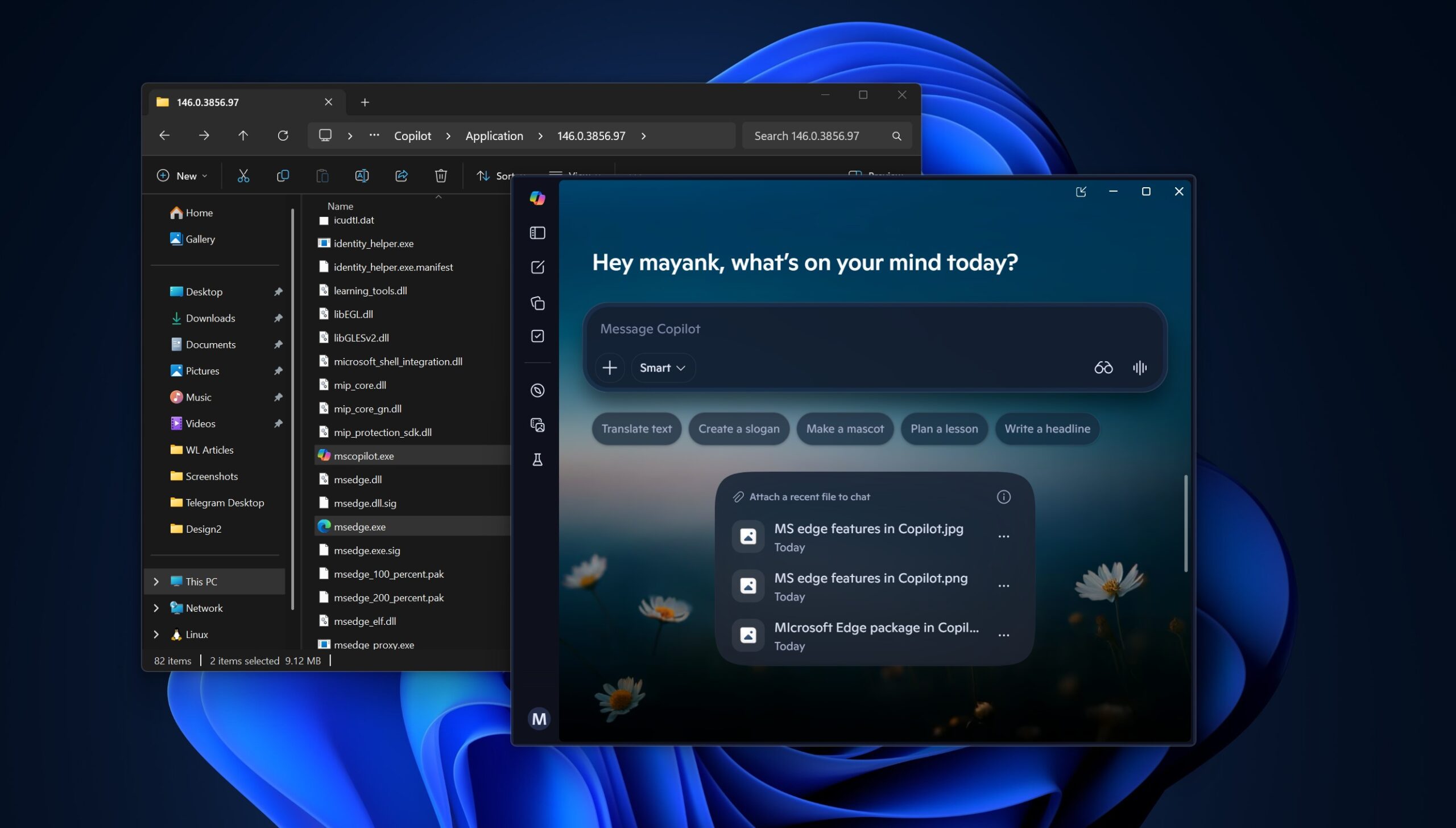
Windows 11 now lets you remove Microsoft Copilot app with Group Policy or Registry, as it tries to win back users
Microsoft wants to win back users, and it's making it easier for you to remove Copilot on Windows 11 using Group Policy. www.windowslatest.com
- Related coverage: techspot.com
Loading…
www.techspot.com - Related coverage: techcrunch.com

Microsoft rolls back some of its Copilot AI bloat on Windows | TechCrunch
The company is reducing Copilot entry points on Windows, starting with Photos, Widgets, Notepad, and other apps. techcrunch.com
- Related coverage: es.digitaltrends.com
Loading…
es.digitaltrends.com
- Related coverage: tomshardware.com
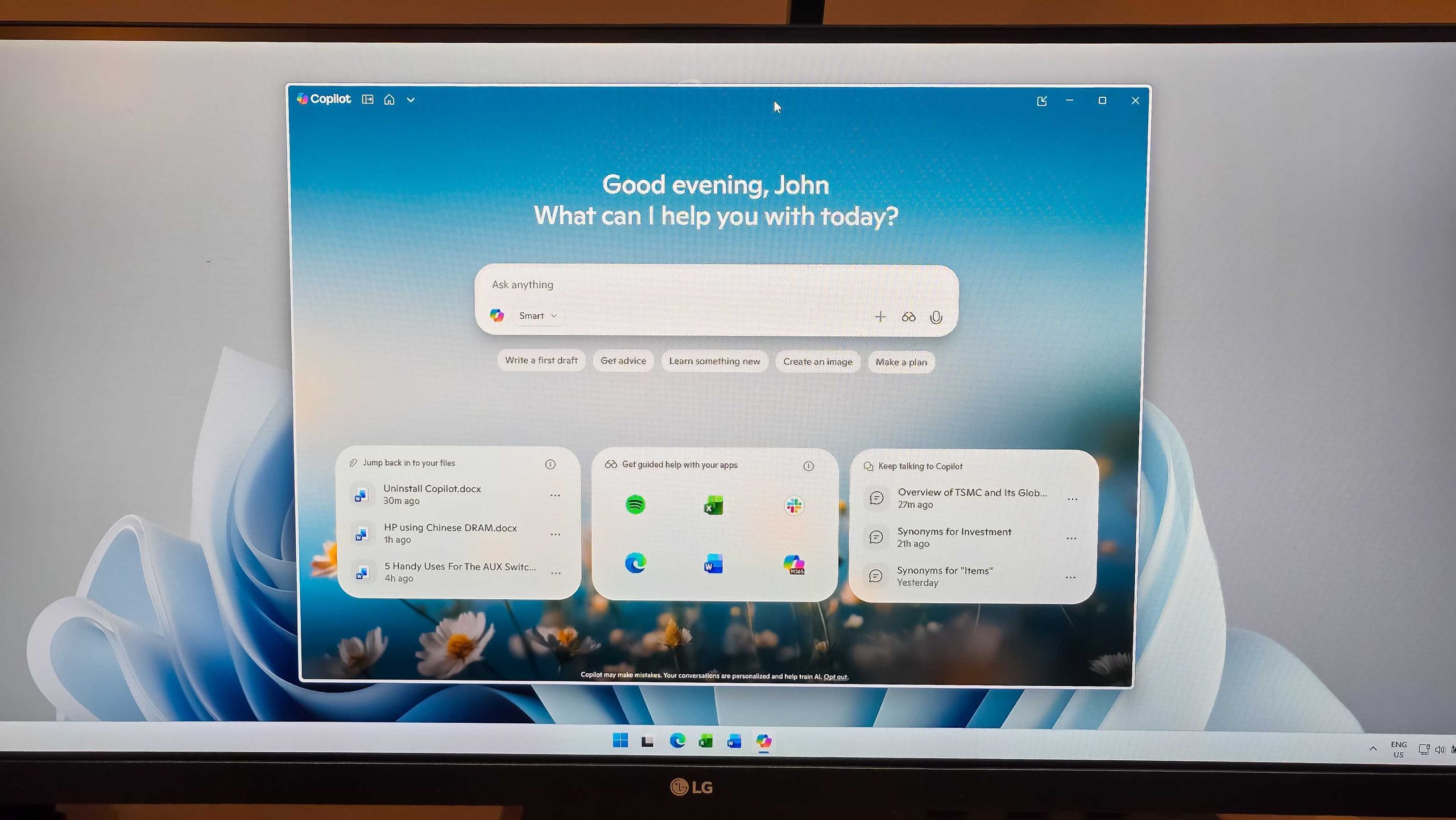
Admins finally get the power to uninstall Microsoft Copilot on Windows 11 Pro, Enterprise, and EDU versions — devices must meet specific conditions to allow the removal of the AI app
One less bloatware on Windows 11.www.tomshardware.com
- Related coverage: windowsreport.com
Loading…
windowsreport.com - Related coverage: pcworld.com
Loading…
www.pcworld.com - Related coverage: computerbase.de
Loading…
www.computerbase.de - Related coverage: howtogeek.com

How to Disable Windows Copilot
Window Copilot is great, but it's not for everyone. www.howtogeek.com
- Related coverage: tomsguide.com
Loading…
www.tomsguide.com - Related coverage: pcgamer.com
Loading…
www.pcgamer.com - Related coverage: vendorcompliance.surf.nl
Loading…
vendorcompliance.surf.nl