

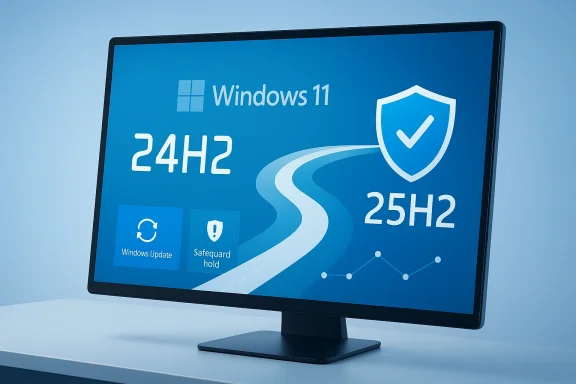
Microsoft is effectively closing the door on Windows 11 24H2 for consumer PCs because the clock is already ticking toward the end of servicing, and 25H2 is the supported path forward for eligible Home and Pro devices. Microsoft’s own lifecycle pages show that Windows 11 Home and Pro version 24H2 reaches end of support on October 13, 2026, while 25H2 is already the newer supported release with a later retirement date. (learn.microsoft.com)
What makes this update feel “forced” is not a hidden policy so much as Microsoft’s modern servicing model: eligible PCs on 24H2 are being moved to 25H2 through the normal Windows Update pipeline, and Microsoft says the rollout uses machine learning and safeguard holds to decide which devices get it first. In other words, if your PC is eligible and you’re not in a managed enterprise environment, the update is designed to arrive automatically once Microsoft decides your device is a safe candidate.
That strategy is a practical response to a familiar Windows problem: fragmentation. Microsoft wants the majority of consumer machines to converge on the same supported codebase so security fixes, compatibility work, and feature delivery are easier to manage. With 24H2 and 25H2 sharing the same servicing branch and 25H2 delivered as an enablement package from 24H2, the company can push users forward with far less disruption than the old “big bang” feature-update model. (techcommunity.microsoft.com)
Microsoft’s decision makes more sense when you look at how Windows servicing has evolved over the last several releases. The company has been moving away from dramatic annual upgrades that behave like mini operating-system swaps and toward a model where later releases are increasingly layered on top of the same foundation. That shift is especially visible in Windows 11, where Microsoft has tried to make upgrades more predictable, more reversible, and less likely to break apps or drivers.
Windows 11 version 24H2 was an important test case because it was the first version on its branch, while 25H2 sits on the same branch and can be delivered as an enablement package rather than a full reinstall. Microsoft’s documentation says that most of the files needed for 25H2 already exist on 24H2 systems with recent cumulative updates, and that the new release often amounts to flipping dormant features on rather than replacing the whole OS. (learn.microsoft.com)
That distinction matters because it changes the entire user experience. A full feature update can mean more downtime, more compatibility risk, and more user anxiety, especially for consumers who have learned the hard way that “major Windows update” can sometimes translate into “hope nothing breaks.” By contrast, an enablement package can make the move feel almost like a monthly update, which is precisely why Microsoft has been emphasizing the lighter, faster path for 25H2. (learn.microsoft.com)
There is also a security motive that goes beyond convenience. Microsoft’s lifecycle policy for Windows 11 Home and Pro shows 24H2 support ending in October 2026, and that means every eligible device still on 24H2 will eventually need to move to a newer supported release to remain protected by security patches. In Microsoft’s world, “eligible” no longer means “optional forever”; it increasingly means “you can delay, but the platform will steer you to the next supported state.” (learn.microsoft.com)
The timing is also deliberate. Microsoft has already published release information for 25H2 and has made it clear that the update is part of the normal Windows 11 cadence, not a niche or experimental branch. The result is a controlled, support-driven transition that looks aggressive from the outside but is consistent with how Microsoft now maintains the Windows platform. (learn.microsoft.com)
The second reason is that Microsoft can now do this with much less friction than before. Because 24H2 and 25H2 share a code base, the upgrade path is lighter than a traditional Windows version jump. Microsoft says many 25H2 features are already present on 24H2 systems in dormant form, which means the update can be installed quickly and with a lower chance of the sort of regressions that historically plagued annual upgrades. (learn.microsoft.com)
The enterprise story is different. Microsoft explicitly separates managed devices from consumer PCs, and it expects IT departments to control their own rollout timelines. That division is important because it preserves administrative flexibility for organizations while letting Microsoft drive consumer machines toward the latest supported baseline.
If your PC is held back, that is not necessarily a bad sign. It usually means Microsoft has seen enough similarity between your device and others with known issues to justify a delay. In practice, these safeguard holds are one of the most important but least visible parts of modern Windows maintenance because they are designed to protect users from unstable combinations of hardware, drivers, and software.
The update path itself is relatively simple for eligible consumer devices. Microsoft says users on 24H2 with current cumulative updates can receive 25H2 as an enablement package, often requiring only one restart. That is a major departure from the full OS-image swap that many people still associate with Windows version upgrades. (learn.microsoft.com)
That is not just Microsoft being stubborn. It reflects a broader shift in the Windows ecosystem where the platform vendor increasingly sees update enforcement as part of the security contract. In exchange for automatic patching, users get less control over version pinning, which is a tradeoff many consumers barely notice until a major release lands in the queue.
A shared code base also helps Microsoft’s internal engineering. When bugs appear in 25H2, there is a high likelihood that they are also relevant to 24H2, and vice versa, which makes triage and resolution more efficient. That gives Microsoft an incentive to push both consumer and enterprise ecosystems toward the same modern branch, because it simplifies everything from testing to release-health dashboards. (learn.microsoft.com)
This is where the language of “forced” can obscure the real story. Microsoft is not merely compelling users to adopt a new look and feel; it is maintaining a shared servicing platform that allows a whole generation of devices to stay on the same underlying architecture. That matters more to Microsoft than cosmetic changes, because servicing reliability is what keeps Windows credible in a world of always-on security threats.
That is one reason 25H2 is being positioned as a relatively low-risk transition. Microsoft can push more systems onto the supported release without asking users to endure a lengthy reinstallation or radically different feature set. In the best case, the update is nearly invisible, which is exactly how Microsoft wants most Windows upgrades to feel.
For Microsoft, the existence of a large unsupported installed base also creates reputational risk. If users continue running an old supported-by-default release after the deadline, any widespread security incident can trigger criticism that the platform was left in an avoidable state. Automatic upgrade pressure reduces that risk by making the support boundary harder to ignore.
Security also intersects with platform consistency. A fragmented Windows ecosystem makes it harder for Microsoft to push new protections, new default settings, and modern management features across all devices. If most consumer PCs are on the same release, Microsoft can ship security improvements with less fragmentation and fewer exception paths. That is a major operational advantage, even if users only experience it as a popup in Windows Update.
This split is sensible, but it also highlights how much trust Microsoft is asking consumers to place in its update machinery. The company assumes that machine learning, telemetry, and safeguard holds are good enough to decide when a PC should move. For most people, that is probably true; for power users, it can still feel like surrendering control to a black box.
Pro users sit in an awkward middle ground. They may have more technical awareness than Home users, but unless they are managing devices through enterprise tools, they are still subject to Microsoft’s consumer servicing logic. That is why many enthusiasts with Pro editions often feel that the product no longer grants the control the name once implied.
Enterprise and education customers, meanwhile, are in a different universe. Microsoft says managed devices are excluded because IT departments already control rollout timing, and official 25H2 documentation points organizations toward tools like Windows Server Update Services, Configuration Manager, and Microsoft 365 admin workflows. That is a reminder that Microsoft still values policy-driven deployment where the customer has the scale and the staffing to use it. (learn.microsoft.com)
If Microsoft can move users forward without repeating the pain of large-scale bugs, it strengthens confidence in Windows Update as a service. That matters because every bad rollout makes users more likely to delay updates in the future, which then increases Microsoft’s burden when support deadlines arrive. The company knows trust is cumulative, and so is distrust.
Another reason the timing is favorable is that Microsoft has already been publishing 25H2 information for IT pros and release-health tracking. That means the release is no longer a rumor or a hidden backend flag; it is a managed part of the Windows roadmap. The update is being handled as a normal lifecycle event, which is exactly how Microsoft wants customers to think about it. (learn.microsoft.com)
That has advantages. It reduces fragmentation, improves security, and makes Microsoft’s support commitments easier to honor. It also has drawbacks, chiefly that experienced users lose some agency and sometimes feel they are being treated like passengers rather than operators.
The market implication is that Microsoft is narrowing the gap between consumer and managed deployment behavior. If you are a consumer, you get more automation. If you are an enterprise, you still get policy control. That duality is likely to define Windows for the next few years, especially as Microsoft continues blending servicing, cloud management, and AI-driven update intelligence.
The real competition is not another PC operating system so much as user inertia. Microsoft is competing against delay, apathy, and the natural tendency of people to avoid disruptive maintenance. Automatic 25H2 rollout is a way of winning that competition by default.
There is also the ever-present possibility of edge-case problems. Microsoft’s safeguard system helps, but it cannot eliminate every incompatibility involving drivers, peripherals, OEM firmware, or third-party security tools. The more devices Microsoft pushes, the more likely it is that some corner case will become a support headache.
What matters most now is the balance between urgency and trust. Microsoft needs to move 24H2 systems forward before the support clock becomes a crisis, but it also needs to preserve enough goodwill that people do not begin treating Windows Update as something to fear. The healthier that relationship stays, the easier future version transitions will be.
Source: ZDNET Why Microsoft is forcing Windows 11 25H2 update on all eligible PCs
What makes this update feel “forced” is not a hidden policy so much as Microsoft’s modern servicing model: eligible PCs on 24H2 are being moved to 25H2 through the normal Windows Update pipeline, and Microsoft says the rollout uses machine learning and safeguard holds to decide which devices get it first. In other words, if your PC is eligible and you’re not in a managed enterprise environment, the update is designed to arrive automatically once Microsoft decides your device is a safe candidate.
That strategy is a practical response to a familiar Windows problem: fragmentation. Microsoft wants the majority of consumer machines to converge on the same supported codebase so security fixes, compatibility work, and feature delivery are easier to manage. With 24H2 and 25H2 sharing the same servicing branch and 25H2 delivered as an enablement package from 24H2, the company can push users forward with far less disruption than the old “big bang” feature-update model. (techcommunity.microsoft.com)
 Background
Microsoft’s decision makes more sense when you look at how Windows servicing has evolved over the last several releases. The company has been moving away from dramatic annual upgrades that behave like mini operating-system swaps and toward a model where later releases are increasingly layered on top of the same foundation. That shift is especially visible in Windows 11, where Microsoft has tried to make upgrades more predictable, more reversible, and less likely to break apps or drivers.Windows 11 version 24H2 was an important test case because it was the first version on its branch, while 25H2 sits on the same branch and can be delivered as an enablement package rather than a full reinstall. Microsoft’s documentation says that most of the files needed for 25H2 already exist on 24H2 systems with recent cumulative updates, and that the new release often amounts to flipping dormant features on rather than replacing the whole OS. (learn.microsoft.com)
That distinction matters because it changes the entire user experience. A full feature update can mean more downtime, more compatibility risk, and more user anxiety, especially for consumers who have learned the hard way that “major Windows update” can sometimes translate into “hope nothing breaks.” By contrast, an enablement package can make the move feel almost like a monthly update, which is precisely why Microsoft has been emphasizing the lighter, faster path for 25H2. (learn.microsoft.com)
There is also a security motive that goes beyond convenience. Microsoft’s lifecycle policy for Windows 11 Home and Pro shows 24H2 support ending in October 2026, and that means every eligible device still on 24H2 will eventually need to move to a newer supported release to remain protected by security patches. In Microsoft’s world, “eligible” no longer means “optional forever”; it increasingly means “you can delay, but the platform will steer you to the next supported state.” (learn.microsoft.com)
The timing is also deliberate. Microsoft has already published release information for 25H2 and has made it clear that the update is part of the normal Windows 11 cadence, not a niche or experimental branch. The result is a controlled, support-driven transition that looks aggressive from the outside but is consistent with how Microsoft now maintains the Windows platform. (learn.microsoft.com)
Why Microsoft Wants Everyone on 25H2
The first reason is simple: supportability. If a large consumer base remains on 24H2 too long, Microsoft has to maintain separate documentation, separate bug triage, and separate support messaging for two adjacent releases that are almost identical under the hood. That creates overhead for Microsoft and confusion for users, especially when one version is approaching end of support while the other is current.The servicing math
Microsoft’s lifecycle data shows 24H2 ending on October 13, 2026, while 25H2 extends to October 12, 2027 for Home and Pro. That one-year difference is enough to justify a broad migration campaign because it buys Microsoft a longer support runway while reducing the number of machines that will need an urgent upgrade later. (learn.microsoft.com)The second reason is that Microsoft can now do this with much less friction than before. Because 24H2 and 25H2 share a code base, the upgrade path is lighter than a traditional Windows version jump. Microsoft says many 25H2 features are already present on 24H2 systems in dormant form, which means the update can be installed quickly and with a lower chance of the sort of regressions that historically plagued annual upgrades. (learn.microsoft.com)
- Less downtime for users
- Fewer compatibility surprises for Microsoft
- Cleaner support boundaries for security and servicing
- More uniform deployment across the consumer base
Why “forced” is a relative term
From a consumer point of view, this still feels forced because you can pause the update but not permanently avoid it. Yet from Microsoft’s standpoint, automatic servicing is the whole point of modern Windows: users stay protected without having to become their own patch managers. That’s especially true in Home and Pro, where Microsoft assumes the device owner is not operating under a formal IT change-control process.The enterprise story is different. Microsoft explicitly separates managed devices from consumer PCs, and it expects IT departments to control their own rollout timelines. That division is important because it preserves administrative flexibility for organizations while letting Microsoft drive consumer machines toward the latest supported baseline.
How the Rollout Works
The Windows Update experience is the visible part of a much more layered deployment system. Microsoft says eligible Home and Pro devices running 24H2 will begin receiving 25H2 automatically, with safeguard holds applied where compatibility signals suggest the update should be delayed. The user may see the update in Windows Update, but the real decision-making happens upstream in Microsoft’s rollout logic.Eligibility and safeguards
Eligibility is not just about hardware meeting minimum specs. Microsoft is also weighing telemetry, partner validation, diagnostics, and real-world usage patterns to judge whether a specific device should be offered the update right away. That is how Microsoft tries to avoid repeating the bad old days when a single driver issue could snowball into a global upgrade headache.If your PC is held back, that is not necessarily a bad sign. It usually means Microsoft has seen enough similarity between your device and others with known issues to justify a delay. In practice, these safeguard holds are one of the most important but least visible parts of modern Windows maintenance because they are designed to protect users from unstable combinations of hardware, drivers, and software.
The update path itself is relatively simple for eligible consumer devices. Microsoft says users on 24H2 with current cumulative updates can receive 25H2 as an enablement package, often requiring only one restart. That is a major departure from the full OS-image swap that many people still associate with Windows version upgrades. (learn.microsoft.com)
What users can actually do
There is still some control, but it is limited. Users can pause updates for a short period through Windows Update settings, which buys time if they need to finish a project, verify a peripheral, or wait for a backup window. What they cannot do, according to the rollout model Microsoft is using, is permanently opt out of a supported consumer update on an eligible machine.That is not just Microsoft being stubborn. It reflects a broader shift in the Windows ecosystem where the platform vendor increasingly sees update enforcement as part of the security contract. In exchange for automatic patching, users get less control over version pinning, which is a tradeoff many consumers barely notice until a major release lands in the queue.
- Pause briefly if you need time
- Expect automatic installation eventually
- Use Windows Update to check device status
- Watch for safeguard holds if your PC is temporarily blocked
Why 25H2 Is Different From Older Feature Updates
The biggest technical difference is that 25H2 is not being treated like a classic rewrite. Microsoft describes it as an update that adds features and fixes already present in recent 24H2 cumulative updates, with dormant components activated by an enablement package. That means the release is more like turning on a switch than rebuilding the house. (learn.microsoft.com)Shared code base, shared servicing
Because 24H2 and 25H2 share a servicing branch, Microsoft can maintain them with a common baseline of bug fixes and security updates. That lowers the risk of divergence, which is a subtle but important issue in Windows servicing because separate branches can quickly become separate worlds if one gets delayed or neglected. (techcommunity.microsoft.com)A shared code base also helps Microsoft’s internal engineering. When bugs appear in 25H2, there is a high likelihood that they are also relevant to 24H2, and vice versa, which makes triage and resolution more efficient. That gives Microsoft an incentive to push both consumer and enterprise ecosystems toward the same modern branch, because it simplifies everything from testing to release-health dashboards. (learn.microsoft.com)
This is where the language of “forced” can obscure the real story. Microsoft is not merely compelling users to adopt a new look and feel; it is maintaining a shared servicing platform that allows a whole generation of devices to stay on the same underlying architecture. That matters more to Microsoft than cosmetic changes, because servicing reliability is what keeps Windows credible in a world of always-on security threats.
Faster installs, lower drama
The lighter install model also reflects a lesson Microsoft has learned the hard way. Full Windows updates often create fear because they are associated with downtime, compatibility issues, and feature regressions that can linger for months. By contrast, an enablement package lowers the perceived and actual cost of upgrading, which makes compliance easier to enforce and easier to tolerate.That is one reason 25H2 is being positioned as a relatively low-risk transition. Microsoft can push more systems onto the supported release without asking users to endure a lengthy reinstallation or radically different feature set. In the best case, the update is nearly invisible, which is exactly how Microsoft wants most Windows upgrades to feel.
- Same branch
- Enablement-package delivery
- Shorter install time
- Lower regression risk
- Minimal user intervention
Security Is the Real Driver
Microsoft’s public rationale is security, and that is not just marketing language. Every unsupported version of Windows becomes a liability because it can no longer receive routine security updates, which leaves users exposed to newly discovered vulnerabilities. By moving eligible devices onto 25H2, Microsoft keeps them on a supported path before 24H2 sunsets in October 2026. (learn.microsoft.com)Why support dates matter
Support dates are not abstract corporate milestones. For an average consumer, end of support means the operating system continues to run, but it no longer gets protection against the latest threats. That is especially risky in an era where attackers move fast, exploit chains are commercialized, and unpatched systems can become easy targets. (learn.microsoft.com)For Microsoft, the existence of a large unsupported installed base also creates reputational risk. If users continue running an old supported-by-default release after the deadline, any widespread security incident can trigger criticism that the platform was left in an avoidable state. Automatic upgrade pressure reduces that risk by making the support boundary harder to ignore.
Security also intersects with platform consistency. A fragmented Windows ecosystem makes it harder for Microsoft to push new protections, new default settings, and modern management features across all devices. If most consumer PCs are on the same release, Microsoft can ship security improvements with less fragmentation and fewer exception paths. That is a major operational advantage, even if users only experience it as a popup in Windows Update.
Consumer vs enterprise security posture
Consumer systems benefit from Microsoft making the call for them, because most home users do not want to manage version lifecycles manually. Enterprise systems are different because IT teams need to stage rollouts around application validation, compliance requirements, and business continuity. That is why managed devices are excluded from the automatic consumer push.This split is sensible, but it also highlights how much trust Microsoft is asking consumers to place in its update machinery. The company assumes that machine learning, telemetry, and safeguard holds are good enough to decide when a PC should move. For most people, that is probably true; for power users, it can still feel like surrendering control to a black box.
- Security deadline pressure
- Reduced exposure to unpatched systems
- More consistent protection across the fleet
- Fewer version islands to support
Enterprise and Consumer Impact Are Not the Same
Consumers are the group most likely to feel the update as a nudge they can’t ultimately resist. If you own a Home or Pro PC and it qualifies, Microsoft’s systems will move you toward 25H2 even if you are not actively looking for it. That can be annoying, but it is also the behavior most mainstream users will never notice until they see the update complete with little fanfare.Home users get less control
Home users generally have the least administrative sophistication and the lowest tolerance for manual maintenance. Microsoft’s model recognizes that reality and treats automatic updating as a protective default rather than a burden. In that sense, the company is behaving paternalistically, but in a way that arguably matches the needs of its broadest audience.Pro users sit in an awkward middle ground. They may have more technical awareness than Home users, but unless they are managing devices through enterprise tools, they are still subject to Microsoft’s consumer servicing logic. That is why many enthusiasts with Pro editions often feel that the product no longer grants the control the name once implied.
Enterprise and education customers, meanwhile, are in a different universe. Microsoft says managed devices are excluded because IT departments already control rollout timing, and official 25H2 documentation points organizations toward tools like Windows Server Update Services, Configuration Manager, and Microsoft 365 admin workflows. That is a reminder that Microsoft still values policy-driven deployment where the customer has the scale and the staffing to use it. (learn.microsoft.com)
What IT can do that consumers cannot
Organizations can validate line-of-business apps, test drivers, watch for firmware issues, and delay deployment until the update has passed internal change control. Consumers rarely do any of that, so Microsoft takes the burden on itself by forcing an order of operations through staggered rollout and safeguard holds. That makes the enterprise-consumer distinction more than just a licensing detail; it is a different operating philosophy.- Consumers get automation
- Enterprises get policy control
- Home users get the least visibility
- Managed fleets get structured rollout paths
Why Microsoft Believes the Timing Is Safe
Microsoft would not be pushing 25H2 this hard if it believed the release were still fragile. The company’s own release materials characterize 25H2 as sharing the same servicing base as 24H2, which reduces the risk of a major transition failure. That is important because Microsoft’s reputation on Windows updates has been strained enough over the years that even modest caution matters. (learn.microsoft.com)Lessons from 24H2
Windows 11 24H2 arrived with a rocky enough reputation that many users remember it as a release that took time to settle down. Microsoft has therefore had an incentive to make 25H2 feel like the stable follow-on rather than another disruptive annual leap. A shared branch and enablement-package delivery are the engineering choices that best support that strategy.If Microsoft can move users forward without repeating the pain of large-scale bugs, it strengthens confidence in Windows Update as a service. That matters because every bad rollout makes users more likely to delay updates in the future, which then increases Microsoft’s burden when support deadlines arrive. The company knows trust is cumulative, and so is distrust.
Another reason the timing is favorable is that Microsoft has already been publishing 25H2 information for IT pros and release-health tracking. That means the release is no longer a rumor or a hidden backend flag; it is a managed part of the Windows roadmap. The update is being handled as a normal lifecycle event, which is exactly how Microsoft wants customers to think about it. (learn.microsoft.com)
Stability through sameness
The irony is that 25H2 may be less interesting precisely because Microsoft has tried to make it safer. Users looking for dramatic new features may see a release that feels incremental, but incremental is the point. The less it changes, the less likely it is to break peripherals, applications, or user workflows.- Shared branch means fewer surprises
- Enablement package means faster installs
- Controlled rollout means fewer blast-radius issues
- Security support motivates rapid adoption
What This Means for Windows’ Future
The broader implication is that Windows is becoming more opinionated about its own maintenance. Microsoft is less willing to let large groups of consumers remain on old, soon-to-expire releases simply because they prefer not to click an upgrade prompt. That shift is not unique to Windows, but it is increasingly visible there, and 25H2 is a clean example of the trend.A more managed consumer OS
Windows used to be a platform where version choice could linger for years if users ignored updates. That era is fading. Modern Windows is closer to a managed service, where the vendor decides the rhythm of major transitions and users mostly decide whether to comply now or a little later.That has advantages. It reduces fragmentation, improves security, and makes Microsoft’s support commitments easier to honor. It also has drawbacks, chiefly that experienced users lose some agency and sometimes feel they are being treated like passengers rather than operators.
The market implication is that Microsoft is narrowing the gap between consumer and managed deployment behavior. If you are a consumer, you get more automation. If you are an enterprise, you still get policy control. That duality is likely to define Windows for the next few years, especially as Microsoft continues blending servicing, cloud management, and AI-driven update intelligence.
Competitive context
From a competitive standpoint, Microsoft’s model contrasts with ecosystems that already assume strongly managed updates. Apple and many mobile platforms have long treated forced or strongly guided updates as standard practice. Microsoft is moving Windows closer to that norm, which may irritate desktop purists but improves the baseline security story.The real competition is not another PC operating system so much as user inertia. Microsoft is competing against delay, apathy, and the natural tendency of people to avoid disruptive maintenance. Automatic 25H2 rollout is a way of winning that competition by default.
Strengths and Opportunities
Microsoft’s approach has several clear advantages if the rollout remains smooth and the update stays as stable as the company intends. The combination of a shared servicing branch, enablement-package delivery, and staggered rollout gives Microsoft a rare chance to make a major Windows transition feel almost routine. It also helps consumers stay protected without becoming their own system administrators.- Improved security compliance across eligible consumer devices
- Lower upgrade friction than traditional feature releases
- Better platform uniformity for Microsoft and third-party developers
- Reduced compatibility risk through safeguard holds and intelligent rollout
- Faster install times that make users less likely to resist
- Cleaner support lifecycle management as 24H2 approaches end of support
- More predictable servicing for Home and Pro owners
Risks and Concerns
The biggest risk is perception. Even if 25H2 is technically low-risk, users who dislike automatic updates will see “forced” rollout as another example of Microsoft reducing control. That annoyance can translate into distrust, and distrust can make people defer future updates even when they should not.There is also the ever-present possibility of edge-case problems. Microsoft’s safeguard system helps, but it cannot eliminate every incompatibility involving drivers, peripherals, OEM firmware, or third-party security tools. The more devices Microsoft pushes, the more likely it is that some corner case will become a support headache.
- User backlash against automatic version changes
- Hidden compatibility issues that escape testing
- Confusion over Home, Pro, and managed-device differences
- Delayed adoption among cautious users
- Residual pain from past Windows update failures
- Potential mismatch between user expectations and Microsoft’s rollout pace
- Support burden if holdback logic is too conservative
Looking Ahead
The next few months will tell us whether Microsoft’s 25H2 strategy lands as a sensible security move or as another example of the company overstepping its bounds. Much depends on whether the rollout remains quiet, whether major bugs stay contained, and whether Microsoft continues to communicate clearly about safeguard holds and eligibility. If it does, the backlash should stay modest. If it does not, the “forced update” narrative will harden quickly.What matters most now is the balance between urgency and trust. Microsoft needs to move 24H2 systems forward before the support clock becomes a crisis, but it also needs to preserve enough goodwill that people do not begin treating Windows Update as something to fear. The healthier that relationship stays, the easier future version transitions will be.
- Watch for rollout breadth
- Watch for new safeguard holds
- Watch for post-upgrade bug reports
- Watch for Microsoft’s release-health notes
- Watch whether 25H2 remains a quiet upgrade or becomes a headline problem
Source: ZDNET Why Microsoft is forcing Windows 11 25H2 update on all eligible PCs
