

Windows 11’s latest major feature update has delivered headline changes and welcome feature work, but the rollout has also exposed a long, cross-cutting list of regressions that have landed on users and IT teams in unpredictable ways — from stubborn update caches and broken audio stacks to blue screens, misplaced UI elements, and peripherals that stop working. The problems that have been named so far are not isolated curiosities; they form coherent classes of risk tied to driver compatibility, deep third‑party middleware hooks, the new “checkpoint” servicing model, and UI package registration timing — and Microsoft, hardware vendors and the community have been forced to respond with compatibility holds, driver rebuilds, and a string of mitigations.
Microsoft’s Release Health and community reporting show a pattern: when a component that hooks deep into the OS (audio middleware, anti‑cheat kernels, driver subsystems) interacts with altered initialization timing or with checkpoint servicing artifacts, the result can be as dramatic as devices that cannot boot cleanly, fail to enumerate audio endpoints, or receive the dreaded blue screen. That pattern explains why Microsoft used compatibility holds (safeguards) to block updates on affected devices while vendors rebuild drivers.
The good news is that the ecosystem’s responses — compatibility holds, transparent Release Health entries, and vendor driver rebuilds — have contained the damage and, in many cases, resolved the highest‑impact regressions. The better news is that the underlying goals of 24H2 (modular servicing, checkpoint updates, faster feature delivery) remain valuable; the challenge ahead is reducing the interoperability friction so future updates deliver benefits without breaking crucial workflows.
For anyone managing Windows fleets or relying on PCs for critical work, the pragmatic approach remains: back up, verify drivers for Intel SST and other kernel‑adjacent components before upgrading, avoid forcing feature installs onto safeguarded systems, and keep an eye on Microsoft’s Release Health and OEM driver pages for the latest remediation notices. Proceed with caution — the benefits of the new features are real, but the safeguards and hard lessons of 24H2 underscore that reliability must remain the highest priority in large‑scale OS rollouts.
Source: Inbox.lv News feed at Inbox.lv -
 Background
What 24H2 set out to do — and where it hit trouble
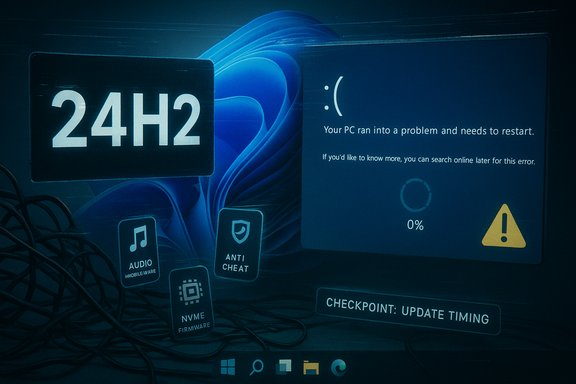
Windows 11 version 24H2 was intended to refine Copilot integration, modernize File Explorer with new UI elements and features, and move the platform forward on security and servicing. The update introduced changes to the update plumbing (checkpoint updates) and additional modularization of UI components to enable faster servicing — changes that, in theory, reduce future update sizes and accelerate fixes. In practice, those same changes created new failure modes when low‑level drivers or tightly integrated OEM middleware didn’t follow the same contract assumptions.Microsoft’s Release Health and community reporting show a pattern: when a component that hooks deep into the OS (audio middleware, anti‑cheat kernels, driver subsystems) interacts with altered initialization timing or with checkpoint servicing artifacts, the result can be as dramatic as devices that cannot boot cleanly, fail to enumerate audio endpoints, or receive the dreaded blue screen. That pattern explains why Microsoft used compatibility holds (safeguards) to block updates on affected devices while vendors rebuild drivers.
The main problems named (detailed overview)
1) Blue screens and driver incompatibilities (Intel SST, Easy Anti‑Cheat, WD NVMe)
- The rollout saw multiple BSOD incidents tied to driver mismatches. A notable recurring culprit was the Intel Smart Sound Technology (Intel SST) audio controller driver on systems with Intel 11th‑Gen processors. Microsoft identified specific file versions that could cause kernel crashes (the binary IntcAudioBus.sys with versions 10.29.0.5152 and 10.30.0.5152), and placed a safeguard to prevent affected machines from being offered 24H2 until updated drivers were available. The remediation required installing updated Intel SST packages (10.29.00.5714 / 10.30.00.5714 or later).
- Gaming anti‑cheat middleware (Easy Anti‑Cheat) also triggered blue screens on certain Alder Lake+ / vPro configurations; Microsoft temporarily blocked affected gaming systems until vendor fixes and mitigations were released. Western Digital NVMe firmware issues produced another class of BSODs that required vendor firmware updates. These events illustrate the systemic risk when kernel‑adjacent drivers or firmware encounter unexpected platform changes.
2) Audio subsystem failures — the Dirac/cridspapo.dll incident
- Some OEM audio stacks use Dirac middleware (cridspapo.dll) to deliver DSP‑based audio tuning. After 24H2, that low‑level DLL could fail to initialize, causing the entire audio endpoint enumeration to fail — in other words, no audio devices appear to applications. Microsoft responded by applying a targeted safeguard to prevent upgrades for systems with the problematic Dirac component until OEMs supplied corrected drivers. The technical root cause: a change in audio stack initialization timing and expectations that third‑party middleware hadn’t accounted for.
3) File Explorer and UI regressions
- Users reported File Explorer UI misalignment (the “See more” three‑dot menu appearing at the top of the screen instead of under the cursor), missing or upside‑down menus, disappearing mouse cursors in Chromium text fields, and sluggish top‑bar rendering. These issues were widely reproducible on systems running full‑screen Explorer with certain display scaling settings. Microsoft acknowledged several UI regressions and published guidance and mitigations as the fixes were developed.
- Related regressions affected the Start menu, Taskbar, and AppX/XAML package registration timing — in some cases leaving Start or Taskbar blank on first sign‑in or in non‑persistent environments (VDI / Cloud PC). Community troubleshooting and Microsoft Known Issue guidance repeatedly pointed to package‑registration races that prevent core shell components from initializing.
4) The 8.63GB “undeletable” update cache / checkpoint update reporting bug
- Many users saw an 8.63GB entry reported in Disk Cleanup and Temporary Files after upgrading. Microsoft characterized this as a reporting issue related to the new checkpoint update scheme — the cleanup UI incorrectly displaying the amount even when the system could free the space via Windows Update Cleanup. Tom’s Hardware, Windows Central, and other outlets verified the behaviour and Microsoft’s guidance on the matter. While not a destructive bug, the size and apparent permanence of the entry caused alarm for users on small SSDs.
5) Peripherals and media: webcams, fingerprint readers, USB DACs, printers
- After the update, webcams sometimes failed to initialize; fingerprint sensors could become unresponsive; USB DACs and Bluetooth headsets reported “This device cannot start (Code 10)” or audio render errors; certain printers and Google Workspace Sync interactions caused failures. These issues were frequently traced to driver mismatches, profile changes, or middleware assumptions that no longer held post‑24H2.
6) Game crashes, Auto HDR and compatibility with graphics paths
- Auto HDR could produce incorrect colors or crashes for some titles; other games experienced crashes or failures with anti‑cheat drivers. The combined effect made early adoption of 24H2 risky for gamers and production studios relying on stable graphics pipelines. Microsoft and game vendors worked on patches and compatibility updates as a priority.
7) Installer and servicing edge case — media created with certain monthly patches
- A more arcane but high‑impact bug prevented systems installed from media that already included specific October/November patches from receiving further security updates. Microsoft advised rebuilding installation media with the December patch to avoid the problem; IT teams were impacted because imaging workflows and fresh deployments were affected. The Verge and other outlets documented the issue.
Why these failures are linked: a technical pattern
Deep hooks + changed timing + checkpoint servicing = surface area for regressions
Two technical themes recur through the named problems:- Low‑level middleware or drivers that hook into initialization sequences (audio middleware, anti‑cheat kernel components, NVMe firmware) are fragile when OS initialization timing or service registration semantics change. When Windows alters the expected order or timing for package registration or audio stack initialization, software that assumes the old timing can fail catastrophically. The Dirac audio and Intel SST incidents are textbook examples.
- Checkpoint updates and modularized UI packages change how updates are composed and applied. Checkpoint updates aim to reduce update size and accelerate deployment, but they also create new reporting and cleanup states (the 8.63GB entry), and package registration changes can expose race conditions in shell activation. The net effect is that the update mechanism is now both more efficient and more sensitive to interop mismatches.
Strengths and positive outcomes hidden in the chaos
While the headlines focus on regressions, several positive elements deserve acknowledgment:- Microsoft’s safeguard model (compatibility holds) worked as designed. By blocking the update for affected configurations, Microsoft prevented a far greater number of users from hitting catastrophic failures in the wild while vendors rebuilt drivers. The defensive use of holds is a pragmatic, if blunt, control that prevented mass‑scale breakage.
- Faster remediation cycles for high‑impact issues. For several of the most disruptive problems (Dirac audio, Easy Anti‑Cheat), Microsoft and vendors coordinated driver or hotfix releases, then lifted holds once telemetry confirmed remediation. That cooperation is evidence the ecosystem can move quickly when the severity demands it.
- The checkpoint and modularization work remains valuable. The aim to make future updates smaller and faster is sound. Those architectural changes will yield benefits once compatibility friction is reduced through better vendor coordination and improved test matrices. The pain today is often the cost of future efficiency.
Risks and real‑world impact
The named problems are not just “annoyances.” They carry real costs:- Productivity loss — missing audio or camera during meetings, broken File Explorer menus, and hidden Start/Taskbar components all directly impede daily workflows.
- Security and deployment risk — installer/media bugs and update blocks create complexity for imaging pipelines and patch management, increasing the chance of misconfiguration or missed updates.
- Operational and support costs — helpdesks faced spikes in tickets requiring manual rollbacks, driver updates, or reimaging.
- Exposure for gamers and creators — anti‑cheat BSODs and Auto HDR failures break work and leisure scenarios that many users consider critical.
Practical, verifiable advice for users and IT teams
Below is a concise, actionable checklist that aligns with Microsoft guidance and community best practice.- Back up before upgrading.
- Create a full image or reliable backup; ensure System Restore and recovery media are ready.
- Verify driver status for known troublemakers.
- Intel SST: check Device Manager > System Devices > Intel® Smart Sound Technology (driver file IntcAudioBus.sys). If the file version is 10.29.0.5152 or 10.30.0.5152, do not force the 24H2 upgrade; update to 10.29.00.5714 or 10.30.00.5714 (or later) via Windows Update or OEM support. This guidance is from Microsoft’s Release Health entry and corroborated by vendors and independent reporting.
- For audio anomalies, check for OEM Dirac updates.
- If audio devices disappear post‑upgrade, check for OEM driver updates that replace cridspapo.dll or remove the Dirac hooks; Microsoft used a safeguard to prevent upgrades on affected devices until vendors shipped fixes.
- Avoid forcing feature updates (media creation tools) if your device is flagged.
- If Windows Update is not offering 24H2, that may be intentional. Forcing an update can expose you to a safeguard‑blocked failure scenario. Use Windows Update or the Microsoft Update Catalog after confirming driver compatibility.
- If you see an 8.63GB cleanup entry, use Disk Cleanup’s “Windows Update Cleanup” option or follow Microsoft guidance rather than manually deleting system files.
- Microsoft has called the 8.63GB entry a reporting issue tied to checkpoint updates; Disk Cleanup’s Windows Update Cleanup will free the space safely in many cases. Exercise caution before deleting SoftwareDistribution or Windows.old manually.
- For gamers: update anti‑cheat, GPU drivers, and firmware before upgrading.
- Anti‑cheat updates and GPU driver patches were necessary to avoid BSODs; keep game‑related middleware up to date and check official vendor advisories.
- Monitor Microsoft’s Release Health and vendor advisories.
- Microsoft’s Release Health page and OEM support pages are the canonical sources for safeguarded issues and resolved‑issue timelines; use these to confirm whether previously blocked scenarios are now cleared.
How Microsoft and OEMs should respond (constructive recommendations)
- Improve early vendor coordination and test suites that stress the same initialization and registration timing that changed in 24H2.
- Expand hardware lab coverage for middleware that hooks into kernel or core stacks (audio DSP middleware, anti‑cheat drivers, NVMe firmware).
- Provide clearer pre‑upgrade checks in Windows Update (for example, more explicit in‑OS warnings about specific driver versions and direct links to OEM driver pages).
- Enhance rollback and imaging tooling for IT: make it easier to create updated install media that incorporate the correct monthly patch baseline without the installer edge cases that block future updates.
A quick chronology of community and vendor responses (verified highlights)
- October–November 2024: Multiple regressions reported widely after initial rollout; Microsoft begins to list Known Issues and apply targeted holds for some device classes. Community threads cataloged symptoms across File Explorer, audio, and gaming.
- December 2024 onward: Microsoft and vendors apply holds (for Dirac audio, Intel SST) and publish mitigations; some fixes appear as vendor driver updates distributed via Windows Update. Tom’s Hardware, Windows Central, and WindowsLatest covered the 8.63GB cache and the driver holds as they unfolded.
- Early‑to‑mid 2025: Compatibility holds are lifted as vendors distribute corrected drivers and Microsoft confirms remediation telemetry; gaming holds for Easy Anti‑Cheat were among those that required close coordination between Microsoft and external vendors. Some later sources report final resolution timelines for specific issues. Readers should verify current status in Microsoft’s Release Health for the canonical record.
Final analysis and conclusion
Windows 11 24H2 illustrates the paradox of modern OS evolution: architectural improvements that promise better servicing, smaller update sizes, and faster feature delivery also increase the platform’s sensitivity to tightly coupled vendor code and timing assumptions. The named problems — blue screens from incompatible drivers, audio middleware that makes the system silent, File Explorer UI regressions, an alarming 8.63GB cleanup entry, and installer edge cases — are meaningful and actionable. They are not show‑stoppers for everyone, but they are severe enough that cautious users and IT administrators were right to pause the upgrade, verify drivers, and wait for fixes.The good news is that the ecosystem’s responses — compatibility holds, transparent Release Health entries, and vendor driver rebuilds — have contained the damage and, in many cases, resolved the highest‑impact regressions. The better news is that the underlying goals of 24H2 (modular servicing, checkpoint updates, faster feature delivery) remain valuable; the challenge ahead is reducing the interoperability friction so future updates deliver benefits without breaking crucial workflows.
For anyone managing Windows fleets or relying on PCs for critical work, the pragmatic approach remains: back up, verify drivers for Intel SST and other kernel‑adjacent components before upgrading, avoid forcing feature installs onto safeguarded systems, and keep an eye on Microsoft’s Release Health and OEM driver pages for the latest remediation notices. Proceed with caution — the benefits of the new features are real, but the safeguards and hard lessons of 24H2 underscore that reliability must remain the highest priority in large‑scale OS rollouts.
Source: Inbox.lv News feed at Inbox.lv -
