

Microsoft has confirmed that a provisioning‑time regression in Windows 11, version 24H2 is breaking multiple core shell features after certain cumulative updates — most notably the July 2025 monthly rollup tracked as KB5062553 — and has published an advisory with temporary workarounds while a permanent servicing fix is developed.
Windows servicing in recent releases has moved many built‑in user interface components into modular AppX/MSIX packages and XAML dependency bundles so Microsoft can update UI surfaces independently of monolithic OS binaries. That modular approach delivers rapid fixes and feature updates, but it also introduces new lifecycle and ordering constraints: when servicing replaces these packages the system must register them back into the interactive user session before XAML‑hosted shell processes attempt to activate UI objects.
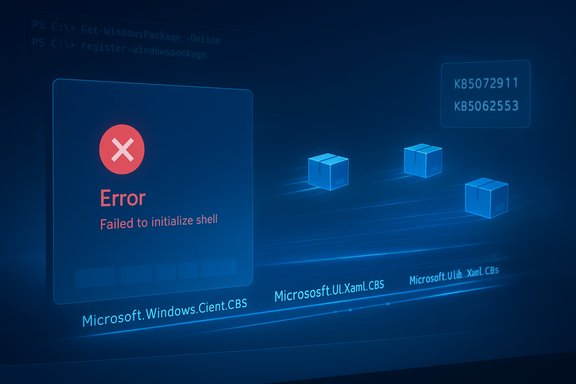
Microsoft’s support advisory (documented as KB5072911) states that when a device running Windows 11, version 24H2 is provisioned with a monthly cumulative update released on or after July 8, 2025 (KB5062553), the updated XAML dependency packages may not register in time for the new user session. The result is a timing‑dependent race condition that prevents core shell components from initializing correctly. Independent reporting and multiple community reproductions reflect the same symptom set and confirm the vendor’s diagnosis. Heise and other technical outlets captured Microsoft’s advisory and described how the updated packages can be present on disk but not available to freshly created user sessions, producing crashes or silent failures when the shell attempts to render XAML‑based UI.
The practical reality for organizations running Windows 11 24H2 is simple: treat provisioning and non‑persistent images as high‑risk vectors for this timing regression, apply Microsoft’s workarounds where needed, and hold off broad deployments until you’ve validated image‑level registration behavior or until a permanent servicing fix from Microsoft becomes available.
Source: Cyber Press https://cyberpress.org/microsoft-confirms-windows-11-24h2/
 Background / Overview
Windows servicing in recent releases has moved many built‑in user interface components into modular AppX/MSIX packages and XAML dependency bundles so Microsoft can update UI surfaces independently of monolithic OS binaries. That modular approach delivers rapid fixes and feature updates, but it also introduces new lifecycle and ordering constraints: when servicing replaces these packages the system must register them back into the interactive user session before XAML‑hosted shell processes attempt to activate UI objects.Microsoft’s support advisory (documented as KB5072911) states that when a device running Windows 11, version 24H2 is provisioned with a monthly cumulative update released on or after July 8, 2025 (KB5062553), the updated XAML dependency packages may not register in time for the new user session. The result is a timing‑dependent race condition that prevents core shell components from initializing correctly. Independent reporting and multiple community reproductions reflect the same symptom set and confirm the vendor’s diagnosis. Heise and other technical outlets captured Microsoft’s advisory and described how the updated packages can be present on disk but not available to freshly created user sessions, producing crashes or silent failures when the shell attempts to render XAML‑based UI.
What’s breaking: concrete symptoms IT teams are seeing
The failure mode targets the most visible and relied‑upon parts of the Windows desktop. Reported and documented symptoms include:- The Start menu fails to launch and often displays a “critical error” message.
- Explorer.exe may be running while the taskbar is missing or blank.
- System Settings (for example Start → Settings → System) silently refuses to open.
- ShellHost.exe, StartMenuExperienceHost, and other shell processes crash during XAML view initialization.
- XAML‑island views embedded in third‑party or in‑box apps fail to initialize and may crash.
- In pooled or non‑persistent desktop environments the failure can reproduce on every logon.
Root cause, explained simply and technically
At the heart of the regression is a registration timing problem introduced by servicing:- Monthly cumulative updates (LCUs) replace the files that back packaged XAML/AppX components (for instance packages named like Microsoft.Windows.Client.CBS, Microsoft.UI.Xaml.CBS, and Microsoft.Windows.Client.Core).
- After the file replacement, servicing must register the updated packages into the operating system and into new interactive user sessions so COM/XAML activations succeed.
- In some provisioning or first‑logon scenarios the registration step lags behind. If the shell (Explorer.exe, SiHost/ShellHost, StartMenuExperienceHost) starts before registration completes, XAML activation requests fail.
- The failing activation calls cause crashes, “critical error” dialogs, blank taskbar windows, or silently failing Settings — a classic race condition between registration and shell startup.
Who’s most affected (threat model)
This regression disproportionately impacts two operational scenarios:- First user sign‑in immediately after provisioning or servicing. Imaging or provisioning workflows that apply an update and quickly hand a device to a user give little slack for asynchronous registration tasks to complete before the first interactive session begins.
- Non‑persistent VDI and pooled desktops. Environments that provision app packages and register them on a per‑logon basis (for example instant‑clone pools, many VDI installations, and Windows 365 Cloud PCs) are vulnerable because registration must complete for every user logon. If it does not, the race condition reproduces on every session and can take an entire pool offline operationally.
Microsoft’s official guidance and immediate workarounds
Microsoft has published two primary mitigations in KB5072911:- Manual re‑registration (interactive remediation). In an affected user session run these PowerShell commands to register the package manifests and then restart the Shell Infrastructure Host (SiHost) so the Immersive Shell can pick up registered packages:
- Add-AppxPackage -Register -Path 'C:\Windows\SystemApps\MicrosoftWindows.Client.CBS_cw5n1h2txyewy\appxmanifest.xml' -DisableDevelopmentMode
- Add-AppxPackage -Register -Path 'C:\Windows\SystemApps\Microsoft.UI.Xaml.CBS_8wekyb3d8bbwe\appxmanifest.xml' -DisableDevelopmentMode
- Add-AppxPackage -Register -Path 'C:\Windows\SystemApps\MicrosoftWindows.Client.Core_cw5n1h2txyewy\appxmanifest.xml' -DisableDevelopmentMode
- Synchronous logon script for non‑persistent environments. For VDI or other non‑persistent topologies, Microsoft recommends creating a batch wrapper that runs the same Add‑AppxPackage commands synchronously and blocks explorer.exe from launching until registration completes:
- The sample batch in the KB executes powershell.exe -ExecutionPolicy Bypass -Command "Add-AppxPackage -Register -Path '<manifest path>' -DisableDevelopmentMode" for each impacted package and is intended to run before Explorer starts at logon. This ensures the shell does not race ahead of package registration.
Practical guidance for administrators and helpdesk teams
- Prioritize testing in a non‑production ring.
- Before broad rollout, deploy the July 2025 cumulative and subsequent monthly rollups to a small ring of test devices and non‑persistent images. Monitor first‑logon behaviors and automate smoke tests around Start, Taskbar, Explorer, and Settings.
- Implement the synchronous logon script in non‑persistent pools if rapid remediation is needed.
- Deploy the sample wrapper in a controlled pilot and validate logon performance, time‑outs, and any interactions with profile‑management tooling. Confirm the script runs before the shell is allowed to start.
- Prepare helpdesk playbooks for interactive remediation.
- Keep the Add‑AppxPackage registration commands and a short script for restarting SiHost in your runbook. Train frontline staff to collect Event Viewer logs and CBS logs to escalate cases that do not respond to re‑registration.
- Consider deferring the affected cumulative updates in sensitive rings.
- Where possible, delay deploying monthly LCUs to imaging or provisioning rings until a permanent fix is available. If the update contains critical security fixes, weigh the security risk of deferral against the operational risk and consider compensating controls.
- Add automated post‑update checks to imaging pipelines.
- For provisioning pipelines, add a step that verifies the registration of the three named packages post‑servicing and before handing devices to end users.
- Communicate with stakeholders.
- Inform business unit owners and helpdesk stakeholders about the known issue — especially teams that manage VDI, Cloud PC, or large scale image deployments — so they can budget remediation effort and expect short‑term service interruptions.
Risks, limitations, and gaps in public information
- No published prevalence telemetry. Microsoft’s advisory does not include fleet‑level telemetry showing how many devices are exposed or what percentage of images will reproduce the issue; community signals show many reproductions but cannot quantify scale. Treat community frequencies as reproducible cases, not representative statistics, until vendor telemetry is published.
- Operational cost for large fleets. Non‑persistent VDI environments that adopt the synchronous registration script will incur logon latency and added complexity. For high‑scale pools, running per‑logon registration synchronously can materially increase logon times and may interact poorly with profile‑management or FSLogix container workflows.
- Workarounds increase administrative surface. Manual Add‑AppxPackage re‑registration is powerful but must run in the affected user session; remotely automating that at scale requires careful scripting and privilege management. Mistakes in scripting or registry edits could further destabilize provisioning flows.
- Potential for follow‑on regressions. The underlying cause is an ordering failure in a modular servicing pipeline. Fixes that adjust registration ordering need thorough testing across devices, image types, and peripheral topologies to avoid introducing new race conditions or regressions—particularly in environments that use third‑party imaging or driver injection software.
- Timing uncertainty. Microsoft says it is “working on a resolution” but has not provided a firm date for a permanent fix. Organizations must plan for medium‑term mitigation rather than expecting an immediate vendor patch.
Why this matters beyond a single bug: a larger servicing and engineering trade‑off
The incident highlights a persistent tension in modern OS servicing:- Modularity vs. lifecycle complexity. Delivering UI components as updatable packages enables faster improvements but introduces ordering dependencies and registration steps that must be atomic or orchestrated reliably during servicing.
- Monthly cadence exposes timing edge cases. A fast cadence increases the probability that a low probability ordering failure will be hit in real‑world provisioning scenarios. The larger and more diverse the fleet, the more likely peculiar provisioning sequences appear.
- Enterprise readiness must include provisioning smoke tests. Organizations that routinely build images or operate non‑persistent pools should add automated post‑update smoke checks for interactive shell surfaces. This incident demonstrates that a successful patch install does not always equal a usable desktop unless lifecycle steps (like package registration) complete before the first interactive session.
- Vendor transparency and telemetry matter. The four‑month gap between the July 2025 cumulative and Microsoft’s November advisory left many administrators troubleshooting without a vendor diagnosis. Faster detection, telemetry sharing, and earlier mitigation guidance would have reduced operational pain.
Timeline and verification of key facts
- July 8, 2025 — Microsoft released the monthly cumulative update commonly tracked as KB5062553 (OS Build 26100.4652). That package and monthly rollups released after it are the ones Microsoft references as the origin of the regression.
- November 2025 — Microsoft published support article KB5072911, documenting the provisioning‑time regression that affects Windows 11, version 24H2 when devices are provisioned with LCUs released on or after July 2025, and provided the manual re‑registration and synchronous logon script workarounds.
- Community reporting and forum reproductions tracked the symptomset and disseminated mitigation scripts while IT teams tested the KB guidance; independent outlets such as Heise and WindowsReport summarized Microsoft’s advisory and the operational implications.
Final analysis and recommended next steps
Microsoft’s public acknowledgement via KB5072911 provides clear diagnosis and practical mitigations; that’s the right first move and it immediately helps helpdesk teams remediate individual devices. The company’s guidance to register the three named package manifests and to run a synchronous registration script in non‑persistent environments is practical and effective as a short‑term fix. However, this incident also exposes broader risk trade‑offs in Windows servicing:- Enterprises should assume the possibility of provisioning‑time edge cases when adopting modular update models and design provisioning pipelines and smoke tests accordingly.
- Non‑persistent VDI operators should instrument pools, pilot the synchronous registration remedy, and weigh logon latency against service availability.
- Security teams and operations leaders must evaluate whether to defer affected LCUs in sensitive rings until Microsoft issues a permanent servicing fix — balancing security patching needs against operational disruption.
The practical reality for organizations running Windows 11 24H2 is simple: treat provisioning and non‑persistent images as high‑risk vectors for this timing regression, apply Microsoft’s workarounds where needed, and hold off broad deployments until you’ve validated image‑level registration behavior or until a permanent servicing fix from Microsoft becomes available.
Source: Cyber Press https://cyberpress.org/microsoft-confirms-windows-11-24h2/
