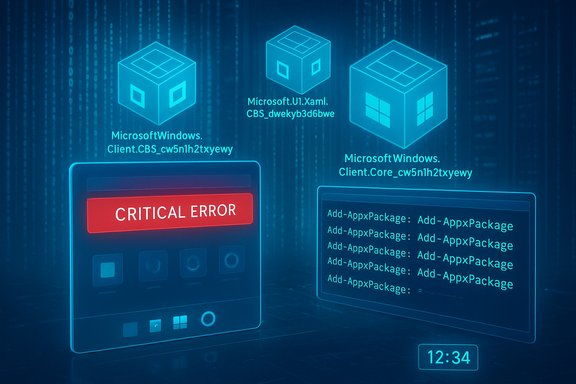
Microsoft has published an advisory (KB5072911) describing a provisioning-time regression in Windows 11, version 24H2: after installing monthly cumulative updates released on or after July 2025 (the advisory calls out KB5062553 as a representative package), several shell and XAML-hosted components — StartMenuExperienceHost, Search, System Settings, Taskbar, Explorer and other XAML island views — can fail to initialize for first-time user logons or for all logons in non‑persistent/VDI environments, producing crashes, silent failures or a blank taskbar.
Background / Overview
Windows servicing increasingly ships dependency packages for built-in UI elements as separate, updatable appx bundles (XAML hosts, Shell components and so on). When the servicing sequence updates those dependency packages, the OS must register them back into each user session so shell processes and XAML-hosted views can create their UI objects. Microsoft’s advisory states that in some provisioning scenarios the updated XAML packages are not registering in time, creating a race condition where the shell launches before the packages are available to the user session. The symptom set is therefore concentrated on UI processes that depend on those packages. This advisory is scoped specifically to:- Windows 11, version 24H2 (all editions).
- The problem occurs after installing monthly cumulative updates released on or after July 2025 (the KB explicitly references KB5062553 as an originating package).
- The highest risk scenarios are (a) first sign‑in of a user immediately after an update, and (b) non‑persistent OS installations — for example VDI pools or other images where application packages and provisioning actions must run at each logon.
What’s happening — technical anatomy
XAML package registration race
Windows hosts many in‑box components as packaged appx bundles (for example Microsoft.Windows.Client.CBS_cw5n1h2txyewy, Microsoft.UI.Xaml.CBS_8wekyb3d8bbwe and Microsoft.Windows.Client.Core_cw5n1h2txyewy). When servicing replaces those packages, the runtime needs to (re)register the packages for the active user session so COM/XAML activation works. If shell processes (Explorer, ShellHost, StartMenuExperienceHost, etc. start before registration completes, their activation calls fail — this manifests as crashes, “critical error” Start menu messages, blank taskbar, or XAML views that never initialize. Microsoft’s KB describes this exact timing/dependency problem and identifies the packages implicated.Why provisioning and non-persistent images are particularly vulnerable
- In first-time sign‑on after update scenarios, the update path has modified system components and the user session is being created immediately — there’s little slack for registration tasks to finish.
- In non‑persistent OS/VDI environments the image is shared or refreshed and certain app packages are provisioned per-session or per‑logon rather than being permanently installed; this means the registration path must reliably run before shell startup for every user logon. Microsoft explicitly recommends synchronous execution of registration in those environments as a workaround.
Symptoms — what IT and users will observe
Microsoft lists (and field reports confirm) a broad set of UI and shell failures. These symptoms are often high‑visibility and disruptive:- Explorer.exe may crash or be running with no taskbar window visible.
- Start menu may fail to launch and/or show a critical error dialog.
- System Settings (Settings > System) can silently refuse to open.
- ShellHost.exe or StartMenuExperienceHost crashes during XAML view initialization; other XAML island views fail to render.
- Affected components are the ones that depend on the updated XAML packages; in practice, that includes many of the most‑used desktop surfaces and application-hosted UI islands.
Official guidance and validated workarounds
Microsoft’s advisory includes both a short-term manual workaround and a recommended scripted approach for non‑persistent environments:- Manual registration (works for single machines or interactive troubleshooting):
Run these PowerShell commands in the affected user session to register the packages and then restart SiHost/Explorer so the shell picks up the newly registered packages:
After registration, restart the shell processes (for example, terminate/restart SiHost, explorer.exe, or sign out and back in). Microsoft documents these commands verbatim in the KB.Code:Add-AppxPackage -Register -Path 'C:\Windows\SystemApps\MicrosoftWindows.Client.CBS_cw5n1h2txyewy\appxmanifest.xml' -DisableDevelopmentMode Add-AppxPackage -Register -Path 'C:\Windows\SystemApps\Microsoft.UI.Xaml.CBS_8wekyb3d8bbwe\appxmanifest.xml' -DisableDevelopmentMode Add-AppxPackage -Register -Path 'C:\Windows\SystemApps\MicrosoftWindows.Client.Core_cw5n1h2txyewy\appxmanifest.xml' -DisableDevelopmentMode - Non‑persistent/VDI environments (recommended operational workaround):
Microsoft recommends running a synchronous logon script that registers the required packages before Explorer is allowed to start. The KB supplies a sample batch wrapper that invokes PowerShell synchronously for each Add-AppxPackage registration; the idea is to block shell startup until registration completes, ensuring the packages are available to the session. This is the pragmatic mitigation for pooled desktop and similar non‑persistent stacks.
Reproductions, telemetry signals and prevalence (what we can verify)
- Microsoft’s KB is clear about scope (24H2) and the update window (updates on or after July 2025, with KB5062553 cited as an example). This is authoritative.
- Community reproductions and forum posts show the phenomenon is real and that the Add-AppxPackage registration workaround fixes the immediate symptoms for many affected machines. Multiple independent reports on support forums, Microsoft Q&A and community threads corroborate the problem pattern and the effectiveness of re‑registering the packages.
- What remains not fully quantified is the scale of the impact across the installed base. Microsoft has not published high‑level telemetry figures for the number of devices impacted by KB5072911; estimating prevalence from forum volume is unreliable and likely biased toward cases where users were most affected. Treat public forum evidence as high‑fidelity proof-of‑concept but low‑quality for prevalence statistics. Use caution when extrapolating to fleet‑wide impact.
Operational recommendations — immediate, short‑term and long‑term
Immediate actions for helpdesk and admins
- Apply the Microsoft KB remediation steps during user sessions to restore functionality, using the Add-AppxPackage commands documented in KB5072911. Restart SiHost/explorer or perform a sign‑out/sign‑in as required.
- For users in non‑persistent or VDI pools, implement a synchronous logon script that registers the listed packages before letting the shell initialize. Microsoft provides a sample batch wrapper in the KB; adapt it to your environment’s orchestration.
- If your support workflow expects remote fixes, prepare signed PowerShell scripts and remote execution plans — note that Add-AppxPackage requires appropriate privileges and that running these commands may be blocked by some app‑control policies or antivirus tools; test in a lab first.
Short‑term deployment guidance
- Hold updates on images used for provisioning until you’ve validated the registration sequence on a test image. For managed fleets, use staged rings (pilot → broad deployment) and validate with users who represent non‑persistent/VDI scenarios. Microsoft’s release-health and safeguard holds are the authoritative channels for rollout status; watch those pages for when the vendor publishes a fix or KIR.
- If you operate golden images, apply the cumulative update, run the package registration once in the image, and capture the image after the registration is completed. This reduces the chance the race condition will appear for first-time logons from that image.
Long‑term and risk mitigation
- Rework provisioning scripts so that package registration is explicit and synchronous: installation steps that assume the shell will wait for package registration are brittle.
- Add post‑update automated checks into your image pipeline that validate Start menu, Explorer and Settings startup at the first interactive logon. Automated smoke tests catch these regressions before wide rollouts.
- Maintain a documented rollback path for emergency scenarios (uninstall latest LCU from image or revert to previous snapshot) and keep a tested recovery image for remote repair tasks.
Analysis — strengths, weaknesses, and risk assessment
Notable strengths
- Microsoft documented the issue publicly and provided a concrete, actionable workaround (the Add-AppxPackage registration commands and a sample logon script). That allows rapid operational response and targeted mitigation rather than a blind rollback of security updates. The KB is explicit and prescriptive.
- The root cause is straightforward to reason about: a timing/ordering problem in package registration during a time‑sensitive provisioning path. Fixing the sequencing is tractable for administrators.
Practical weaknesses and risks
- The workaround requires running Add-AppxPackage in the user session and, for pooled desktops, adding a synchronous registration step to the logon path. This can be operationally complex in large fleets and may increase logon time if not optimized. Microsoft’s recommended logon wrapper intentionally blocks Explorer to ensure registration — but any blocking step risks user‑perceived slowness.
- The KB’s remediation is procedural rather than binary: it fixes the symptoms by re‑registering packages, not by changing the underlying condition that allows the race to occur. Until an updated servicing package removes the race condition, the risk remains for new updates or different install orderings.
- Some enterprise policies or security tools may treat Add-AppxPackage activity as suspicious or may block execution; testing and policy exceptions may be required. Community posts note that Add-AppxPackage can fail with "resources in use" or other HRESULTs if other processes lock related files. This means the workaround may sometimes require multiple iterations or a careful order of operations.
Security trade-offs
- Delaying security updates for the sake of stability is an unattractive general practice; the correct mitigation is to adopt workload‑aware rollout controls (pilot rings, targeted testing) and to implement Microsoft’s recommended workaround until the vendor ships a fix. Microsoft’s release-health guidance and KIR mechanisms are the appropriate channel to balance security and stability.
How to implement the non‑persistent (VDI) logon wrapper — practical example
Microsoft’s sample batch wrapper demonstrates the required concept: synchronously run PowerShell commands to register packages before Explorer starts. Below is a distilled, practical example you can adapt and sign:
Code:
[USER=35331]@echo[/USER] off
REM Run these synchronously to ensure packages register before Explorer starts
powershell.exe -ExecutionPolicy Bypass -Command "Add-AppxPackage -Register 'C:\Windows\SystemApps\MicrosoftWindows.Client.CBS_cw5n1h2txyewy\AppxManifest.xml' -DisableDevelopmentMode"
powershell.exe -ExecutionPolicy Bypass -Command "Add-AppxPackage -Register 'C:\Windows\SystemApps\Microsoft.UI.Xaml.CBS_8wekyb3d8bbwe\AppxManifest.xml' -DisableDevelopmentMode"
powershell.exe -ExecutionPolicy Bypass -Command "Add-AppxPackage -Register 'C:\Windows\SystemApps\MicrosoftWindows.Client.Core_cw5n1h2txyewy\AppxManifest.xml' -DisableDevelopmentMode" REM Optionally log output / errors to a file for diagnostics- Test the wrapper in a lab VDI pool and measure logon times.
- Ensure the script runs under the correct user context and has permission to access the SystemApps manifest files.
- Add retry/backoff to handle transient file locks (community posts indicate Add-AppxPackage can fail when resources are in use).
What Microsoft should (and likely will) do next
Microsoft’s KB states “We are working on a resolution and will provide more information when it is available,” which matches the vendor’s typical cadence: publish the known‑issue advisory and short‑term mitigations, then ship a patch or Known Issue Rollback (KIR) that avoids the need for manual registration. Administrators should monitor Microsoft’s release‑health/Windows 11 24H2 status pages for an updated KB or KIR and the normal update channels for a subsequent LCU that removes the race condition.Practical checklist for support teams (quick reference)
- Triage: Confirm affected machines are Windows 11, version 24H2 and recently applied an LCU released on or after July 2025.
- Repair: Re‑register the three named packages in the user session (Add-AppxPackage lines in the KB), restart SiHost/explorer, confirm Start/Menu/Settings restored.
- VDI: Implement the synchronous logon wrapper to register packages before Explorer launches; test for logon performance impact.
- Monitoring: Track Microsoft’s release-health page and KB updates for a permanent fix or KIR.
- Documentation: Record the occurrence, the remediation steps used, and the time-to-repair for future RCA and post‑mortem work.
Caveats, unknowns and flagged claims
- The KB is explicit about the packages and the workaround; those technical facts are verified on Microsoft’s support page.
- The scale of the problem (how many devices in the wild are affected) is not published by Microsoft; community thread volume and anecdotal reports indicate multiple occurrences but cannot be used to estimate fleet-wide prevalence. This remains unverified and should be treated as such.
- Some community workarounds register a broader set of Shell/Appx packages (for example Microsoft.Windows.ShellExperienceHost and others). These variants have been used successfully in field repairs, but they are community‑provided; validate them against your environment before mass deployment.
Conclusion
KB5072911 documents a clear, actionable provisioning-time regression in Windows 11, version 24H2 where updated XAML dependency packages can fail to register quickly enough to support shell startup. Microsoft’s guidance — manual package registration for individual remediation and a synchronous logon script for non‑persistent images — is practical and effective in the short term. Administrators must balance timely security patching with robust update-validation for images and VDI pools: adopt staged deployments, add automated post‑update smoke tests for the shell, and implement the documented registration script where necessary until Microsoft issues a permanent servicing fix or Known Issue Rollback. The KB and community reproductions give support teams the tools to restore affected endpoints quickly, but the operational burden of doing so at scale remains the central risk until Microsoft ships an update that removes the underlying race condition.Source: Microsoft Support KB5072911: Multiple symptoms occur after provisioning a PC with a Windows 11, version 24H2 update - Microsoft Support