

Microsoft has quietly rolled out targeted fixes that repair several high‑impact UI and servicing regressions in Windows 11 versions 25H2 and 24H2, addressing everything from the long‑running “Update and shut down” misbehavior to a jarring dark‑mode regression in File Explorer and an emergency recovery (WinRE) input failure — but the rapid, iterative nature of these patches underscores both Microsoft’s faster servicing cadence and the operational risks that come with aggressive, staged rollouts.
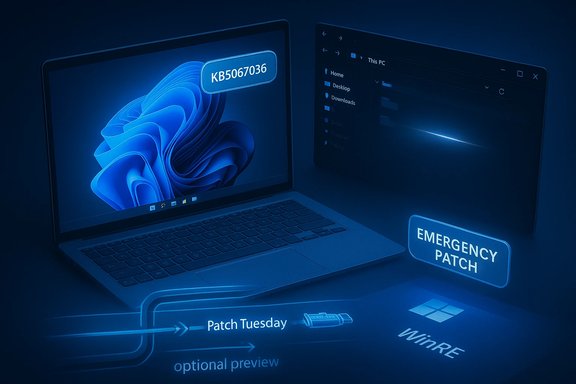
Microsoft distributes Windows 11 fixes through a multi‑stage model: features and remediation appear first in Insider flights, then in optional preview cumulative updates (C‑release), and finally in mainstream Patch Tuesday rollups. That pipeline is designed to reduce blast radius, but it also means preview packages can ship visible UI changes and regressions to users who opt in or to devices that receive optional updates. The autumn and early winter 2025 servicing cycle delivered several such preview packages — most notably KB5067036 (October 28, 2025 preview) and KB5070311 (December 1, 2025 preview) — which both corrected long‑standing issues and introduced new, sometimes severe, side effects. Key technical anchors verified in Microsoft’s public support notes and independent reporting:
Microsoft’s October 28, 2025 preview cumulative (KB5067036) contains an orchestration‑level change to the servicing stack that restores deterministic shutdown behavior in the scenarios targeted by the engineering fix. The company describes the change succinctly in the KB text, and independent outlets validated the fix appearing in Insider builds prior to the optional preview. This is a servicing flow correction rather than a cosmetic relabeling: it modifies how Windows sequences offline servicing, reboot requirements, and final power‑state decisions. What this means for users and admins:
For most users, the practical takeaway is straightforward:
(Verified details in this article are drawn from Microsoft’s support bulletins and contemporaneous reporting: Microsoft KB entries for October 28, 2025 (KB5067036) and December 1, 2025 (KB5070311), independent reporting testing the File Explorer dark‑mode regression, and community/industry coverage of the WinRE emergency patch; additional community analysis and patch sequencing were used to clarify how these fixes were staged and delivered.
Source: Neowin https://www.neowin.net/news/microso...n-windows-11-25h2-24h2-crucial-ui-components/
 Background / Overview
Microsoft distributes Windows 11 fixes through a multi‑stage model: features and remediation appear first in Insider flights, then in optional preview cumulative updates (C‑release), and finally in mainstream Patch Tuesday rollups. That pipeline is designed to reduce blast radius, but it also means preview packages can ship visible UI changes and regressions to users who opt in or to devices that receive optional updates. The autumn and early winter 2025 servicing cycle delivered several such preview packages — most notably KB5067036 (October 28, 2025 preview) and KB5070311 (December 1, 2025 preview) — which both corrected long‑standing issues and introduced new, sometimes severe, side effects. Key technical anchors verified in Microsoft’s public support notes and independent reporting:- KB5067036 (optional preview, Oct 28, 2025) includes an engineering fix described as “Addressed underlying issue which can cause ‘Update and shutdown’ to not actually shut down your PC after updating.” This produces OS builds 26200.7019 (25H2) and 26100.7019 (24H2).
- KB5070311 (optional preview, Dec 1, 2025) aims to extend dark‑mode theming in File Explorer and applies to OS builds 26200.7309 (25H2) and 26100.7309 (24H2); Microsoft documents a known issue where Explorer may briefly display a white screen when used in dark mode.
- An out‑of‑band emergency package (KB5070773) was published to repair USB input failures in WinRE that were introduced by an earlier October cumulative update; this was widely reported and rapidly distributed.
What broke — and what Microsoft fixed
The “Update and shut down” problem: small UI, big operational pain
For many users the Start menu option labeled Update and shut down promised a simple workflow: let Windows apply pending updates, then power off. In certain configurations, though, selecting that option would not result in a power‑off; instead the system sometimes completed offline servicing but then returned to the lock screen or rebooted — effectively turning a shutdown into a restart. That inconsistency was especially harmful for laptop battery life, overnight maintenance windows, and imaging labs that expected deterministic power states.Microsoft’s October 28, 2025 preview cumulative (KB5067036) contains an orchestration‑level change to the servicing stack that restores deterministic shutdown behavior in the scenarios targeted by the engineering fix. The company describes the change succinctly in the KB text, and independent outlets validated the fix appearing in Insider builds prior to the optional preview. This is a servicing flow correction rather than a cosmetic relabeling: it modifies how Windows sequences offline servicing, reboot requirements, and final power‑state decisions. What this means for users and admins:
- Laptops and small form factor devices should no longer be left powered on after choosing Update and shut down when the fix is applied.
- Administrators should test the preview on representative hardware if deterministic shutdown is critical to maintenance or imaging workflows. The staged rollout approach means broader availability follows successful pilot validation.
File Explorer dark mode: the polish that flashed back
KB5070311 was explicitly intended to make dark mode more consistent across File Explorer by theming legacy copy/move/delete dialogs, progress windows, and other Win32 surfaces. The intent is legitimate — users have wanted consistent dark UI coverage for years — but the rollout triggered a rendering regression: in dark mode, File Explorer may briefly show a bright white flash or blank white window frame in several common scenarios (opening Explorer, creating a new tab, toggling the Details pane, expanding copy dialogs). Microsoft documented the behavior as a known issue and offered a Known Issue Rollback (KIR) policy while working on a permanent fix. Independent coverage and hands‑on tests reproduced the symptom: the content area of Explorer can white‑out for a fraction of a second up to a second on some systems, likely due to paint‑ordering, compositor timing, or partial surface theming mismatches. The issue is more than cosmetic; it raises legitimate accessibility concerns because sudden luminance spikes can affect users with photosensitivity and can be jarring in low‑light conditions. Mitigations and Microsoft’s response:- Microsoft documented the known issue and provided a KIR (KB5072033) that can be applied via Group Policy to roll back the problematic change while a proper remediation is prepared.
- For users intolerant of the flash, temporarily uninstalling the optional preview or deferring the preview until the fix lands in a Patch Tuesday cumulative update is the practical path.
WinRE USB input failure: emergency patching
A separate October cumulative update (KB5066835) introduced a severe regression that caused USB keyboards and mice to stop responding within the Windows Recovery Environment (WinRE). Because WinRE is the primary on‑device recovery tool, this made it impossible for many affected users to choose recovery options, run Startup Repair, or use Reset this PC, unless they had alternate input or pre‑prepared recovery media. Microsoft shipped an out‑of‑band emergency update (KB5070773) to restore USB input in WinRE for 24H2/25H2 devices. The patch was flagged as urgent and distributed outside the normal Patch Tuesday window due to WinRE’s critical role in recoverability. Operational implications:- Enterprises should verify their WinRE functionality after cumulative updates and maintain tested recovery media and process documentation for edge cases where WinRE input is compromised.
- The recurrence of WinRE regressions in the same servicing window highlights the importance of separate testing for the SafeOS/WinRE image used in recovery scenarios.
Why these regressions happened: a technical primer
Modern Windows servicing is a choreography of live‑session staging, offline servicing, and recovery image management. Several interacting subsystems make subtle bugs possible:- Multi‑phase servicing — Many updates are staged in the running OS and require an offline commit during reboot or shutdown. Some packages need multiple commit steps or the replacement of in‑use binaries, and the orchestrator must decide whether to power off or reboot. A mis‑sequenced decision can turn a shutdown into a restart.
- Fast Startup (hybrid shutdown) — Fast Startup preserves kernel session state to improve boot times; those semantics can confuse offline servicing logic that expects a full shutdown semantics.
- SafeOS/WinRE packaging — WinRE runs a separate minimal image (winre.wim) and can be affected differently by the same binary changes that affect the main OS. Packaging or driver mismatches between live OS and WinRE contexts can produce recovery regressions that escape standard desktop testing.
- Staged feature flags and server‑side gating — Many visual polish changes are gated by server flags or hardware entitlements; binaries may ship but the feature enabling varies by device, creating test permutations that are hard to exhaustively validate.
What to do next — practical guidance for users and IT
For individual users
- If you rely on dark mode and are experiencing the File Explorer white flash, consider uninstalling KB5070311 (or avoid installing optional C‑release previews) until Microsoft publishes the fix or applies the KIR.
- If you manage laptop battery life and have previously seen “Update and shut down” behave incorrectly, ensure your system has the KB5067036 or later cumulative updates applied and test the shutdown workflow.
- Keep recovery media handy and confirm WinRE works (especially keyboards and mice) after applying major cumulative updates; if you cannot boot normally, alternate input options (touchscreen, PS/2, or USB recovery drives) may be necessary until emergency fixes apply.
For IT administrators and enterprise deployers
- Treat optional preview (C‑release) packages as pilot candidates only. Use targeted pilot rings and representative hardware fleets to validate user experience and critical recovery functionality before broad distribution.
- Verify WinRE and recovery operations after cumulative updates — automate tests where possible. Consider scheduling such validation after major update windows.
- Use Known Issue Rollback (KIR) proactively if a regression affects critical workflows. Microsoft’s KIR Group Policy packages (e.g., KB5072033) can disable problematic changes for enterprise fleets while waiting for the permanent fix.
- Document expected OS build targets for your images (for example, 25H2 → 26200.xxxx) and track the inclusion of fixes across preview and cumulative updates so that imaging and provisioning pipelines are predictable.
Strengths in Microsoft’s response — and why they matter
- Faster, staged delivery model — The Insider → optional preview → Patch Tuesday pipeline allows Microsoft to route fixes (and feature rolls) to smaller audiences first, gather telemetry, and iterate. When it works, that reduces the chance of large‑scale regressions making it into broadly distributed rollups. This model enabled Microsoft to push the “Update and shut down” fix through Insider flights and then into KB5067036.
- Emergency out‑of‑band patches for critical recovery failures — The quick release of KB5070773 to restore USB input in WinRE demonstrates the ability to prioritize high‑impact fixes outside the standard Patch Tuesday cadence. That responsiveness preserves device recoverability for affected users.
- Visible documentation and KIR support — Microsoft’s explicit Known Issues sections and the provision of Known Issue Rollback (KIR) Group Policy artifacts allow IT teams to mitigate regressions at scale without resorting to uninstalling packages manually. That’s a practical operational tool for enterprises.
Risks, trade‑offs, and what still looks fragile
- Surface area of change vs test coverage — The drive to reduce user friction by theming legacy Win32 dialogs and expanding AI features touches deep, long‑standing code paths. Those paths are widely used and vary by locale, GPU/compositor drivers, and accessibility settings, which makes exhaustive testing difficult. The File Explorer white flash is a case in point.
- Recovery image fragility — Regressions that only appear in WinRE or SafeOS (pre‑boot) contexts are particularly dangerous because they can render on‑device recovery unusable for many users. Existing lab testing must explicitly exercise the WinRE image after packaging changes. Recent incidents show WinRE regressions reappearing, which suggests insufficient coverage for that special image in some test suites.
- User trust erosion — Repeated visible regressions (white flashes, broken recovery inputs, unexpected power states) erode confidence in updates. Users who lose faith in “Update and shut down” or in the reliability of the recovery environment may adopt workarounds that reduce update compliance or increase support costs.
- Complexity of staged feature gates — Shipping binaries and enabling features progressively via server flags increases permutations for diagnostics. When a bug appears only on some devices due to server gating or hardware entitlements, root cause analysis becomes slower and more complex.
What to watch for next
- Microsoft’s KB pages and Release Health dashboard are the authoritative trackers for whether the File Explorer white‑flash regression has been resolved in a subsequent cumulative. The company has already published a KIR (KB5072033) and stated the issue is being fixed in a follow‑up update; administrators should monitor the Known Issues entries for the timing of the permanent remedial package.
- Expect the “Update and shut down” fix to be included in a mainstream cumulative update after optional preview validation, so enterprises should plan to validate the behavior on representative hardware before using the optional preview as their deployment baseline.
- Keep an eye on recovery validation telemetry. If WinRE regressions recur, coordination between driver vendors, OEMs, and Microsoft will be required to ensure SafeOS and winre.wim images align with updated driver stacks.
Final analysis — balancing speed and stability
The recent round of Windows 11 preview and emergency updates highlights a real and ongoing tension in modern OS servicing: users want fast fixes and feature improvements, but the operating system’s broad hardware and configuration diversity makes any change a potential minefield. Microsoft’s staged model — Insider validation, optional previews, KIR rollbacks, and emergency out‑of‑band patches — is the right operational framework for reducing risk, but it is only as effective as the breadth of telemetry, the rigor of WinRE and SafeOS testing, and the ability for organizations to pilot updates in realistic environments.For most users, the practical takeaway is straightforward:
- Install preview updates only if you want early access and can tolerate risk; otherwise, wait for the Patch Tuesday rollups that consolidate fixes after pilot validation.
- Enterprises should adopt a disciplined pilot → broad deployment model, use Known Issue Rollback when necessary, and maintain tested recovery media and scripts for incident response.
(Verified details in this article are drawn from Microsoft’s support bulletins and contemporaneous reporting: Microsoft KB entries for October 28, 2025 (KB5067036) and December 1, 2025 (KB5070311), independent reporting testing the File Explorer dark‑mode regression, and community/industry coverage of the WinRE emergency patch; additional community analysis and patch sequencing were used to clarify how these fixes were staged and delivered.
Source: Neowin https://www.neowin.net/news/microso...n-windows-11-25h2-24h2-crucial-ui-components/
