

Microsoft quietly rolled out a targeted servicing fix that finally makes the Start‑menu command “Update and shut down” behave as labeled for many Windows 11 machines — but the relief is mixed with follow‑on problems for other updates and a reminder that virtualizing Windows remains fiddly when TPM, drivers and UEFI are involved.
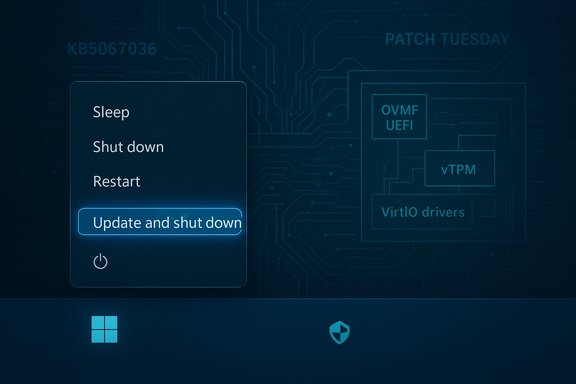
For years a subset of Windows users saw an annoying mismatch: choosing Update and shut down would result in updates being applied, then the machine returning to the sign‑in screen or desktop instead of powering off. That behavior caused drained laptop batteries, broken maintenance windows and fragile automation that relied on deterministic shutdown semantics. Microsoft documented a servicing‑level correction in an optional preview cumulative update and began a staged rollout to broader channels. At the same time, Microsoft’s January security rollups introduced a known issue for classic Outlook POP profiles: after installing the January cumulative update some users report Outlook freezing or failing to exit properly, a problem the company is actively investigating. On the virtualization front, hobbyists and lab admins continuing to run Windows inside Proxmox increasingly document the extra fiddling required to install Windows 11 (UEFI/OVMF, vTPM, VirtIO drivers and the right SCSI/network driver order), underscoring that hands‑on knowledge is still required to get a smooth experience.
Restoring deterministic shutdown semantics was the right engineering target; the cautious, staged rollout was also appropriate. The remaining responsibilities fall to administrators and end users: pilot intelligently, avoid optional previews on production machines unless you can tolerate rollbacks, and continue to apply rigorous telemetry and lifecycle testing so that when Microsoft fixes one problem it does not inadvertently create another.
Source: PCMag https://www.pcmag.com/news/windows-...vertelemetry=1&renderwebcomponents=1&wcseo=1]
 Background / Overview
For years a subset of Windows users saw an annoying mismatch: choosing Update and shut down would result in updates being applied, then the machine returning to the sign‑in screen or desktop instead of powering off. That behavior caused drained laptop batteries, broken maintenance windows and fragile automation that relied on deterministic shutdown semantics. Microsoft documented a servicing‑level correction in an optional preview cumulative update and began a staged rollout to broader channels. At the same time, Microsoft’s January security rollups introduced a known issue for classic Outlook POP profiles: after installing the January cumulative update some users report Outlook freezing or failing to exit properly, a problem the company is actively investigating. On the virtualization front, hobbyists and lab admins continuing to run Windows inside Proxmox increasingly document the extra fiddling required to install Windows 11 (UEFI/OVMF, vTPM, VirtIO drivers and the right SCSI/network driver order), underscoring that hands‑on knowledge is still required to get a smooth experience. What Microsoft shipped and where it landed
The fix: KB5067036 (October 28, 2025 preview)
Microsoft placed the correction into an optional preview cumulative update identified as KB5067036 (preview builds OS 26200.7019 for Windows 11 25H2 and 26100.7019 for 24H2). The KB’s terse changelog reads: “Addressed underlying issue which can cause ‘Update and shutdown’ to not actually shut down your PC after updating.” The change was validated in Insider preview flights before being offered as a preview and later folded into the mainstream Patch Tuesday cadence. Independent coverage and community tests corroborated the behavioral change. Key points about the release:- The correction is servicing‑level — Microsoft adjusted the orchestration that decides whether the update commit sequence ends in a shutdown or a restart.
- It was first visible in Insider Dev/Beta flights and then packaged into the October 28, 2025 preview (optional) before general rollout plans on the November Patch Tuesday cycle.
- Microsoft’s release notes are deliberately concise; no deep post‑mortem was published publicly, leaving some internal cause details opaque.
The new problem: Task Manager duplication in the preview
Early testers of KB5067036 also reported a regression: Task Manager windows that cannot be closed normally, resulting in multiple invisible taskmgr.exe instances and resource pressure. That collateral issue is why Microsoft delivered the fix as an optional preview first and why cautious admins were advised to pilot the update before broad deployment.Technical anatomy — why “Update and shut down” is deceptively complex
At a glance, Update and shut down is a simple UI action. Under the hood it touches multiple subsystems:- Multi‑phase servicing pipeline: modern cumulative updates often perform offline servicing steps that require reboots and staged commits.
- Power state orchestration: the decision to perform a cold power‑off versus a restart must persist across reboots and servicing transitions.
- Fast Startup / hybrid shutdown: Fast Startup’s hybrid flow changes shutdown semantics on many devices and can complicate update commit sequences.
- Sign‑in/auto‑finish flows and drivers: features that resume configuration after reboot or drivers that require reinit can alter the final control flow.
What users and admins should do now
Home users and enthusiasts
- If you prefer stability: wait for the fix to arrive in the mainstream cumulative update via Patch Tuesday; avoid optional previews on your main device.
- If you want the fix now: install the optional KB preview (KB5067036) on a non‑critical machine and validate that Update and shut down actually powers the PC off overnight.
- As a temporary deterministic workaround, use Update and restart followed by a manual shutdown — this sequence remains predictable.
IT administrators (recommended rollout checklist)
- Create a pilot ring of representative hardware and management stacks.
- Install KB5067036 in the pilot ring and run lifecycle tests that include Update+Shutdown with Fast Startup both enabled and disabled.
- Monitor for the Task Manager regression and collect ETW traces and logs if it appears.
- If unacceptable regressions appear, roll back the optional LCU and follow Microsoft’s support guidance.
- Stage broad deployment only after verifying telemetry and confirming fixes for collateral regressions.
The Outlook POP freeze: January security update fallout
What Microsoft says
On January 15, 2026 Microsoft posted an advisory noting an emerging issue: after installing KB5074109 (the January 13, 2026 cumulative update) some users with classic Outlook POP account profiles report Outlook failing to exit properly, and some report hangs or freezes. Microsoft marked the status as Investigating and is updating the advisory as information becomes available. BleepingComputer and other independent outlets documented the same behavior and reiterated Microsoft’s guidance that affected users can temporarily uninstall KB5074109 if the problem severely disrupts Outlook — though uninstalling a security update carries risk and should be weighed accordingly.Practical mitigation options
- Uninstall KB5074109 if Outlook is unusable, then block reinstallation until Microsoft issues a patch — but be mindful that removing security updates exposes the device to patched vulnerabilities.
- Switch affected POP accounts to an alternate client (if feasible) or use webmail temporarily while Microsoft issues a fix.
- For organizations, escalate through formal support channels and collect diagnostic logs to accelerate Microsoft’s triage.
Virtualization note — installing Windows on Proxmox remains more hands‑on than some expect
The third piece of the week’s coverage: installing Windows on Proxmox is straightforward in principle but demands attention to details many Windows users take for granted on bare metal. The MSN piece (user‑provided) and multiple community guides converge on several recurring requirements for a successful Windows 11 VM on Proxmox: use OVMF (UEFI), enable a virtual TPM (vTPM) 2.0, attach the VirtIO drivers ISO and install storage drivers early, and prefer VirtIO SCSI and VirtIO networking for best performance once drivers are present. Common pitfalls and practical tips:- The Windows installer will not see the VM disk until the VirtIO storage driver is loaded from the virtio‑win ISO; mount the virtio ISO as a second CD/DVD device and use the “Load driver” button in Setup.
- Use q35 machine type and OVMF (UEFI) firmware; add an EFI disk and enable vTPM to satisfy Windows 11 security requirements.
- If the installer still fails to find drivers, install Windows initially on a SATA or IDE disk, install VirtIO drivers inside Windows, then switch the disk interface to VirtIO SCSI and reboot.
- Install the QEMU guest agent and balloon driver for better integration and memory management; these are included on the virtio ISO.
Critical analysis — strengths, risks and the bigger picture
What Microsoft got right
- The decision to implement a servicing‑orchestration fix (rather than a cosmetic relabelling) addresses the real problem: the shutdown decision needed to survive offline servicing and reboot transitions. That indicates proper engineering triage and not a superficial patch.
- Staging the change through Insider flights and then an optional preview allows the company to validate across diverse hardware and collect telemetry, which is crucial for a fix that touches many subsystems.
- Microsoft’s prompt public advisory on the Outlook POP issue demonstrates improved Release Health transparency: the company clearly labeled the issue, noted it is under investigation and flagged affected builds. That’s useful for administrators and support teams.
What remains worrying
- Preview packaging trade‑offs: KB5067036’s Task Manager regression shows how bundling fixes and cosmetic changes in a single preview can create collateral problems. Organizations that installed the preview to get the shutdown fix encountered a separate, disruptive bug. That illustrates the continuing challenge of balancing speed with stability on a complex platform.
- Lack of public engineering detail: Microsoft’s release notes remain succinct; without a technical post‑mortem the community can only hypothesize the exact orchestration issue and the root cause remains unverified outside Microsoft engineering telemetry. This opacity fuels speculation about prioritization and regression management. Treat internal‑mechanism claims as informed inference, not confirmed fact.
- Security vs. usability tradeoffs: the Outlook POP issue is a reminder that shipping security patches can occasionally introduce regressions that impact daily productivity. Advising users to uninstall a security update to restore application functionality is a fraught choice, and organizations must balance exposure windows against serviceability.
Risk matrix (short)
- High risk: Installing optional preview updates on production machines (risk of regressions like Task Manager duplication).
- Medium risk: Uninstalling security updates to fix outages (reduces protection).
- Low risk: Running Windows 11 in Proxmox without VirtIO during install (performance and integration impacts, but reversible).
Step‑by‑step: safe paths for admins who need the shutdown fix now
- Test KB5067036 in a representative pilot ring (non‑critical hardware).
- Validate Update+Shutdown both with Fast Startup enabled and disabled.
- Monitor for Task Manager anomalies and have rollback procedures ready (uninstall preview LCU).
- If any regression appears in pilot, collect ETW traces and open a Microsoft support case, citing the preview KB and build number.
- Schedule a staged rollout only after confident validation; otherwise, wait for the mainstream cumulative update that includes the fix.
How to handle Outlook POP issues in the short term
- Confirm if your device has KB5074109 installed (Settings → Windows Update → View update history).
- If Outlook POP profiles are freezing and the update is the common antecedent, consider uninstalling KB5074109 on affected machines as a temporary mitigation — but only after assessing security exposure.
- Encourage affected users to use Outlook Web Access or alternate clients until Microsoft provides a patch.
- For enterprise fleets, use update management tools to block or defer KB5074109 until a Microsoft remediation or guidance is published. Monitor Microsoft’s advisory for updates.
Final assessment and practical takeaways
Microsoft has addressed a long‑standing, user‑facing reliability problem: Update and shut down that sometimes restarted the device is now corrected in preview builds and has been slated for staged mainstream deployment. The fix is real and meaningful for laptop battery life, maintenance windows and automation reliability. That said, the optional preview bundle that delivered the cure also produced collateral regressions (Task Manager duplication) — a blunt demonstration that preview channels are for testing, not production. Separately, the January security update (KB5074109) introduced an emerging known issue that affects classic Outlook POP profiles; Microsoft is investigating and administrators should follow the guidance to mitigate impacts while weighing the risk of removing security coverage. Finally, virtualizing Windows on Proxmox continues to be a hands‑on exercise: enabling UEFI/OVMF, adding a virtual TPM 2.0, using the virtio‑win ISO for storage and network drivers and following the correct installation order will avoid many common failures. Behind the scenes, these are the sorts of small operational details that still separate a clean VM install from a frustrating one.Restoring deterministic shutdown semantics was the right engineering target; the cautious, staged rollout was also appropriate. The remaining responsibilities fall to administrators and end users: pilot intelligently, avoid optional previews on production machines unless you can tolerate rollbacks, and continue to apply rigorous telemetry and lifecycle testing so that when Microsoft fixes one problem it does not inadvertently create another.
Source: PCMag https://www.pcmag.com/news/windows-...vertelemetry=1&renderwebcomponents=1&wcseo=1]
