
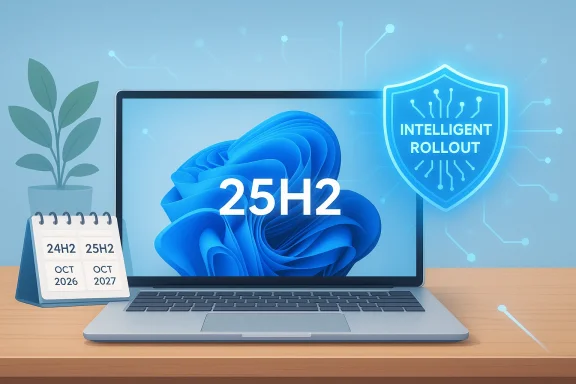
Microsoft is now pushing Windows 11 25H2 to unmanaged Home and Pro PCs that are still on Windows 11 24H2, and the move is less about surprise than it is about lifecycle management. The important detail is that Microsoft is not merely making 25H2 easier to find; it is expanding its machine learning-based intelligent rollout so eligible consumer devices can receive the feature update automatically when they are deemed ready. Microsoft’s own release-health page says those Home and Pro devices will automatically receive the update, while users may only choose when to restart or postpone the installation. (learn.microsoft.com)
That makes the rollout a clear signal: if you are a consumer running an unmanaged Windows 11 PC, Microsoft expects you to move forward to the newer release rather than linger on the old one. The company’s support calendar gives the reason in plain language, with Windows 11, version 24H2 ending support on October 13, 2026, while 25H2 is supported until October 12, 2027. In other words, Microsoft is not just chasing adoption metrics; it is steering the installed base toward a version that will remain supported for another full year after 24H2 falls off the servicing cliff. (learn.microsoft.com)
Windows feature upgrades are no longer the disruptive, annual all-hands event they once were. Microsoft has spent years refining Windows as a service into a model where major version changes are increasingly delivered through tightly staged rollouts, compatibility checks, and policy-aware deployment rings. For consumers, that often means the update arrives quietly in Windows Update, then waits for a convenient restart; for administrators, it means the company tries to distinguish between personal machines and managed fleets with far more precision than it did in older Windows eras. (learn.microsoft.com)
The automatic 25H2 push also reflects a broader reality of Windows support economics. Microsoft has long preferred a world where devices remain on a current supported baseline, because the company can reduce fragmentation, simplify patching, and limit exposure to older build-specific bugs. That strategy matters even more in 2026, when the Windows ecosystem is being pulled in several directions at once: ongoing security hardening, AI-related platform changes, and the need to keep consumer systems aligned with Microsoft’s support timetable. (learn.microsoft.com)
The company’s release-health notice makes the intent explicit. It says the rollout has expanded to all eligible Home and Pro devices running 24H2 that are not managed by IT departments, and that those systems will receive 25H2 automatically when ready. It also says users can manually check Windows Update and see the download-and-install option if their device qualifies, which suggests Microsoft is preserving the appearance of user control even as it removes the practical ability to defer indefinitely. (learn.microsoft.com)
That tension—between user choice and platform stewardship—is a familiar one in Windows. Microsoft wants Windows 11 to feel seamless, but it also wants to ensure consumers are not stranded on an older release after support ends. The automatic rollout is therefore best understood as a preventive maintenance measure rather than a sudden policy reversal. It is Microsoft acting earlier, and more assertively, to avoid a future wave of unsupported 24H2 consumer PCs. (learn.microsoft.com)
By moving unmanaged devices sooner, Microsoft reduces the risk that a large population of home users will delay migration until the last possible moment. That is important because Windows upgrades rarely happen in a clean, single day. They happen unevenly, sometimes over months, and the longer Microsoft waits to begin nudging people, the greater the chance that a meaningful chunk of the base will still be on 24H2 when support runs out. The rollout is therefore as much about timing as it is about technology. (learn.microsoft.com)
This matters because Windows users often treat “end of support” as an abstract warning until it becomes a real patching problem. Microsoft clearly wants to avoid a repeat of the familiar Windows pattern where users ignore a version until the deadline is close, then rush to install in a compressed, error-prone window. Earlier migration is safer for Microsoft and less stressful for users, provided the installation itself behaves. (learn.microsoft.com)
For consumers, the implication is that the rollout may feel uneven, even if it is technically “automatic.” Some PCs will receive the upgrade quickly, while others may wait until Microsoft’s system thinks the path is cleaner. That staggered approach is a hallmark of modern Windows servicing, and it is one reason Microsoft can claim both automation and caution in the same breath. (learn.microsoft.com)
Microsoft also provides the familiar manual path through Settings > Windows Update > Check for updates. If the device is ready, the user will see the option to Download and install Windows 11, version 25H2. That means Microsoft is preserving the conventional update UX for users who want to act early, rather than waiting for the rollout to reach them organically. (learn.microsoft.com)
It also reflects Microsoft’s increasing comfort with the idea that operating system updates should be treated as a managed service, not a user-chosen event. For people who have spent years turning feature updates into a weekend project, that can feel intrusive. For mainstream users who simply want a stable, secure PC, it may feel like relief. Both reactions are valid. (learn.microsoft.com)
This distinction matters because managed fleets often need time to test drivers, line-of-business apps, VPN behavior, and device-management integrations. Microsoft’s consumer rollout policy would be unacceptable if it were imposed on those environments without consent. The exclusion reassures IT that the company is respecting policy boundaries, even while it becomes more aggressive with home users. (learn.microsoft.com)
In consumer terms, that is both a blessing and a tradeoff. Many users will benefit from being shepherded onto a supported release without having to think about lifecycle dates or update strategy. Others, especially the more technically minded, may resent the shrinking room to defer a version they have not yet tested on their own workloads. The friction is not new, but the automation is becoming more assertive. (learn.microsoft.com)
Still, the company’s logic is hard to dispute from a security perspective. Once 24H2 reaches end of support, staying on it becomes a real risk, not a theoretical one. Microsoft’s policy is essentially telling users: we would rather update you now than patch you later from an unsupported base. (learn.microsoft.com)
This distinction is subtle but meaningful. It allows Microsoft to call the update automatic while still giving users some practical discretion over the timing of the disruption. For a home user, that may be the difference between an annoying lunch break and a disastrous unsaved-session loss. (learn.microsoft.com)
That said, the consumer policy still matters to IT departments indirectly. It reduces the number of unmanaged devices that employees might use alongside corporate systems, and it makes it less likely that home PCs on personal networks will fall a year behind the security baseline. In a hybrid-work world, the distance between consumer and corporate Windows behavior is smaller than it once was. (learn.microsoft.com)
There is also the matter of user expectations. Once consumers become accustomed to more aggressive automatic feature updates, they may become less tolerant of long delays on managed devices. That can complicate internal communications, because IT may have to explain why the corporate environment intentionally moves more slowly than a family laptop at home. Those conversations are not glamorous, but they are operationally important. (learn.microsoft.com)
That boundary is also a reminder that Windows update behavior is increasingly contextual. The same version can be treated as a near-automatic consumer upgrade in one scenario and a carefully staged enterprise project in another. Microsoft’s current approach tries to honor both realities without creating a single one-size-fits-all policy. (learn.microsoft.com)
This matters because Windows update quality is rarely judged by the average device that upgrades cleanly. It is judged by the unlucky minority that runs into driver issues, app regressions, or update defects. Intelligent rollout is Microsoft’s answer to that problem: reduce exposure at scale, then broaden the offer as confidence rises. (learn.microsoft.com)
The downside is opacity. Users do not always know why one PC is offered the update while another identical-looking machine is not. That can create suspicion, even when the answer is simply compatibility gating. Still, from a reliability standpoint, the staged model is generally preferable to chaos. Predictability beats drama. (learn.microsoft.com)
That is a powerful model, and it is one reason Windows feature updates have become less dramatic over time. But it also means that the user’s ability to define their own update pace is shrinking. In practical terms, Windows is becoming more of a managed platform and less of a manually curated OS. (learn.microsoft.com)
The company is effectively trying to avoid a late-2026 support cliff. If it waits too long, many users will discover the issue only after the clock has already run out. Rolling 25H2 forward now lowers the number of machines that will be forced into a rushed migration later. That is good lifecycle planning, even if it is mildly annoying in the short term. (learn.microsoft.com)
There is also a broader trust angle. Users who see their systems updated automatically are more likely to stay on a secure baseline, but only if the updates are perceived as orderly and minimally disruptive. If Microsoft overreaches, users may become more resistant, which could undermine the very security outcomes the company is trying to improve. That is the balancing act. (learn.microsoft.com)
That matters for everything from app sign-ins to peripheral behavior. Microsoft’s release-health pages routinely document issues, resolutions, and safeguards, which is a reminder that Windows stability is an ongoing process rather than a one-time installation decision. The update lifecycle is the product. (learn.microsoft.com)
That complexity gives Microsoft a reason to be more aggressive with consumer updates. The company cannot rely on a single device family, a single app store, or a unified hardware stack to smooth over incompatibility. So it uses lifecycle enforcement and intelligent rollout to impose order on fragmentation. In practice, that makes Windows feel more managed than ever. (learn.microsoft.com)
That framing matters in enterprise sales too. Businesses do not want surprise instability, but they also do not want to manage outdated consumer-style systems that are likely to become security liabilities. Microsoft’s rollout policy tries to reassure both sides: the consumer update is automatic, the enterprise update is controlled, and the lifecycle dates are public. (learn.microsoft.com)
The result is a more orderly Windows ecosystem, but perhaps a less user-directed one. Whether that is a net gain will depend on whether users value autonomy more than convenience. For most mainstream customers, convenience usually wins; for enthusiasts, the argument is never quite settled. And that tension will continue. (learn.microsoft.com)
Another important question is whether Microsoft extends this same philosophy to future Windows 11 releases with even less hesitation. If 25H2 becomes the model, consumers should expect more lifecycle-driven nudging, not less. That would make Windows feel more predictable in the long run, but also more tightly governed by Microsoft’s servicing logic.
Source: gHacks Microsoft Begins Automatic Windows 11 25H2 Rollout to Unmanaged Home and Pro Devices - gHacks Tech News
That makes the rollout a clear signal: if you are a consumer running an unmanaged Windows 11 PC, Microsoft expects you to move forward to the newer release rather than linger on the old one. The company’s support calendar gives the reason in plain language, with Windows 11, version 24H2 ending support on October 13, 2026, while 25H2 is supported until October 12, 2027. In other words, Microsoft is not just chasing adoption metrics; it is steering the installed base toward a version that will remain supported for another full year after 24H2 falls off the servicing cliff. (learn.microsoft.com)
 Background
Windows feature upgrades are no longer the disruptive, annual all-hands event they once were. Microsoft has spent years refining Windows as a service into a model where major version changes are increasingly delivered through tightly staged rollouts, compatibility checks, and policy-aware deployment rings. For consumers, that often means the update arrives quietly in Windows Update, then waits for a convenient restart; for administrators, it means the company tries to distinguish between personal machines and managed fleets with far more precision than it did in older Windows eras. (learn.microsoft.com)The automatic 25H2 push also reflects a broader reality of Windows support economics. Microsoft has long preferred a world where devices remain on a current supported baseline, because the company can reduce fragmentation, simplify patching, and limit exposure to older build-specific bugs. That strategy matters even more in 2026, when the Windows ecosystem is being pulled in several directions at once: ongoing security hardening, AI-related platform changes, and the need to keep consumer systems aligned with Microsoft’s support timetable. (learn.microsoft.com)
The company’s release-health notice makes the intent explicit. It says the rollout has expanded to all eligible Home and Pro devices running 24H2 that are not managed by IT departments, and that those systems will receive 25H2 automatically when ready. It also says users can manually check Windows Update and see the download-and-install option if their device qualifies, which suggests Microsoft is preserving the appearance of user control even as it removes the practical ability to defer indefinitely. (learn.microsoft.com)
That tension—between user choice and platform stewardship—is a familiar one in Windows. Microsoft wants Windows 11 to feel seamless, but it also wants to ensure consumers are not stranded on an older release after support ends. The automatic rollout is therefore best understood as a preventive maintenance measure rather than a sudden policy reversal. It is Microsoft acting earlier, and more assertively, to avoid a future wave of unsupported 24H2 consumer PCs. (learn.microsoft.com)
Why Microsoft Is Pushing 25H2 Now
The answer begins with support dates, but it does not end there. Microsoft’s lifecycle page shows that 24H2 and 25H2 are only one year apart in support expiration for Home and Pro systems, and that difference matters more than it may first appear. Once 24H2 reaches end of support in October 2026, every remaining consumer machine stuck there becomes a security and compatibility liability, both for Microsoft and for the people who rely on those PCs every day. (learn.microsoft.com)By moving unmanaged devices sooner, Microsoft reduces the risk that a large population of home users will delay migration until the last possible moment. That is important because Windows upgrades rarely happen in a clean, single day. They happen unevenly, sometimes over months, and the longer Microsoft waits to begin nudging people, the greater the chance that a meaningful chunk of the base will still be on 24H2 when support runs out. The rollout is therefore as much about timing as it is about technology. (learn.microsoft.com)
Support deadlines drive the policy
Microsoft’s lifecycle page is blunt: 24H2 ends support on October 13, 2026, while 25H2 ends support on October 12, 2027 for Home and Pro editions. That one-year offset gives Microsoft room to normalize the newer release before the older one begins to age out. It also helps ensure that update infrastructure, application compatibility, and security baselines center on the latest consumer branch. (learn.microsoft.com)This matters because Windows users often treat “end of support” as an abstract warning until it becomes a real patching problem. Microsoft clearly wants to avoid a repeat of the familiar Windows pattern where users ignore a version until the deadline is close, then rush to install in a compressed, error-prone window. Earlier migration is safer for Microsoft and less stressful for users, provided the installation itself behaves. (learn.microsoft.com)
Machine-learning rollout is the mechanism
Microsoft says the upgrade is being delivered through its machine learning-based intelligent rollout system. That is a significant detail because it means the company is not simply flipping a universal switch; it is using telemetry and readiness signals to decide which devices should be offered the update first. In principle, this reduces the chance that incompatible drivers or configurations create a large-scale mess. (learn.microsoft.com)For consumers, the implication is that the rollout may feel uneven, even if it is technically “automatic.” Some PCs will receive the upgrade quickly, while others may wait until Microsoft’s system thinks the path is cleaner. That staggered approach is a hallmark of modern Windows servicing, and it is one reason Microsoft can claim both automation and caution in the same breath. (learn.microsoft.com)
- Automation does not mean instant installation
- Readiness signals still gate deployment
- Restart timing remains in the user’s hands
- Postpone is available, but not permanent
What the Official Notices Actually Say
The release-health page for Windows 11 25H2 is more direct than many third-party summaries imply. It says the intelligent rollout has expanded to all eligible unmanaged Home and Pro devices running 24H2, and that those devices will automatically receive the update when they’re ready. It also says the user does not need to take action and can choose when to restart or postpone. That wording is important, because it describes a rollout that is automatic in delivery but not fully coercive in execution. (learn.microsoft.com)Microsoft also provides the familiar manual path through Settings > Windows Update > Check for updates. If the device is ready, the user will see the option to Download and install Windows 11, version 25H2. That means Microsoft is preserving the conventional update UX for users who want to act early, rather than waiting for the rollout to reach them organically. (learn.microsoft.com)
Automatic, but not uncontrolled
The strongest reading of Microsoft’s notice is that the company wants to normalize 25H2 without making every consumer PC update at exactly the same moment. That is a sensible compromise. It gives Microsoft time to pause or adjust the rollout if known issues emerge, while still nudging the consumer base toward the supported path before 24H2 reaches retirement. (learn.microsoft.com)It also reflects Microsoft’s increasing comfort with the idea that operating system updates should be treated as a managed service, not a user-chosen event. For people who have spent years turning feature updates into a weekend project, that can feel intrusive. For mainstream users who simply want a stable, secure PC, it may feel like relief. Both reactions are valid. (learn.microsoft.com)
Managed devices are explicitly excluded
Microsoft is careful to carve out devices managed by IT departments and systems governed by organizational policy. That is more than a footnote. It tells administrators that Microsoft is not trying to override business deployment controls, compliance windows, or validation schedules that were set for enterprise and education environments. (learn.microsoft.com)This distinction matters because managed fleets often need time to test drivers, line-of-business apps, VPN behavior, and device-management integrations. Microsoft’s consumer rollout policy would be unacceptable if it were imposed on those environments without consent. The exclusion reassures IT that the company is respecting policy boundaries, even while it becomes more aggressive with home users. (learn.microsoft.com)
- Consumer PCs are the target
- Enterprise and education policy remains in control
- No forced blindside for managed fleets
- Compatibility gating still applies
Consumer Impact: Convenience Meets Constraint
For most home users, the practical effect is simple: eventually, their Windows 11 PC is likely to move to 25H2 whether they actively chase the update or not. Microsoft is offering a choice in the narrow sense—restart now, restart later, postpone a little longer—but not the broader choice to remain on 24H2 forever. That shifts Windows further toward a model where the OS is maintained for you, not by you. (learn.microsoft.com)In consumer terms, that is both a blessing and a tradeoff. Many users will benefit from being shepherded onto a supported release without having to think about lifecycle dates or update strategy. Others, especially the more technically minded, may resent the shrinking room to defer a version they have not yet tested on their own workloads. The friction is not new, but the automation is becoming more assertive. (learn.microsoft.com)
What home users actually lose
The biggest loss is not the feature update itself; it is the ability to ignore it indefinitely. Microsoft is signaling that postponement is temporary and that there is no announced permanent opt-out for unmanaged Home and Pro devices. That can be frustrating for users who distrust feature updates or maintain specific app/device combinations that they prefer not to disturb. (learn.microsoft.com)Still, the company’s logic is hard to dispute from a security perspective. Once 24H2 reaches end of support, staying on it becomes a real risk, not a theoretical one. Microsoft’s policy is essentially telling users: we would rather update you now than patch you later from an unsupported base. (learn.microsoft.com)
Restart control remains the final gate
The most important safeguard for consumers is that the rollout does not appear to force an immediate reboot at the moment the download lands. Microsoft says users can choose when to restart or postpone the update, which softens the impact of the automatic offer. That means the system still acknowledges that a reboot is an interruption, even if the underlying feature change is no longer optional. (learn.microsoft.com)This distinction is subtle but meaningful. It allows Microsoft to call the update automatic while still giving users some practical discretion over the timing of the disruption. For a home user, that may be the difference between an annoying lunch break and a disastrous unsaved-session loss. (learn.microsoft.com)
- Download timing may be automatic
- Restart timing is still user-controlled
- Postpone is a delay, not an exit
- Unsupported status is the real long-term risk
Enterprise and Education Are a Different Story
Microsoft’s exclusion of managed systems is not accidental. In enterprise and education, deployment is governed by change windows, risk assessments, application compatibility, and compliance requirements that do not map neatly onto consumer behavior. A forced consumer-style rollout would create unnecessary operational noise in environments where Windows updates are already planned, tested, and staged carefully. (learn.microsoft.com)That said, the consumer policy still matters to IT departments indirectly. It reduces the number of unmanaged devices that employees might use alongside corporate systems, and it makes it less likely that home PCs on personal networks will fall a year behind the security baseline. In a hybrid-work world, the distance between consumer and corporate Windows behavior is smaller than it once was. (learn.microsoft.com)
Why IT should care anyway
Even though managed fleets are excluded, IT teams still have to anticipate how users will perceive Microsoft’s broader upgrade posture. If employees see their personal machines updating automatically, they may assume the same pace should apply at work. That can create support pressure, especially when line-of-business testing or regulatory controls justify a slower cadence. (learn.microsoft.com)There is also the matter of user expectations. Once consumers become accustomed to more aggressive automatic feature updates, they may become less tolerant of long delays on managed devices. That can complicate internal communications, because IT may have to explain why the corporate environment intentionally moves more slowly than a family laptop at home. Those conversations are not glamorous, but they are operationally important. (learn.microsoft.com)
Policy control remains the line in the sand
Microsoft’s wording preserves a clear boundary: devices managed by IT departments, and those subject to organizational policies, are outside the automatic rollout. That is consistent with how modern Windows servicing is supposed to work. Consumer convenience is being enhanced; administrative authority is not being removed. (learn.microsoft.com)That boundary is also a reminder that Windows update behavior is increasingly contextual. The same version can be treated as a near-automatic consumer upgrade in one scenario and a carefully staged enterprise project in another. Microsoft’s current approach tries to honor both realities without creating a single one-size-fits-all policy. (learn.microsoft.com)
- Managed devices remain under admin control
- Testing and compliance still rule in business settings
- Consumer automation can change user expectations
- Policy boundaries are now a core Windows feature
The Quiet Power of Intelligent Rollout
Microsoft’s machine learning-based intelligent rollout deserves more attention than it usually gets. It is not just marketing language; it represents the company’s confidence that telemetry, compatibility data, and staged deployment can deliver updates more safely than broad manual prompts ever did. If the algorithm says a device is ready, the user gets the update. If not, the device waits. (learn.microsoft.com)This matters because Windows update quality is rarely judged by the average device that upgrades cleanly. It is judged by the unlucky minority that runs into driver issues, app regressions, or update defects. Intelligent rollout is Microsoft’s answer to that problem: reduce exposure at scale, then broaden the offer as confidence rises. (learn.microsoft.com)
Why staged deployment still matters
A universal feature push can be efficient, but it is also brittle. Modern PC ecosystems are too diverse for that kind of brute-force approach, especially when USB peripherals, security software, OEM drivers, and niche enterprise tools all have a say in update success. Intelligent rollout is Microsoft’s attempt to transform that diversity into a manageable deployment curve. (learn.microsoft.com)The downside is opacity. Users do not always know why one PC is offered the update while another identical-looking machine is not. That can create suspicion, even when the answer is simply compatibility gating. Still, from a reliability standpoint, the staged model is generally preferable to chaos. Predictability beats drama. (learn.microsoft.com)
The hidden leverage in telemetry
Microsoft’s rollout logic benefits from a massive feedback loop: the more devices run the new build, the more information Microsoft has about what works and what breaks. That can improve future release quality, but it also reinforces Microsoft’s central role as the arbiter of readiness. Users are not merely receiving an update; they are participating in a large-scale compatibility experiment, whether they realize it or not. (learn.microsoft.com)That is a powerful model, and it is one reason Windows feature updates have become less dramatic over time. But it also means that the user’s ability to define their own update pace is shrinking. In practical terms, Windows is becoming more of a managed platform and less of a manually curated OS. (learn.microsoft.com)
- Telemetry is a deployment tool
- Readiness checks reduce risk
- User visibility is lower than before
- Microsoft gains more control over the update curve
Security, Stability, and the 24H2 Endgame
Microsoft’s main justification for the automatic 25H2 rollout is the security ceiling that comes with end of support. Once 24H2 is retired on October 13, 2026, it stops receiving security fixes, bug fixes, time zone updates, and technical support for Home and Pro editions. That is the point at which an otherwise functional PC becomes operationally brittle, because the platform can still run but no longer receives the maintenance required to keep it trustworthy. (learn.microsoft.com)The company is effectively trying to avoid a late-2026 support cliff. If it waits too long, many users will discover the issue only after the clock has already run out. Rolling 25H2 forward now lowers the number of machines that will be forced into a rushed migration later. That is good lifecycle planning, even if it is mildly annoying in the short term. (learn.microsoft.com)
Why patch continuity matters
Windows security does not work well in chunks. A device that misses a release cycle can accumulate compatibility issues, driver mismatches, and update anxiety that make future patching harder, not easier. Microsoft’s preferred scenario is continuous servicing on a supported branch, because that is where reliability and vulnerability response are easiest to maintain. (learn.microsoft.com)There is also a broader trust angle. Users who see their systems updated automatically are more likely to stay on a secure baseline, but only if the updates are perceived as orderly and minimally disruptive. If Microsoft overreaches, users may become more resistant, which could undermine the very security outcomes the company is trying to improve. That is the balancing act. (learn.microsoft.com)
Stability is not just about bugs
The value of a new version is not limited to feature changes. It is also about staying aligned with Microsoft’s ongoing servicing improvements, hardware compatibility work, and ecosystem fixes. Even if 25H2 does not feel radically different to the average user, being on the newer supported branch ensures the device remains part of the active maintenance stream. (learn.microsoft.com)That matters for everything from app sign-ins to peripheral behavior. Microsoft’s release-health pages routinely document issues, resolutions, and safeguards, which is a reminder that Windows stability is an ongoing process rather than a one-time installation decision. The update lifecycle is the product. (learn.microsoft.com)
- End of support is the real deadline
- Security continuity depends on staying current
- Long-term stability is a servicing problem
- Short-term annoyance can prevent later pain
Competitive and Market Implications
From a market perspective, Microsoft’s move reinforces a trend that every major operating system vendor now seems to favor: quiet, policy-driven updates that arrive automatically unless the user has a formal reason to resist. Apple, Google, and Microsoft all lean in this direction, but Microsoft’s challenge is harder because Windows still spans an unusually wide hardware and software ecosystem. (learn.microsoft.com)That complexity gives Microsoft a reason to be more aggressive with consumer updates. The company cannot rely on a single device family, a single app store, or a unified hardware stack to smooth over incompatibility. So it uses lifecycle enforcement and intelligent rollout to impose order on fragmentation. In practice, that makes Windows feel more managed than ever. (learn.microsoft.com)
Rivals can learn from the model
For platform competitors, the lesson is that update discipline is now a competitive feature. Users may complain when upgrades become less optional, but they also expect security and continuity. The vendor that best balances those two pressures will be seen as more modern, even if it is also more paternalistic. (learn.microsoft.com)That framing matters in enterprise sales too. Businesses do not want surprise instability, but they also do not want to manage outdated consumer-style systems that are likely to become security liabilities. Microsoft’s rollout policy tries to reassure both sides: the consumer update is automatic, the enterprise update is controlled, and the lifecycle dates are public. (learn.microsoft.com)
What this says about Windows 11’s maturity
Windows 11 is now old enough to have a rhythm, and Microsoft is behaving like a company that expects that rhythm to be respected. 25H2 is not being treated as a novelty release; it is being treated as the next supported station on a predictable line. That is a sign of platform maturity, but also of platform discipline. (learn.microsoft.com)The result is a more orderly Windows ecosystem, but perhaps a less user-directed one. Whether that is a net gain will depend on whether users value autonomy more than convenience. For most mainstream customers, convenience usually wins; for enthusiasts, the argument is never quite settled. And that tension will continue. (learn.microsoft.com)
- Windows is converging on managed-update norms
- Security expectations are shaping product design
- Consumer autonomy is being narrowed
- Platform maturity often means less visible choice
Strengths and Opportunities
Microsoft’s automatic 25H2 rollout has several obvious strengths. It reduces the chance that millions of consumer PCs will drift into unsupported status, it aligns users with the latest maintained branch, and it lets Microsoft stage the rollout in a way that can still react to compatibility issues. It also gives the company a cleaner story about Windows support: you are expected to stay current, and the platform will help you do it.- Improves security posture for home users
- Reduces last-minute upgrade rushes
- Uses staged deployment to limit risk
- Keeps consumer devices on a supported baseline
- Preserves manual check-for-updates access
- Respects managed enterprise policy boundaries
- May lower support burden over time
Risks and Concerns
The same policy also carries real risks. Some users will dislike losing the practical ability to stay on 24H2 for an extended period, and others may be concerned that an automatic feature update could interrupt work at an inconvenient moment. Even with postponement options, the experience can still feel coercive to people who prefer to control every upgrade.- Reduced autonomy for technically cautious users
- Potential inconvenience from automatic update timing
- Compatibility surprises on niche hardware or software
- User resentment if postponement feels too limited
- Confusion between consumer and managed-device policies
- Risk of overtrusting telemetry-based readiness
- Possible frustration if update messaging is not clear enough
Looking Ahead
The next thing to watch is how smoothly Microsoft executes the transition from 24H2 to 25H2 across consumer systems. If the rollout remains quiet and the known-issues pages stay manageable, this may be remembered as one of the more uneventful feature migrations in recent Windows history. If problems emerge, however, the fact that Microsoft chose to automate the push will make the backlash louder.Another important question is whether Microsoft extends this same philosophy to future Windows 11 releases with even less hesitation. If 25H2 becomes the model, consumers should expect more lifecycle-driven nudging, not less. That would make Windows feel more predictable in the long run, but also more tightly governed by Microsoft’s servicing logic.
Key signals to watch
- Whether more unmanaged devices are added quickly
- Whether safeguard holds slow the rollout for specific hardware
- Whether Microsoft clarifies any permanent opt-out path
- How many issues appear on the 25H2 release-health page
- Whether the consumer update experience becomes even more automatic
Source: gHacks Microsoft Begins Automatic Windows 11 25H2 Rollout to Unmanaged Home and Pro Devices - gHacks Tech News
Last edited:
