

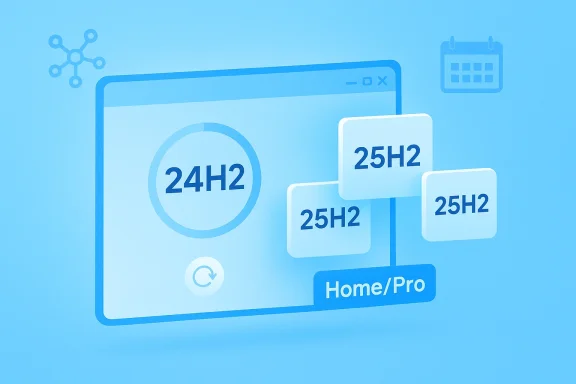
Microsoft is now pushing Windows 11 version 25H2 to eligible Home and Pro PCs running 24H2, and for most consumers that means the upgrade is effectively inevitable once the rollout reaches their device. The important nuance is that this is not a giant reinstallation in the old Windows sense: 25H2 is delivered as a small enablement package on top of 24H2, and Microsoft says the rollout has expanded to all unmanaged devices when they are ready. That makes the change less dramatic on the wire, but no less consequential in practice, especially for users who assumed they could simply sit on 24H2 indefinitely. (learn.microsoft.com)
Windows has spent years moving from a user-controlled desktop product to a lifecycle-driven service, and the current 24H2-to-25H2 transition is the latest example of that philosophy. Microsoft’s own lifecycle table shows that Windows 11 Home and Pro version 24H2 reaches end of updates on October 13, 2026, while 25H2 remains supported until October 12, 2027. In other words, the company is not just nudging people toward the newest release for convenience; it is pushing the installed base toward the version that keeps their machines inside support windows for longer. (learn.microsoft.com)
That context matters because Windows users often hear “forced update” and think of a hidden coercive policy. The reality is more structured. Microsoft’s rollout page says the machine learning-based intelligent rollout has expanded to all Home and Pro devices on 24H2 that are not managed by IT departments, and that these systems will automatically receive 25H2 when they are ready. The company also makes clear that users can delay the update temporarily, but not reject it forever. (learn.microsoft.com)
This is not the first time Microsoft has used version-to-version servicing pressure to smooth support transitions. Windows 10 followed a similar pattern before it hit end of support on October 14, 2025, and Microsoft increasingly treats automatic upgrading as a supportability requirement rather than an optional feature. The lesson from Redmond is plain: if a consumer device is approaching the edge of its servicing window, Windows Update becomes the mechanism that keeps it compliant with Microsoft’s support rules.
The technical detail that softens the blow is the enablement package model. Microsoft says the files for 25H2 are already present on 24H2 systems with recent monthly updates, and the switch to 25H2 is essentially a small activation step rather than a full OS transplant. That is why the upgrade feels modest from a bandwidth and reboot standpoint, even if the policy decision behind it feels aggressive. Small download, big control shift is a fair shorthand for what Microsoft has done here. (learn.microsoft.com)
The practical implication is that Microsoft would rather move devices early than let them pile up at the deadline. That is why the rollout is starting well before the cutoff date and why the company is leaning on intelligent rollout instead of a single universal switch. Early migration is easier than late rescue, especially when the rescue would otherwise involve support calls, blocked updates, and devices stuck between branches. (learn.microsoft.com)
This is also a trust play. If users are going to be forced onto newer servicing branches eventually, Microsoft wants the transition to be boring, fast, and invisible. The enablement-package approach is designed to reduce the friction enough that most people will simply experience 25H2 as “the next restart,” not as a major operating system upgrade. (learn.microsoft.com)
That architecture is important because it helps explain why some users react to the policy as if Microsoft is “forcing” a major change when, technically, the product has already been preparing for it in the background. The friction is not primarily about bandwidth. It is about the lack of a permanent consumer veto. The package may be small, but the decision is not. (learn.microsoft.com)
The same architecture also helps Microsoft maintain consistency across its servicing channels. Windows Update, WSUS, Configuration Manager, and the Microsoft 365 admin center can all align around the same release state, which reduces the risk that Home and Pro consumers end up on a different cadence than managed fleets. That’s good for Microsoft’s support story, even if some users hate the feeling of being herded. (learn.microsoft.com)
That distinction is central to the backlash. Consumers do not hear “temporary postponement” and think “safety valve.” They hear “we will do this later anyway.” Microsoft may be right from a security-management perspective, but the emotional response is shaped by years of surprise restarts, problematic patches, and Windows Update prompts that people associate with lost time. Technical correctness does not automatically equal user goodwill. (learn.microsoft.com)
The deeper complaint is that Windows increasingly behaves like a managed service even on unmanaged machines. Users can accept that enterprises need deadlines, compliance, and update rings. They are less willing to accept the same logic on a home PC that they paid for and maintain themselves. That tension is now baked into the consumer Windows 11 experience. (learn.microsoft.com)
This matters for readers who assume “force-upgrade” means everyone gets hit on the same day. That’s not how modern Windows servicing works. Microsoft can widen the net without making the exact delivery instant identical across millions of PCs. The company is using automation to manage timing, not a literal red button to brick the calendar. (learn.microsoft.com)
For cautious users, the result is mixed. On one hand, the rollout’s staged nature may spare borderline devices from immediate installation. On the other, it creates a sense of waiting under a pending threat, because the update is effectively coming sooner or later unless the machine is managed by IT or falls under a safeguard hold. (learn.microsoft.com)
That separation is smart business. Enterprise customers expect control, and Microsoft’s credibility with IT would take a hit if it treated corporate PCs like family laptops. The company is preserving that trust by leaving managed devices out of the automatic consumer sweep. Different audiences, different tolerances remains the operating principle. (learn.microsoft.com)
For consumers, by contrast, the upgrade path is mostly passive. The machine may already have the staged files, the UI may eventually show “Download and install,” and the only remaining real decision is when to restart. That is a modest choice compared with the old days of feature update prompts, and it will probably stay that way. (learn.microsoft.com)
This is where Microsoft’s support strategy collides with perception. The company is acting to keep consumers on a supported version, which is defensible. But if the preceding month’s patches caused headaches, the automatic move can look like Microsoft is papering over one serving problem by sending users to another branch. That may be unfair, yet it is how many users experience update policy in the real world. (learn.microsoft.com)
The silver lining is that the enablement-package approach limits the blast radius compared with a full OS migration. If your 24H2 system is well-maintained, the change should be relatively painless. But the broader lesson remains: the more Microsoft automates upgrades, the more important post-release quality becomes, because users have fewer escape hatches when confidence drops. (learn.microsoft.com)
The broader opportunity is that Microsoft can shrink the chaos that usually comes with version drift. When most consumer PCs converge on the same branch, support, documentation, and security response all become easier to manage. The company also gets a cleaner runway for future platform changes, because it no longer has to support large pockets of lagging consumer systems. (learn.microsoft.com)
The second risk is reputational. Windows users remember forced behavior, and they often generalize from one bad patch to the entire servicing model. If 25H2 arrives during a period of patch instability, Microsoft may reinforce the impression that its idea of “help” is simply a well-timed interruption. That perception is costly, even when the engineering is sound. (learn.microsoft.com)
The more interesting question is philosophical. Microsoft seems to believe that Windows can be more respectful of users while still remaining essentially non-optional in its update posture. That is a hard balance to strike. The company is trying to deliver less friction without giving up control, and the success of that strategy will depend on whether users experience the next upgrade as protection or as permission denied. (learn.microsoft.com)
Source: The FPS Review Microsoft Is Force-Upgrading All Windows 11 24H2 PCs to 25H2, and You Can't Opt Out
 Background
Windows has spent years moving from a user-controlled desktop product to a lifecycle-driven service, and the current 24H2-to-25H2 transition is the latest example of that philosophy. Microsoft’s own lifecycle table shows that Windows 11 Home and Pro version 24H2 reaches end of updates on October 13, 2026, while 25H2 remains supported until October 12, 2027. In other words, the company is not just nudging people toward the newest release for convenience; it is pushing the installed base toward the version that keeps their machines inside support windows for longer. (learn.microsoft.com)That context matters because Windows users often hear “forced update” and think of a hidden coercive policy. The reality is more structured. Microsoft’s rollout page says the machine learning-based intelligent rollout has expanded to all Home and Pro devices on 24H2 that are not managed by IT departments, and that these systems will automatically receive 25H2 when they are ready. The company also makes clear that users can delay the update temporarily, but not reject it forever. (learn.microsoft.com)
This is not the first time Microsoft has used version-to-version servicing pressure to smooth support transitions. Windows 10 followed a similar pattern before it hit end of support on October 14, 2025, and Microsoft increasingly treats automatic upgrading as a supportability requirement rather than an optional feature. The lesson from Redmond is plain: if a consumer device is approaching the edge of its servicing window, Windows Update becomes the mechanism that keeps it compliant with Microsoft’s support rules.
The technical detail that softens the blow is the enablement package model. Microsoft says the files for 25H2 are already present on 24H2 systems with recent monthly updates, and the switch to 25H2 is essentially a small activation step rather than a full OS transplant. That is why the upgrade feels modest from a bandwidth and reboot standpoint, even if the policy decision behind it feels aggressive. Small download, big control shift is a fair shorthand for what Microsoft has done here. (learn.microsoft.com)
Why Microsoft Is Doing This
At the simplest level, Microsoft is trying to prevent a wave of consumer PCs from drifting toward end-of-support status while still technically running a current Windows 11 branch. The company’s lifecycle chart makes the math obvious: 24H2 has a finite runway, and 25H2 extends that runway by another year. In a world where Windows is continuously serviced, keeping the majority of consumer devices on the newest supported feature release is the path of least resistance for Microsoft. (learn.microsoft.com)The support window is the real forcing function
The headline sounds dramatic, but the underlying pressure is ordinary lifecycle management. Microsoft says support for 24H2 on Home and Pro ends on October 13, 2026, after which systems no longer receive the monthly servicing stream they need to remain safe and current. That means time zone updates, security fixes, bug fixes, and the usual maintenance cadence all depend on moving off 24H2 before the clock runs out. (learn.microsoft.com)The practical implication is that Microsoft would rather move devices early than let them pile up at the deadline. That is why the rollout is starting well before the cutoff date and why the company is leaning on intelligent rollout instead of a single universal switch. Early migration is easier than late rescue, especially when the rescue would otherwise involve support calls, blocked updates, and devices stuck between branches. (learn.microsoft.com)
This is also a trust play. If users are going to be forced onto newer servicing branches eventually, Microsoft wants the transition to be boring, fast, and invisible. The enablement-package approach is designed to reduce the friction enough that most people will simply experience 25H2 as “the next restart,” not as a major operating system upgrade. (learn.microsoft.com)
- Keeps consumer devices within support windows
- Reduces fragmentation across 24H2 and 25H2
- Minimizes update size and restart overhead
- Lets Microsoft stage the transition before support pressure peaks
- Avoids a last-minute rush toward October 2026
What 25H2 Actually Changes
The biggest thing to understand about 25H2 is that it is not a radical new OS layer for 24H2 users. Microsoft says the two branches share the same servicing base, and most 25H2 files are already staged on 24H2 systems that have recent updates installed. That is why 25H2 can be activated through a small package instead of a multi-gigabyte upgrade. (learn.microsoft.com)An enablement package, not a cold reboot of Windows
Microsoft describes the feature release as an enablement package that flips dormant components into active service. In plain English, that means the operating system already has most of the bits; the update changes the state of those bits. The result is a faster install path, fewer compatibility surprises, and less network load than a traditional feature upgrade. (learn.microsoft.com)That architecture is important because it helps explain why some users react to the policy as if Microsoft is “forcing” a major change when, technically, the product has already been preparing for it in the background. The friction is not primarily about bandwidth. It is about the lack of a permanent consumer veto. The package may be small, but the decision is not. (learn.microsoft.com)
The same architecture also helps Microsoft maintain consistency across its servicing channels. Windows Update, WSUS, Configuration Manager, and the Microsoft 365 admin center can all align around the same release state, which reduces the risk that Home and Pro consumers end up on a different cadence than managed fleets. That’s good for Microsoft’s support story, even if some users hate the feeling of being herded. (learn.microsoft.com)
- Uses dormant files already staged on 24H2
- Activates via a small enablement package
- Requires only a normal restart, not a full reimage
- Keeps 24H2 and 25H2 closely aligned on servicing
- Simplifies rollout for Microsoft and hardware partners
Why Users Are Angry
The public reaction is predictable because Windows users have seen this movie before. Microsoft says “no action is required,” then the update quietly becomes the thing that happens to your PC whether you planned for it or not. Even with pause controls available, the experience still feels compulsory, and that is enough to irritate people who want control over when their machine changes state. (learn.microsoft.com)The difference between pause and opt-out
Microsoft does allow users to postpone the update, but only temporarily. The release-health page explicitly says users can choose when to restart their device or postpone the update, which is not the same as rejecting it permanently. Once the pause window expires, the normal servicing behavior resumes. (learn.microsoft.com)That distinction is central to the backlash. Consumers do not hear “temporary postponement” and think “safety valve.” They hear “we will do this later anyway.” Microsoft may be right from a security-management perspective, but the emotional response is shaped by years of surprise restarts, problematic patches, and Windows Update prompts that people associate with lost time. Technical correctness does not automatically equal user goodwill. (learn.microsoft.com)
The deeper complaint is that Windows increasingly behaves like a managed service even on unmanaged machines. Users can accept that enterprises need deadlines, compliance, and update rings. They are less willing to accept the same logic on a home PC that they paid for and maintain themselves. That tension is now baked into the consumer Windows 11 experience. (learn.microsoft.com)
- Users can delay, but not permanently refuse
- Pause windows are temporary by design
- Home and Pro devices are treated as supportability objects
- Automatic upgrade feels different from user-initiated upgrade
- Trust erodes when control feels symbolic rather than real
The Rollout Mechanics
Microsoft is relying on its machine learning-based intelligent rollout system, which is essentially its way of saying the upgrade is being delivered when the company judges the device is a good fit. That means not every machine gets the offer at the same moment, and not every 24H2 PC will see the update immediately. The rollout is broad, but it is still staged. (learn.microsoft.com)Why “all devices” still doesn’t mean “simultaneously”
The release-health note says the rollout expanded to all unmanaged Home and Pro devices on 24H2, but it also says systems will receive the update when they’re ready. That implies readiness checks, safeguard logic, and compatibility gates still matter. In practice, Microsoft is broadening eligibility, not flattening every safeguard into a single mass push. (learn.microsoft.com)This matters for readers who assume “force-upgrade” means everyone gets hit on the same day. That’s not how modern Windows servicing works. Microsoft can widen the net without making the exact delivery instant identical across millions of PCs. The company is using automation to manage timing, not a literal red button to brick the calendar. (learn.microsoft.com)
For cautious users, the result is mixed. On one hand, the rollout’s staged nature may spare borderline devices from immediate installation. On the other, it creates a sense of waiting under a pending threat, because the update is effectively coming sooner or later unless the machine is managed by IT or falls under a safeguard hold. (learn.microsoft.com)
- Rollout is broad, but still staged
- Readiness checks can delay individual devices
- Safeguard holds can still apply
- Managed devices are exempt from the consumer push
- “All devices” means eligible devices in scope, not instant delivery
Enterprise vs Consumer Impact
The distinction between managed and unmanaged devices is doing a lot of work here. Microsoft’s own wording excludes devices managed by IT departments, which means enterprise, education, and other centrally administered environments have more breathing room. In practice, that keeps compliance teams in control while Microsoft cleans up the consumer base. (learn.microsoft.com)Managed fleets get policy, not surprise
Microsoft says 25H2 is available through WSUS, Configuration Manager, Windows Update client policies, and the Microsoft 365 admin center. That is a different world from the consumer auto-rollout because it lets administrators test applications, validate peripherals, and stage deployment in rings. The enterprise experience is therefore not “forced upgrade” so much as scheduled governance. (learn.microsoft.com)That separation is smart business. Enterprise customers expect control, and Microsoft’s credibility with IT would take a hit if it treated corporate PCs like family laptops. The company is preserving that trust by leaving managed devices out of the automatic consumer sweep. Different audiences, different tolerances remains the operating principle. (learn.microsoft.com)
For consumers, by contrast, the upgrade path is mostly passive. The machine may already have the staged files, the UI may eventually show “Download and install,” and the only remaining real decision is when to restart. That is a modest choice compared with the old days of feature update prompts, and it will probably stay that way. (learn.microsoft.com)
- Enterprises can test before deployment
- IT-managed fleets are exempt from the automatic consumer push
- WSUS and Configuration Manager offer policy-based control
- Home and Pro users get readiness-driven automation
- Consumer choice is mostly about timing, not final consent
Reliability Concerns Around the Timing
Microsoft’s timing is especially awkward because Windows 11 servicing has seen its share of rough patches. The release-health pages show a recent history of emergency corrections and out-of-band fixes across 24H2 and 25H2, including updates related to sign-in failures and other servicing regressions. That does not prove 25H2 is unstable by itself, but it does make any forced-transition narrative land harder with enthusiasts. (learn.microsoft.com)Why patch fatigue matters
Even when the underlying upgrade path is efficient, users remember recent bugs more vividly than release notes. If a PC has just survived an authentication problem, a Bluetooth issue, or a botched cumulative update, the idea of being automatically moved to a new feature version feels less like progress and more like exposure. Trust is cumulative in the same way updates are cumulative. (learn.microsoft.com)This is where Microsoft’s support strategy collides with perception. The company is acting to keep consumers on a supported version, which is defensible. But if the preceding month’s patches caused headaches, the automatic move can look like Microsoft is papering over one serving problem by sending users to another branch. That may be unfair, yet it is how many users experience update policy in the real world. (learn.microsoft.com)
The silver lining is that the enablement-package approach limits the blast radius compared with a full OS migration. If your 24H2 system is well-maintained, the change should be relatively painless. But the broader lesson remains: the more Microsoft automates upgrades, the more important post-release quality becomes, because users have fewer escape hatches when confidence drops. (learn.microsoft.com)
- Recent patch problems amplify resistance to automatic upgrades
- Users remember instability more than servicing efficiency
- Enablement packages reduce install friction, not trust issues
- Microsoft must now earn compliance through reliability
- Automatic upgrades raise the cost of a bad patch
What Users Can Actually Do
There is still some practical control here, even if it is not the kind of permanent veto that angry users want. Microsoft says users can postpone the update and choose when to restart, which means they can at least delay the final handoff until a convenient moment. That is not liberation, but it is enough to make the process manageable if you plan for it. (learn.microsoft.com)A sensible defensive checklist
If you are on 24H2 and want to reduce risk, the most important step is to treat the rollout like any other feature change and prepare accordingly. The upgrade is small, but the consequences can still touch drivers, niche peripherals, and custom software setups. A backup is cheap insurance, and it matters more on unusual systems than on mainstream consumer laptops. (learn.microsoft.com)- Make a full backup of your important files.
- Confirm your system is fully updated on 24H2 first.
- Check for vendor driver updates, especially audio, Bluetooth, and storage.
- Verify disk encryption recovery keys before rebooting.
- Keep the machine plugged in for the restart window.
- If you rely on specialty hardware, test it after the upgrade before resuming work.
- Back up first, even for a small upgrade
- Update drivers before Windows Update moves you
- Check BitLocker or recovery-key status
- Avoid upgrading during a deadline or travel period
- Confirm whether the device is managed by IT
Strengths and Opportunities
Microsoft’s approach has real advantages, even if users dislike the premise. The company is using a small-footprint delivery model, reducing the pain of feature-version changes while keeping the machine on a supported branch. That is a legitimate engineering improvement, and if handled cleanly it may be one of the least disruptive major Windows transitions in years. (learn.microsoft.com)The broader opportunity is that Microsoft can shrink the chaos that usually comes with version drift. When most consumer PCs converge on the same branch, support, documentation, and security response all become easier to manage. The company also gets a cleaner runway for future platform changes, because it no longer has to support large pockets of lagging consumer systems. (learn.microsoft.com)
- Smaller downloads mean less network overhead
- Faster installs reduce user downtime
- Consistent support baseline helps Microsoft and OEMs
- Consumer systems stay inside security windows longer
- Release fragmentation becomes easier to manage
- Compatibility testing becomes more predictable
- The upgrade path is less intimidating than legacy feature updates
Risks and Concerns
The biggest risk is obvious: automatic does not always mean welcome. Microsoft can justify the move through lifecycle policy, but that does not prevent backlash from users who prefer agency over orchestration. If the rollout lands on a PC already dealing with peripheral quirks or recent patch stress, the update may deepen frustration rather than reduce it. (learn.microsoft.com)The second risk is reputational. Windows users remember forced behavior, and they often generalize from one bad patch to the entire servicing model. If 25H2 arrives during a period of patch instability, Microsoft may reinforce the impression that its idea of “help” is simply a well-timed interruption. That perception is costly, even when the engineering is sound. (learn.microsoft.com)
- Users may perceive the rollout as coercive rather than protective
- Recent update bugs can poison confidence in new upgrades
- Niche drivers and older hardware may expose edge-case failures
- Temporary postponement can feel indistinguishable from no real choice
- Automatic rollout may create support noise even on healthy systems
- Enthusiast backlash can spill into mainstream trust
- The more Microsoft automates, the less forgiving users become
Looking Ahead
The next few months will tell us whether Microsoft’s rollout strategy is quietly successful or merely tolerated. If 25H2 lands cleanly across the consumer base, most people will forget the controversy and simply remain inside support. If the rollout exposes compatibility issues or lands alongside another servicing stumble, the “you can’t opt out” framing will become the dominant story. (learn.microsoft.com)The more interesting question is philosophical. Microsoft seems to believe that Windows can be more respectful of users while still remaining essentially non-optional in its update posture. That is a hard balance to strike. The company is trying to deliver less friction without giving up control, and the success of that strategy will depend on whether users experience the next upgrade as protection or as permission denied. (learn.microsoft.com)
- Watch for any new safeguard holds on specific hardware
- Monitor whether Microsoft adds clearer postponement guidance
- Track consumer reports on battery, Bluetooth, and sign-in behavior after the switch
- See whether enterprise admins get further servicing flexibility
- Pay attention to whether the rollout accelerates as October 2026 approaches
Source: The FPS Review Microsoft Is Force-Upgrading All Windows 11 24H2 PCs to 25H2, and You Can't Opt Out
