

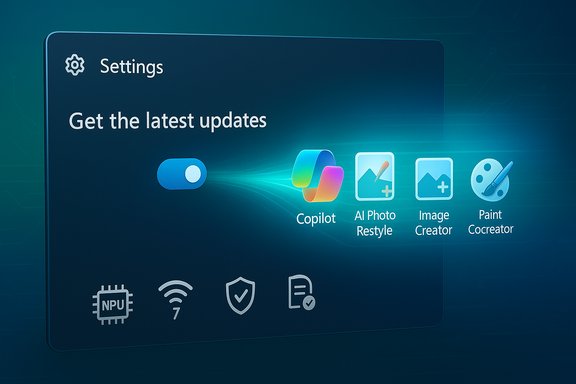
Microsoft’s decision to make Windows 11 version 25H2 broadly available — delivered as a tiny enablement package that users can unlock with a single toggle in Settings — marks a deliberate shift in how major Windows feature updates are distributed, accelerating adoption while preserving the long-standing “continuous innovation” model that delivered most of 25H2’s visible changes months earlier.
Windows 11’s 25H2 release is not a conventional monster upgrade; it’s an enablement package that flips features already shipped in dormant form on 24H2 devices into an active state. That architectural choice means the bulk of the code for new capabilities has already been delivered through monthly cumulative updates during 2025 — the 25H2 package itself is intentionally compact and installs quickly, often requiring only a reboot to complete. Microsoft documents this approach and lists prerequisites and deployment paths for enterprises and consumers alike. The update resets servicing timelines for consumer and commercial editions (24 months for Home/Pro; 36 months for Enterprise/Education) and removes legacy components such as PowerShell 2.0 and WMIC, reflecting a cleanup of older tooling as Microsoft pushes forward.
For IT teams the work is straightforward but nontrivial: validate prerequisites, update drivers, apply controls for on-device AI where governance requires it, and pilot before broad rollout. For users, the experience will feel like a series of small, meaningful improvements — better image tools, smarter search, improved video-call effects, and, where hardware permits, impressive on-device AI features. But organizations must weigh the business benefits of on-device AI against privacy and compliance responsibilities, and they must remain vigilant about driver compatibility and new privilege pathways like sudo.
Windows 11 25H2 is not a single dramatic overhaul; it is a blueprint for how Microsoft intends to ship and activate future OS features — fast, incremental, hardware-aware, and enterprise-manageable. The rollout strategy and technical choices behind 25H2 will shape Windows updates going forward, and they reward careful planning more than panic — small switches, when flipped deliberately, can deliver big changes.
Source: WebProNews Microsoft Rolls Out Windows 11 25H2 Update with AI Features and Wi-Fi 7
 Background
Windows 11’s 25H2 release is not a conventional monster upgrade; it’s an enablement package that flips features already shipped in dormant form on 24H2 devices into an active state. That architectural choice means the bulk of the code for new capabilities has already been delivered through monthly cumulative updates during 2025 — the 25H2 package itself is intentionally compact and installs quickly, often requiring only a reboot to complete. Microsoft documents this approach and lists prerequisites and deployment paths for enterprises and consumers alike. The update resets servicing timelines for consumer and commercial editions (24 months for Home/Pro; 36 months for Enterprise/Education) and removes legacy components such as PowerShell 2.0 and WMIC, reflecting a cleanup of older tooling as Microsoft pushes forward. What 25H2 actually brings: overview of headline features
Windows 11 25H2 is best read as the culmination of a year of incremental improvements rather than one big feature drop. Key themes in this update are:- Deeper AI integration across the OS, from file management to creative apps.
- Hardware-tiered experiences (Copilot+ PCs with on-device NPUs get exclusive features).
- Modern connectivity via Wi‑Fi 7 support for enterprise access points.
- Developer and security tooling such as native sudo behavior and incremental Rust usage in kernel components.
- Manageability improvements for IT (policy-based removal of preinstalled Store apps, WSUS/Intune paths).
The AI layer: practical, on-device, and hardware-aware
25H2 consolidates a large set of AI features that Microsoft rolled out during the previous servicing cycle. Notable items include:- Auto Super Resolution (Auto SR) — described by Microsoft as the first AI-powered super‑resolution solution built into an operating system. Auto SR aims to upscale graphical detail and deliver smoother frame rates by leveraging on-device acceleration where available; on Copilot+ PCs this capability is supported by a local neural processing unit (NPU).
- Microsoft Photos: Restyle Image and Image Creator — generative and restyling tools integrated into Photos, letting users restyle existing images or create new ones with prompts, democratizing capabilities that once required specialized software.
- Cocreator in Paint and Windows Studio Effects — creative AI in Paint and NPU-accelerated audio/video improvements for video calls, respectively. These are currently gated to hardware classes defined as Copilot+ PCs where an NPU produces high on-device throughput.
- Agent in Settings, Click to Do, and Improved Windows Search — on-device assistants and semantic search enhancements designed to make discovery and task completion faster, with enterprise controls to limit behavior on managed machines.
Hardware and connectivity: Wi‑Fi 7 arrives for enterprise scenarios
One of the most concrete hardware-facing additions in 25H2 is support for Wi‑Fi 7 enterprise access points. Microsoft positions this as an enterprise connectivity feature that improves throughput, reliability, and security for modern, bandwidth-hungry workloads. OEMs and silicon vendors quickly validated drivers for the release; Intel, for example, published driver packages explicitly stating validation for Windows 11 25H2 and listing Wi‑Fi 7 modules (BE202/BE201/BE200), signaling vendor readiness.Deployment and manageability
25H2’s enablement package model is a deliberate concession to IT and to users who value minimal downtime.How it lands (consumer and IT paths)
- Consumer path: Users can opt in by enabling “Get the latest updates as soon as they’re available” in Settings > Windows Update and then checking for updates; the enablement package will be delivered and the system will require a restart. Because most code is already present from prior monthly updates, the actual download and installation are fast.
- Enterprise path: 25H2 is available through Windows Server Update Services (WSUS), Windows Update for Business, and Microsoft Intune. Microsoft’s IT documentation also clarifies that WSUS/Configuration Manager visibility dates can differ (a staged availability for infrastructure-managed customers is documented), and administrators should confirm prerequisite cumulative updates are in place before enabling the eKB.
Manageability refinements in 25H2
- Policy-based removal of preinstalled Microsoft Store apps: IT admins can now remove specific preinstalled Store apps via Group Policy/MDM, a welcome addition for organizations that want a tighter software baseline on Enterprise and Education devices.
- Feature controls lift: Several features that had been dormant under temporary enterprise feature control in 24H2 are enabled by default in 25H2, though Microsoft retains permanent controls where necessary. This reduces the administrative friction of enabling new capabilities but also requires awareness of the new defaults.
Security, stability, and under-the-hood changes
Security and reliability are central themes for Microsoft’s 2025 servicing cycle, and 25H2 reflects that emphasis.- Rust in kernel components: Microsoft continues to expand the use of Rust for new kernel modules to reduce memory-safety bugs. This began in the 24H2 servicing wave and remains a clear direction for the platform, with concrete Rust-based components appearing in recent builds.
- Sudo for Windows: Native support for a
sudo-style command reduces friction for developers and administrators who work cross-platform. Sudo on Windows supports multiple modes (inline, input-disabled, new window) and is configurable from Settings > For Developers; it is not enabled by default because of potential escalation concerns and is accompanied by guidance for secure usage. - Cumulative security coverage: Because 25H2 is an enablement package over 24H2, devices getting 25H2 receive all prior security fixes delivered to 24H2, preserving continuity and minimizing the chance of missing intermediate patches. Microsoft’s update history and KB pages reiterate that the enablement package simply toggles in previously delivered features.
Compatibility and prerequisites: what to check before upgrading
Before flipping the toggle or pushing the update broadly, administrators and power users should confirm:- The device is already running Windows 11 24H2 with the required monthly cumulative update baseline (Microsoft’s KB lists the exact prerequisite KBs).
- Drivers — especially Wi‑Fi, GPU, and peripheral drivers — are validated for 25H2. Major silicon vendors such as Intel published driver packages validated for 25H2 and Wi‑Fi 7 modules; updating vendor drivers prior to the switch reduces the likelihood of compatibility roadblocks.
- Managed devices should be checked for permanent enterprise controls: some features remain disabled by policy on managed endpoints unless intentionally enabled by IT. Microsoft’s IT documentation lays out how certain features (Agent in Settings, Click to Do, Improved Windows Search) are managed.
Practical deployment checklist for IT teams
The enablement-package model lowers the technical burden, but prudent staged deployment remains essential. Recommended steps:- Inventory: Use existing device-management tooling to list hardware (TPM, Secure Boot, NPU presence) and driver versions.
- Pilot ring: Deploy to a small pilot group with varied hardware and key business applications; monitor telemetry, application compatibility, and driver behavior.
- Validate drivers: Confirm vendor-supplied Wi‑Fi, audio, GPU, and peripheral drivers are the latest 25H2‑validated releases. Intel and others posted explicit validation notes timed to the 25H2 availability.
- Set policies: If you need to keep AI features dormant or to control on-device indexing and Recall functionality, apply permanent enterprise controls before enabling. Microsoft documents the policy controls for Copilot+/Recall and similar features.
- Backups and rollback planning: Standard OS upgrade safeguards (backup, test restore) remain critical; while an enablement package is low risk, rollbacks can be complex if drivers or enterprise agents behave unexpectedly.
Strengths: why this model and update matter
- Minimal downtime: The enablement package model minimizes user interruption. For organizations, the ability to apply an update that acts like a “master switch” is a major productivity saving.
- Faster feature parity: Continuous innovation means improvements are shipped as soon as they’re vetted rather than held for a big annual release. The 25H2 model formalizes that work and provides a predictable activation point for features already present.
- Hardware-tiered innovation: Copilot+ PCs and NPU‑enabled features allow Microsoft to push ambitious on-device AI without forcing all devices to carry the same resource cost. This model can accelerate on-device AI adoption while preserving reasonable performance on legacy hardware.
- Enterprise controls remain: Microsoft retained permanent administrative controls for features that could pose compliance or privacy concerns, allowing IT to accept or deny capabilities at scale.
Risks and caveats: what to watch closely
- Hardware gating fragments experience: Copilot+ PCs deliver standout experiences (semantic search, Recall, Agent in Settings), but those will remain unavailable on most existing devices. Organizations must avoid surprises for users expecting identical functionality across their fleet.
- Driver compatibility still matters: Even a tiny enablement package can reveal underlying driver or firmware incompatibilities. Vendors validated drivers for 25H2, but heterogeneous fleets are often the source of edge-case failures; pre-checks are essential.
- New privilege surface: Introducing a sudo-style command is a win for productivity, but it enlarges the privilege and escalation surface area if misconfigured. Inline modes and input-disabled modes each carry different security trade-offs; auditing and policy controls should accompany rollout.
- Privacy and indexing concerns: Features like Recall and semantic search need careful governance in regulated environments; Microsoft defaults some of these off for managed devices, but organizations must explicitly verify settings to meet compliance requirements.
- Unverifiable or evolving items: Some niche UI tweaks reported in press or social posts (for example, very specific UI options or temporary feature flags such as “Drag Tray” toggles reported by third parties) may be localized changes still under controlled rollout. If a feature cannot be verified across official release notes or multiple reputable outlets, treat it as a rolling or staged change and verify through pilot deployments. (Flag: where a claim cannot be corroborated by Microsoft documentation or at least two independent sources, treat it as provisional.
Market impact and adoption outlook
The enablement-package approach is likely to accelerate migration to the branded 25H2 version number without forcing full reinstallation. That reduces friction and can push organizations and consumers to adopt new security baselines quickly. At the same time, Windows 10’s documented end of support (October 14, 2025) gives Microsoft added leverage: organizations must act on migration or ESU decisions soon, and the easier upgrade path to 25H2 is a natural fit for short-term remediation. Copilot+ PC differentiation will also steer hardware refresh decisions: organizations that need on-device semantic search, Auto SR-driven visuals, or heavy local AI workloads may accelerate procurement of NPU-capable devices. That creates opportunity for OEMs and silicon vendors — and it raises the stakes for driver and firmware validation, which vendors like Intel have already begun publishing.Conclusion
Windows 11 version 25H2 is a practical, pragmatic release: it locks in a year’s worth of incremental AI and manageability work while giving IT teams a low-downtime activation switch. The enablement-package model is the most important operational change — it reduces friction for upgrades and turns ongoing monthly innovation into an immediately accessible feature set.For IT teams the work is straightforward but nontrivial: validate prerequisites, update drivers, apply controls for on-device AI where governance requires it, and pilot before broad rollout. For users, the experience will feel like a series of small, meaningful improvements — better image tools, smarter search, improved video-call effects, and, where hardware permits, impressive on-device AI features. But organizations must weigh the business benefits of on-device AI against privacy and compliance responsibilities, and they must remain vigilant about driver compatibility and new privilege pathways like sudo.
Windows 11 25H2 is not a single dramatic overhaul; it is a blueprint for how Microsoft intends to ship and activate future OS features — fast, incremental, hardware-aware, and enterprise-manageable. The rollout strategy and technical choices behind 25H2 will shape Windows updates going forward, and they reward careful planning more than panic — small switches, when flipped deliberately, can deliver big changes.
Source: WebProNews Microsoft Rolls Out Windows 11 25H2 Update with AI Features and Wi-Fi 7
