

Old Dominion University has made Windows 11 version 25H2 available as an optional upgrade for users of ODU-managed PCs, ahead of a compulsory campus-wide rollout planned for October.
In a notice published July 16 and updated July 17, ODU Technology Services said users can install the feature update now through Settings > Windows Update > Check for updates, then select the Windows 11 upgrade offer. The university advises setting aside one to two hours and starting near the end of the workday.
The change is an enterprise deployment decision rather than a new public Windows release. Microsoft made Windows 11 25H2 generally available on September 30, 2025, and lists it as build 26200; the current July 2026 cumulative update is build 26200.8875.
Microsoft’s release-health documentation says 25H2 shares its servicing branch with Windows 11 24H2 and is delivered as an enablement package. In practical terms, that should make the transition relatively small compared with a full platform migration for already current 24H2 systems, although the usual restart and compatibility caveats still apply.
For organizations using Education editions, 25H2 extends servicing through October 10, 2028. By comparison, Windows 11 24H2 reaches end of updates for Education and Enterprise editions on October 12, 2027, according to Microsoft’s lifecycle table.
Microsoft’s current Windows 11 25H2 health dashboard also lists a confirmed Windows Server Update Services synchronization problem, with increased sync times and timeouts reported from July 13. That affects organizations using WSUS, though ODU has not said whether its deployment infrastructure relies on it. Microsoft says server-side remediation is in progress.
A separate safeguard affects a limited number of Dell devices with a particular Intel Innovation Platform Framework driver. Microsoft is withholding the July 14 security update from affected systems while it works with Dell on a fix; the problem is tied to the June preview update and can affect performance, power use, or general system behavior.
In a notice published July 16 and updated July 17, ODU Technology Services said users can install the feature update now through Settings > Windows Update > Check for updates, then select the Windows 11 upgrade offer. The university advises setting aside one to two hours and starting near the end of the workday.
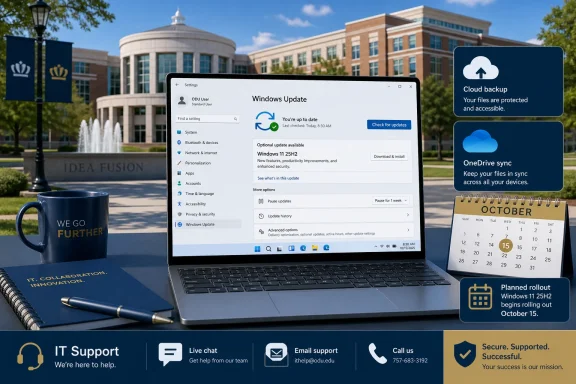 An early opt-in before the managed rollout
The change is an enterprise deployment decision rather than a new public Windows release. Microsoft made Windows 11 25H2 generally available on September 30, 2025, and lists it as build 26200; the current July 2026 cumulative update is build 26200.8875.Microsoft’s release-health documentation says 25H2 shares its servicing branch with Windows 11 24H2 and is delivered as an enablement package. In practical terms, that should make the transition relatively small compared with a full platform migration for already current 24H2 systems, although the usual restart and compatibility caveats still apply.
For organizations using Education editions, 25H2 extends servicing through October 10, 2028. By comparison, Windows 11 24H2 reaches end of updates for Education and Enterprise editions on October 12, 2027, according to Microsoft’s lifecycle table.
Why ODU users may want to wait
ODU recommends safeguarding files before beginning the upgrade, a sensible precaution for any managed-device feature update. Users with an imminent presentation, travel, lab workload, or specialized software dependency may prefer to leave the work to the university’s October deployment window, when help desk coverage and remediation procedures are likely to be better aligned with the rollout.Microsoft’s current Windows 11 25H2 health dashboard also lists a confirmed Windows Server Update Services synchronization problem, with increased sync times and timeouts reported from July 13. That affects organizations using WSUS, though ODU has not said whether its deployment infrastructure relies on it. Microsoft says server-side remediation is in progress.
A separate safeguard affects a limited number of Dell devices with a particular Intel Innovation Platform Framework driver. Microsoft is withholding the July 14 security update from affected systems while it works with Dell on a fix; the problem is tied to the June preview update and can affect performance, power use, or general system behavior.
What ODU users should do
- Back up local work and ensure OneDrive or other approved storage has finished syncing.
- Install 25H2 only when the PC can remain powered on and connected for up to two hours.
- Check critical peripherals and specialist applications after the upgrade.
- Contact the ODU IT Help Desk if the update fails or business-critical software stops working.
References
- Primary source: Old Dominion University
Published: 2026-07-16T20:31:55+00:00
Loading…
www.odu.edu