Windows 11 25H2 Enablement Package: Microsoft’s “Intelligent” Forced Rollout

  • Thread Author
Microsoft’s latest Windows 11 servicing push is less about a dramatic new feature release and more about the company tightening the screws on how upgrades are delivered. The move to steer eligible Windows 11 24H2 Home and Pro systems toward 25H2 is being framed as a smarter, more automated experience, but it also signals something bigger: Microsoft wants fewer stranded PCs, fewer version splits, and less fragmentation in the consumer base. At the same time, the company is asking users to trust an “intelligent” update system without giving much detail about how that intelligence works.

A digital visualization related to the article topic.Overview​

The most important thing to understand is that 25H2 is not being treated like a traditional major refresh for most 24H2 devices. Microsoft’s support documentation says that devices already on Windows 11 Home and Pro, version 24H2 can receive the 25H2 feature update automatically through Windows Update, while managed machines are excluded from that automatic consumer-style rollout. That matters because it shows the company is using different update logic for home users, small-office PCs, and enterprise fleets.
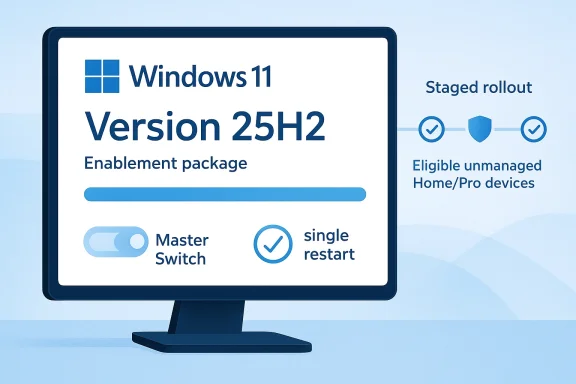
This also fits the modern Windows servicing model, where Microsoft increasingly ships new versions as an enablement package rather than a full operating-system reinstall. In practical terms, the jump from 24H2 to 25H2 is designed to be relatively lightweight, with the update more like a switch being flipped on top of the existing codebase. Microsoft’s own 25H2 support materials say devices on 24H2 that receive updates directly from Windows Update or WSUS can automatically obtain the enablement package and move to 25H2.
The timing is not accidental. Microsoft’s lifecycle guidance lists October 13, 2026 as the end of support date for Windows 11 Home and Pro, version 24H2, which means the company has a clear incentive to accelerate migrations before that window closes. That gives users almost no reason to stay on an older feature release if the upgrade is broadly compatible and the servicing process is relatively painless.
Yet the language around “intelligent” delivery raises a fair question: intelligent according to what? Microsoft has not publicly disclosed the exact signals used by its machine-learning gating system, and that lack of transparency is likely to irritate users who prefer deterministic control over their operating systems. The company says it can hold back updates if it detects compatibility problems, which is sensible, but the absence of clear criteria leaves room for uncertainty.

Why this matters now​

The update strategy comes at a time when Windows servicing has become more aggressive, more automated, and more tightly integrated with telemetry-driven decision-making. Consumers increasingly experience Windows as a managed service rather than a static product, and Microsoft is clearly comfortable making update choices on their behalf. That may reduce friction for the average user, but it also reinforces a long-running tension between convenience and control.
  • Home and Pro users get the most automatic treatment.
  • Managed devices are deliberately excluded for now.
  • Compatibility holds still remain part of the process.
  • Support deadlines are being used as a migration pressure point.

Background​

Windows versioning used to be relatively easy to explain: install a new release, live with it until the next one arrives. Over time, Microsoft shifted to continuous servicing, staged rollout mechanisms, and update rings that decide who gets what and when. That model is now standard across Windows 11, and 25H2 is another example of Microsoft trying to make upgrades more routine and less dramatic.
The 24H2-to-25H2 transition is especially notable because Microsoft has already positioned 25H2 as a relatively efficient upgrade path for eligible systems. The enablement-package approach means the underlying platform work has largely already been delivered through prior servicing, with 25H2 acting as the activation layer. That reduces install time and lowers the operational cost of adopting the newer version, which is exactly the kind of change Microsoft wants to normalize.
Historically, Windows feature updates were more disruptive. They often looked and felt like complete operating-system swaps, with longer install times, more reboot cycles, and higher odds of breakage. Microsoft’s current approach is meant to make those transitions almost invisible, at least on supported hardware. That is good engineering from a servicing standpoint, but it also means users see fewer visible milestones and less obvious control points.
There is also a strategic reason behind the push. Microsoft has made repeated claims in recent Windows cycles that newer versions deliver better reliability, stronger security posture, and a more consistent baseline for support. A tighter update funnel helps the company limit the number of in-market configurations it must maintain, test, and defend. Fewer versions in the wild means fewer edge cases in the long run, even if the transition period feels forceful.

The support clock​

The lifecycle entry for Windows 11 Home and Pro version 24H2 is especially important because support deadlines shape upgrade behavior more effectively than marketing ever could. Microsoft does not need to persuade everyone with feature checklists when the expiration date is already on the calendar. Once support ends, staying put becomes a security and compliance liability rather than a preference.
  • Support deadlines influence enterprise planning.
  • Consumer systems are nudged more than they are asked.
  • Newer versions become the safest default.
  • Upgrade friction is being engineered downward.

The 25H2 Servicing Model​

The strongest signal in Microsoft’s documentation is that 25H2 is being delivered as an evolution of the 24H2 servicing baseline, not as a disruptive redo. On devices receiving updates directly from Windows Update, the enablement package can be applied automatically, which makes the transition feel closer to a quality update than a classic feature upgrade. That is a fundamental change in how Windows feature releases behave.
That model has clear advantages. It cuts install time, lowers the chance of a lengthy outage, and makes it easier for Microsoft to align consumer systems on one predictable release cadence. It also reduces the anxiety many people associate with “big Windows upgrades,” which have traditionally carried the risk of compatibility issues, driver conflicts, or forced reconfiguration.
At the same time, the lighter upgrade path can make Microsoft’s push feel more invasive precisely because it is easier to do. When an update is fast and quiet, users have fewer obvious points at which to intervene. The company can frame the process as frictionless progress, while users may experience it as a gradual erosion of choice.

Enablement versus full install​

The distinction matters technically. An enablement package activates features already sitting in the codebase, while a full OS upgrade typically replaces a much larger portion of the system image. Microsoft’s approach is designed to reduce risk and speed adoption, but it also creates a sense that major version transitions are increasingly administrative rather than transformative. That may be efficient, but it is not always satisfying for users who expect more visible control over when their PC changes.
  • Smaller update payloads mean less downtime.
  • Version jumps become less disruptive.
  • Compatibility is managed earlier in the cycle.
  • The OS feels more like a service than a release.

The “Intelligent” Rollout​

Microsoft’s “intelligent” update language is doing a lot of work here. The company says machine learning helps determine when a device is ready for the update, but it has not provided granular details about the criteria. That omission matters because update readiness is not a trivial concept; it can encompass drivers, hardware configuration, prior update history, telemetry, and known issue signals.
What Microsoft is likely doing, based on the way modern Windows deployment already works, is combining compatibility telemetry with staged rollout logic and safeguard holds. The company has said that if it detects a problem such as an application or driver incompatibility, it may withhold the update until the issue is resolved. That is a sensible safeguard, but it also means readiness is not a simple yes-or-no state from the user’s perspective.
The criticism is not that Microsoft uses automation. The criticism is that automation without explanation can feel arbitrary, especially when it affects core system behavior. For technically minded users, “the machine learning system decided” may sound less like reassurance and more like a black box. Transparency would not eliminate every concern, but it would go a long way toward making forced updates feel more predictable.

What “ready” probably means​

Microsoft has not published the model, features, or thresholds behind this decision-making, so any interpretation has to remain cautious. Still, the update system likely weighs multiple risk factors before offering 25H2 automatically. Inference is unavoidable here, but it is reasonable to assume the process is designed to minimize failures and support calls.
  • Hardware and driver compatibility likely matter.
  • Known problematic apps may trigger holds.
  • Recent update behavior may influence eligibility.
  • Telemetry probably helps identify safer cohorts first.

Forced Updates and User Control​

The most controversial part of the rollout is not that it exists, but that it is forced for eligible consumer PCs. Microsoft says users can delay installation for a time, but they cannot fully opt out if the device is in scope. For many people that will be acceptable, even welcome; for others, it is another reminder that Windows is increasingly managed from above rather than chosen from below.
That distinction is important because Windows users are not all the same. Casual home users may prefer the system to handle everything automatically, while power users often want to stage updates around work, travel, or troubleshooting windows. Microsoft’s current model favors the first group and tolerates the second, but it does not really satisfy the second group.
The manual path still exists, of course. Users can go into Settings > Windows Update and check for updates themselves if they want to accelerate the process, provided the machine is eligible. That means Microsoft is not fully removing agency; it is merely narrowing the window in which agency can matter.

Consumer choice versus platform discipline​

This is where Microsoft’s philosophy becomes clearer. The company increasingly behaves as if the healthiest Windows ecosystem is one in which most consumer PCs converge on a common baseline quickly. That simplifies support, improves security consistency, and reduces fragmentation, but it also centralizes power over the pace of change.
  • Users can postpone, but not permanently refuse.
  • Manual install remains an option for the impatient.
  • The default path is automatic, not negotiated.
  • Microsoft prioritizes platform hygiene over individual preference.

Enterprise Exclusions and IT Reality​

The rollout reportedly excludes managed devices, which makes sense because organizations need policy control, pilot rings, compliance checks, and change management. Enterprises do not want consumer-style forced updates because they operate on scheduling, application certification, and business risk. Microsoft knows that, which is why it leaves room for IT administrators to manage upgrades using their own tools and timelines.
That said, the enterprise experience is not isolated from the consumer one. A broader 25H2 adoption wave still influences security baselines, application testing, and support expectations. Even when organizations are excluded from automatic consumer rollouts, the pace of the overall Windows ecosystem shifts around them.
The practical reality is that enterprises usually prefer predictability over novelty. Microsoft’s approach to consumer forced updates helps the company reduce fragmentation, but it also gives IT departments a sharper contrast between managed and unmanaged Windows behavior. That contrast is useful: it lets organizations see clearly why their own controls matter.

Why exclusion matters​

The exclusion is not a loophole; it is a design choice. Microsoft seems to understand that business devices are not just personal computers with more policy settings. They are part of operational systems that have to survive audits, line-of-business app dependencies, and recovery planning.
  • Managed systems need deployment rings.
  • Admins need deferral and validation.
  • Business continuity outweighs speed.
  • Standardization still matters, but on enterprise terms.

The KB5079391 and KB5086672 Episode​

The rollout story is arriving against the backdrop of Microsoft’s recent update hiccup involving KB5079391 and the follow-up KB5086672. Microsoft’s support page says the March 26, 2026 preview update for Windows 11 25H2 and 24H2 ran into installation trouble on some systems, with error 0x80073712 indicating missing or problematic update files. Microsoft later released an out-of-band update to fix the issue and restore the intended improvements.
This matters because it reminds users that even Microsoft’s own update machinery is not immune to breakage. When the company talks about readiness, machine learning, and intelligent rollout, it is also implicitly acknowledging how fragile update ecosystems can be at scale. A failed preview patch can turn a servicing story into a trust story very quickly.
The good news is that Microsoft responded with a corrective release and made clear that the out-of-band update contains the earlier improvements plus the fix for affected systems. That is exactly how modern Windows servicing is supposed to work: identify the problem, pull the bad update, and replace it with a coherent corrected package. Still, these incidents reinforce why some users remain wary of forced updates in the first place.

Why this episode is relevant​

The timing of the patch failure may not be directly related to the 25H2 forced rollout, but the association is hard to ignore. Users are being told to trust an ever-more-automated update system at the same moment Microsoft is cleaning up a broken one. That is not fatal to the company’s case, but it does complicate the messaging.
  • Update trust is built through consistency.
  • Patch failures undermine confidence fast.
  • Correction speed matters almost as much as prevention.
  • Users remember the last bad install.

Security and Lifecycle Implications​

From a security standpoint, Microsoft’s policy has obvious logic. Keeping more Home and Pro PCs on the newest supported build reduces exposure to known weaknesses, simplifies mitigation, and narrows the universe of systems that need urgent attention. A forced or strongly guided transition is often more effective than hoping users update on their own.
The lifecycle angle is even more important. Microsoft’s stated end-of-support date for 24H2 means that a lagging consumer installed base eventually becomes a support burden and a security liability. By nudging devices to 25H2 now, Microsoft is trying to avoid the last-minute cliff where millions of PCs all need to move at once.
There is also a broader platform strategy at work. Microsoft wants Windows to be seen as a secure, continuously updated service, not a patchwork of version islands. That helps with Defender integration, compliance posture, and the company’s wider pitch to consumers and businesses alike. But the more successful that strategy becomes, the less room users have to opt into a slower, more independent model.

Security versus autonomy​

This tradeoff is not unique to Microsoft, but Windows makes it especially visible because the desktop still carries legacy expectations of ownership. Users often feel they should be able to say when and how their OS changes, even if the security case for automatic updates is strong. Microsoft is betting that most people will accept less autonomy in exchange for lower maintenance overhead.
  • Security benefits from rapid adoption.
  • Old versions become harder to justify.
  • Automatic rollout reduces exposure windows.
  • Autonomy becomes secondary to baseline protection.

Market and Competitive Impact​

Microsoft’s update posture also has competitive implications, even if the headlines focus on Windows alone. The more seamless Microsoft can make update transitions, the stronger its case that Windows remains the safest and least annoying choice for the mainstream PC market. Competitors in the broader computing ecosystem—whether that is alternative desktop platforms or cloud-managed endpoints—benefit when Microsoft’s own process looks clumsy.
At the same time, this strategy helps Microsoft differentiate Windows from more manually curated software environments. The company can promise that devices will remain current without requiring users to track versions, compare packages, or hunt for updates. That is attractive in a market where many buyers simply want their computers to stay out of the way.
But there is a flip side. When updates become increasingly opaque, Microsoft risks alienating the enthusiasts, power users, and IT professionals who influence broader Windows opinion. Those users often become the informal support network for family, friends, and colleagues, which means dissatisfaction can spread well beyond the direct audience.

What rivals can learn​

Even if rivals do not copy Microsoft’s exact approach, they can learn from its strengths and missteps. Better update automation is not just a Microsoft problem; it is a platform trust problem across the industry. The winners will be the vendors that combine reliability, transparency, and meaningful user control.
  • Seamless servicing is now table stakes.
  • Transparency matters as much as automation.
  • Power users still shape reputation.
  • Update failures become marketing opportunities for rivals.

Strengths and Opportunities​

Microsoft’s approach has real merit, and it is easy to see why the company wants to lean harder into automated rollouts. If the process works as intended, consumers get safer devices faster, administrators spend less time chasing stragglers, and the overall Windows ecosystem becomes more consistent. That is a meaningful operational gain, even if it comes with philosophical baggage.
  • Faster protection against unpatched vulnerabilities.
  • Less version fragmentation across the consumer base.
  • Shorter installation windows for upgrade transitions.
  • Better baseline consistency for app developers.
  • Lower support burden for Microsoft and OEMs.
  • More predictable lifecycle management before 24H2 retirement.
  • Reduced user effort for ordinary home PC owners.

Risks and Concerns​

The downsides are just as real, and some are structural rather than temporary. Automatic update systems depend on trust, and trust can be damaged quickly when users feel they are being pushed into changes they did not ask for or cannot fully understand. The recent patch issues around KB5079391 only sharpen that concern.
  • Opaque machine-learning criteria can feel arbitrary.
  • Forced rollout limits user control on consumer PCs.
  • Compatibility mistakes can spread faster when automation is aggressive.
  • Poor communication can amplify backlash around update policy.
  • Update fatigue may push some users to postpone too long.
  • Broken patches can undermine faith in the whole servicing model.
  • Managed and unmanaged gaps may create confusion about who is in control.

Looking Ahead​

Microsoft will likely continue refining its update gates, especially if 25H2 proves to be broadly stable on eligible 24H2 systems. The company has every incentive to make the transition feel routine, because the less dramatic it appears, the easier it is to justify more automation later. If the rollout goes smoothly, expect Microsoft to treat this as validation of a model that combines telemetry, machine learning, and staged deployment into a single delivery pipeline.
The larger question is whether Microsoft can pair that automation with enough transparency to keep advanced users onside. People do not necessarily object to smart update systems; they object to feeling managed by something they cannot inspect. If Microsoft wants “intelligent” updates to be seen as a benefit rather than a black box, it will need to explain more clearly what the system is optimizing for and when users still get a meaningful say.
  • Watch for broader adoption of 25H2 on eligible Home and Pro PCs.
  • Monitor whether Microsoft publishes more detail about readiness signals.
  • Track future safeguard holds for hardware and driver problems.
  • Pay attention to whether enterprises adopt related servicing guidance.
  • Observe whether update failures prompt any policy softening.
Microsoft’s direction is clear enough: it wants Windows 11 to update faster, safer, and with less user friction, even if that means fewer opportunities to opt out. Whether that feels like progress or overreach will depend on how quietly the system behaves in the weeks ahead, and how much the company is willing to reveal about the machine learning deciding when your PC is “ready.”

Source: Tom's Hardware Microsoft to force updates to Windows 11 25H2 for PCs with older OS versions — 'intelligent' update system uses machine learning to determine when a device is ready
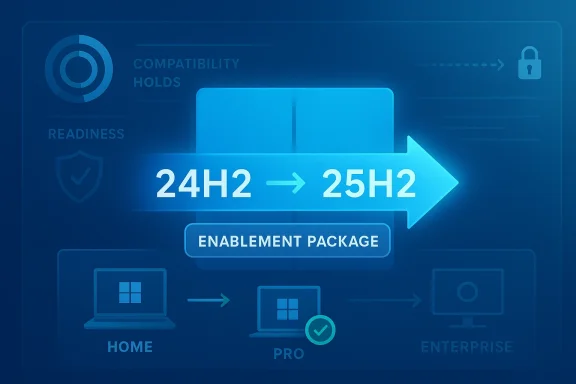
 

Microsoft’s Windows 11 rollout is entering another familiar phase: a feature update that looks bigger on paper than it really is. According to Microsoft’s release health pages, Windows 11 version 25H2 is now being offered more broadly to unmanaged Home and Pro PCs running 24H2, and eligible systems can receive it automatically through Windows Update. Because 24H2 and 25H2 share the same core files, this is less a traditional upgrade and more a small activation step that flips on already-delivered features.

A digital visualization related to the article topic.Overview​

The key story here is not that Windows 11 is getting a huge new release, but that Microsoft is continuing to refine how it ships changes. 25H2 appears to be treated as a scoped update for devices already on 24H2, not a full reinstall or a major platform jump. Microsoft’s own support material says the two versions use an identical set of system files, with the newer features sitting dormant until enabled.
That matters because it changes the user experience in subtle but important ways. Instead of dragging consumers through a long upgrade cycle, Microsoft can apply a small package and minimize downtime. In practical terms, the update can feel closer to a monthly quality patch than a classic feature release, even if the version number changes and the changelog suggests something more substantial.
The company’s release health documentation also shows how Microsoft is framing this rollout. It describes machine learning-based intelligent rollout for Home and Pro devices that are not managed by IT departments, which means the update is not simply pushed to everyone at once. It is staged, eligibility-based, and subject to normal safeguard holds if Microsoft detects hardware, driver, or compatibility risk.
There is also a small but notable wrinkle in the reporting: Notebookcheck’s summary points to a conflicting status date on Microsoft’s page. That sort of inconsistency is not unusual during phased deployments, but it does underline the broader reality of Windows servicing in 2026: the release notes, update eligibility, and rollout timing do not always move in perfect lockstep. That disconnect is the real story here, because it tells users that “available” does not always mean “immediately visible on your PC.”

Background​

Windows 11’s servicing model has been evolving toward less disruptive upgrades for several release cycles. Microsoft has steadily leaned on enablement packages for certain version jumps, especially when the underlying code base is already present on the machine and only needs to be activated. The 25H2 release appears to fit squarely into that pattern, with Microsoft explicitly saying the upgrade can happen via a single restart.
This is not the same as the older Windows feature-update experience many users still remember from Windows 10. Back then, a new version often meant a lengthy install, multiple reboots, and a higher chance of something going sideways on older hardware. By contrast, an enablement package is designed to be small, fast, and low risk, at least relative to a full build migration.
The release timing also reflects Microsoft’s broader strategy for Windows 11 Home and Pro. In the release health notes for 24H2, Microsoft says that 25H2 is now available to eligible 24H2 devices, and that the rollout expands over time. The same page makes clear that unmanaged Home and Pro PCs have already been receiving earlier Windows 11 upgrades automatically, so 25H2 is being positioned as a continuation of that consumer-friendly servicing path.
A crucial detail is the term “unmanaged.” Microsoft uses that to mean devices not controlled by an organization’s IT department or device-management tooling. In other words, this rollout is aimed primarily at home users and smaller environments where Windows Update is the main update channel, not enterprise machines locked behind policy, Intune, WSUS, or other administrative controls. That distinction matters because consumer PCs are the ones most likely to receive the update automatically once Microsoft decides they are ready.

Why this update feels different​

25H2 is not being marketed like a dramatic new Windows release, and that is intentional. Microsoft is trying to make major version changes feel routine, which reduces user anxiety and lowers support burden. The less it looks like an “upgrade,” the more it behaves like maintenance.
The result is a Windows ecosystem where version numbers still matter, but the operational pain is increasingly hidden. That is good for most consumers, though it can make rollouts harder to interpret from the outside.
  • Same core files reduce installation complexity.
  • Single-restart activation lowers downtime.
  • Phased rollout reduces widespread breakage risk.
  • Safeguard holds still block problematic systems.

How the Enablement Package Works​

Microsoft’s support document KB5054156 is the centerpiece of this rollout. It says Windows 11, versions 24H2 and 25H2 share a common core operating system and identical system files, which is why the new features can remain dormant inside 24H2 until activated. The company describes the enablement package as a kind of master switch that turns those dormant features on.
That design has a practical upside for both Microsoft and users. Instead of shipping a heavy feature update, Microsoft can stage features through normal monthly quality updates and then deliver the final jump with a smaller package. For consumers, that usually means less waiting and fewer opportunities for install failures. For Microsoft, it means a cleaner deployment pipeline and a more predictable support footprint.
There is a prerequisite, though. Microsoft says a device must already be on Windows 11 24H2 and have the August 29, 2025 preview update KB5064081 or a later cumulative update installed before it can receive the enablement package in the intended way. That detail is easy to miss, but it explains why some PCs will not see 25H2 immediately even if they are otherwise eligible.

What this means for ordinary users​

For most home users, this should feel fairly uneventful. The machine may download a relatively small package, schedule a restart, and then come back as Windows 11 version 25H2. Microsoft also says the user can still choose when to restart or defer installation for a limited time, which preserves some control over timing.
That said, the word automatic can be misleading. Automatic does not mean instant, and it does not mean every eligible machine sees the update at once. It means Microsoft can push it through the normal Windows Update path once the rollout criteria are met.
  • Home and Pro consumer systems are the primary targets.
  • Enterprise-managed PCs are generally controlled separately.
  • Compatibility holds can delay delivery.
  • Restart timing remains partly user-controlled.

Who Gets It First​

The first group in line is the one Microsoft always prefers for staged rollouts: eligible, unmanaged Home and Pro devices on 24H2. Microsoft’s release health page says the phased rollout has begun for those systems, with availability increasing over time. That is the standard Windows Update pattern now, but it is worth emphasizing because users often assume version availability should be universal the day Microsoft mentions it.
Microsoft also makes a clear distinction between unmanaged consumer PCs and devices under organizational control. Enterprises usually get more explicit control over timing and validation, which is why the public release-health page often addresses IT admins separately from home users. In this case, Microsoft’s own wording suggests unmanaged systems are the ones that will be automatically offered 25H2 first through the consumer-facing Windows Update channel.
The broader context is important too. Microsoft has previously used this same pattern for earlier Windows 11 transitions, including automatic offers to unmanaged Home and Pro devices on older versions before their upgrade paths were narrowed or retired. The 25H2 rollout fits that long-running pattern of pushing consumer systems forward while allowing managed environments to decide on their own schedule.

The role of “Get the latest updates”​

One detail that still trips up users is the Windows Update toggle for getting the latest updates early. Microsoft says 25H2 is available on eligible 24H2 devices for users who have turned on “Get the latest updates as soon as they’re available.” That means some users will see the update earlier than others, even before the broader rollout reaches them.
This kind of staged release can make the rollout look inconsistent from person to person. One PC in a household may see 25H2 while another does not, even if both are technically eligible. That is not a bug; it is Microsoft’s rollout strategy at work.
  • Early adopters can surface issues faster.
  • Microsoft can pause rollout if compatibility problems appear.
  • Not every eligible system gets the offer on the same day.
  • Manual checks may still show nothing if the device is below threshold.

Why Microsoft Uses This Model​

Microsoft’s move toward enablement packages is really about balancing speed and safety. If the platform already has the necessary code in place, there is little reason to force users through a full installation when a lighter activation step will do the job. That is especially true for consumer PCs, where update friction is one of the biggest causes of user frustration.
It is also a response to the reality of Windows support at scale. A single giant feature update can create a surge of install failures, support calls, and compatibility reports. By contrast, the enablement-package model lets Microsoft push more of the risk into prior monthly updates, then apply the version change with minimal disruption. It is a quiet change, but an important one.
This approach also helps Microsoft maintain a more predictable servicing cadence. Users still get a new version number, but the underlying code changes have often already been delivered over time. That is a meaningful distinction for reliability, because it means the “big bang” moment has been replaced by a series of smaller steps.

Tradeoffs for Microsoft​

There is no free lunch here, however. The same model that makes upgrades easier also makes version transitions less legible to ordinary users. If features arrive dormant and are later activated, many people will not understand what changed or when. Microsoft gains operational smoothness, but it also risks confusing users who expect a clearer line between releases.
  • Less downtime during upgrades.
  • Lower perceived risk for consumers.
  • Harder to explain to non-technical users.
  • More dependence on staged rollout logic.
  • Better fit for monthly servicing than for legacy feature releases.

User Control and Update Behavior​

Even when Microsoft pushes 25H2 automatically, users still retain some control over the installation process. The update can be scheduled for a later restart, and in many cases Windows will allow a limited deferral window before it becomes more insistent. That is a useful compromise because it protects users from surprise reboots while still preserving the automatic update policy.
Manual checking remains available too. Microsoft says users can go to Settings > Windows Update and select Check for updates to see whether version 25H2 is available on their PC. If it does not appear, that does not necessarily mean something is broken; it may simply mean the rollout has not reached that device yet or a safeguard hold is in place.
That safeguard mechanism is one of the most important parts of Windows Update today. Microsoft increasingly uses compatibility holds to prevent known-bad combinations of hardware, drivers, and software from receiving a new build too early. It is not glamorous, but it is one of the main reasons modern Windows rollouts fail less catastrophically than they did a decade ago.

What “not showing up” usually means​

For users staring at Windows Update and wondering where 25H2 is, the explanation is usually mundane. Either the device has not been selected yet, the feature update is still staged, or Microsoft has temporarily paused delivery for that hardware profile. The absence of an update is often a sign that the rollout is working as designed, not that the PC is ignored.
  • The device may be below Microsoft’s rollout threshold.
  • A driver or firmware issue may be under review.
  • A software compatibility problem may be triggering a hold.
  • The machine may still need a later cumulative update first.

Enterprise Implications​

For organizations, the story is less about surprise and more about governance. Managed PCs generally do not live in the same update universe as unmanaged consumer devices, and Microsoft’s wording keeps that divide intact. IT administrators can test, stage, and approve version jumps according to internal policy rather than letting Windows Update decide.
That is a major difference between consumer and enterprise behavior, and it matters because the cost of a bad rollout rises sharply in business environments. A broken printer driver at home is annoying; the same issue across thousands of endpoints is a support event. Microsoft’s phased and managed model is designed to minimize exactly that kind of enterprise disruption.
At the same time, the common-core design of 24H2 and 25H2 may make life easier for IT teams that have already standardized on 24H2. If the versions are functionally close and the activation step is small, administrators can focus less on reimaging and more on validation. That should reduce deployment friction, even if policy controls still determine the pace.

Why IT pros should care​

The enablement-package model offers a cleaner operational path for enterprises, but it does not eliminate planning. Windows environments with custom drivers, line-of-business apps, or legacy peripherals still need testing, and the fact that features are dormant until enabled does not guarantee perfect behavior. A smaller update is not the same as zero risk.
  • Staging remains essential for managed fleets.
  • Policy controls may delay offer timing.
  • App compatibility still needs validation.
  • Driver testing remains a release gate.

Competitive and Market Impact​

From a market perspective, Microsoft’s rollout reinforces a broader message: Windows is becoming more service-like and less traditionally versioned. That is good for Microsoft’s image because it makes Windows seem more continuous, more predictable, and less dependent on disruptive annual migrations. Competitors that still rely on visible, high-friction upgrades can look less polished by comparison.
For PC makers, this model also has a subtle benefit. If version jumps become lightweight, device makers face fewer support calls tied to feature-update downtime, and users are less likely to blame the OEM for a Windows upgrade problem. That does not eliminate hardware issues, but it narrows the set of problems people associate with “the new Windows version.”
On the consumer side, the impact is more about trust. Microsoft wants users to accept that Windows Update is not just for patches but also for version transitions. If 25H2 arrives quietly and works well, that trust builds. If it arrives quietly and breaks something important, the backlash will be sharper precisely because the update was expected to be low impact.

The broader Windows strategy​

This rollout also fits Microsoft’s long-term effort to normalize faster servicing without making the OS feel unstable. The company has spent years balancing feature velocity against the fear of bad updates, and enablement packages are a neat answer to that tension. They let Microsoft ship new capabilities while hiding much of the complexity behind the scenes.
  • More predictable for Microsoft.
  • Less disruptive for consumers.
  • Potentially easier for OEM support teams.
  • Still dependent on Windows Update quality.

The Confusing Part: Dates, Pages, and Rollout State​

One reason this story generated attention is the apparent mismatch between Microsoft’s documentation and the current status wording. Notebookcheck notes that the release health page still shows a conflicting status date even as Microsoft says rollout to unmanaged Home and Pro PCs is expanding. That kind of inconsistency can happen when a live service page is updated in stages or mirrored across regions.
The practical takeaway is simple: users should pay more attention to the page’s rollout language than to a single date stamp. Microsoft’s support pages are also region-sensitive, and the same KB article can appear with slightly different timestamps or localization metadata across languages and country domains. The version of the truth that matters is the rollout status, not the formatting artifact.
This is a reminder that modern Windows servicing is partly technical and partly communicative. Microsoft is not only shipping software; it is also managing expectations through dashboards, health pages, and update notes. If those signals drift out of sync, even briefly, users naturally conclude that something is inconsistent.

How to read Microsoft’s update signals​

The right interpretation is usually a layered one. The support article explains how the feature update works, the release health page explains rollout status, and the cumulative update history explains prerequisites and blockers. Together they paint a more accurate picture than any single page does on its own.
  • KB articles explain the mechanics.
  • Release health pages explain availability.
  • Update history explains prerequisites.
  • Safeguard notes explain delays.

Strengths and Opportunities​

Microsoft’s approach has several clear upsides, especially for consumers who want fewer surprises and for IT teams that prefer a predictable servicing model. The 25H2 enablement-package strategy is not just a technical convenience; it is a signal that Windows updates are becoming more modular, more staged, and easier to absorb. That creates room for smoother support, cleaner fleet management, and less upgrade fatigue.
  • Minimal downtime thanks to a single-restart activation.
  • Lower install risk compared with a full feature upgrade.
  • Better consumer experience on relatively modern hardware.
  • Easier validation for enterprise IT teams.
  • More flexible rollout control through staged delivery.
  • Reduced support burden for Microsoft and OEMs.
  • Cleaner servicing model that fits Windows’ current cadence.

Risks and Concerns​

The same model that reduces friction also creates new forms of confusion. Users may not understand why an update is “available” on one PC but missing on another, and dormant-feature delivery can make changes feel invisible until something suddenly turns on. There is also the usual Windows risk that a compatibility issue slips through despite Microsoft’s safeguards, especially on devices with unusual drivers or niche peripherals.
  • Rollout inconsistency can confuse consumers.
  • Hidden prerequisites may block otherwise eligible devices.
  • Compatibility holds can be opaque to non-technical users.
  • Activation timing may surprise people who expect manual control.
  • Driver issues remain a classic source of update pain.
  • Status page mismatches can erode confidence.
  • Feature dormancy makes change harder to track.

Looking Ahead​

The next few weeks will tell us whether Microsoft’s staged 25H2 push remains quiet or starts generating the kind of compatibility chatter that can slow a rollout. For most users, the important question is not whether 25H2 exists, but whether Windows Update offers it cleanly, installs it quickly, and leaves the machine stable afterward. If those three things hold true, this will be remembered as another successful example of Microsoft shrinking the pain of version upgrades.
For enterprises, the more interesting question is whether this lightweight model becomes the norm for future Windows releases. If Microsoft can keep bundling dormant features into monthly updates and then flipping them on with a small package, version transitions may become less dramatic across the board. That would be a meaningful change in how Windows is maintained, especially for organizations that have spent years treating feature updates as major projects.
  • Watch the rollout pace across unmanaged Home and Pro PCs.
  • Check for prerequisite updates before expecting 25H2.
  • Monitor safeguard holds tied to drivers and firmware.
  • Track whether Microsoft clears conflicting status wording on its health pages.
  • See whether the enablement-package model spreads to future Windows 11 transitions.
Microsoft’s 25H2 rollout is a small update with outsized significance because it reflects where Windows servicing is headed: less disruption, more automation, and a growing gap between what users notice and what Microsoft is actually changing under the hood. If it works as intended, most people will barely think about it, which is exactly the point.

Source: Notebookcheck Microsoft says unmanaged Windows 11 24H2 PCs will get 25H2 automatically
 

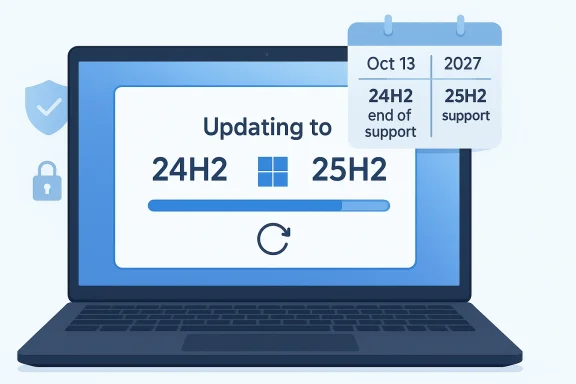
Microsoft’s move to steer consumer PCs from Windows 11 version 24H2 to 25H2 is less a dramatic new policy than a familiar Windows servicing playbook executed with more restraint. The company’s logic is straightforward: 24H2 reaches end of support on October 13, 2026, while 25H2 extends the security runway through October 12, 2027 for Home and Pro editions. Because the two releases share a servicing branch and 25H2 is delivered as an enablement package, the transition should be comparatively quick, with lower downtime and fewer compatibility surprises than a classic full-scale feature upgrade.

Laptop screen shows updating Windows from 24H2 to 25H2 with an Oct 13, 2027 support timeline.Overview​

The first thing to understand is that this is not Windows 10 all over again. Microsoft is not dragging old hardware onto a fundamentally different platform; it is nudging Windows 11 24H2 systems onto the next yearly release in a way that reuses the same codebase and monthly servicing mechanisms. That matters because it changes the user experience from a major migration into something closer to a fast, policy-driven refresh.
It also explains why the company can justify automatic promotion of consumer devices more easily than it could in earlier eras. When two releases are built on the same shared servicing branch, the operational risk drops, and Microsoft can frame the upgrade as a maintenance necessity rather than a disruptive platform jump. In plain English, the upgrade is less about adding flashy features and more about keeping the machine inside a supported security envelope.
The timing is also important. Microsoft’s lifecycle page shows 25H2 supported until October 12, 2027, while 24H2 falls out of support on October 13, 2026. That one-year gap is enough for Microsoft to create a structured handoff, but it is also short enough to make the support cliff visible to consumers who prefer to defer updates until the last possible minute.
There is another subtle factor here: Microsoft has spent years encouraging consumers to stay current because update hesitancy tends to create a fragmented installed base and a support headache. A more uniform Windows estate is easier to secure, easier to troubleshoot, and easier to evolve with features like hotpatching, cloud-backed update controls, and staged release health monitoring. The forced-upgrade dynamic is therefore part security policy, part product strategy, and part ecosystem housekeeping.

What Microsoft is actually doing​

At the center of the story is the distinction between a feature update and a service pack-style enablement package. Microsoft’s own support documentation says 25H2 can be installed from 24H2 with a single restart, because the two versions use the same base. That means the update should be far less disruptive than the older annual Windows upgrades many users remember.

Why this matters technically​

A shared branch means Microsoft can light up dormant features rather than rebuilding the operating system from scratch. That reduces download size, installation time, and the number of moving parts that can fail during deployment. It also makes the upgrade feel predictable in the way enterprise patch cycles do, which is exactly what Microsoft wants for a modern Windows platform.
For consumers, that usually translates into less anxiety. Nobody likes a feature update that hijacks the evening, forces a long rollback if something breaks, or leaves a laptop stuck at 2% battery while the system image is rewritten. A quick enablement-based transition is, in that sense, the best possible version of a forced update. Still forced, but less painful.
For Microsoft, the advantage is equally obvious. If the company can move the majority of supported PCs through a common servicing path, it can spend less time maintaining divergent update logic and more time shipping cumulative improvements through the monthly patch cadence. That is a classic platform-control move: make the update less visible, not less important.
  • Same codebase, faster rollout
  • Single restart for many 24H2 systems
  • Lower compatibility risk than a full OS swap
  • More predictable support and servicing
  • Less fragmentation across consumer PCs

Why support timing is driving the change​

The support calendar is the real engine behind the move. Microsoft’s lifecycle data shows Windows 11 Home and Pro, version 24H2 ending support on October 13, 2026, while 25H2 remains supported until October 12, 2027. Once 24H2 ages out, Microsoft will no longer provide security fixes or technical support for that release, so keeping devices on it would create a security liability.

The security argument​

This is where Microsoft’s pitch becomes difficult to argue against. Unsupported operating systems accumulate risk over time because known vulnerabilities stop receiving fixes. In consumer environments, where patch discipline varies widely, the company has little incentive to leave a large pool of devices stranded on an older release that is no longer receiving regular protection.
The security rationale also aligns with Microsoft’s broader Windows update posture. Recent update and servicing documentation shows the company continuing to refine out-of-box experience updates, setup dynamic updates, and safe OS updates for both 24H2 and 25H2. That indicates a coordinated servicing model designed to keep upgrade paths healthy and to reduce failure rates before they become support incidents.
There is, however, a practical tradeoff. A security-led forced upgrade policy is easy to defend on paper, but it still changes the consumer contract with Windows. Users can delay a restart and choose their timing, yet they cannot indefinitely decline the move once Microsoft decides 24H2 is no longer the right endpoint. That may be reasonable, but it is also a reminder that modern Windows is increasingly managed as a service, not owned as a frozen version. That distinction matters.
  • 24H2 support ends October 13, 2026
  • 25H2 support runs to October 12, 2027
  • Unsupported systems stop receiving security patches
  • Consumer delay is limited by lifecycle policy
  • Support timing, not feature novelty, is the trigger

Who gets forced and who does not​

The most important nuance in the report is the difference between consumer machines and managed business devices. Microsoft’s 25H2 documentation says the release is available through WSUS, Configuration Manager, Windows Update client policies, and the Microsoft 365 admin center, which means IT administrators still control deployment timing. In other words, the “forced” part is aimed at unmanaged consumer PCs, not at fleets that are already governed by enterprise policy.

Consumer versus enterprise behavior​

For home users, the logic is simple: if a PC remains on 24H2 past support, Microsoft has a security and support problem. For enterprises, the logic is different because IT departments need time to test line-of-business apps, peripherals, update rings, and compliance posture before wide rollout. Microsoft explicitly notes that commercial customers can use established deployment tools and that the update is available through enterprise management channels.
That split is not new, but it is increasingly visible. Microsoft has spent years making a distinction between consumer convenience and enterprise control, and 25H2 is another example of that philosophy. The consumer side gets guided consistency, while the business side gets staging, validation, and policy-based timing.
There is also a subtle competitive signal here. By keeping enterprise rollout under IT control, Microsoft avoids the kind of backlash that would come from disrupting managed environments without warning. At the same time, by pushing consumer devices automatically, the company reduces the public footprint of unsupported Windows versions. That balancing act is central to modern Windows management.
  • Consumer PCs: automatic promotion is expected
  • Business PCs: IT decides timing
  • WSUS and Configuration Manager remain in play
  • Microsoft 365 admin center supports controlled deployment
  • Managed fleets can validate apps before broad rollout

The upgrade experience and why it should be smoother​

The reason this rollout is getting less pushback than a traditional feature update is that Microsoft has deliberately engineered the path to be lightweight. The enablement package model means 24H2 and 25H2 share a servicing branch, and Microsoft’s support documentation emphasizes that the transition is quick and requires only a restart after the package is applied.

Installation is faster, but not invisible​

Faster does not mean invisible. Users will still see a feature update, and if the system chooses an active moment to install, the interruption can still be inconvenient. Yet compared with a major version rewrite, this is the kind of upgrade that tends to look and feel more like a quality-of-life maintenance event than a platform migration.
That matters because public attitudes toward Windows updates are shaped by memory. A generation of users learned to fear “feature upgrades” as time-consuming and failure-prone. Microsoft’s enablement strategy is partly an answer to that legacy. If it works well, consumers will associate annual Windows updates with shorter downtimes and fewer surprises, which is exactly the kind of trust Microsoft needs to rebuild.
The other advantage is compatibility. Because 25H2 is built on the same platform base, applications and drivers that already behave on 24H2 should have a much easier time on 25H2. That does not eliminate bugs, but it does reduce the odds of the kind of broad breakage that can sour an entire update cycle. In practice, that’s a real improvement.
  • Single-restart installation path
  • Shared servicing branch
  • Lower application compatibility risk
  • Less user downtime
  • More predictable update behavior

Windows 10 is a separate story​

One part of the discussion deserves its own clarification: Windows 10 users are not being force-upgraded to Windows 11 by this policy. The move described here concerns consumer PCs already on Windows 11 version 24H2. Microsoft’s ongoing Windows 11 lifecycle policies do not magically convert the Windows 10 installed base into a forced migration target.

Why that distinction matters​

This is important because the public often lumps all “Windows upgrades” together. In reality, Microsoft treats the Windows 10 to Windows 11 transition as a separate decision with its own hardware requirements, adoption logic, and enterprise controls. A PC that is eligible for Windows 11 may still be left on Windows 10 until the user or admin chooses to move it.
That separation helps Microsoft avoid a broad consumer revolt. A forced jump from Windows 10 to Windows 11 would raise different questions about TPM, CPU support, and user choice. By contrast, moving 24H2 to 25H2 is largely about staying current within the same generation of Windows 11. The policy is stricter in one sense, but also more defensible.
It also reflects how Microsoft thinks about platform momentum. The company wants consumers to accept the idea that once they are on Windows 11, staying within supported annual releases is not optional for long. That is a very different message from “upgrade your entire operating system,” and it is easier to normalize over time. This is how servicing becomes strategy.
  • No automatic Windows 10 to 11 conversion here
  • 24H2 to 25H2 is a same-generation move
  • Hardware and eligibility questions are separate
  • Windows 10 migration remains a different policy issue

The broader Windows servicing strategy​

Microsoft’s handling of 25H2 fits into a larger pattern that has become clearer over the last few release cycles. The company continues to standardize around controlled feature rollouts, monthly cumulative updates, and release-health monitoring. The result is a Windows ecosystem that behaves less like a series of isolated annual versions and more like a constantly serviced platform.

Continuous innovation, less drama​

The 25H2 path underscores that Microsoft prefers a continuous innovation model where many changes arrive incrementally and only later get exposed by a broader feature release. That model reduces the shock of annual updates and gives Microsoft room to defer activation until the environment is ready. For users, it often feels like “nothing much happened,” which is usually a sign the servicing strategy is working.
But there is a tension in this approach. The more invisible the servicing layer becomes, the less agency users may feel they have. Consumers may appreciate shorter updates, yet they may also dislike the sense that key platform decisions are made for them behind the scenes. That is the tradeoff of a mature, cloud-managed OS: convenience on one side, reduced autonomy on the other.
For Microsoft, however, the overall logic is compelling. Standardization lowers support costs, makes patch compliance easier, and helps the company push system-wide improvements such as hotpatching and setup refinements. In a fragmented PC market, consistency is a competitive advantage even when it is not especially popular with the most skeptical users.
  • More incremental feature activation
  • Less annual upgrade drama
  • Greater patch consistency
  • Better supportability across the ecosystem
  • Reduced long-term fragmentation

Competitive implications for Google, Apple, and OEMs​

Microsoft’s update policy also has competitive implications beyond its own platform. A more disciplined Windows servicing model puts pressure on rivals to explain how they handle longevity, security, and upgrade predictability. That is especially relevant in consumer and education markets, where buyers care about whether a device will remain secure without demanding constant manual intervention.

What rivals should notice​

Apple has long benefited from tightly controlled OS distribution on its own hardware, where upgrades are easier to coordinate because the platform is vertically integrated. Microsoft cannot replicate that entirely, but automatic in-support promotion is a way to narrow the gap in security consistency. It is a pragmatic attempt to bring Windows closer to the “managed platform” feel that competitors have marketed for years. That is not trivial.
OEMs also benefit when update paths are smoother. Fewer failed upgrades mean fewer support calls, fewer warranty headaches, and fewer cases where a user blames the laptop maker for an operating system transition gone wrong. A shared branch and enablement package model does not eliminate those risks, but it does reduce the chance that the upgrade becomes a device-wide ordeal.
At the same time, Microsoft’s policy can reinforce the value proposition of newer Windows 11 hardware. If consumers know their existing device will be shepherded into the next supported release, they may feel less urgency to replace hardware purely for software reasons. That can be good for users, but it may also slow some replacement cycles. The net effect depends on how well 25H2 performs in the wild.
  • Closer to Apple-style consistency
  • Potentially fewer OEM support incidents
  • Stronger security posture as a market message
  • Possible delay in hardware replacement pressure
  • Better story for Windows-managed devices

Strengths and Opportunities​

Microsoft’s approach has real strengths, especially if the implementation stays as quiet and low-friction as the documentation suggests. The biggest opportunity is to normalize a servicing model where consumers stay inside support without feeling like they are wrestling with their PC every six months. If that works, Windows becomes easier to trust, easier to maintain, and more attractive to security-conscious buyers.
  • Lower-risk transition because 24H2 and 25H2 share a servicing branch.
  • Reduced downtime thanks to the enablement package model.
  • Stronger security posture by moving consumers off an expiring release.
  • Better update compliance across the consumer installed base.
  • Fewer compatibility surprises than a full feature upgrade.
  • Improved perception of Windows reliability if the rollout is smooth.
  • Clearer lifecycle messaging that helps users understand support deadlines.

Risks and Concerns​

The downside is that any forced upgrade policy can feel paternalistic, even when it is technically justified. Users who value control may resent the idea that Microsoft can decide when their PC must move, especially if they believe their current setup is stable. There is also the ever-present risk that a “lightweight” update still collides with a driver, security product, or niche application in the real world.
  • User backlash from consumers who dislike forced changes.
  • Perceived loss of control over personal devices.
  • Edge-case compatibility issues despite the shared branch.
  • Update timing conflicts for users who need uninterrupted access.
  • Confusion between Windows 10 and Windows 11 policies.
  • Privacy and autonomy concerns as Windows becomes more managed.
  • Support burden if rollout problems appear at scale.

Looking Ahead​

The most important thing to watch is how broad Microsoft makes the rollout and how aggressively it enforces the transition as 24H2 approaches end of support in October 2026. If the company keeps the process quiet and reversible until the last acceptable moment, most consumers will likely treat it as routine maintenance. If it becomes too assertive too early, the story could shift from sensible lifecycle management to unnecessary coercion.
It will also be worth watching how Microsoft frames future releases after 25H2. The more the company leans on shared servicing branches, enablement packages, and controlled feature rollouts, the more Windows will behave like a continuously updated platform rather than a sequence of major versions. That may be the right direction technically, but it will continue to raise expectations for transparency, reliability, and clear user choice.
  • Rollout pace to consumer PCs
  • Any new opt-out or deferment controls
  • Enterprise deployment guidance and admin tools
  • Known issues reported during phased availability
  • How Microsoft communicates future support deadlines
In the end, the 24H2-to-25H2 transition looks like a classic Microsoft compromise: firm enough to keep the platform secure, but engineered to be as unobtrusive as possible. If the rollout behaves as designed, most users will barely notice beyond a restart and a new version label. If it does not, the complaints will not be about the idea of staying supported; they will be about whether Microsoft made the process feel respectful enough to the people using the PCs.

Source: Technobaboy Microsoft begins force upgrade to Windows 11 25H2 - Technobaboy
 

Back
Top