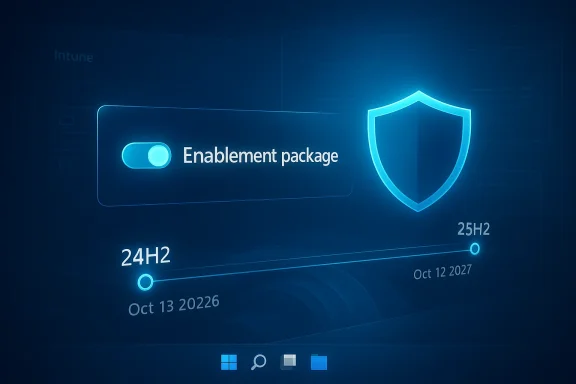
Microsoft’s move to push Windows 11 version 25H2 onto eligible consumer PCs is less a dramatic policy shift than a practical enforcement of the Windows servicing model, but it still matters. As Windows 11 version 24H2 nears the end of its consumer support window, Microsoft is using Windows Update to steer Home and Pro devices on unmanaged systems toward the newer release. That is the company’s way of keeping ordinary users on a supported build without requiring them to understand servicing timelines, feature update schedules, or the difference between managed and unmanaged endpoints.
The key detail is that this is not a giant, risky leap between two unrelated releases. Microsoft says 24H2 and 25H2 share a common core operating system and that the 25H2 features are largely dormant until activated by a small enablement package. In practice, that means the upgrade is designed to be quick, low-friction, and close to a normal cumulative update experience rather than a traditional full OS reinstall. For most consumers, the change should feel like housekeeping more than upheaval.
Windows servicing has always been a balancing act between user convenience and Microsoft’s need to maintain a secure installed base. Since Windows 10, the company has increasingly relied on feature update cadences and automatic enforcement to prevent large numbers of PCs from drifting into unsupported territory. The result is a system that is sometimes frustrating for power users, but generally effective at reducing the long tail of insecure devices.
That context matters because Microsoft has become far more assertive about consumer device maintenance than it was a decade ago. The company has learned, repeatedly, that many users do not manually upgrade until something forces the issue. So when a version approaches the end of support, Microsoft increasingly treats automatic migration as the least-bad option. That is especially true for consumer Windows 11 PCs, where the company can assume a baseline of compatibility and much less centralized IT control.
There is also a commercial logic behind the move. Windows 11 is no longer just an operating system; it is the delivery vehicle for Microsoft’s broader platform strategy, including security baselines, AI features, and the newest client management tooling. Keeping users on supported builds helps Microsoft reduce fragmentation, simplify support, and ensure that features such as search improvements, Settings agents, and Copilot-adjacent experiences can roll out more predictably. It also prevents the ecosystem from splitting into too many stranded versions.
Microsoft’s own documentation now says that devices running Home and Pro editions of Windows 11, version 24H2 that are not managed by IT departments will receive the Windows 11, version 25H2 update automatically. The company also makes clear that this automatic path is intended for non-managed devices, not enterprise-managed fleets. On the consumer side, that means the update is meant to happen with minimal user intervention, although the user still controls restart timing. On the enterprise side, Microsoft leaves the orchestration to administrators and policy tools.
The important wrinkle is that the upgrade path is unusually light. Microsoft says 25H2 uses the same servicing branch and identical system files foundation as 24H2, with the new features dormant until enabled. That design reduces risk, lowers downtime, and makes the forced migration feel more like unlocking a newer configuration than replacing the whole OS. It is a clever way to avoid the negative connotations of “forced update” while still ensuring the installed base moves forward.
The company has been explicit that Windows Update will automatically start a feature update for consumer devices and non-managed business devices that have reached the end of servicing. That policy has already been applied in prior Windows 11 cases, and the 24H2-to-25H2 transition looks like a continuation of the same philosophy. The principle is simple: if a machine is eligible and no administrator policy says otherwise, Microsoft would rather move it than leave it behind.
The end-of-support model creates a practical problem for Microsoft: a lot of users never read lifecycle announcements, and many do not know their installed build. Automatic updates become the mechanism that bridges that awareness gap. Without them, Microsoft would be left trying to support a large base of users who remain on outdated releases simply because they never clicked the right button.
That distinction is crucial because enterprise admins often need more time to validate compatibility, test line-of-business apps, and coordinate rollout windows. Consumers, by contrast, generally benefit from a default-safe path that avoids manual upgrade decisions. Microsoft’s forced-update behavior is therefore not a one-size-fits-all rule; it is a targeted response to the different risk profiles of consumer and corporate computing.
For consumers, this means the experience should feel relatively tame. There is still a restart, and there is still the normal unpredictability of any Windows update, but the architectural risk is lower than it would be for a larger version jump. In other words, Microsoft is choosing the safest possible route to compliance.
This is why Microsoft can frame the move as automatic without sounding reckless. If the underlying files are already there, the update is more like toggling on features and moving the device to the next servicing state. That dramatically shortens the maintenance window, which is important when you are trying to update millions of consumer devices with varying hardware and app stacks.
For users, that translates into less disruption. For Microsoft, it translates into fewer support calls and a lower chance that a feature update becomes a headline issue. That is not the same as saying the update is flawless, but it is materially less invasive than a traditional version upgrade.
This model benefits Microsoft because it lets the company ship code continuously while preserving enterprise predictability. It also explains why 25H2 is not being positioned as a giant visual redesign. Instead, it is part of a broader servicing architecture in which features are introduced earlier, controlled carefully, and then formally surfaced in the next release.
That is precisely why Microsoft can be assertive here. Users are less likely to object to a forced change that feels incremental. As long as the install is quick and the desktop looks familiar afterward, the update is more likely to be tolerated than resisted.
The upside is obvious. Most consumers do not want to research servicing timelines or manually plan version upgrades. They want a computer that keeps working, stays secure, and does not become obsolete because they ignored a maintenance task. Automatic migration helps satisfy that expectation, even if it can feel paternalistic to enthusiasts.
That tension is longstanding. Windows has always tried to straddle the line between user autonomy and system safety. The automatic push to 25H2 is just the latest expression of that compromise, and it will almost certainly remain controversial among users who want explicit consent before any version change.
There is also a communication advantage here. If Microsoft can make the transition mostly invisible, it avoids the common consumer fear that “updating Windows” means spending an hour watching progress screens. A successful automatic update is one users barely remember, which is exactly what Microsoft wants.
Microsoft’s documentation for 25H2 also emphasizes that the update is available through WSUS, Configuration Manager, Windows Update client policies, and the Microsoft 365 admin center. That signals that the company still expects enterprises to control deployment through familiar channels rather than by default coercion. Administrators can therefore validate the release, stage pilots, and deploy in waves.
That said, enterprises will still want to test every important line-of-business app, browser extension, driver stack, and security agent. Small upgrade, not zero risk is the correct mental model. The fact that the update is lighter does not mean the upgrade is irrelevant.
The company’s language around temporary enterprise feature control suggests it understands that organizations want predictable behavior, not surprise feature exposure. This is especially important now that Windows is increasingly intertwined with AI features, search changes, and user-experience modifications that can affect security posture and user training.
That is a serious issue even when the user experience appears stable. A computer that still boots and runs apps can still become a liability if it no longer receives patches for newly discovered flaws. The gap between “works fine today” and “unsafe tomorrow” is where Microsoft’s servicing model is meant to intervene.
If too many devices stagnate on older versions, developers and hardware makers have to support a wider spread of behaviors. That creates pressure on app compatibility and slows the pace of improvement. Automatic servicing is Microsoft’s answer to that fragmentation problem.
That is why users should pay attention to exact build numbers and support dates. Saying “Windows 11” is not enough anymore. The difference between 24H2 and 25H2 can decide whether a machine is still protected by Microsoft’s patch stream.
That matters because many users still remember Windows upgrade events as large, disruptive changes. But the Windows 11 servicing model is increasingly built around continuity. Microsoft wants transitions to look incremental, not transformational, especially on consumer machines.
The pattern is clear: Microsoft does not want a large population of PCs sitting on old releases because the owners never got around to updating. It would rather automate the transition than keep a widening support gap alive.
The more Microsoft can make updates feel routine, the easier it becomes to enforce support policy without provoking backlash. That is the real strategic value of the 24H2-to-25H2 transition. It normalizes the idea that version jumps are just part of using Windows.
The opportunity is broader than simple compliance. A unified, current install base gives Microsoft a cleaner platform for future Windows features, especially the AI-assisted tools and cloud-connected services that increasingly depend on recent builds. It also helps the company keep OEMs, app developers, and IT administrators working from a more consistent baseline.
There is also the evergreen concern that “minor” Windows updates can still surface unexpected issues in driver stacks, peripherals, or niche software. Microsoft is right that 25H2 is lighter than a typical version jump, but lighter is not identical to risk-free. Users with specialized hardware or older software will still need to remain alert.
Another thing to watch is how Microsoft defines the boundary between postponement and avoidance. The company has reportedly been working on more flexible Windows Update controls, including the ability to defer updates for longer periods. What remains unclear is whether Microsoft would ever allow a consumer device to remain on a release that is already past support. That distinction will matter a lot for power users.
In the larger picture, this is another sign that Windows is moving further toward managed continuity rather than user-chosen stasis. The operating system is still personal, but its maintenance model is becoming more opinionated, more automated, and more aggressively tied to support lifecycles. For most users, that may be the price of staying secure; for Microsoft, it is the price of keeping Windows coherent at scale.
Source: Neowin Microsoft begins force-updating users to the latest Windows 11 version
The key detail is that this is not a giant, risky leap between two unrelated releases. Microsoft says 24H2 and 25H2 share a common core operating system and that the 25H2 features are largely dormant until activated by a small enablement package. In practice, that means the upgrade is designed to be quick, low-friction, and close to a normal cumulative update experience rather than a traditional full OS reinstall. For most consumers, the change should feel like housekeeping more than upheaval.
 Overview
Windows servicing has always been a balancing act between user convenience and Microsoft’s need to maintain a secure installed base. Since Windows 10, the company has increasingly relied on feature update cadences and automatic enforcement to prevent large numbers of PCs from drifting into unsupported territory. The result is a system that is sometimes frustrating for power users, but generally effective at reducing the long tail of insecure devices.That context matters because Microsoft has become far more assertive about consumer device maintenance than it was a decade ago. The company has learned, repeatedly, that many users do not manually upgrade until something forces the issue. So when a version approaches the end of support, Microsoft increasingly treats automatic migration as the least-bad option. That is especially true for consumer Windows 11 PCs, where the company can assume a baseline of compatibility and much less centralized IT control.
There is also a commercial logic behind the move. Windows 11 is no longer just an operating system; it is the delivery vehicle for Microsoft’s broader platform strategy, including security baselines, AI features, and the newest client management tooling. Keeping users on supported builds helps Microsoft reduce fragmentation, simplify support, and ensure that features such as search improvements, Settings agents, and Copilot-adjacent experiences can roll out more predictably. It also prevents the ecosystem from splitting into too many stranded versions.
Microsoft’s own documentation now says that devices running Home and Pro editions of Windows 11, version 24H2 that are not managed by IT departments will receive the Windows 11, version 25H2 update automatically. The company also makes clear that this automatic path is intended for non-managed devices, not enterprise-managed fleets. On the consumer side, that means the update is meant to happen with minimal user intervention, although the user still controls restart timing. On the enterprise side, Microsoft leaves the orchestration to administrators and policy tools.
The important wrinkle is that the upgrade path is unusually light. Microsoft says 25H2 uses the same servicing branch and identical system files foundation as 24H2, with the new features dormant until enabled. That design reduces risk, lowers downtime, and makes the forced migration feel more like unlocking a newer configuration than replacing the whole OS. It is a clever way to avoid the negative connotations of “forced update” while still ensuring the installed base moves forward.
Why Microsoft Is Doing This
At the most basic level, Microsoft is trying to keep consumer PCs within a supported servicing window. That is not just a user experience issue; it is a security posture issue. Unsupported systems become harder to defend, harder to troubleshoot, and more expensive to sustain across the broader Windows ecosystem.The company has been explicit that Windows Update will automatically start a feature update for consumer devices and non-managed business devices that have reached the end of servicing. That policy has already been applied in prior Windows 11 cases, and the 24H2-to-25H2 transition looks like a continuation of the same philosophy. The principle is simple: if a machine is eligible and no administrator policy says otherwise, Microsoft would rather move it than leave it behind.
The support lifecycle pressure
Microsoft has also been clear that Windows 11 Pro is serviced for 24 months from release, while Enterprise is serviced for 36 months. That split matters because consumer editions follow a shorter cadence and therefore hit end-of-support boundaries sooner. For most home users, that means the annual or semiannual version debate is mostly invisible until a deadline arrives.The end-of-support model creates a practical problem for Microsoft: a lot of users never read lifecycle announcements, and many do not know their installed build. Automatic updates become the mechanism that bridges that awareness gap. Without them, Microsoft would be left trying to support a large base of users who remain on outdated releases simply because they never clicked the right button.
- It reduces the number of unsupported consumer PCs.
- It lowers security exposure across the Windows installed base.
- It avoids a support cliff when older builds age out.
- It pushes version consistency across apps and drivers.
- It makes Microsoft’s servicing story easier to explain.
The management divide
Microsoft is drawing a sharp line between managed and unmanaged devices. Managed systems are those controlled through enterprise tools such as WSUS, Configuration Manager, Intune, or similar policy frameworks. Unmanaged systems are the typical consumer or small-business PCs that do not have centralized update governance.That distinction is crucial because enterprise admins often need more time to validate compatibility, test line-of-business apps, and coordinate rollout windows. Consumers, by contrast, generally benefit from a default-safe path that avoids manual upgrade decisions. Microsoft’s forced-update behavior is therefore not a one-size-fits-all rule; it is a targeted response to the different risk profiles of consumer and corporate computing.
Why 25H2 is the easier target
The 24H2-to-25H2 upgrade path is especially suitable for automatic deployment because Microsoft has built it around an enablement package. In official documentation, the company describes 24H2 and 25H2 as sharing a common core operating system and identical system files, with 25H2 features already present in a dormant state. That makes the update quick, minimizes downtime, and lowers the chance of a user-facing disruption.For consumers, this means the experience should feel relatively tame. There is still a restart, and there is still the normal unpredictability of any Windows update, but the architectural risk is lower than it would be for a larger version jump. In other words, Microsoft is choosing the safest possible route to compliance.
What the Enablement Package Means
The phrase enablement package matters more than it may sound. In Microsoft’s own documentation, it is described as a small, quick-to-install “master switch” that activates features already present in the installed 24H2 codebase. That is a very different model from an in-place upgrade that swaps out a large part of the OS and potentially creates more compatibility issues.This is why Microsoft can frame the move as automatic without sounding reckless. If the underlying files are already there, the update is more like toggling on features and moving the device to the next servicing state. That dramatically shortens the maintenance window, which is important when you are trying to update millions of consumer devices with varying hardware and app stacks.
A smaller technical leap
The enablement package design reduces several kinds of operational risk. It usually means fewer download bytes, a shorter install duration, and a simpler rollback path if something goes wrong. It also means the device is less likely to spend a long time in a vulnerable or partially updated state.For users, that translates into less disruption. For Microsoft, it translates into fewer support calls and a lower chance that a feature update becomes a headline issue. That is not the same as saying the update is flawless, but it is materially less invasive than a traditional version upgrade.
- Shorter install time.
- One-restart activation.
- Less bandwidth use.
- Lower rollback complexity.
- Reduced disruption for consumers.
Why dormant features matter
Microsoft says many of the 25H2 features are already present on 24H2 devices but disabled under temporary enterprise feature control. That is a subtle but important detail. It means the company can stage innovation behind a switch and then activate it with a version bump when ready.This model benefits Microsoft because it lets the company ship code continuously while preserving enterprise predictability. It also explains why 25H2 is not being positioned as a giant visual redesign. Instead, it is part of a broader servicing architecture in which features are introduced earlier, controlled carefully, and then formally surfaced in the next release.
What users will actually notice
For many consumers, the practical effect may be modest. They may see a restart prompt, a version number change, and perhaps some feature availability changes depending on device type and update status. But unlike older Windows upgrade cycles, the transition should not feel like an entirely new operating system.That is precisely why Microsoft can be assertive here. Users are less likely to object to a forced change that feels incremental. As long as the install is quick and the desktop looks familiar afterward, the update is more likely to be tolerated than resisted.
Consumer Impact
For home users, the move is essentially a reminder that Windows is a service, not a static product. If a machine is on 24H2 Home or Pro and is not under IT management, Microsoft says it will receive 25H2 automatically once it reaches the point where the company wants the device on the newer supported release. That removes a decision from the user, whether the user asked for help or not.The upside is obvious. Most consumers do not want to research servicing timelines or manually plan version upgrades. They want a computer that keeps working, stays secure, and does not become obsolete because they ignored a maintenance task. Automatic migration helps satisfy that expectation, even if it can feel paternalistic to enthusiasts.
Convenience versus control
The tradeoff is reduced control. Even if the update is small, some users simply do not want Windows to decide when a feature update happens. They may prefer to wait, especially if they are in the middle of a project, gaming session, or travel period. Microsoft says users can choose when to restart or postpone the update, but the broader migration decision is no longer entirely theirs.That tension is longstanding. Windows has always tried to straddle the line between user autonomy and system safety. The automatic push to 25H2 is just the latest expression of that compromise, and it will almost certainly remain controversial among users who want explicit consent before any version change.
Why most consumers may not mind
In fairness, many users will experience little to no pain from this policy. The upgrade is lightweight, the device remains on a current support path, and the risk of missed security patches is avoided. For a mainstream household PC, that is a net positive.There is also a communication advantage here. If Microsoft can make the transition mostly invisible, it avoids the common consumer fear that “updating Windows” means spending an hour watching progress screens. A successful automatic update is one users barely remember, which is exactly what Microsoft wants.
Consumer benefits at a glance
- Continued security updates.
- Less chance of ending up on an unsupported build.
- Minimal install time compared with full upgrades.
- No need to research version timing.
- Fewer compatibility surprises from staying current.
Enterprise Impact
For managed environments, the story is much different. Microsoft is explicitly limiting the consumer automation push to non-managed devices, which gives IT departments room to maintain their own rollout schedules. That is a sensible distinction because enterprise IT has different constraints, including compliance, application testing, help desk readiness, and regulated change windows.Microsoft’s documentation for 25H2 also emphasizes that the update is available through WSUS, Configuration Manager, Windows Update client policies, and the Microsoft 365 admin center. That signals that the company still expects enterprises to control deployment through familiar channels rather than by default coercion. Administrators can therefore validate the release, stage pilots, and deploy in waves.
The admin advantage
From an IT perspective, the enablement-package model is attractive. It usually means a smoother, quicker deployment and less downtime across the fleet. It also means the migration is less likely to trigger major application compatibility issues, because the underlying base is already 24H2.That said, enterprises will still want to test every important line-of-business app, browser extension, driver stack, and security agent. Small upgrade, not zero risk is the correct mental model. The fact that the update is lighter does not mean the upgrade is irrelevant.
Policy, compliance, and predictability
Microsoft is also preserving the role of policy in managed environments. That matters because many organizations are intentionally conservative with feature updates and use them as part of a larger endpoint lifecycle strategy. They may keep devices on one version while certifying another, or they may coordinate feature rollouts with hardware refresh cycles.The company’s language around temporary enterprise feature control suggests it understands that organizations want predictable behavior, not surprise feature exposure. This is especially important now that Windows is increasingly intertwined with AI features, search changes, and user-experience modifications that can affect security posture and user training.
Enterprise implications in brief
- More predictable servicing for IT teams.
- Easier validation because 25H2 is built on 24H2.
- Continued support for WSUS and Configuration Manager.
- Better alignment with staged rollout practices.
- Less pressure on help desks than a full OS jump.
The Support Clock Is the Real Story
The headline is about a force update, but the real driver is support expiration. When Microsoft says Windows 11 24H2 is nearing the end of support for consumer editions, the company is telling users that the clock has already started ticking. Once a release ages out, it stops receiving monthly security patches and related maintenance updates.That is a serious issue even when the user experience appears stable. A computer that still boots and runs apps can still become a liability if it no longer receives patches for newly discovered flaws. The gap between “works fine today” and “unsafe tomorrow” is where Microsoft’s servicing model is meant to intervene.
Security beats convenience
Microsoft’s own support materials emphasize that staying current ensures continued access to monthly updates that are important for security and ecosystem health. That wording is deliberate. It is not just about fixing obvious bugs; it is also about keeping the Windows platform aligned with the rest of the software ecosystem.If too many devices stagnate on older versions, developers and hardware makers have to support a wider spread of behaviors. That creates pressure on app compatibility and slows the pace of improvement. Automatic servicing is Microsoft’s answer to that fragmentation problem.
Not all updates are created equal
There is a temptation to think of all Windows updates as interchangeable, but the servicing lifecycle makes them very different. A cumulative security update is one thing; a version transition is another. Microsoft has narrowed that gap by using enablement packages, yet the version boundary still matters for support, policy, and feature availability.That is why users should pay attention to exact build numbers and support dates. Saying “Windows 11” is not enough anymore. The difference between 24H2 and 25H2 can decide whether a machine is still protected by Microsoft’s patch stream.
Support timeline takeaways
- End of support is a security issue, not just an administrative one.
- Supported builds keep receiving fixes and ecosystem alignment.
- Version numbers now matter more than many users realize.
- Automatic migration is Microsoft’s tool for preventing support drift.
How This Compares With Windows 10
Microsoft’s consumer update strategy is easiest to understand when compared with Windows 10, where the company has already pushed hard to move users off old builds and onto newer supported releases. The current policy toward Windows 11 24H2 is really an extension of the same philosophy. The difference is that Windows 11’s release cadence and architecture make the enforcement feel more seamless.That matters because many users still remember Windows upgrade events as large, disruptive changes. But the Windows 11 servicing model is increasingly built around continuity. Microsoft wants transitions to look incremental, not transformational, especially on consumer machines.
The end of Windows 10 is the backdrop
Microsoft has already told users that Windows 10 support ended on October 14, 2025 for mainstream consumer servicing. That historical milestone has reshaped the conversation around version discipline. Once users accept that one OS reached its endpoint, it becomes easier for Microsoft to normalize automatic movement within Windows 11 as well.The pattern is clear: Microsoft does not want a large population of PCs sitting on old releases because the owners never got around to updating. It would rather automate the transition than keep a widening support gap alive.
Different user expectations
Windows 10 users often think in terms of “staying put as long as possible.” Windows 11’s versioning, by contrast, is gradually training users to expect regular feature and servicing changes. That does not mean users love the process, but it does mean they are becoming more accustomed to it.The more Microsoft can make updates feel routine, the easier it becomes to enforce support policy without provoking backlash. That is the real strategic value of the 24H2-to-25H2 transition. It normalizes the idea that version jumps are just part of using Windows.
Comparison points
- Windows 10 created a strong precedent for automatic servicing.
- Windows 11 is making version upgrades feel less disruptive.
- Support deadlines are now a routine part of the user experience.
- Microsoft is prioritizing continuity over user opt-out by default.
Strengths and Opportunities
Microsoft’s approach has several clear strengths, and in the current Windows ecosystem they are not trivial. The company is trying to solve a real problem: many consumers do not manage their own update lifecycle responsibly, and leaving them behind would be worse than nudging them forward. If executed well, the result is better security, fewer fragmented installs, and less confusion about what is supported.The opportunity is broader than simple compliance. A unified, current install base gives Microsoft a cleaner platform for future Windows features, especially the AI-assisted tools and cloud-connected services that increasingly depend on recent builds. It also helps the company keep OEMs, app developers, and IT administrators working from a more consistent baseline.
- Improved security posture across the consumer installed base.
- Less fragmentation for app developers and hardware vendors.
- Lower support burden for Microsoft and OEMs.
- Faster adoption of new Windows features.
- Shorter downtime thanks to the enablement package model.
- Cleaner servicing story for mainstream users.
- Better alignment between consumer and enterprise release management.
Risks and Concerns
The strongest criticism of Microsoft’s approach is not that it is technically unsound, but that it further erodes the user’s sense of control. A forced feature update, even a small one, can feel intrusive when the machine is in daily use and the user has not actively consented to the timing. That is especially sensitive for people who work from home, travel often, or rely on a stable setup for gaming and content creation.There is also the evergreen concern that “minor” Windows updates can still surface unexpected issues in driver stacks, peripherals, or niche software. Microsoft is right that 25H2 is lighter than a typical version jump, but lighter is not identical to risk-free. Users with specialized hardware or older software will still need to remain alert.
- Reduced user autonomy over update timing.
- Potential compatibility surprises with niche drivers or applications.
- Restart inconvenience at the wrong moment.
- Confusion among users who do not track Windows version numbers.
- Trust erosion if users feel updates are too aggressive.
- Uneven communication about what can and cannot be deferred.
- Support ambiguity for users who mistake postponement for exemption.
What to Watch Next
The biggest question is not whether Microsoft can push 25H2 to consumer devices, but how smoothly it does so. If the rollout stays quiet, the company will have proven that its enablement-package strategy can quietly keep the consumer base current without major disruption. If issues emerge, however, users will notice quickly because forced updates leave less room for delay and fewer excuses for skipping the release.Another thing to watch is how Microsoft defines the boundary between postponement and avoidance. The company has reportedly been working on more flexible Windows Update controls, including the ability to defer updates for longer periods. What remains unclear is whether Microsoft would ever allow a consumer device to remain on a release that is already past support. That distinction will matter a lot for power users.
Near-term signals
- Whether the rollout remains invisible to most consumer users.
- Whether Microsoft expands the same pattern to future end-of-support transitions.
- Whether update deferral controls become more flexible in practice.
- Whether 25H2 surfaces any niche driver or app compatibility complaints.
- Whether Microsoft clarifies the rules around support-period deferrals.
- Whether enterprises see any benefit from the same enablement-package architecture.
- Whether users become more accepting of automatic feature-update enforcement.
In the larger picture, this is another sign that Windows is moving further toward managed continuity rather than user-chosen stasis. The operating system is still personal, but its maintenance model is becoming more opinionated, more automated, and more aggressively tied to support lifecycles. For most users, that may be the price of staying secure; for Microsoft, it is the price of keeping Windows coherent at scale.
Source: Neowin Microsoft begins force-updating users to the latest Windows 11 version
Last edited: