

Microsoft is now pushing Windows 11 version 25H2 onto eligible Home and Pro PCs running 24H2, and that shift is happening right as the 24H2 servicing clock marches toward its cutoff. What looks like a routine feature update is actually a meaningful change in Windows servicing strategy: 25H2 is delivered as a small enablement package on top of 24H2, not a full reinstall, and Microsoft says unmanaged consumer devices will receive it automatically when they are ready. For most users, the practical effect is simple: Windows Update is increasingly acting as the decision-maker, not the user.
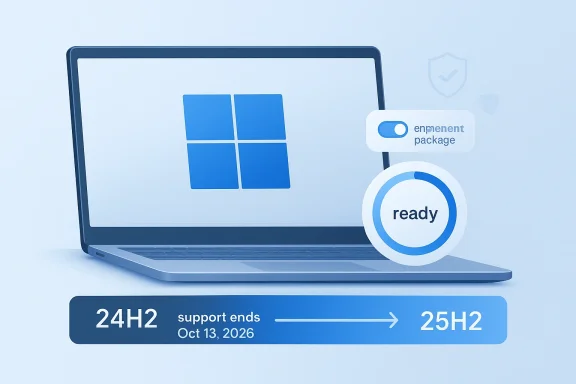
The timing matters because Windows 11, version 24H2 reaches end of updates for Home and Pro editions on October 13, 2026, while 25H2 carries the next support window beyond that date. Microsoft’s release-health guidance explicitly says 25H2 is the latest version of Windows available and that Home and Pro devices on 24H2 that are not managed by IT will receive the update automatically. In other words, this is not just a feature refresh; it is Microsoft’s supported path forward for mainstream Windows 11 machines.
That broader context is important because the 25H2 upgrade is also unusually light-touch. Microsoft’s own documentation says devices updating from 24H2 use an enablement package, meaning most of the underlying files already exist on the device and many features are dormant until the switch is flipped. That makes the transition faster and less disruptive than a traditional annual Windows release, which is exactly why Microsoft can push it more aggressively without asking users to endure a full platform rebuild.
This is part of a longer evolution in Windows servicing. The old model treated annual feature updates like major events that users could postpone for as long as possible. The newer model is more like a managed conveyor belt: monthly cumulative updates seed new capabilities, rollout systems decide when a machine is “ready,” and the version jump becomes a relatively small activation step rather than a dramatic installation. Microsoft’s current servicing pages make that direction plain, noting that 25H2 includes the features and fixes already accumulated in 24H2’s servicing stream.
For consumers, that can feel inevitable; for Microsoft, it is the point. The company wants less fragmentation, fewer devices left behind on aging releases, and more control over the update horizon. That is especially important now that Windows 10 support has already ended and Windows 11 is no longer just the “newer option” but the platform’s central maintenance target. The result is a Windows ecosystem where postponement has less leverage than it once did.
The company also has a technical reason to prefer 25H2. Because it is an enablement-package update, Microsoft can reuse the same platform base, keep update size down, and reduce the risk profile compared with a full OS swap. Its own 25H2 guidance says most files are already present on 24H2 systems with recent monthly updates installed, and dormant features are activated by the package. That design lowers friction for consumers and makes the rollout easier to manage at scale.
It also changes how the public interprets the word “forced.” In practical terms, a consumer on 24H2 may still see the upgrade arrive automatically, but the machine is not being reimaged from scratch. The software story is less dramatic than the UX story, yet the control story is stronger: Microsoft is deciding when the device moves forward, and the device owner can mostly decide only when to restart.
This bifurcation also helps Microsoft avoid the worst kind of support drift. Consumer PCs that lag too far behind become a burden on the update ecosystem, but enterprise PCs that are tightly controlled need their own cadence. 25H2 is one release, yet it serves two governance models at once.
That said, 25H2 is not merely cosmetic. Microsoft’s “What’s new” material highlights features that had been under temporary enterprise feature control during the 24H2 cycle, including Agent in Settings, Improved Windows search, Click to Do, and AI actions in File Explorer. In plain terms, 25H2 is the point at which dormant or gated features become part of the broader supported release story.
For many users, that is a good thing. Fewer giant transitions mean fewer compatibility shocks, less downtime, and less anxiety around patch day. Yet it also means the upgrade path is easier to overlook, which can make the version jump feel more administrative than meaningful until support deadlines force the issue.
That has strategic value. It lets Microsoft ship features once, test them broadly, and then graduate them into the mainstream product line without forcing a separate engineering branch. That is efficient, but it also makes Windows feel more like a service that is constantly being negotiated behind the scenes.
This is the part of the story that matters most to ordinary users. The update is not happening because 24H2 has become obsolete overnight. It is happening because Microsoft’s lifecycle model rewards staying close to the latest supported release, and 25H2 is now the easiest way to do that. The company is using support deadlines as a steering mechanism.
That is particularly true for consumer PCs, where users may not track release health pages closely. The automatic update path protects them from drifting into a soon-to-be-expired branch without realizing it. It is paternalistic, but it is also pragmatic.
For IT departments, this is a familiar story. For consumers, it can be frustrating because the line between convenience and compulsion feels thin. Still, Microsoft is betting that a small enablement package and a clear support cutoff will make acceptance easier than resistance.
The upside is clear: the update should be quick, relatively low-risk, and unlikely to demand much user intervention. Because the package is small and the feature set is already largely present, the upgrade should feel more like a controlled activation than a disruptive migration. That is a real improvement over older Windows version jumps.
That may be acceptable for many households, especially those that simply want the computer to stay current without fuss. But power users and privacy-conscious users often interpret any automatic feature update as one more example of the system shifting control away from the desktop owner. That tension is not going away.
That question matters because Windows is no longer merely an installed product. It is a continuously serviced platform, and version changes are increasingly just one part of the background rhythm of upkeep. Consumers may not love that model, but they will have to live with it.
The more subtle enterprise story is that 25H2 also marks the end of some feature gating. Microsoft says several capabilities that were under temporary enterprise control between 24H2 and 25H2 become part of the new release’s baseline. That means organizations that have been living with suppressed or delayed features may need to re-evaluate policy and user education as the new release becomes standard.
That balance is not perfect, but it is deliberate. Microsoft wants enterprises to plan for 25H2, not stumble into it. The difference between a managed rollout and a consumer auto-upgrade is the difference between a deployment and an event.
In practice, that can make fleet management more predictable in one sense and more complex in another. It reduces giant jumps, but it increases the importance of understanding the lifecycle of each feature hidden inside the release stream. For larger organizations, that is now core operating knowledge.
That strategy has advantages. It lowers upgrade friction, improves consistency across the installed base, and lets Microsoft activate features when the ecosystem is ready. It also gives Microsoft more control over timing, which is invaluable when it wants to avoid the chaos of older Windows rollouts.
It also helps explain why the company keeps emphasizing “ready” devices. Readiness is a softer word than compulsion, but it is also a more operationally precise one. Microsoft is saying the update will happen when telemetry, compatibility checks, and servicing logic line up.
That shift has consequences for trust. When version changes become automated and feature activation happens behind the scenes, users must trust that Microsoft’s definition of readiness is aligned with their own needs. That is a big ask, even when the update itself is well designed.
The opportunity is bigger than one version jump. If Microsoft can keep using 25H2-style servicing to bundle features, reduce friction, and shorten the distance between test builds and public release, Windows 11 becomes easier to maintain at scale. The company is effectively turning annual versions into low-friction checkpoints rather than disruptive events.
There is also the risk that automatic rollout will be read as confidence rather than caution. Microsoft says devices will receive the update when they are ready, but the public has seen enough update regressions over the years to know that readiness is not always the same as stability. In practice, staged rollout reduces risk; it does not eliminate it.
It will also be worth watching how enterprise administrators respond as dormant features become formally part of 25H2’s baseline. Features that were previously under temporary enterprise control may force policy reviews, user training updates, or documentation changes. The update may be small, but the operational consequences can still be significant.
Source: Chiang Rai Times Microsoft Pushes Windows 11 25H2 Upgrade As 24H2 Support Deadline Looms
Source: Bangkok Post Microsoft pushes Windows 11 25H2 update as 24H2 support nears end
 Overview
The timing matters because Windows 11, version 24H2 reaches end of updates for Home and Pro editions on October 13, 2026, while 25H2 carries the next support window beyond that date. Microsoft’s release-health guidance explicitly says 25H2 is the latest version of Windows available and that Home and Pro devices on 24H2 that are not managed by IT will receive the update automatically. In other words, this is not just a feature refresh; it is Microsoft’s supported path forward for mainstream Windows 11 machines.That broader context is important because the 25H2 upgrade is also unusually light-touch. Microsoft’s own documentation says devices updating from 24H2 use an enablement package, meaning most of the underlying files already exist on the device and many features are dormant until the switch is flipped. That makes the transition faster and less disruptive than a traditional annual Windows release, which is exactly why Microsoft can push it more aggressively without asking users to endure a full platform rebuild.
This is part of a longer evolution in Windows servicing. The old model treated annual feature updates like major events that users could postpone for as long as possible. The newer model is more like a managed conveyor belt: monthly cumulative updates seed new capabilities, rollout systems decide when a machine is “ready,” and the version jump becomes a relatively small activation step rather than a dramatic installation. Microsoft’s current servicing pages make that direction plain, noting that 25H2 includes the features and fixes already accumulated in 24H2’s servicing stream.
For consumers, that can feel inevitable; for Microsoft, it is the point. The company wants less fragmentation, fewer devices left behind on aging releases, and more control over the update horizon. That is especially important now that Windows 10 support has already ended and Windows 11 is no longer just the “newer option” but the platform’s central maintenance target. The result is a Windows ecosystem where postponement has less leverage than it once did.
Why Microsoft Is Accelerating 25H2
Microsoft’s push toward 25H2 is best understood as a servicing decision rather than a marketing one. A device on 24H2 is still on a modern, supported release today, but the company is already steering the user base toward the next support cycle so that the gap never becomes urgent in the wrong way. That is a classic Microsoft move: solve the support problem before it becomes a customer problem.The company also has a technical reason to prefer 25H2. Because it is an enablement-package update, Microsoft can reuse the same platform base, keep update size down, and reduce the risk profile compared with a full OS swap. Its own 25H2 guidance says most files are already present on 24H2 systems with recent monthly updates installed, and dormant features are activated by the package. That design lowers friction for consumers and makes the rollout easier to manage at scale.
Enablement packages change the upgrade psychology
A full feature update tends to feel like an event users must brace for. An enablement package feels more like a policy toggle, even when it is still a version upgrade. That difference matters because it changes the emotional cost of accepting updates, which in turn lowers resistance to Microsoft’s servicing cadence.It also changes how the public interprets the word “forced.” In practical terms, a consumer on 24H2 may still see the upgrade arrive automatically, but the machine is not being reimaged from scratch. The software story is less dramatic than the UX story, yet the control story is stronger: Microsoft is deciding when the device moves forward, and the device owner can mostly decide only when to restart.
Consumer momentum versus enterprise pacing
Microsoft’s release-health pages draw a sharp line between unmanaged Home and Pro devices and managed fleets. Unmanaged systems can be rolled forward automatically, while enterprise environments retain more control through WSUS, Configuration Manager, and broader update policies. That split is not accidental; Microsoft wants consumer systems to stay close to the current release, while IT departments keep authority over timing.This bifurcation also helps Microsoft avoid the worst kind of support drift. Consumer PCs that lag too far behind become a burden on the update ecosystem, but enterprise PCs that are tightly controlled need their own cadence. 25H2 is one release, yet it serves two governance models at once.
- Home and Pro devices are the ones Microsoft is pushing most aggressively.
- Managed enterprise systems still have policy-based oversight.
- The upgrade is small and fast because it is an enablement package.
- Microsoft is using the same mechanism to reduce fragmentation across the Windows base.
- The automatic path is the one Microsoft clearly prefers for mainstream users.
What 25H2 Actually Changes
The most important thing about Windows 11 version 25H2 is that it does not reinvent the platform. Microsoft says it includes all features and fixes previously delivered through cumulative updates to 24H2, which means 25H2 is closer to a consolidation release than a radical new edition. That makes the version number more significant for servicing than for appearance.That said, 25H2 is not merely cosmetic. Microsoft’s “What’s new” material highlights features that had been under temporary enterprise feature control during the 24H2 cycle, including Agent in Settings, Improved Windows search, Click to Do, and AI actions in File Explorer. In plain terms, 25H2 is the point at which dormant or gated features become part of the broader supported release story.
The real payload is feature activation
This is where Microsoft’s modern Windows strategy becomes visible. The company is no longer waiting for giant annual launches to deliver its roadmap. Instead, it seeds capabilities gradually, then uses the feature update as the formal unlock. That reduces surprise, but it also means the version label increasingly reflects packaging strategy more than dramatic user-facing change.For many users, that is a good thing. Fewer giant transitions mean fewer compatibility shocks, less downtime, and less anxiety around patch day. Yet it also means the upgrade path is easier to overlook, which can make the version jump feel more administrative than meaningful until support deadlines force the issue.
Why the enterprise-control story matters
Temporary enterprise feature control is one of the most revealing details in Microsoft’s documentation. It shows the company wants new capabilities to exist in the platform before they are fully visible everywhere. In practice, that means 25H2 is partly a release vehicle and partly a governance reset, ending the temporary disablement of features that were already present in prior cumulative updates.That has strategic value. It lets Microsoft ship features once, test them broadly, and then graduate them into the mainstream product line without forcing a separate engineering branch. That is efficient, but it also makes Windows feel more like a service that is constantly being negotiated behind the scenes.
- 25H2 is not a full rewrite of Windows 11.
- It packages already-delivered fixes and features into a new supported release.
- Some capabilities were previously dormant under temporary enterprise feature control.
- The update model favors activation over reinvention.
- Users may notice more change in servicing behavior than in the interface itself.
Why 24H2 Is Being Pushed Aside
Microsoft’s reason for moving so decisively is simple: servicing windows do not wait. The company’s release-health pages state plainly that Windows 11 24H2 Home and Pro editions will reach end of updates on October 13, 2026, and that unmanaged devices will automatically receive 25H2 when they are ready. That leaves no ambiguity about the preferred route for consumer PCs.This is the part of the story that matters most to ordinary users. The update is not happening because 24H2 has become obsolete overnight. It is happening because Microsoft’s lifecycle model rewards staying close to the latest supported release, and 25H2 is now the easiest way to do that. The company is using support deadlines as a steering mechanism.
Lifecycle pressure is policy in disguise
Windows lifecycle dates often look like administrative footnotes, but they shape real-world behavior. Once a version’s support horizon gets close enough, automatic upgrade logic becomes less of a convenience and more of a necessary nudge. Microsoft can frame that as readiness-based rollout, but the incentive structure is unmistakable.That is particularly true for consumer PCs, where users may not track release health pages closely. The automatic update path protects them from drifting into a soon-to-be-expired branch without realizing it. It is paternalistic, but it is also pragmatic.
Why unmanaged devices matter most
Microsoft’s language repeatedly distinguishes unmanaged devices from IT-controlled fleets. That distinction explains why some users will see 25H2 sooner than others, even on the same hardware. The company is effectively saying that personal PCs should not linger on aging releases if there is a supported alternative already in place.For IT departments, this is a familiar story. For consumers, it can be frustrating because the line between convenience and compulsion feels thin. Still, Microsoft is betting that a small enablement package and a clear support cutoff will make acceptance easier than resistance.
- 24H2’s support clock is the core driver of the upgrade push.
- Microsoft uses automatic feature updates for unmanaged consumer systems.
- Support deadlines create a strong incentive to move now rather than later.
- The policy is designed to prevent users from being stranded on older branches.
- Managed devices remain a separate case with their own controls.
What It Means for Consumers
For consumers, 25H2 is mostly about continuity, not drama. If your PC is eligible and running 24H2, Microsoft says the upgrade can arrive automatically, and the remaining user choice is largely about scheduling the restart or postponing installation briefly. That is a familiar Windows 11 experience, but now it is tied more tightly to lifecycle management.The upside is clear: the update should be quick, relatively low-risk, and unlikely to demand much user intervention. Because the package is small and the feature set is already largely present, the upgrade should feel more like a controlled activation than a disruptive migration. That is a real improvement over older Windows version jumps.
The consumer experience is becoming more automatic
There is a downside, though. Automatic rollout means the user has less agency over when the version changes, even if there is still some flexibility around restart timing. Microsoft’s approach is increasingly about ensuring the machine is always on the right branch rather than letting owners hold a version indefinitely.That may be acceptable for many households, especially those that simply want the computer to stay current without fuss. But power users and privacy-conscious users often interpret any automatic feature update as one more example of the system shifting control away from the desktop owner. That tension is not going away.
What consumers should notice
The best practical takeaway is that 25H2 is not something most consumers need to fear. If the device is ready, the transition should be smooth, and Microsoft’s own guidance suggests users can manage restart timing. The more important question is whether users remain comfortable with the idea that feature updates arrive on Microsoft’s schedule, not theirs.That question matters because Windows is no longer merely an installed product. It is a continuously serviced platform, and version changes are increasingly just one part of the background rhythm of upkeep. Consumers may not love that model, but they will have to live with it.
- Automatic delivery reduces user effort.
- Restart timing remains under some user control.
- The update should be relatively small and fast.
- Users lose some ability to treat version upgrades as optional.
- The experience reflects Microsoft’s broader move toward managed servicing.
What It Means for Enterprises
Enterprises are in a different position entirely. Microsoft’s 25H2 documentation says the update is available through Windows Server Update Services, Configuration Manager, and policy-driven Windows Update paths, which means IT teams can still stage, test, and control deployment. That is crucial because supportability alone does not matter if the rollout breaks line-of-business software or disrupts compliance workflows.The more subtle enterprise story is that 25H2 also marks the end of some feature gating. Microsoft says several capabilities that were under temporary enterprise control between 24H2 and 25H2 become part of the new release’s baseline. That means organizations that have been living with suppressed or delayed features may need to re-evaluate policy and user education as the new release becomes standard.
Policy control remains the enterprise safety valve
This is where Microsoft’s model is most mature. It knows enterprises do not want the same “when ready” automation as a consumer laptop. By leaving room for WSUS, Configuration Manager, and client policies, the company preserves the operational discipline IT departments need while still nudging the fleet toward a healthier supported baseline.That balance is not perfect, but it is deliberate. Microsoft wants enterprises to plan for 25H2, not stumble into it. The difference between a managed rollout and a consumer auto-upgrade is the difference between a deployment and an event.
The enterprise impact is broader than versioning
25H2 also reinforces the idea that Windows feature delivery is no longer a once-a-year surprise. IT teams now need to watch for functionality that appears gradually, remains gated for a time, and then becomes part of the next formal release. That means deployment planning increasingly has to account for dormant features already living inside the build.In practice, that can make fleet management more predictable in one sense and more complex in another. It reduces giant jumps, but it increases the importance of understanding the lifecycle of each feature hidden inside the release stream. For larger organizations, that is now core operating knowledge.
- Enterprises still control rollout through WSUS and Configuration Manager.
- Feature gating can end at the version boundary, altering internal policy assumptions.
- 25H2’s enablement model reduces deployment friction.
- IT teams must track not just builds, but dormant features already present in prior updates.
- The release favors planning over surprise.
How This Fits Microsoft’s Bigger Windows Strategy
25H2 is not a one-off decision; it is a snapshot of where Microsoft wants Windows to go. The company is clearly investing in a model where the operating system is always partially updated, partly dormant, and continuously staged. In that world, the formal annual release is less a giant launch and more a checkpoint in a longer servicing pipeline.That strategy has advantages. It lowers upgrade friction, improves consistency across the installed base, and lets Microsoft activate features when the ecosystem is ready. It also gives Microsoft more control over timing, which is invaluable when it wants to avoid the chaos of older Windows rollouts.
The benefit: smoother cadence
From a quality perspective, the model is attractive. Users get fewer massive transitions, and Microsoft can correct issues inside the cumulative update stream before they ever become part of the headline upgrade. That is a more modern way to run a platform that powers everything from casual browsing to enterprise workflows.It also helps explain why the company keeps emphasizing “ready” devices. Readiness is a softer word than compulsion, but it is also a more operationally precise one. Microsoft is saying the update will happen when telemetry, compatibility checks, and servicing logic line up.
The cost: less user sovereignty
The downside is philosophical as much as technical. Users who still think of Windows as a product they own and control may find the current model increasingly alien. The OS is becoming more like a managed service that accepts user preferences selectively, while Microsoft decides the larger movement of the platform.That shift has consequences for trust. When version changes become automated and feature activation happens behind the scenes, users must trust that Microsoft’s definition of readiness is aligned with their own needs. That is a big ask, even when the update itself is well designed.
- Windows is being managed more like a service than a static product.
- Annual releases are becoming checkpoints in a longer servicing pipeline.
- Microsoft gains consistency and control.
- Users lose some sense of ownership over version timing.
- The update model trades surprise for orchestration.
Strengths and Opportunities
The strongest aspect of this rollout is that Microsoft has made the transition from 24H2 to 25H2 comparatively painless. A small enablement package is far easier to absorb than a major reinstall, and the company’s automatic rollout path reduces the risk of support drift among mainstream users. That combination gives Microsoft a cleaner servicing story and gives users a more predictable upgrade path.The opportunity is bigger than one version jump. If Microsoft can keep using 25H2-style servicing to bundle features, reduce friction, and shorten the distance between test builds and public release, Windows 11 becomes easier to maintain at scale. The company is effectively turning annual versions into low-friction checkpoints rather than disruptive events.
- Lower upgrade friction for consumers.
- Smaller installation footprint thanks to the enablement model.
- Better version hygiene across the Windows base.
- Reduced support burden from users stranded on older releases.
- Improved enterprise planning around feature activation and rollout.
- More room for Microsoft to deliver features in the cumulative-update stream.
- A smoother path for future annual releases.
- Better alignment between support windows and actual deployment behavior.
- Less chance of a disruptive “big bang” update cycle.
- Clearer long-term servicing expectations for IT teams.
Risks and Concerns
The biggest risk is perception. Even if 25H2 is technically light, users may still see it as a forced version change, especially if the device updates automatically before they feel ready. That can deepen the long-running tension between Microsoft’s convenience narrative and the user’s desire for control.There is also the risk that automatic rollout will be read as confidence rather than caution. Microsoft says devices will receive the update when they are ready, but the public has seen enough update regressions over the years to know that readiness is not always the same as stability. In practice, staged rollout reduces risk; it does not eliminate it.
- User distrust may rise if “automatic” feels too aggressive.
- Readiness-based rollout can still expose edge-case bugs.
- Feature activation can complicate enterprise policy reviews.
- Less visible version changes may lead users to miss support deadlines.
- Restart timing control may not feel like real control to many users.
Looking Ahead
The next thing to watch is whether Microsoft keeps the 25H2 rollout smooth as it reaches more consumer devices. If the automatic path behaves as intended, the update will be remembered as another step in Windows’ slow but steady move toward low-friction servicing. If problems appear, however, the same automatic logic that makes the rollout efficient will become the center of criticism.It will also be worth watching how enterprise administrators respond as dormant features become formally part of 25H2’s baseline. Features that were previously under temporary enterprise control may force policy reviews, user training updates, or documentation changes. The update may be small, but the operational consequences can still be significant.
Signals to watch
- Whether the rollout remains smooth for unmanaged Home and Pro devices.
- Whether users report confusion over automatic version changes.
- Whether enterprises accelerate planning around 25H2’s feature baseline.
- Whether Microsoft continues to emphasize enablement-package delivery for future releases.
- Whether 24H2 support messaging becomes more prominent as October 2026 approaches.
- Whether Microsoft keeps dormant features tied to temporary enterprise control.
- Whether future Windows updates become even more invisible in daily use.
- Whether the automatic upgrade model becomes the default expectation for all consumer releases.
- Whether support deadlines remain the primary trigger for consumer migration.
- Whether users begin to treat version numbers as background metadata rather than milestones.
Source: Chiang Rai Times Microsoft Pushes Windows 11 25H2 Upgrade As 24H2 Support Deadline Looms
Source: Bangkok Post Microsoft pushes Windows 11 25H2 update as 24H2 support nears end
Last edited:
