

Microsoft is preparing a pair of substantial, free Windows 11 updates this year — an early, device‑specific spring release and a broader autumn rollout — and those releases will push Copilot deeper into the operating system, restore long‑missed interface conveniences, add gaming‑oriented full‑screen behavior, and even revive dynamic desktop backgrounds.
Microsoft’s Windows strategy has shifted decisively: with mainstream support for Windows 10 having ended on October 14, 2025, Windows 11 is the company’s single desktop OS focus and the primary platform for new feature development. That end‑of‑support date means organizations and consumers now face concrete upgrade timelines or must enroll in Extended Security Updates if they cannot migrate immediately.
Against that backdrop Microsoft plans two headline Windows 11 deliveries in 2026. The first — Windows 11 Version 26H1 — is an early, platform‑level release intended to ship on a narrow set of new Arm devices (notably Qualcomm’s Snapdragon X2 systems), while Version 26H2 is the usual broad fall feature update that will reach the majority of Windows 11 PCs later in the year. These moves reflect a pragmatic cadence: ship platform changes for new silicon when partners need them, and fold broader new features into the regular H2 update.
This design is not unprecedented: Microsoft used a similar staggered approach with earlier Arm launches, but it does create an unusual situation where two concurrent Windows 11 branches (a Bromine‑based 26H1 and the general 25H2/26H2 stream) coexist for parts of the year. Practically, that means some new devices will boot with 26H1 out of the box while most current PCs remain on the regular annual cadence until 26H2 ships.
Benefits are obvious: faster, natural‑language searches across local files and apps, integrated web answers when desired, and a single place to summon voice or vision features without opening the separate Copilot app. For users this reduces context switching; for Microsoft it blurs the lines between search, OS assistance, and cloud AI.
This reduces friction when dealing with large document collections and could be a genuine productivity win (for example, summarize a multi‑page report or extract action items from a meeting transcript) — but it also raises immediate privacy and security questions about how file content indexing and uploads are handled, which licensing tiers and tenants permit which actions, and what controls IT administrators will have.
For users who depended on the old quick agenda in Windows 10, this is a welcome restoration that reduces the need to open Outlook or Calendar just to see the next meeting and provides a fast join path for scheduled calls.
Key points about FSE:
This is a low‑risk, high‑joy UX enhancement for consumers seeking more dynamic desktops, but it can impact battery life and system resources on portable devices. Microsoft will likely expose controls to restrict playback on battery or when thermal budgets are constrained.
The gaming and personalization moves are low‑risk and user‑facing — expected wins for consumers. The bigger governance questions live at the intersection of agentic AI and enterprise control: how much autonomy will Copilot agents have to act on users’ behalf, how will on‑device vs cloud processing be balanced for privacy and latency, and how granular will admin controls be for disabling or allowing specific Copilot actions? Early signs suggest Microsoft is layering opt‑ins, tenant gating, and policy controls, but enterprises should not assume default settings match their compliance posture.
In short, Windows 11’s next wave of updates brings practical productivity improvements and exciting new experiences — but with them come configuration and governance responsibilities. Users should expect incremental, opt‑in previews first, a handful of device‑specific launches (26H1), and a broad autumn 26H2 rollout that will eventually bring most of the user‑facing features to the general Windows 11 population.
Microsoft’s path this year is clear: deliver targeted platform support to meet hardware partners, fold AI assistance into the places people already work, and restore small but meaningful interface affordances that users have long requested. The net effect should be a more capable and conversational Windows — provided privacy, manageability, and performance are addressed with the same focus as the features themselves.
Source: GB News Microsoft secretly working on major FREE updates for your Windows 11 PC this year — get a first glimpse
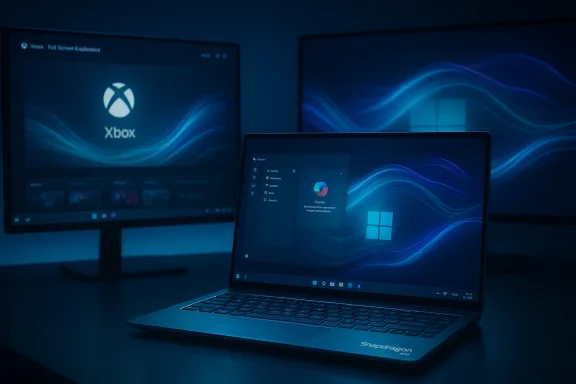 Background / Overview
Microsoft’s Windows strategy has shifted decisively: with mainstream support for Windows 10 having ended on October 14, 2025, Windows 11 is the company’s single desktop OS focus and the primary platform for new feature development. That end‑of‑support date means organizations and consumers now face concrete upgrade timelines or must enroll in Extended Security Updates if they cannot migrate immediately. Against that backdrop Microsoft plans two headline Windows 11 deliveries in 2026. The first — Windows 11 Version 26H1 — is an early, platform‑level release intended to ship on a narrow set of new Arm devices (notably Qualcomm’s Snapdragon X2 systems), while Version 26H2 is the usual broad fall feature update that will reach the majority of Windows 11 PCs later in the year. These moves reflect a pragmatic cadence: ship platform changes for new silicon when partners need them, and fold broader new features into the regular H2 update.
What 26H1 is — and why it matters
A platform release, not a universal feature upgrade
Version 26H1 is being positioned as a platform release rather than a conventional H2 feature update. Internally referred to as the “Bromine” platform by Microsoft watchers, 26H1 contains under‑the‑hood changes to support next‑generation Arm chips and optimize runtime behavior for those devices. Because it is built for specific silicon, Microsoft will ship 26H1 preinstalled on qualifying Snapdragon X2 laptops and handhelds rather than push it as a broad update to existing Intel/AMD PCs.This design is not unprecedented: Microsoft used a similar staggered approach with earlier Arm launches, but it does create an unusual situation where two concurrent Windows 11 branches (a Bromine‑based 26H1 and the general 25H2/26H2 stream) coexist for parts of the year. Practically, that means some new devices will boot with 26H1 out of the box while most current PCs remain on the regular annual cadence until 26H2 ships.
Who is affected (and who isn’t)
- Affected: newly shipping Copilot+ and Arm64 devices built around Snapdragon X2 (OEMs such as ASUS have confirmed hardware models slated to ship with the new release).
- Unaffected (for now): the bulk of existing Intel and AMD Windows 11 PCs will remain on 25H2 until the wider 26H2 release in autumn. Users can still test 26H1 through Insider channels, but Microsoft’s guidance is clear: 26H1 is primarily a launch platform for specific silicon.
Copilot: moving from app to OS surface
Microsoft’s Copilot — the company’s AI assistant powered by its own models and OpenAI models in many scenarios — will be more deeply integrated across Windows 11 in the coming updates. Two integrations stand out: a taskbar “Ask Copilot” search composer and an in‑Explorer chat surface.Ask Copilot on the taskbar
The taskbar search box is evolving into a conversational, AI‑driven entry point. Microsoft has been testing an opt‑in Ask Copilot experience that replaces the classic Windows Search pane with an AI composer on the taskbar — letting users type or speak queries, search local files and settings using natural language, and call on Copilot Vision and voice features directly from the desktop. This experience is opt‑in, and Microsoft emphasizes control and consent around what Copilot can access. Insider builds with the feature have already rolled out to testers.Benefits are obvious: faster, natural‑language searches across local files and apps, integrated web answers when desired, and a single place to summon voice or vision features without opening the separate Copilot app. For users this reduces context switching; for Microsoft it blurs the lines between search, OS assistance, and cloud AI.
Copilot inside File Explorer
A more intimate integration is under test: a “Chat with Copilot” affordance inside File Explorer itself. Preview artifacts found in Insider builds suggest a sidebar or docked chat view will let users ask Copilot about the contents of folders, request document summaries, and even instruct the assistant to prepare concise overviews of files without opening them. The implementation appears to reuse existing Copilot plumbing but embeds the chat closer to the user’s working surface. Test strings and hidden UI elements have been spotted by multiple observers in recent preview builds.This reduces friction when dealing with large document collections and could be a genuine productivity win (for example, summarize a multi‑page report or extract action items from a meeting transcript) — but it also raises immediate privacy and security questions about how file content indexing and uploads are handled, which licensing tiers and tenants permit which actions, and what controls IT administrators will have.
Agenda returns: the calendar flyout gets useful again
One of the most persistent UX complaints since the Windows 11 launch has been the pared‑down taskbar calendar. Microsoft has announced (and previewed) an Agenda View that restores a glanceable, chronological list of upcoming events directly inside the taskbar’s Notification Center flyout. The new Agenda is interactive — showing meeting metadata and exposing join actions — and Microsoft plans to integrate Copilot actions such as meeting briefs when tenant policies and licensing allow. Preview availability began in Insider channels in late 2025 and has been reported in subsequent Insider builds.For users who depended on the old quick agenda in Windows 10, this is a welcome restoration that reduces the need to open Outlook or Calendar just to see the next meeting and provides a fast join path for scheduled calls.
Gaming focus: Xbox Full Screen Experience on Windows 11
Microsoft’s gaming ecosystem is getting a more radical option: a Full Screen Experience (FSE) that allows Windows 11 to operate in a controller‑first, console‑like posture. When enabled the Xbox app becomes the full‑screen home shell, deferring some Explorer chrome and background startup tasks so games get priority and the UI behaves like an Xbox dashboard. On supported handhelds and some PCs the system can boot directly into the Xbox dashboard, and users can switch back to the standard desktop by pressing the Xbox button or an assigned shortcut.Key points about FSE:
- It’s a session posture — not a separate OS — and preserves Windows drivers, DRM and anti‑cheat stacks while tuning userland for controller navigation.
- It’s already shipping on certain handhelds and rolling out as an optional setting in Insider builds and supported devices.
- Users can choose to boot into FSE for a “turn on and play” experience and return to the desktop easily, making a Windows PC behave more like a dedicated console when desired.
Design polish: video (DreamScene‑style) wallpapers return
Microsoft appears to be testing video wallpaper support for Windows 11, a modern reimagining of the DreamScene feature from Vista Ultimate. Early implementations seen in previews allow setting MP4 files as looping desktop backgrounds, with options to play continuously or behave more like macOS Live Wallpapers (a short animation that settles into a static image). The feature has been observed in Insider builds and coverage suggests it will appear as an optional personalization feature in upcoming updates.This is a low‑risk, high‑joy UX enhancement for consumers seeking more dynamic desktops, but it can impact battery life and system resources on portable devices. Microsoft will likely expose controls to restrict playback on battery or when thermal budgets are constrained.
What this all means for users and IT
The coming updates are a mix of practicality, polish, and platform bets. Here’s a distilled view of benefits and tradeoffs.Benefits
- Deeper AI integration: Copilot in the taskbar and Explorer reduces context switching and streamlines everyday tasks like searching, summarizing, and meeting prep.
- Console‑style gaming: Full Screen Experience gives controller‑first users a console‑like flow without sacrificing PC compatibility.
- Restored productivity features: Agenda view returns a useful quick glance at upcoming events and one‑click joins.
- Modern personalization: Video wallpapers bring richer desktop expression for users who want it.
Tradeoffs and risks
- Fragmentation and update complexity: 26H1’s device‑specific launch creates short‑term branching that enterprises must account for in testing and driver compatibility.
- Privacy and data control: Deeper Copilot access to local files, calendars, and mail raises legitimate questions about what data is processed locally vs. in the cloud, how tenant policies control agentic AI actions, and how much telemetry is involved. Administrators should expect new policy controls and consent flows, but those will require configuration.
- Resource and battery impact: Features like video wallpapers and always‑on AI experiences can increase CPU/GPU usage and reduce battery life unless power‑aware controls are provided.
- Licensing and availability: Some Copilot features (for example, Microsoft 365 Copilot integrations) will be gated by subscription and tenant licensing, meaning the full experience may not be available to all users out of the box.
Practical verification — what’s confirmed and what remains speculative
Several of the central claims about these updates are documented in Microsoft’s Insider postings and corroborated by major independent outlets and hands‑on reviews:- Windows 10’s end of support on October 14, 2025 is an official Microsoft lifecycle milestone.
- 26H1’s platform focus and early Snapdragon X2 exclusivity have been reported by Windows Central and corroborated by TechRepublic and other outlets. This is a reliable operational fact for OEM launch planning.
- The Ask Copilot taskbar composer and its opt‑in rollout appear in Windows Insider release notes and preview build announcements; hands‑on coverage confirms the behavior in Insider channels.
- File Explorer “Chat with Copilot” artifacts are visible in preview builds and have been reported by multiple outlets; these are current tests and not yet guaranteed to ship in final form. Treat File Explorer Copilot as a likely but not yet final feature.
- Xbox Full Screen Experience is an announced feature with published availability notes and has been described in official Xbox Wire communications and hands‑on reports. It’s already rolling to supported handhelds and as an optional feature on other Windows 11 devices.
Recommendations — how to prepare
- Check your upgrade path and deadlines. If you still run Windows 10, plan migration steps or enroll in Extended Security Updates if necessary; the formal EoS is October 14, 2025.
- For consumers: decide whether you want Copilot deeply integrated. Copilot features in the taskbar and File Explorer are opt‑in in preview builds; familiarize yourself with privacy toggles and the Copilot settings under Settings > Privacy & security.
- For gamers: test the Full Screen Experience in Insider builds if you want a console‑style flow, but validate that your preferred PC games and performance tools behave correctly in FSE.
- For IT admins: adapt update and driver testing plans to account for 26H1 devices — treat Bromine‑based PCs as a separate launch configuration until the streams converge. Review tenant controls for Microsoft 365 Copilot features and prepare guidance for staff on what Copilot may access.
- Backups and test images: before joining Insider preview channels or enabling opt‑in features, create system backups and test images so you can roll back if a preview behavior impacts workflows.
Final analysis — strengths, unknowns, and the path forward
Microsoft’s 2026 Windows plan is pragmatic and ambitious at once. Splitting a platform release to match silicon cadence is sensible for OEM partners and helps accelerate new device launches, but it increases the short‑term complexity of the Windows ecosystem. The deeper Copilot integrations represent a natural next step: embedding assistance where people work amplifies productivity, but it also concentrates sensitive workload patterns (documents, calendars, mail) into a new locus that must be governed carefully.The gaming and personalization moves are low‑risk and user‑facing — expected wins for consumers. The bigger governance questions live at the intersection of agentic AI and enterprise control: how much autonomy will Copilot agents have to act on users’ behalf, how will on‑device vs cloud processing be balanced for privacy and latency, and how granular will admin controls be for disabling or allowing specific Copilot actions? Early signs suggest Microsoft is layering opt‑ins, tenant gating, and policy controls, but enterprises should not assume default settings match their compliance posture.
In short, Windows 11’s next wave of updates brings practical productivity improvements and exciting new experiences — but with them come configuration and governance responsibilities. Users should expect incremental, opt‑in previews first, a handful of device‑specific launches (26H1), and a broad autumn 26H2 rollout that will eventually bring most of the user‑facing features to the general Windows 11 population.
Microsoft’s path this year is clear: deliver targeted platform support to meet hardware partners, fold AI assistance into the places people already work, and restore small but meaningful interface affordances that users have long requested. The net effect should be a more capable and conversational Windows — provided privacy, manageability, and performance are addressed with the same focus as the features themselves.
Source: GB News Microsoft secretly working on major FREE updates for your Windows 11 PC this year — get a first glimpse
