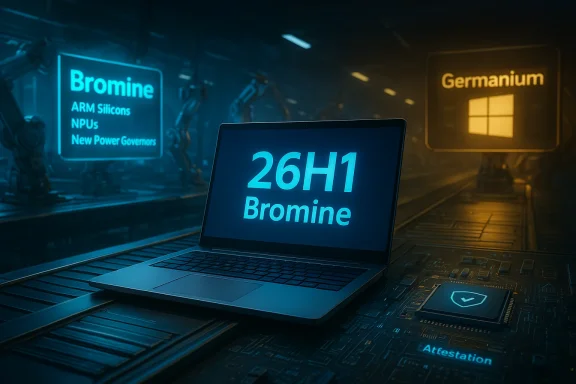
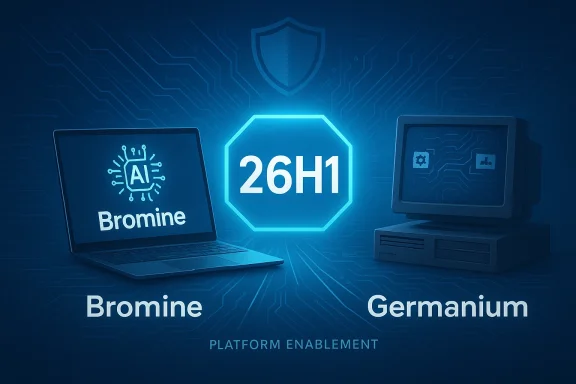
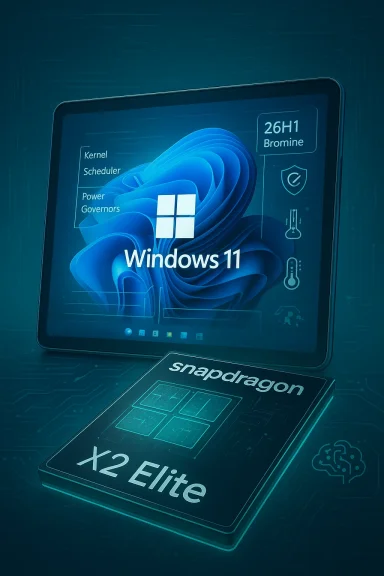
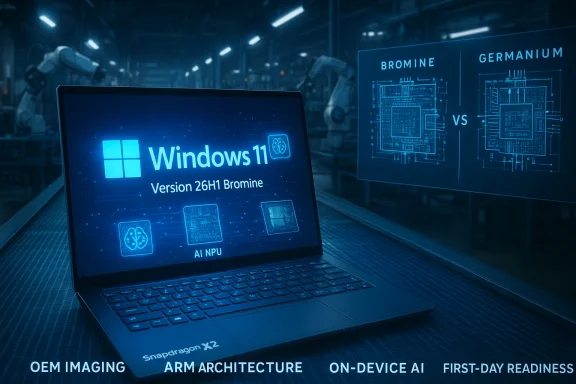
Microsoft’s decision to ship a split Windows 11 release this spring — a platform-only build labeled Windows 11, version 26H1 that will appear exclusively on new Arm-based PCs powered by Qualcomm’s Snapdragon X2 series — marks a meaningful pivot in how Microsoft supports new silicon and how the Windows ecosystem will manage platform divergence in 2026 and beyond.
Microsoft quietly published a support notice in February 2026 confirming that Windows 11, version 26H1 is a targeted platform release intended to enable the next generation of device hardware. The company describes it as not designed to be offered or installed on existing devices, and explicitly says the first devices to ship with 26H1 will use Qualcomm Snapdragon X2 processors. Crucially, Microsoft also confirmed that devices shipped with 26H1 will not follow the usual upgrade path to the later 2026 feature update (26H2) because 26H1 is built on a different internal Windows platform than the mainstream 24H2/25H2 line. Microsoft says those 26H1 devices will have a path to update in a future release, but not to 26H2 in the second half of 2026.
The practical upshot: buyers of the first Snapdragon X2 machines will receive a version of Windows that is optimized for that silicon out of the box — but that same version will remain on a distinct branch for the near term. Meanwhile, the broader Windows population running Intel and AMD hardware will continue on the usual update cadence and receive the mainstream 26H2 feature update later in 2026.
This approach reduces risk of shipping untested new UI features on hardware that still needs low-level tuning, while allowing OEMs and chip partners to get devices to market on schedule.
That pattern echoes moves made in recent years when Microsoft occasionally shipped platform-focused builds to support early hardware launches. The difference now is the explicit public messaging: Microsoft is telling customers and IT teams up front that a portion of this year’s Windows landscape will live on a different platform branch, at least temporarily.
A few high-level observations:
For early adopters and enthusiasts, the prospect of Snapdragon X2 laptops with a tailored Windows image is exciting — potentially offering a meaningful step forward in battery efficiency and connected PC capabilities. For enterprises and cautious buyers, the fragmentation introduces complexity that justifies a wait-and-see posture until Microsoft publishes a detailed convergence roadmap and ISVs confirm broad application compatibility.
At its best, 26H1 can smooth the path for Windows on Arm’s next chapter; at its worst, it risks confusing customers and stretching corporate IT processes. The difference will be determined by the clarity of vendor messaging, the rigor of pilot testing by buyers, and how quickly Microsoft can reunify platform branches without disrupting security servicing or user expectations.
In the immediate term, the practical advice is straightforward: if you manage fleets, treat 26H1 devices as a distinct class, test early and often, and demand clear upgrade and support commitments from OEMs. If you’re an individual buyer, weigh the benefits of cutting-edge Arm hardware against the temporary divergence in the Windows release train — and, if in doubt, wait for the mainstream 26H2 release or further clarity from vendors.
Source: Ars Technica "Windows 11 26H1" is a special version of Windows exclusively for new Arm PCs
Source: FilmoGaz Microsoft Unveils Windows 11 26H1, 26H2 Coming Soon for All PCs
 Background / Overview
Microsoft quietly published a support notice in February 2026 confirming that Windows 11, version 26H1 is a targeted platform release intended to enable the next generation of device hardware. The company describes it as not designed to be offered or installed on existing devices, and explicitly says the first devices to ship with 26H1 will use Qualcomm Snapdragon X2 processors. Crucially, Microsoft also confirmed that devices shipped with 26H1 will not follow the usual upgrade path to the later 2026 feature update (26H2) because 26H1 is built on a different internal Windows platform than the mainstream 24H2/25H2 line. Microsoft says those 26H1 devices will have a path to update in a future release, but not to 26H2 in the second half of 2026.The practical upshot: buyers of the first Snapdragon X2 machines will receive a version of Windows that is optimized for that silicon out of the box — but that same version will remain on a distinct branch for the near term. Meanwhile, the broader Windows population running Intel and AMD hardware will continue on the usual update cadence and receive the mainstream 26H2 feature update later in 2026.
Why Microsoft created 26H1: the engineering rationale
New silicon, new platform constraints
Next-generation Arm silicon like Qualcomm’s Snapdragon X2 introduces low-level architectural and firmware differences that can require platform-level support in the operating system. When the hardware release schedule doesn’t align with Microsoft’s usual second-half update cadence, the company is faced with two choices:- Hold the release of new hardware until the main Windows release is ready, delaying OEM product launches; or
- Ship a targeted platform release that contains the necessary under-the-hood support so OEMs can ship devices on time.
Platform parity without feature churn
Microsoft has emphasized that 26H1 is not a user-facing feature update in the broad sense. For consumers on Intel/AMD devices, the primary experience — feature development, Copilot integrations, UI changes — will continue to be driven by the mainstream branch (25H2 and then 26H2). The intent with 26H1 is to preserve feature parity at the user level while advancing the underlying platform for specific hardware innovations.This approach reduces risk of shipping untested new UI features on hardware that still needs low-level tuning, while allowing OEMs and chip partners to get devices to market on schedule.
What 26H1 actually contains (what we know and what remains unclear)
Confirmed elements
- Targeted availability: 26H1 is not offered as an in-place update for existing Windows 11 devices. It will appear only on select new devices that ship with the release preinstalled.
- Initial silicon: The first devices to ship with 26H1 will use the Qualcomm Snapdragon X2 Series processors.
- Support and servicing: Microsoft will provide monthly security/quality updates to 26H1 devices, but those devices will not be upgraded to the next annual feature update (26H2) in the second half of 2026 because 26H1 is built on a different Windows core.
- Future migration path: Microsoft says 26H1 devices will have a path to update in a future Windows release, though it has not published a precise timetable for convergence.
Reported but not fully confirmed details
- Internal platform codename: Several outlets and insider reports refer to the underlying new Windows platform for 26H1 as “Bromine”, replacing the Germanium base used by 24H2 and 25H2. Microsoft’s public support statement frames the change as a different Windows core but does not prominently display that codename in the customer-facing notice. Treat the codename as industry reporting that aligns with what Microsoft described (a different platform base), but note that naming and exact scope of platform changes are not fully enumerated in the support doc.
- Build number: Some testing channels and reports reference early 26H1 builds with high build numbers (reports have mentioned numbers like 28xxx). Build numbers are useful for insiders and testers, but until Microsoft publishes definitive RTM information, individual build identifiers from Canary/Insider traces should be treated as provisional.
- Third-party chip support: Qualcomm’s Snapdragon X2 is explicitly called out as the first silicon family for 26H1 devices. There’s reporting that other upcoming Arm SoCs (NVIDIA N1X and other Windows-on-Arm chips) may be a target for Bromine/26H1-level platform changes later, but those details are speculative until vendors confirm hardware SKUs and OEMs commit to shipping with the new OS build.
How this differs from previous Windows-on-Arm moves
Microsoft and OEMs have navigated Windows-on-Arm transitions before. Earlier Arm-enabled rollouts required platform-level changes and driver stacks tailored to Arm SoCs, but 26H1 represents a subtle shift: Microsoft is intentionally shipping a separate platform branch to align with the silicon timeline rather than trying to fold the changes into the mainline annual feature update.That pattern echoes moves made in recent years when Microsoft occasionally shipped platform-focused builds to support early hardware launches. The difference now is the explicit public messaging: Microsoft is telling customers and IT teams up front that a portion of this year’s Windows landscape will live on a different platform branch, at least temporarily.
Practical implications for consumers and OEMs
For consumers shopping for new laptops
- If you’re buying one of the first Snapdragon X2 notebooks, expect the machine to ship with Windows 11 26H1 preinstalled.
- 26H1 machines should deliver firmware and driver-level support optimized for the silicon; buyers may see improvements in battery life and connectivity relative to older Arm designs, but those gains will depend on OEM tuning and app compatibility.
- Note the unusual upgrade story: a 26H1 laptop purchased in early 2026 will not be eligible to receive 26H2 in late 2026. That’s not a security risk per se (Microsoft will deliver ongoing monthly updates), but it means the device follows a separate release trajectory until Microsoft delivers a future convergence.
For OEMs and system integrators
- OEMs gain the ability to ship new Arm designs on time, but they must coordinate firmware, drivers, and ISV testing against the 26H1 platform.
- Support and imaging processes will need to account for a distinct OS variant; IT imaging and update tooling that assumes a single Windows 11 build stream will require review.
- OEMs should be explicit in specifications and sales materials about the OS version and upgrade path to avoid confusing customers who assume all Windows 11 machines follow the same lifecycle.
Enterprise and IT management: challenges and recommended actions
Risks to mixed fleets
Enterprises managing mixed hardware fleets face an immediate challenge: 26H1 devices will run a different Windows core than the rest of the environment. This can complicate:- Application compatibility testing
- Group Policy and endpoint management workflows
- Update-scheduling and servicing policies
- Imaging and deployment automation
Practical checklist for IT teams
- Inventory: Identify whether any upcoming purchases include Snapdragon X2 machines or other devices stated to ship with 26H1.
- Test lab: Add at least one 26H1 device to a controlled test environment before large-scale procurement or deployment.
- Update policy review: Reassess update rings and maintenance windows to ensure that servicing for 26H1 machines aligns with monthly quality updates from Microsoft.
- Application validation: Test critical line-of-business apps, installers, and driver packages on a 26H1 machine. Flag any compatibility issues tied to the platform divergence.
- Vendor communication: Ask OEMs and ISV partners for explicit compatibility statements and support timelines. Confirm whether management tools (SCCM/Intune connectors, endpoint agents) have known issues on 26H1.
- Procurement guidance: If fleet uniformity is a priority, consider delaying purchase of 26H1 devices until Microsoft’s future convergence path is clearer.
Developer and ISV considerations
App compatibility on Windows on Arm
Windows on Arm has matured rapidly: many mainstream apps now run natively on Arm or via Microsoft’s emulation layers. But the ecosystem remains heterogeneous, and a new platform release introduces potential subtle differences in runtime behavior and drivers.- ISVs should test both native Arm64 builds and emulated x64/x86 scenarios on 26H1 hardware.
- Pay attention to low-level dependencies such as kernel drivers, device filters, and installers that perform architecture checks.
- Developer toolchains and CI should include 26H1 test targets where ARM-targeted apps or drivers are a priority.
Opportunity for native Arm builds
The arrival of Snapdragon X2 systems and a platform intended specifically to support them creates fresh incentive for ISVs to publish native Arm64 builds. Native apps tend to provide better battery life and performance on Arm-based laptops, and early adopters will appreciate optimized binaries.Security and servicing: what to expect
Microsoft’s support communication is clear that 26H1 devices will receive monthly security and quality updates. The main security-related risk is not lack of updates, but the operational complexity of maintaining devices on a divergent platform branch.- Security teams should confirm that endpoint protection suites and EDR solutions support 26H1.
- Vulnerability scanning and patch validation workflows should include representative 26H1 devices.
- Incident response playbooks may need minor adjustments if platform-specific artifacts differ (forensics, logging paths, kernel object layout, etc.).
The upside: performance, battery life, and renewed momentum for Windows on Arm
There are clear potential benefits to Microsoft’s approach:- Optimized out-of-box experience: OEMs can deliver hardware that ships with OS-level support tailored to the silicon, reducing early bugs tied to unsupported platform features.
- Better power and connectivity tuning: ARM platforms historically shine in power efficiency. With a platform release that accounts for the SoC’s power-management primitives, vendors can ship systems that better deliver on promised battery life.
- Stimulus for Arm-native development: A distinct platform push can motivate ISVs to build native Arm64 binaries, closing the parity gap that has persisted in some workloads.
The downside: fragmentation, customer confusion, and upgrade anxiety
Despite potential benefits, fragmentation is the major downside:- Customer confusion: Many buyers assume Windows evolves uniformly across devices. Having a Windows version that’s limited to specific hardware risks confusing consumers and channel agents who expect straightforward upgrade semantics.
- Upgrade path uncertainty: Microsoft’s promise of a path to update in a future Windows release is reassuring but vague. Buyers and IT admins need firm timelines and technical details to make informed long-term decisions.
- Mixed-fleet operational burden: IT teams juggling 26H1 and 25H2/26H2 devices will need to adjust testing, imaging, and support procedures. That increases cost and friction.
- Third-party driver and peripheral risk: Peripheral and accessory vendors must verify drivers against the 26H1 platform. Slow or incomplete driver support could constrain real-world device usefulness.
Recommendations for consumers, enterprises, and OEMs
For consumers considering an X2 laptop in 2026
- If you value early access to the latest Arm hardware and are comfortable accepting a distinct OS lifecycle for a while, a Snapdragon X2 laptop could be attractive.
- If you prefer predictable upgrade behavior and a single Windows branch for your devices, consider waiting for the mainstream 26H2 release or for clearer convergence timing.
- Always verify OEM support and warranty language about OS servicing and upgrades before buying.
For IT leaders and procurement teams
- Treat 26H1 devices as a special-case SKU. Require a trial period and compatibility signoff before approving wide deployment.
- Update procurement policies to include questions about the OS branch and Microsoft’s stated upgrade path.
- Maintain clear documentation about which devices run 26H1 and how that affects imaging and update schedules.
For OEMs and channel partners
- Be transparent: state explicitly in spec sheets and product pages whether a machine ships with 26H1 and what that implies for future upgrades.
- Provide clear support guidance and driver downloads specific to the 26H1 platform.
- Work with ISVs and enterprise customers to publish compatibility matrices that reduce deployment uncertainty.
How to test 26H1 safely (step-by-step for tech teams)
- Acquire a pre-production or commercial 26H1 device directly from an OEM or as part of pilot programs.
- Isolate the device on a test VLAN with representative enterprise services (AD/Intune/SCCM).
- Run application compatibility tests for core business apps, paying close attention to boot-time drivers, VPN clients, and endpoint protection.
- Validate imaging and provisioning scripts; identify any architecture-specific checks that fail.
- Run performance and battery benchmarks to confirm OEM claims under representative workloads.
- Rehearse update and rollback scenarios for monthly OS servicing.
- Document results and build a release playbook before rolling out at scale.
The bigger picture: Windows’ multi-architecture future
Microsoft’s split-release strategy acknowledges a broader reality: the PC ecosystem is becoming more heterogeneous. The steady march of Arm adoption, spurred by improvements in silicon performance and energy efficiency, introduces complexities to a software model historically optimized for a smaller set of architectures.A few high-level observations:
- Microsoft is increasingly willing to adapt its own release model to accommodate partner and OEM schedules rather than forcing hardware to follow Windows’ cadence.
- The company must balance platform innovation with predictability for enterprises and consumers — a tension that 26H1 exposes quite clearly.
- The success of this model will depend on transparent communication, robust servicing guarantees, and clear migration pathways so 26H1 devices are not left in perpetual uncertainty.
What to watch next
- Microsoft’s convergence plan: Watch for a concrete timetable and technical details explaining when and how 26H1 devices will be merged back into the mainstream Windows platform.
- OEM messaging: Look for how major vendors (ASUS, Lenovo, HP, Dell, and others) clarify support and upgrade paths for machines shipping with 26H1.
- ISV updates: Track whether major productivity and security vendors publish explicit support statements for 26H1 devices.
- Real-world device reviews: Early independent reviews and benchmarks will show whether Snapdragon X2 systems deliver the battery life, performance, and compatibility promised.
- Developer guidance: Microsoft and third-party tool vendors should publish definitive guidance about building and testing Arm64 native apps for the new platform.
Final analysis: measured optimism with guarded pragmatism
Microsoft’s Windows 11 26H1 move is a pragmatic, engineer-driven decision: deliver the platform support required for next-gen Arm hardware without delaying OEM product launches. That helps accelerate innovation by synchronizing Microsoft’s OS work with silicon partners. At the same time, it creates short-term fragmentation that will require clear communication and operational diligence from OEMs, enterprises, and ISVs.For early adopters and enthusiasts, the prospect of Snapdragon X2 laptops with a tailored Windows image is exciting — potentially offering a meaningful step forward in battery efficiency and connected PC capabilities. For enterprises and cautious buyers, the fragmentation introduces complexity that justifies a wait-and-see posture until Microsoft publishes a detailed convergence roadmap and ISVs confirm broad application compatibility.
At its best, 26H1 can smooth the path for Windows on Arm’s next chapter; at its worst, it risks confusing customers and stretching corporate IT processes. The difference will be determined by the clarity of vendor messaging, the rigor of pilot testing by buyers, and how quickly Microsoft can reunify platform branches without disrupting security servicing or user expectations.
In the immediate term, the practical advice is straightforward: if you manage fleets, treat 26H1 devices as a distinct class, test early and often, and demand clear upgrade and support commitments from OEMs. If you’re an individual buyer, weigh the benefits of cutting-edge Arm hardware against the temporary divergence in the Windows release train — and, if in doubt, wait for the mainstream 26H2 release or further clarity from vendors.
Source: Ars Technica "Windows 11 26H1" is a special version of Windows exclusively for new Arm PCs
Source: FilmoGaz Microsoft Unveils Windows 11 26H1, 26H2 Coming Soon for All PCs