

Microsoft's opening salvo for 2026 is quietly pragmatic: a set of platform fixes and hardware-focused updates that collectively aim to shore up Windows 11’s everyday experience — and a single feature that tests the boundaries of workplace privacy. What matters most is not flash, but practicality: device-targeted platform support for next‑gen Arm silicon, the long‑promised agenda view returning to the taskbar calendar, a genuine push to unify dark mode across system UI, and modest but meaningful quality‑of‑life changes. Toss in an automatic Teams work‑location detector tied to Wi‑Fi and you have a mix that could restore faith in Windows’ steady engineering — or further erode trust if Microsoft miscommunicates scope and controls.
Windows 11’s update cadence shifted toward a single annual consumer feature release with targeted servicing and device-gated rollouts. That model lets Microsoft deliver heavy, silicon‑specific plumbing to qualified PCs without upsetting the larger install base — a pattern that explains why a specialized platform release is being prepared for early 2026. This release is described in engineering channels as a narrow platform baseline that addresses driver, runtime, and attestation requirements for new Arm SoCs rather than a broad consumer feature update.
Microsoft’s recent Canary / Insider artifacts show a parallel branch — commonly discussed under the internal codename Bromine and the version identifier 26H1 — intended to enable next‑generation devices at launch while keeping the mainstream feature cadence intact. The company and partners have framed this as an OEM‑first engineering exercise, not a mass-market Windows Update push to existing PCs. Treat the public naming and distribution plan as accurate only where confirmed by Microsoft or OEMs; many details are still engineering signals rather than formal consumer announcements.
Why this matters:
What’s included:
Benefits:
Why the feature is controversial:
At the same time, the Teams location automation is a reminder that convenience features can carry outsized social costs. The feature’s technical merits don’t erase the need for robust consent, transparent policy, and careful admin use.
If Microsoft executes with clear communication, robust admin controls, and conservative privacy practices, 2026 could be the year Windows 11 moves from headline AI experiments to dependable platform engineering. If the company fails to be explicit about scope, rollout, and controls, fragmentation and trust erosion will continue to be the bigger problems — even when the underlying engineering is sound.
Conclusion
The practical upgrades arriving early in 2026 reflect a sensible recalibration: prioritize hardware enablement, close longstanding usability gaps, and address inconsistent theming before pursuing sweeping new AI features. The hardware‑gated approach will help premium Arm devices deliver on local AI promises, but it requires careful messaging and governance to avoid fragmenting the platform or normalizing intrusive monitoring. For users and administrators alike, the right posture is cautious optimism: value the polish, demand transparency, and prepare to pilot before wide adoption.
Source: gHacks Technology News 4 Microsoft Features Coming in 2026 That Matter (And One That Doesn’t) - gHacks Tech News
 Background
Windows 11’s update cadence shifted toward a single annual consumer feature release with targeted servicing and device-gated rollouts. That model lets Microsoft deliver heavy, silicon‑specific plumbing to qualified PCs without upsetting the larger install base — a pattern that explains why a specialized platform release is being prepared for early 2026. This release is described in engineering channels as a narrow platform baseline that addresses driver, runtime, and attestation requirements for new Arm SoCs rather than a broad consumer feature update.Microsoft’s recent Canary / Insider artifacts show a parallel branch — commonly discussed under the internal codename Bromine and the version identifier 26H1 — intended to enable next‑generation devices at launch while keeping the mainstream feature cadence intact. The company and partners have framed this as an OEM‑first engineering exercise, not a mass-market Windows Update push to existing PCs. Treat the public naming and distribution plan as accurate only where confirmed by Microsoft or OEMs; many details are still engineering signals rather than formal consumer announcements.
What’s actually changing (and why it matters)
1) A platform image for next‑gen Arm: Windows 11 26H1 / “Bromine” and Snapdragon X2
Microsoft is preparing a device‑specific Windows image — commonly called 26H1 — to support new Arm silicon such as Qualcomm’s Snapdragon X2 family and potential NVIDIA N1X platforms. The intent: ship tested DCH drivers, NPU runtimes, secure model manifests, and tuned power/thermal profiles preinstalled on new devices so the out‑of‑box experience works on day one. This isn’t a consumer-facing wave of UI change; it’s platform plumbing.- Why this matters: those new SoCs introduce major runtime and driver dependencies (large NPUs, new ISPs, Wi‑Fi 7 stacks, and more) that cannot always be safely grafted onto the existing servicing branch without creating regressions. A device‑specific OS image reduces that risk and lets OEMs ship validated images.
- What the silicon promises: Qualcomm’s marketing and independent reporting point to much larger Hexagon NPUs (vendor figures cite up to ~80 TOPS on top bins for INT8 workloads) and higher CPU boost clocks on Oryon cores (public commentary reported peaks near 5.0 GHz on premium SKUs). Those claims are vendor-provided and should be treated as marketing metrics until independent benchmarks validate real‑world results.
- Distribution model: expect X2 devices to ship with the Bromine/26H1 image preinstalled in H1 2026 while the broader Windows population continues to receive user‑facing features via the usual H2 releases or staged enablement packages later in the year. Microsoft’s public wording emphasizes that 26H1 is not the annual feature update for existing 25H2 devices.
- Early adopters buying X2 machines will see the fullest Copilot+/NPU experiences first. Expect more rapid firmware and driver updates on those units.
- Enterprises should treat Bromine devices as a separate SKU for pilot planning: validate VPNs, endpoint agents, and MDM tooling before broad deployment.
- Developers must prioritize Arm64 native builds where practical and test compatibility for kernel‑level hooks and anticheat/DRM code paths.
2) Agenda view returns to the taskbar calendar — the long‑overdue quick glance
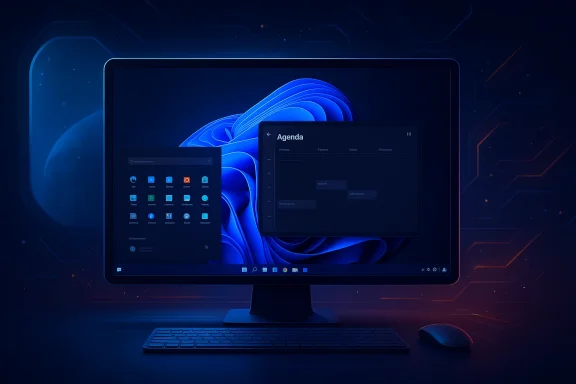
Microsoft is reintroducing the familiar Agenda view inside the taskbar calendar flyout so users can see upcoming meetings and events directly from the clock — a small, high‑impact usability fix that Windows 10 users sorely missed. The feature is being previewed in Insider channels and is expected to land in broader preview and general availability during 2026.Why this matters:
- Productivity friction: opening a full Calendar or Microsoft 365 app to see the next meeting was unnecessary friction for many users; the Agenda view restores a quick‑glance flow that speeds everyday workflows.
- Integration benefits: the Agenda within the taskbar ties into meeting actions (join links, reminders) and the notification center, smoothing hybrid work routines.
- User sentiment: the change is a clear response to long‑running community requests and strengthens the “quality of life” narrative Microsoft needs after a period of uneven AI rollouts.
3) Dark mode finally becomes more consistent across Windows 11
Microsoft is actively addressing dark mode inconsistencies across system dialogs, file operation windows, progress bars, and several legacy UI elements. Recent preview builds have shown improved dark theming for file operation dialogs and other parts of File Explorer, and the company appears to be expanding coverage to reduce jarring light‑themed exceptions.What’s included:
- System dialogs and progress bars (previously showing light themes during copy/delete operations) are receiving dark mode updates.
- File Explorer file operations, charts, and some confirmation dialogs are moving toward consistent theming.
- Several legacy components still lag (Run prompt, some Control Panel dialogs, file properties), so the work is incremental rather than complete.
- Visual cohesion reduces cognitive friction; consistent theming is an accessibility and fatigue issue for users who work in low‑light conditions or prefer dark UIs.
- The change signals Microsoft’s renewed attention to polish rather than only AI headlines — a helpful move given user frustration with flaky or half‑baked feature rollouts.
4) Small but sensible quality‑of‑life work — under‑the‑hood fixes that matter
The aggregate of small fixes in preview builds — stability patches, credential prompt fixes, live captions reliability, and other micro‑improvements — matters more than flashy features when the goal is to rebuild trust. Microsoft’s Canary notes and community analyses emphasize that 26H1 builds are mainly platform validation with a modest set of functional fixes visible to insiders. These changes are the kind that reduce day‑to‑day friction and support reliable work.Benefits:
- Safer driver and firmware integration for new hardware.
- Reduced regression risk for the large installed base because hardware‑specific plumbing is isolated to OEM images.
- Faster time‑to‑value for buyers of premium hardware that depends on tightly coordinated OS + firmware + driver stacks.
- Fragmentation: early Bromine devices will temporarily differ from the mainstream Windows 11 experience, complicating IT inventory and update reporting.
- Support complexity: separate servicing SKUs require admins to track which devices run Bromine/26H1 images — an added administrative burden.
The one that doesn’t "matter" — and why it still hurts: Teams automatic work‑location detection
An upcoming Teams admin policy allows automatic detection and reporting of a user’s work location when they connect to configured wireless networks (SSIDs/BSSIDs). When enabled, Teams can change a user’s presence/location metadata to “In the office” or a specific building automatically after the device connects to a matching Wi‑Fi network. This can be configured by admins through the Teams Places work location detection policy and requires admins to map SSIDs and BSSIDs to buildings and floors.Why the feature is controversial:
- Even though it’s off by default and requires explicit admin configuration, the idea of automatically flipping a person’s reported workplace based on Wi‑Fi reinforces concerns about creeping workplace monitoring inside productivity tools. The feature sits uncomfortably between convenience and surveillance.
- Consent model: Microsoft’s admin guidance notes that enabling autodetection prompts users for consent; admins must opt users into the policy. Consent dialogs are a necessary step, but consent friction and workplace power dynamics can coerce acceptance.
- Granularity and accuracy: SSID/BSSID mapping is brittle. Shared Wi‑Fi SSIDs, guest networks, and misconfigured enterprise Wi‑Fi can produce false positives. Administrators must map BSSIDs (MACs) for reliable building detection, which is operationally intensive.
- Surveillance risk: once a location toggling system exists in a collaboration tool, organizations may be tempted to expand its use for shift enforcement, presence audits, or even performance measurement — all of which have legal and cultural implications.
- Administrators should treat location detection as an optional, opt‑in service during pilots and document business justification.
- Organizations must publish clear policies governing retention, use, and access to location metadata.
- Users and admins should rely on BSSID mapping for location fidelity and avoid using SSIDs alone for automation.
Cross‑referenced verification and the credibility picture
Key claims and their independent corroboration:- The existence of a device‑targeted Windows 11 build for next‑gen Arm silicon (26H1/Bromine) is strongly supported by Microsoft Insider artifacts and multiple independent outlets reporting on Qualcomm Snapdragon X2 timelines and OEM plans. This conclusion is grounded in Canary build metadata and reporting from mainstream Windows outlets.
- Snapdragon X2’s headline hardware metrics (large Hexagon NPU, aggressive CPU boost clocks) are vendor-supplied claims corroborated by multiple outlets; they remain marketing figures until third‑party benchmarks appear. Treat TOPS and peak GHz figures as vendor claims that indicate potential, not guaranteed consumer workloads.
- The return of Agenda view and broader dark mode fixes have been previewed in Insider builds and covered by multiple publications — both the UI changes and the staging approach (Insider preview → wider rollout) are validated by reporting and preview notes.
- The Teams automatic work‑location detection is not hypothetical; it’s documented in Microsoft’s official Places/Teams work location detection policy guidance and requires admin configuration with SSID/BSSID mapping and user consent prompts. That documentation confirms the mechanics and admin controls Microsoft provides.
Strengths, trade‑offs, and risks — a practical assessment
Strengths- Device‑first platform engineering is pragmatic: it reduces regression risk, supports OEM validation, and enables high‑performance local AI when the silicon is ready.
- Small, high‑impact UX fixes (Agenda view, dark mode) restore trust by addressing persistent complaints rather than chasing headlines.
- Microsoft’s staged servicing model allows a controlled rollout and targeted telemetry from certified hardware, which should reduce catastrophic regressions.
- Fragmentation risk: Bromine/26H1 devices will differ from the mainstream OS baseline early on; enterprises must manage mixed fleets and service SKUs.
- Messaging risk: if Microsoft isn’t crystal clear about who gets what when, confusion will magnify trust problems already caused by uneven rollouts in prior AI features.
- Privacy and cultural risk: Teams’ work‑location detection — even if technically optional — normalizes automated presence tracking, which could be misused by employers if governance and consent are weak.
- For consumers considering X2 devices: wait for independent benchmarks and early reviews unless you need the earliest on‑device AI capabilities. Expect tighter coupling of firmware and OS updates early on.
- For IT teams: pilot Bromine devices separately, validate endpoint agent behavior, and prepare to manage a distinct servicing SKU in your inventory tools.
- For privacy teams: build clear policies around location metadata, require explicit opt‑in for users, and limit retention and access to only the business‑necessary duration.
Final verdict — incremental engineering, not a rescue act
The 2026 changes are less about spectacle and more about fixing the plumbing and polishing the interface. A device‑targeted platform release for Snapdragon X2 and similar SoCs is a defensible engineering move; the company needs a clean, validated image to avoid shipping buggy drivers and misbehaving NPUs at retail. The Agenda view return and dark mode fixes are precisely the kind of small, user‑visible improvements that rebuild day‑to‑day goodwill.At the same time, the Teams location automation is a reminder that convenience features can carry outsized social costs. The feature’s technical merits don’t erase the need for robust consent, transparent policy, and careful admin use.
If Microsoft executes with clear communication, robust admin controls, and conservative privacy practices, 2026 could be the year Windows 11 moves from headline AI experiments to dependable platform engineering. If the company fails to be explicit about scope, rollout, and controls, fragmentation and trust erosion will continue to be the bigger problems — even when the underlying engineering is sound.
Conclusion
The practical upgrades arriving early in 2026 reflect a sensible recalibration: prioritize hardware enablement, close longstanding usability gaps, and address inconsistent theming before pursuing sweeping new AI features. The hardware‑gated approach will help premium Arm devices deliver on local AI promises, but it requires careful messaging and governance to avoid fragmenting the platform or normalizing intrusive monitoring. For users and administrators alike, the right posture is cautious optimism: value the polish, demand transparency, and prepare to pilot before wide adoption.
Source: gHacks Technology News 4 Microsoft Features Coming in 2026 That Matter (And One That Doesn’t) - gHacks Tech News
Last edited:
