Microsoft’s decision to ship Windows 11, version 26H1 as a narrow, OEM‑flashed platform image — effectively a new Windows core built to enable next‑generation Arm silicon — marks one of the most consequential shifts in the Windows servicing model in years. The upshot is blunt: 26H1 is being built from scratch as a device‑first platform baseline, will appear preinstalled only on qualifying new devices (not delivered to existing Intel/AMD PCs via Windows Update), and devices that ship with that Bromine‑based lane will not follow the usual in‑place path to the autumn feature release. These are not leaks or conjecture; Microsoft’s support guidance and the Canary build metadata make the distribution and servicing rules explicit.
Microsoft’s long‑running Windows release rhythm — a single, broadly distributed H2 feature wave supported by monthly cumulative updates — is being temporarily augmented by a parallel, device‑targeted lane. The new lane is surfaced publicly as Windows 11, version 26H1, and community and insider signals tie it to an internal platform codename widely reported as Bromine and a build baseline in the 28000 series (for example, Build 28000.x). That engineering baseline and Microsoft’s explicit support language show 26H1 is a platform enablement release, not a consumer feature drop.
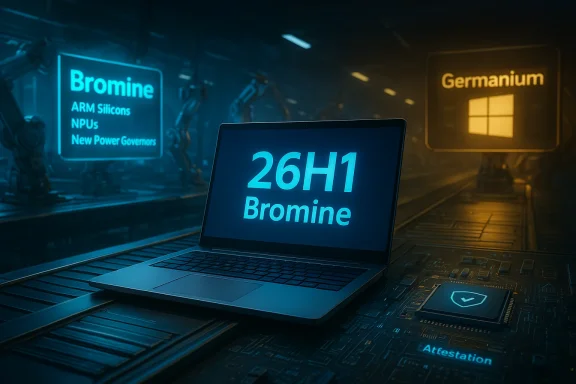
Why that matters: the Bromine baseline implements deep, low‑level operating‑system plumbing — kernel/HAL changes, scheduler updates, new power/thermal governors, device‑specific driver bundles, NPU runtimes and attestation hooks — that some next‑generation Arm SoCs require to function reliably at day one. Those changes can’t safely be backported into the servicing branch used by hundreds of millions of devices without unacceptable regression risk, so Microsoft created a separate platform lane that OEMs can factory‑flash.
Independent coverage and the update metadata (the 28000 build string and KB entries tied to that lane) corroborate the Snapdragon X2 alignment; this is not just an industry guess — it’s supported by Microsoft’s documentation and Canary build signals.
From a governance and product‑management perspective, however, the choice increases the burden on buyers, IT teams and ISVs. The costs are primarily operational and reputational:
The immediate, verifiable facts are straightforward: 26H1 exists as a device‑first platform baseline in the 28000 build family, is being preinstalled on qualifying new devices (not delivered to existing Windows 11 PCs via Windows Update), and devices shipped on that lane will follow a separate servicing path until Microsoft publishes a migration mechanism. Beyond that, calendar predictions about when Bromine devices will rejoin or achieve parity with the mainstream H2 feature wave remain uncertain and should be treated as speculative unless confirmed by Microsoft or OEMs. Buyers and IT teams should insist on clear documentation and migration commitments before committing to Bromine SKUs; consumers should demand clear labeling at point of sale.
In short: from an engineering perspective, Bromine makes sense. From an operational and messaging perspective, it creates a management task that Microsoft, OEMs and ISVs must solve quickly if the experiment is to be remembered as a careful enabling step rather than the start of avoidable fragmentation.
Source: WebProNews Microsoft’s Bold Gambit: Why Windows 11 26H1 Is Being Built From Scratch — and Why Your Current PC Won’t Get It
Source: FilmoGaz Microsoft Delays Windows 11 Version 26H2 Update to 2027
 Background / Overview
Microsoft’s long‑running Windows release rhythm — a single, broadly distributed H2 feature wave supported by monthly cumulative updates — is being temporarily augmented by a parallel, device‑targeted lane. The new lane is surfaced publicly as Windows 11, version 26H1, and community and insider signals tie it to an internal platform codename widely reported as Bromine and a build baseline in the 28000 series (for example, Build 28000.x). That engineering baseline and Microsoft’s explicit support language show 26H1 is a platform enablement release, not a consumer feature drop.Why that matters: the Bromine baseline implements deep, low‑level operating‑system plumbing — kernel/HAL changes, scheduler updates, new power/thermal governors, device‑specific driver bundles, NPU runtimes and attestation hooks — that some next‑generation Arm SoCs require to function reliably at day one. Those changes can’t safely be backported into the servicing branch used by hundreds of millions of devices without unacceptable regression risk, so Microsoft created a separate platform lane that OEMs can factory‑flash.
What 26H1 actually is — and what it isn’t
A platform enablement image, not a general feature update
- 26H1’s primary role is to enable specific new silicon families and to provide OEMs with a validated, signed image to install at the factory.
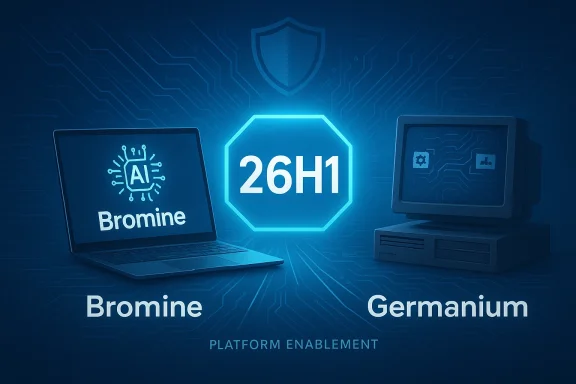
- It is built on a different Windows core (Bromine) from the Germanium baseline that underpins recent mainstream H2 releases.
Under‑the‑hood changes you should expect
The visible UI on a 26H1 device will look familiar at first glance; the value proposition sits beneath:- Kernel and scheduler adjustments to handle heterogeneous CPU clusters common in modern Arm SoCs.
- Power and thermal governors tuned for new SoC power envelopes, trading peak throughput for sustained performance and battery predictability.
- Validated DCH driver bundles for GPU, ISP, radios and sensor hubs matched to vendor firmware.
- NPU/runtime and attestation hooks to allow hardware‑backed on‑device AI inference, model integrity checks, and secure offload.
- Firmware and pre‑boot integration changes that touch BitLocker, WinRE and attestation flows.
Distribution, servicing, and the hard rules
Microsoft’s operational rules for 26H1 are concise and consequential:- Distribution model: 26H1 will be preinstalled by OEMs on qualifying new devices; it will not be offered to existing Windows 11 devices via Windows Update.
- Servicing: Devices shipped with 26H1 will receive monthly security and quality updates along the Bromine lane, with cumulative KB entries tied to the 28000 build string (for example, Patch Tuesday metadata showing KB5077179 for OS Build 28000.1575).
- Upgrade path: Importantly, Microsoft’s guidance states that devices running 26H1 will not be upgraded in‑place to the autumn H2 feature update later in the year because the two lanes are built on different cores; Microsoft says there will be “a path to update in a future Windows release,” but it has not published a specific timeline or mechanism. That leaves a migration ambiguity IT teams must plan around.
Why Microsoft built 26H1 from (effectively) scratch
There are two, tightly linked drivers behind this decision: silicon timing and regression risk.Silicon timelines vs. OS release cadence
Chip manufacturers and OEMs work to schedules that do not always align neatly with Microsoft’s autumn H2 release cycle. Qualcomm’s Snapdragon X2 family — widely reported as the first wave of silicon aligned to 26H1 availability — had OEM shipping windows in early 2026. OEMs needed a validated OS baseline early in the manufacturing process to flash at the factory and certify device behavior; Microsoft’s Bromine image is the response.Engineering risk management
Major platform shifts that alter kernel behavior, low‑level driver interfaces or firmware/attestation flows carry high regression risk when merged into a servicing baseline used by hundreds of millions of systems. Past H2 rollouts (notably 24H2) showed how platform‑level changes can surface incompatibilities across wide device families, producing support churn and emergency fixes. Shipping a factory‑flashed platform image reduces the blast radius and keeps high‑risk, hardware‑specific code out of the mainstream servicing stream while still enabling silicon partners to ship on time.The Snapdragon X2 story — why Arm matters here
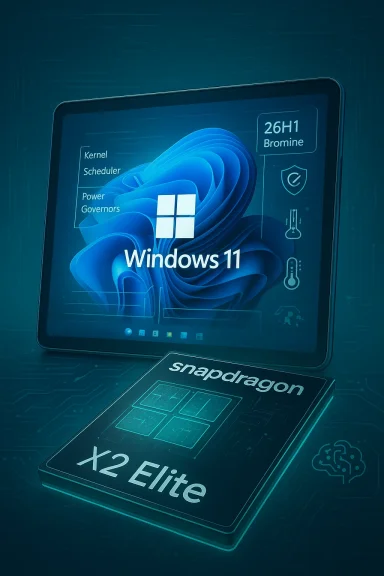
Qualcomm’s Snapdragon X2 family has been named repeatedly by Microsoft and by industry reporting as the initial silicon to ship on Bromine images. The X2 chips push heterogeneous core counts, larger NPUs (dozens of TOPS in some variants), newer GPU subsystems and modern memory/I/O topologies — all features that demand low‑level OS changes to schedule, power‑govern, and secure AI workloads. Factory‑flashing a matched OS image ensures those innovations work reliably without introducing regressions for other platforms.Independent coverage and the update metadata (the 28000 build string and KB entries tied to that lane) corroborate the Snapdragon X2 alignment; this is not just an industry guess — it’s supported by Microsoft’s documentation and Canary build signals.
Practical implications — who should care and what to do
Consumers (existing PCs)
If your device is Intel or AMD today, the immediate practical advice is simple: do nothing. Your PC will continue receiving security and quality updates on the mainstream servicing lane and will be eligible for the usual H2 feature update when it ships to the broad installed base. There is no forced migration to 26H1.Consumers (shopping for new Arm devices)
If you’re buying a new Copilot+ or Snapdragon X2 laptop in early 2026, be diligent:- Confirm the exact SKU and the factory image (does it ship with 26H1/Bromine?).
- Ask the OEM for clear update and warranty language about future migration to the mainstream feature lane.
IT administrators and procurement teams
Treat Bromine devices as distinct SKUs and plan accordingly:- Add Bromine/26H1 to procurement specifications and require OEM documentation for firmware/driver update channels.
- Pilot Bromine devices in a controlled ring with production security agents, MDM and VPN stacks.
- Validate BitLocker, WinRE, endpoint protection, and management‑agent compatibility before broader rollouts.
- Maintain separate imaging and patch plans for Bromine devices until Microsoft publishes a formal convergence path.
ISVs and developers
If you target Arm devices, test on both the Germanium (25H2/26H2) and Bromine (26H1) images. Differences in scheduler, threading behavior and NPU runtimes can affect performance and compatibility; early testing prevents later surprises.Benefits: what Microsoft and partners gain
- Day‑one reliability for new hardware: OEMs get a validated OS image to flash at the factory, reducing early returns and support calls.
- Safer adoption of complex hardware features: NPU attestation, power governors and firmware integrations can be tuned in a narrow blast radius.
- Faster time‑to‑market for chip and OEM partners: Manufacturers don’t have to wait for the autumn H2 release to ship devices.
Risks and the messy reality: fragmentation, messaging and support overhead
The Bromine experiment carries real, measurable costs:- Short‑term fragmentation: Two servicing lanes mean different patch metadata, driver bundles and potential incompatibilities across fleets. Enterprises now face lifecycle complexity they did not have before.
- Buyer confusion: Without crisp OEM labeling and point‑of‑sale disclosure, consumers could reasonably expect feature parity or identical servicing behavior between devices that are not equivalent.
- Support overhead for ISVs and management tooling: Security products, management agents and line‑of‑business software may need separate validation cycles for Bromine devices.
- Migration ambiguity: Microsoft has promised a future update path for Bromine devices but has not provided a firm timeline or migration mechanism. That leaves procurement and compliance planners in an uncomfortable limbo.
The 26H2 timeline — facts, rumors and what’s unverified
Because the Bromine lane insists on a separate core, industry attention immediately turned to the 26H2 feature update and how (or whether) it will reconcile both lanes.- Multiple community trackers and Microsoft’s Insider metadata show that the mainstream H2 track (26H2) remained the place for broad, consumer‑facing features — the typical annual feature wave for the installed base. That was the expectation heading into H2 2026.
- At the same time, some outlets reported that devices shipped with 26H1 would not receive the H2 feature update in 2026 and would instead wait until 2027 for a migration, producing headlines that 26H2 was “delayed to 2027” for Bromine devices. Those calendar predictions have circulated in the trade press, but they are not uniformly confirmed.
- Microsoft explicitly said Bromine devices will not be upgradable to the H2‑2026 feature update via the usual in‑place path and that a future update path will be provided. That is a factual, documented statement.
- Microsoft has not published a precise convergence timetable; any claims that Bromine devices will only be eligible for 26H2 in 2027 should be treated as industry speculation unless corroborated by Microsoft or a direct OEM commitment. Several community posts and outlets caution readers to treat calendar predictions with caution and to seek vendor confirmation.
How OEMs and Microsoft should reduce friction (recommended checklist)
To avoid turning a pragmatic engineering move into a public‑relations and support problem, vendors and Microsoft should act on these priorities:- Clear SKU labeling at point of sale: If a device ships with Bromine/26H1, the box and product page should state that explicitly and describe expected servicing behavior.
- OEM update policy disclosure: Vendors should publish how they will deliver firmware/driver updates for Bromine devices and whether Microsoft Update or OEM channels will be used.
- Migration guarantees for enterprise buyers: Offer written commitments or SLAs for migration paths to the mainstream feature lane where needed for compliance or lifecycle planning.
- ISV compatibility matrices: ISVs should publish explicit compatibility guidance and test matrices for Bromine builds (28000 series).
- Microsoft convergence roadmap: Publish a clear timeline and technical plan for unifying Bromine and Germanium lanes (or for an explicit migration mechanism), even if that timeline is a high‑level quarter estimate rather than an exact date.
Critical analysis: smart engineering, risky governance
This decision reads like engineering tradeoffs made public. From a technical standpoint, Bromine/26H1 is defensible — it avoids placing hardware‑specific kernel and runtime changes into the servicing lane for hundreds of millions of unrelated devices, and it gives OEMs the validated image they need to meet manufacturing schedules and day‑one quality standards. That pragmatism should be applauded: enabling the next generation of Arm silicon without destabilizing the mass market is plainly wise.From a governance and product‑management perspective, however, the choice increases the burden on buyers, IT teams and ISVs. The costs are primarily operational and reputational:
- Consumers expect uniformity from Windows updates; fragmentation undermines that expectation.
- Enterprises must now add Bromine SKUs to procurement and lifecycle planning.
- ISVs must expand test matrices and possibly ship separate binaries or compatibility patches.
- The lack of a firm migration timetable is the single most actionable concern; uncertainty about when Bromine devices will rejoin the mainstream feature lane complicates budgeting, compliance and device lifecycle decisions.
Concrete, short‑term guidance for readers
- If you own an Intel/AMD PC today: continue normal updates and ignore 26H1 headlines — your device will not be forced onto the Bromine lane.
- If you’re buying a new Arm laptop now: ask the vendor explicitly whether the device ships with 26H1, what update channels they will use, and whether they guarantee a migration path to the mainstream feature lane.
- If you manage fleets: add Bromine SKUs to procurement specs, pilot thoroughly, and require OEM documentation for update and recovery procedures before approving wide deployment.
- If you’re an ISV or developer: validate on both Germanium and Bromine builds, and watch Microsoft’s KB and Insider metadata for changes tied to build 28000.x.
Conclusion
Microsoft’s Bromine experiment — shipping Windows 11, version 26H1 as a factory‑flashed platform image to support next‑generation Arm silicon — is an explicit recognition that hardware complexity is demanding new release models. It trades the simplicity of a single servicing lane for the engineering safety of a hardware‑specific lane that enables day‑one compatibility for cutting‑edge SoCs. That tradeoff is defensible on engineering grounds; it is a risk on governance grounds.The immediate, verifiable facts are straightforward: 26H1 exists as a device‑first platform baseline in the 28000 build family, is being preinstalled on qualifying new devices (not delivered to existing Windows 11 PCs via Windows Update), and devices shipped on that lane will follow a separate servicing path until Microsoft publishes a migration mechanism. Beyond that, calendar predictions about when Bromine devices will rejoin or achieve parity with the mainstream H2 feature wave remain uncertain and should be treated as speculative unless confirmed by Microsoft or OEMs. Buyers and IT teams should insist on clear documentation and migration commitments before committing to Bromine SKUs; consumers should demand clear labeling at point of sale.
In short: from an engineering perspective, Bromine makes sense. From an operational and messaging perspective, it creates a management task that Microsoft, OEMs and ISVs must solve quickly if the experiment is to be remembered as a careful enabling step rather than the start of avoidable fragmentation.
Source: WebProNews Microsoft’s Bold Gambit: Why Windows 11 26H1 Is Being Built From Scratch — and Why Your Current PC Won’t Get It
Source: FilmoGaz Microsoft Delays Windows 11 Version 26H2 Update to 2027