

Microsoft’s unexpected 26H1 release is not the next Windows upgrade for your current PC — it’s a device‑specific, hardware‑optimized platform image built to enable next‑generation Arm silicon, and it will ship only on qualifying new machines (most notably Qualcomm’s Snapdragon X2 series) rather than being pushed to existing Intel or AMD systems via Windows Update.
Microsoft’s visible version string jump to Windows 11, version 26H1 (Build 28xxx) in the Canary channel surprised many users and administrators because it broke the familiar H2 annual cadence. The company clarified that 26H1 is a platform release intended for select new devices, not a consumer feature update for the installed base. That distinction is critical: 26H1 is a factory‑flashed image meant to ship with new hardware rather than an in‑place upgrade for the vast majority of PCs.
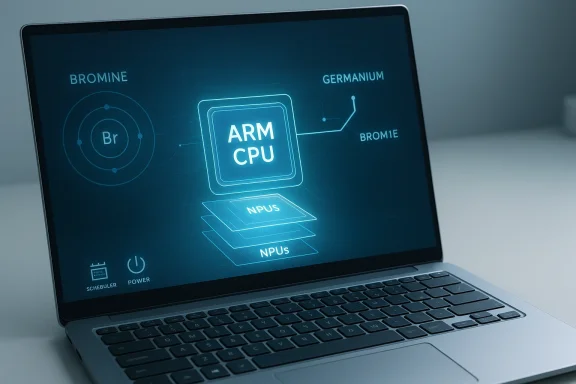
Put simply, Windows development is running on two parallel tracks in 2026: the ongoing “Germanium” platform line that powers mainstream releases such as 24H2 and 25H2 (and will continue into 26H2 for existing PCs), and a new internal platform baseline — often reported under the Bromine codename — that underpins 26H1 and is engineered specifically for next‑generation Arm systems. Microsoft and partner briefings emphasize that 26H1 “supports device innovations expected in 2026” and will be available only on new devices that ship with select silicon.
This is not a cosmetic rename or a marketing rebrand. It’s a deliberate engineering choice to give OEMs and silicon partners a Windows image that exposes new kernel, scheduler, power, and NPU plumbing tuned to heterogeneous Arm SoCs from day one.
A platform release replaces or significantly evolves that foundation. By contrast, the enablement‑package model Microsoft has used recently (e.g., enabling features in 23H2 or 25H2) flips on capabilities already present in the same platform base. 26H1 is not an enablement package — it’s a new plumbing layer that expects different hardware characteristics.
A new privacy toggle — “Search the contents of online files” under Privacy & security > Search — gives users granular control over whether Windows Search can index and surface contents of cloud‑hosted files (like those in OneDrive Personal). This addresses practical privacy concerns as on‑device agents and local indexing grow in importance.
For early adopters buying the first Snapdragon X2 laptops, 26H1 promises a more optimized out‑of‑box experience — potentially better battery life, native NPU utilization, and OS‑level scheduling tuned to heterogeneous cores. Those benefits will only materialize on hardware that supports the new plumbing.
For those managing mixed fleets, practical guidance is:
However, the approach introduces short‑term complexity:
In short: 26H1 is a platform for tomorrow’s silicon, not a patch you need to chase today — and the real test will arrive when the first Bromine‑based devices ship and software begins to exploit the new hardware plumbing.
Source: Windows Latest Hands on with Windows 11 26H1 and why this update is not meant for your PC
 Background / Overview
Microsoft’s visible version string jump to Windows 11, version 26H1 (Build 28xxx) in the Canary channel surprised many users and administrators because it broke the familiar H2 annual cadence. The company clarified that 26H1 is a platform release intended for select new devices, not a consumer feature update for the installed base. That distinction is critical: 26H1 is a factory‑flashed image meant to ship with new hardware rather than an in‑place upgrade for the vast majority of PCs.Put simply, Windows development is running on two parallel tracks in 2026: the ongoing “Germanium” platform line that powers mainstream releases such as 24H2 and 25H2 (and will continue into 26H2 for existing PCs), and a new internal platform baseline — often reported under the Bromine codename — that underpins 26H1 and is engineered specifically for next‑generation Arm systems. Microsoft and partner briefings emphasize that 26H1 “supports device innovations expected in 2026” and will be available only on new devices that ship with select silicon.
This is not a cosmetic rename or a marketing rebrand. It’s a deliberate engineering choice to give OEMs and silicon partners a Windows image that exposes new kernel, scheduler, power, and NPU plumbing tuned to heterogeneous Arm SoCs from day one.
What “platform release” actually means
The Windows platform core, explained
When Microsoft refers to a different Windows “core” it is talking about the foundational platform components: the kernel, driver model, process scheduler, hardware abstraction layers, power and thermal governors, and security subsystems. Historically, Windows internal platform branches have had names like Cobalt, Nickel, and Germanium; 26H1’s internal base is widely reported to be a separate branch (Bromine in some reports) developed to match the expectations of new Arm silicon.A platform release replaces or significantly evolves that foundation. By contrast, the enablement‑package model Microsoft has used recently (e.g., enabling features in 23H2 or 25H2) flips on capabilities already present in the same platform base. 26H1 is not an enablement package — it’s a new plumbing layer that expects different hardware characteristics.
Why a separate platform was necessary
Modern Arm SoCs are increasingly heterogeneous: multiple core types, integrated NPUs (Neural Processing Units), specialized media blocks, and advanced power management features. Those architectural changes often require low‑level OS support to:- Decide which tasks run on performance vs efficiency cores (thread scheduling).
- Route AI and inference workloads efficiently to on‑chip NPUs.
- Expose new ACPI or firmware hooks for granular power and thermal control.
- Provide device certification and driver stacks that are guaranteed out of the box.
What’s new in 26H1 — the hands‑on findings
Although 26H1 is engineered for new hardware and most of its improvements live "under the hood," installations and VM experiments reveal a small set of visible changes and quality‑of‑life improvements that are worth noting. These surface changes are meaningful because they hint at the broader engineering priorities in the Bromine platform even if the biggest benefits will be seen only on supported Arm hardware.Build and platform identity
On devices and images examined in early trials, the OS build for the 26H1 branch reports a 28xxx series build (examples in early Canary flights included Build 28020.x). That build identity separates the 26H1 Bromine branch from the Germanium‑based 24H2/25H2 lines and signals a distinct servicing and validation lane.Natural‑language (semantic) Settings search becomes broadly available
One of the most tangible changes is a more agentic, semantic search experience in Settings. In 26H1 the Settings search box allows natural‑language queries (for example, “my mouse pointer is too small”) to surface actionable controls directly in the search dropdown — not merely links to a Settings page. This is the kind of UI refinement that reduces friction for non‑power users and aligns with broader Microsoft investments in locally executed agentic behaviors.A new privacy toggle — “Search the contents of online files” under Privacy & security > Search — gives users granular control over whether Windows Search can index and surface contents of cloud‑hosted files (like those in OneDrive Personal). This addresses practical privacy concerns as on‑device agents and local indexing grow in importance.
FAT32 formatting limit raised to 2 TB
A long‑standing practical annoyance has been the 32 GB cap in Windows’ command‑line FAT32 formatting tools. In 26H1, the built‑in format command and diskpart accepted FAT32 formatting for much larger volumes — tested up to 100 GB and reported to now support partitions up to 2 TB — removing the need for third‑party utilities when formatting large SD cards or flash drives. That’s a modest but welcome quality‑of‑life fix for photographers, drone users, and others who rely on large removable media.Legacy UI polish and Setup safeguards
Microsoft used the 26H1 image to tidy up some legacy UI and setup flows:- Storage settings in Settings > System > Storage > Disks & volumes received spacing and padding fixes; “Create volume” now uses rounded corners and an animated chevron consistent with Windows 11 design language.
- The Windows Setup clean‑install dialogs now include extra confirmation dialogs for destructive actions such as “Delete partition” or “Format partition,” a sensible safeguard missed in some earlier builds.
Deprecations and protective checks
26H1 also contains a few deliberate removals and stricter checks:- .NET Framework 3.5 no longer appears as an optional Feature on Demand in the “Turn Windows features on or off” dialog. Microsoft appears to be nudging users toward modern .NET runtime versions; however, standalone installers remain available for legacy applications that absolutely require .NET 3.5. This is a notable push toward modernization that may affect older line‑of‑business apps.
- The System Preparation Tool (Sysprep) now refuses to run in Safe Mode, returning the explicit error “You can’t sysprep while running in Safe mode.” This prevents improper imaging sequences and enforces intended usage patterns.
What 26H1 is not
It’s important to be explicit about what 26H1 does not represent:- 26H1 is not the successor feature update that will be delivered to your existing PC via Windows Update — the mainstream branch will remain on Germanium and receive the expected 26H2 feature update later in 2026.
- It is not an immediate sign of broad fragmentation: Microsoft has stated this split is a temporary engineering necessity, with both branches expected to converge in a future release cycle (reported around Windows 27H2). However, in the intervening period devices that ship on the 26H1 Bromine platform will follow a separate servicing lane.
- 26H1 is not a feature playbook for day‑to‑day consumers; the visible UI changes are incremental. The primary value of 26H1 will be realized on hardware that actually implements the new scheduling, power, and NPU integrations.
Why this matters to different audiences
Consumers and prosumers
If you’re a mainstream Intel/AMD desktop or laptop user, nothing about your update strategy changes today. Monthly quality updates and the scheduled 26H2 feature update will continue under the existing servicing model; you won’t see 26H1 via Windows Update. For most buyers, the practical takeaway is: don’t chase 26H1 unless you plan to buy a new Arm machine that ships with it.For early adopters buying the first Snapdragon X2 laptops, 26H1 promises a more optimized out‑of‑box experience — potentially better battery life, native NPU utilization, and OS‑level scheduling tuned to heterogeneous cores. Those benefits will only materialize on hardware that supports the new plumbing.
Enterprises and IT managers
26H1 raises operational questions for IT teams responsible for fleet stability:- Devices shipped with 26H1 will be on a separate servicing lane and may not be eligible for the same in‑place upgrade path to the mainstream 26H2 release later in the year. That’s an important procurement consideration for organizations that standardize on a single image or maintenance baseline.
- The removal of .NET Framework 3.5 as an FoD means IT must plan for legacy application compatibility. While standalone installers remain, they are an extra step and a potential support headache for older LOB applications.
- Imaging and automation workflows should account for Sysprep behavior changes (Sysprep can't run in Safe Mode), and OEM drivers that ship on Bromine images may be different from what your current driver management system expects.
OEMs and silicon partners
For OEMs and silicon vendors the Bromine/26H1 path is a tool: it lets partners deliver a validated OS image that exposes the latest power, scheduling, and NPU capabilities without waiting for the mainstream release cycle. This reduces integration friction and helps vendors ship devices with “Copilot+” or on‑device AI capabilities enabled from day one. The tradeoff is the temporary servicing lane divergence and the added complexity of supporting two active platform baselines within the Windows ecosystem.Technical risks, compatibility concerns, and fragmentation
Microsoft’s approach is defensible from an engineering standpoint — Arm silicon is evolving rapidly and deep kernel changes are sometimes best validated on a limited set of systems. But there are practical tradeoffs worth weighing.- Servicing lane divergence: Devices shipped with 26H1 will follow a different servicing trajectory. For organizations that require predictable, long‑term servicing contracts or standardized images across device models, this is an operational complication. Microsoft has promised a later convergence, but the interim period requires explicit plans.
- Application and driver compatibility: The Bromine platform’s scheduler, power model, and driver expectations may expose latent bugs in older drivers or apps that assumed Germanium behavior. ISVs and driver teams will need to test on Bromine images and report regressions to silicon/OEM partners.
- Legacy dependencies: The push away from .NET 3.5 in the FoD list signals an ongoing modernization push. While this is positive overall, organizations with legacy stacks should validate their applications against supported runtimes and prepare for potential extra steps to maintain compatibility.
- Speculative support for other silicon: Some coverage and community posts suggest potential support for other upcoming Arm entrants (for example, NVIDIA N1X‑class chips) but these claims are not fully confirmed. Treat vendor‑specific compatibility claims cautiously until OEMs and Microsoft publish explicit support statements. Flagged as unverified until multiple partner confirmations appear.
Developer and ISV implications
For software vendors, the two most important actions are testing and optimization:- Test your applications on the Bromine/26H1 image where possible, especially if you target Arm64 builds or rely on native performance characteristics.
- Profile AI workloads and media pipelines to see if NPU offload or new hardware codecs are available and beneficial.
- Obtain OEM test units or Bromine images from partner channels for realistic validation.
- Validate both Germanium and Bromine behavior for scheduling-sensitive workloads (multithreaded apps, background services).
- Update packaging strategies for legacy dependencies (e.g., ensure .NET 3.5 installers are available if required).
- Coordinate with OEMs on driver signing and distribution, since factory‑flashed driver packages on Bromine devices may differ from what Windows Update delivers for mainstream devices.
Migration, servicing, and the path forward
Microsoft’s messaging is clear: 26H1 is a targeted, OEM‑shipped platform image that will not be offered as an in‑place upgrade to the broader installed base. Mainstream consumers will continue to receive their regular Windows 11 servicing and the 26H2 feature update later in 2026. Microsoft expects both platform branches to converge in a future release (commonly discussed around 27H2), which would restore a single servicing lane across architectures.For those managing mixed fleets, practical guidance is:
- Treat 26H1 devices as platform‑specialized appliances with vendor‑defined update schedules until Microsoft publishes a migration path.
- Avoid scheduling critical deployments on first‑wave Bromine devices if you require identical behavior across your fleet.
- For procurement teams, insist on clear servicing and driver support commitments from OEMs on 26H1 devices.
Final assessment — strengths, limitations, and what to watch next
Windows 11 26H1 is a pragmatic engineering response to fast‑moving Arm silicon: it allows Microsoft and partners to ship validated platform images that fully exploit heterogeneous cores, on‑device NPUs, and new power/thermal controls. The decision avoids the risk of shipping mainstream updates that might break on new silicon and gives OEMs a path to offer optimized out‑of‑box experiences. Those are real strengths, especially as on‑device AI and power efficiency become differentiators in the laptop market.However, the approach introduces short‑term complexity:
- A separate servicing lane for 26H1 devices means additional complexity for IT, OEMs and ISVs.
- The visible benefits for consumers are modest until devices with Snapdragon X2 (or other validated silicon) ship and software fully leverages NPUs and scheduler improvements.
- Any claim about support from alternative silicon vendors (for example, NVIDIA N1X) should be treated as provisional until confirmed by partners and Microsoft.
- OEM announcements for Snapdragon X2 devices and their published support lifecycles.
- Microsoft's official servicing and migration guidance for devices that ship with 26H1, including the timeline for convergence.
- ISV reports on real‑world performance, battery life, and NPU integration once first‑wave devices reach customers.
Conclusion
Windows 11 26H1 is a narrow, device‑targeted platform release — not the next general feature update for your PC. It represents Microsoft’s pragmatic choice to build a distinct platform baseline for new Arm silicon so OEMs can ship devices with validated kernel, scheduler, power, and NPU integrations from day one. For most users and enterprises, nothing changes in the immediate term: existing PCs will remain on the Germanium branch and receive the usual updates, including a mainstream 26H2 feature update later in 2026. Early adopters who buy Snapdragon X2 devices stand to gain the most, but organizations should plan carefully around servicing lanes, legacy dependencies, and application compatibility until the platform branches reconverge.In short: 26H1 is a platform for tomorrow’s silicon, not a patch you need to chase today — and the real test will arrive when the first Bromine‑based devices ship and software begins to exploit the new hardware plumbing.
Source: Windows Latest Hands on with Windows 11 26H1 and why this update is not meant for your PC
