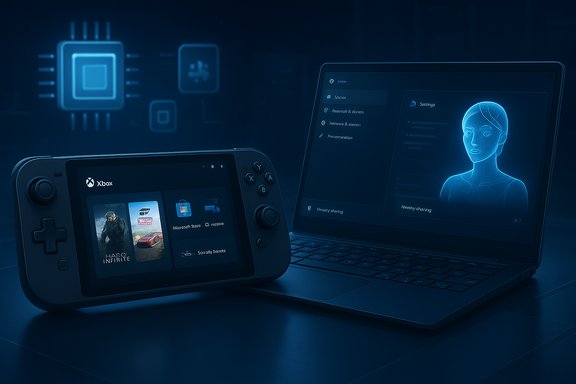
Microsoft’s Canary channel just got a substantial refresh: Insiders are reporting a new Windows 11, version 26H1 Canary build — Build 28020.1362 — that layers a broad set of UI and platform tweaks onto the recently unveiled 26H1 baseline, bringing everything from File Explorer dark‑mode polish to handheld gaming improvements and enhanced cross‑device flows.
Microsoft has been using the Canary channel as a testbed for platform‑level work that often doesn’t map directly to consumer feature releases. In November, Microsoft published Canary notes for the build series that updates the visible OS version to Windows 11, version 26H1, and explicitly described that branch as platform changes to support specific silicon rather than a general feature update for the installed base. That platform branch — discussed in industry reporting under internal names such as “Bromine” — exists because the next wave of PC silicon (notably high‑end Arm designs and NPU‑centric SoCs) introduces kernel, scheduler, driver and runtime requirements that are difficult to graft into the mainstream servicing baseline. The Canary builds in the 28000+ series are therefore both a technical playground and an OEM enablement lane: they allow Microsoft and partners to co‑validate low‑level plumbing without forcing the change onto all Windows 11 systems.
This approach has clear strengths: better day‑one compatibility for complex new silicon and a faster co‑engineering loop with OEMs and chip vendors. It also brings real operational risks — fragmentation, update complexity, and Canary‑class instability — that organizations and enthusiasts must treat seriously. The single best practice for most people remains conservative: keep production machines on the mainstream servicing channel, use Canary only on test devices, and require explicit OEM or Microsoft confirmation before assuming any 26H1‑only feature will become universal.
The build’s feature list, as circulating in Insider channels and community summaries, is rich and practical — and it demonstrates Microsoft’s two‑track reality for Windows development in 2025: continue the predictable H2 consumer feature cadence while running parallel platform branches to enable hardware innovation. Those two lanes can coexist — if Microsoft, OEMs and the community keep communication clear, manage servicing cleanly, and avoid hard‑to‑reconcile gating that leaves users wondering which features belong to which version.
End of analysis and wrap‑up: Build 28020.1362 expands the Canary branch’s practical footprint with sensible UI refinements and hardware‑focused plumbing; it’s compelling for testers and OEMs, useful for developers who must prepare for new silicon, and a reminder that Canary remains the right place for risky, necessary platform work — but not the place for production updates unless you’re prepared to manage the fallout.
Source: Neowin https://www.neowin.net/news/windows...ith-a-lot-of-new-features-in-build-280201362/
 Background / Overview
Microsoft has been using the Canary channel as a testbed for platform‑level work that often doesn’t map directly to consumer feature releases. In November, Microsoft published Canary notes for the build series that updates the visible OS version to Windows 11, version 26H1, and explicitly described that branch as platform changes to support specific silicon rather than a general feature update for the installed base. That platform branch — discussed in industry reporting under internal names such as “Bromine” — exists because the next wave of PC silicon (notably high‑end Arm designs and NPU‑centric SoCs) introduces kernel, scheduler, driver and runtime requirements that are difficult to graft into the mainstream servicing baseline. The Canary builds in the 28000+ series are therefore both a technical playground and an OEM enablement lane: they allow Microsoft and partners to co‑validate low‑level plumbing without forcing the change onto all Windows 11 systems. What’s in Build 28020.1362 — At a Glance
Build 28020.1362 is being rolled to Canary Insiders with a mix of immediately visible user interface changes and deeper platform improvements. The most notable areas touched by this flight include:- Handheld gaming: Extension of the Full Screen Experience (FSE) to more Windows handheld devices, providing a console‑style interface with the Xbox app and performance prioritization.
- Drag Tray improvements: Multi‑file sharing, smarter app suggestions, and finer control (including a setting to toggle Drag Tray) for Nearby Sharing flows.
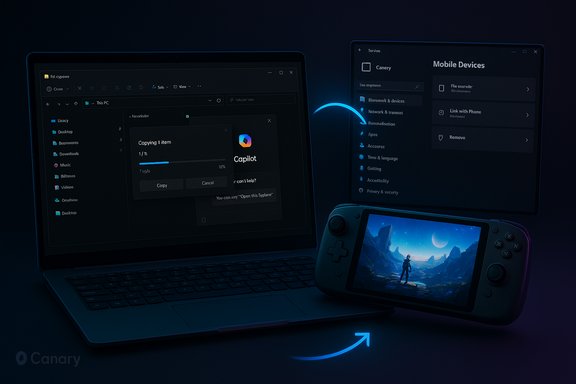
- File Explorer polish: Deeper dark‑mode coverage (copy/move/delete dialogs, progress bars, confirm dialogs), improved hover actions in File Explorer Home (quick actions like Open file location and Ask Copilot), and a cleaner search prompt for Copilot+ PCs.
- Cross‑device and mobile settings: A new Mobile Devices page in Settings to add and manage phones directly from Windows.
- OneDrive and recovery: New OneDrive icon placements in Settings, and Quick Machine Recovery enhancements that run a one‑time scan to guide users to recovery options.
- Start menu & search resizing: The Windows Search panel better matches the redesigned Start menu size for a smoother search transition.
- Display & graphics fixes: Smoother behavior when apps query monitor modes, fixes for unsupported‑GPU messages in some games, and brightness slider fixes for all‑in‑one systems.
File Explorer: More than a Cosmetic Tweak
File Explorer continues to be a focal point for Microsoft’s ongoing UX and productivity work. In Build 28020.1362 the dark‑mode treatment moves beyond superficial styling to cover core file operations: copy/move dialogs, progress charts, confirmation and error dialogs, and the Recycle Bin dialog now render consistently in dark themes. For users who rely on low‑light workflows, these refinements reduce jarring UI mode switches and make long file‑management sessions more comfortable. Beyond visuals, Explorer gets smarter contextual affordances: when hovering over items in File Explorer Home you may see actionable quick commands (including Copilot prompts) and richer OneDrive status cues. These are incremental but meaningful improvements for power users and those working across cloud and local files.Gaming and Handheld Focus
Microsoft continues to treat handheld Windows gaming as a tier of its own. The Full Screen Experience (FSE) — first tested on devices such as the ASUS ROG Ally — is expanding in this build to additional handhelds. FSE presents a streamlined Xbox-backed front end, reduces background tasks to prioritize gameplay, and offers quick launch paths via Task View or Game Bar. For users of pocketable PCs this can provide a more console‑like, distraction‑free session and better perceived responsiveness. This emphasis aligns with Microsoft’s broader strategy to position Windows as a flexible gaming platform across form factors — but it also increases the test surface for graphics drivers, scheduler policies and power management code paths that Canary builds are intended to vet.Platform Context: Why 26H1 Exists
The visible version bump to 26H1 has caused confusion: a version number change usually signals a broad consumer update. Microsoft, however, made a point of clarifying that this branch is platform enablement for “specific silicon” and not a general feature update to the 25H2 servicing branch. The company’s Canary notes reiterate that 25H2 remains the primary place for new features and that 26H1 is focused on under‑the‑hood work. Industry reporting has consistently linked the 26H1/Bromine baseline to enabling next‑generation Arm devices and NPU‑centric SoCs (for example, recent high‑end Snapdragon families and other emerging Arm silicon). Those chips introduce larger NPUs, new memory and power topologies, and different firmware semantics that can require kernel, scheduler and driver integration work — precisely the sort of changes that are hard to backport into an existing servicing baseline reliably. Treat the vendor linkage as plausible and well‑supported by timelines, but note Microsoft has not explicitly named specific vendors in the publication that introduced the 26H1 string.Cross‑Reference & Verification of Key Claims
- Microsoft’s Canary change to show Windows 11, version 26H1 and the framing that it is “not a feature update for version 25H2” is confirmed in the official Windows Insider Blog Canary announcement.
- Community and Insider channels are actively reporting the Build 28020.1362 flight and listing the detailed changelog items (FSE expansion, File Explorer dark mode, Drag Tray enhancements, etc.. Those community changelogs appear in Windows Insider communities and public discussion threads for this flight.
- Broader industry coverage that explains why Microsoft is using a platform branch for 26H1 (silicon enablement rationale and Bromine/28000 platform signals) is available from independent outlets and summarises the same engineering tradeoffs noted above.
Critical Analysis — Strengths, Risks, and What to Watch
Strengths
- Engineering realism: Creating a platform branch for silicon enablement is a pragmatic approach. It reduces day‑one regressions on new hardware by allowing Microsoft and OEMs to validate drivers, firmwares and NPU runtimes together. This improves the likelihood of solid out‑of‑the‑box experiences for complex SoCs.
- Focused UX wins: The File Explorer and dark‑mode improvements, quick actions in Explorer Home, and Copilot integration points are small but practical wins for productivity, particularly for users who rely on hybrid cloud workflows and one‑click actions.
- Form‑factor flexibility: Expanding the Full Screen Experience for handhelds acknowledges a growing market segment and refines how Windows behaves across diverse hardware types.
Risks and Downsides
- Potential ecosystem fragmentation: Shipping device‑gated platform baselines risks fragmenting the Windows install base if feature availability, servicing paths, or security updates differ across platform branches. Enterprises that manage mixed fleets may face added complexity in imaging and update mapping. Community analysis has already flagged this as a practical concern.
- Insider/Canary instability: Canary is intentionally volatile. Builds in this ring may create sleep/shutdown regressions or other low‑level issues that break workflows. Microsoft warns that Canary builds are experimental and sometimes require a clean install to revert channels. That’s a real operational headache for testers who run Canary on primary hardware.
- Messaging confusion: A version bump to 26H1 in the UI without clear consumer‑facing changes can easily be misread by the broader audience as a mass upgrade, leading to unnecessary concern or attempts to “force” the update. Microsoft’s explicit text helps, but community channels will need to keep clarifying the intent.
What to Watch Next
- OEM device announcements that specify which Windows image and version ships on day one; this will clarify whether 26H1 is device‑gated.
- Microsoft servicing and KB mappings for 26H1 devices versus 25H2 machines, which will show how updates and security patches are routed.
- Early telemetry on sleep/shutdown and driver behavior in Canary builds — if those regressions persist, that could slow the Bromine/26H1 maturation.
Practical Guidance — What Users and IT Teams Should Do
For everyday users- Remain on the mainstream release and the Dev/Beta channels if you want new features with fewer low‑level surprises. Canary builds are best reserved for secondary hardware or VMs.
- Do not intentionally seek 26H1 unless you are testing hardware or features that require the platform baseline; the build may include incomplete rollouts that are gated server‑side.
- Back up before enrolling a primary device into Canary. There is non‑trivial risk of needing a clean install to revert channels.
- Use Flight Hub and Feedback Hub actively to report regressions — telemetry is what determines whether features are widened or pulled back.
- Treat 26H1 as a device‑validation baseline: ask OEMs for imaging documentation, delivered KB mappings, and explicit statements about which features will be supported on factory images.
- Maintain test fleets and lab images that mirror any 26H1 shipping devices before deploying into production to avoid driver or management mismatches.
- Track Microsoft’s Servicing Update Guide and update catalog entries to map KBs to specific platform branches for clear patching strategies.
Feature Rollout Mechanics and Developer Considerations
Microsoft’s Control Feature Rollout is a recurrent theme: many of the experiences in Canary are enabled for a subset of testers and expanded through telemetry and staged ramps. That means the presence of a feature on a build does not guarantee immediate availability for all Insiders, nor does it guarantee final shipping in the same form. Developers and ISVs should:- Monitor the Flight Hub and Insider release notes for changes to enablement status.
- Test key workflows on both mainstream 25H2 images and any 26H1 device images provided by OEM partners.
- Prepare for possible new driver or runtime requirements, particularly for apps that leverage on‑device AI or direct hardware acceleration paths.
Closing Analysis and Conclusion
Build 28020.1362 is a notable step in Microsoft’s ongoing Canary work: it stitches together targeted visual polish (notably File Explorer dark mode), device‑specific experiences (handheld FSE), and platform efforts required for the next wave of hardware. The presence of Copilot‑aware quick actions and deeper OneDrive/Explorer integrations show Microsoft doubling down on productivity flows that blend local and cloud contexts, while the 26H1/Bromine platform framing signals a pragmatic OS strategy to avoid shipping fragile kernel or driver changes to the entire Windows population.This approach has clear strengths: better day‑one compatibility for complex new silicon and a faster co‑engineering loop with OEMs and chip vendors. It also brings real operational risks — fragmentation, update complexity, and Canary‑class instability — that organizations and enthusiasts must treat seriously. The single best practice for most people remains conservative: keep production machines on the mainstream servicing channel, use Canary only on test devices, and require explicit OEM or Microsoft confirmation before assuming any 26H1‑only feature will become universal.
The build’s feature list, as circulating in Insider channels and community summaries, is rich and practical — and it demonstrates Microsoft’s two‑track reality for Windows development in 2025: continue the predictable H2 consumer feature cadence while running parallel platform branches to enable hardware innovation. Those two lanes can coexist — if Microsoft, OEMs and the community keep communication clear, manage servicing cleanly, and avoid hard‑to‑reconcile gating that leaves users wondering which features belong to which version.
End of analysis and wrap‑up: Build 28020.1362 expands the Canary branch’s practical footprint with sensible UI refinements and hardware‑focused plumbing; it’s compelling for testers and OEMs, useful for developers who must prepare for new silicon, and a reminder that Canary remains the right place for risky, necessary platform work — but not the place for production updates unless you’re prepared to manage the fallout.
Source: Neowin https://www.neowin.net/news/windows...ith-a-lot-of-new-features-in-build-280201362/