

IT should place Windows 11 26H2 Search feature flags in a pilot ring—but only in a deliberately small, instrumented Experimental ring, not the broad pre-production ring used to validate routine updates. Build 26300.8772 must be tested for more than stability: administrators need to determine whether its region-variable, user-controllable Search experience produces acceptable results, support demand, and policy outcomes.
Microsoft began rolling out the Search changes on July 13, 2026, through Controlled Feature Rollout, or CFR, to Windows Insiders running Windows 11 version 26H2 Experimental build 26300.8772. As detailed on the Windows Insider Blog, eligible testers can also enable the experience through the Feature flags page under Settings > Windows Update > Windows Insider Program rather than waiting for Microsoft’s rollout logic to select their devices.
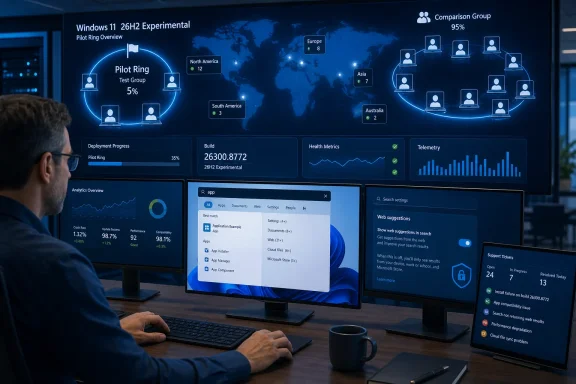
That manual path changes the testing proposition. A feature flag allows IT to establish a controlled cohort in which devices share the same build but intentionally receive different Search experiences, turning the pilot from a simple update check into a comparison of behavior, policy, and user outcomes.
The correct design is not to enable the Search flag across every device already assigned to pre-production testing. A conventional pilot ring normally answers whether an update installs, starts, and runs without disrupting important applications; this Search experiment asks whether a changed discovery surface works for a specific organization.
Create a smaller cohort inside—or alongside—the existing Windows Insider Experimental population. Keep unflagged devices on build 26300.8772 as a comparison group, while enabling the Search feature only on selected test systems through:
Do not mix those results into a general 26H2 readiness score. Track the operating-system build and the Search flag as separate variables, because two devices reporting build 26300.8772 do not necessarily expose the same interface or ranking behavior.
A useful pilot therefore has at least two deliberately defined populations: devices with the Search flag enabled and devices on the same build without it. If the organization operates across regions, the cohort should also be divided by region rather than treated as one homogeneous group.
That makes relevance a measurable deployment outcome. Testers should use real organizational queries rather than searching only for familiar Windows components. The sample needs to include line-of-business applications, common settings, locally stored documents, cloud or connected files, and short file names that exercise the new two-character query support.
The first question is whether users can still reach the expected local item quickly. The second is whether changing the web and Store setting alters that path in a way that creates confusion, inconsistent instructions, or additional support work.
WindowsForum has already examined how the experiment removes promotional content from web results and gives users more control over web and Microsoft Store suggestions. For administrators, however, a cleaner screen is not sufficient evidence for deployment. The relevant outcome is whether local apps, settings, and files appear predictably for the vocabulary employees actually use.
A help-desk article that tells employees to “search for” a tool assumes that Search produces a reasonably consistent result. If ranking depends on region, connected content, and a user-controlled suggestion setting, the same instruction may lead different employees to different result sets.
The pilot should consequently capture more than crashes or loading failures. IT needs to record incorrect first results, missing expected results, unexpectedly prominent web or Store suggestions, and cases in which a user changes the new setting and can no longer follow existing documentation.
An organization must decide whether Search composition is a user preference, an IT standard, or a setting that varies by role. A developer, retail kiosk user, student, task worker, and support technician may have different reasons to use—or avoid—web and Store discovery.
The Experimental pilot should test both states rather than assuming that hiding online suggestions is universally better. Disabling them may produce a more focused local experience, while enabling them may aid users who expect Windows Search to discover content beyond the device. The verified facts do not establish which choice is superior for every environment.
What IT should avoid is accidental policy. If some testers receive the CFR naturally, others enable the feature flag, and individual users then choose different suggestion settings, the resulting feedback will be difficult to interpret unless each state is documented.
Support teams should also be told that this is an experiment rather than a finalized Windows 11 26H2 behavior. Otherwise, technicians may start rewriting documentation or promising controls that Microsoft later changes, removes, or declines to ship.
Microsoft explicitly warns that Experimental features can change, be replaced, disappear, or never reach a released version of Windows. Any operational decision made now should therefore be recorded as a provisional finding, not as a permanent Windows configuration standard.
Each tester should run the same baseline query set before adding role-specific searches. IT can then compare the flagged and unflagged groups while still capturing the specialized behavior that matters to individual departments.
The evaluation should cover four concrete areas:
The pilot also needs a stopping condition. A severe application or operating-system problem remains grounds to halt build testing, but inconsistent Search results require a different response: freeze expansion of the flagged cohort, preserve the comparison group, and determine whether the variation follows region, user configuration, query type, or CFR state.
This separation prevents administrators from blaming the entire 26H2 build for an experience delivered independently through a feature flag. It also prevents the opposite mistake—declaring the build ready while ignoring a Search configuration that could later reach a much wider population.
Servicing lineage answers how Windows receives and activates a release. It does not prove that a particular CFR experience is finalized, uniformly available, manageable in the required way, or suitable for an organization’s users.
This distinction is easy to lose when build deployment is uneventful. A device can install build 26300.8772 successfully, run its applications normally, and still provide insufficient evidence about the flagged Search interface. Build health and feature readiness are separate approvals.
The Experimental ring should therefore remain isolated from the ordinary pre-production progression. Passing installation, startup, application, and performance checks may permit continued build evaluation, but the Search flag should advance only after IT understands its ranking behavior, regional differences, user setting choices, and effect on support procedures.
Broadening the flag merely to obtain more feedback can undermine the test. Once too many pre-production users receive the experience, IT loses a clean comparison group and begins exposing employees to controls that may never ship.
That uncertainty is precisely why feature flags belong in a pilot ring—but not why they belong in every pilot ring. IT needs a place where unfinished, independently activated behavior can be examined without contaminating the broader update-readiness process.
For build 26300.8772, the practical decision is to authorize a small flagged cohort, preserve an unflagged control group, represent relevant regions, and test both states of the web and Microsoft Store suggestion control. Expansion should depend on repeatable Search results and manageable support impact, not simply on the absence of crashes.
The next milestone is not another successful installation of Windows 11 26H2. It is evidence that the flagged Search experience behaves predictably enough for the organization—and a clear plan for what IT will do if Microsoft changes or withdraws it before release.
Microsoft began rolling out the Search changes on July 13, 2026, through Controlled Feature Rollout, or CFR, to Windows Insiders running Windows 11 version 26H2 Experimental build 26300.8772. As detailed on the Windows Insider Blog, eligible testers can also enable the experience through the Feature flags page under Settings > Windows Update > Windows Insider Program rather than waiting for Microsoft’s rollout logic to select their devices.
That manual path changes the testing proposition. A feature flag allows IT to establish a controlled cohort in which devices share the same build but intentionally receive different Search experiences, turning the pilot from a simple update check into a comparison of behavior, policy, and user outcomes.
 Put the Flag in a Separate Experimental Ring
The correct design is not to enable the Search flag across every device already assigned to pre-production testing. A conventional pilot ring normally answers whether an update installs, starts, and runs without disrupting important applications; this Search experiment asks whether a changed discovery surface works for a specific organization.Create a smaller cohort inside—or alongside—the existing Windows Insider Experimental population. Keep unflagged devices on build 26300.8772 as a comparison group, while enabling the Search feature only on selected test systems through:
- Open Settings on a device running Windows 11 26H2 Experimental build 26300.8772.
- Select Windows Update.
- Open Windows Insider Program.
- Select the Feature flags page.
- Enable the available Windows Search Box experience.
- Restart the device if necessary, then confirm whether the new Search controls and ranking behavior are present.
- Record the device’s region, feature state, tester role, and observed Search behavior before collecting results.
Do not mix those results into a general 26H2 readiness score. Track the operating-system build and the Search flag as separate variables, because two devices reporting build 26300.8772 do not necessarily expose the same interface or ranking behavior.
A useful pilot therefore has at least two deliberately defined populations: devices with the Search flag enabled and devices on the same build without it. If the organization operates across regions, the cohort should also be divided by region rather than treated as one homogeneous group.
Search Quality Is Now an IT Test Result
Microsoft’s changes reach beyond presentation. The experiment adjusts ranking for local apps, settings, files, cloud or connected files, and two-character file queries, while allowing users to decide whether web and Microsoft Store suggestions appear with local results.That makes relevance a measurable deployment outcome. Testers should use real organizational queries rather than searching only for familiar Windows components. The sample needs to include line-of-business applications, common settings, locally stored documents, cloud or connected files, and short file names that exercise the new two-character query support.
The first question is whether users can still reach the expected local item quickly. The second is whether changing the web and Store setting alters that path in a way that creates confusion, inconsistent instructions, or additional support work.
WindowsForum has already examined how the experiment removes promotional content from web results and gives users more control over web and Microsoft Store suggestions. For administrators, however, a cleaner screen is not sufficient evidence for deployment. The relevant outcome is whether local apps, settings, and files appear predictably for the vocabulary employees actually use.
A help-desk article that tells employees to “search for” a tool assumes that Search produces a reasonably consistent result. If ranking depends on region, connected content, and a user-controlled suggestion setting, the same instruction may lead different employees to different result sets.
The pilot should consequently capture more than crashes or loading failures. IT needs to record incorrect first results, missing expected results, unexpectedly prominent web or Store suggestions, and cases in which a user changes the new setting and can no longer follow existing documentation.
The Web Toggle Creates a Policy Decision
The new control appears under Settings > Privacy & Security > Search and lets users choose whether web and Microsoft Store suggestions accompany local results. On a personal PC, that is straightforward customization; on a managed PC, it raises a question of ownership.An organization must decide whether Search composition is a user preference, an IT standard, or a setting that varies by role. A developer, retail kiosk user, student, task worker, and support technician may have different reasons to use—or avoid—web and Store discovery.
The Experimental pilot should test both states rather than assuming that hiding online suggestions is universally better. Disabling them may produce a more focused local experience, while enabling them may aid users who expect Windows Search to discover content beyond the device. The verified facts do not establish which choice is superior for every environment.
What IT should avoid is accidental policy. If some testers receive the CFR naturally, others enable the feature flag, and individual users then choose different suggestion settings, the resulting feedback will be difficult to interpret unless each state is documented.
Support teams should also be told that this is an experiment rather than a finalized Windows 11 26H2 behavior. Otherwise, technicians may start rewriting documentation or promising controls that Microsoft later changes, removes, or declines to ship.
Microsoft explicitly warns that Experimental features can change, be replaced, disappear, or never reach a released version of Windows. Any operational decision made now should therefore be recorded as a provisional finding, not as a permanent Windows configuration standard.
Instrument the Pilot Around Outcomes
The Search pilot does not require an elaborate analytics program, but it does require consistent evidence. A short test matrix is more useful than a large collection of informal comments.Each tester should run the same baseline query set before adding role-specific searches. IT can then compare the flagged and unflagged groups while still capturing the specialized behavior that matters to individual departments.
The evaluation should cover four concrete areas:
- Testers should confirm whether expected local apps, settings, and files appear at or near the top for representative queries.
- Testers should repeat selected searches with web and Microsoft Store suggestions enabled and disabled.
- Administrators should compare results across every represented region rather than assuming that one geography reflects the others.
- The service desk should record Search-related contacts separately from general build 26300.8772 incidents.
The pilot also needs a stopping condition. A severe application or operating-system problem remains grounds to halt build testing, but inconsistent Search results require a different response: freeze expansion of the flagged cohort, preserve the comparison group, and determine whether the variation follows region, user configuration, query type, or CFR state.
This separation prevents administrators from blaming the entire 26H2 build for an experience delivered independently through a feature flag. It also prevents the opposite mistake—declaring the build ready while ignoring a Search configuration that could later reach a much wider population.
The Enablement Package Does Not Reduce the Risk
Windows 11 26H2 shares a servicing branch with Windows 11 25H2 and is delivered through an enablement package. That relationship may simplify the underlying transition, but it does not make an Experimental Search experience production-ready.Servicing lineage answers how Windows receives and activates a release. It does not prove that a particular CFR experience is finalized, uniformly available, manageable in the required way, or suitable for an organization’s users.
This distinction is easy to lose when build deployment is uneventful. A device can install build 26300.8772 successfully, run its applications normally, and still provide insufficient evidence about the flagged Search interface. Build health and feature readiness are separate approvals.
The Experimental ring should therefore remain isolated from the ordinary pre-production progression. Passing installation, startup, application, and performance checks may permit continued build evaluation, but the Search flag should advance only after IT understands its ranking behavior, regional differences, user setting choices, and effect on support procedures.
Broadening the flag merely to obtain more feedback can undermine the test. Once too many pre-production users receive the experience, IT loses a clean comparison group and begins exposing employees to controls that may never ship.
Evidence Must Survive the Experiment
Microsoft’s current documentation establishes the rollout date, build, activation path, Search changes, and Experimental status. It does not establish a final production release date or guarantee that the tested controls will appear unchanged in generally available Windows 11 26H2 deployments.That uncertainty is precisely why feature flags belong in a pilot ring—but not why they belong in every pilot ring. IT needs a place where unfinished, independently activated behavior can be examined without contaminating the broader update-readiness process.
For build 26300.8772, the practical decision is to authorize a small flagged cohort, preserve an unflagged control group, represent relevant regions, and test both states of the web and Microsoft Store suggestion control. Expansion should depend on repeatable Search results and manageable support impact, not simply on the absence of crashes.
The next milestone is not another successful installation of Windows 11 26H2. It is evidence that the flagged Search experience behaves predictably enough for the organization—and a clear plan for what IT will do if Microsoft changes or withdraws it before release.
References
- Primary source: learn.microsoft.com
Windows 11 Insider Experimental Preview Build 26300.8772 - Windows Insider Program | Microsoft Learn
Release notes for Windows 11 Insider Experimental Preview Build 26300.8772learn.microsoft.com - Independent coverage: techradar.com
'We love this... except gradual rollouts': Windows 11 search is being improved in a big way, with users impatient to get these changes — and I don't blame them | TechRadar
Less clutter, more relevance — and an option to ditch web resultswww.techradar.com - Independent coverage: windowscentral.com
Microsoft rolls out 6 helpful new Windows 11 Insider features for early July, including one built to protect your PC from disaster | Windows Central
Microsoft's latest Insider builds in early July introduce Cloud rebuild, big Search improvements, Taskbar customization, and more changes.www.windowscentral.com - Independent coverage: blogs.windows.com
Improving Windows Search Box, with less clutter and more control
Hello Windows Insiders, You’ve been asking for search that is faster, more relevant, and easier to use—whether you’re opening an app, finding a file, or changing a setting. Because the Windows Search Box is where many people start, we focusedblogs.windows.com - Independent coverage: techspot.com
Windows Search is getting the cleanup users have wanted for years (more like decades) | TechSpot
The change appears first on the search home screen. Instead of the old layout – with recently used apps on the left and tiles on the right...www.techspot.com - Primary source: WindowsForum
Windows Search Experimental Update Removes Promotions, Adds Web Toggle | Windows Forum
Microsoft is testing a cleaner Windows Search experience that removes promotional content from web results and gives users more control over whether web and...windowsforum.com
