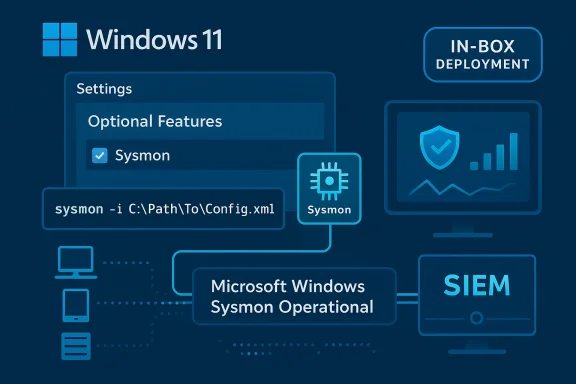
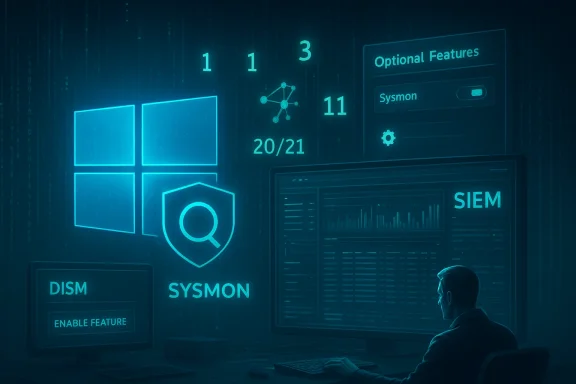
Microsoft has quietly folded Sysmon — the long-favored Sysinternals system-monitoring tool — into Windows 11 as an optional, inbox feature, delivering it through Insider preview builds and the Windows servicing pipeline rather than as a separate Sysinternals download. That change, which appears in matched preview updates for the Dev and Beta Insider channels (reported as Build 26300.7733 for Dev and 26220.7752 for Beta), is small in surface UI but substantial for security operations, device management, and the way defenders collect host telemetry.
Windows has long relied on the Sysinternals suite for deep diagnostic and forensic tooling, and Sysmon (System Monitor) has been one of the most important single agents for security telemetry. Traditionally, organizations deployed Sysmon by downloading the standalone package from the Sysinternals site, distributing sysmon.exe and its kernel driver, and managing XML configuration files to tune the signal stream. That workflow offered flexibility but also operational pain: version drift, unsigned distribution paths, custom installer scripts, and no formal Microsoft servicing or support for broadly deployed Sysmon binaries.
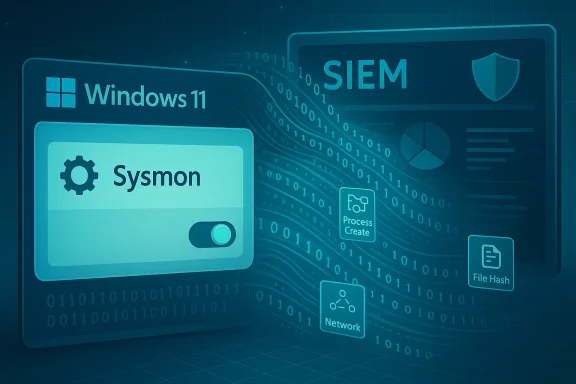
Microsoft’s recent Insider preview updates change the delivery model. Instead of requiring enterprises to manage a third‑party‑style deployment, Windows 11 now includes Sysmon functionality as an optional feature that can be enabled in Settings or via PowerShell and finished with the familiar sysmon command-line installer. The capability is disabled by default and must be explicitly activated; Microsoft’s preview notes also say that previously installed copies of Sysmon from the Sysinternals download should be removed before enabling the built-in feature.
For IT and security teams, the recommended approach is conservative and pragmatic: pilot built-in Sysmon in a controlled test ring; validate SIEM ingestion, retention, and detection rules; confirm agent and driver compatibility on representative hardware; and only then proceed to staged, automated deployment. When managed deliberately, built-in Sysmon is a meaningful step forward for enterprise telemetry — but its benefits are earned through disciplined rollout, careful configuration, and ongoing governance.
Source: Neowin https://www.neowin.net/news/windows...d-262207752-beta-arrive-with-built-in-sysmon/
 Background
Windows has long relied on the Sysinternals suite for deep diagnostic and forensic tooling, and Sysmon (System Monitor) has been one of the most important single agents for security telemetry. Traditionally, organizations deployed Sysmon by downloading the standalone package from the Sysinternals site, distributing sysmon.exe and its kernel driver, and managing XML configuration files to tune the signal stream. That workflow offered flexibility but also operational pain: version drift, unsigned distribution paths, custom installer scripts, and no formal Microsoft servicing or support for broadly deployed Sysmon binaries.Microsoft’s recent Insider preview updates change the delivery model. Instead of requiring enterprises to manage a third‑party‑style deployment, Windows 11 now includes Sysmon functionality as an optional feature that can be enabled in Settings or via PowerShell and finished with the familiar sysmon command-line installer. The capability is disabled by default and must be explicitly activated; Microsoft’s preview notes also say that previously installed copies of Sysmon from the Sysinternals download should be removed before enabling the built-in feature.
What landed in these builds: the facts
- Build identifiers and channels: the changes appear across two Insider streams — Dev (build 26300.7733, reported community KB5074178) and Beta (build 26220.7752, reported community KB5074177). The KB numbers have been circulated in community reporting but were described as community‑reported and may not have been visible in Microsoft’s official KB index at the time of initial preview coverage. Treat those KB IDs as provisional until Microsoft formally publishes them.
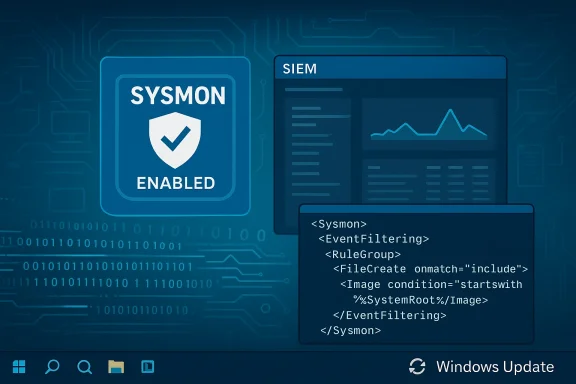
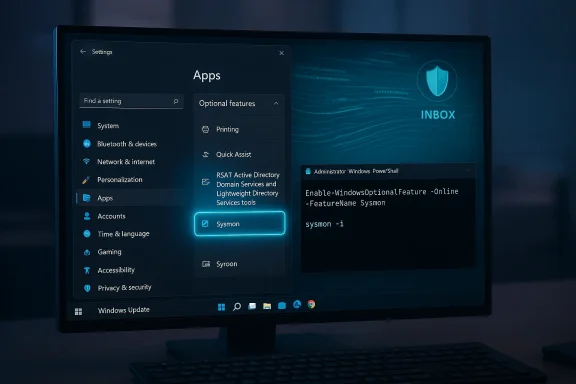
- The single headline feature: native Sysmon available as an optional Windows feature. The preview notes indicate the built-in Sysmon writes events into the Windows Event Log the same way SOCs expect, supports XML-based configuration, and is installed/enabled via the same sysmon -i invocation familiar to admins. Enabling can be done through Settings → System → Optional features → More Windows features → Sysmon, or via PowerShell with the Enable-WindowsOptionalFeature command.
- Delivery and staging model: Microsoft is shipping binaries and controlling exposure with Controlled Feature Rollout (CFR) and server-side gating, plus a per-device toggle (“Get the latest updates as they are available”) that affects what an Insider machine actually sees after installing the preview package. That means installing the build does not guarantee instantaneous visibility of every staged item.
- Accompanying fixes: both preview packages bundle a selection of reliability and UX fixes across File Explorer, OneDrive sync, Outlook with PST-hosted data, Voice Access locales, and other shell components — typical maintenance items that accompany targeted feature enablement in Insider flights.
Why this matters: operational and security implications
Lowering deployment friction — a practical win
Shipping Sysmon as an optional Windows component removes several operational hurdles for defenders:- No separate binary distribution to manage across thousands of endpoints.
- Updates can flow through Windows Update/WSUS/Intune, simplifying patching and version parity.
- Existing Sysmon workflows (XML configuration files, event IDs and channels) are preserved, meaning SIEM and EDR pipelines can consume the events without reengineering parsers.
Better support model, but with caveats
One of the most requested enterprise asks has been formal support for Sysmon in production at scale. Bringing Sysmon into Windows allows Microsoft to offer formal customer support, documentation, and a consistent servicing model — a meaningful shift for regulated environments that previously ran the utility as a community-managed tool. However, preview notes warned that full documentation would follow, and some KB numbers cited in early reporting were community-sourced rather than officially published; proceed with caution while the formal docs appear.Telemetry volume and cost
Sysmon produces rich, high-volume telemetry: detailed process creation records, command line arguments, parent process relationships, image loads, network connection details, file-create and hashing events, driver load notifications, and more. That fidelity is invaluable for incident response and detection engineering but increases log ingestion, storage, and parsing costs.- SIEM ingestion rates, retention policies, and parsing pipelines must be validated before enabling Sysmon broadly.
- Detection engineering should consider tiered or filtered Sysmon configurations to balance visibility with cost.
Controlled Feature Rollout increases variability
Microsoft’s CFR model — server-side feature enablement after the binary ships — enables safer, staged rollouts, but it also creates variability between otherwise identical devices. Two machines on the same build might behave differently depending on CFR flags and whether the insider toggle is enabled.- Troubleshooting becomes more complicated in environments where feature flags differ across devices.
- Test matrices need to reflect CFR variability to ensure reproducible behavior across pilot and production segments.
Platform divergence: Dev vs Beta (26300 vs 26220)
The 26300-series in the Dev channel is intentionally a platform-forward baseline; it contains behind‑the‑scenes plumbing changes that can produce different known‑issue footprints than the Beta-channel 26220 series. That separation matters operationally:- Installing certain Dev builds may close the easy path back to Beta.
- Platform changes can impact drivers, agent compatibility, and low-level integrations.
- Use Dev only on test hardware and keep production fleets aligned to Beta/Release Preview until OEMs and ISVs certify compatibility.
Technical notes and verified commands
Microsoft’s Insider notes spell out the activation path and the compatibility caveats that administrators must follow:- To enable Sysmon via Settings: Settings → System → Optional features → More Windows features → check Sysmon.
- To enable via PowerShell: run as administrator:
Enable-WindowsOptionalFeature -Online -FeatureName Sysmon. After enabling the optional feature, complete installation and configuration with the familiar command:
sysmon -i
Microsoft explicitly recommends uninstalling previously installed Sysmon copies from the Sysinternals site before enabling the built-in Sysmon to avoid conflicts.
Practical rollout guidance for IT and security teams
Below is a practical checklist and phased rollout plan designed for organizations that want to pilot or adopt inbox Sysmon safely.Quick pilot checklist (short form)
- Create a dedicated test ring, ideally isolated from the production environment.
- Verify baseline SIEM ingestion and alerting for existing Sysmon events — confirm event IDs and parsers.
- Uninstall any standalone Sysmon installations on test devices to avoid service conflicts.
- Enable the optional feature on a handful of test endpoints and run sysmon -i with your canonical XML config.
- Validate event flow, storage impact, and detection rules under representative load.
- Monitor for driver/agent conflicts and check for differences tied to CFR flag exposure.
Recommended phased rollout (detailed)
- Phase 0 — Discovery and planning: Map where Sysmon will be deployed; estimate event volume; update SIEM ingestion budgets and retention policies.
- Phase 1 — Lab pilot: On a small set of lab devices, enable built-in Sysmon and validate the same XML configuration used in production. Confirm that event IDs and schemas match expectations.
- Phase 2 — Scoped pilot (security-critical hosts): Expand to critical detection hosts and SOC workstations. Measure SIEM ingestion, adjust filtering to balance signal/noise, and verify runbooks and forensic workflows.
- Phase 3 — Wider pilot and automation: Deploy via Intune/ConfigMgr automation for a broader pilot, integrate into build images for new devices, and formalize monitoring alerts tied to Sysmon-derived telemetry.
- Phase 4 — Production deployment: Roll out to the majority of managed endpoints with staged schedules, ensuring OEM and agent compatibility sign‑offs, and retain rollback plans.
Configuration guidance (best practices)
- Start with a balanced, community-vetted Sysmon XML configuration that includes necessary events without capturing everything by default.
- Use filtering and event suppression to reduce volume while preserving chains of activity important for lateral movement detection.
- Integrate Sysmon event retention into governance and privacy frameworks — Sysmon events often contain sensitive data (full command lines, file paths).
- Automate configuration deployment via Group Policy, MDM, or scripted post-install steps to maintain consistency across the estate.
Strengths, risks, and trade‑offs — a critical assessment
Strengths
- Operational simplicity: The most immediate win is reduced deployment friction; enterprises can adopt Sysmon without bespoke packaging and distribution.
- Supportability: Built-in Sysmon moves support and servicing to Microsoft’s channels, easing compliance concerns in regulated environments.
- Preserved workflows: The feature maintains the established Sysmon model (XML configs, sysmon -i, event IDs), minimizing migration friction for detection engineering teams.
Risks
- Log volume and cost: Unfiltered adoption can overwhelm SIEMs. Without careful configuration and retention planning, organizations will see unexpected cost and operational load.
- CFR-driven inconsistency: Server-side gating and “get the latest” toggles can create device-to-device variability, complicating troubleshooting and reproducibility.
- Platform and driver incompatibility: The Dev 26300 baseline is platform-forward and may expose driver or agent regressions; switching channels after installation can be non-trivial. Organizations must plan for compatibility testing and rollback strategies.
- Migration hazards: If automated migration from a standalone Sysmon is attempted without proper removal of the old service, duplicate instrumentation or conflicts could emerge. The preview notes explicitly advise uninstalling prior Sysmon installs before enabling the built-in feature.
Trade-offs to weigh
- Ease of management vs control: Managed distribution through Windows Update lowers admin overhead but gives Microsoft a centrality to update cadence and control. Organizations that prefer full control over the Sysmon binary and update cadence will need to reconcile that with the operational benefits of an inbox feature.
- Standards-based support vs flexibility: Built-in Sysmon brings formal support but may limit rapid community-driven modifications; organizations should assess whether Microsoft’s servicing cycle meets their needs for urgent fixes or bespoke features.
Practical FAQs and operational clarifications
- Will built-in Sysmon change event formats? No: the built-in feature preserves the Sysmon event model and writes to the same event channel used by the standalone tool, keeping SIEM parsing compatible. Still, test parsers to confirm parity.
- Does enabling built-in Sysmon immediately turn it on across my fleet? No: the optional feature is disabled by default. Enabling is an explicit action per device or via managed deployment. Additionally, controlled feature rollouts can gate visibility after the binary is present.
- What about existing Sysmon installs? Uninstall them first. Microsoft’s notes caution against side-by-side instances; remove any standalone Sysmon before enabling the inbox feature.
- Are the KB numbers confirmed? Early coverage cites KB5074178 (Dev) and KB5074177 (Beta) as community‑reported identifiers. At the time of preview distribution, those KB references were reported by community trackers and insiders; they may be retroactively confirmed in Microsoft’s KB index. Treat them as provisional until Microsoft publishes official KB pages.
What to watch next
- Formal documentation: Microsoft promised comprehensive documentation for the built-in Sysmon feature. Administrators should watch for the official Windows documentation that details supported event types, configuration schema updates, and integration guidance.
- OEM and third‑party agent updates: Because the Dev 26300 series includes platform plumbing changes, ensure OEMs and key agent vendors validate and publish compatibility guidance before broad deployment. Test driver-heavy endpoints first.
- Controlled Feature Rollout behavior and telemetry: Expect Microsoft to continue using CFR to stage features. If you rely on consistent telemetry across devices for detection rules, incorporate CFR considerations into your validation matrix.
Conclusion
The arrival of native Sysmon in Windows 11 Insider previews is an understated but consequential change. By making Sysmon an optional, inbox feature, Microsoft removes a major operational friction point for defenders, offers a formal support path, and preserves the familiar configuration model that detection engineers depend on. At the same time, the shift raises important operational questions — log volume and cost, CFR-driven variability, platform divergence between Dev and Beta baselines, and the need for careful migration from existing Sysmon installs.For IT and security teams, the recommended approach is conservative and pragmatic: pilot built-in Sysmon in a controlled test ring; validate SIEM ingestion, retention, and detection rules; confirm agent and driver compatibility on representative hardware; and only then proceed to staged, automated deployment. When managed deliberately, built-in Sysmon is a meaningful step forward for enterprise telemetry — but its benefits are earned through disciplined rollout, careful configuration, and ongoing governance.
Source: Neowin https://www.neowin.net/news/windows...d-262207752-beta-arrive-with-built-in-sysmon/