Microsoft’s own documentation for Windows 11 now contains an unusually blunt security caveat: the new experimental “agentic” AI features that let the OS act on your behalf are powerful, but they also create novel attack surfaces that administrators and consumers must treat as security decisions, not convenience toggles.
Microsoft has begun previewing a set of experimental features for Windows 11 that move the platform from a passive assistant model into an agentic model — where AI-driven agents can read files, interact with application UIs, and perform multi‑step workflows inside a contained runtime called the Agent Workspace. These capabilities are being delivered through components such as Copilot Actions, the Model Context Protocol (MCP) for app capability discovery, and per‑agent local accounts that represent agents as first‑class OS principals. The preview is gated: experimental agentic features are off by default and require an administrator to enable a device‑wide toggle.
This is a structural shift in the Windows threat model. Traditionally the human user has been the final arbiter of actions on a PC; agentic AI changes that assumption by allowing a trusted system component to take actions — open files, click UI controls, assemble documents, and send messages — based on model reasoning. Microsoft explicitly warns that this transition creates different security incentives and attack surfaces than those defenders have dealt with for decades.
This is not marketing hedging. Microsoft frames the feature as experimental and tells administrators and users to enable it only if they understand the security implications — a clear signal that enabling these capabilities is a risk decision, not a simple settings flip.
However, the mitigation surface is incomplete. Detection, DLP, and supply‑chain protections must evolve to address content‑as‑instruction attacks and agent provenance. Enterprises should treat the preview conservatively: pilot in controlled environments, harden policies, and require explicit human approval for sensitive steps. Consumers and enthusiasts should delay enabling experimental agentic features until they understand the security tradeoffs and have configured limited scopes.
The productivity upside is real, but the security bar must remain high. The coming months will be decisive: measured, transparent rollouts, independent security audits, and stronger ecosystem standards will determine whether agentic Windows becomes a trusted productivity layer or a new, systemic attack surface. Microsoft’s candid warning is the right start — now the industry must follow through with engineering rigor, operational discipline, and real‑world testing.
Source: ARY News Microsoft issues security warning over new AI features in Windows 11
 Background / Overview
Microsoft has begun previewing a set of experimental features for Windows 11 that move the platform from a passive assistant model into an agentic model — where AI-driven agents can read files, interact with application UIs, and perform multi‑step workflows inside a contained runtime called the Agent Workspace. These capabilities are being delivered through components such as Copilot Actions, the Model Context Protocol (MCP) for app capability discovery, and per‑agent local accounts that represent agents as first‑class OS principals. The preview is gated: experimental agentic features are off by default and require an administrator to enable a device‑wide toggle.This is a structural shift in the Windows threat model. Traditionally the human user has been the final arbiter of actions on a PC; agentic AI changes that assumption by allowing a trusted system component to take actions — open files, click UI controls, assemble documents, and send messages — based on model reasoning. Microsoft explicitly warns that this transition creates different security incentives and attack surfaces than those defenders have dealt with for decades.
What Microsoft shipped in the preview
Agent Workspace, agent accounts and Copilot Actions
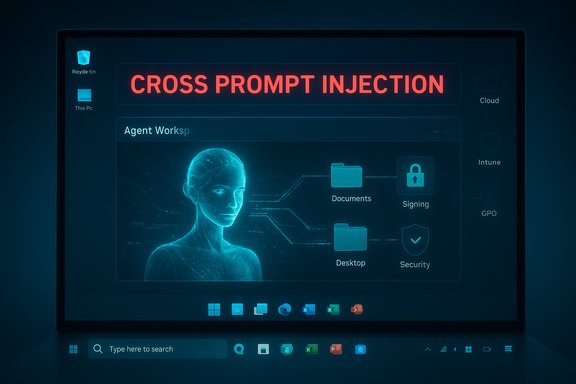
- Agent Workspace: A lightweight, contained Windows session where an agent runs in parallel with the human user. It’s intended to provide runtime isolation and a visible surface for monitoring agent actions — lighter than a full VM but stronger than an in‑process automation.
- Agent accounts: When enabled, Windows provisions distinct, low‑privilege, non‑interactive local Windows accounts for agents so their actions are attributable, auditable, and controllable with standard OS policy primitives.
- Copilot Actions: The first mainstream scenario — natural‑language requests translate into multi‑step automation across apps and files (for example: assemble a report from PDFs, batch‑process images, or compose and send an email on your behalf). These actions can include UI‑level interactions when apps lack formal APIs.
- Model Context Protocol (MCP) and connectors: Plumbing that allows agents to discover and call application-provided capabilities (App Actions) and to integrate with cloud connectors, which extends what an agent can accomplish — and widens the trust surface.
Defaults and administrative controls
Microsoft has intentionally restricted the preview:- The master toggle is located in Settings → System → AI Components → Agent tools → Experimental agentic features and is off by default. An administrator must enable it and the toggle, once set, applies device‑wide.
- During the initial preview, agents request scoped access to a limited set of “known folders” (Documents, Desktop, Downloads, Pictures, Music, Videos). Broader access must be explicitly granted.
- Agents and connectors are expected to be digitally signed so publishers can be verified and compromised agents revoked. Microsoft plans operational integration with Intune/GPO and enterprise identity systems for governance over time.
The security warning: what Microsoft actually says
Microsoft's public guidance is unusually explicit: agentic capabilities “may hallucinate and produce unexpected outputs,” and they introduce a class of adversarial manipulation the company calls cross‑prompt injection (XPIA) — where malicious content embedded in UI elements, documents, or rendered previews can override agent instructions and cause unintended actions like data exfiltration or software installation. That language is front‑and‑center in the documentation accompanying the preview.This is not marketing hedging. Microsoft frames the feature as experimental and tells administrators and users to enable it only if they understand the security implications — a clear signal that enabling these capabilities is a risk decision, not a simple settings flip.
Anatomy of the novel risks
1. Cross‑Prompt Injection (XPIA): data-as‑code attacks
XPIA is the most important new risk class to understand. Unlike classic malware which exploits code execution paths, XPIA weaponizes content — the ordinary files, HTML previews, images (via OCR) and UI text that agents parse when forming an action plan.- Attack surface: any content the agent reads when asked to “summarize,” “extract” or “act on” a file or UI state.
- Typical vectors: hidden instructions in documents (white‑on‑white text, comments, alt text, metadata), specially formatted markup or markup tricks, or poisoned web previews and connectors. An agent that trusts the content as authoritative can be tricked into following embedded directives.
2. Hallucinations mapped to actions
Large language models (LLMs) sometimes produce confident but incorrect outputs (“hallucinations”). When those outputs are translated directly into desktop actions — e.g., an agent decides a file is a contract and uploads it, or selects the wrong file to attach and sends it — the consequences are no longer academic. Microsoft calls out hallucination as a first‑order security concern in the context of agentic operations.3. Automated data exfiltration via legitimate capabilities
Agents that can read files, assemble reports, and call cloud connectors create plausible, stealthy channels for exfiltration. Because these flows can look like legitimate automation, standard DLP/EDR detection will need to add context for agent‑originated flows and connectors. Microsoft’s guidance highlights this risk and the need for operational controls.4. Supply‑chain and signing risks
Microsoft’s model depends on digital signing for agents and connectors to enable vetting and revocation. Signing reduces risk but is not a panacea; signed, malicious agents (or compromised signing keys) remain a real threat and must be considered in enterprise threat models. Microsoft is building revocation mechanisms, but many of these integration details are still evolving in preview.5. UI automation brittleness and deceptive UI
Agents that “click, type and scroll” are fundamentally brittle — localization, layout changes, or fake overlay dialogs could cause wrong clicks or destructive actions. The agent’s UI automation that mimics human input is a feature for productivity, but it becomes an exploitable reliability gap in adversarial hands.6. Privacy and telemetry concerns (screenshots, retention)
Early reporting and previews note that agent workspaces create and may retain artifacts (for example, screenshots of the agent’s workspace used for auditing or telemetry). The existence and retention of such artifacts raise privacy questions — especially for regulated environments — and administrators need clear policies for retention and access. Some preview reports call out screenshot retention windows as part of the preview behavior, but those operational specifics should be treated as provisional until Microsoft finalizes the model. Flag: retention and telemetry details remain subject to change and require careful verification against Microsoft’s production documentation.Microsoft’s built‑in mitigations — good primitives, incomplete coverage
Microsoft pairs the preview with sensible platform-level mitigations:- Identity separation: per‑agent local accounts that are auditable and revocable.
- Runtime isolation: Agent Workspace provides an observable, interruptible session rather than running inside the human session.
- Scoped file access: least‑privilege access to known folders by default.
- Signing and revocation: requirement for cryptographically signed agents and connectors.
- Audit and visibility: agents must present planned actions and generate tamper‑evident logs; users should be able to pause, stop, or take over an agent’s actions.
- How DLP/EDR integrates with agent-originated flows and connectors is not yet fully specified. Detection logic must evolve from binary/behavioral signals to include content-origin analysis and agent provenance.
- XPIA‑resistant input handling remains an unsolved problem: robust parsing, provenance labeling for content, and model-level instruction filtering are research problems with operational complexity.
- Supply‑chain assurances for signing and revocation require hardened certificate management and operational playbooks; signing is only as strong as the PKI and vetting process around it.
What this means for enterprises — practical guidance
Enterprises should treat agentic features as a new class of privileged automation and plan accordingly.- Policy posture (do not rush to enable)
- Keep the Experimental agentic features toggle disabled on production endpoints until policies, telemetry, and detection integrations are validated in test environments. Microsoft’s own advice is to limit this to Insiders and controlled previews initially.
- Test and stage
- Pilot on isolated test devices and for low‑risk user cohorts. Map connector usage and create realistic attack‑surface tests that include XPIA attempts (poisoned documents, malicious previews, embedded OCR payloads).
- Expand DLP/EDR and logging to understand agent flows
- Update DLP rules to identify agent‑originated data movements and connectors. Add rules that flag unusual packaging or transfers initiated by agent accounts. Ensure EDR telemetry records whether actions originated from an agent account and capture contextual metadata (which connector, which plan step, which files accessed).
- Enforce least privilege
- Restrict agent access to only necessary known folders, and prefer per‑user installation of sensitive apps where possible so agent access can be limited. Use OS ACLs and Intune to lock down agent scopes.
- Signing, vetting, and revocation playbook
- Treat signing as a control that must be validated: maintain a vetted catalog of allowed agents, enforce publisher verification, and develop rapid revocation/incident playbooks for compromised agents or connectors.
- Human‑in‑the‑loop for sensitive steps
- Require explicit user confirmation for sensitive actions (sending external emails, installing software, uploading to external connectors) and log the human approval event for auditing.
- Training and awareness
- Update security awareness training to include XPIA-style social engineering vectors — users and admins should recognize that content can now be weaponized as instruction, not only as bait to click.
- Regulatory and legal review
- For regulated industries, involve compliance/legal teams early. Persisted artifacts (screenshots, logs, payload previews) may contain regulated data and will require retention and access controls.
What consumers and enthusiasts should do
- Treat these features as experimental. If you are not an advanced user, do not enable the experimental toggle.
- If you enable agentic features on a personal device, limit agent access to only the folders you want the agent to touch. Avoid granting blanket permissions.
- Regularly review agent activity logs and remove or revoke agent connectors you do not recognize. Keep system backups and be prepared to roll back if an agent behaves unexpectedly.
Strengths and potential productivity gains
It’s important to acknowledge the real productivity promise here:- Agents can dramatically reduce repetitive tasks — organizing files, aggregating data from multiple documents, and automating UI workflows for apps lacking APIs.
- For power users and knowledge workers, Copilot Actions could reduce context switching and create new efficiency gains once robustness and governance are solved.
- The platform primitives (agent accounts, Agent Workspace, signing, MCP) are reasonable design choices that provide a foundation for auditable automation if implemented and governed correctly.
Wider ecosystem and long‑term implications
Agentic capabilities in a mainstream OS change the rules for endpoint security, privacy engineering, and software design:- Endpoint security vendors will need new detection signatures and behavior models for agent activities.
- App developers must publish trustworthy App Actions and connectors that resist being an instruction vector.
- Standards and testing frameworks for XPIA resilience, agent attestation, and connector provenance will be essential for cross‑vendor interoperability and trust.
- Regulators and auditors will likely demand stronger non‑repudiation guarantees for agent actions in regulated environments.
Flagging unverifiable or evolving claims
Several operational specifics mentioned in early previews and hands‑on reports remain provisional:- Exact retention windows for agent workspace screenshots, telemetry collection specifics, and full Intune/GPO controls for enterprise deployment are still evolving in the preview and should be verified against the latest Microsoft production documentation before long‑term policy decisions are made. Treat these operational details as subject to change until Microsoft finalizes them.
- Assertions that an agent will always behave like a full VM in terms of isolation, or claims of persistence behaviors beyond what Microsoft documents, should be treated as unverified until Microsoft publishes formal guarantees.
Final assessment and conclusion
Microsoft’s public security warning about Windows 11’s experimental agentic features is an important moment: a major platform vendor has openly acknowledged that moving from “suggest” to “do” changes the desktop threat model and creates new, content‑driven attack surfaces such as cross‑prompt injection (XPIA). The company’s preview architecture incorporates sensible building blocks — Agent Workspace, agent accounts, scoped file access, and signing/revocation — and the decision to keep the feature off by default and gate it behind administrator controls is prudent.However, the mitigation surface is incomplete. Detection, DLP, and supply‑chain protections must evolve to address content‑as‑instruction attacks and agent provenance. Enterprises should treat the preview conservatively: pilot in controlled environments, harden policies, and require explicit human approval for sensitive steps. Consumers and enthusiasts should delay enabling experimental agentic features until they understand the security tradeoffs and have configured limited scopes.
The productivity upside is real, but the security bar must remain high. The coming months will be decisive: measured, transparent rollouts, independent security audits, and stronger ecosystem standards will determine whether agentic Windows becomes a trusted productivity layer or a new, systemic attack surface. Microsoft’s candid warning is the right start — now the industry must follow through with engineering rigor, operational discipline, and real‑world testing.
Source: ARY News Microsoft issues security warning over new AI features in Windows 11