

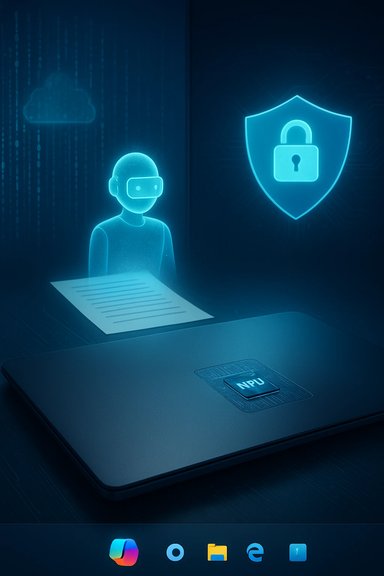
AI has stopped being a nice-to-have in Windows and is now the operating system’s defining architecture: Copilot, smarter search, on-device neural processing, AI actions in File Explorer, and security systems informed by machine learning are reshaping how people interact with their PCs — and sparking one of the largest debates in Windows history about privacy, hardware gatekeeping, and platform control.
Background — why this moment matters
Windows has always been an OS of incremental shifts: interface redesigns, compatibility layers, and periodic reinventions. What Microsoft has done with Windows 11, however, is a deliberate change of strategy — moving from feature add-ons to making AI the connective tissue of the user experience. That shift is visible in several simultaneous threads: a growing catalog of AI features in consumer apps, the Copilot assistant embedded in the taskbar and apps, and a new class of Copilot+ PCs with dedicated Neural Processing Units (NPUs) to run heavy models locally. Microsoft’s public pages describe Copilot as a native Windows assistant that can see, hear, and talk to you, and the company explicitly markets Copilot+ hardware as the tier that unlocks lower-latency, on-device AI experiences. At the same time, the platform calendar makes this shift urgent for many organizations: Windows 10 reached its end-of-support milestone on October 14, 2025, pushing an installed base toward Windows 11 upgrades and the new AI-first capabilities that come with it. That transition deadline has practical consequences for security posture and upgrade planning.Overview — what “AI in Windows 11” actually is
AI in Windows 11 is not a single feature but an ecosystem of services, UI affordances, and hardware accelerators. At a high level it includes:- Microsoft Copilot — a system-wide assistant integrated with Windows, Edge, and Microsoft 365 that answers questions, drafts and rewrites text, summarizes content, and can be invoked via a taskbar icon or a hardware Copilot key.
- AI-enhanced search and recommendations — contextual, personalized suggestions that learn from usage patterns and system context to improve app, file, and settings discovery.
- Productivity and UI intelligence — smarter Snap layouts, predictive task switching, and AI Actions in File Explorer (e.g., quick image edits and summaries) that cut micro-steps out of workflows.
- Edge and web assistants — Copilot Mode in Microsoft Edge and a Copilot sidebar that brings summarization and writing tools to browsing.
- Security automation — machine-learning-driven threat detection, behavior analysis, and adaptive alerts to augment traditional rule-based defenses.
- On-device AI (Copilot+) — modern laptops and desktops with NPUs can execute complex models locally for lower latency and improved privacy guarantees; Microsoft and OEMs are positioning Copilot+ hardware as the performance tier for advanced AI features.
Core AI features explained
Copilot — the system assistant
Copilot is the most-visible manifestation of Microsoft’s AI-first vision in Windows. It can:- Draft and edit text across apps,
- Summarize web pages and long documents,
- Answer conversational questions using context from your device and Microsoft Graph,
- Provide hands-free interactions via voice and Copilot Vision (screen-aware assistance).
AI-Enhanced Search, Recommendations, and File Actions
Windows Search and File Explorer are being augmented with contextual AI:- Start menu and system search become context-aware and predictive, surfacing files or apps based on your recent tasks and patterns.
- File Explorer’s right-click menu adds AI Actions on supported builds and hardware: single-click options to remove backgrounds, blur, summarize, or visually search content. These are orchestration hooks that may call Photos, Paint, or Copilot services depending on the device.
Edge and Copilot integration
Microsoft Edge has become a Copilot-enabled browser: a sidebar for instant assistance, summary tools, and writing aids that integrate with the web. Copilot Vision in Edge can analyze visible page content when you explicitly allow access, but it requires user consent and a privacy acknowledgement before first use.Security features driven by AI
Windows is using AI in security for:- Real-time behavioral malware analysis,
- Predictive threat identification that flags anomalies rather than relying solely on signature matches,
- Administrative tools that automate diagnostics and recovery tasks.
Why users and enterprises stand to gain
- Faster workflows: AI Actions, Copilot snippets, and smarter search shave small but frequent costs from tasks, improving productivity across writing, research, and file management.
- Accessibility gains: Voice-driven Copilot and improved Live Captions benefit users with mobility or hearing challenges, and on-device low-latency models make features more usable in real-time scenarios.
- Context-aware assistance: Copilot’s ability to draw on recent documents, calendar events, or browser context can give genuinely helpful, time-saving results — especially for hybrid work patterns.
- Stronger security posture: Behavioral detection and quick recovery tooling reduce dwell time for incidents and give administrators better telemetry to react to threats.
The core controversies and real risks
1. Data privacy and telemetry
The central criticism is simple: AI needs data. Copilot and related features use contextual signals — sometimes including content you didn’t explicitly ask to send to the cloud — to ground responses. Microsoft documents that Copilot uses a user’s working context but insists that enterprise data is not used to train its underlying models and that access respects Microsoft 365 permissions. Independent reviews and security analyses, however, note that Copilot still stores prompts and responses as activity history and that administrators must explicitly enforce DLP and Purview policies to prevent accidental exposure of sensitive data. For many privacy-focused organizations, that combination of convenience plus persistent logs is a red flag. Flagged as unverifiable without tenant-specific audit logs: how much telemetry leaves a tenant in each configuration is complex and depends on the Copilot edition and organizational policies; administrators must validate behavior in their environments.2. Cloud dependency and offline gaps
Although Microsoft is investing in on-device AI (Copilot+), many Copilot behaviors still rely on cloud services for the heaviest models and cross-tenant grounding. That means limited offline functionality in low-connectivity environments and a performance gap between Copilot+ devices and older hardware. Organizations operating in bandwidth-constrained regions or with strict air-gap requirements will find this trade-off painful.3. Hardware gating and platform fragmentation
Microsoft’s Copilot+ model creates a two-tier Windows experience: devices with NPUs get richer, lower-latency experiences, while older machines receive cloud-dependent fallbacks. This feature economy risks deepening the divide between users who can upgrade to modern silicon and those who cannot, complicating helpdesk support and internal training. Forum analyses of the 2025 rollout explicitly called out this fragmentation risk and advised pilot testing before a broad enterprise deployment.4. Performance, battery life, and thermal impact
On-device inference reduces latency but can increase thermal load and power draw on laptops when NPUs or CPU cores are used heavily. Early reviews show Copilot+ hardware can be efficient, but older machines experiencing cloud fallbacks may see worse net performance if the software is not optimized. This is especially relevant in mobile and battery-sensitive workflows.5. Accuracy, bias, and accountability
AI-generated answers still hallucinate or miss domain nuance. Windows’ Copilot and summarization tools are powerful productivity boosters, but outputs should be treated as assistive rather than authoritative. Organizations that use Copilot for compliance-sensitive tasks must maintain human oversight and auditability. Independent reviewers warn that hallucinations are reduced but not eliminated, and this remains a risk wherever automated summarization or decision support is used.The Recall story — a case study in friction
A particularly illustrative incident involves Windows Recall, a feature that indexes recent activity to help users find where they saw information. The feature attracted privacy criticism because it snapshots on-screen content over time. Microsoft paused and redesigned Recall to add stronger opt-in behavior, encryption, pause controls, and filters; the controversy demonstrates the fine line between helpful memory augmentation and surveillance. The company’s response — adding explicit user controls and gating sensitive types of content — is instructive: convenience without clear control is not acceptable to a privacy-conscious public.Technical verifications and hard facts
- Windows 10 end of support occurred on October 14, 2025. Microsoft’s official support pages state that Windows 10 will no longer receive free security updates after that date, and the company recommends upgrading to Windows 11 (with Extended Security Updates available as a temporary option for some users). This deadline materially accelerates migration discussions for enterprises.
- Windows 11 has explicit hardware requirements (TPM 2.0, Secure Boot, minimum RAM and storage) that remain in Microsoft’s documentation; these requirements are central to why many older devices cannot be upgraded. Administrators and users should consult the official Windows 11 requirements and the PC Health Check tool when planning migrations.
- Copilot on Windows is available natively in Windows 11 and supports voice, vision, and cross-app assistance. Copilot Vision requires an initial privacy acknowledgement and explicit selection of content to share; Copilot’s on-device/offline capabilities are improved on Copilot+ hardware but are not universal across all devices.
How enterprises should plan — a practical checklist
- Inventory: Map who needs AI features and which machines meet Copilot+ requirements (NPU, firmware, and Windows build). Use PC Health Check and manufacturer guidance.
- Pilot: Run Copilot features in small, audited pilots. Pay attention to Purview/DLP integration and where Copilot stores prompts and responses.
- Governance: Define role-based policies for AI actions; use Microsoft Purview to block Copilot processing of labeled sensitive content.
- Privacy: Require explicit consent flows for features that capture screen or audio; make “pause” and export controls discoverable to users. The Recall rollout shows these controls are not optional for trust.
- Training: Teach users how to validate Copilot outputs and treat AI as a productivity assistant, not a final arbiter.
What consumers should know and how to act
- You can turn off or limit many Copilot features, but some deeper AI integrations live inside OS flows and may not be removable without losing functionality. Microsoft documents opt-outs and settings, but turning off telemetry entirely is complex and will vary by build and edition.
- If privacy is paramount, prefer devices and settings that prioritize on-device processing (Copilot+ hardware) and audit what apps can access your data. For home users, the stakes are lower than for regulated enterprises, but it’s still prudent to review Copilot history and the data uses you’ve consented to.
- If your PC cannot upgrade to Windows 11 (TPM 2.0 or Secure Boot missing), weigh options: replace hardware, enroll in Extended Security Updates if eligible, or plan a phased migration. Microsoft’s support pages explain the hardware requirements and options.
Strengths, weaknesses, and a balanced verdict
Strengths- Tangible productivity gains: AI Actions and Copilot reduce friction in repetitive tasks.
- Accessibility gains: Voice and vision features make the PC more usable for a broader population.
- Security modernization: ML-driven threat detection enhances existing protections if correctly governed.
- Privacy complexity: Default behaviors, telemetry, and activity history create user and governance risks unless organizations actively manage Copilot’s scope.
- Hardware fragmentation: Copilot+ vs standard Windows 11 experiences may create inconsistent employee experiences and added support costs.
- Maturity gaps: AI outputs remain probabilistic; hallucinations and mis-summaries continue to require human validation.
Windows 11’s AI-first trajectory is a meaningful evolution that promises measurable efficiency and accessibility wins. But it also raises structural questions about platform control, privacy defaults, and hardware-driven inequality. The prudent path is measured adoption: pilot widely useful features, enforce governance for sensitive data, prefer on-device processing where possible, and treat AI outputs as assistants rather than authorities. Forum and community analysis coming out of 2024–2025 consistently recommend cautious optimism combined with careful policy mapping before broad rollouts.
The near-term roadmap and what to watch
- More on-device AI: expect deeper NPU support, improved Copilot responsiveness on Copilot+ machines, and a gradual migration of heavier models toward local execution for low-latency scenarios.
- Deeper app-level AI: third-party apps will be encouraged to integrate with system AI shortcuts (File Explorer Actions, multi-stream camera hooks). Expect fragmentation as vendors update.
- Governance tooling: richer Purview and admin controls for model governance, prompt auditing, and DLP integration are likely to appear as enterprise demand rises.
- Continued debate: expect more scrutiny on telemetry and data residency, along with regulatory attention in sensitive sectors. The Recall episode and ongoing enterprise conversations make this unavoidable.
Practical recommendations (quick reference)
- For consumers: review Copilot privacy settings, update to the latest Windows builds, and consider Copilot+ hardware only if you need low-latency AI tasks.
- For IT leaders: run a staged pilot, apply Purview DLP policies to block sensitive content from generative processing, and map hardware to user roles before upgrading fleet-wide.
- For privacy teams: demand clear audit trails of what data models see and insist on explicit opt‑in flows for features that capture screen or audio content. The Recall redesign is a useful model.
Conclusion — an evolutionary inflection, not a miracle cure
Windows 11’s AI integration is a decisive and pragmatic redesign of how an operating system helps people work, create, and stay secure. The shift delivers real productivity and accessibility benefits, especially when paired with Copilot+ hardware and well-crafted governance. Yet those gains come with trade-offs: new privacy decisions, hardware-based fragmentation, and the persistent need for human oversight over probabilistic AI outputs.For end users and administrators, the correct posture is neither rejection nor blind embrace. Instead it is disciplined experimentation: pilot thoughtfully, secure aggressively, buy hardware that matches real needs, and institutionalize the habit of validating AI outputs. Microsoft’s documentation and community analysis make the choices clear — the tools will help you, but they require you to be intentional about how they’re used.
Source: thewincentral.com AI Is Changing Windows 11 Forever - Features, Benefits, Debate & Controversies - WinCentral
